AI Image Generation for Business: 7 Myths the 2026 Data Debunks


A lot of hesitation about AI image generation in business comes from assumptions the 2026 data no longer supports. Analysis of thousands of verified reviews and surveys of leading vendors shows the technology is cheaper than traditional design, already used daily in production, and delivering fast returns for businesses of every size, from solo creators to enterprise teams. The real question has shifted from whether it works to how to make output consistent and on-brand at scale. Here are seven common myths and what the numbers actually say.
The findings behind each myth are supported by G2's 2026 state of AI image generation report, which drew on 2,111 verified reviews collected between August 2025 and July 2026 and a survey of seven leading vendors conducted in mid-2026.
Myth 1: AI Image Generation Is Too Expensive for a Small Business
The sticker price is not where budgets leak, and for the smallest businesses the entry cost is genuinely low. Six of seven vendors surveyed said AI generation is significantly cheaper than traditional design, and the seventh called it moderately less expensive. To put real numbers on it: getimg.ai's entry plan is $8 a month on annual billing and includes 3,000 credits, enough for 60 images a month in Auto mode, which works out to around 13 cents an image.
Set that against what a single image costs the traditional way. The U.S. Bureau of Labor Statistics puts the median wage for graphic designers near $30 an hour, and one polished custom composition takes hours rather than minutes. Commissioned product photography sits well above that.
Pricing guides from product-photography studios such as Squareshot, ProShot Media, and Bridgeway Digital suggest that basic studio product images can run from roughly $25 to $150 each, while styled or lifestyle images often run $100 to $300 or more. Professional day rates can range from about $1,500 to $5,000, with models, props, locations, and advanced retouching potentially adding to the total. A single professional lifestyle photo can cost more than a full year of the Entry plan.
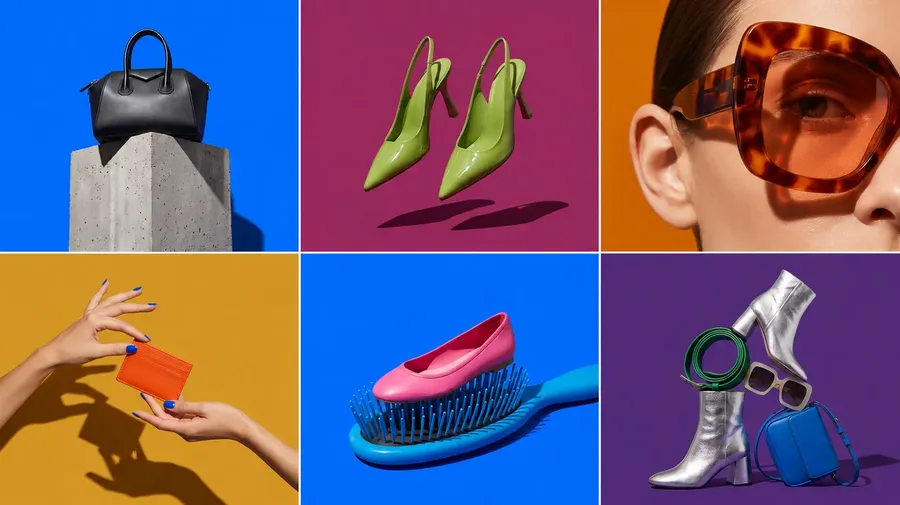
Cheap here does not mean a weaker result. Auto mode draws from the current top image models and picks the one best suited to each prompt, and built-in prompt enhancement expands a short, plain description into a fuller instruction, so even a simple prompt has a good chance of landing a usable image on the first try.
That matters for cost, because the money in AI generation leaks into predictability rather than the headline price. Credits make spend variable, and the real waste is re-rolls: batch one prompt into several directions at once, match resolution to the destination, and edit in place instead of regenerating from scratch.
Those credits also stretch further than a single-purpose tool allows, because the same balance covers getimg.ai's video and audio generation, not images alone. A business is not funding three separate subscriptions and using a fraction of each, it draws from one pool for whatever a project needs that month. Expect the economics to keep tilting this way: as the price of a single generation falls, the number that decides your bill becomes how many tries it takes to reach a usable result, not what a credit costs.
Myth 2: It Only Pays Off for Big Enterprises
The buyer base is the opposite of enterprise-heavy. In the review data, 70% of users are individuals or small businesses, 16% are mid-market, and just 14% are enterprise. Payback is quick at that scale: 80% of small businesses reported a return in under six months, and 67% of individual users within six months.
Why it pays off so fast for small operators comes down to what it replaces for them. A large company weighing AI against a staffed design team is swapping one capable option for another. A small business usually has no design team and no budget for an agency or a photographer, so its real alternative is stock imagery, a rough do-it-yourself attempt, or going without.
AI does not simply make custom visuals cheaper for that business, it brings visuals within reach that were previously out of reach. A small e-commerce team producing product imagery can shoot a seasonal lifestyle set, test three ad directions, and refresh a listing in an afternoon, work that used to demand money and lead time it never had.
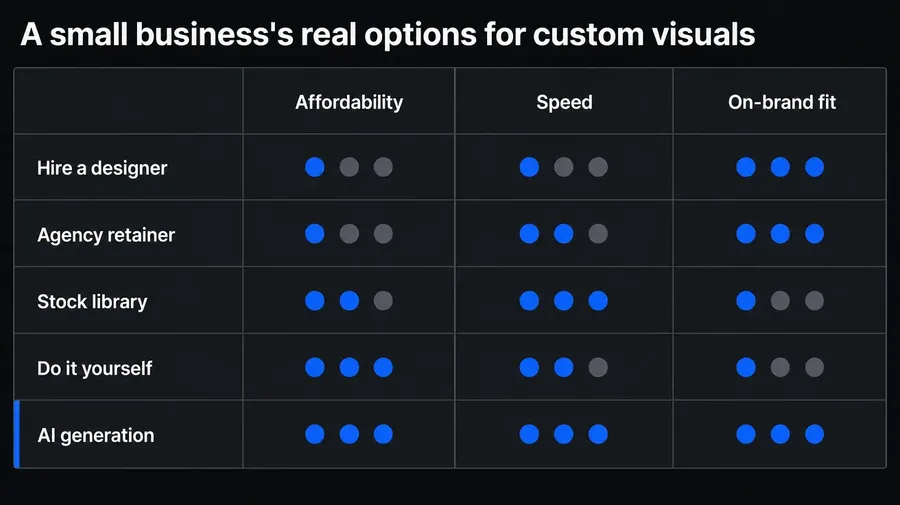
The fit is structural, not incidental. Small businesses carry a heavy visual load per person, since the same founder or two-person team runs the ads, the storefront, and the social feed, and each of those needs a steady supply of on-brand images. They also decide and ship without committees, which suits a tool that rewards fast iteration over careful sign-off. The smaller the team, the more each hour AI hands back actually gets felt, and the lower the prior spend on outsourced design, the sooner the return shows up.
None of this means large companies will not need it. Their low share today reflects organizational drag rather than poor fit: procurement cycles, security reviews, and integration backlogs slow adoption regardless of the value on offer. So the outlook follows directly. Enterprise is the segment most likely to grow, as controls, approval steps, and integrations mature to the point where large teams can adopt at the speed small ones already do.
Myth 3: You Can't Get Consistent, On-Brand Results
Consistency is the single most cited frontier among vendors, and it is now solved in practice rather than a hard limit. Early AI image use ran on what NightCafe's Elle Russell calls the "lottery" phase of prompting, where each generation drifted on color, framing, and style.
"On-brand" is not one setting but several that drift independently: the color palette, the lighting, the composition, the rendering style, and any recurring subject such as a product, a spokesperson, or a mascot. A prompt is a poor instrument for pinning all of those at once. Diffusion models are probabilistic, so the same words return a subtly different image each run: even a color you name precisely tends to land a shade off from the version before it.
And the details that most define a brand often cannot be put into words at all, however carefully you try, such as the exact look of your product, down to its label, proportions, and finish, or one specific person's face. That is the real shape of the problem: not that the model is weak, but that it has no memory of your brand from one generation to the next.
The fix is to supply that memory externally. getimg.ai Elements let you build a style, a color palette, and a product or person reference once, from a handful of examples, then apply the same conditioning to every generation with a short tag. A locked seed reproduces a specific look when you need an exact repeat, and a dedicated subject reference keeps a recurring face or product stable across a whole set.

The decisive part for a business is that these references can live at the team level, so a AI brand style defined once conditions everyone's output the same way. Consistency stops depending on who is at the keyboard or how carefully they phrased the prompt, which is the failure mode that made early AI images unusable as brand assets.
This matters more than it sounds, because inconsistent visuals quietly cost a brand its recognition: a feed or catalog that looks like it came from five different companies reads as none of them. Once references are standard practice, that risk falls away and the work becomes a setup step rather than a per-image skill. The edge then moves from who can produce one striking image to who can produce the two-hundredth that still matches the first, which is the consistency-at-volume line the whole industry is now racing toward.
Myth 4: Getting Good Images Is All About the Perfect Prompt
Prompt accuracy is a genuine pain point, the second-most-common frustration in the review data, but it is no longer where the leverage sits. As getimg.ai's own Maciej Łukowski put it in the 2026 report, "The next phase of AI progress will not come from refining prompts, but from designing scalable workflows that turn isolated outputs into repeatable systems."
There is a practical reason to take that seriously: prompt expertise depreciates. Every model update might quietly change what wording works, so the phrasing you perfected last quarter can underperform on this quarter's model. A workflow does not decay the same way.
Reusable references, batch generation, and a fixed editing sequence carry forward across model changes, which makes process the more durable investment. Automatic prompt enhancement reinforces the point, expanding short, natural descriptions into detailed instructions so teams engineer far less syntax than they expect.
Here is what one looks like in practice, for a brand keeping a consistent Instagram feed:
- Build the brand once as Elements. Turn a few of your strongest posts into a style Element and a color palette Element, and add a product Element for each item you feature often or want to shoot from fresh angles, each called with a tag like @ProductName. When you only need a background or color scheme to feel on-brand, a single reference image does the job without saving an Element. Either way the brand look is set up in advance, not re-described every post.
- Plan the week's posts and batch them. For each slot, a product shot, a quote card, a lifestyle scene, tag the Elements you need and write the prompt as detailed as the subject deserves: what is in the shot, where things sit, any text that has to appear. The Elements carry the style, so the words go on the specifics instead of re-explaining your look. Generate several options in one pass and keep the best.
- Let the grid hold itself together. Because every post carries the same Elements, the nine squares read as one brand at a glance rather than a patchwork of unrelated images, with no per-post fiddling to keep them aligned.
- Size for the feed and finish. Generate at the 4:5 portrait or 1:1 square the feed uses, correct any single detail that came out off, and schedule the set.

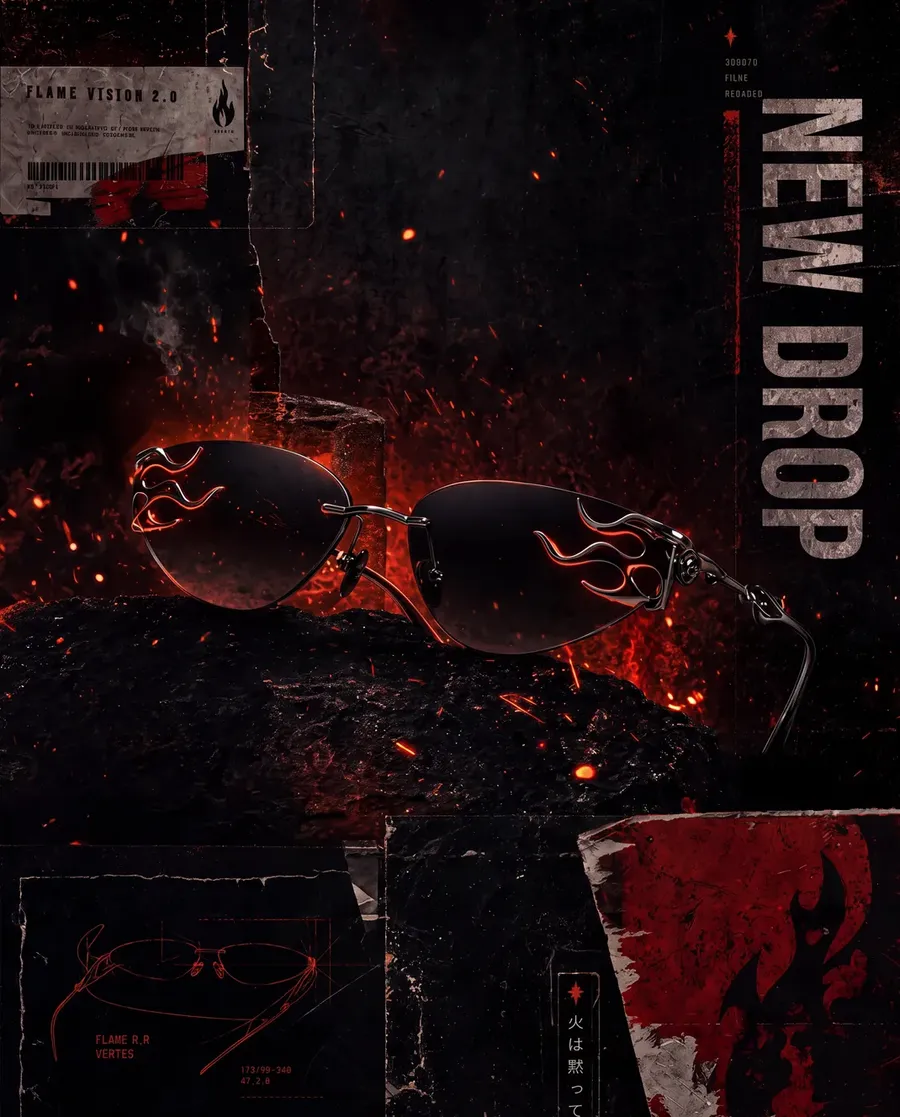
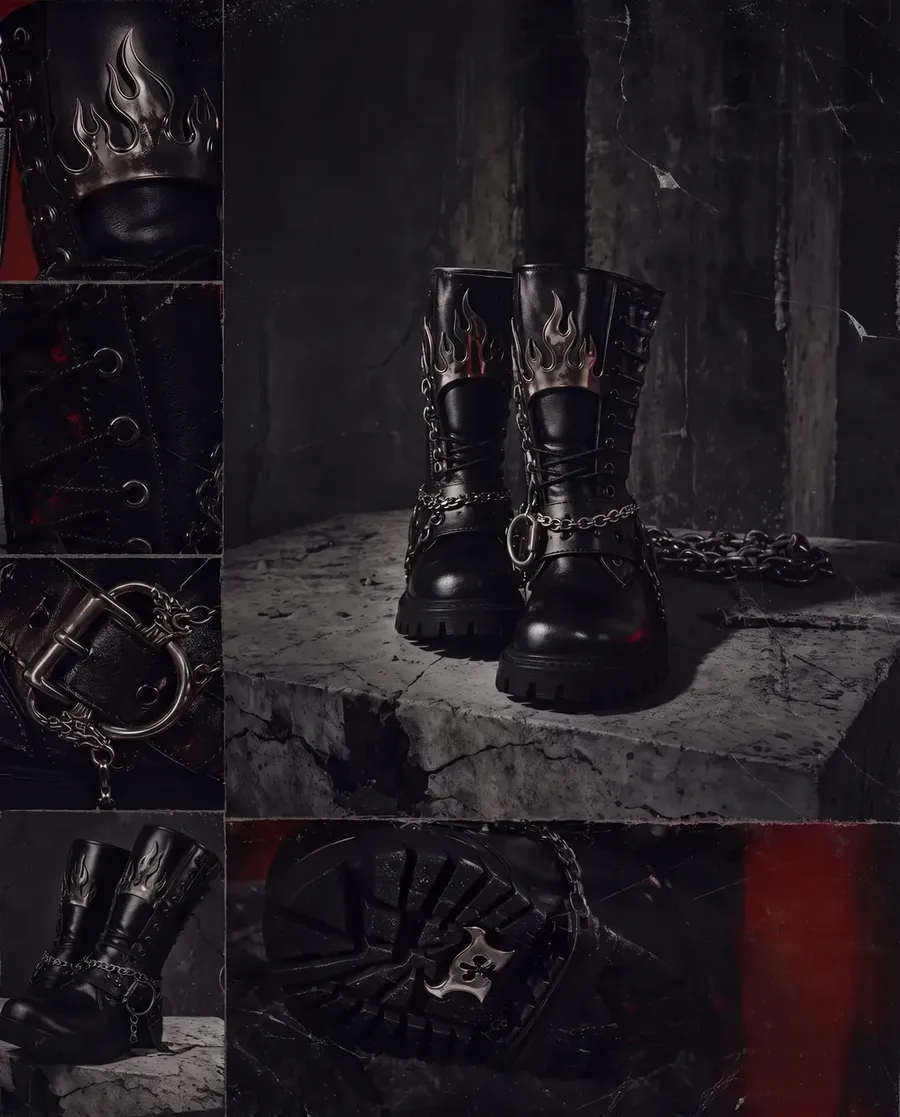
Nothing in that sequence hangs on a clever prompt. It hangs on the Elements and the order of the steps, which is why it survives both the next model update and a new hire running it for the first time.
The outlook is a quiet role change inside businesses. The informal "prompt person" matters less each year, while whoever owns the repeatable workflow, from concept to on-brand production to delivery, becomes the one who sets output quality.
Myth 5: AI-Generated Images Can't Be Used Commercially
They can, but commercial safety depends on the vendor's terms rather than the technology itself. The 2026 report tells businesses to check two things before adopting any tool: the image rights and licensing it grants, and whether it offers IP or copyright indemnity. Both vary widely, so what you are cleared to do is always a function of the plan you are on.
One distinction is worth getting straight, because the two are easy to conflate: a commercial license is not the same as copyright ownership. A license is the vendor granting you the right to use an image commercially, in ads, listings, and client work. Copyright is the separate question of who, if anyone, can own that image as intellectual property, and in several jurisdictions a purely AI-generated image may not be copyrightable at all. So a business can be fully cleared to use an output and still hold no exclusive claim to it, which matters only if you need to stop someone else from reusing the same image.
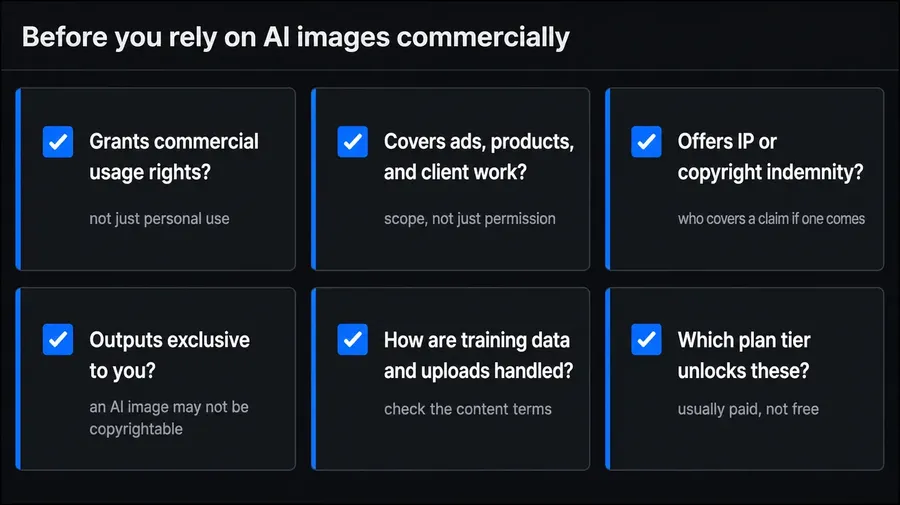
The under-discussed risk sits one level up. A team running several different generators inherits several different license and indemnity positions, and usually cannot say which image came from which. Keeping generation in one place is not only a cost and consistency decision, it is how a business keeps its commercial terms legible. getimg.ai includes commercial usage rights on every paid plan, so images are cleared for campaigns, listings, and client work without a separate licensing step.
The outlook mirrors what already happened with AI writing tools: indemnity is moving from a nice-to-have to a standard line in the buying checklist. Teams that settle terms now avoid retrofitting compliance across a year of published assets later.
Myth 6: The Quality Isn't Good Enough for Real Business Use
Output is already performing in production, not just in demos. All seven vendors named faster content creation as a customer benefit, five of seven reported improved engagement and content performance, and 25% of reviewers use AI image generation primarily to reduce design time. Businesses are shipping these images and watching them perform.
What "good enough" means has quietly moved. The old worry was fidelity: mangled hands, melted text, an obviously synthetic finish. That era is largely over for any serious model. The bar that blocks business use now is fitness for purpose, and the ways an image fails are specific rather than global. It is not that the picture looks fake, it is that the product detail is subtly wrong, the on-image text is slightly uneven, the mood is off-brand, or the composition leaves no room for the headline that has to sit on top. Those are targeted misses, not dead ends.
That distinction is what makes quality a control problem instead of a ceiling. Models can already produce AI images (e.g., product photos) that look real, and when one element is off, editing corrects that region without regenerating the whole scene, while upscaling takes a good image to print resolution. The honest limits are narrower than the myth suggests but real: a long passage of text, an exact company logo, or a precise count of objects can still trip a model. Each has a route through it, a model chosen for strong text, a product reference to hold the logo exact, or a quick edit, so the failure becomes a step in the process rather than a reason to abandon the image.
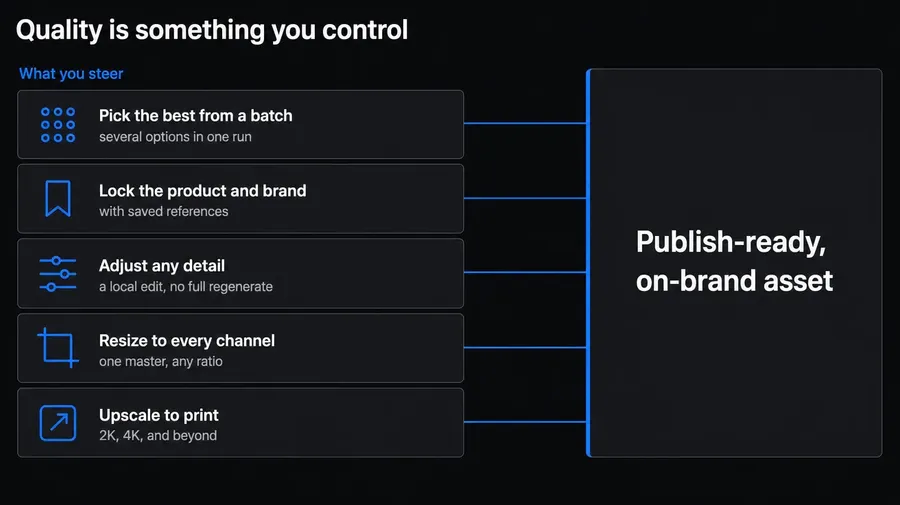
The outlook is that base quality is plateauing, because every serious model is now good enough to ship. When the raw output all looks impressive, the difference between tools stops being who renders the prettiest image and becomes who lets you steer and correct it fastest. It is also why the engagement finding, five of seven vendors reporting better performance, carries more weight than any sample gallery: these images are not merely passable, they are outperforming, which is the only quality test a business actually cares about.
Myth 7: It's a Novelty That Hasn't Really Been Adopted
Adoption is mainstream and, for many businesses, daily. Every vendor surveyed saw significant adoption growth over the previous twelve months, five reported customers generating images daily, two weekly, and three described AI image generation as core to their customers' content or design production.
That daily use is no longer a marketer making the occasional hero image, but a steady stream across functions: social posts, e-commerce listings, ad variations, email headers, blog art, and internal decks, produced in-house rather than commissioned. The description from a third of vendors, core to production, is the one that counts, because core means load-bearing. Remove the tool and output does not merely slow, it stalls, the way it would if a design hire walked out. That is a different relationship than a team has with a novelty.
The shift from experiment to infrastructure changes the risk of sitting out. When AI images were a curiosity, not using them cost nothing. Now the cost is competitive and cumulative: businesses that adopted produce more variations, test more directions, and refresh creative more often, all at a lower unit cost. None of that shows up as a single feature a laggard is missing, which is exactly why it is easy to underrate. It surfaces instead as a widening gap in throughput and spend that is hard to attribute and slow to close, because closing it means building the workflow, the references, and the habits, not just opening an account.
So the real question in 2026 is not whether to use AI images but how systematically. Among businesses that have adopted, the ones pulling ahead are not those with the sharpest prompts or the newest model, but those running it as a repeatable process, which is the same conclusion every other myth on this page keeps arriving at. Adoption was the easy part, and the market is already past it. The advantage now belongs to whoever turns daily use into a system.
What This Means for Your Business
The through-line across all seven myths is a single shift: the open question is no longer whether AI image generation works for business, but how to run it consistently. Cost, commercial rights, and quality are largely settled. What separates teams that get value from teams that stall is process: reusable brand references, batch generation to explore fast, editing and upscaling in one place, one credit pool across the content types you actually ship, and commercial terms confirmed up front.
Myth | What the 2026 Data Shows | What It Means for You |
Too Expensive for Small Business | 6 of 7 vendors call it cheaper than traditional design | Control cost by cutting re-rolls, not by picking cheaper models |
Only Pays Off for Enterprises | 70% of buyers are individuals or SMBs; 14% enterprise | Small teams see ROI fastest; enterprise adoption is catching up |
Can't Stay Consistent or On-Brand | Consistency is the top frontier, solved with references | Set up reusable brand references once, not per image |
Success Is All About the Perfect Prompt | Leverage has moved to repeatable workflows | Invest in process; it outlasts model-specific prompt tricks |
Images Can't Be Used Commercially | Safety depends on vendor terms, not the technology | Confirm rights and indemnity before any paid campaign |
Quality Isn't Good Enough for Real Work | 5 of 7 vendors report better engagement and performance | Optimize for on-brand and controllable, not just photoreal |
A Niche Novelty | Daily use and broad adoption growth across vendors | Treat it as production infrastructure, not an experiment |
Get these fundamentals right and AI image generation stops being a novelty a business hedges against and becomes a production system it runs every day. The quickest way to find where your own setup stands is to put a real project through it and weigh the output against the numbers above.
Start creating business-ready AI images with getimg.ai.
Frequently Asked Questions
For most businesses, yes. In the 2026 vendor survey, six of seven providers reported AI generation is significantly cheaper than traditional design and the seventh called it moderately less expensive. The savings are largest when AI replaces recurring custom work, such as ad variations, product shots, and social posts.
The costs to watch are not the plan price but iteration time, post-editing, and switching between tools, which is why consolidating generation and editing in one place keeps the real cost down.
Consistency comes from reusable references, not from prompting carefully every time. Build a style, color palette, and product or person reference once, then apply the same conditioning to every generation. On getimg.ai these are Elements, and they can be shared at the team level so every member produces on-brand output without a separate briefing. This is what G2's 2026 report describes as moving past the prompting "lottery" toward brand-aware generation that respects a design system.
Less than most people assume. Prompt accuracy is the second-most-common frustration in the review data, but automatic prompt enhancement now expands short, natural descriptions into detailed instructions, so plain language usually produces usable results. The bigger lever, as vendors in the 2026 report emphasize, is a repeatable workflow rather than perfect wording. A clear process that anyone on the team can follow scales better than a single person's prompt-writing skill.
Native generation resolution is usually enough for web and social, and for print or large-format work you can upscale to the resolution the destination needs. getimg.ai's upscaler takes images up to 16K, with faithful upscaling for clean sharpening and creative upscaling when added detail helps. Plan the final output size before generating so you know whether an upscale step is required, then get your images at the resolution each channel actually calls for.
The most common uses in the 2026 data are marketing and social media visuals, ecommerce product imagery, brand and concept imagery, and educational illustrations. A quarter of reviewers from G2's state of image generation raport use it primarily to cut design time, and vendors report it is core to content and design production for many customers. In practice, that means ad creative and its variations, product photography and background swaps, thumbnails and banners, and fast concept exploration before committing to a direction.
Related Articles