How to Build an AI Image Workflow for Marketing (2026 Guide)


To build an AI image workflow for marketing, structure it as five repeatable stages: brief, concept generation, on-brand production, channel adaptation, and delivery. The goal is producing many on-brand, channel-ready assets predictably, not generating one good image. Lock consistency early with reusable brand references so output does not depend on who is prompting. getimg.ai supports the whole workflow in one place, with batch generation, a persistent Elements system for consistency, resizing, upscaling, and commercial rights on every paid plan.
Why Marketing Gets the Biggest Return on AI Images
The value is concentrated in marketing. McKinsey estimates generative AI could add $0.8 trillion to $1.2 trillion to the productivity of the marketing and sales function, and marketing and sales is among the functions adopting it fastest. But that value only lands when generation is systematized rather than ad-hoc. A repeatable workflow, run on a platform like getimg.ai, is what converts scattered generations into predictable, on-brand output a whole team can ship at speed.
But that value only lands when generation is systematized rather than ad-hoc. A repeatable workflow, run on a platform like getimg.ai, is what converts scattered generations into predictable, on-brand output a whole team can ship at speed.
The 5 Stages of a Marketing AI Image Workflow
A workflow is only useful if it is repeatable. These five stages run the same way every time, whether you are making one ad or a hundred. The discipline is separating them. Teams that blur "explore concepts" with "produce final assets" end up regenerating from scratch instead of building on a chosen direction. Keep the stages distinct and each one gets faster.
Stage | Goal | Key getimg.ai Capability |
1. Brief | Define the subject, message, and brand constraints | Shared folders for each campaign |
2. Concept | Explore creative directions quickly and affordably | Batch generation with up to 16 images at once |
3. Production | Lock in the winning look and keep it on brand | Elements such as |
4. Adaptation | Prepare assets for every channel and aspect ratio | Resize and Outpainting |
5. Delivery | Export at the required channel resolution | Upscaler and commercial rights |
Stage 1: Set Up the Brief and Workspace
Before generating anything, define the brief and create a home for it. A marketing brief for AI production needs the subject (product, person, or concept), the core message, the brand constraints (palette, tone, logo rules), and the target channels with their aspect ratios. Skipping this produces attractive images that miss the message, the most common failure mode of AI in marketing.
In getimg.ai, create a shared folder per campaign so every asset, reference, and variation lives in one place the whole team can see. Folders keep a Q4 launch separate from an evergreen library and separate from client A versus client B. This is the organizational layer that makes the later stages searchable instead of a scroll through thousands of ungrouped generations.
If you run multiple brands or clients, one folder per brand keeps references from bleeding across accounts. Set this up once at the start and the workflow stays navigable as volume grows.
Stage 2: Generate Concepts in Batches
Concepting is where AI's speed advantage is largest, and where teams underuse it. Instead of generating one image, refining the prompt, and generating again, generate a batch and pick a direction. getimg.ai's AI image generation Action produces 1, 2, 4, 8, or 16 images per run, so a single prompt returns a spread of directions in one pass. Short, natural prompts work here, and automatic prompt enhancement fills in detail, so you are directing concepts, not engineering syntax.
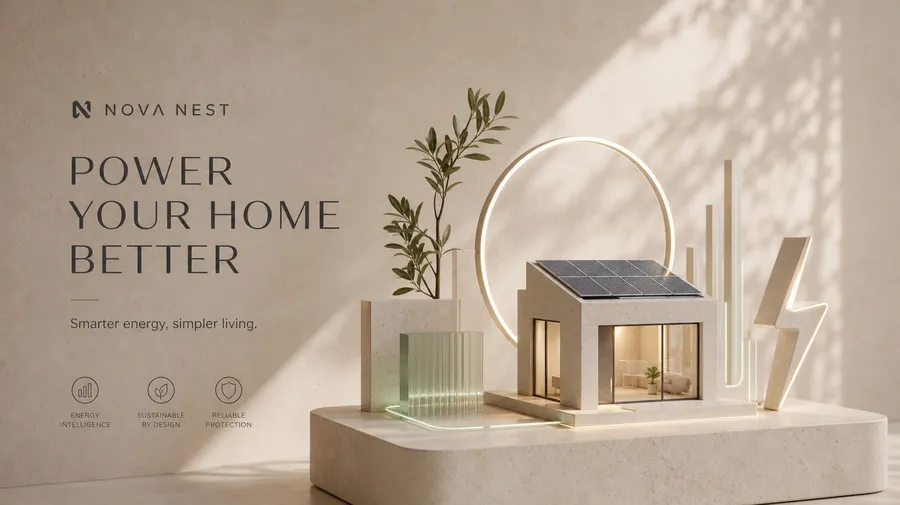

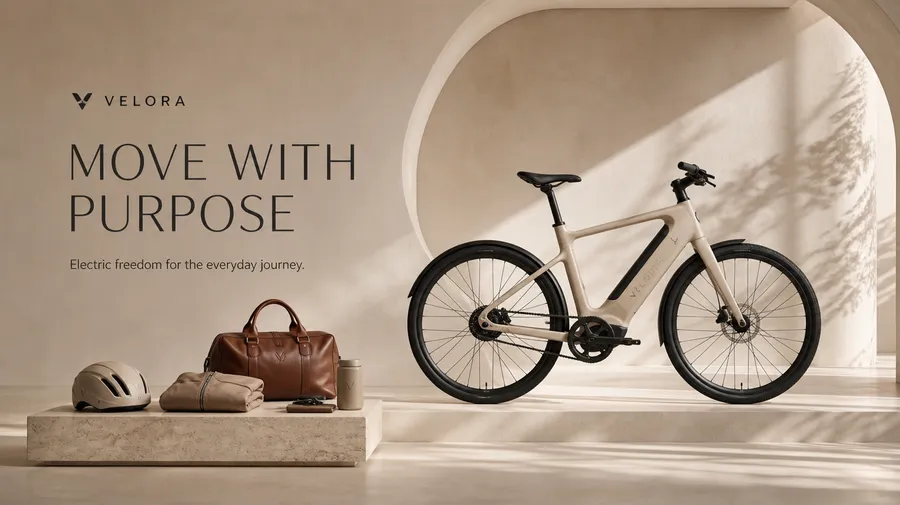
At this stage, breadth beats polish. Vary the prompt across genuinely different angles: a lifestyle scene, a studio product shot, a bold graphic treatment, rather than sixteen near-identical variants of one idea. Review the batch as a contact sheet and shortlist two or three directions to develop.
Because concepting is cheap and fast, you can pressure-test a campaign look before committing production time to it. This is the AI-native version of the mood board. Instead of committing to a direction blind, you test it first, the same logic behind these marketing and social media use cases.
Stage 3: Lock the Look with Brand References
This is the stage that makes the workflow a brand workflow rather than a random image generator. Once you have chosen a direction, lock it so every subsequent asset shares the same visual DNA. Text prompts cannot do this reliably, because diffusion models drift on color, lighting, and framing every run. The solution is persistent visual conditioning.
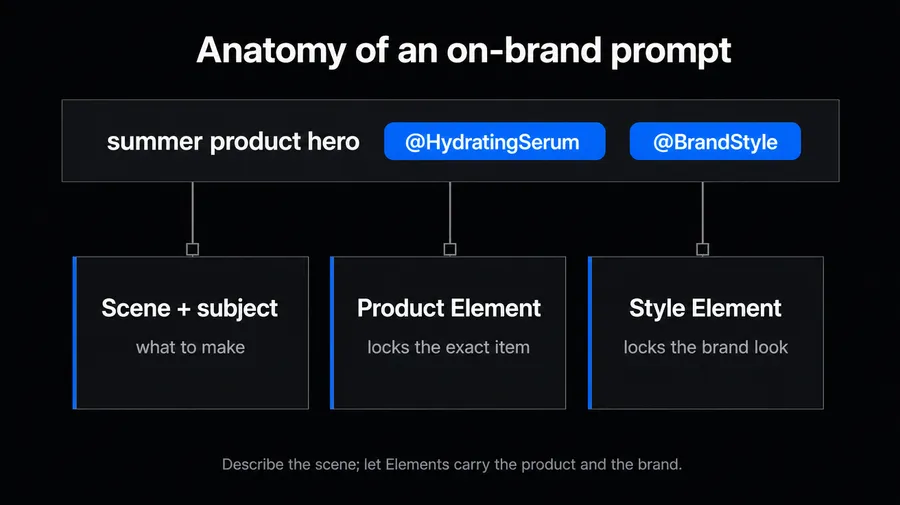
Create getimg.ai Elements for each brand dimension: a Style Element for the overall look, a Color Palette Element for your exact tones, a Lighting Element for light quality, and a Product or Person Element for the recurring subject. Built once from up to 20 reference images and called with `@ElementName`, they apply the same conditioning to every generation and are shared across the team automatically.
A prompt like `@BrandStyle @BrandColors summer product hero, @HydratingSerum on linen` produces on-brand, product-accurate output every time, regardless of in the Team who runs it. Setting up a brand-consistent image system here is what lets stages 4 and 5 scale without re-briefing anyone.
Stage 4: Adapt Every Asset to Every Channel
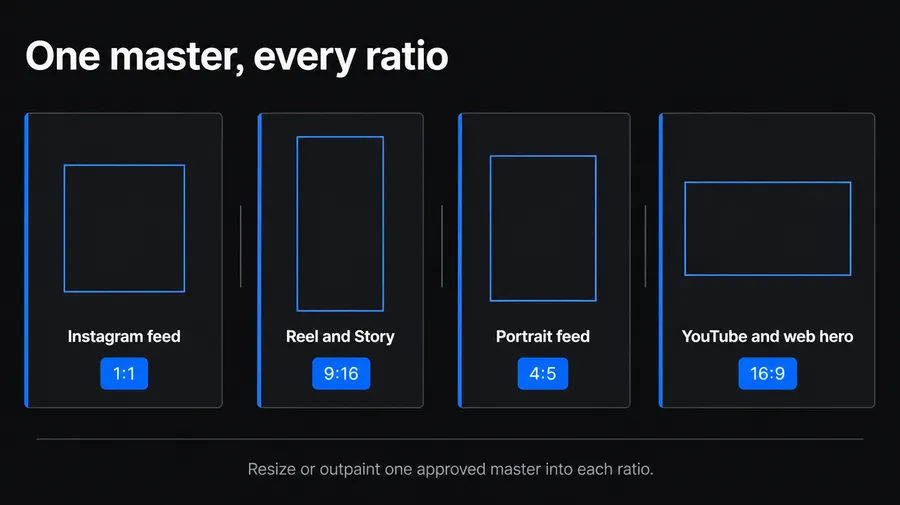
A single campaign visual has to become a square feed post, a 9:16 Story, a 16:9 YouTube thumbnail, and a wide web banner. Re-generating for each format wastes time and reintroduces inconsistency. Instead, adapt one approved master. getimg.ai's AI resizer offers two options: Smart Resize regenerates the composition at the new ratio, and Outpainting keeps the original pixels and extends the canvas outward to fill the new shape.
Outpainting is the workhorse for channel adaptation because it preserves the approved image and simply adds environment around it, ideal for turning a tight product shot into a wide banner without re-shooting the concept. Plan your channel list in stage 1 so you know which ratios you need, then batch-adapt the master into all of them.
Formats that carry on-image text, like ad banners, come from the same Create image generator, generated with a model that renders type cleanly rather than a separate layout tool. One master, many formats: that is the adaptation stage done right.
Stage 5: Deliver at the Right Resolution
Delivery is where a workflow either produces publishable assets or falls short at the last step. Export each asset at the resolution its channel actually needs, and upscale when the destination demands more pixels than the generation produced.
getimg.ai's image upscaler takes images to 2K, 4K, or up to 16K, with classic upscalers for faithful sharpening and creative upscalers for added detail. For print and out-of-home, upscale to 4K or higher. For web and social, native resolution is usually enough.
Because every getimg.ai paid plan includes commercial rights, delivered assets are cleared for campaigns and client work without extra licensing steps. Keep final assets in the campaign folder so the whole team, and the next campaign, can reference what shipped. A closed loop from brief to delivery, all in one workspace, is the point of building the workflow in the first place.
Why a Connected Workflow Beats Tool-Hopping
The alternative to a single connected workflow is a chain of disconnected tools: generate here, re-upload there to edit, export and re-import to resize, upscale in a fourth app. Every handoff loses time and context, and every re-upload risks version drift. Marketers already recover meaningful time from AI, but tool-hopping quietly gives it back.
Keeping brief, concept, production, adaptation, and delivery in one platform means references, Elements, and folders carry across every stage. This is also why a shared team space matters: the winning concept from stage 2 feeds directly into the Elements in stage 3, which feed the masters in stage 4, which deliver in stage 5, with no re-uploading and no re-describing. That continuity is what turns AI image generation from a fast novelty into a marketing production system your whole team can run.
Approach | Handoffs | Consistency | Team Shareable |
Tool-hopping (generate, edit, resize, and upscale in separate apps) | Many | Breaks at each handoff | No |
Connected workflow (getimg.ai) | None | Maintained by Elements across every stage | Yes |
Build Your Workflow
Start with one campaign. Write the brief, set up a shared folder, batch-generate concepts, lock the look with Elements, adapt to your channels, and deliver at resolution. Run it once and it becomes the template for every campaign after. Everything below fits in one workspace, with shared references and commercial rights on every plan.
Build your marketing workflow on getimg.ai.
Frequently Asked Questions
Build it as a five-stage pipeline: (1) brief, defining subject, message, brand constraints, and target channels; (2) concept, batch-generating several directions and shortlisting; (3) production, locking the chosen look with persistent brand references so output stays on brand; (4) adaptation, resizing one approved master into every channel ratio; (5) delivery, exporting and upscaling to the resolution each channel needs.
The key discipline is keeping the stages distinct and holding consistency with a reusable reference system rather than prompt wording. getimg.ai supports all five stages in one workspace, including batch generation, Elements for consistency, resizing, upscaling, and commercial rights on every paid plan.
AI compresses the slowest parts of production, concepting and channel adaptation, from days to minutes. Batch generation returns multiple directions in one pass instead of one image per iteration, and resizing adapts a single approved master to every platform ratio rather than commissioning each format separately.
Consistency comes from shared, persistent references, not from everyone prompting carefully. In getimg.ai, create Elements for your brand's style, color palette, lighting, and recurring products or people, then reference them with `@ElementName` in every prompt.
Elements are stored at the team level and visible to all members automatically, so a reference created once conditions everyone's output the same way. Combined with shared campaign folders, this means any team member produces on-brand assets without a separate briefing, which is what makes AI production scale across a team rather than depending on one skilled prompter.
A single connected platform is more reliable for marketing production because every tool handoff loses context and risks version drift. When generation, editing, resizing, and upscaling live in separate apps, you re-upload files repeatedly and can lose track of which version is approved.
Keeping the workflow in one platform means the winning concept feeds directly into brand references, then masters, then delivery, with no re-uploading. getimg.ai keeps all stages in one workspace so references and folders carry across the whole pipeline.
Plan your channel list before generating so you know the ratios up front. Common needs are 1:1 for feed posts, 9:16 for Stories and Reels, 16:9 for YouTube and web banners, and 4:5 for portrait feed placements.
Rather than generating each size separately, produce one master and adapt it. getimg.ai's Smart Resize regenerates at a new ratio, while Outpainting extends the original canvas to fit a wider or taller format without re-shooting the concept. Match final export resolution to the destination, upscaling for print and large-format placements.
Related Articles