Generate UGC-Style Ads With AI Without Hiring Creators

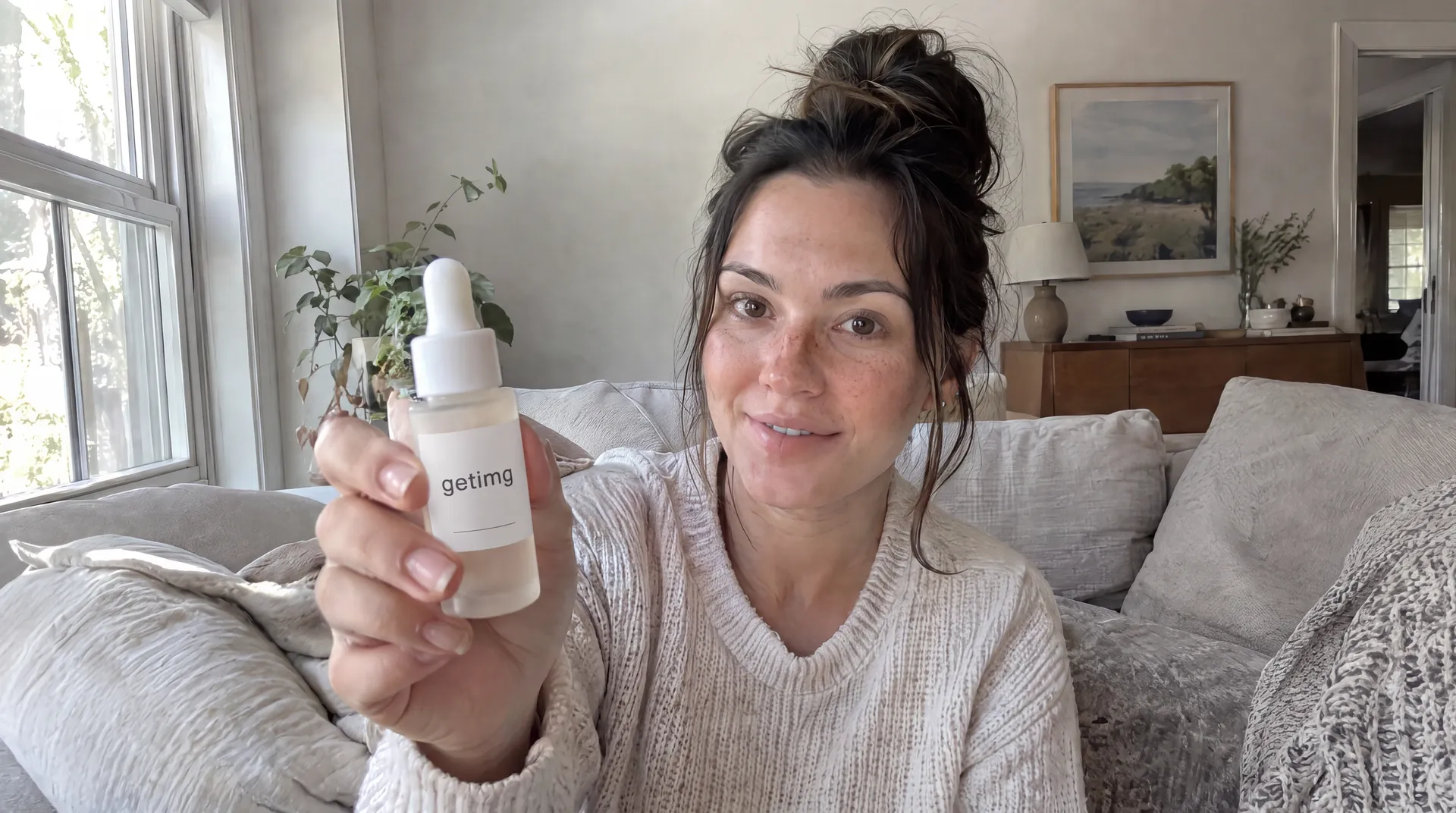
You can create UGC-style ads with AI by generating a fictional on-camera creator, placing the product in realistic everyday situations, and turning approved images into short vertical video clips. The strongest workflow treats the ad as a sequence of separate shots: hook, product interaction, demo, benefit, and closing frame. AI can replace much of the filming process, but believable direction, accurate product representation, clear messaging, and appropriate disclosure still matter.
What are AI UGC-style ads?
AI UGC-style ads are ads designed to look and feel like creator-made social content while some or all of the production is generated with AI.
The format usually borrows visual language from TikTok, Instagram Reels, Shorts, and creator ads: vertical framing, handheld or phone-camera composition, everyday locations, direct-to-camera shots, product demonstrations, natural lighting, quick cuts, and simple messaging.
The important distinction is the word style. A fictional AI character is not a real customer. An AI-generated product demonstration is not evidence that a person actually used the product. The goal is to recreate the visual format and pacing of creator advertising, not to fabricate a real consumer experience.
This makes AI UGC particularly useful for concept testing, campaign variations, product demonstrations, localized creatives, and performance ad experiments.
AI UGC vs. real creator UGC
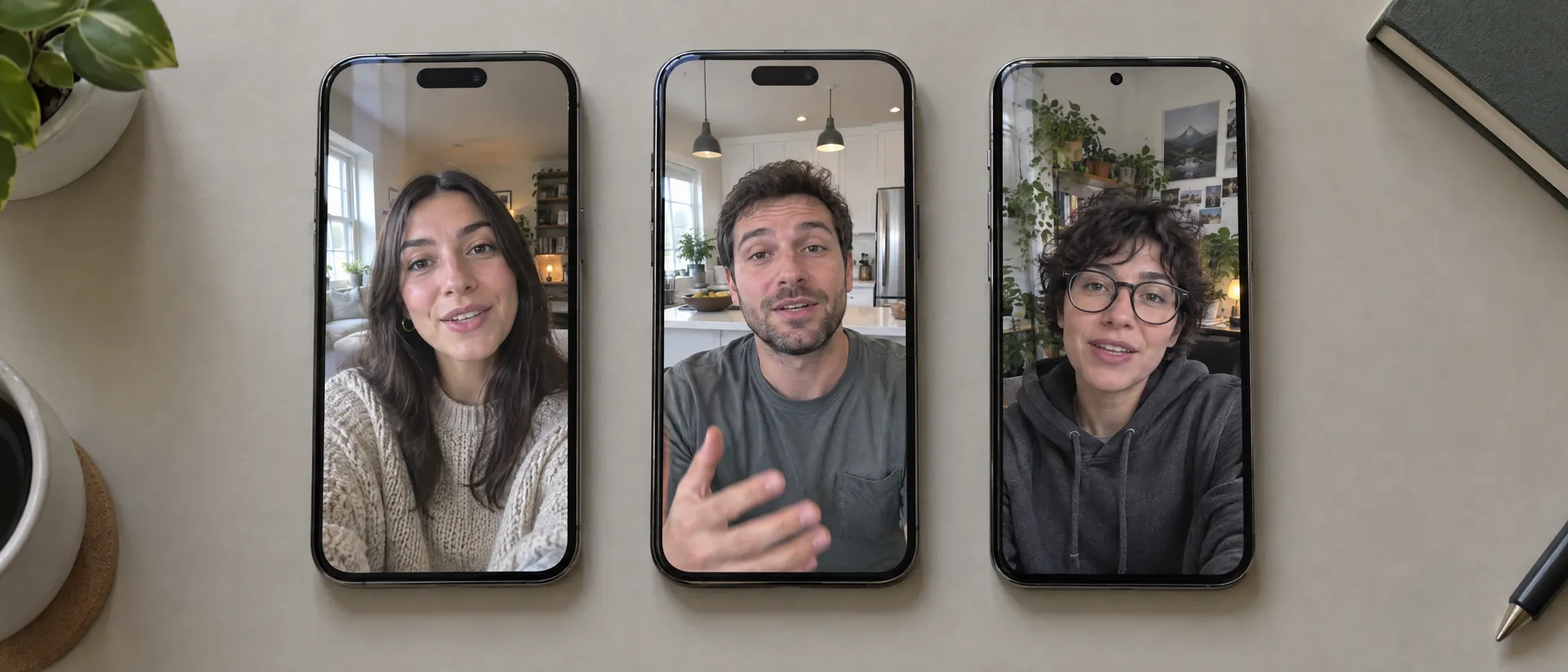
AI-generated UGC-style content and real creator UGC solve different production problems.
- Person on camera: AI UGC uses a fictional or synthetic person; real UGC uses an actual creator.
- Personal experience: AI cannot fabricate it; a real creator can reflect genuine experience.
- Visual control: high with AI; dependent on the creator and shoot with real UGC.
- Reshoots: new AI variations can be generated; real UGC usually requires another recording.
- Location and creator variations: easy to test with AI; each one needs production or a different creator otherwise.
- Product accuracy: must be controlled carefully with AI; the physical product is naturally preserved on a real shoot.
- Best use: AI for concepts, demos, iterations and ad variations; real creators for testimonials, community proof and authentic experiences.
- Disclosure: AI content may require disclosure depending on content and jurisdiction; creator content may require sponsorship disclosure.
Neither format automatically produces a better ad. Use real creator content when the value comes from an actual person's experience, opinion, credibility, or relationship with an audience. Use AI UGC-style creative when the main job is to communicate an ad idea visually and test more directions without organizing a separate shoot for every variation.
What makes an AI UGC ad look believable?
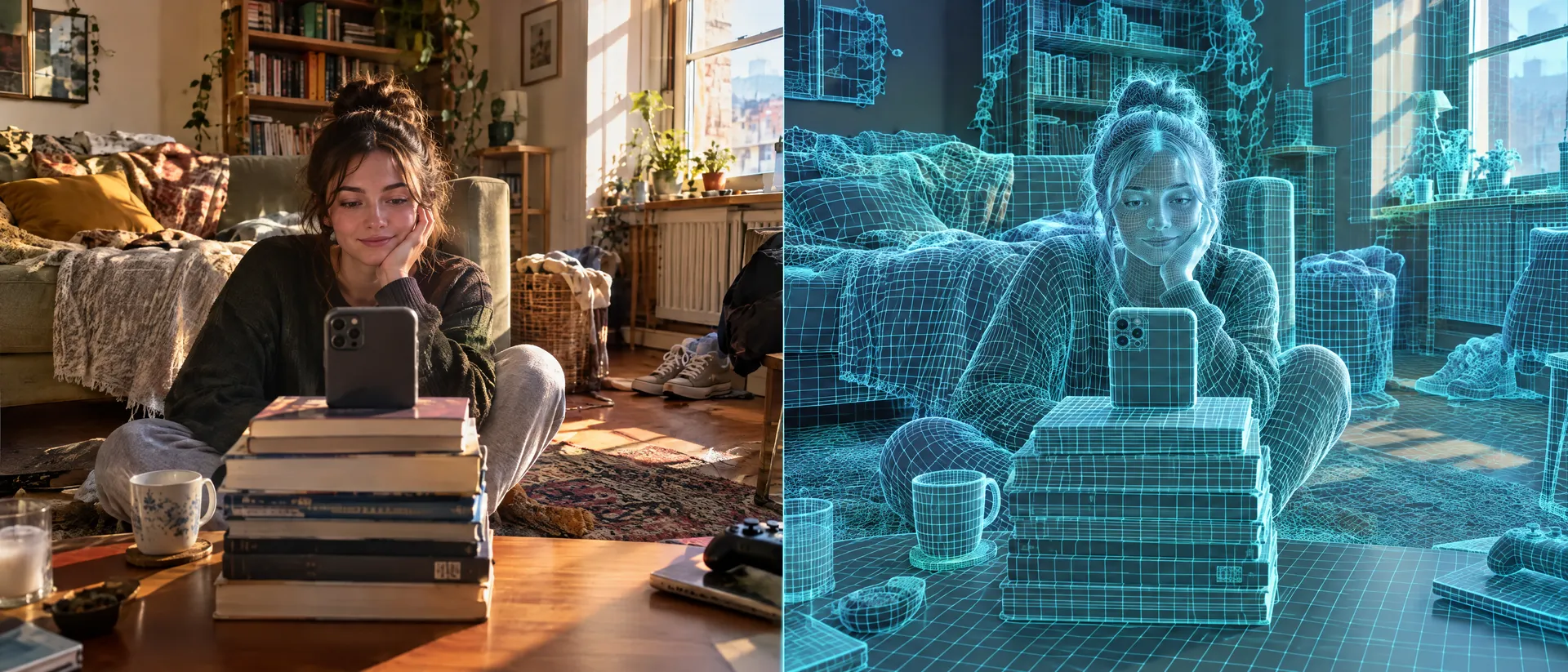
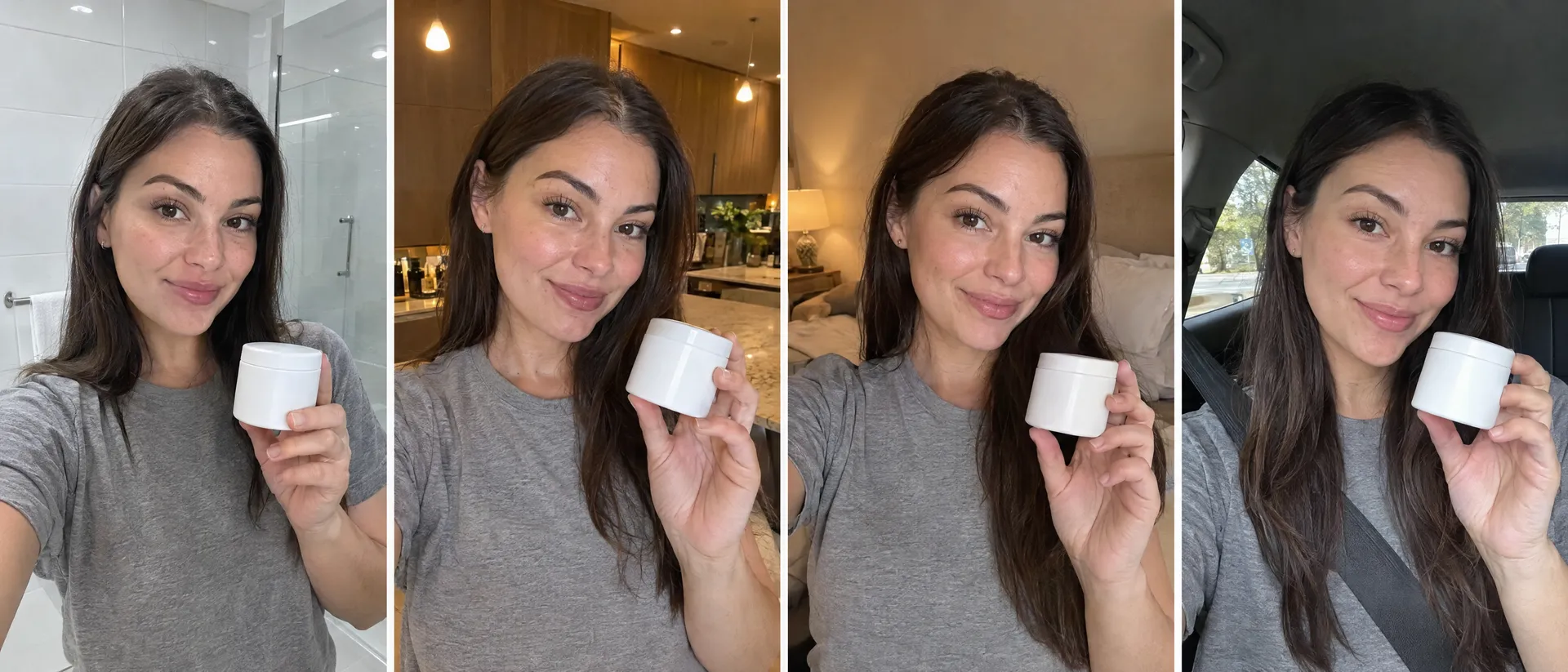
A believable UGC-style ad usually looks less like advertising photography and more like something captured during normal life. That does not mean deliberately making the image bad. It means removing visual signals that make every frame feel like a campaign shoot. Useful details include:
- vertical 9:16 framing
- smartphone-style camera perspective
- slightly imperfect composition
- realistic skin texture
- natural window or room lighting
- ordinary environments and close camera distance
- casual clothing and simple product interaction
- believable hand placement and minor background detail
- direct eye contact when appropriate
- movement that matches the action instead of showing off the camera
A bathroom shelf, kitchen counter, parked car, bedroom mirror, home office, hallway, or sofa can often feel more appropriate than a seamless studio backdrop. The product should still remain readable and consistent. Controlled imperfection works. Random errors do not.
How to create UGC-style ads with AI
The easiest workflow is to build the ad in separate shots rather than asking one model to generate the entire commercial at once. Start with the script. Create the recurring person and product. Generate the strongest still frames. Approve the visual direction. Then animate those frames and assemble the final ad. This gives you more control over the product, creator, composition, and pacing.
1. Start with the ad angle, not the AI model
Before generating anything, decide what the ad is trying to communicate. A simple UGC-style ad might use this structure:
- Hook
- Problem or context
- Product introduction
- Product interaction
- Benefit or demonstration
- Closing frame
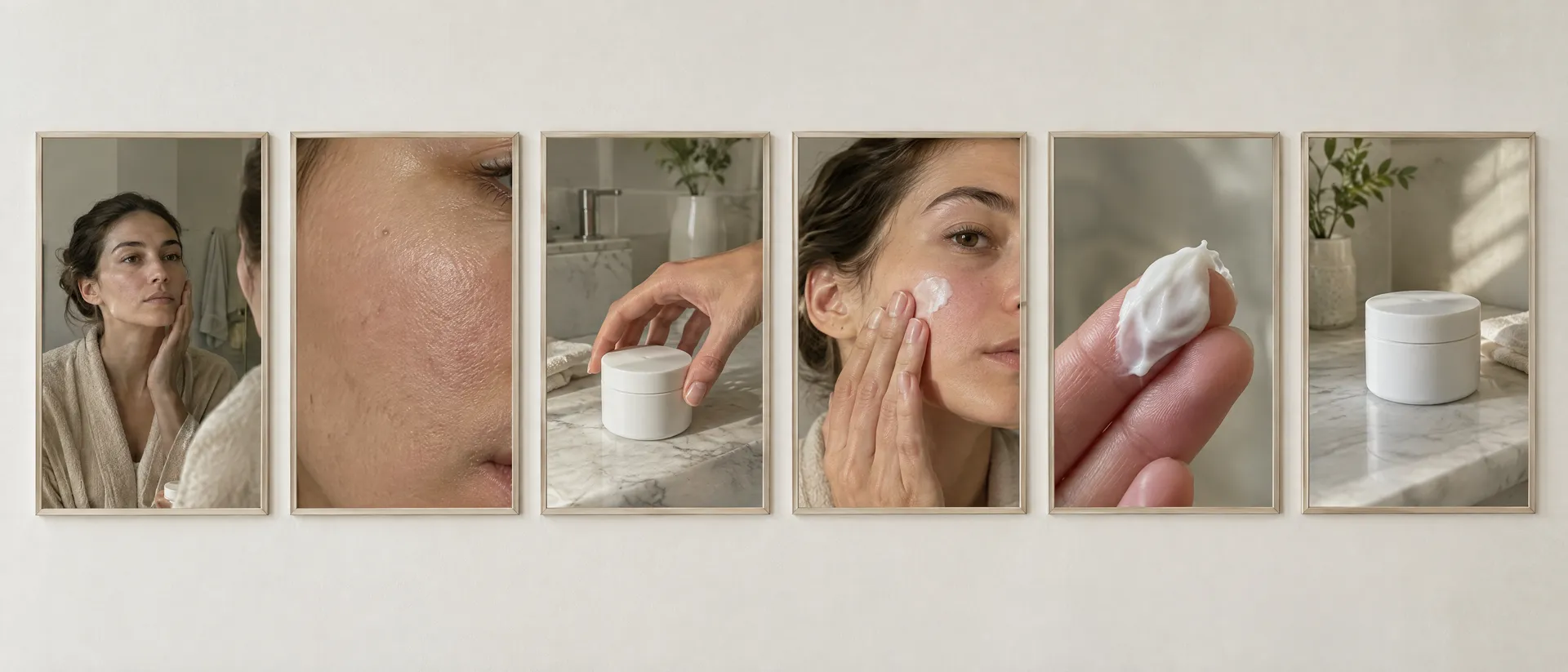
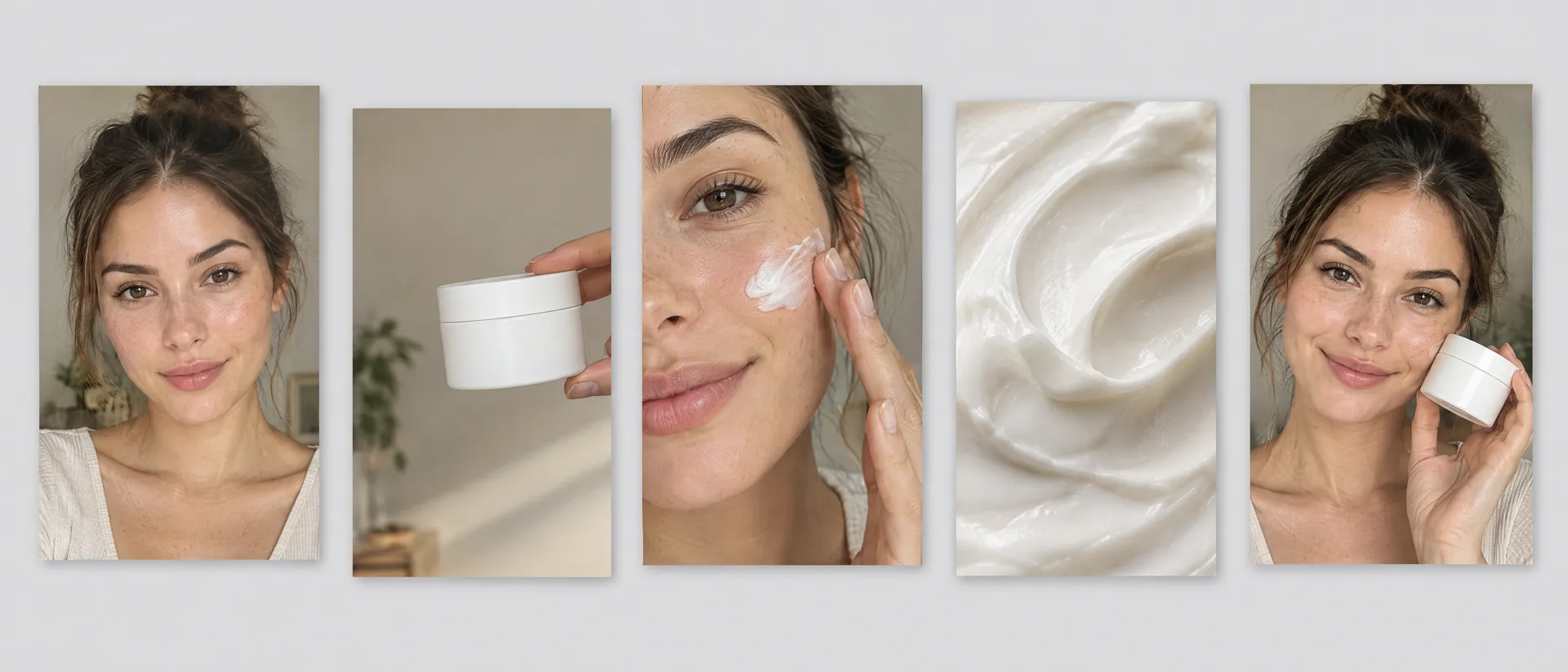
For example, a skincare ad could become: the creator examines dry skin in a bathroom mirror (hook), a close-up of the skin (problem), the creator picks up the moisturizer (product), the product is applied to the cheek (demo), a macro texture shot (detail), and the creator places the product beside the mirror (close).
This gives every generated shot a job. Avoid writing the entire concept as one giant generation prompt. Create the campaign one shot at a time.
2. Create a consistent fictional creator
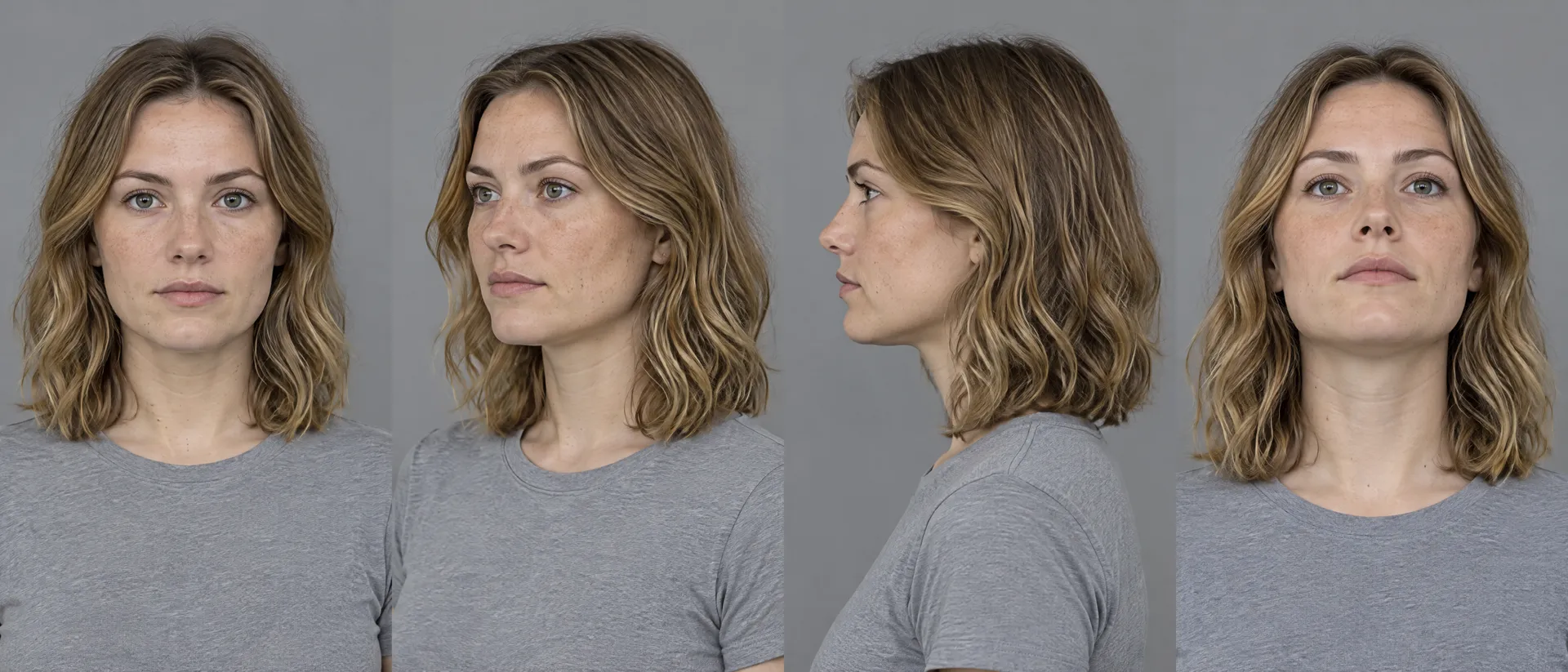
If the same person appears across multiple shots, establish their appearance before building the entire ad. One option inside getimg.ai is to create a reusable Person Element from several reference images. Elements let you save recurring people, products, styles, lighting setups, places, and other visual concepts and reference them again during image generation using an @ElementName, for example @UGCCreator.
The references should establish the features that actually matter: face, hairstyle, skin tone, approximate age, body proportions, and recurring styling. Do not make every reference image identical. A useful reference set should show enough variation for the system to understand the person across different compositions.
Elements also work in video on models that accept reference images, so the same @UGCCreator can appear in both keyframes and clips. On models that only take a first frame, use the approved image as the visual anchor instead.
Example creator prompt: Casual vertical smartphone photo of @UGCCreator standing in a small modern bathroom, looking into the phone camera, relaxed expression, natural skin texture, oversized white T-shirt, soft morning window light mixed with practical bathroom lighting, slightly imperfect handheld composition, realistic home environment, social media creator aesthetic, no studio lighting, no beauty campaign retouching, 9:16.
The creator should look like they belong in the environment, not like they were composited into it. If you want to extend one recurring persona across a whole campaign, our guide to turning one AI character into a full brand campaign covers the same principle at campaign scale.
3. Keep the product consistent
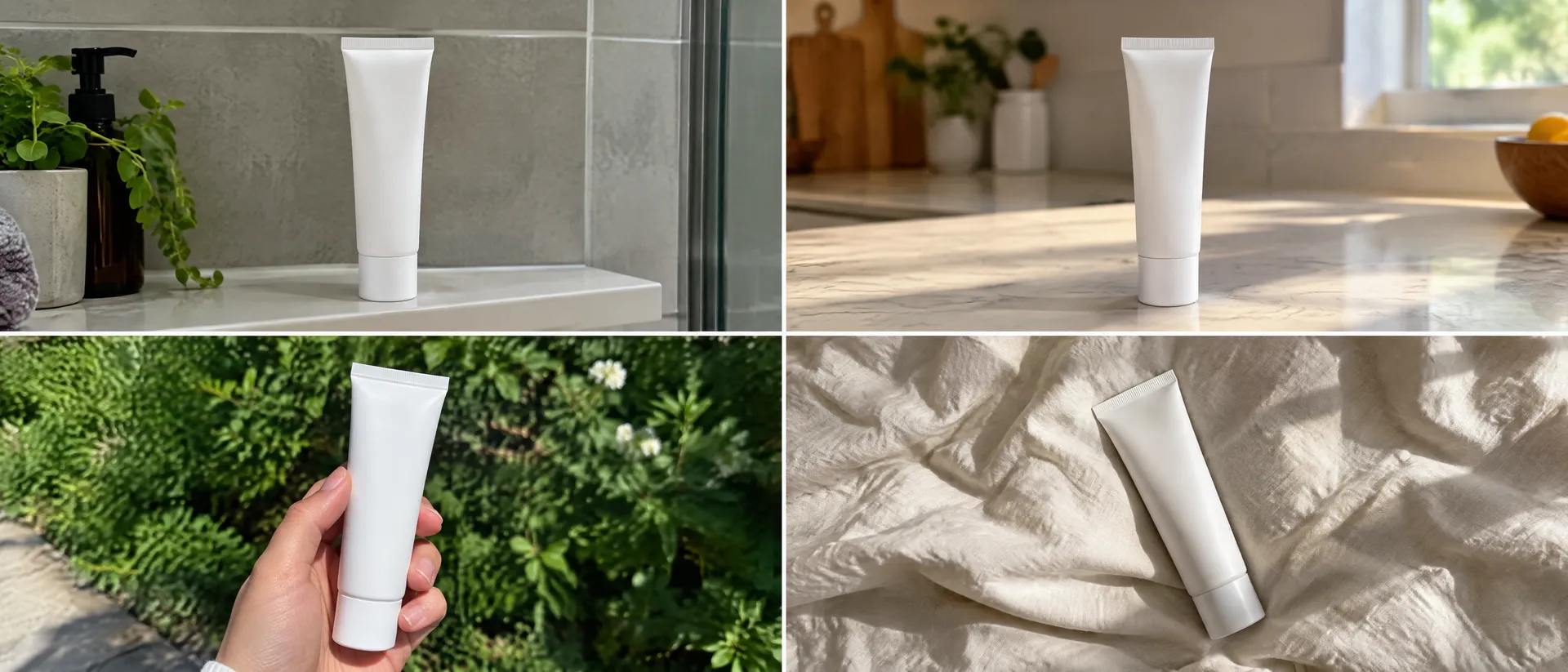
Product consistency matters even more in advertising than character consistency. A slightly different hairstyle between two shots may go unnoticed. A bottle changing shape, label, color, or logo between frames can make the entire ad unusable.
If the same product will appear throughout the campaign, create a reusable product reference or Product Element during the image-generation stage. Then build shots around the product instead of attempting to reinvent it in every prompt. For example:
@UGCCreator sitting at a bedroom vanity holding @HydraSerum in one hand, product label facing naturally toward camera, casual morning skincare routine, smartphone video frame, realistic bedroom, overcast daylight through window, slight grain, imperfect framing, 9:16.
You can also combine several Elements in one image prompt, such as a recurring person, product, or visual style. The goal is simple: change the situation, keep the product.
4. Generate the keyframes before generating video
Do not start with movement if the visual direction is still wrong. Generate the static frames first. For a 15-second ad, you might create six frames:
- Creator looking into camera
- Product entering frame
- Creator holding product
- Product being applied or used
- Close-up product detail
- Final creator and product frame
This is where you solve the difficult visual questions. Does the person look right? Is the product accurate? Does the room feel believable? Is the camera close enough? Does the shot look like social content rather than an editorial campaign? Is there enough variation between frames? Only move to animation once those answers are yes.

5. Use prompts that describe behavior, not just aesthetics
A common AI UGC mistake is spending too much of the prompt describing how the content should look. Photorealistic UGC ad, authentic, cinematic, realistic does not describe what is actually happening. Instead, direct the shot. A useful prompt formula is:
camera + person + environment + product action + expression + lighting + imperfection
Vertical front-facing smartphone shot, woman sitting at a kitchen table before work, she picks up a small cobalt supplement bottle beside her coffee and briefly looks at the label, casual slightly tired morning expression, natural window light, ordinary apartment kitchen in the background, subtle handheld framing, realistic skin and fabric texture, no commercial studio lighting, 9:16.
The prompt contains an action. That gives the frame a reason to exist.
6. Create several UGC shot types
One creator standing in front of the camera for 15 seconds will usually feel repetitive. Instead, build visual variety.
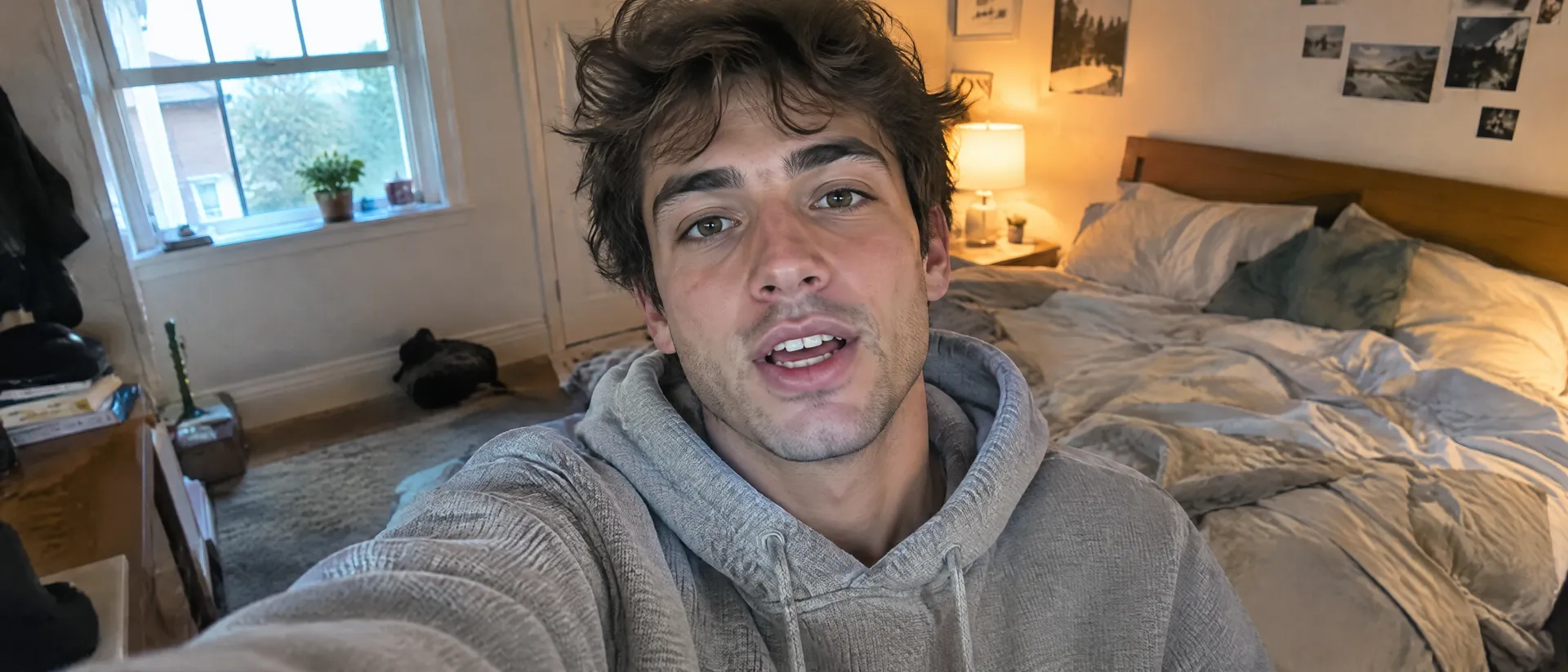
Direct-to-camera hook
Use for the first one or two seconds. Close vertical smartphone framing of a woman talking directly into the front-facing camera from her bathroom, slight handheld angle, expressive but natural face, casual morning appearance, realistic skin, soft window light, everyday background, social video frame, 9:16.
Product reveal
Introduce the product naturally. Creator reaches toward a bathroom shelf and picks up the skincare bottle, phone positioned beside the mirror, casual one-handed movement, product becomes clearly visible near camera, realistic bathroom lighting, imperfect creator-video composition, 9:16.

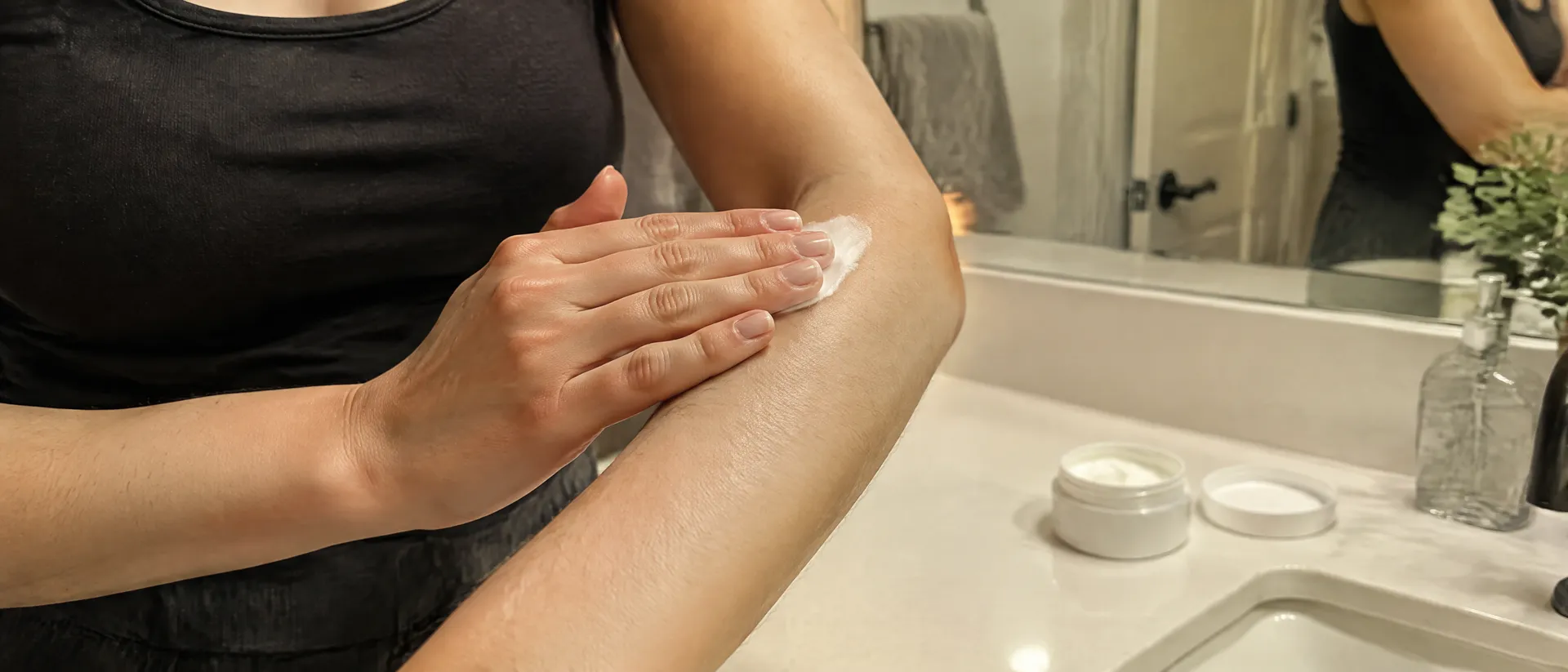
Product demonstration
Show one clear interaction. Tight smartphone-style shot of hands dispensing one pump of serum onto fingertips beside a bathroom sink, product bottle visible in foreground, natural hand movement, realistic liquid texture, soft daylight, shallow phone-camera depth, 9:16.
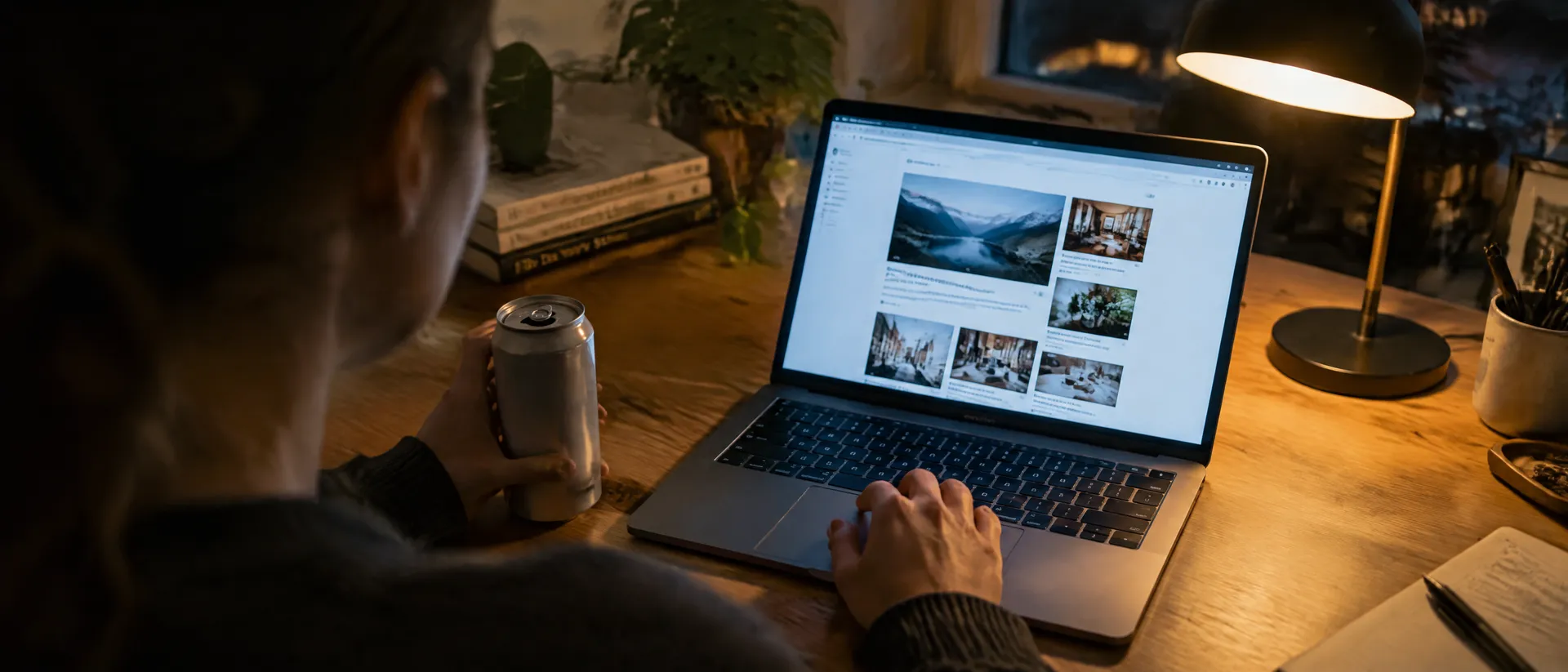
Over-the-shoulder shot
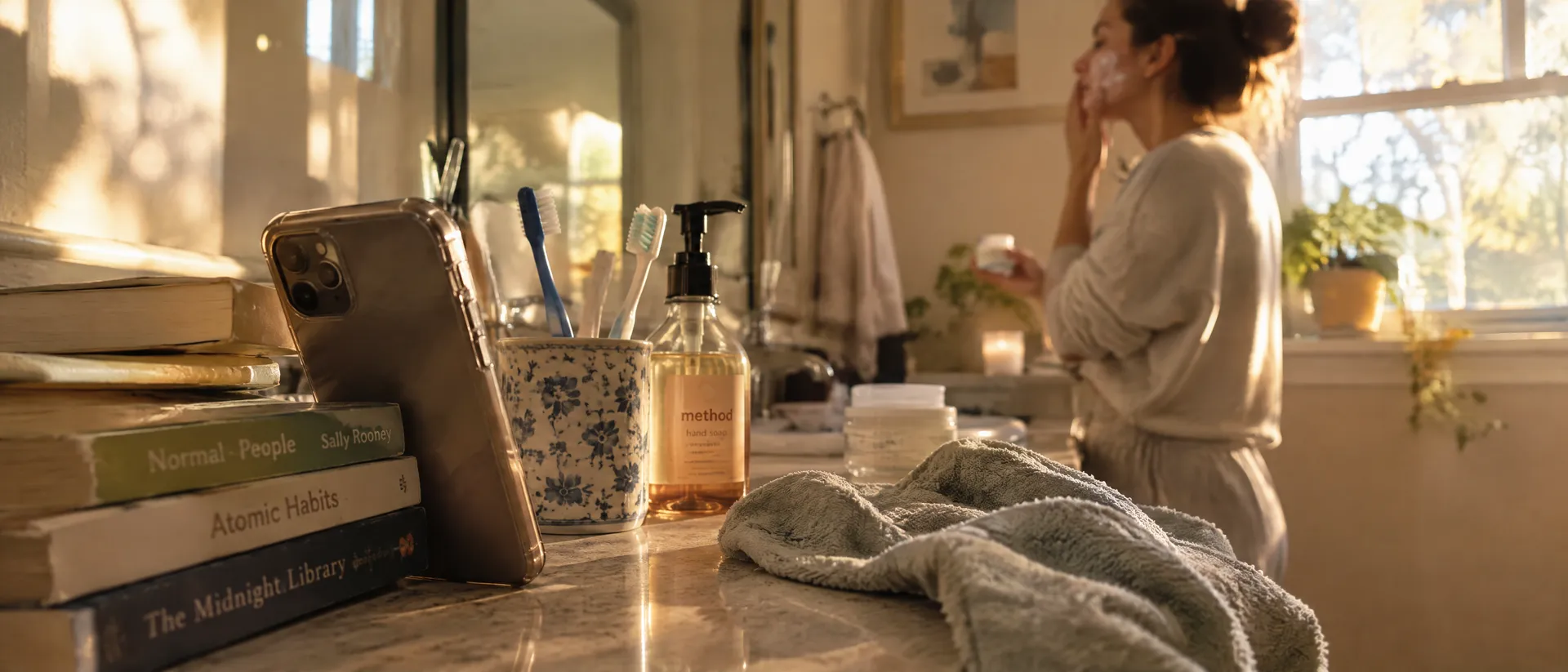
Break the constant selfie perspective. Over-the-shoulder vertical phone shot of the creator looking into a mirror while applying skincare, product visible on the counter, realistic apartment bathroom, natural morning light, casual framing, no polished beauty commercial aesthetic, 9:16.
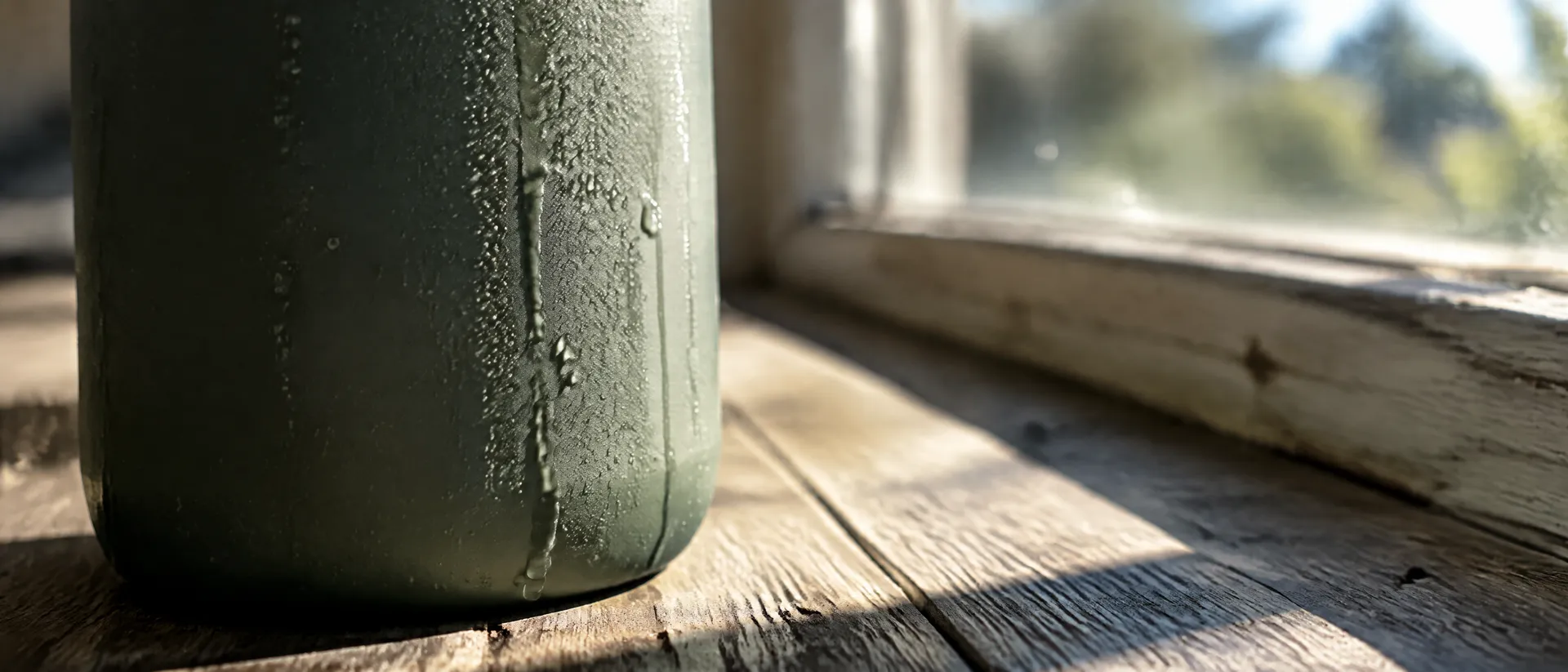
Detail B-roll
Give the edit something to cut to. Extreme close-up vertical shot of skincare serum spreading across the back of a hand, realistic translucent texture, bathroom background softly out of focus, natural light, subtle handheld camera movement aesthetic, smartphone macro look, 9:16.
These shots can belong to one visual world without being identical.
7. Turn the approved image into video
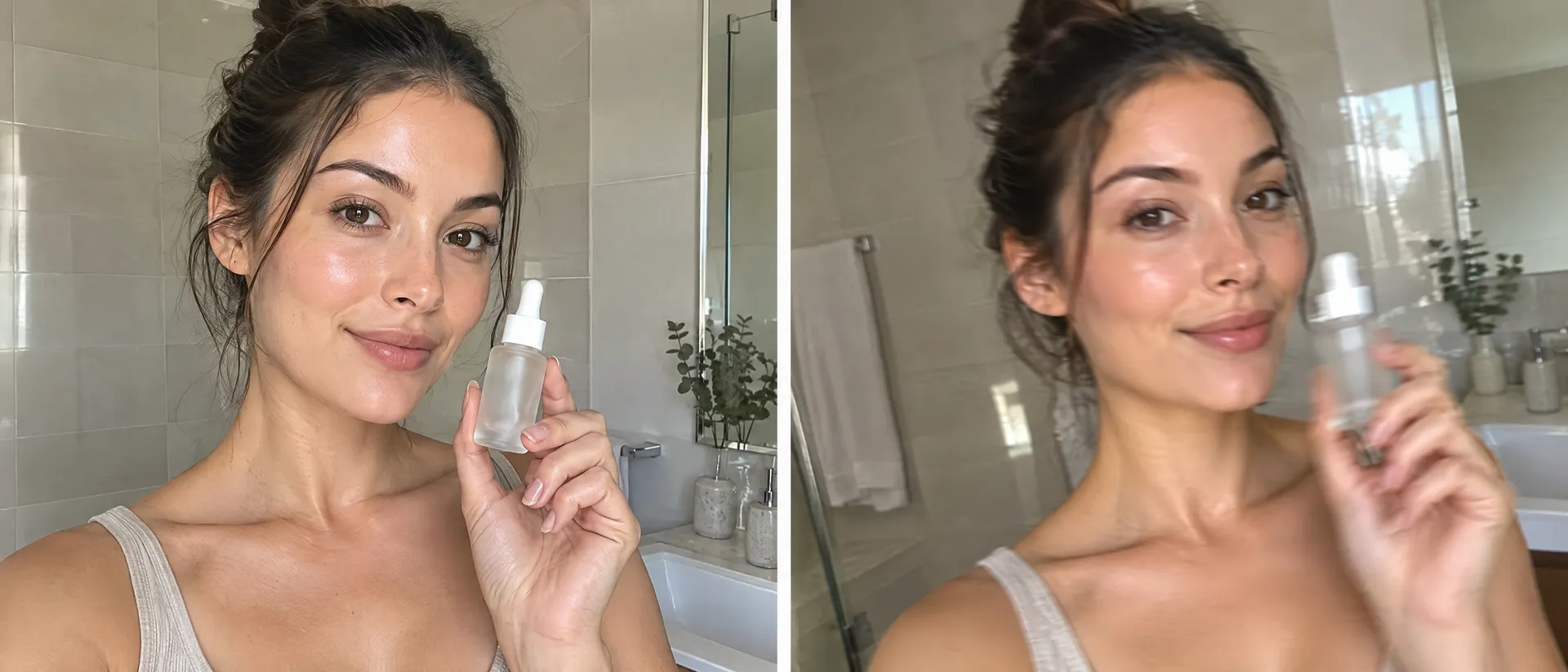
Once the keyframe works, use it as the first frame for image-to-video generation. In getimg.ai, the Image to Video workflow lets you upload or use an image as the first frame and describe what should move. Depending on the workflow and model, you can also use reference images or an end frame for additional control.
The motion prompt should usually be much simpler than the image prompt. The image already defines the person, product, wardrobe, environment, composition, and lighting. Now describe the action:
She looks briefly at the product, raises it closer to the camera, gives a small natural smile, subtle handheld phone movement, realistic pacing.
Or:
She presses the pump once and rubs the serum gently between her fingertips, small natural hand movements, camera remains mostly still.
Avoid adding five unrelated actions. UGC works well when a shot communicates one thing quickly. One shot. One movement. One job.
8. Keep camera movement subtle
AI video often looks more believable when the camera is not trying to prove it is AI video. A UGC shot usually does not need dramatic crane movement, a fast orbit, a cinematic dolly, extreme lens transitions, or complex continuous camera choreography. Instead try:
- slight handheld movement
- a small push toward the product
- natural phone repositioning
- the creator leaning toward camera
- a hand entering frame
- a quick pan from face to product
- a static camera with subject movement
The more ordinary the camera behavior is, the easier it becomes for the shot to fit naturally into a social feed. Save the spectacular motion for creative formats that actually need it, and see our breakdown of slow vs. fast motion in AI video if you are deciding on pacing.
9. Build the ad from modular clips
Do not generate one 15-second clip and hope every second works. Generate several smaller assets: a hook clip where the creator looks directly into camera, a product clip where the bottle enters frame, a demo clip with one product action, a detail clip of macro product B-roll, and a closing shot with creator and product together.
Once you have those modules, the same production can support multiple ads:
- Version A: Hook A, product, demo, close
- Version B: Hook B, detail, demo, close
- Version C: Product-first hook, creator reaction, detail, close
One visual production can now support several creative hypotheses. That is more useful than generating five completely unrelated ads.
10. Test the hook before rebuilding the whole ad
The opening is one of the easiest parts of an AI UGC campaign to vary. Keep most of the ad fixed and change the first shot:
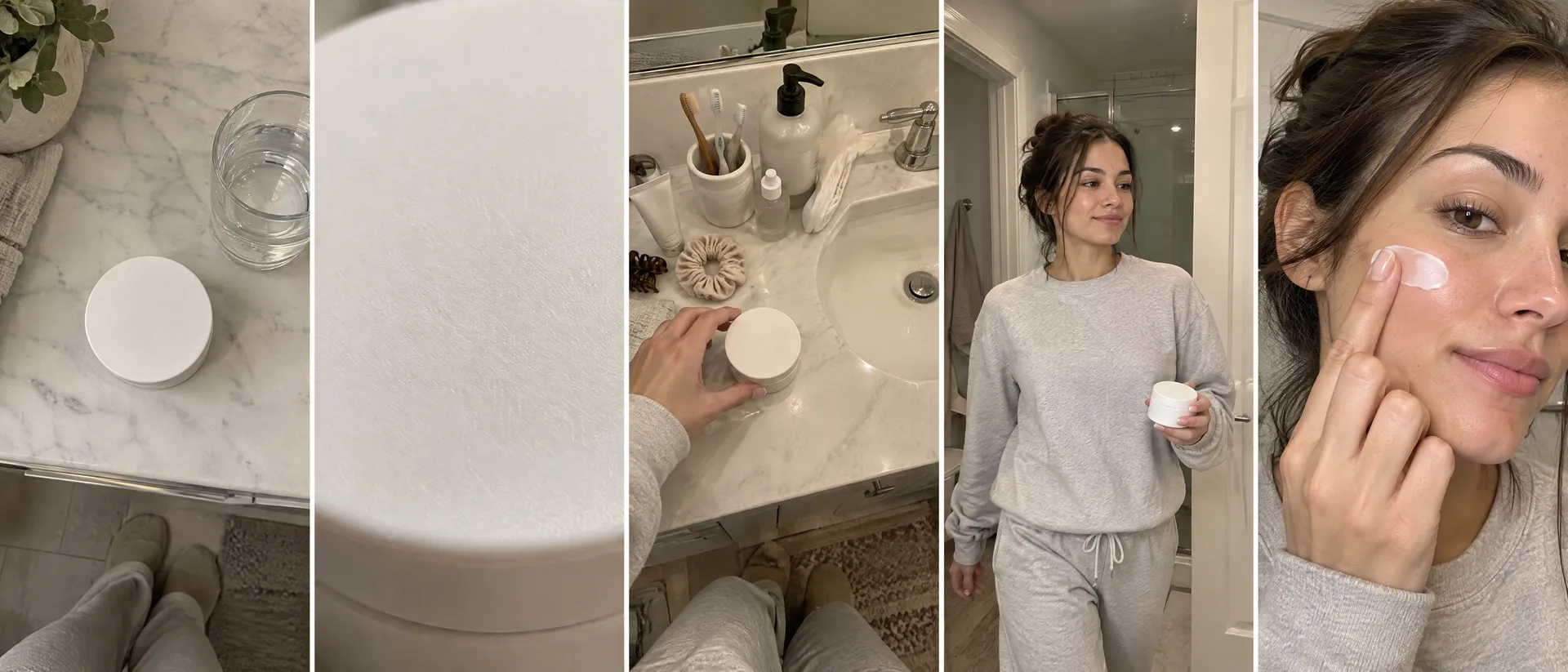
- Problem hook: creator looking at the product on the table
- Pattern interruption: extreme product close-up
- POV hook: camera looks down at a messy bathroom counter
- Direct-to-camera: creator enters frame already holding the product
- Demo-first: the first frame shows the product being used immediately
You can then compare creative directions without rebuilding every shot from scratch. This is where AI becomes especially useful for ad production: not because every possible variation should be generated, but because meaningful variables can be tested faster.
11. Create visual variation without losing the campaign
Variation does not mean random generation. Choose what changes and keep everything else controlled.
- Hook: face, product, demo or POV
- Creator: different fictional personas
- Setting: bathroom, kitchen, car or bedroom
- Camera: selfie, mirror, tabletop or POV
- Message: problem, benefit, routine or product feature
- Product action: hold, open, apply or pour
- Pace: calm, fast or demo-led
- Format: 9:16 social or cropped placement variations
For example, if you are testing the environment, keep the same product, creator, message, and hook structure. If everything changes at once, you learn very little from the result. A/B testing still needs a hypothesis. AI simply makes producing those hypotheses easier.
What usually makes AI UGC look fake?
The biggest problems are often not caused by the concept. They are caused by too much polish or too little control.
- The creator looks like a beauty campaign model. Ask for ordinary styling, realistic skin texture, practical lighting, and a specific everyday context.
- Every frame uses perfect centered composition. Use closer crops, mirror framing, POV shots, partial objects, and mild camera imbalance.
- The product changes between scenes. Establish the product first and use the same reference throughout the image-generation workflow.
- The character changes. Create a consistent Person Element or use strong recurring references before creating the individual scenes.
- The video has too much movement. Reduce each shot to one clear action.
- The environment looks like an AI showroom. Describe a real place instead of an aesthetic category.
Instead of luxury minimalist bathroom, try small apartment bathroom, toothbrush beside the sink, folded towel, slightly fogged mirror, morning window light. Specific usually beats generic. The same principle applies to faces, which we cover in why AI skin looks fake.
When should you use AI UGC-style ads?
AI UGC-style creative works particularly well when you need to:
- test ad concepts before organizing production
- build several hook variations
- explore different creator archetypes
- create product-led social ads
- produce short demonstration shots
- test environments or visual angles
- localize creative direction
- build storyboard-style campaign prototypes
- extend one approved concept into more variations
- create supporting B-roll for performance ads
It is less appropriate when the creative depends on a genuine personal story, real customer experience, expert endorsement, or community credibility. A synthetic person can deliver a scripted advertising message. They cannot truthfully claim an experience they never had.
AI UGC-style ads are not fake customer testimonials
The distinction matters. In the United States, the FTC's rules and guidance prohibit fake or false testimonials. The FTC specifically notes that there is no blanket ban on using AI-generated stock avatars or virtual influencers in marketing, but their use can become deceptive when the ad presents a fake or false testimonial or leads consumers to believe an experience was genuine when it was not.
That means "here is how the product works" and "this is the feature the ad is highlighting" are fundamentally different from inventing statements such as "I've used this every morning for three months and it fixed my skin" if no real person had that experience.
AI can reproduce the format of UGC. Do not fabricate the evidence behind it. Brands should also review the advertising, synthetic-media, and disclosure requirements that apply in the markets and platforms where a campaign will run.
In the EU, transparency obligations under Article 50 of the AI Act began applying on August 2, 2026, including requirements covering certain AI-generated or manipulated content and deepfakes. The exact obligations depend on the content and context in which it is used. For licensing questions, see our overview of using AI-generated images and videos commercially.
A practical AI UGC workflow in getimg.ai
- Write one ad concept. Define the hook, product action, message, and closing shot.
- Create the creator. Build several references for the fictional person you want to reuse.
- Create reusable Elements. Save recurring people, products, or styles you need during image generation.
- Generate the keyframes. Create the hook, product interaction, demonstration, detail, and closing shot individually.
- Fix consistency before motion. Check face, product, hands, label, environment, and proportions.
- Choose the strongest frames. Do not animate a frame that already has visible problems.
- Turn approved frames into video. Use Image to Video and describe only the movement required for that shot.
- Create alternative hooks. Keep the main ad structure and change the opening.
- Assemble the clips. Build the final 9:16 ad in the editing workflow you normally use for social creative.
- Test one variable at a time. Compare hooks, environments, messages, or creator directions without rebuilding the entire campaign.
The goal is not to generate more for the sake of generating more. Build the strongest direction, then make useful versions of it.
Summary
AI can reproduce much of the visual language associated with UGC ads without requiring a new creator shoot for every concept. The most reliable process is modular: define the ad angle, establish a consistent fictional creator and product, generate individual keyframes, approve the visual direction, animate those frames, and create several versions around one controlled variable.
The strongest AI UGC does not try to look perfectly polished. It tries to look appropriate for the platform, clear enough to communicate the product, and consistent enough to function as an actual campaign. Use AI to recreate the production format. Do not use it to invent customer experiences that never happened.
Start with one ad idea. Build the shots. Test the versions that matter. Create your UGC-style ad with getimg.ai.
Frequently Asked Questions
Yes. AI can generate fictional creators, product scenes, social-style images, and short video clips that follow the visual conventions of UGC advertising. A practical workflow is to create individual 9:16 keyframes for the hook, product interaction, demonstration, and closing shot, then animate the approved frames and combine them into an ad.
Not necessarily. If the goal is to create a fictional creator-style advertisement, product demo, concept, or campaign variation, the visual production can be generated with AI. Real creators are still more appropriate when the campaign depends on a genuine personal experience, testimonial, creator audience, or real-world product review.
Create a strong recurring reference for the person before generating the campaign. In getimg.ai, Elements can be used during image generation to reuse a consistent person across different scenes. Once an image is approved, it can become the first frame or reference for the video-generation stage.
Use the same product references across every keyframe and avoid asking the model to recreate the packaging from description alone. Check the label, proportions, cap, materials, colors, and logo before animating the image. Product consistency should be solved during the keyframe stage rather than after the video has already been generated.
Describe a specific camera setup, person, environment, product action, expression, lighting, and level of imperfection. Instead of asking for an "authentic UGC ad," describe a concrete shot such as a front-facing phone camera in a bathroom while the creator picks up a product from the sink. Specific behavior usually produces a more useful shot than generic style keywords.
A synthetic character should not be used to fabricate a real consumer experience. In the United States, FTC rules prohibit fake or false consumer testimonials, although AI-generated avatars are not automatically prohibited in advertising. Brands should distinguish fictional advertising performances from genuine reviews or endorsements and review the rules that apply to their market.
Disclosure requirements depend on the content, platform, jurisdiction, and how likely the material is to be interpreted as authentic. For example, EU AI Act transparency obligations covering certain synthetic content and deepfakes have applied since August 2, 2026. Brands should review the current requirements for every market and advertising platform in which the creative is used.
Sources
- Federal Trade Commission - Consumer Reviews and Testimonials Rule: Questions and Answers
- Federal Trade Commission - Guides Concerning the Use of Endorsements and Testimonials in Advertising
- European Commission - Transparency Obligations Under Article 50 of the AI Act
- getimg.ai - Guide to Elements
- getimg.ai - Guide to Elements
- getimg.ai - Image to Video AI Generator
Related Articles