Why Does AI Skin Look Fake? How to Make AI Skin Look Real


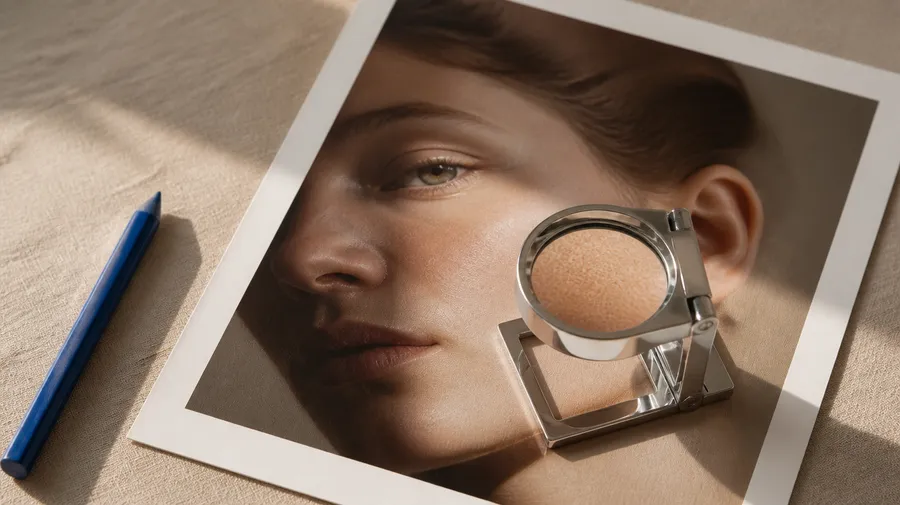
AI skin usually looks fake because it is too smooth, too uniform, too reflective, or too evenly lit. Realistic skin contains small variations in pores, tone, texture, fine facial hair, highlights, shadows, and age-related detail. To make AI skin look more realistic, describe those features directly, use believable lighting and camera language, avoid excessive "perfect" or "8K" prompting, and judge the face as part of a photograph rather than as an isolated texture. In getimg.ai you can create an image with several models from one prompt and compare skin side by side before you commit to a portrait.
Why does AI skin look fake?
Fake-looking AI skin is usually not caused by one obvious error. The face may be anatomically correct and highly detailed, yet still look synthetic. The problem is often uniformity.
Real photographs contain variation. Some parts of the face are sharper than others. Highlights appear differently on the forehead, cheeks, nose, and lips. Skin tone changes subtly across the face. Fine hairs catch light. Pores are visible in some areas and almost disappear in others. AI-generated portraits can flatten those differences.
The result may have:
- perfectly smooth cheeks
- identical texture across the entire face
- waxy highlights
- painted-on freckles
- overly sharp pores
- perfectly even skin tone
- excessive facial symmetry
- beauty-filter softness
- unnatural contrast
- skin that looks detached from the lighting
The image can technically contain "skin texture" and still look fake. Realism comes from how all those details behave together.
In our August 2026 realism test, 17 image models were evaluated on details including skin texture. The portrait test specifically looked for pores, peach fuzz, realistic skin variation, facial anatomy, and believable aging rather than simply measuring how sharp each face looked.


What does realistic skin actually look like in a photograph?
Realistic photographic skin is neither perfectly smooth nor covered in equally visible pores. It contains variation at several scales.
At close range you may see pores, fine hairs, freckles, subtle pigmentation, tiny lines, dry areas, oily highlights, small blemishes, and differences in texture around the nose, eyes, forehead, lips, and cheeks. From further away, many of those details become softer.
Lighting changes them again. A hard direct flash can reveal pores, fine hairs, and shine. A large window produces broader highlights and softer transitions. Shallow depth of field may leave one eye and part of the cheek sharply resolved while the ears and hairline become softer.
That variation is what makes skin feel photographed rather than rendered. A good AI portrait does not need more texture everywhere. It needs the right texture in the right places.
1. AI skin looks fake when it is too smooth
The most recognizable failure is the wax or plastic effect. The cheeks become nearly featureless. The forehead looks airbrushed. Fine lines disappear. The transition between highlights and shadows becomes unusually soft. This often resembles aggressive beauty retouching even when the prompt asks for a natural portrait.
What to prompt instead
Do not rely only on realistic skin. Be more specific:
natural visible pores, subtle uneven skin texture, fine peach fuzz, slight tonal variation, unretouched skin, small natural imperfections
For an older subject, add age-appropriate detail rather than simply requesting an "older person":
fine lines around the eyes, natural forehead lines, subtle pigmentation, uneven sun exposure, visible pores, realistic mature skin texture
The goal is not to make the face look damaged. The goal is to stop removing the information that makes the face look human.
Example
Instead of:
Beautiful woman, flawless skin, cinematic portrait, ultra realistic, 8K.
Try:
Close natural-light portrait of a woman in her late twenties, visible pores around the cheeks and nose, fine peach fuzz catching the side light, subtle freckles and uneven skin tone, minimal makeup, no beauty retouching, photographed beside a large window with an 85mm portrait lens, shallow depth of field.
The second prompt describes a photograph. The first mostly describes an ideal.


2. Too much skin texture can look fake too
Adding more pores is not always the solution. AI models can overcorrect by turning the face into a uniformly textured surface. Every pore becomes sharp. Eyebrows, freckles, and fine lines may look etched into the image. That creates a different type of artificial skin.
In our portrait comparison, FLUX.2 [max] produced strong pore and freckle detail but occasionally pushed micro-detail too far, while weaker portrait results at the other end of the test tended to look waxy or under-detailed. GPT Image 2 and Nano Banana 2 produced the most convincing balance in that particular beauty close-up.
The lesson is useful regardless of model: more detail is not automatically more realism.
If a face looks over-textured, remove words such as extreme detail, every pore visible, razor-sharp skin, hyper-detailed skin, ultra-textured face, and maximum sharpness. Replace them with:
- natural skin texture
- subtle pores
- realistic variation
- photographic detail
- gentle micro-texture
The image should look like a camera captured a person, not like a texture map was placed over a face.


3. Perfect skin tone makes faces look synthetic
Real faces are not one uniform color. The nose may be slightly warmer. The area under the eyes may be cooler or darker. Cheeks may show more color. The forehead can react differently to light. Lips, ears, eyelids, hairline, and areas around the nose all create subtle variation.
AI sometimes compresses this into one clean skin tone with a smooth gradient from light to shadow. That creates the familiar digital mannequin effect.
Better prompt language
- subtle natural color variation across the face
- slightly warmer cheeks and nose
- realistic under-eye tone
- mild uneven pigmentation
- natural variation rather than airbrushed complexion
You do not need all of these in every prompt. Usually two or three precise observations work better than a long list of imperfections.

4. The lighting can make good skin look fake
Skin realism is partly a lighting problem. A face may contain pores and natural variation but still feel artificial if the highlights and shadows do not belong to the same light source. Common problems include:
- uniform glow across the entire face
- bright cheeks with no clear light source
- shadows that do not follow facial structure
- identical highlights on both sides of the nose
- skin luminosity that does not match the room
- strong rim light with no environmental reason
- excessive HDR-like local contrast
Instead of asking for "cinematic lighting," describe the source.
Window light
Large north-facing window on camera left, soft daylight falling across one side of the face, gentle shadow on the opposite cheek.
Direct flash
Small direct on-camera flash, hard frontal light, visible skin texture and slight natural shine, fast falloff into a darker room.
Bathroom light
Cool overhead bathroom light mixed with weak morning daylight from a small window, ordinary uneven illumination.
Outdoor cloud cover
Soft overcast daylight, open shade, low contrast across the face, subtle highlights on forehead and nose.
Our prompting guidance recommends describing photography through subject, environment, lighting, framing, lens, depth, and materials rather than relying on generic photorealism keywords.


5. "Perfect beauty photography" can accidentally create fake skin
Prompt language influences the visual logic of the image. If you repeatedly ask for flawless, perfect complexion, luxury beauty, glamorous, smooth skin, pristine, or polished, you are also asking the model to remove many of the details that make skin believable.
This does not mean beauty photography has to look fake. It means the prompt needs to separate beauty direction from skin retouching. For example:
high-end beauty campaign with sophisticated lighting, but natural unretouched skin texture, visible pores, individual eyelashes, fine facial hair and realistic tonal variation
Now you can keep the campaign aesthetic without asking the model for a digital face filter.
6. Stop stacking "realism" keywords
One of the easiest mistakes is trying to force realism with more adjectives, for example: hyper-realistic, photorealistic, ultra-detailed, 8K, HDR, masterpiece, insanely detailed, razor sharp, award-winning photography. This sounds precise. It is not. None of those terms explains:
- where the light comes from
- what the skin looks like
- how close the camera is
- what lens language the image uses
- what should be sharp and what should be soft
- what makes the face imperfect
Our 2026 realism test found that specific photographic direction was more useful than piling on generic detail terms, and the AI Photography Prompt Book similarly recommends treating the prompt like instructions for a photographer. Replace keyword stacking with physical description.
Weak: Ultra-realistic beautiful woman, 8K, masterpiece, HDR.
Stronger: Candid close portrait beside a cafe window, soft side daylight, visible pores around the nose and cheeks, faint freckles, minimal makeup, slightly dry lips, individual flyaway hairs, 50mm lens, shallow focus, background falling softly out of focus.
Specific beats impressive.
7. Camera distance changes how much skin texture should be visible
A macro beauty close-up and a full-body fashion photograph should not show the same amount of facial detail. That is a common AI giveaway. If the subject occupies only a small part of the frame but every pore is still aggressively resolved, the image can feel computational. Match the detail to the shot:
- Extreme macro: pores, hairs, fine lines, makeup texture
- Beauty close-up: clear pores and natural variation
- Headshot: moderate texture
- Half-body portrait: softer micro-detail
- Full-body fashion: facial texture should be subtle
- Wide environmental shot: individual pores should not dominate
Do not prompt every portrait as a macro photograph.


8. Age needs texture
One of the clearest signs of synthetic portraiture is an older face with younger skin. The model may generate gray hair, mature facial proportions, and age-appropriate clothing while leaving the skin unusually smooth. The face then contains contradictory information.
In our mature portrait test, believable age required more than wrinkles: natural pigmentation, pores, facial lines, hair texture, and uneven skin detail all contributed to the result. Models that smoothed those characteristics were noticeably less convincing.
Prompt age specifically
Instead of 65-year-old man, try:
Man around 65 with natural forehead lines, fine creases around the eyes, visible pores, subtle pigmentation and sun exposure, slightly uneven skin tone, coarse individual beard hairs, no beauty retouching.
Age is not one feature. Treat it as a collection of small visual cues.


9. Eyes, eyebrows, lips, and hair affect how real the skin feels
Sometimes the skin is not actually the main problem. The portrait feels fake because everything surrounding it has the same generated smoothness. Look at eyebrows, eyelashes, the hairline, facial hair, lips, the tear line, eye reflections, makeup edges, and individual flyaway hairs.
Perfect eyebrows can make natural skin look artificial. A completely clean hairline can make the forehead feel rendered. Lip texture that looks painted onto the face can break an otherwise convincing portrait. Skin realism needs context. A useful prompt can include:
individual eyebrow hairs, irregular hairline, a few flyaway hairs, natural lip texture, individual eyelashes
Again, moderation matters. You are adding photographic cues, not building a checklist of defects.

10. Natural imperfections make AI portraits more believable
Real photographs contain things that a polished render might remove: one stray hair, slightly uneven makeup, small freckles, mild under-eye shadows, a faint blemish, subtle skin shine, creased clothing, an asymmetrical expression, imperfect framing, film grain, or motion softness.
You do not need to add all of them. One or two can be enough to break the artificial perfection. For example:
candid portrait after walking outside, slightly wind-tousled hair, mild natural redness in the cheeks, one loose strand crossing the forehead, realistic unretouched skin
This works better than simply writing "imperfect realistic woman." Describe the imperfection.

11. How to write a realistic AI skin prompt
A useful portrait prompt can follow this structure: subject + skin characteristics + expression + lighting + camera + environment + photographic imperfections. For example:
Close portrait of a woman in her early thirties with natural unretouched skin, visible but subtle pores around the cheeks and nose, fine peach fuzz, several faint freckles, slight natural variation in skin tone, minimal makeup, relaxed neutral expression. Soft side daylight from a large apartment window, gentle shadow across the opposite side of the face, photographed on an 85mm lens with shallow depth of field. A few loose hairs cross the forehead, background softly out of focus, realistic editorial photography.
Notice what is missing. No "masterpiece." No "16K." No "perfect face." No twelve synonyms for photorealism. The prompt describes what a photographer could actually control.

12. Realistic AI skin prompt examples
Natural portrait
Natural close-up portrait of a woman in her late twenties sitting beside a window, visible pores around the nose and cheeks, fine peach fuzz, a few subtle freckles, minimal makeup, realistic uneven skin tone, slightly dry natural lip texture, individual eyelashes and loose hair strands, soft directional daylight, 85mm portrait lens, shallow depth of field, unretouched editorial photography.

Hard-flash beauty
Extreme beauty close-up, natural pores and fine facial hair visible under direct flash, subtle skin shine on forehead and cheekbones, small freckles, individual wet eyelashes, imperfect eyebrow hairs, dark background, hard frontal flash with rapid falloff, macro beauty photography, raw editorial finish, realistic skin rather than airbrushed retouching.

Mature skin
Intimate portrait of a woman around 68, natural forehead lines and fine creases around the eyes, visible pores, subtle age spots and pigmentation, realistic mature skin texture, silver hair with individual strands, calm expression, large soft window light from the side, 85mm portrait lens, muted documentary fashion photography.

Casual smartphone portrait
Close front-facing smartphone portrait indoors, ordinary room lighting mixed with daylight, natural skin texture, subtle pores and minor tonal variation, mild under-eye shadows, slightly imperfect framing, a few flyaway hairs, minimal makeup, casual realistic social photo, no beauty filter.

Beauty campaign without plastic skin
Premium skincare beauty portrait with clean art direction and natural unretouched skin, visible fine pores, peach fuzz catching the side light, realistic cheek and forehead highlights, subtle freckles, minimal translucent makeup, soft studio key light with gentle falloff, 100mm macro lens look, sophisticated beauty campaign without airbrushed or waxy skin.

13. How to fix an AI image that already has plastic skin
You do not always need to regenerate the entire portrait. If the face, composition, wardrobe, and lighting already work, edit the strongest image instead. getimg.ai supports natural-language image editing from an existing generated image or an uploaded reference. A useful edit instruction could be:
Keep the face, identity, expression, hairstyle, lighting, composition and background unchanged. Make only the skin more photographically realistic: restore subtle pores, fine peach fuzz, natural tonal variation and small imperfections. Reduce the waxy smooth finish and excessive beauty retouching. Keep the texture subtle and appropriate to the camera distance.
Or:
Preserve everything except the skin rendering. Reduce excessive pore sharpness and make the skin texture softer and more naturally varied. Keep realistic highlights and fine facial hair.
The important part is identifying the actual problem. Do not ask the editor to "make the whole image better." Edit what is wrong. Keep what works. The image editing basics guide walks through the workflow step by step.
14. How to diagnose fake-looking AI skin
Before regenerating, identify which failure you are seeing. This is faster than changing the entire prompt blindly.
- Plastic or waxy skin: add subtle pores, peach fuzz and tonal variation
- Airbrushed face: request unretouched skin and remove "flawless" language
- Too many pores: reduce hyper-detail and sharpness
- Painted freckles: ask for subtle irregular pigmentation
- Skin glowing everywhere: define one believable light source
- Older face looks too young: add age-specific texture and pigmentation
- Face feels like CGI: add natural texture, hair detail and photographic lighting
- Skin is realistic but the portrait still feels fake: check eyes, hairline, teeth, hands and background
- Beauty shot looks sterile: add controlled imperfection
- Face is too sharp for the shot: match detail to camera distance


15. Test different models with the same portrait prompt
Prompting is only part of the result. Different image models can interpret the same skin instructions differently. In our August 2026 comparison, the exact same portrait prompts were sent to multiple models with prompt enhancement turned off. The models differed noticeably in pores, aging, hair, skin sheen, and the balance between smoothing and excessive detail.
That means a useful workflow is:
- Write one strong portrait prompt.
- Keep it unchanged.
- Generate it with several suitable models.
- Compare skin at full size.
- Inspect eyes, eyebrows, hair and facial anatomy too.
- Choose the model whose failure mode is easiest to work with.
- Edit the strongest result rather than endlessly rewriting the prompt.
Do not judge only from the gallery thumbnail. Skin realism often fails in details visible only when you open the image.
16. What we learned from testing AI skin across 17 models
Our 2026 AI Realism Test used both an extreme beauty close-up and a mature character portrait to test skin. The results showed two opposite failure modes.
Too little detail: skin became smooth, waxy or plasticky.
Too much detail: pores, eyebrows or other micro-texture became unnaturally etched.
The strongest results sat between those extremes. They preserved pores, fine facial hair, pigmentation and age while keeping those details integrated into the lighting and camera. That suggests a useful rule for realistic AI portraits: do not maximize detail, match detail to the photograph.
Skin texture matters, but lighting, age, camera distance, hair, anatomy and imperfection have to support it. That is what makes the face read as a photograph instead of a render.


17. A practical realistic-skin workflow in getimg.ai
- Choose the photographic direction. Decide whether you are making a beauty macro, headshot, fashion portrait, lifestyle photo, or casual social image.
- Describe the person. Include age and only the physical details that matter.
- Describe skin specifically. Use pores, peach fuzz, tonal variation, pigmentation, fine lines, or other appropriate details.
- Define the light source. Window, direct flash, overcast daylight, studio softbox, or practical room light.
- Add camera language. Define crop, focal-length feel, depth of field, and camera distance.
- Remove perfection language. Avoid stacking flawless, pristine, perfect, HDR, 8K, and hyper-detailed.
- Generate a small comparison. If realism matters, test the same prompt on more than one suitable model.
- Inspect at full size. Check cheeks, nose, forehead, under-eyes, eyebrows, hairline and lips.
- Diagnose the problem. Too smooth? Too sharp? Too even? Incorrect lighting?
- Edit the strongest result. Fix the skin without rebuilding the parts of the image that already work.
Realistic skin is not created by one magic keyword. It comes from getting several small photographic cues to agree with one another.
Summary
AI skin looks fake when it becomes too perfect, too smooth, too uniform, too sharp, or disconnected from the lighting and camera. The fix is not simply adding more pores.
Describe natural skin variation. Use age-appropriate texture. Define a believable light source. Match the amount of detail to the camera distance. Include small photographic imperfections. Avoid generic "8K hyper-realistic masterpiece" prompting. Then inspect the complete face, not just the cheeks.
The best AI skin sits between two extremes: not airbrushed enough to look plastic, and not over-detailed enough to look generated. Build the photograph first, and let the skin behave naturally inside it.
Generate your first realistic portrait with getimg.ai.
Frequently Asked Questions
AI skin often looks plastic when the face is overly smooth, uniformly colored, or covered in broad glossy highlights without enough natural texture. Adding subtle pores, fine facial hair, tonal variation, realistic lighting, and small imperfections can help. Avoid prompts that heavily emphasize flawless or perfectly smooth skin.
Describe specific photographic details such as natural pores, fine peach fuzz, subtle freckles, uneven skin tone, age-appropriate lines, realistic highlights, and unretouched texture. Combine them with a clear light source, camera distance, and lens style instead of relying only on words such as "photorealistic" or "8K."
No. The amount of visible texture should match the camera distance and photographic style. Pores may be important in a macro beauty image but should be much less prominent in a full-body fashion photograph. Excessive pore detail can make skin look just as artificial as over-smoothing.
AI can reproduce age through gray hair or facial shape while smoothing away skin characteristics associated with age. Describe fine lines, pigmentation, pores, uneven tone, sun exposure, and age-appropriate hair texture when those details are important to the portrait.
Yes. Skin highlights, shadows, texture, and color all depend on light. Describing a specific source such as side window light, direct flash, overcast daylight, or a studio softbox gives the model more physical information than simply requesting "cinematic lighting."
Yes. If the rest of the image already works, edit the existing result and ask only for the skin rendering to change. Preserve the identity, expression, composition, lighting, wardrobe, and background while requesting subtle pores, natural variation, fine facial hair, or reduced excessive smoothing.
Performance depends on the prompt and type of portrait. In our August 2026 test of 17 image models, GPT Image 2 and Nano Banana 2 produced the strongest results across the two portrait skin tests, while several other models performed well but showed different trade-offs between smoothing and excessive detail. Testing your own portrait prompt across several models is more useful than assuming one model will win every type of image.
Related Articles