AI Photoshoot From One Photo: 12-Shot List and Prompts

To create a full AI photoshoot from one image, use that image as a fixed reference and change only the camera and the pose between shots. Lock five things first: the person's identity, the wardrobe, the set, the lighting, and the camera language. Write those locks into one master prompt that goes into every generation, then add a single shot instruction at a time. Twelve shots cover a complete shoot: wide, full body, medium, portrait, profile, over-the-shoulder, overhead, low angle, seated, walking, close-up, and detail.
Why AI Shot Lists Usually Look Like Twelve Different Shoots
Most AI shot lists fail in the same way: every image is attractive, and none of them agree. The face gets sharper in the profile. The blazer changes fabric in the seated shot. The key light moves from left to right. The studio grows wider. The earrings disappear in the close-up and come back as a different pair in the walking shot. Judged one at a time, each image passes. Laid side by side, they look like twelve casting options rather than one photoshoot.
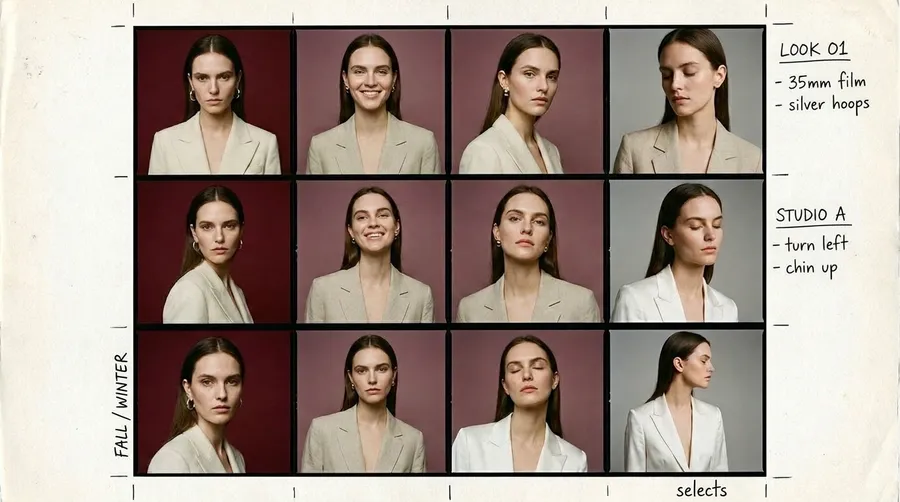
The cause is that every generation is a fresh interpretation. When a prompt describes the person, the outfit, the room, the light, and the angle all at once, the model is free to reinterpret all five every time. Repeating "same person" more forcefully does not solve it. Separating the variables does: decide what is fixed, write it down once, and allow only the camera position and the pose to change. That split is the entire workflow, and every step below builds on it.
The Continuity Contract: Five Things to Lock Before You Generate
A continuity contract is a written list of everything that must stay identical across the shoot. Write it before the first generation, because it is much harder to pull twelve drifting images back together than to keep them aligned from the start. The contract has five locks.
Lock | What it covers | Example from the video |
Identity | Facial proportions, skin tone, eye color, hairline, hairstyle, makeup, defining marks | Same face and makeup in every shot |
Wardrobe | Exact garments, cut, fabric, buttons, jewelry, shoes, styling | Cream structured blazer, same lapels and shoulder shape, silver earrings |
Set | Backdrop, floor, scale of the room, any furniture | Deep burgundy seamless studio, dark red floor, no new furniture unless a shot needs it |
Lighting | Direction, softness, contrast, color temperature | Large soft key from camera left at 45 degrees, subtle rim from the right, medium contrast |
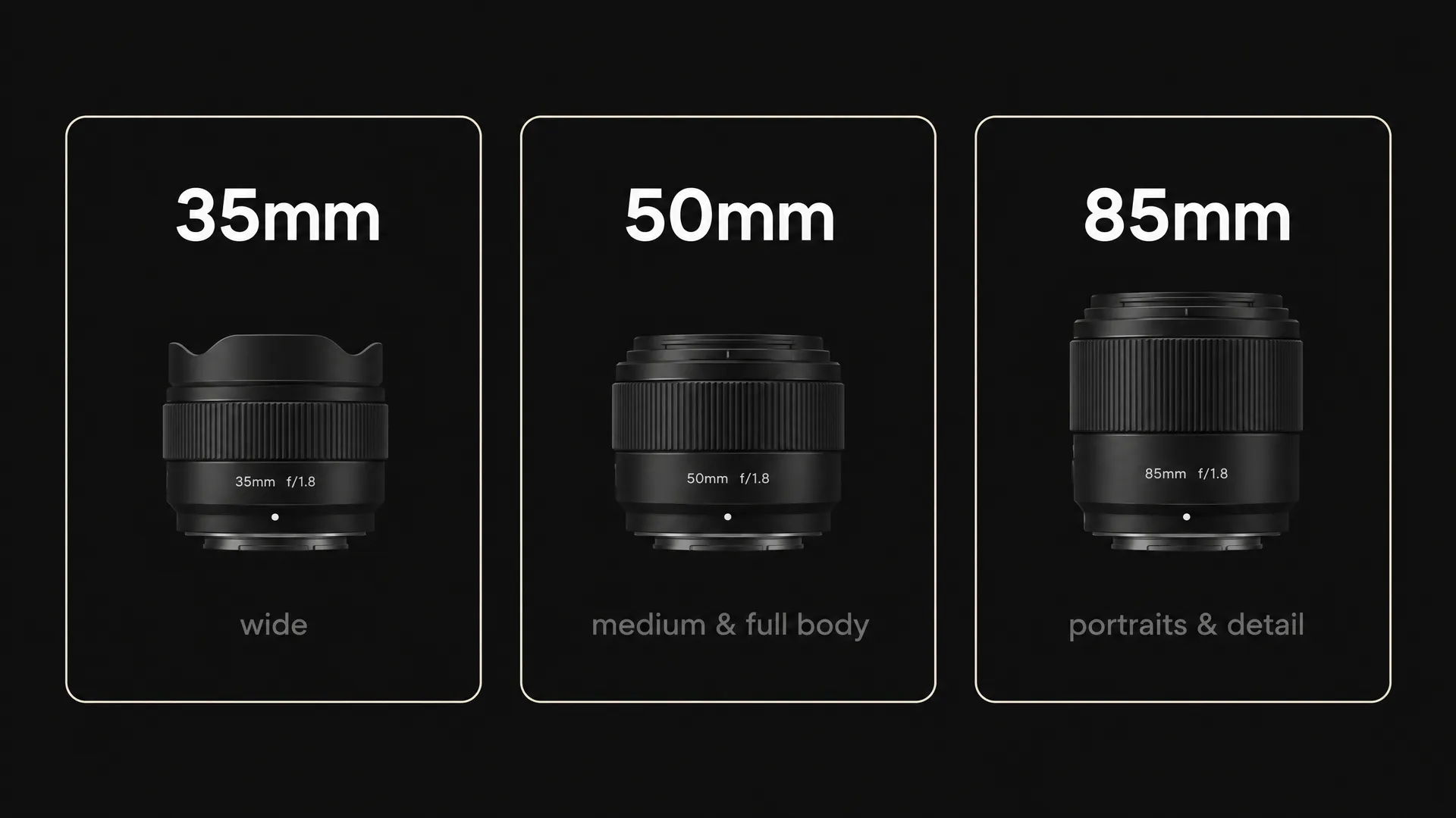
Camera language | A controlled lens family instead of random optics | 35mm for wide shots, 50mm for medium and full body, 85mm for portraits and details |
Specificity is what makes a lock work. "A cream blazer" is a category, and the model will happily give you a different cream blazer in every shot. "The same cream structured blazer with the same lapels, buttons, and shoulder shape" is a lock. The lens can change from shot to shot. The photographic world cannot.
The Master Prompt That Goes Into Every Shot
The five locks become one block of text that is pasted, unchanged, into every generation. Attach the reference image each time as well, so the model reads the identity from pixels and the rules from words. Here is the master prompt used in the video:
Use the uploaded image as the fixed identity and styling reference. Preserve the exact same person, facial proportions, skin tone, hair, makeup, cream structured blazer, silver earrings, and all wardrobe details. Keep the same deep burgundy seamless studio, large soft key light from camera left, subtle rim light from the right, neutral skin, medium contrast, restrained editorial color grade, and fine natural film grain. Change only the camera position, framing, and requested pose. Do not redesign the face, body, outfit, jewelry, set, or lighting.
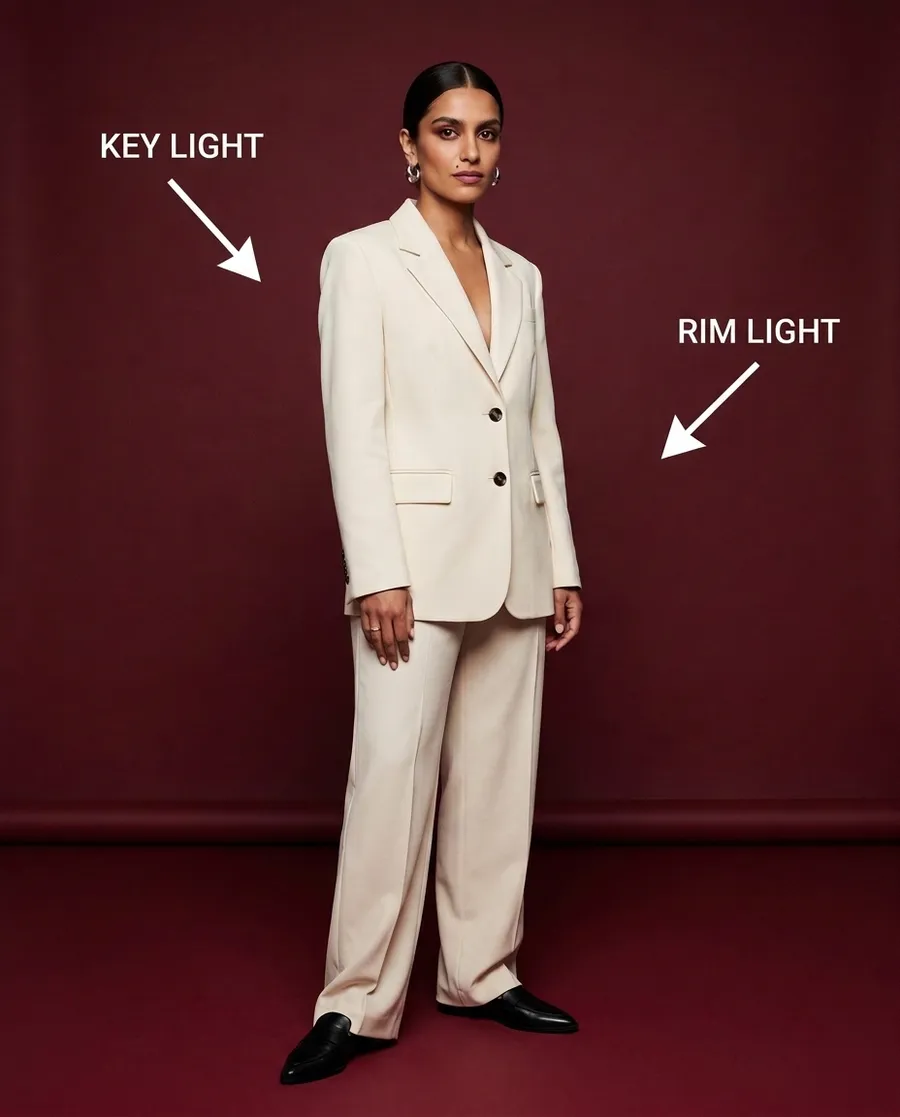
The last two sentences carry the most weight. They tell the model which variables are open and which are closed, so the shot instruction you append can only move the camera. Upload the reference as an image reference in the Create image tool. For a character you will reuse across several shoots, saving the person as an Element lets you call them by name instead of re-uploading the same image every time.
The 12-Shot List at a Glance
A complete shoot needs coverage, not twelve portraits. Each shot below has a job, and each one stress-tests a different part of the continuity contract. The order matters: the early shots establish facts the later shots depend on.
# | Shot | Lens | What it tests |
1 | Wide establishing shot | 35mm | Studio geography, light falloff on the floor |
2 | Full-body front, eye level | 50mm | Wardrobe, proportions, shoes |
3 | Three-quarter waist-up | 50mm | Bridge between body and face |
4 | Straight chest-up portrait | 85mm | The facial anchor for the whole set |
5 | Exact profile | 85mm | Inferred side-view geometry |
6 | Over-the-shoulder | 50mm | Face and garment both partly hidden |
7 | True overhead | 35mm | Perspective and floor plane, same light side |
8 | Low angle | 50mm | Restrained perspective, no distortion |
9 | Seated on one chair | 50mm | Blazer construction under a new pose |
10 | Walking, mid-step | 50mm | Limbs, hands, shoes, fabric in motion |
11 | Tight facial close-up | 85mm | Skin texture, makeup, jewelry up close |
12 | Detail (cuff, earring, lapel) | 100mm macro look | Small-scale fidelity and rhythm for the edit |
Each prompt is the master prompt plus one line from the shot instructions below. Generate a few variations per shot, choose the strongest, and check it against the reference before moving on.
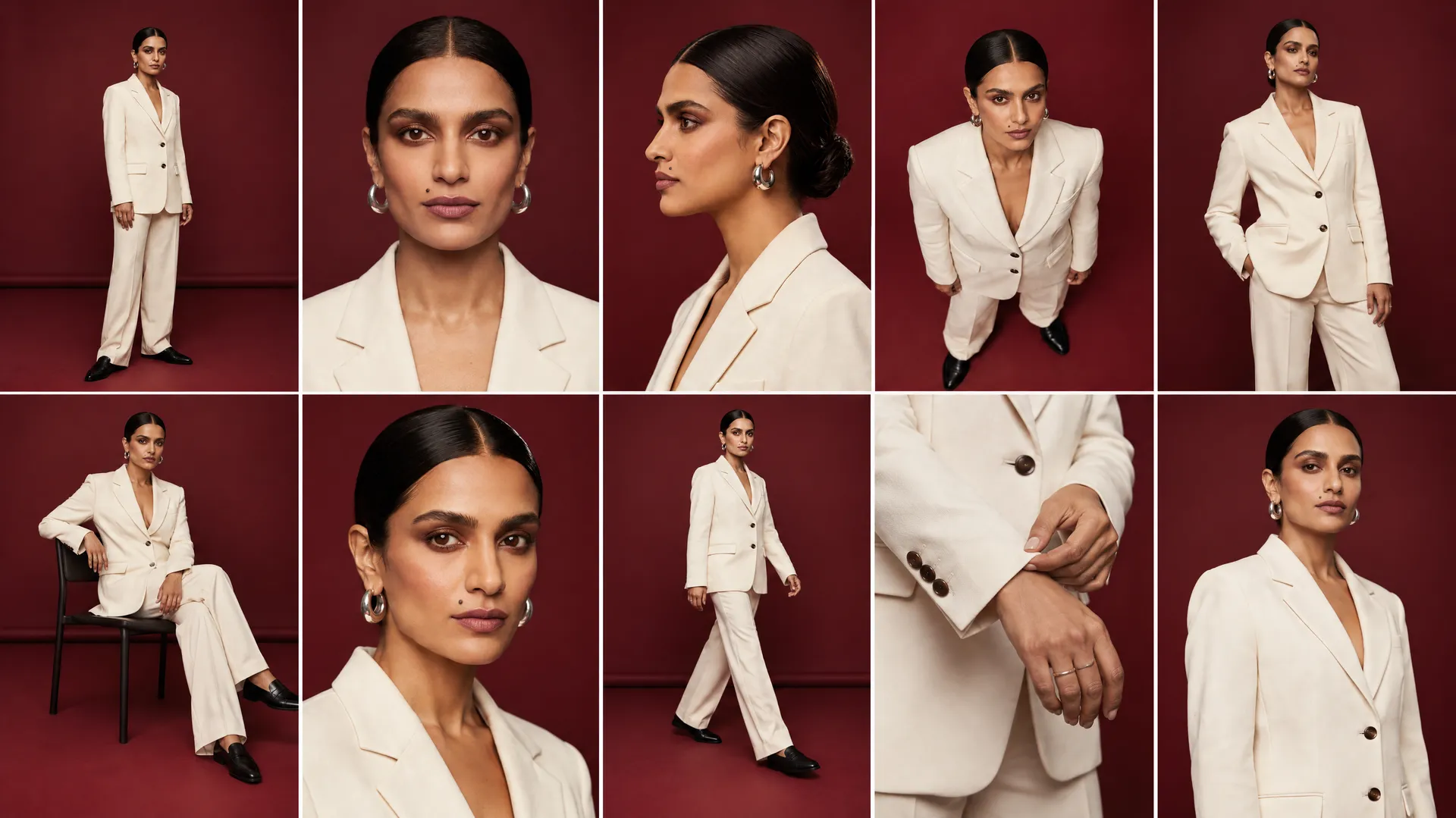
Shots 1 to 3: Establish the Physical World
The first three shots are not the most exciting images in the set. They are the evidence that the set exists.
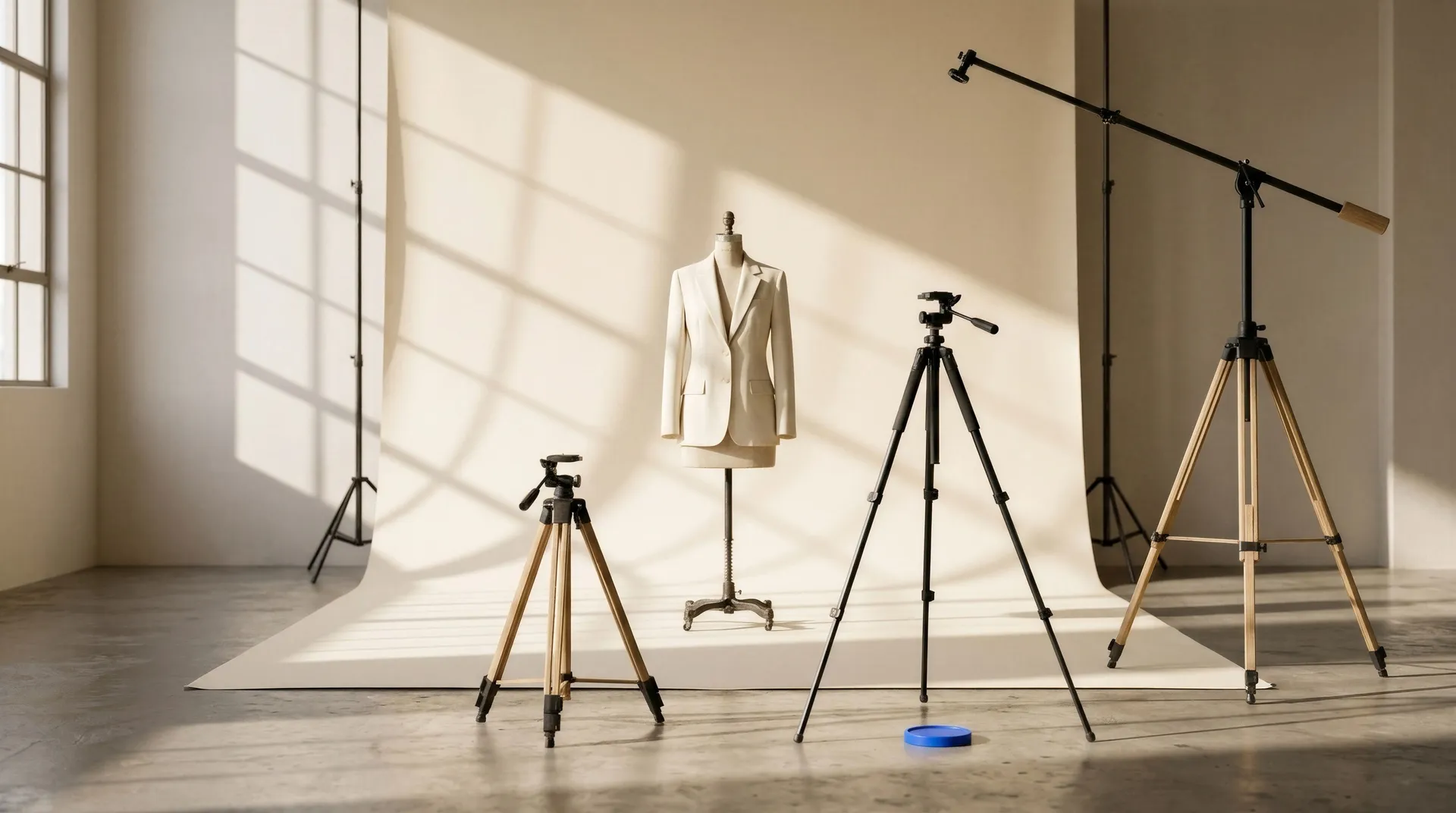
Shot 1 is the wide establishing shot on a 35mm lens: full body, with enough negative space to see the seamless curve of the backdrop and where the light falls on the floor. This image defines the geography. Where does the subject stand? How large is the studio? Which side is brighter, and where does the shadow go? Every later shot has to agree with the answers.
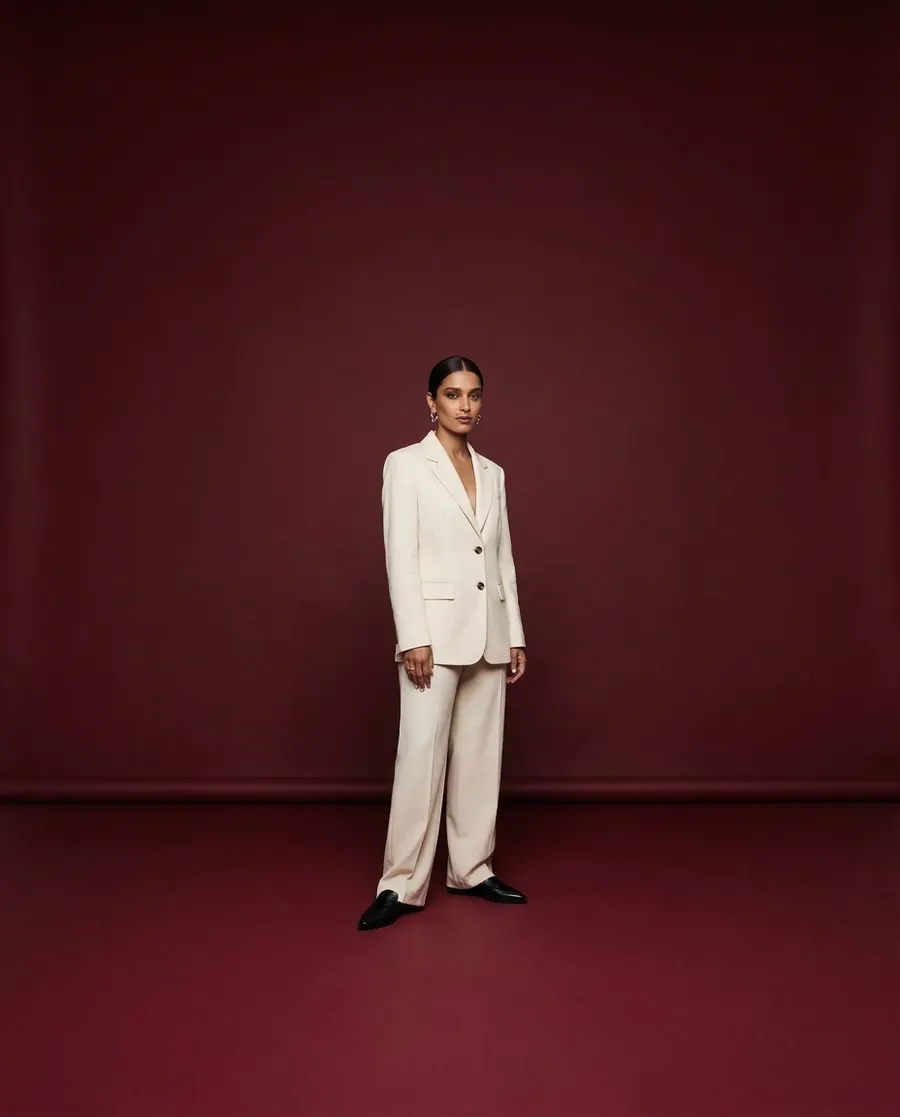
Shot 2 is the full-body front at eye level on 50mm. This is the wardrobe check: blazer length, trousers, shoes, body proportions, and styling all become visible at once. If anything is wrong here, fix it before going further. Building ten more shots on top of the wrong outfit multiplies the error ten times.
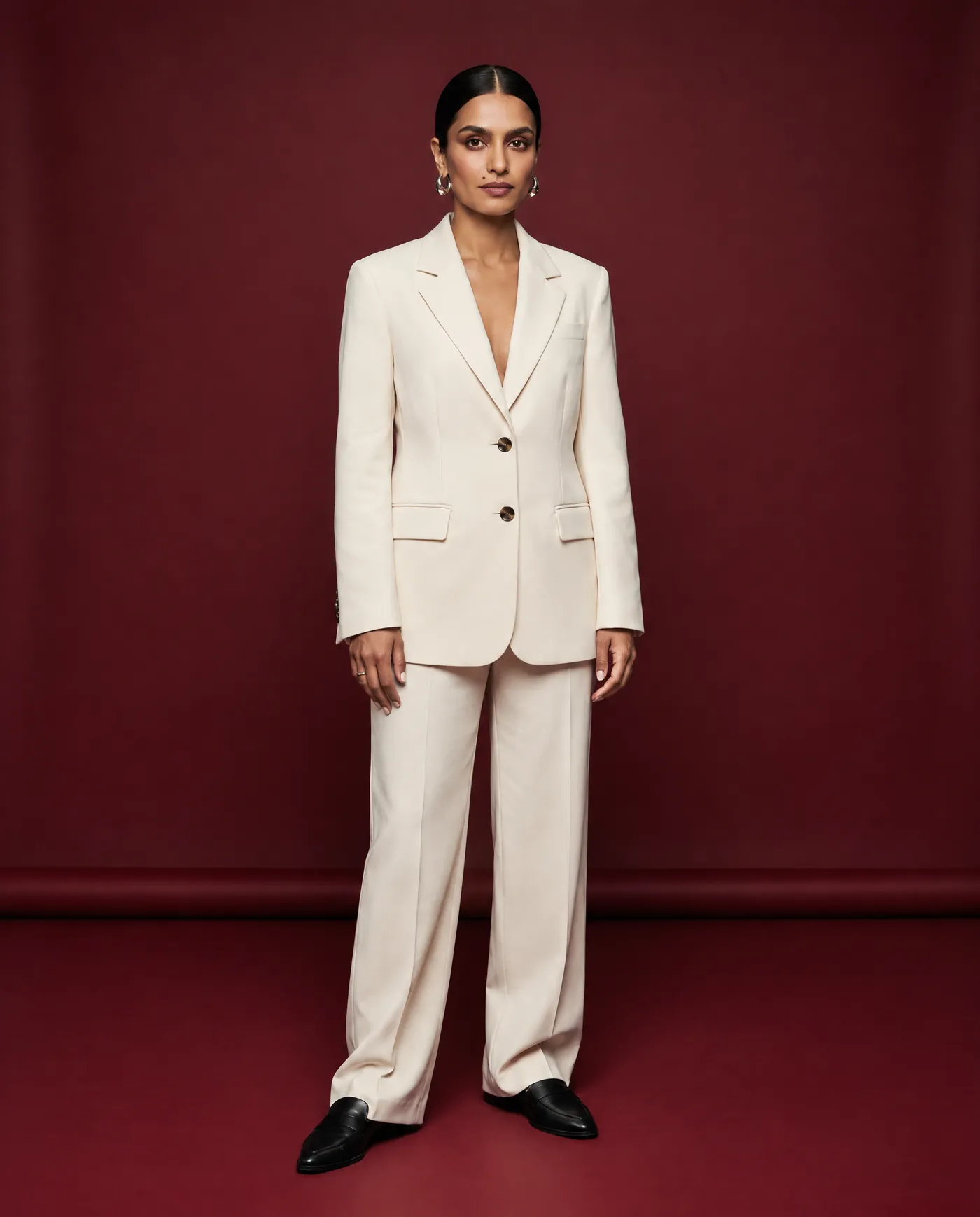
Shot 3 is a three-quarter waist-up on 50mm, with a slight torso turn and the face close enough to inspect. It connects the full-body world to the portrait world.
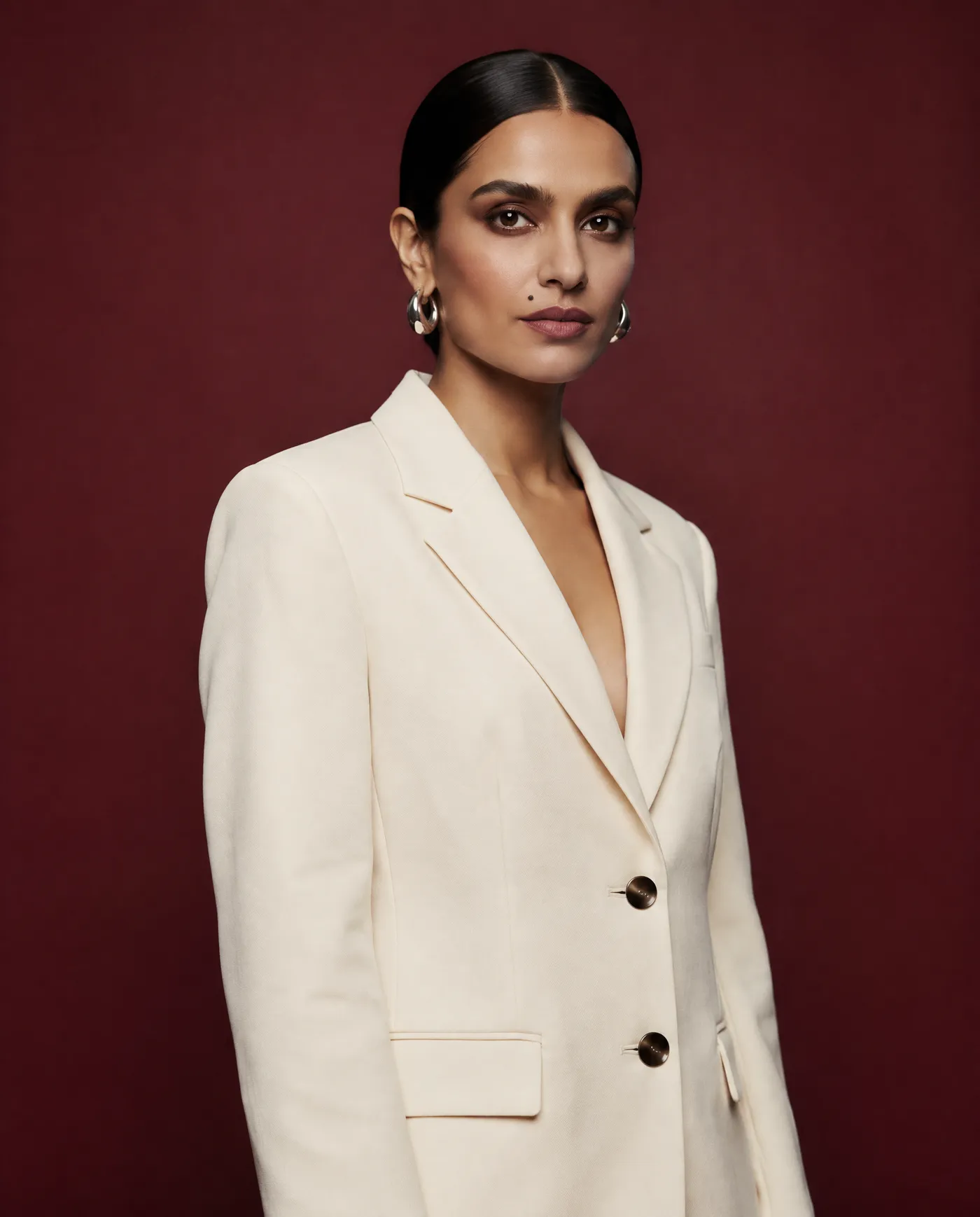
01: wide establishing shot, 35mm lens, full studio visible, full body, generous negative space02: straight-on full-body shot, eye-level camera, neutral standing pose, 50mm lens03: three-quarter waist-up portrait, slight torso turn, direct gaze, 50mm lens
Shots 4 to 6: Protect the Face
These three shots decide whether the photoshoot works. Shot 4 is a straight chest-up portrait on 85mm with a neutral expression and direct eye contact.
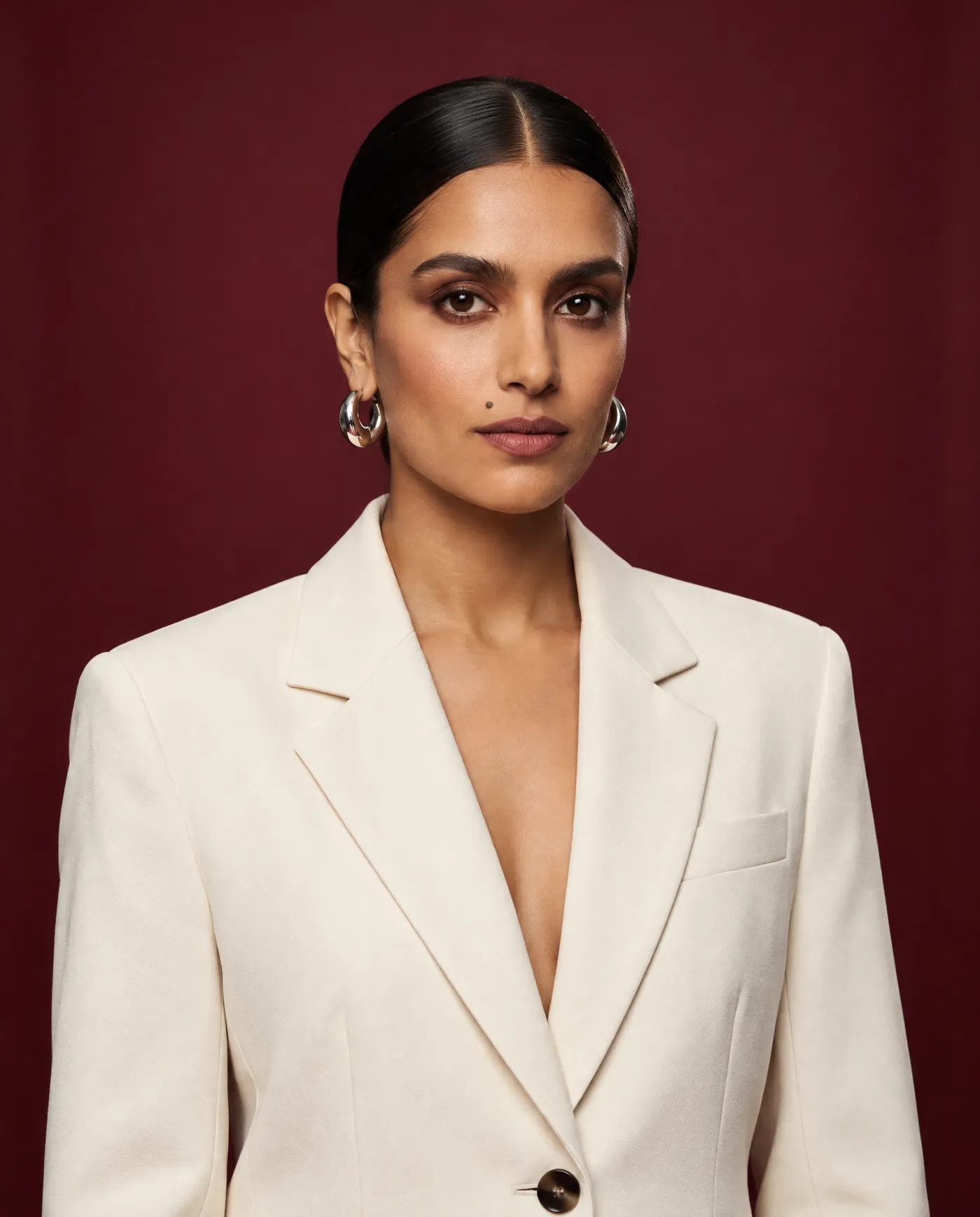
It becomes the facial anchor for the rest of the set, so check it closely against the reference: the distance between the eyes, nose width, mouth shape, jaw, hairline, earrings, and makeup placement.
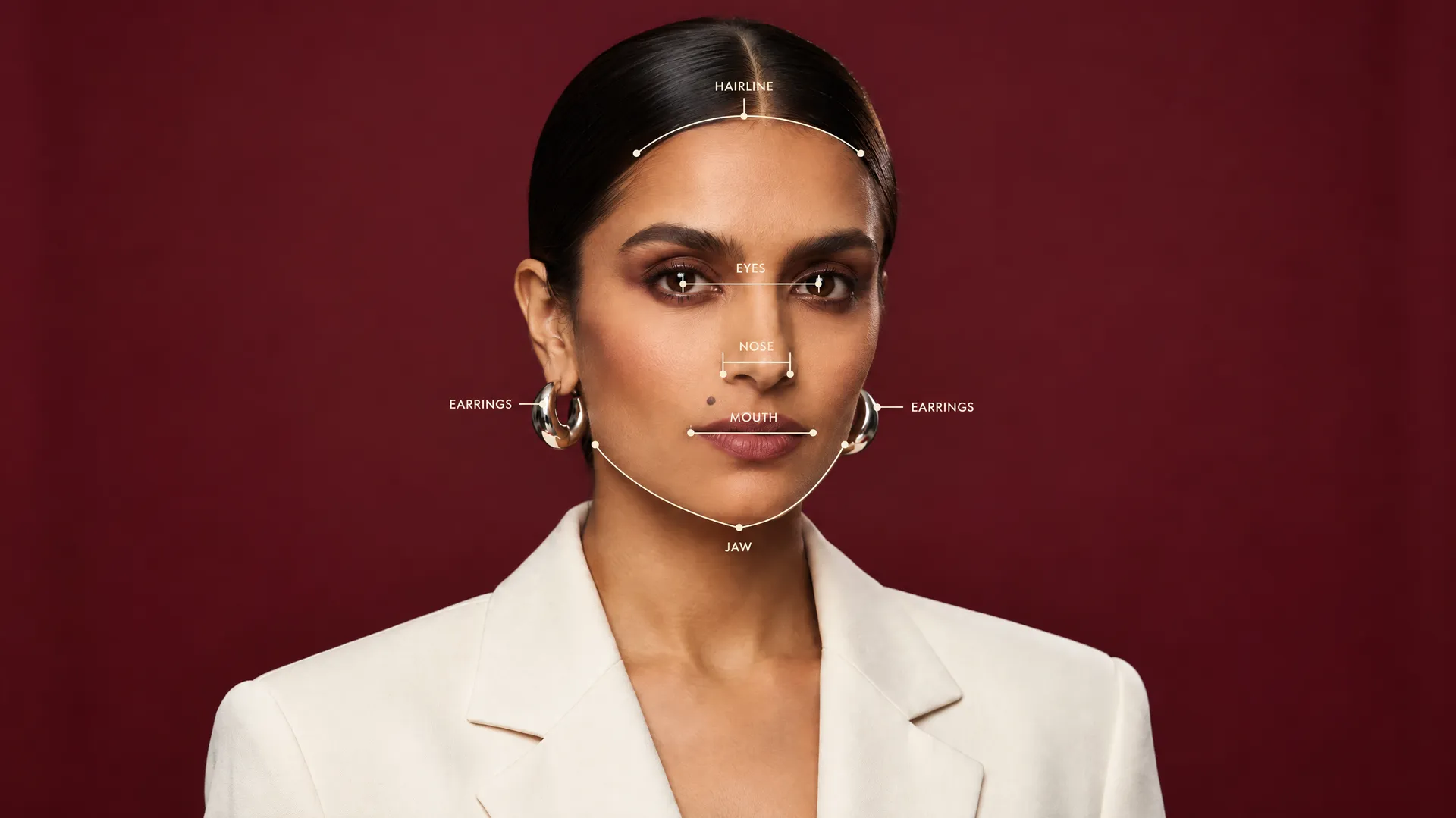
Shot 5 is a clean profile, and it is the hardest angle in the list. A front-facing reference often contains little side-view information, so the model has to infer the nose bridge, chin projection, ear placement, and hair volume.
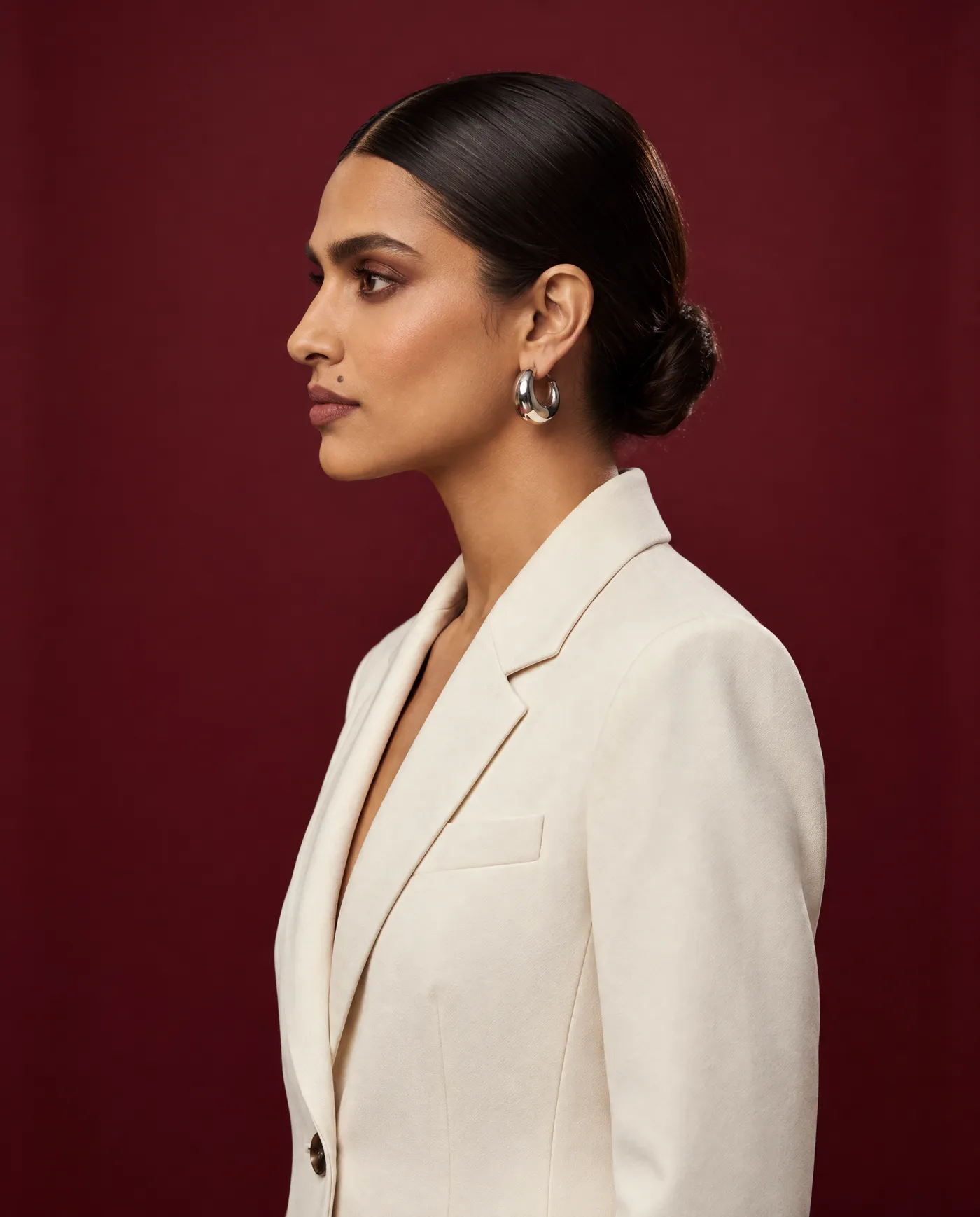
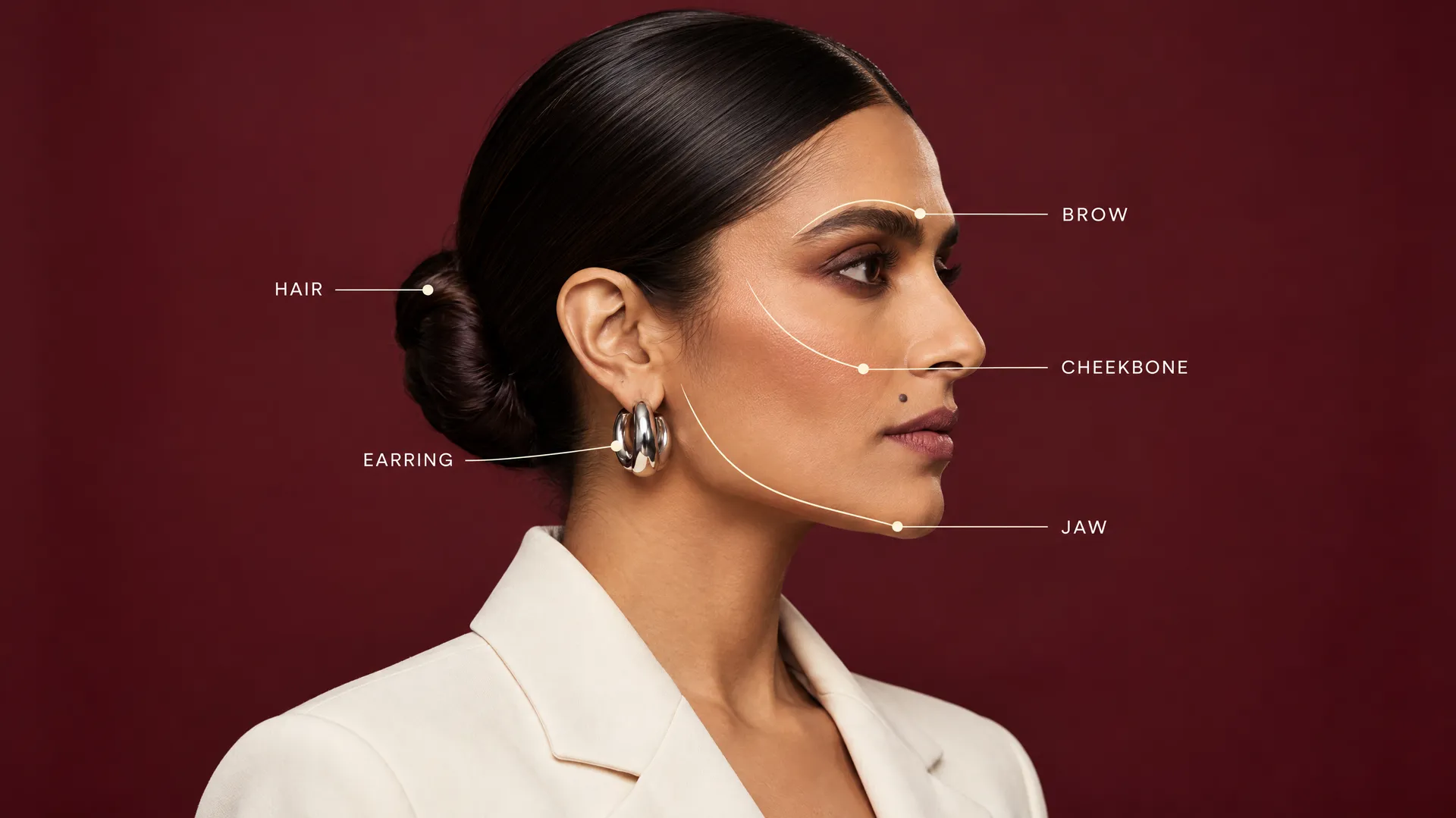
A beautiful profile can still be the wrong profile. Instead of judging the face as a whole, compare what you can verify: brow line, cheekbone height, jaw length, skin tone, hairstyle, and jewelry.
Shot 6 is over-the-shoulder, with the body facing away and the head turned back toward the camera. Both the face and the garment are partly hidden, which makes it a double stress test. Keep the expression simple, since complicated emotion adds another variable and increases drift.
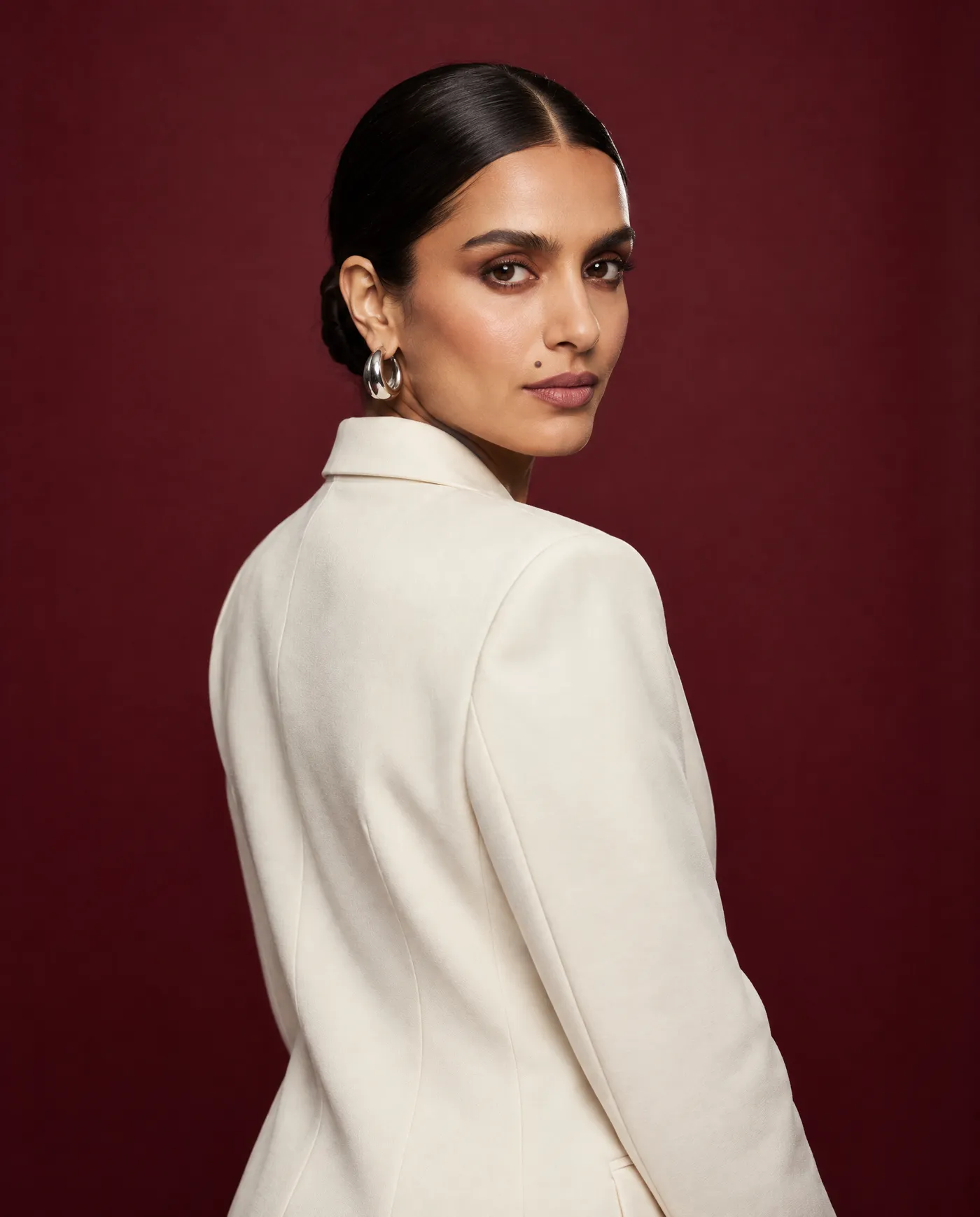
04: straight chest-up portrait, direct gaze, neutral expression, 85mm lens05: exact left-side profile, relaxed jaw, same hairstyle and earring fully visible, 85mm lens06: over-the-shoulder portrait, torso facing away, head turned naturally toward camera, 50mm lens
If these three do not look like one person, stop. More angles will not repair a weak identity; they multiply it. Methods for holding a face across sessions are covered in depth in the guide to consistent characters with AI.
Shots 7 to 9: Change the Perspective Without Changing Reality
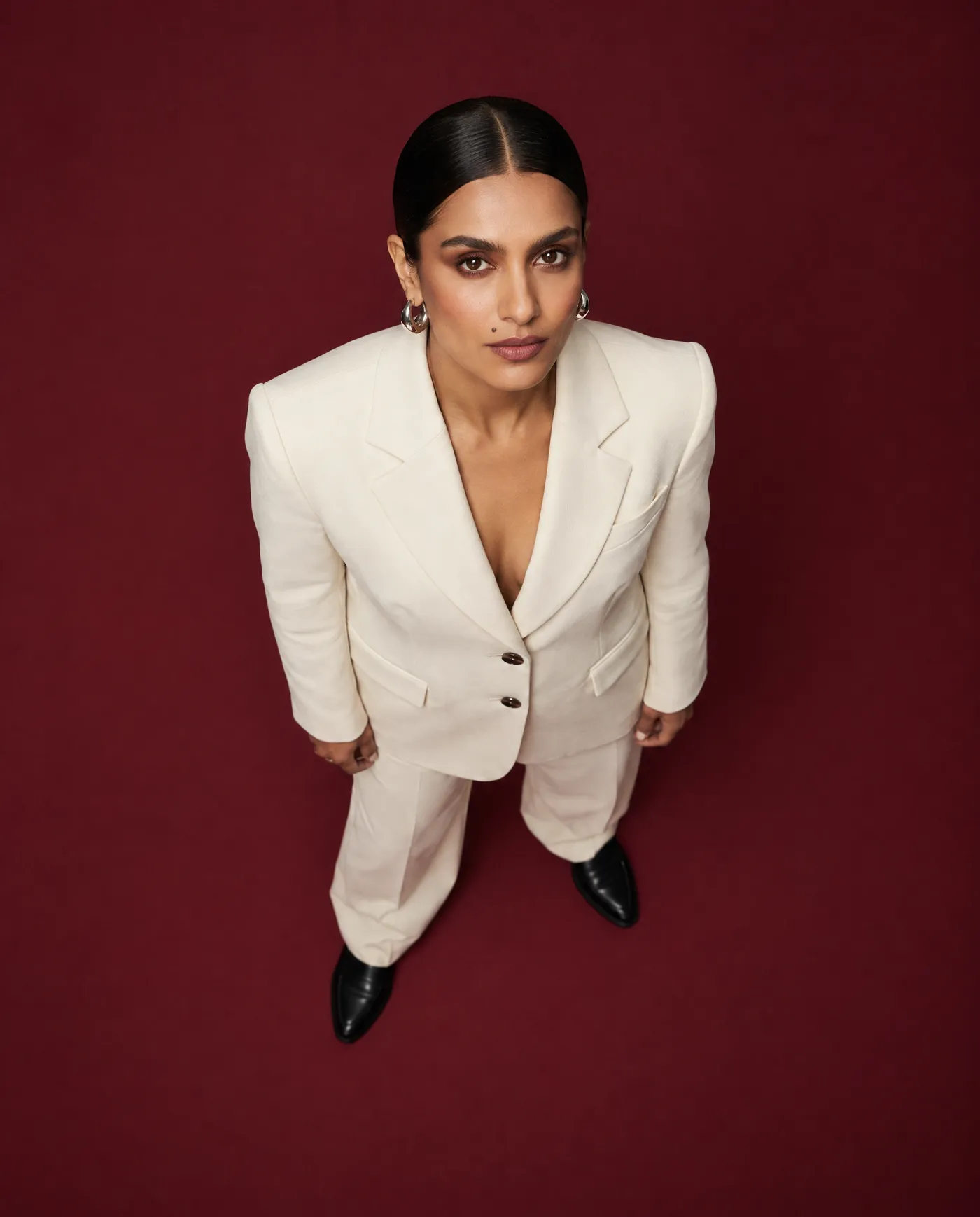
Shot 7 is a true overhead. Not "slightly high" and not a random drone view: the camera sits directly above the subject, the floor plane is clearly visible, and the key light still comes from the same side of the studio. Overhead changes the relationship between head, shoulders, and body, so keep the pose simple and let the perspective do the work.
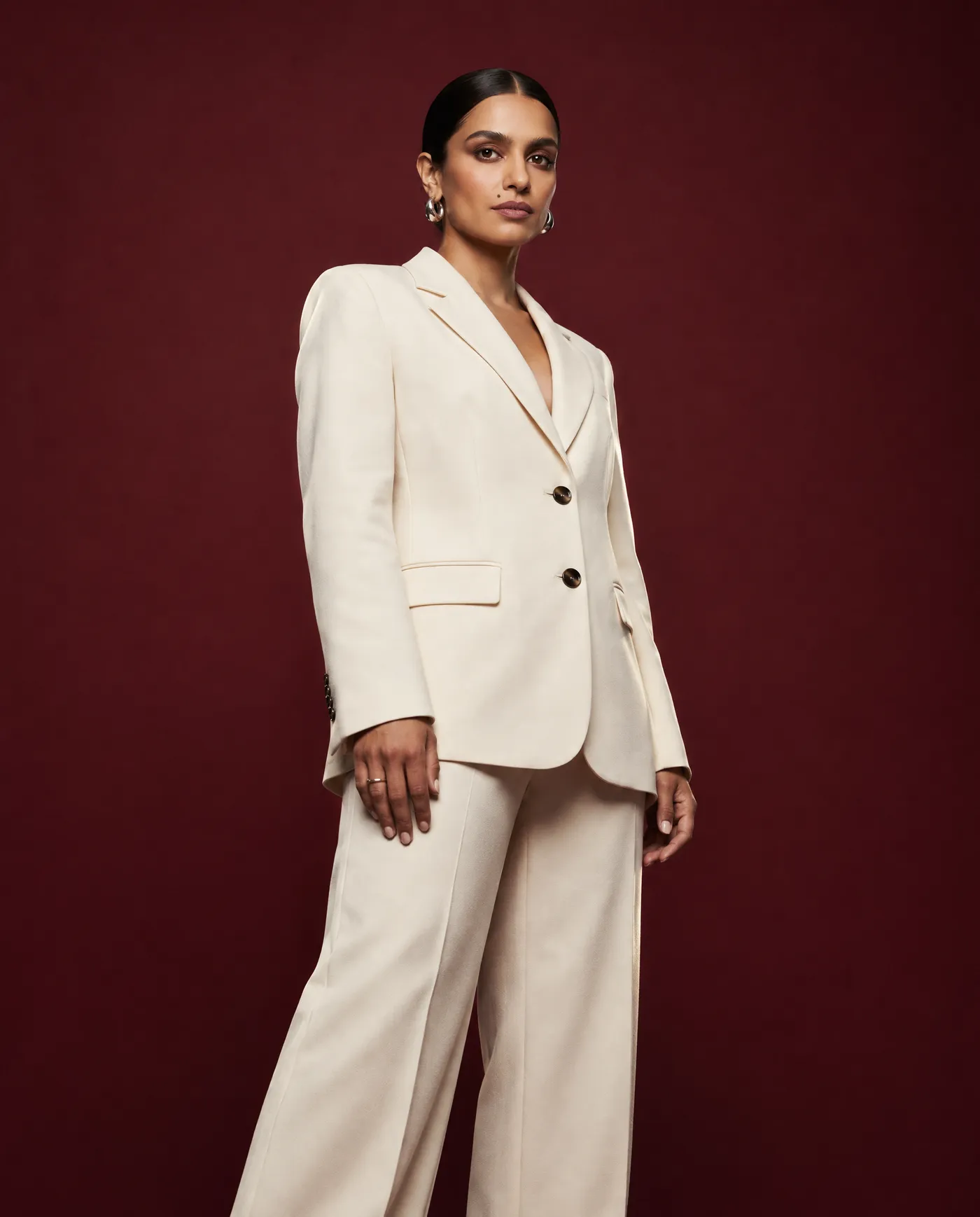
Shot 8 is the low angle. The camera drops below eye level, but the face should not suddenly become longer, wider, or more heroic. Avoid ultra-wide optics. The goal is controlled authority, not comic-book distortion.
Shot 9 is seated, on one minimal chair that plausibly belongs in the existing studio. This is where models most often invent fabric to solve a pose: one side of the blazer becomes longer, buttons move, a sleeve merges into the waist. Watch the sleeves, lapels, hands, and the point where the body meets the chair. The chair is new. The outfit is not.
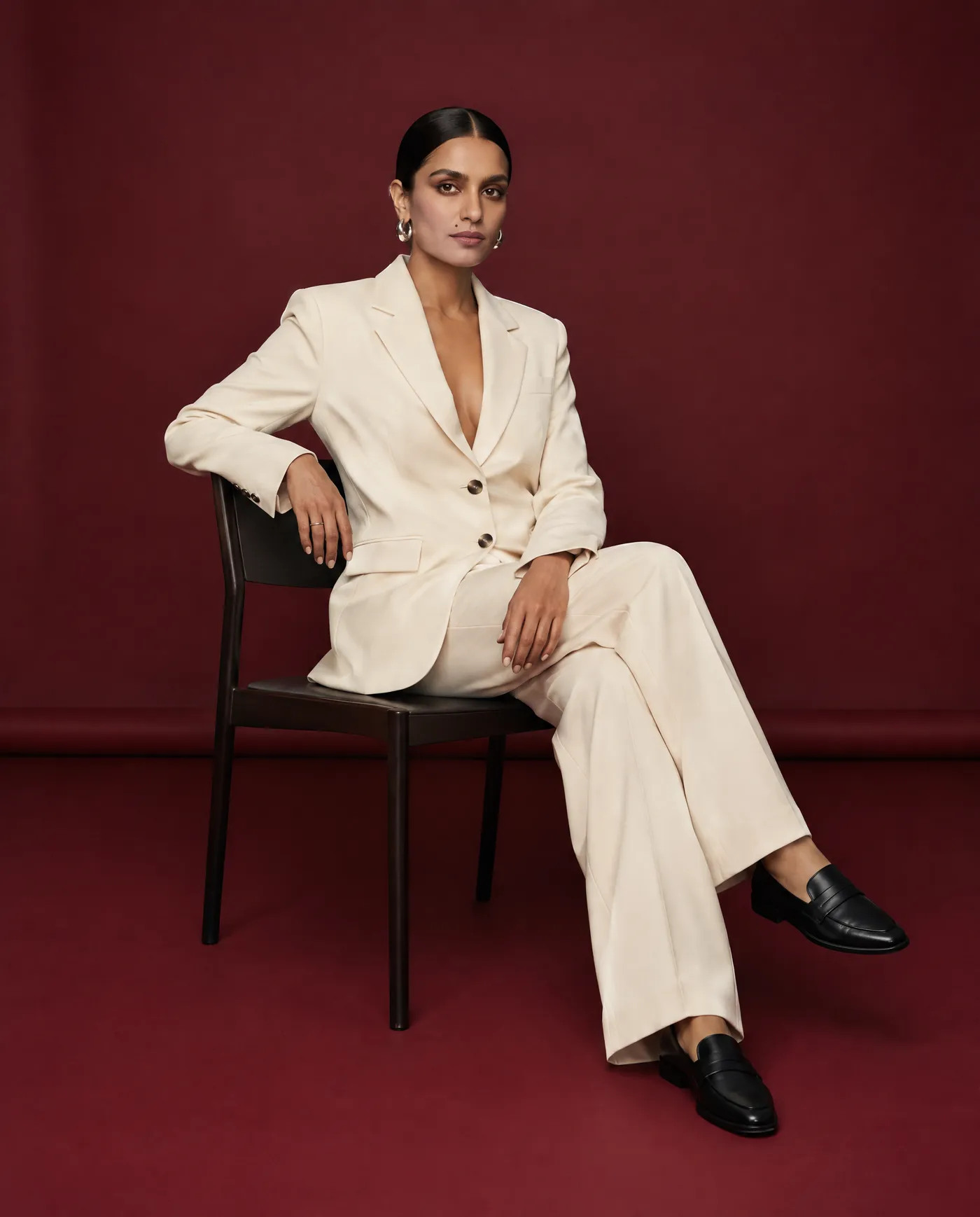
07: true overhead top-down composition, subject looking upward, same floor and light direction, controlled 35mm perspective08: low-angle portrait from slightly below eye level, restrained perspective, confident neutral pose, 50mm lens09: seated medium-wide portrait on one minimal dark chair, relaxed posture, full blazer construction visible, 50mm lens
Shots 10 to 12: Movement, Close-Up, and Detail
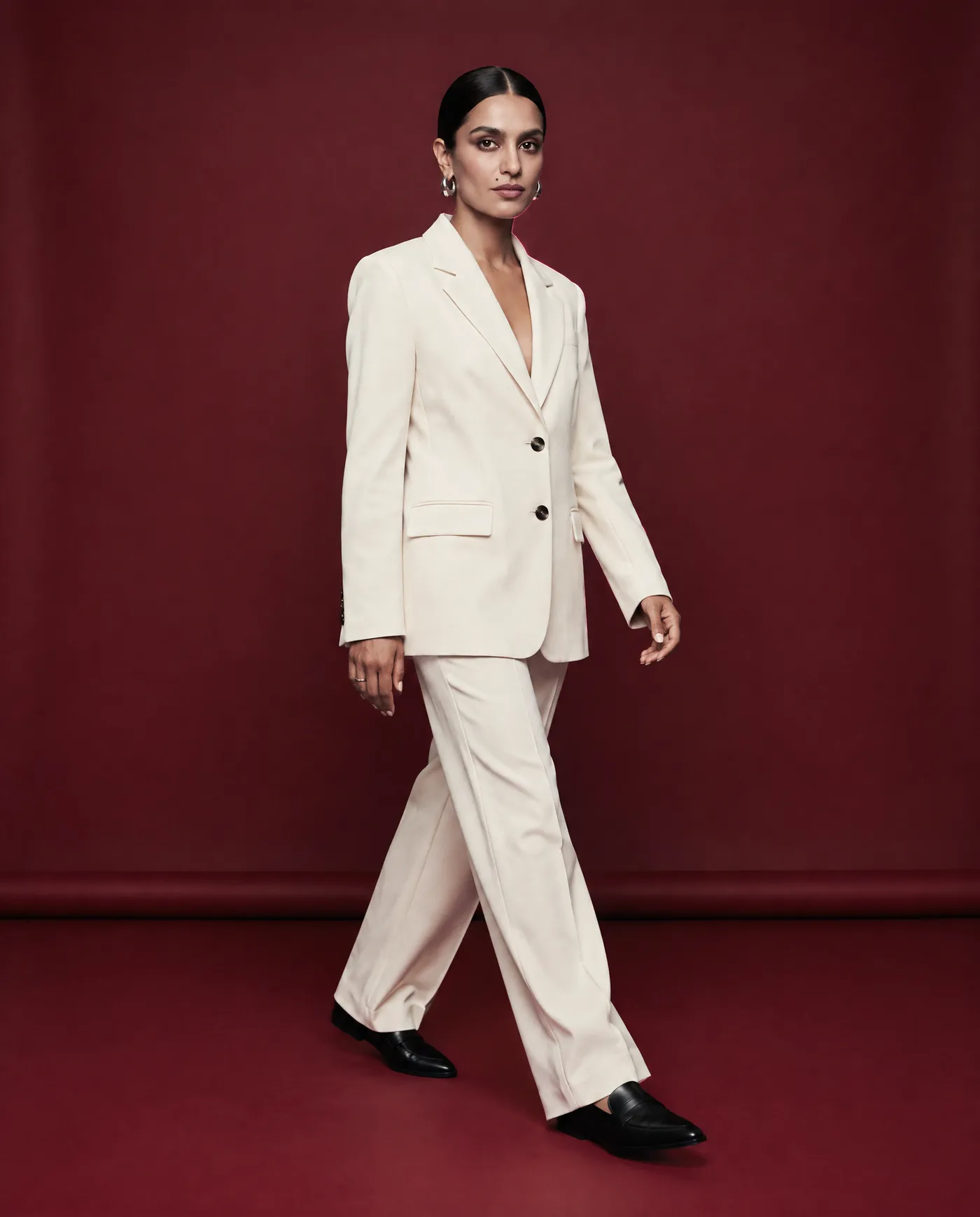
Shot 10 is walking: a natural stride with one foot forward, arms relaxed, the same studio, light, and full outfit. Do not ask for motion blur yet. First get a clean body position with correct hands, shoes, fabric, and face. Motion can hide errors, but it does not fix them.
Shot 11 is the tight facial close-up on 85mm, with the eyes sharp and real skin texture. Same makeup, same eyebrow shape, same earrings. Tighter framing is not permission for beauty-filter skin or a new lip color, so state the realistic skin texture explicitly in the shot line.
-1400x1738.webp)
Shot 12 is the detail: a hand adjusting the blazer cuff, the silver earring beside the hair, or the texture of the lapel. Choose a detail that already exists in the reference rather than inventing a new prop. Detail shots matter because a real campaign is not twelve portraits. They create rhythm, give editors transition points, and make a carousel or a video edit feel intentionally produced.
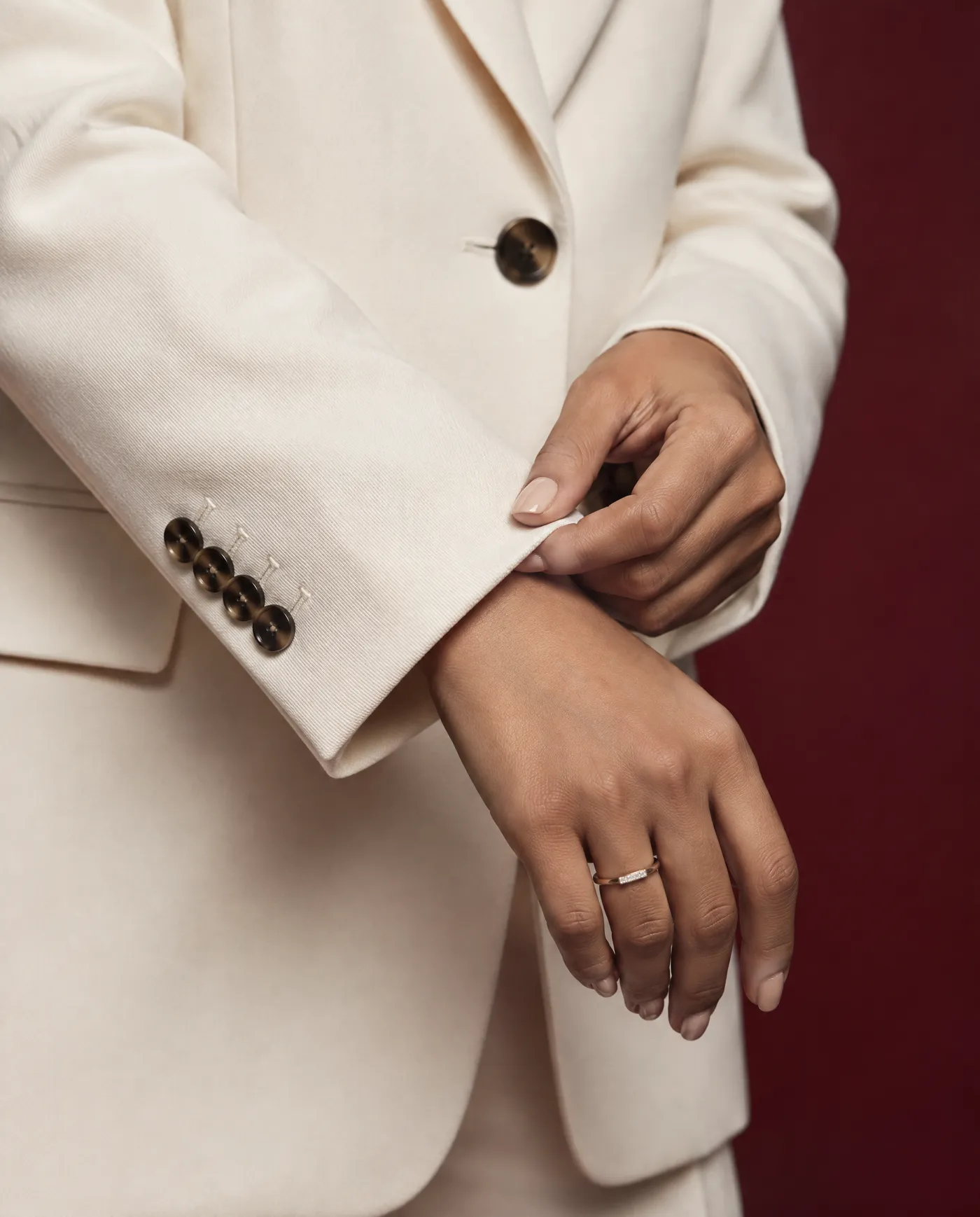
10: full-body walking shot, natural mid-step pose, clean hands and shoes, 50mm lens, no motion blur11: tight facial close-up, eyes in sharp focus, realistic skin texture, same makeup and jewelry, 85mm lens12: editorial detail shot of the same hand adjusting the same blazer cuff, matching nails, jewelry, fabric, light, and color grade, 100mm macro look
Why a Controlled Lens Family Keeps the Shoot Consistent
Focal length changes how a face and body are drawn, not just how much of the scene is visible. A wide lens close to the subject stretches whatever is nearest the camera, while a longer lens compresses features and flattens the background. If one prompt asks for a 24mm portrait and the next for a 135mm, the model renders two different-looking faces, and the set reads as two shoots even when the identity lock holds.
Lens | Use in this shoot | Effect on the image |
35mm | Wide establishing shot, overhead | Shows the room and floor, mild perspective |
50mm | Full body, medium, over-the-shoulder, low angle, seated, walking | Close to natural vision, minimal distortion |
85mm | Portrait, profile, close-up | Flattering compression, soft background |
100mm macro look | Detail shot | Tight magnification, shallow depth of field |
Three or four focal lengths are enough to cover a whole shoot, and they mirror what a photographer would actually carry to a studio session. Naming the lens in every shot line keeps perspective predictable, which matters most in the low-angle and overhead shots where distortion is easiest to introduce. The AI photography prompt book has more phrasing for lenses, framing, and light.
Review the Set on a Contact Sheet, Not One Image at a Time
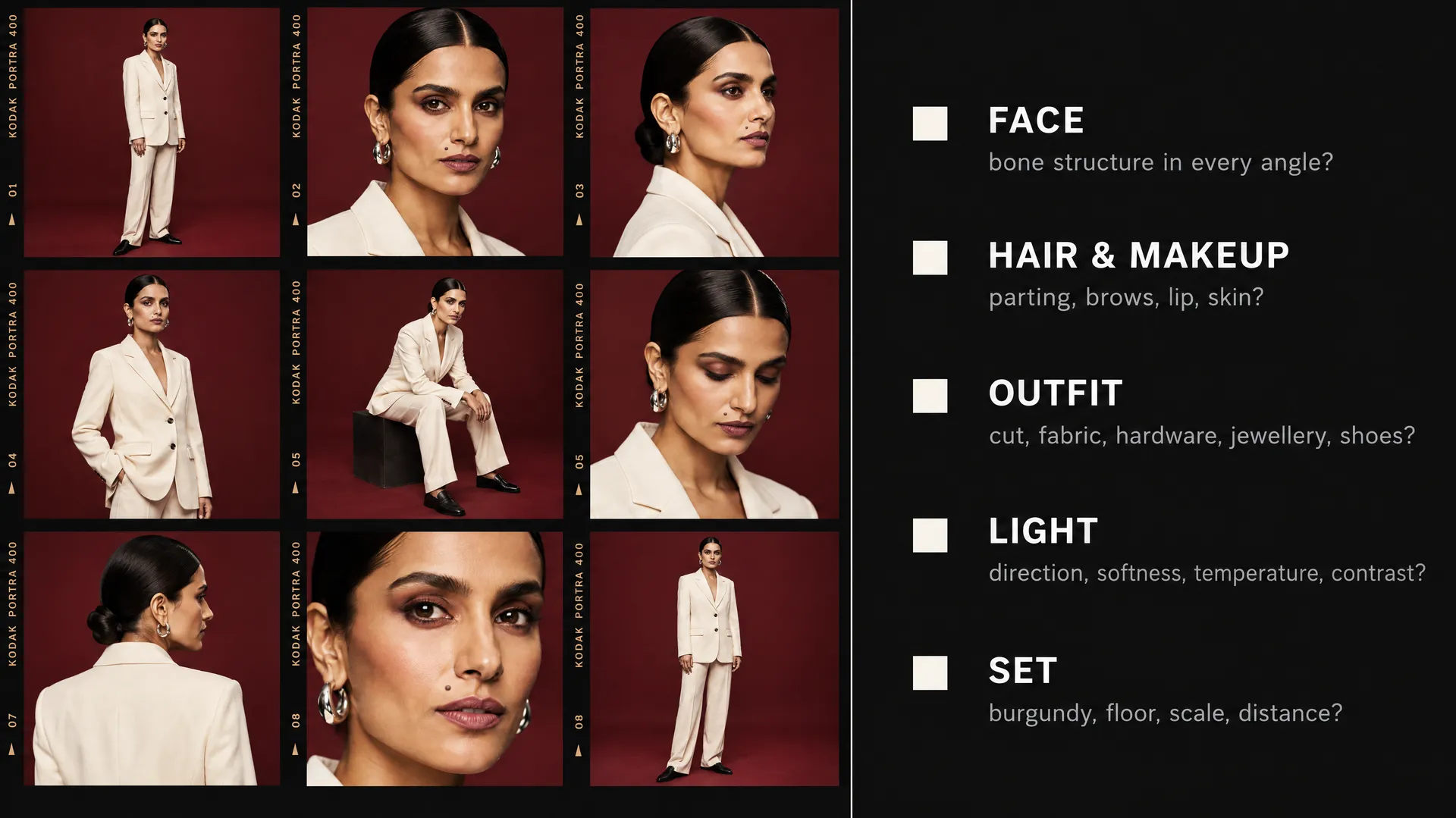
Reviewing images one by one hides drift, because each image is judged only against your memory of the last. A contact sheet shows all twelve at the same size in one grid, with no favorite enlarged in the center. That removes the distraction of one spectacular image and makes inconsistency obvious. Check five lines of continuity across the whole grid.
Check | What to compare across all twelve shots |
Face | Bone structure, eye spacing, nose, jaw at every angle |
Hair and makeup | Parting, length, texture, eyebrow shape, lip color, skin treatment |
Outfit | Cut, fabric, buttons and hardware, jewelry, shoes, fit |
Light | Direction, softness, temperature, contrast |
Set | Same burgundy, same floor, same scale, same subject-to-background relationship |
Then check sequence logic: could a real photographer move from shot 1 to shot 12 without changing the model, styling, studio, or lighting setup? If the answer is no, the grid is not finished. The same review discipline is what separates models in practice; in a side-by-side AI image model consistency test, the prettiest single image did not come from the most consistent set.
Fix Drift From the Closest Successful Image
When one shot breaks the system, reject it and regenerate that angle from the closest successful image, not from zero. Add the approved neighboring shot as an extra reference alongside the original, because it already shows the person at a similar angle in the correct outfit and light.
The medium portrait can guide the profile. The full-body shot can guide the walking shot. The seated image can guide the overhead composition. Each accepted image gives the model more evidence of what the shoot looks like, so the sequence strengthens itself as it grows.
Not every failure needs a new prompt from scratch. If the pose, framing, and light are right and only one detail is wrong (a missing earring, a moved button, a lip color that drifted), attach the failed image as the reference and write an edit prompt that names that single change and tells the model to keep everything else the same: "Add the same silver earring to her left ear. Keep the face, pose, blazer, framing, studio, and lighting exactly as they are."
The model still generates a new image, so compare the result against the original before accepting it and check that nothing else moved. A useful rule: start over from the closest good shot when the angle or body is wrong, and use a targeted edit prompt when only a detail is wrong.
Turn the 12-Shot List Into a Campaign
Twelve images are useful because they do different jobs, and they feel consistent because they obey the same contract. Once the contact sheet passes, map each shot to a placement.
Shot | Typical placement |
Wide establishing shot | Landing-page hero, website banner |
Straight portrait | Campaign key visual, poster |
Walking shot | Social posts with movement, vertical ads |
Tight close-up | Beauty or skincare ad, thumbnail |
Detail shot | Carousel break, transition, opening shot for a video |
Seated and low-angle shots | Story sequences, editorial spreads |
Reframe an approved image for each placement with the AI resizer rather than regenerating it in a new aspect ratio, which keeps the exact same pose and light. The detail and walking shots are natural starting points for image-to-video: animate only after the stills are locked, because any inconsistency in the source carries into the clip. For a deeper look at extending one character into product shots, ad variations, and social formats, see how to turn one AI character into a brand campaign.
Adapting the Shot List to Other Subjects and Sets
The twelve shots are a template, not a fixed recipe. The structure (lock the world, then move the camera) transfers to any subject, while individual shots swap out depending on what the shoot is for.
- Fashion and apparel: keep the full-body, walking, and seated shots, and add a back view and a fabric detail, since buyers need to see the garment from every side.
- Menswear or streetwear: replace the studio with one fixed location (a concrete stairwell, a single street corner) and lock it the same way you would lock a backdrop, down to the wall color and floor material.
- Beauty and skincare: weight the list toward the portrait, profile, close-up, and two or three detail shots of skin, hands, and product.
- Personal branding and founders: keep the portrait, three-quarter, seated, and walking shots, and add one environmental shot at a desk or on stage. The AI headshot generator covers the single professional portrait if that is all you need.
- Outdoor sets: lock the time of day and sun direction instead of studio lights, since a sun that jumps sides between shots breaks continuity the same way a moved key light does.
Whatever changes, write the new set and light into the master prompt before generating, and run the same contact-sheet review at the end.
The Bottom Line
One reference image is enough for a full AI photoshoot if you treat it as one session, not twelve separate prompts. Lock the five things a real shoot never changes mid-session (identity, wardrobe, set, lighting, and a small lens family of 35mm, 50mm, and 85mm), write them into one master prompt, and let only the camera and pose move.
Build the shots in order: establish the set first, prove the face holds before attempting hard angles, then add movement, close-ups, and details. Judge the result as a contact sheet, because consistency is a property of the set, not of any single image. When an angle drifts, rebuild it from the nearest good shot rather than from zero. Once the grid passes, upscale each image for its placement. Do not prompt twelve images. Direct one shoot.
Build your photoshoot in getimg.ai!
Frequently Asked Questions
Yes. Current image models can use a single reference photo to generate the same person from many camera angles, including portraits, profiles, full-body, overhead, seated, and walking shots. The reliable way to do it is to keep everything except the camera and pose fixed: the face, outfit, set, lighting, and lens family are written into one master prompt that is reused for every shot, and the reference image is attached each time. The hardest angles are the profile and over-the-shoulder shots, because the model has to infer parts of the face the reference does not show, so those need the closest review.
Attach the same reference image to every generation and describe the identity explicitly in the prompt: facial proportions, skin tone, eye color, hairline, hairstyle, and makeup. Generate a straight chest-up portrait early and use it as the facial anchor for the rest of the set. Keep expressions neutral on difficult angles, since strong emotion changes the face and adds drift. When an angle fails, regenerate it with the closest approved shot added as an extra reference rather than starting from zero. For repeat use, saving the character as a reusable reference avoids re-uploading it for every shoot.
A complete set of twelve covers a wide establishing shot, a full-body front, a three-quarter waist-up, a straight portrait, a profile, an over-the-shoulder, a true overhead, a low angle, a seated pose, a walking shot, a tight facial close-up, and a detail shot. Together they give an editor everything a real studio session would: shots that establish the setting, portrait options, hard angles, movement, and small details for transitions. Smaller projects can drop to six shots by keeping the wide, full-body, portrait, profile, walking, and detail shots.
The outfit changes when the prompt describes it as a category ("a cream blazer") rather than a specific garment, so the model reinterprets it every time. It also changes when a pose hides part of the clothing, as in seated or over-the-shoulder shots, and the model invents fabric to fill the gap. Fix it by describing the exact garment in the master prompt (cut, fabric, lapels, buttons, shoulder shape, jewelry, shoes), checking the outfit on a full-body shot before generating anything else, and stating in every prompt that the outfit must not be redesigned.
Yes, when consistency matters. Image models associate focal lengths with perspective, so a named lens makes the rendering of the face and background more predictable. A small lens family works best: 35mm for wide and overhead shots, 50mm for full-body and medium shots, and 85mm for portraits and close-ups, with a macro look for details. Mixing extreme focal lengths across one shoot, such as an ultra-wide portrait followed by a long telephoto one, makes the same face look different and breaks the sense of a single session.
Put all the images into a contact sheet at the same size and review them together. Check five lines across the grid: face, hair and makeup, outfit, light, and set. Then ask whether a real photographer could have moved from the first shot to the last without changing the model, styling, studio, or lighting. Any image that fails gets regenerated from the nearest successful shot, or edited with a prompt that names the one detail to change and tells the model to keep everything else. Reviewing images one at a time hides drift, because each one is only compared to the image before it.
On getimg.ai, paid plans include commercial usage rights, so photoshoot images can be used in advertising, on websites, and across social media, subject to our terms and applicable third-party rights. Take extra care when a reference image shows a real, identifiable person: you need their consent to generate and publish new images of them. For a fuller breakdown of where AI images can be used, see whether AI-generated images and videos can be used commercially.
Related Articles