getimg.ai's AI Photography Prompt Book
A practical prompt book for photographers who want more control, more flexibility, and less time spent fixing things manually.
AI Prompts for Photography Images and Video
We made this prompt book for photographers who want to fix mistakes without reshooting and experiment with their photos faster than ever.
Just log into getimg.ai, upload a real photo you want to edit (or create something from scratch), pick a prompt, and try it.
How it Works (Images)
You can:
- Edit real photos with text
Remove distractions, fix lighting, retouch skin, swap backgrounds, change seasons, add props.
- Use Elements for consistency
If you want the same subject, lighting style, or color grading across multiple edits, save it once as an Element and reuse it with @ElementName in your prompts.
- Use reference images
For one-off edits, like matching a specific editorial mood or campaign look.
- Generate from text
Create new photo-realistic concepts, test lighting setups, or pitch ideas before a shoot.
If your prompt says “create 4 versions” or “make 8 variations,” you also need to set the Number of images to match in the UI. The count is a + / − stepper starting at 1, so any number up to 16 works.
Supported batch sizes: any number from 1 to 16.
How it Works (Video)
You can use images as:
- a first frame
- a first and last frame
- a style or lighting reference.
This lets you animate portraits, create before/after transitions, simulate time-of-day changes, and make cinematic motion from a single photo.
Upscale a photo
What it’s for
- When a client needs a bigger file, you want cleaner detail for print, or you’re reviving older low-res shots.
How-to
Use Upscale image from the full image view: upload an image, click on the photo in the Uploaded folder, press the “Upscale image” icon next to the prompt box.
Quick tip
- Upscale first, then do detailed edits like skin, dust, or text.
-900x1205.webp)
Before
After
Clean Up and Corrections
Remove red eyes
What it’s for
- Any photo with the red eyes effect, e.g., flash portraits, photos from weddings, events.
Copy-paste prompt template
Correct red eyes naturally. Preserve realistic [REAL EYE COLOR] eye color and detail.
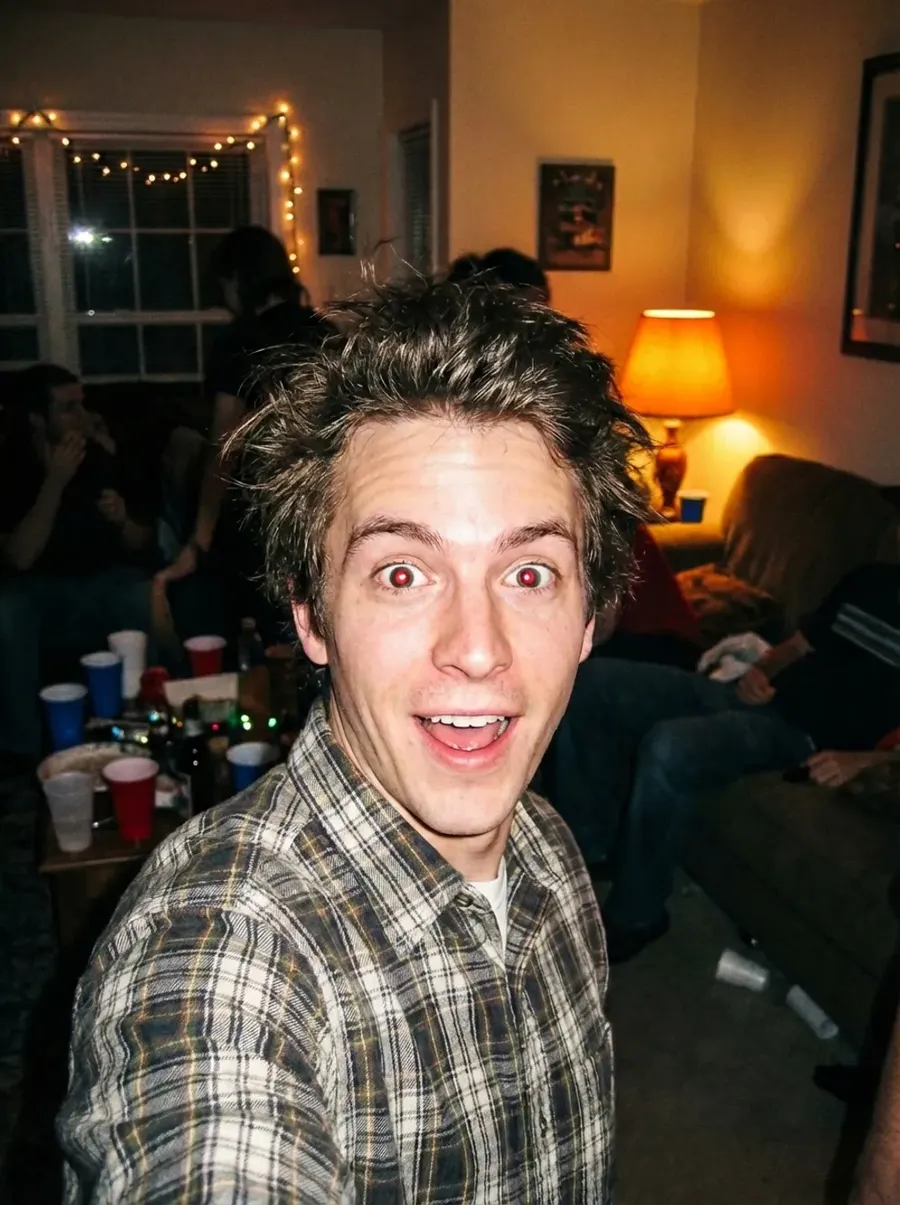
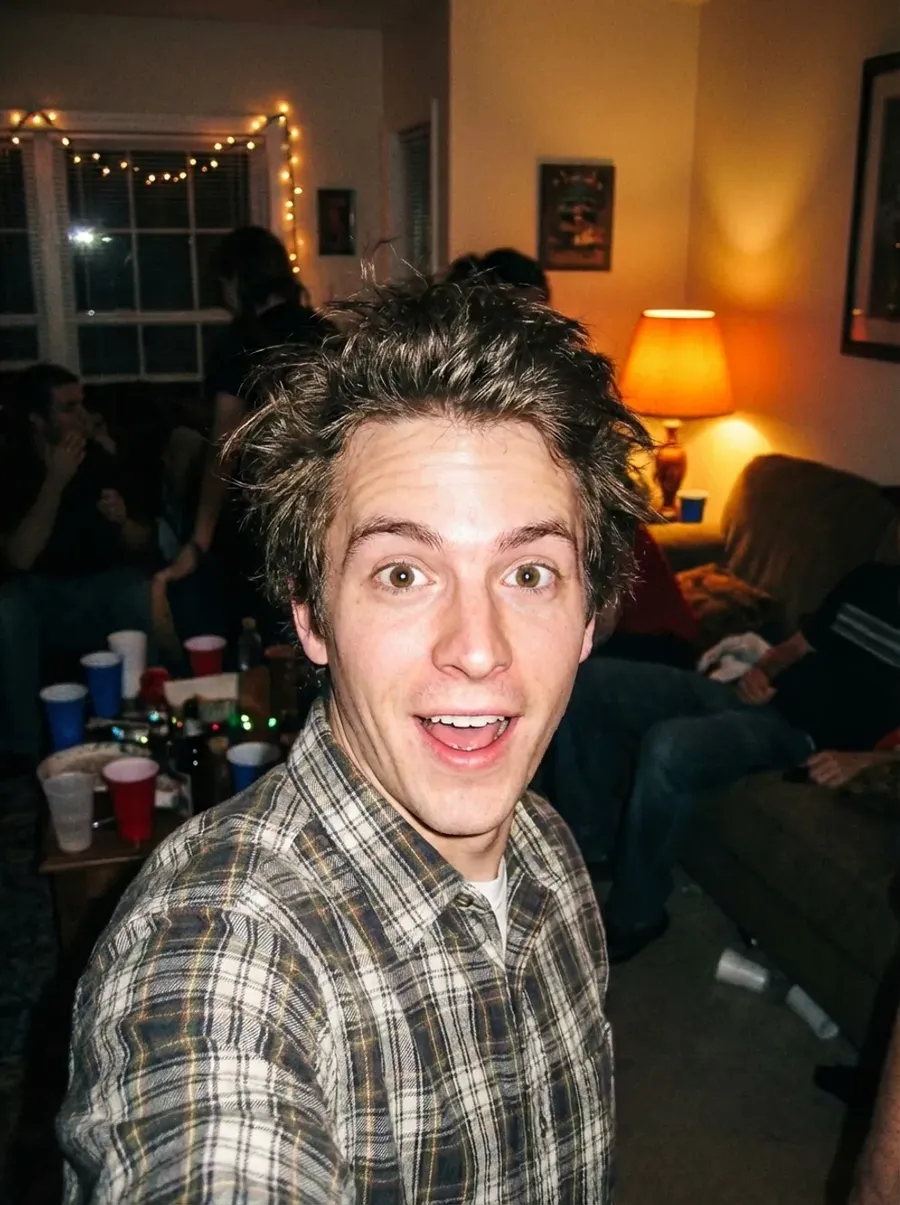
Original photo
Correct red eyes naturally. Preserve realistic brown eye color and detail.
Remove unwanted objects or people
What it’s for
- Photobombers, trash, exit signs, power lines, reflections, dust, scratches, fingerprints.
Copy-paste prompt template
Remove the [UNWANTED OBJECT or PERSON] from the scene.
-900x506.webp)
-900x506.webp)
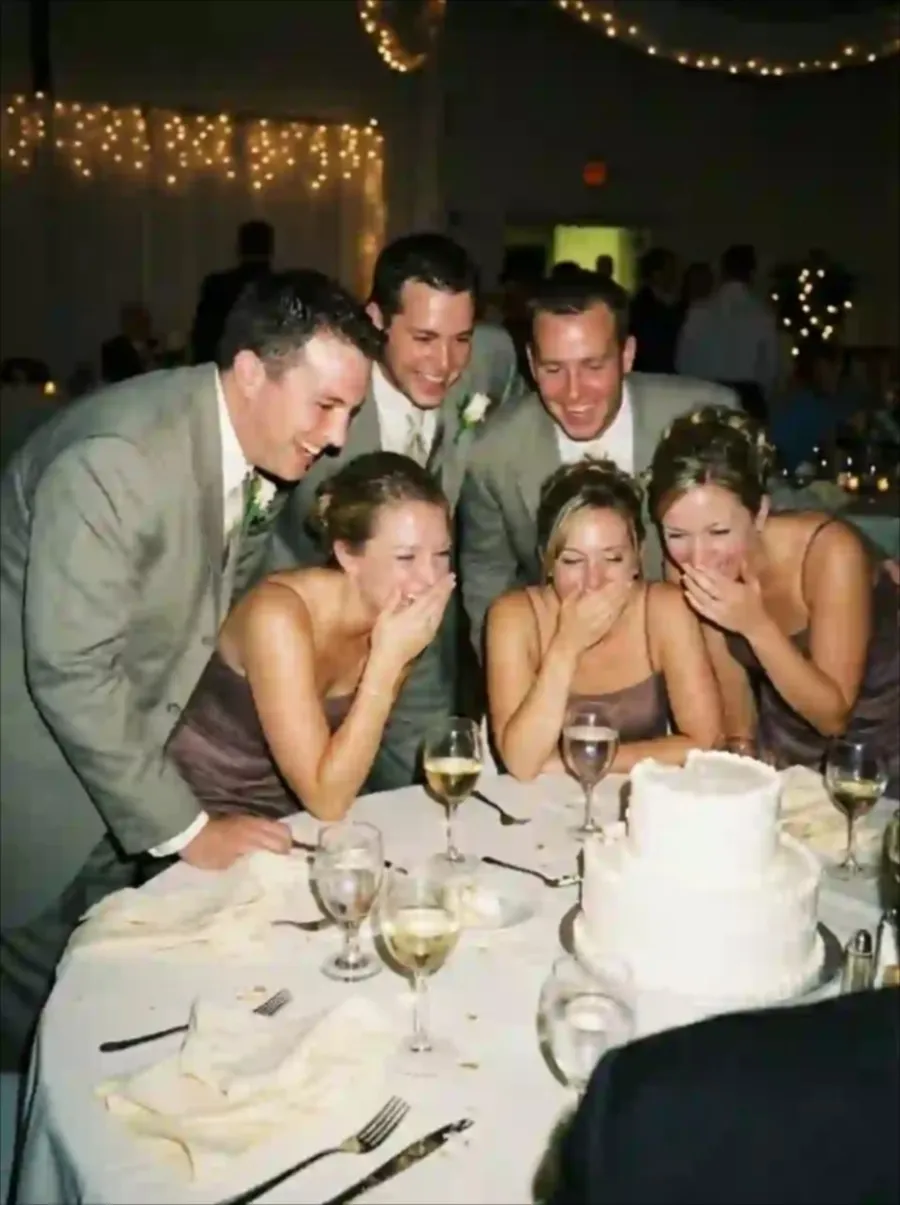
Original photo
Remove the photobomber from the scene.
Remove wrinkles and creases
What it’s for
- Clothing, paper backdrops, product packaging.
Copy-paste prompt template
Remove visible wrinkles and creases from the [DESCRIPTION].
-900x1200.webp)
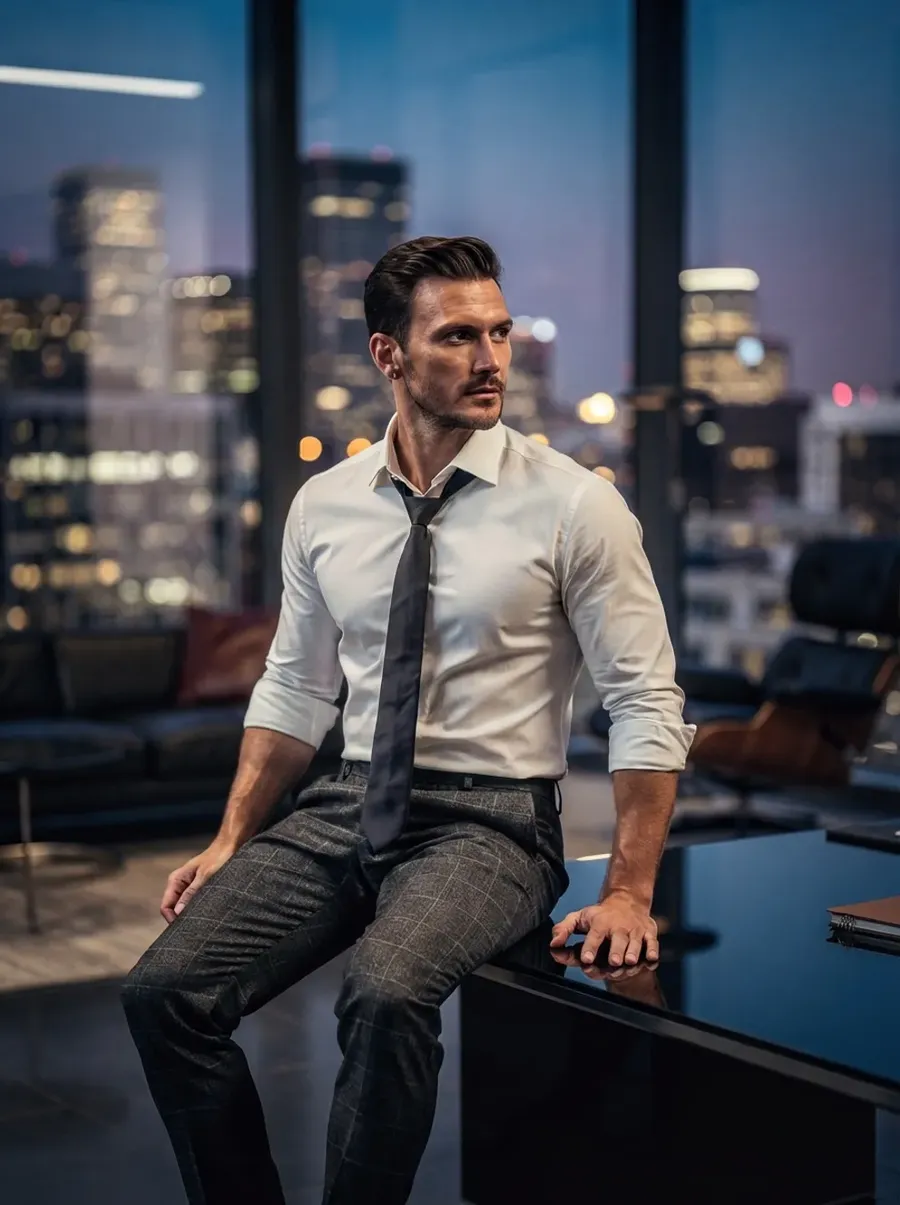
Original photo
Remove visible wrinkles and creases from the shirt.
Reduce glare and reflections
What it’s for
- Glasses, shiny skin, glossy products.
Copy-paste prompt template
Remove strong glare and harsh reflections. Keep lighting natural.
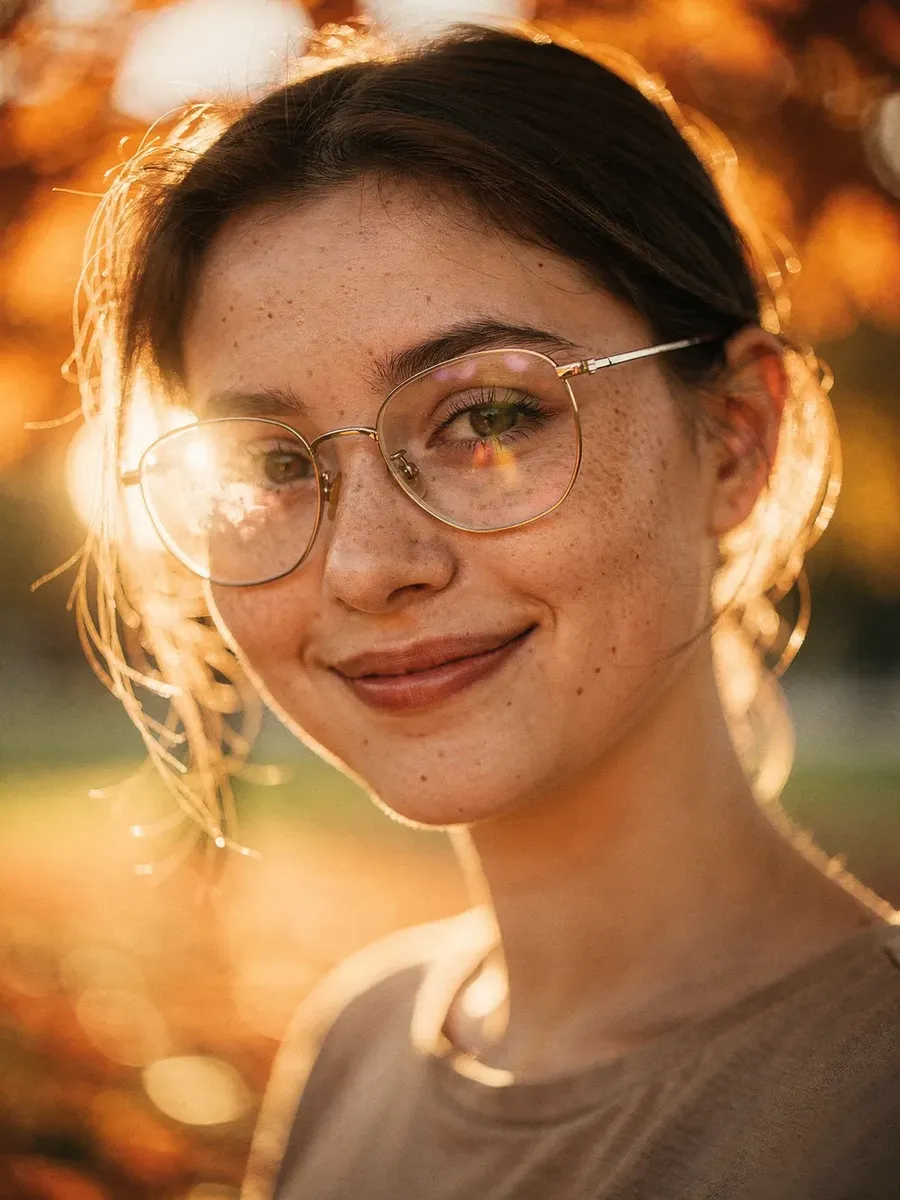
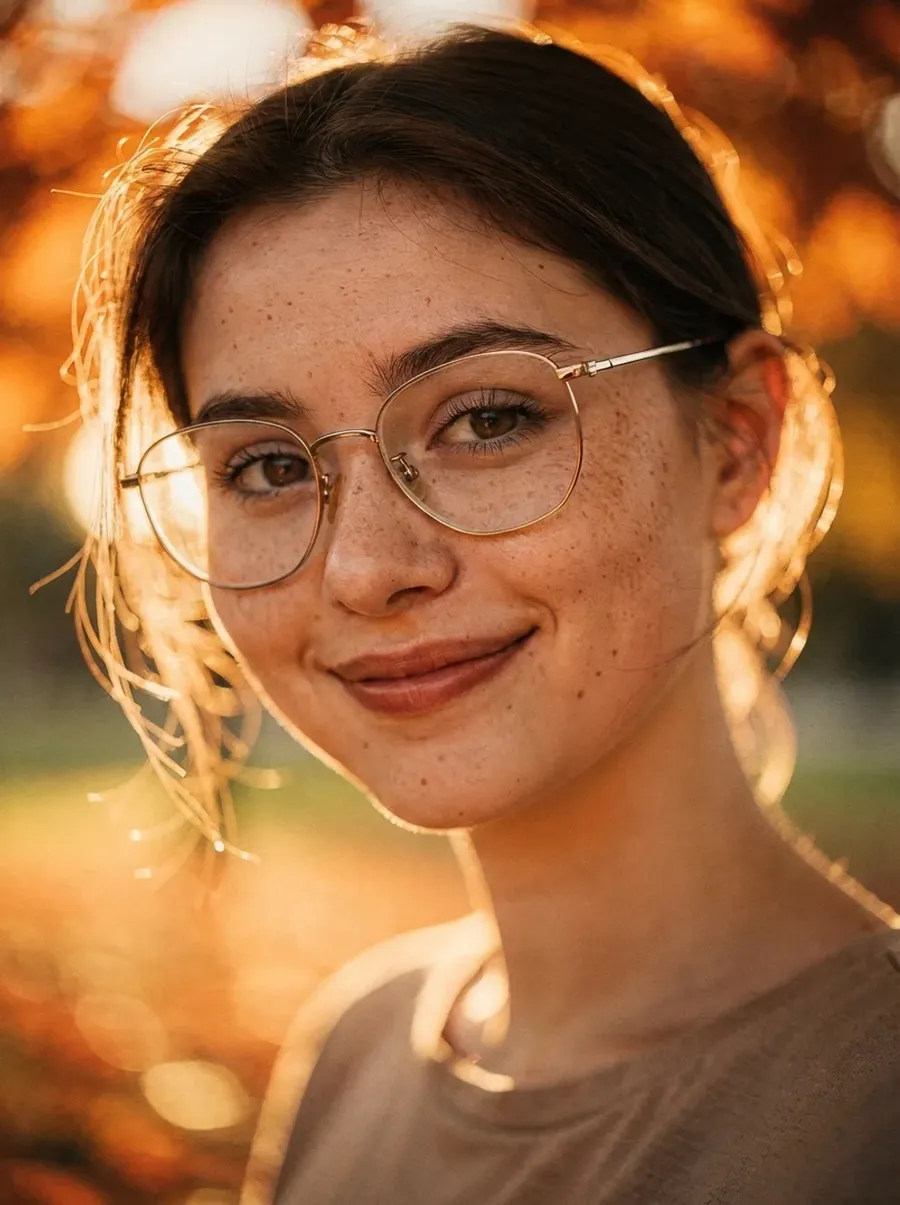
Original photo
Remove strong glare and harsh reflections. Keep lighting natural.
Subtle skin retouch
What it’s for
- Portraits that need polish, not plastic skin.
Copy-paste prompt template
Gently retouch skin. Remove blemishes and even out tone while preserving pores and natural texture.
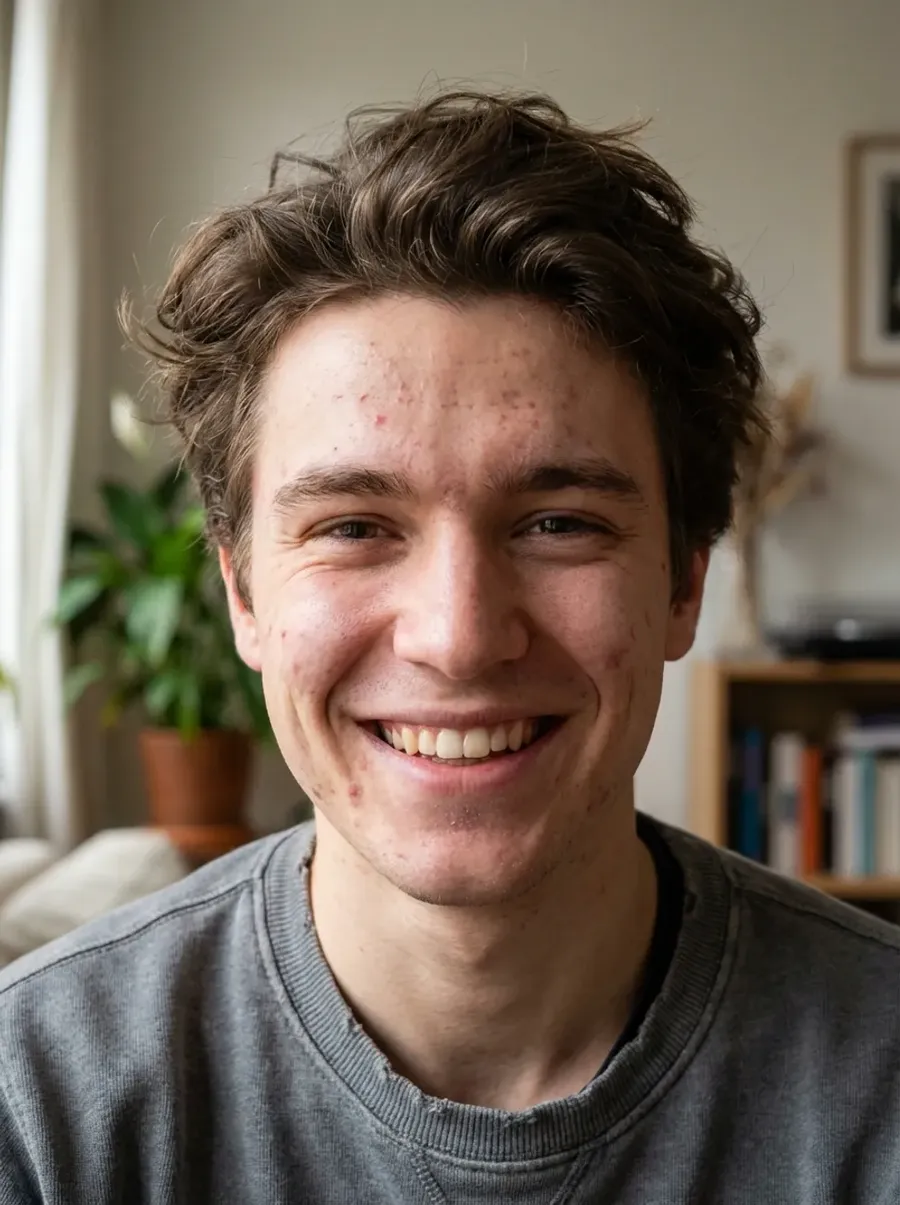
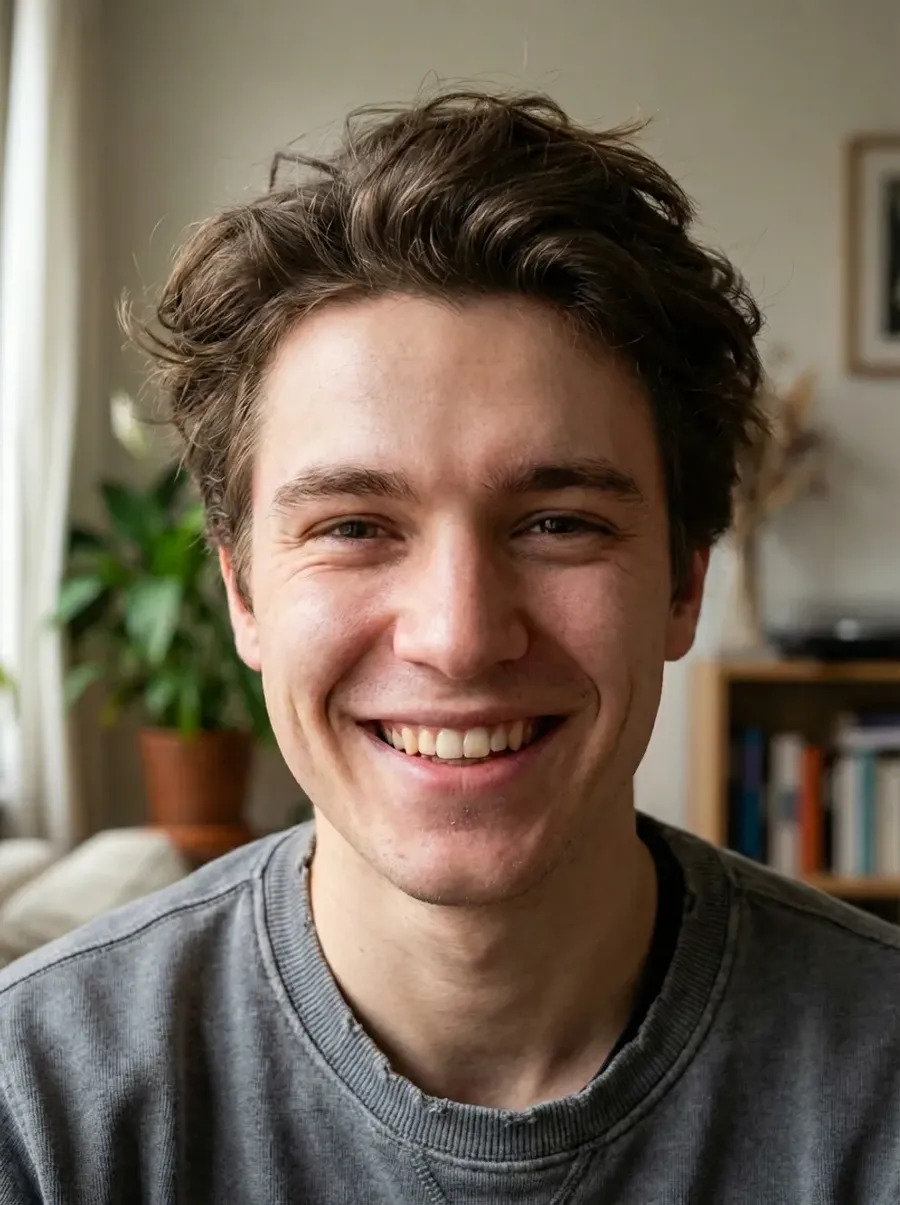
Original photo
Gently retouch skin. Remove blemishes and even out tone while preserving pores and natural texture.
Quick tip
- Depending on what needs fixing in your source image, you can add things like
- “reduce under-eye darkness subtly”,
- “fill in sparse hair subtly”,
- “clean up makeup subtly: fix smudges and uneven edges while keeping a natural look”,
- or “whiten teeth slightly”.
- You can also instruct the AI to fix blinking or awkward expressions.
Make everyone look at the camera
Copy-paste prompt template
Fix closed eyes or off-camera gazes subtly so everyone looks naturally toward the camera. Keep it realistic.
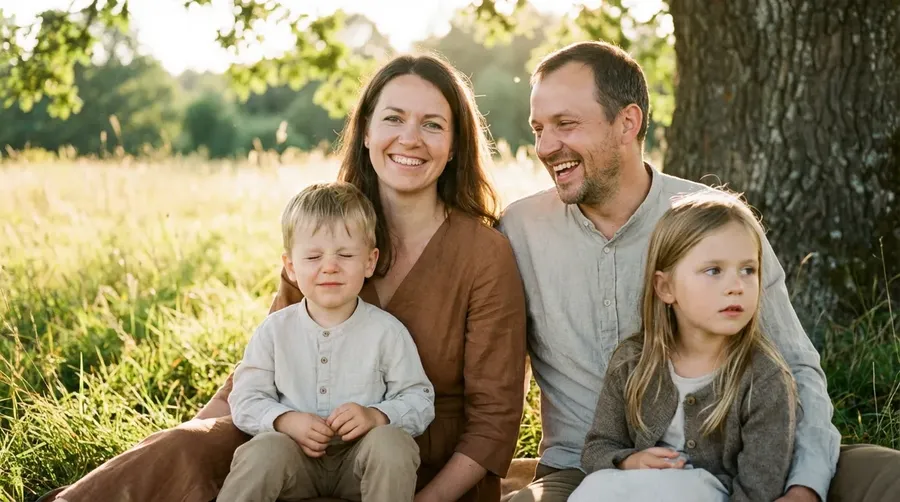
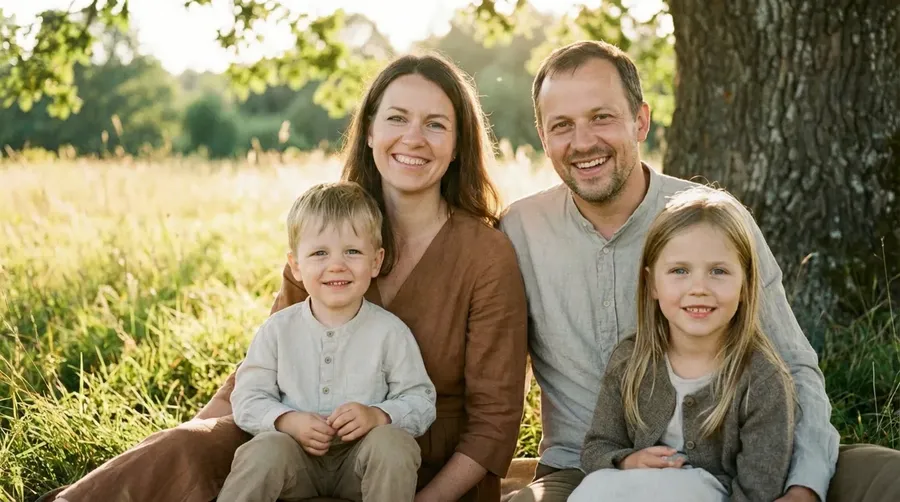
Original photo
Fix closed eyes or off-camera gazes subtly so everyone looks naturally toward the camera. Keep it realistic.
Background and Environment Control
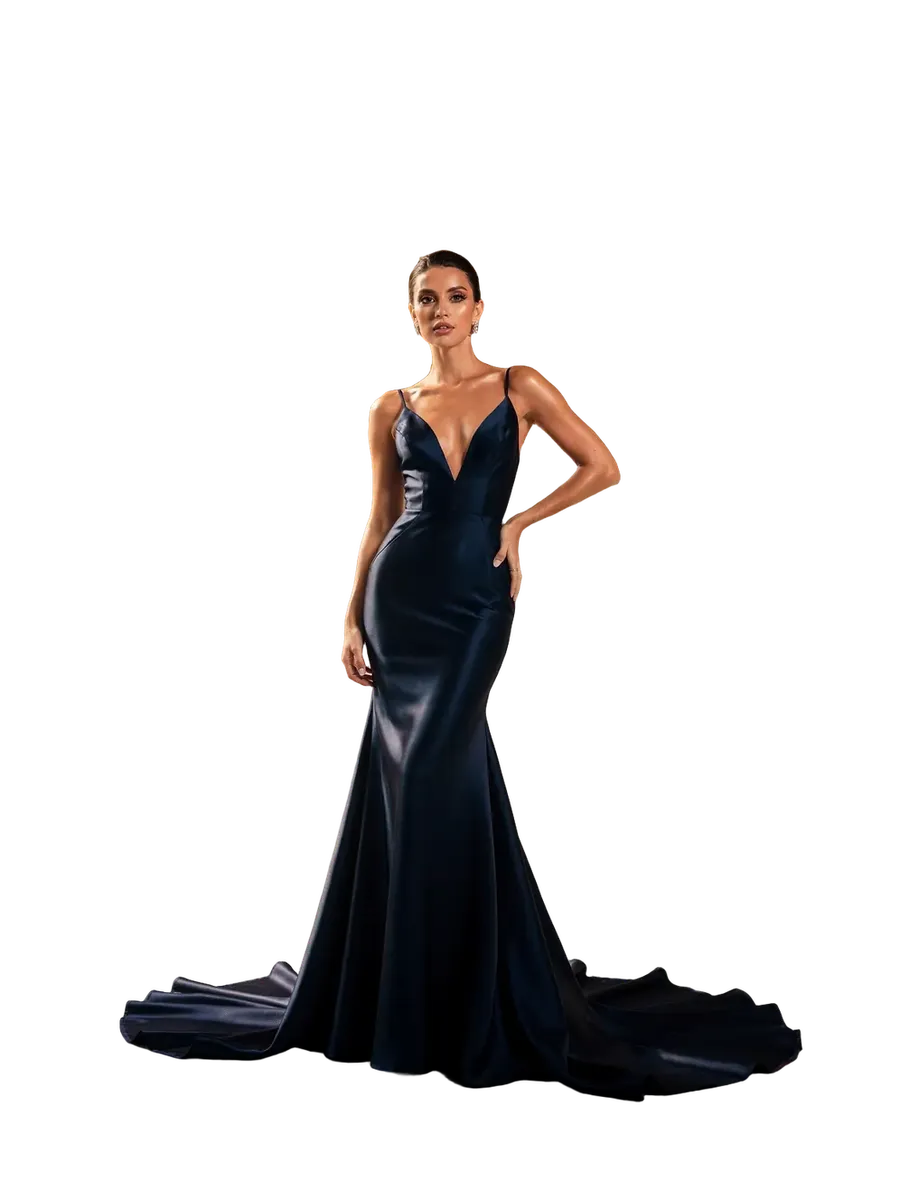
Clean background removal
What it’s for
- Headshots, composites, design work.
Option A: One-click tool
Use Remove background from the Uploaded folder: upload an image, go to the Uploaded folder from the sidebar, click on the photo, and press the “Remove background” icon next to the prompt box.
Option B: Prompt
Remove the background completely.
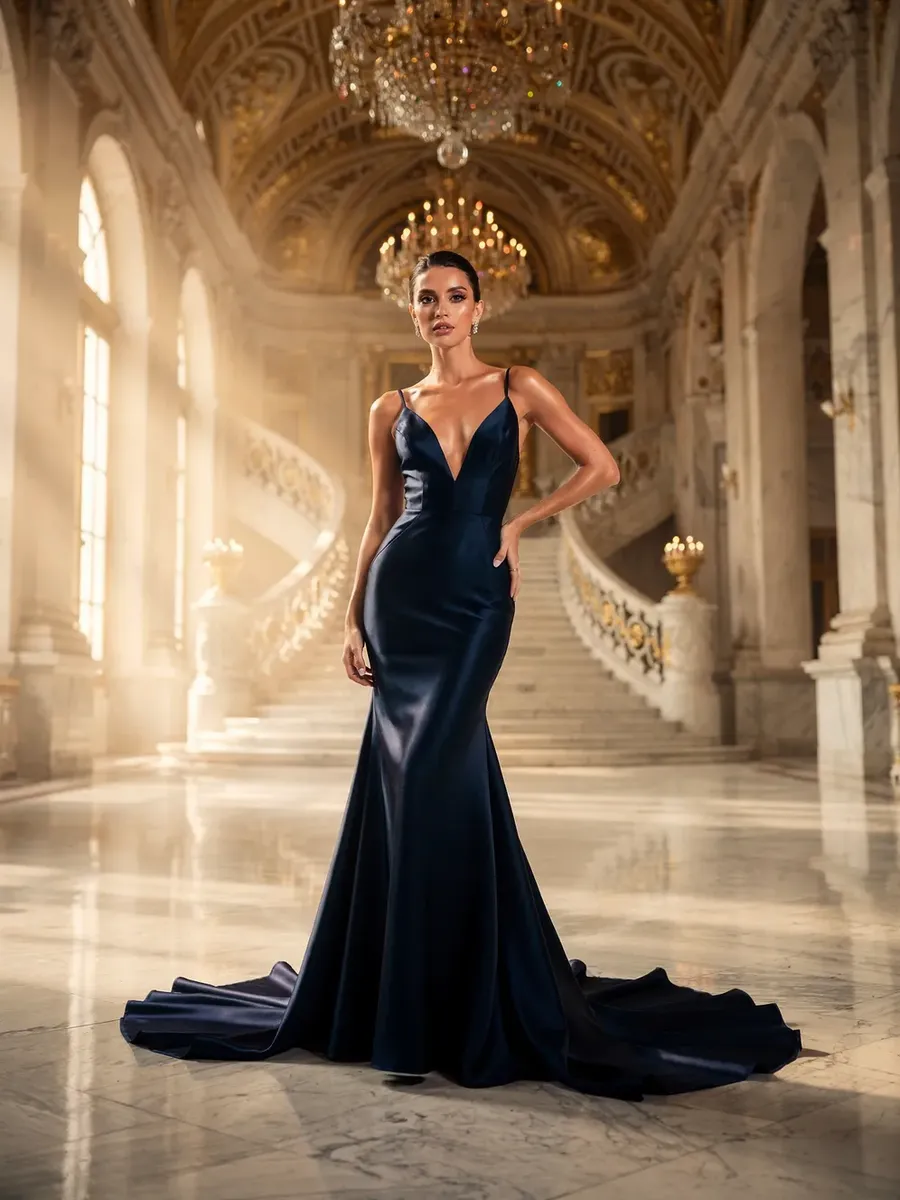
Before
After
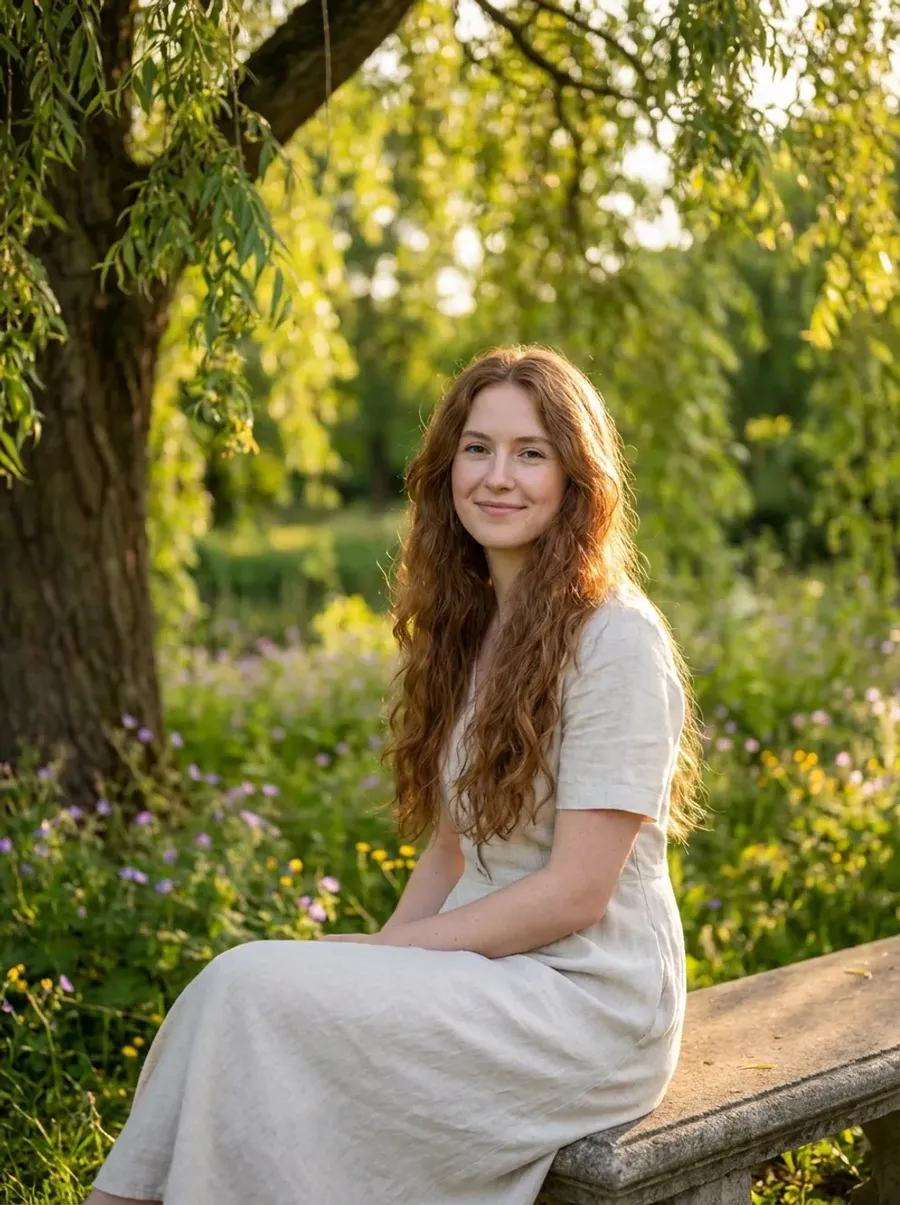
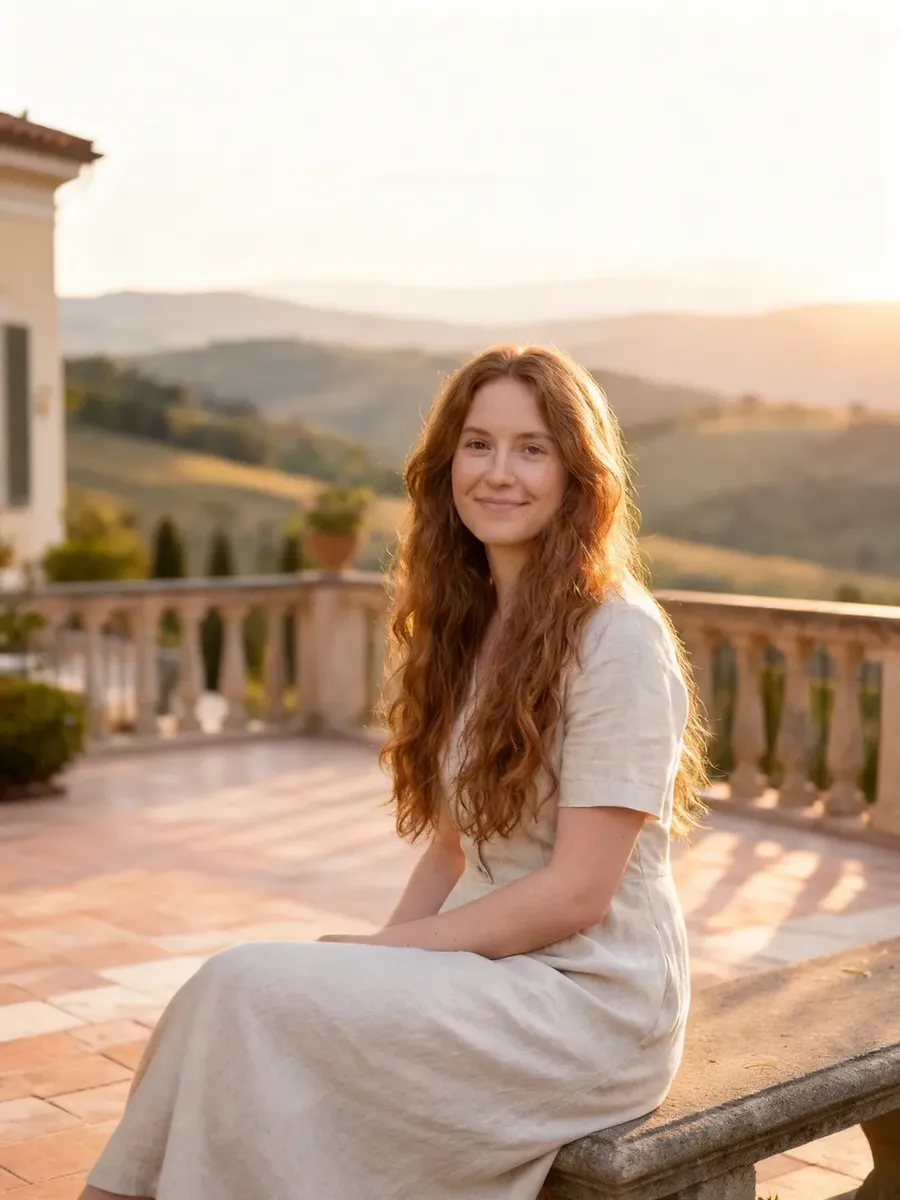
Replace background with a new location
What it’s for
- Place the subject in expensive or hard-to-access locations. Travel photography without a travel budget. High-end editorial without renting a mansion.
Copy-paste prompt template
Replace the background with [LOCATION].
Original photo
Replace the background with a luxury Italian villa terrace overlooking rolling hills. Soft late-afternoon sunlight.
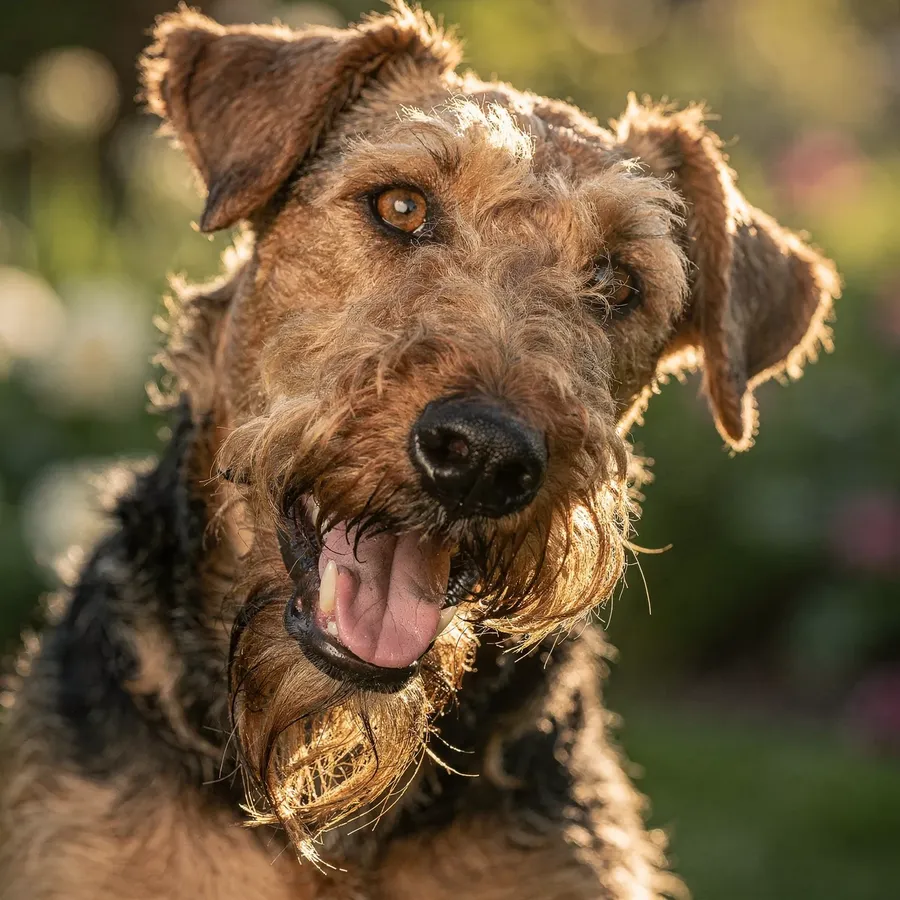
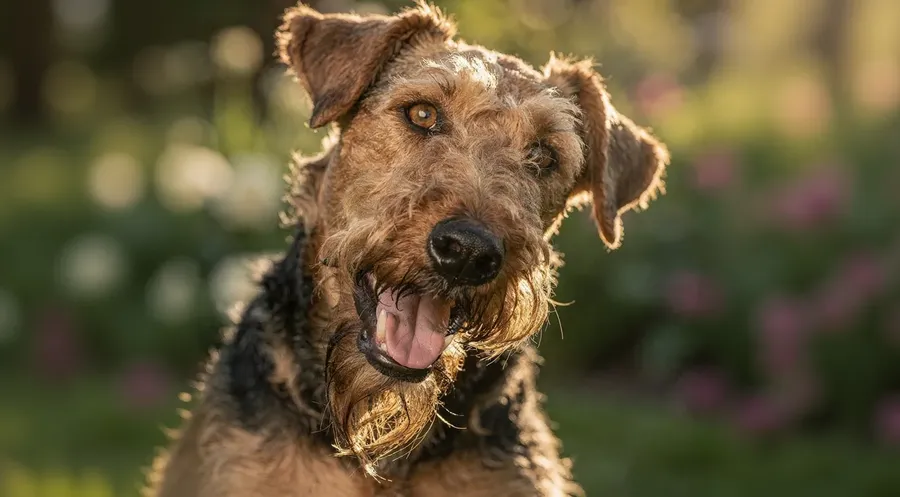
Extend background for different formats
What it’s for
- Turn portrait crop into banner, billboard, or social header.
Simple tool
Click "Resize image" on the sidebar, upload an image, select a target aspect ratio and resizing type (Smart Resize or Outpainting).
Before
After
Change season
What it’s for
- Reuse the same photo for different campaigns.
Copy-paste prompt template
Keep the subject unchanged. Transform the environment into [SEASONAL DESCRIPTION, e.g.: winter with soft snow and cool tones]. Match lighting realistically.
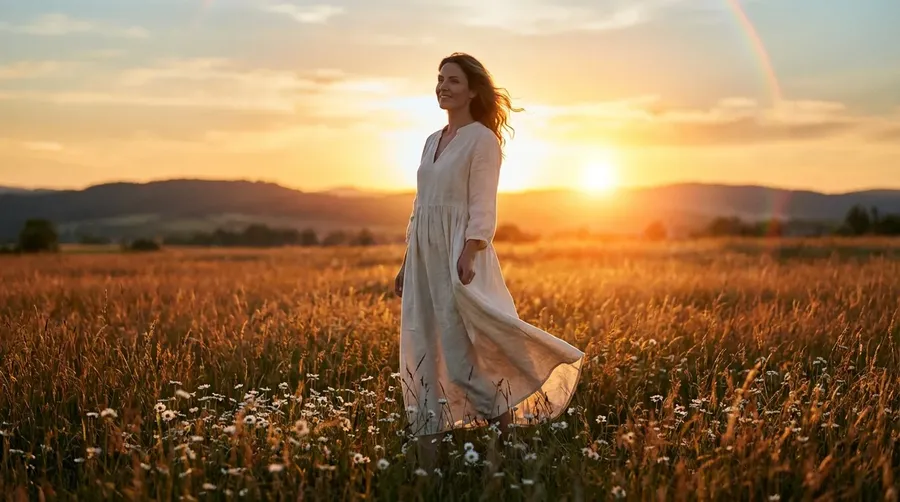
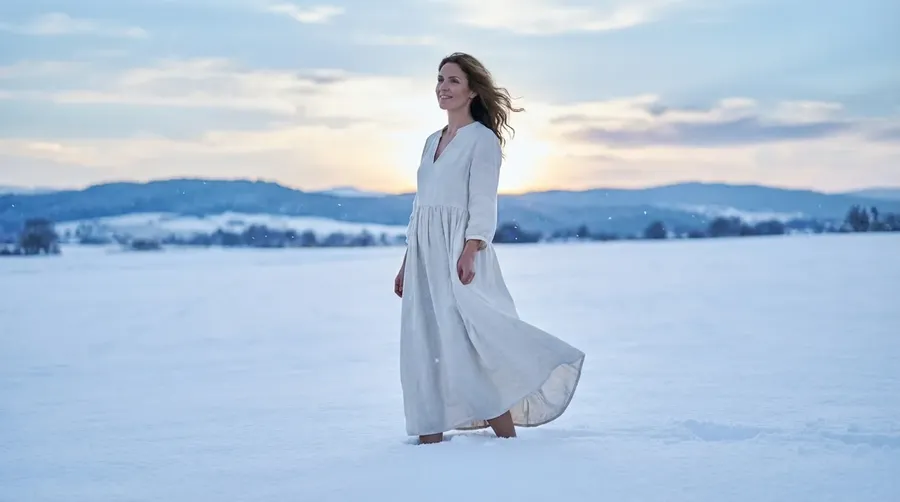
Original photo
Keep the subject unchanged. Transform the environment into winter with soft snow and cool tones. Match lighting realistically.
Change time of day
What it’s for
- Turn flat noon light into golden hour or moody night.
Copy-paste prompt template
Keep the subject unchanged. Change the time of day to [DESCRIPTION]. Natural and realistic.
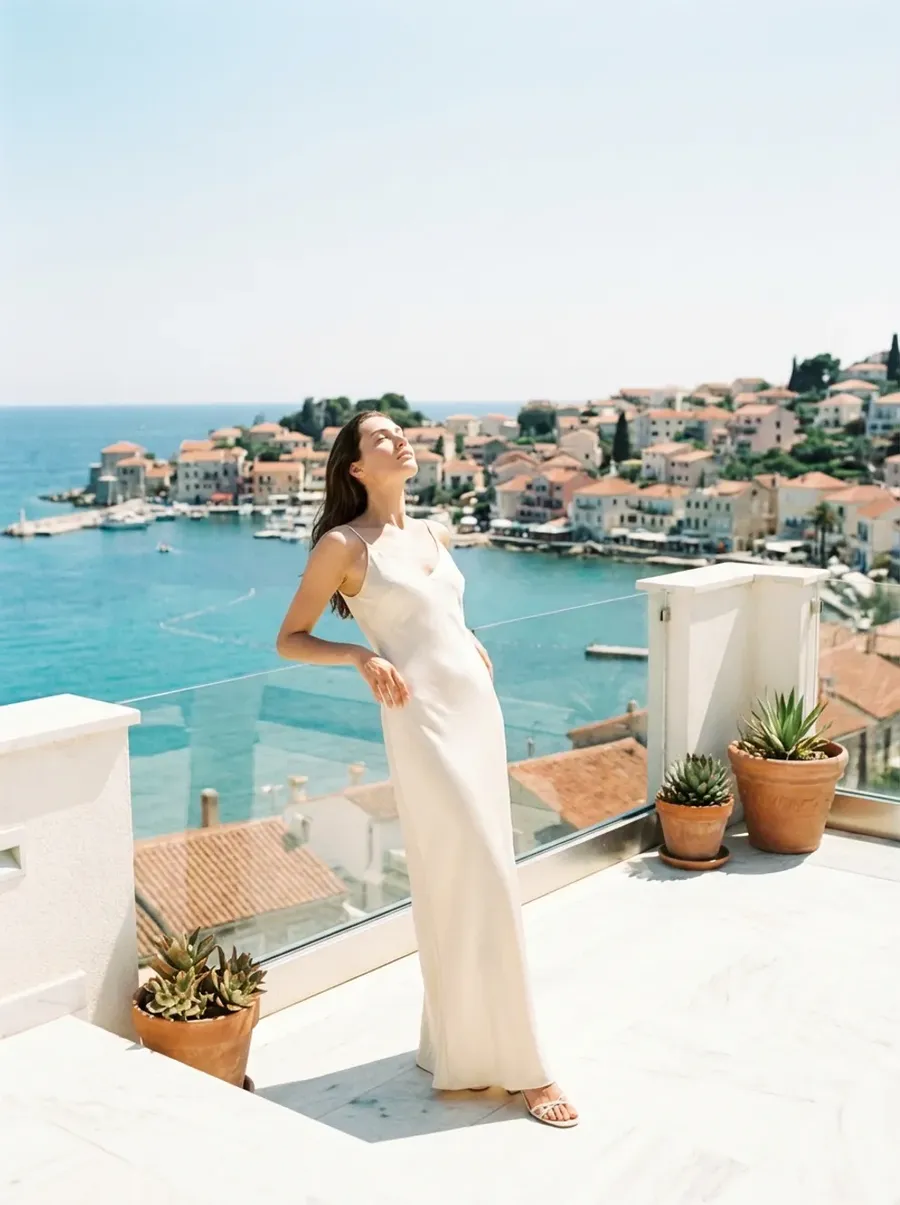
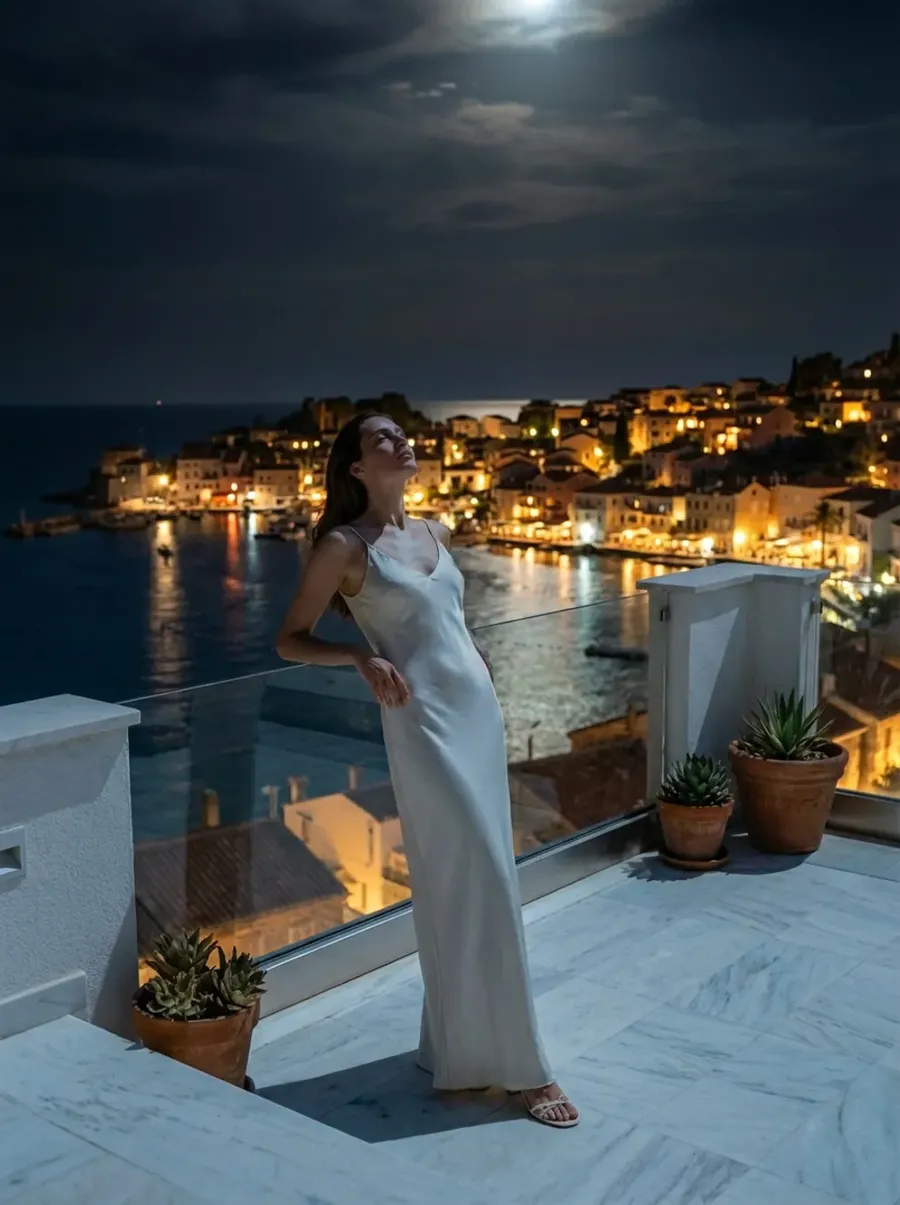
Original photo
Keep the subject unchanged. Change the time of day to a moody, atmospheric night. Natural and realistic.
Lighting and Color Control
Fix poor lighting
What it’s for
- Underexposed faces, harsh shadows, mixed color temperature.
Copy-paste prompt template
Improve lighting. Lift shadows, balance highlights, and correct color temperature. Keep it natural.
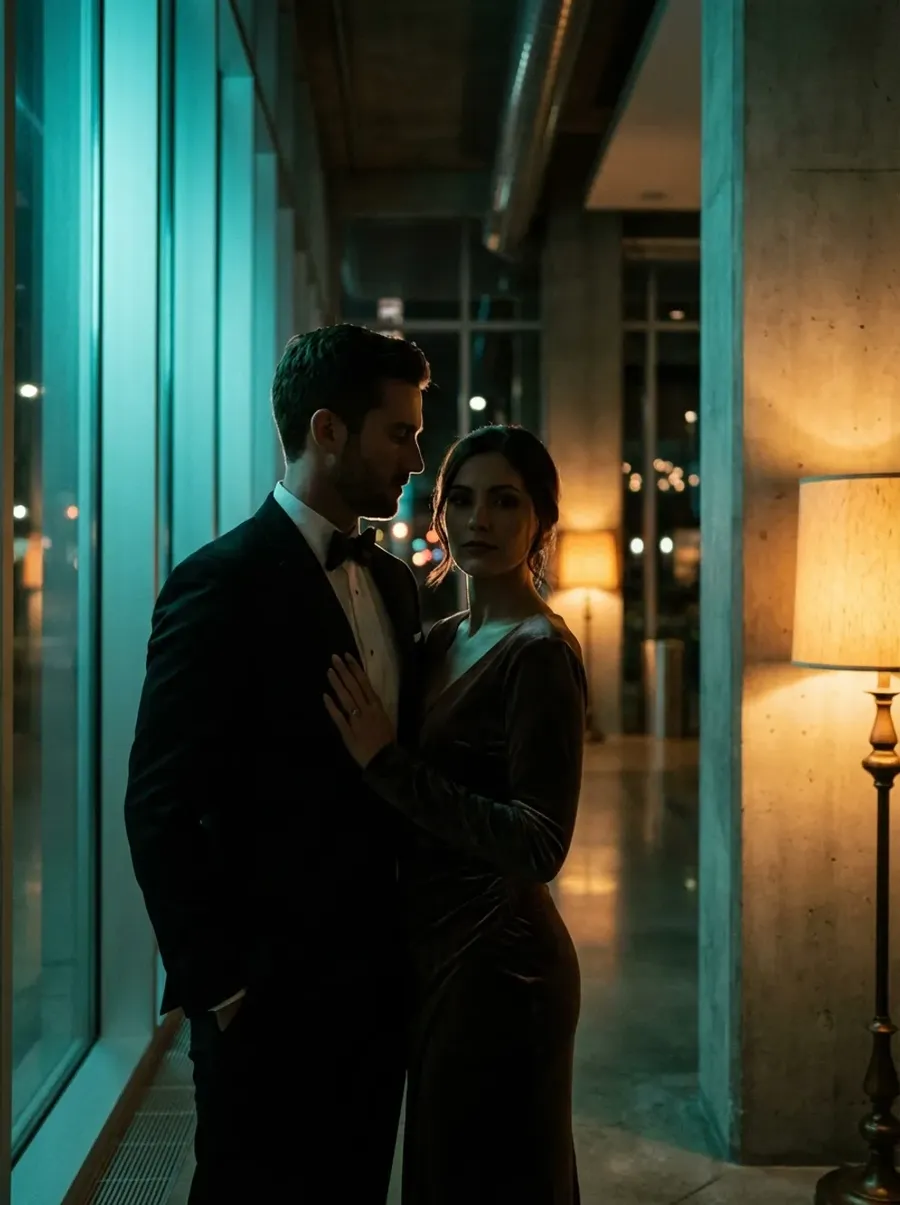
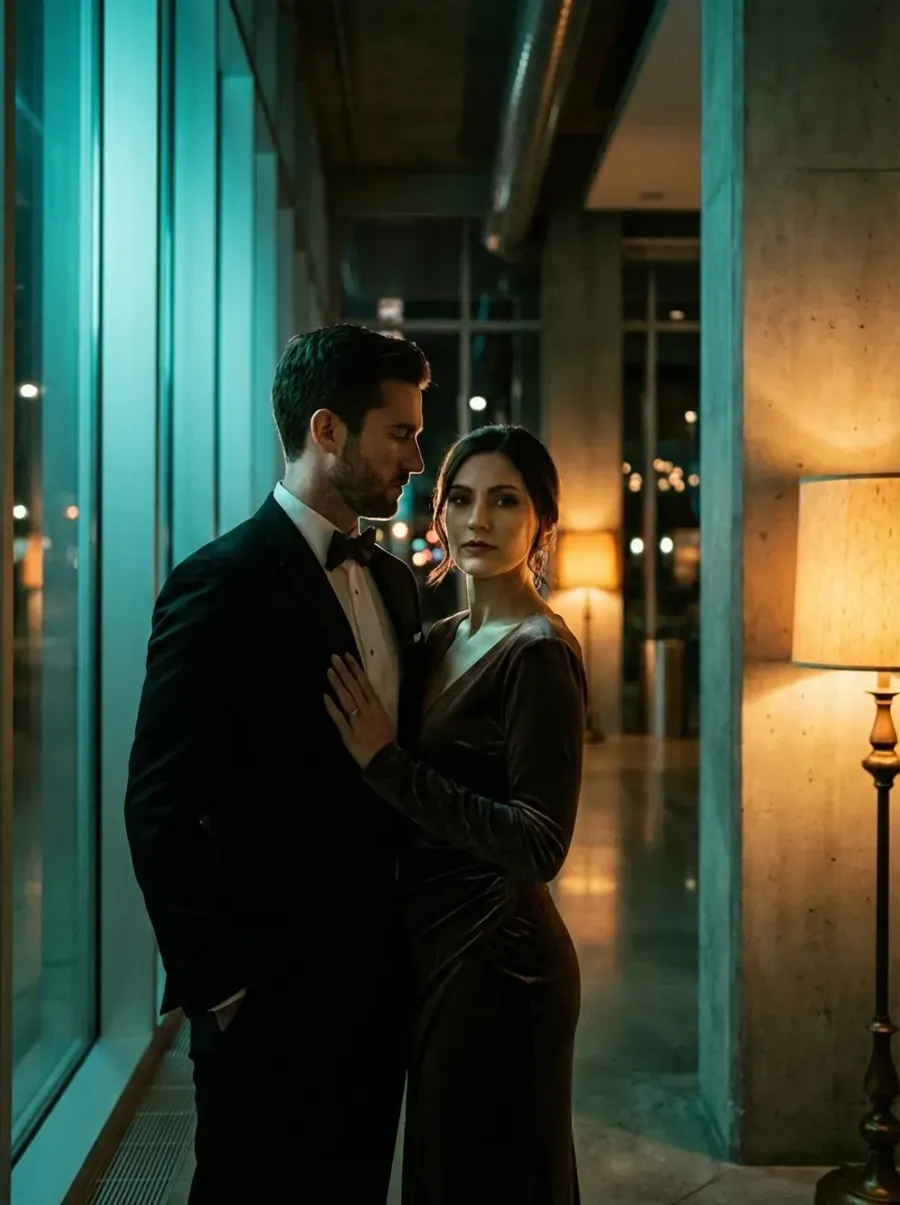
Original photo
Improve lighting. Lift shadows, balance highlights, and correct color temperature. Keep it natural.
Add cinematic lighting
What it’s for
- Flat portraits that need depth and mood.
Copy-paste prompt template
Add dramatic cinematic lighting.
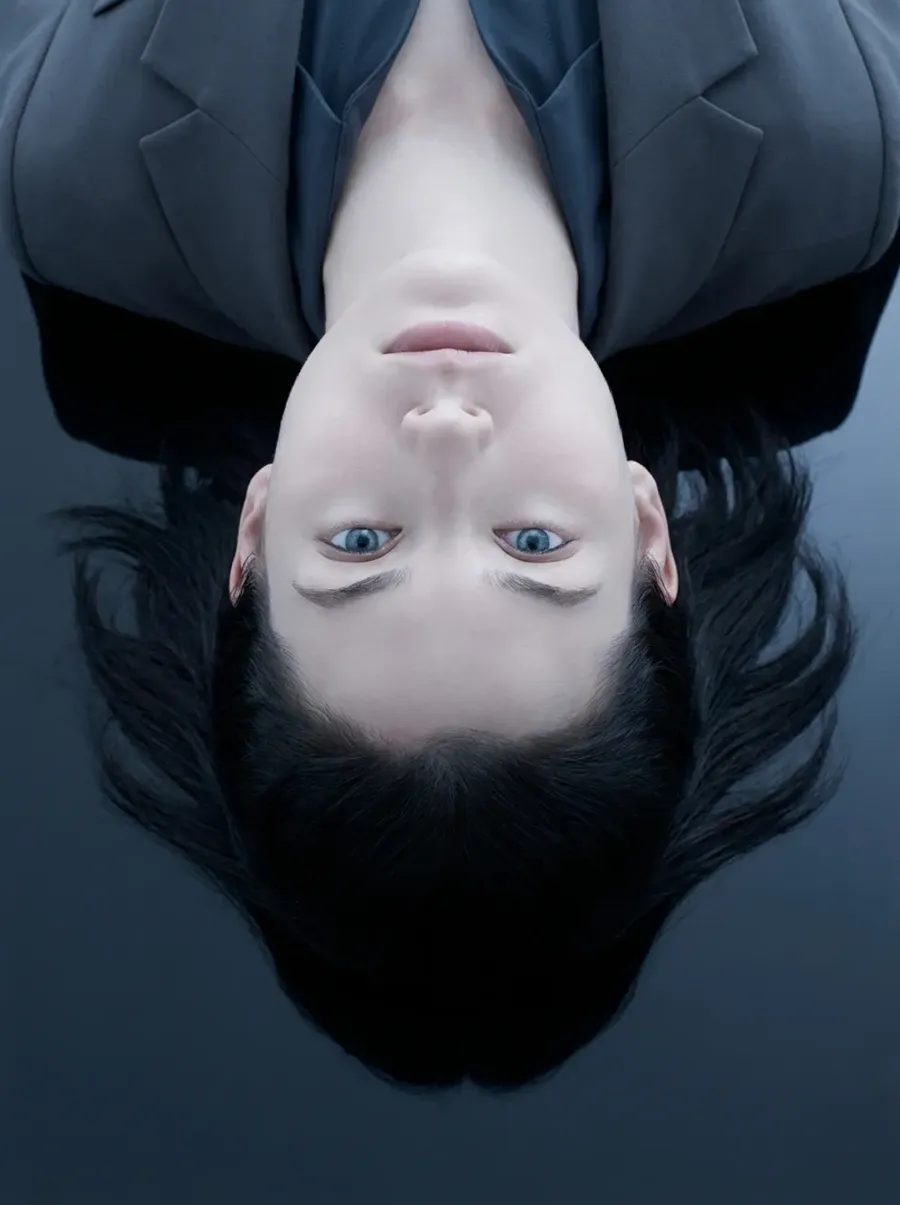
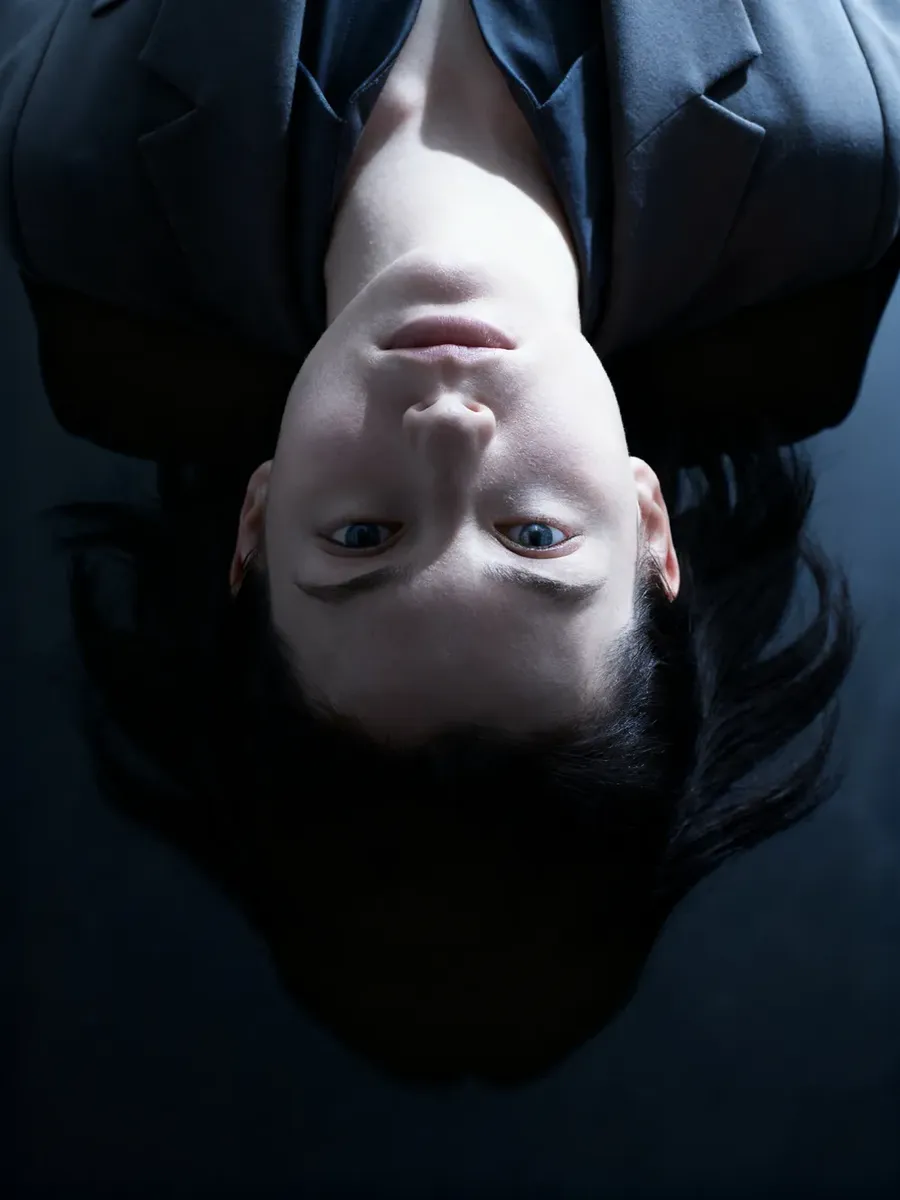
Original photo
Add dramatic cinematic lighting.
Color grade
What it’s for
- Give an image a mood fast, or bring a set closer together.
Copy-paste prompt template
Apply an editorial color grade with [DESCRIPTION, e.g., muted greens, warm skin tones, and soft contrast].
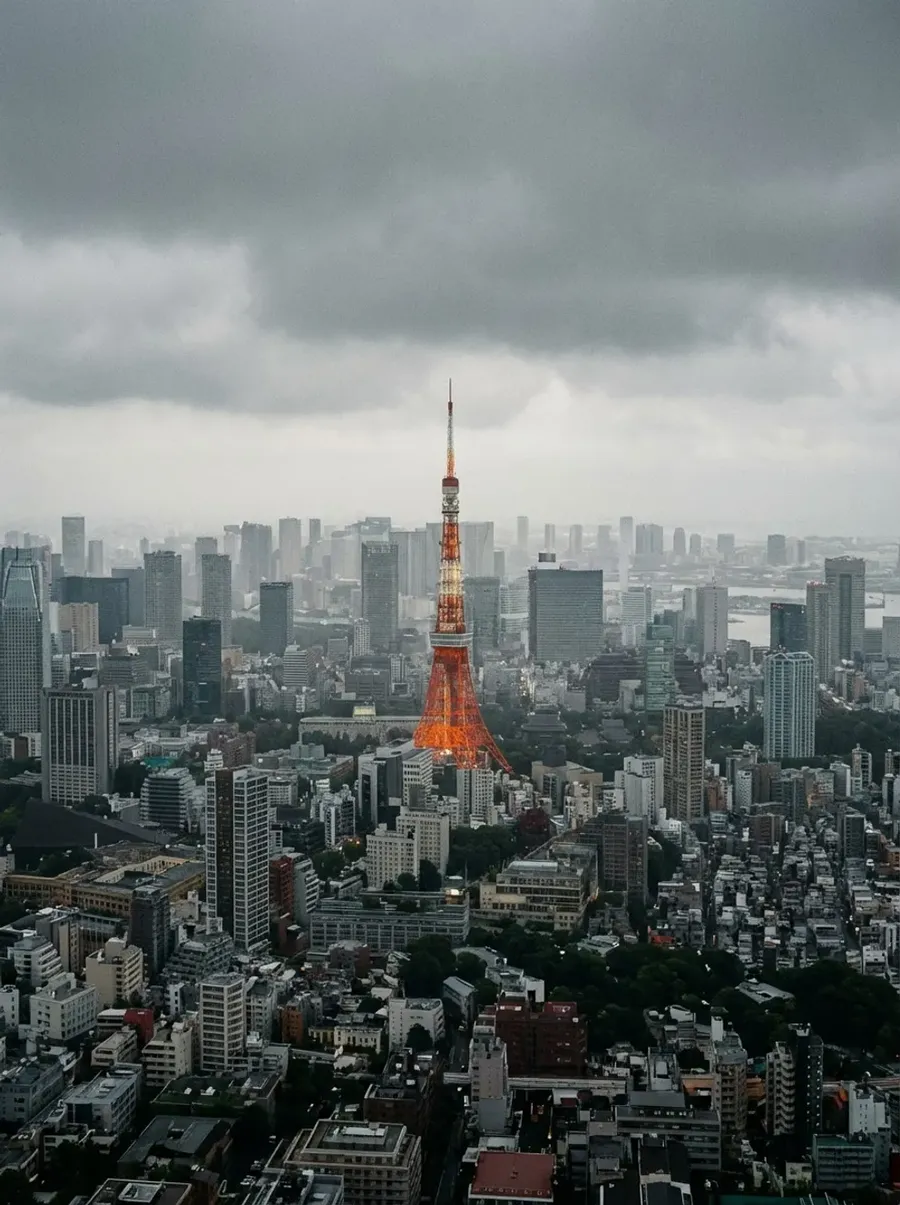
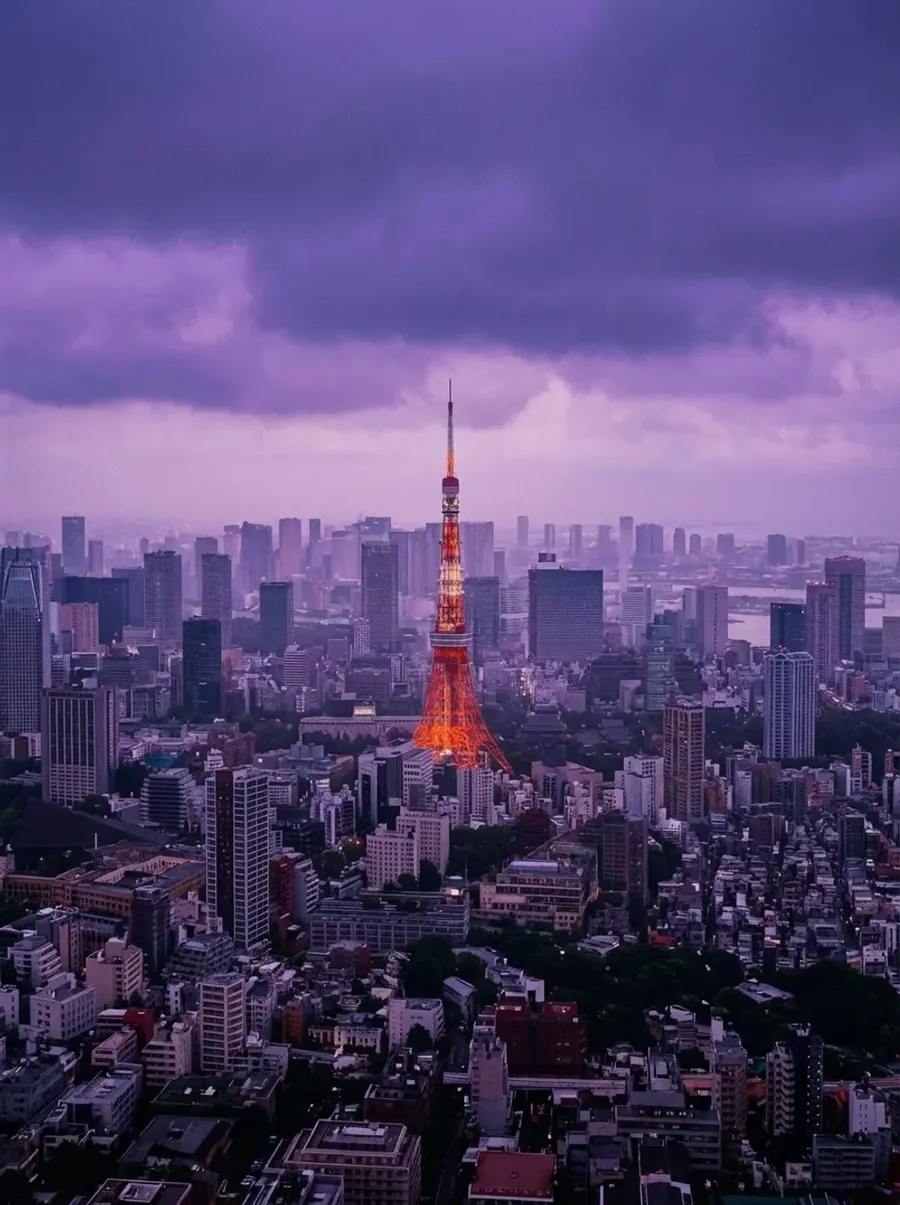
Original photo
Apply a cinematic color grade with purple, dreamy tones.
Quick tip
- If you want the same look across a whole gallery, save that grade as an Element (for example @SignatureColorGrade) and reuse it.
You can also make a few “common grades” as quick options, like:
- warm film look
- clean commercial
- matte soft highlights
- high-contrast black and white.
Creative Expansion (Add What Wasn’t There)
This is where it gets fun. Instead of just fixing problems, you start adding things you didn’t have time, budget, or access to.
Add props without buying or renting them
What it’s for
- Editorial looks. Product styling. Client requests that show up after the shoot.
Copy-paste prompt template
Add [PROP] to the scene.
Examples
- Add a bouquet of white peonies in her hand.
- Add a modern designer chair behind the subject.
- Add a vintage car parked in the background.
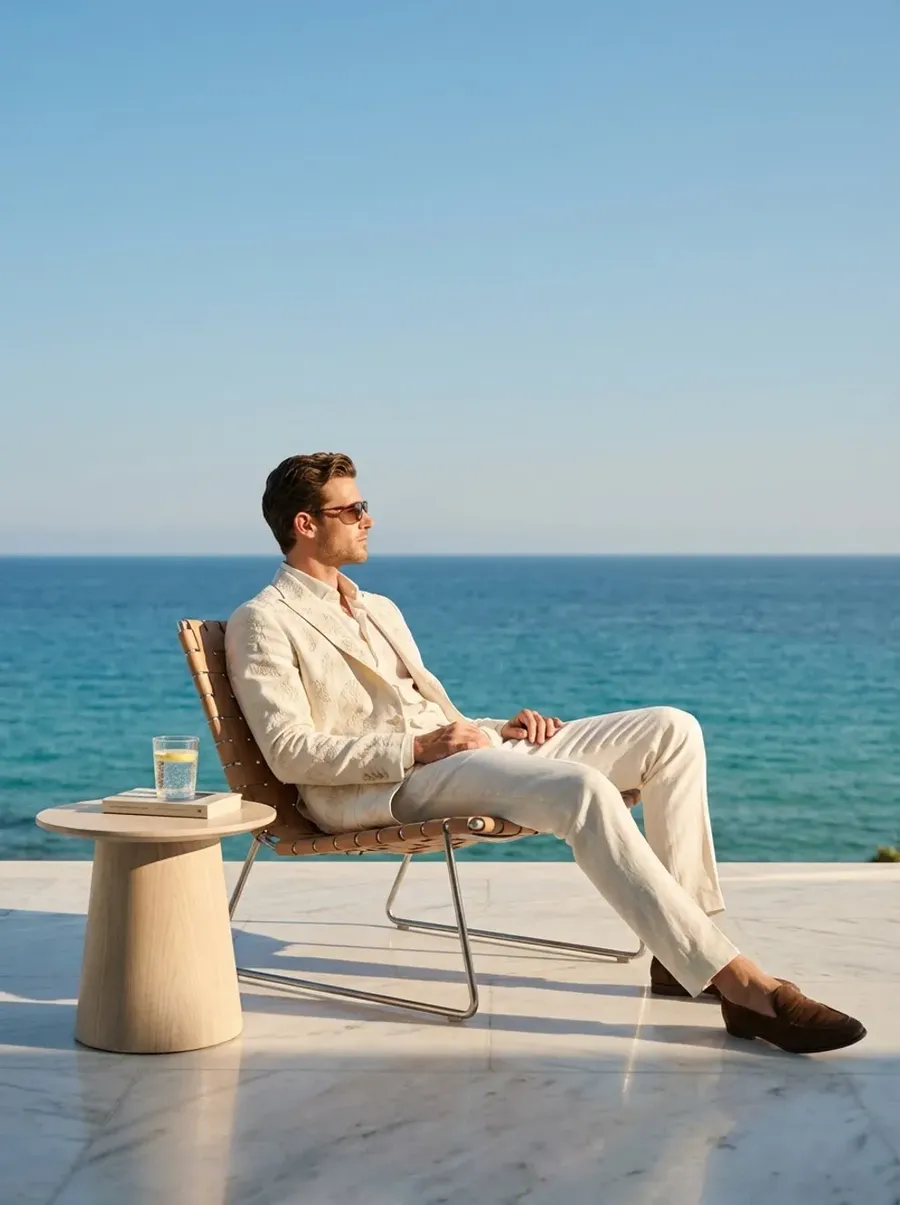
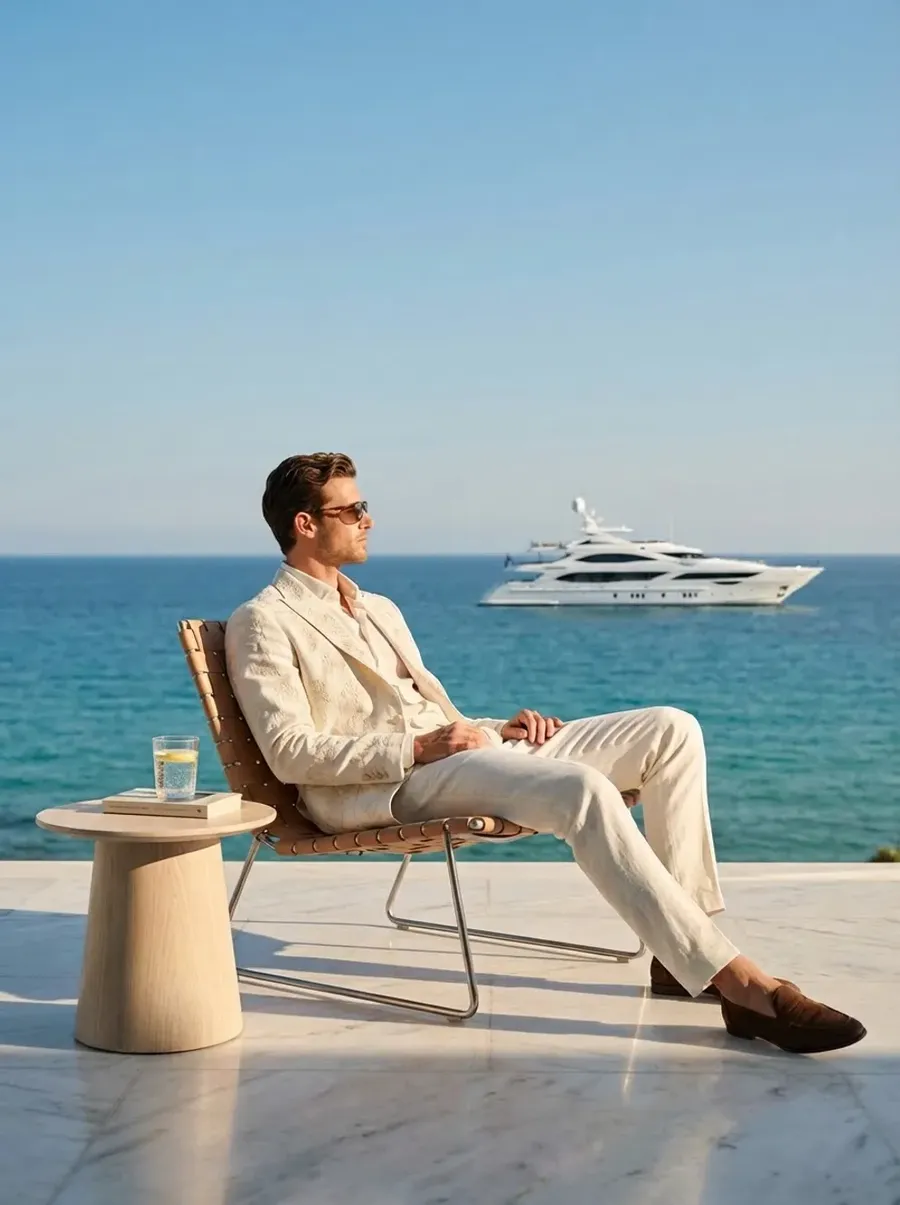
Original photo
Add a luxury yacht to the background.
Upgrade the environment without rebuilding the set
What it’s for
- When the location is fine… but not amazing.
Copy-paste prompt template
Enhance the environment with [DESCRIPTION].
-900x1205.webp)
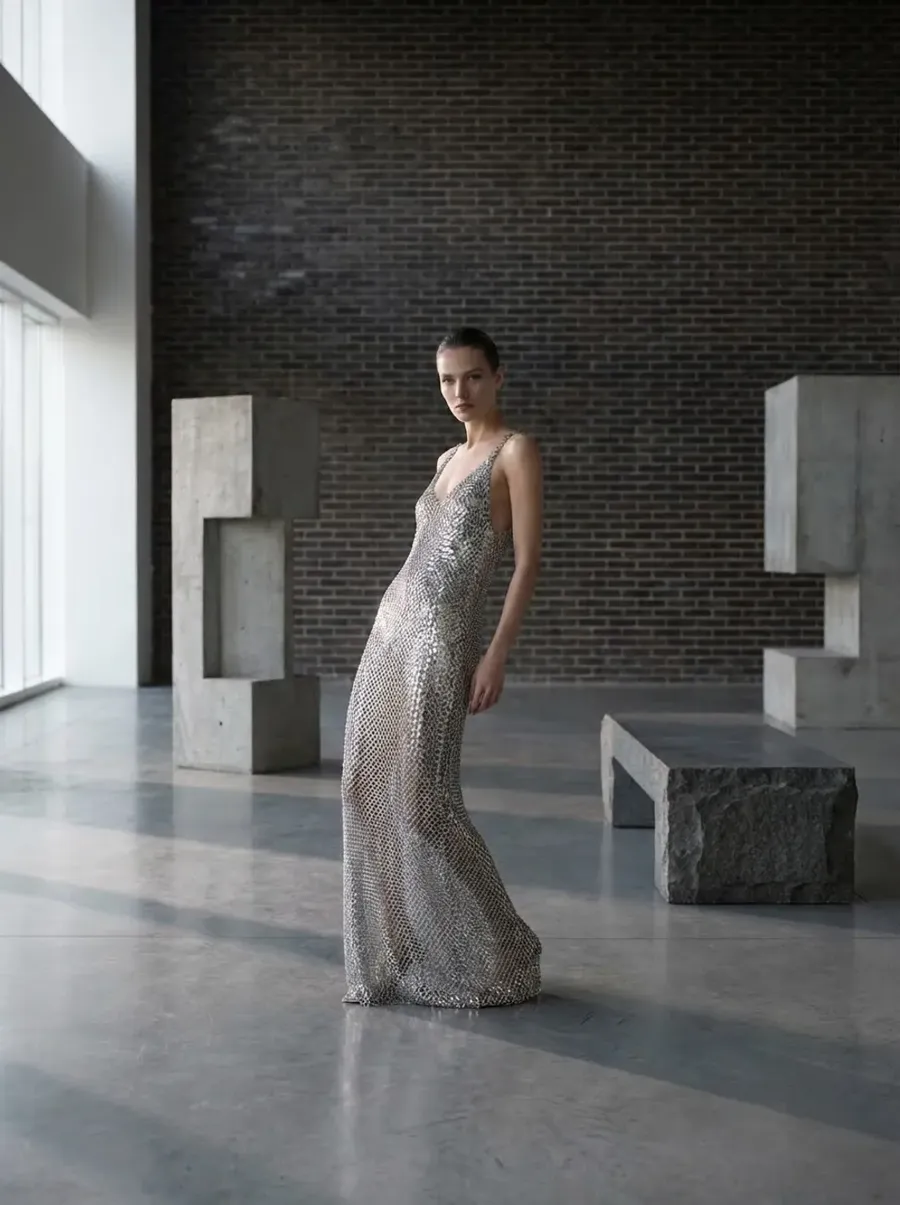
Original photo
Enhance the room with brutalist props and textured brick wall.
Add atmosphere
What it’s for
- Flat images that need mood.
Copy-paste prompt template
Add [FOG / RAIN / DUST PARTICLES / LIGHT RAYS] to the scene. Keep it realistic and natural.
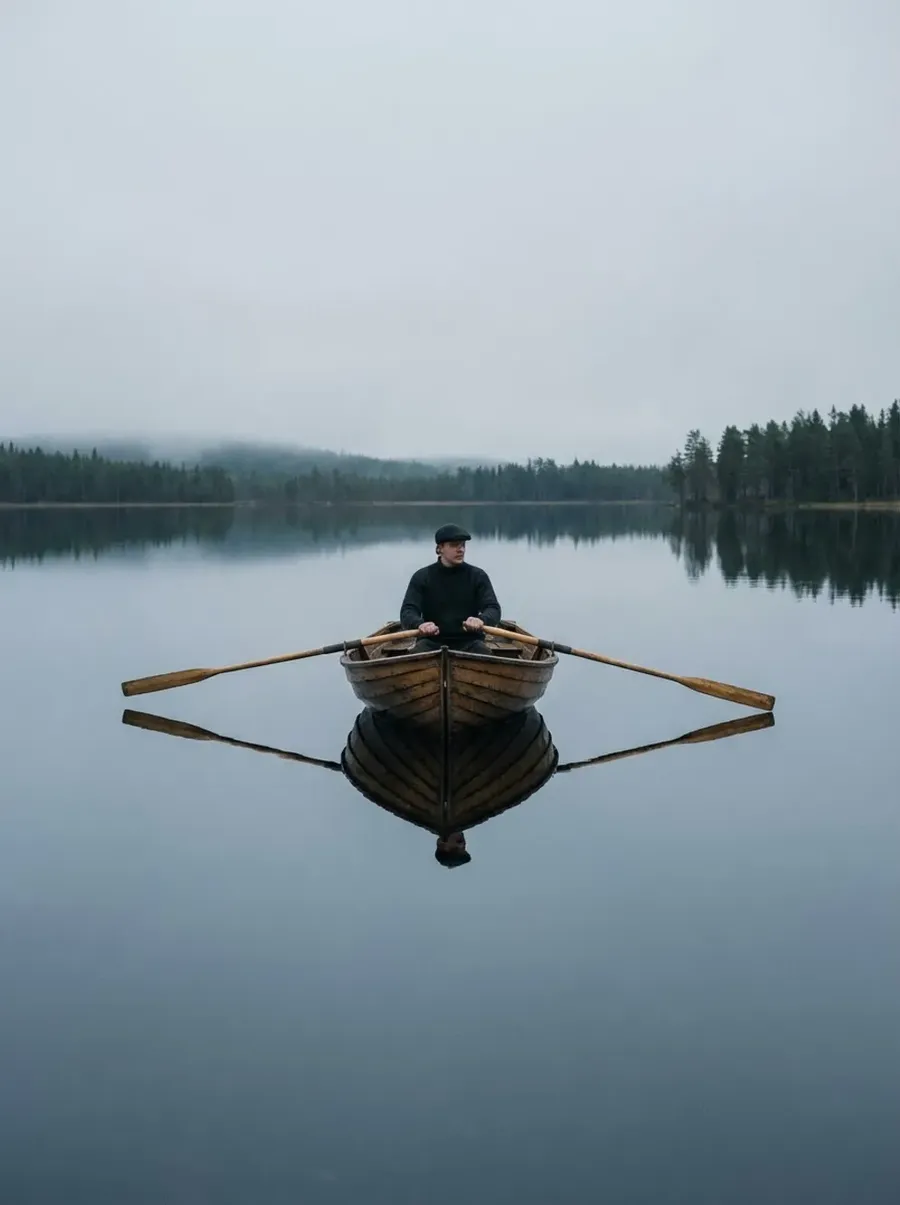
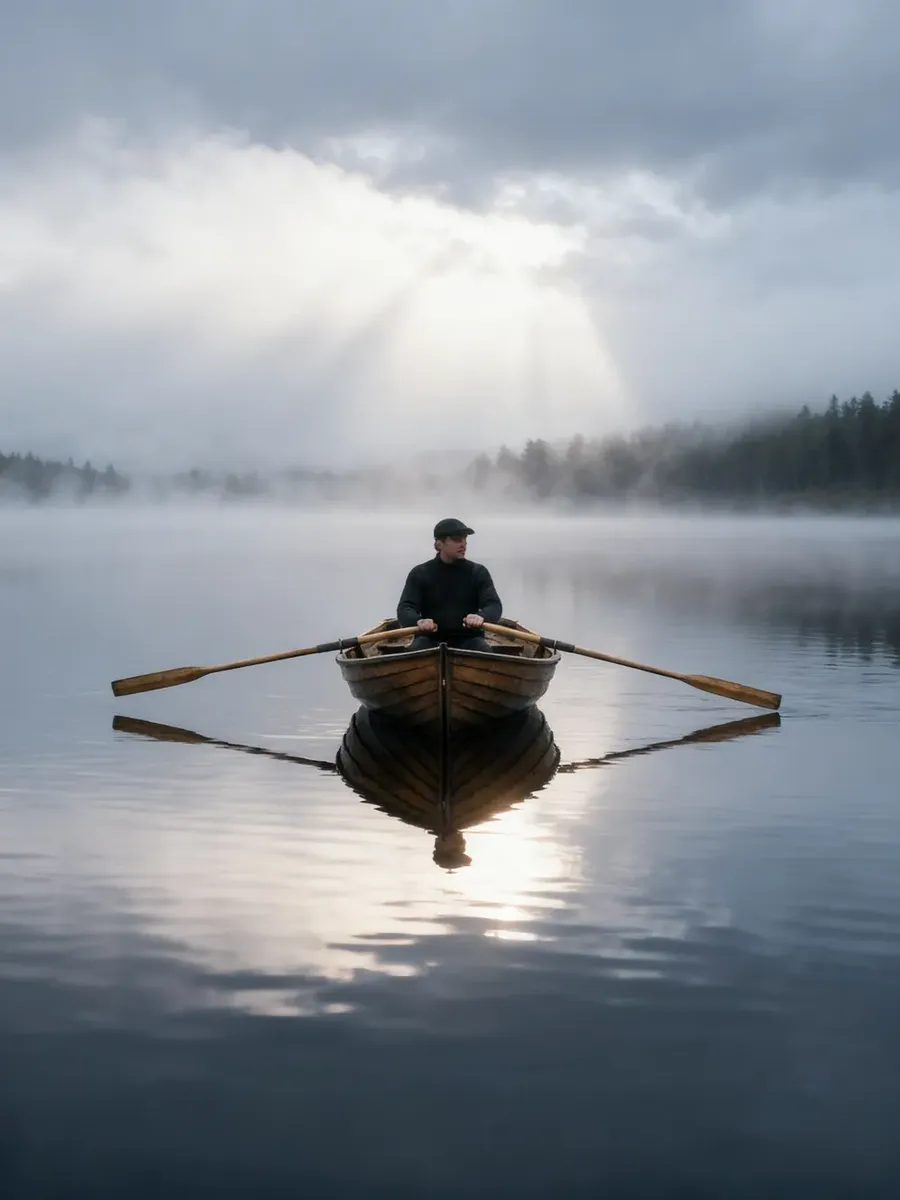
Original photo
Add fog and light rays to the scene. Keep it realistic and natural.
Subject Styling and Transformation
You don’t always get a second shoot. But you can test different looks.
Change clothing
What it’s for
Fashion previews. Concept testing. Last-minute client indecision.
What you upload
- Portrait or full-body image.
Copy-paste prompt template
Change the outfit to [DESCRIPTION].
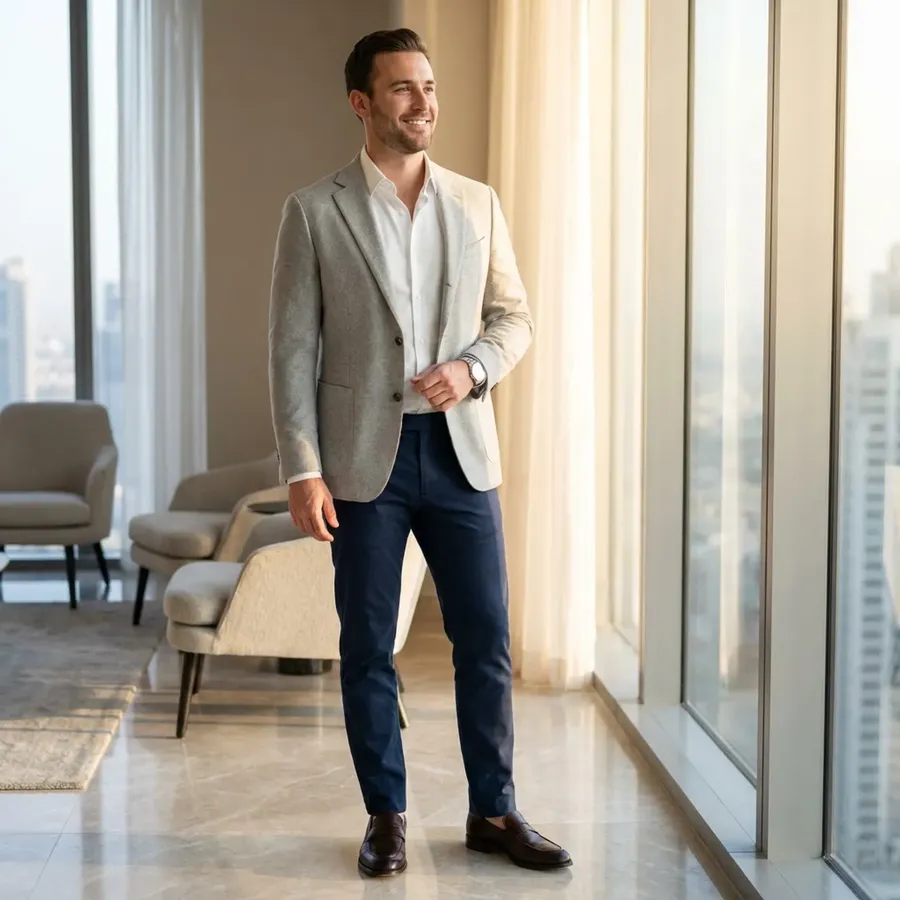
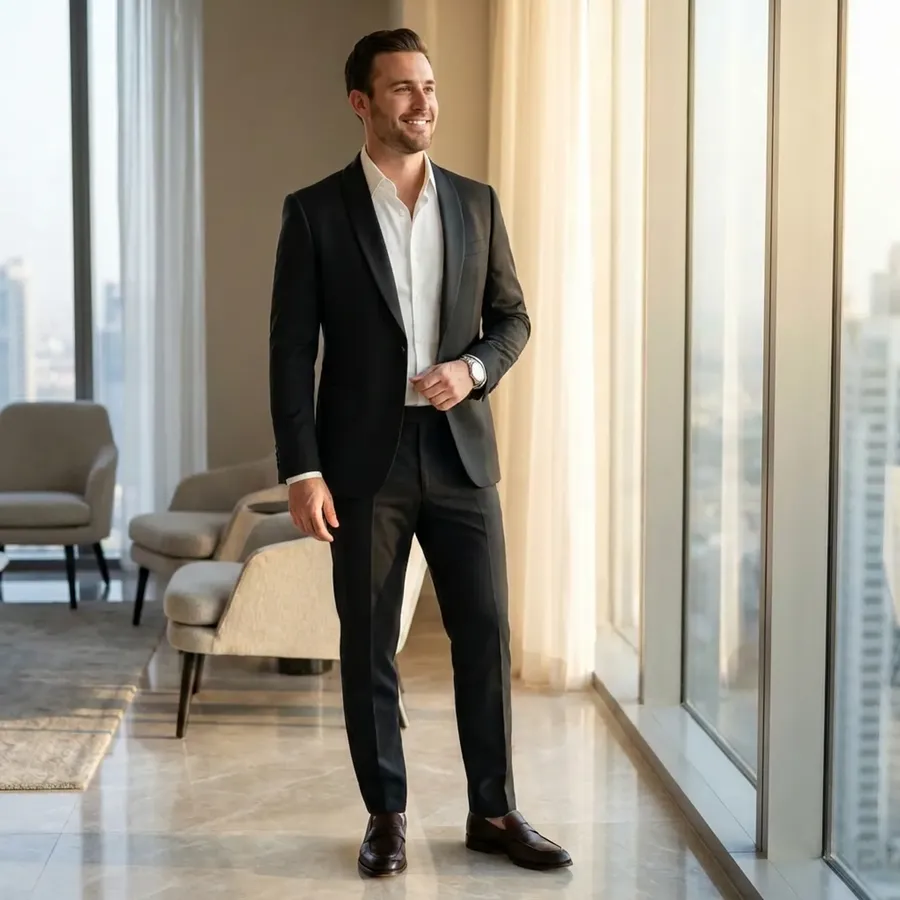
Original photo
Change the outfit to a black tailored suit with a satin lapel.
Change clothing color only
Copy-paste prompt template
Change only the [CLOTHING or specific element, such as jacket, shirt] color to [COLOR].
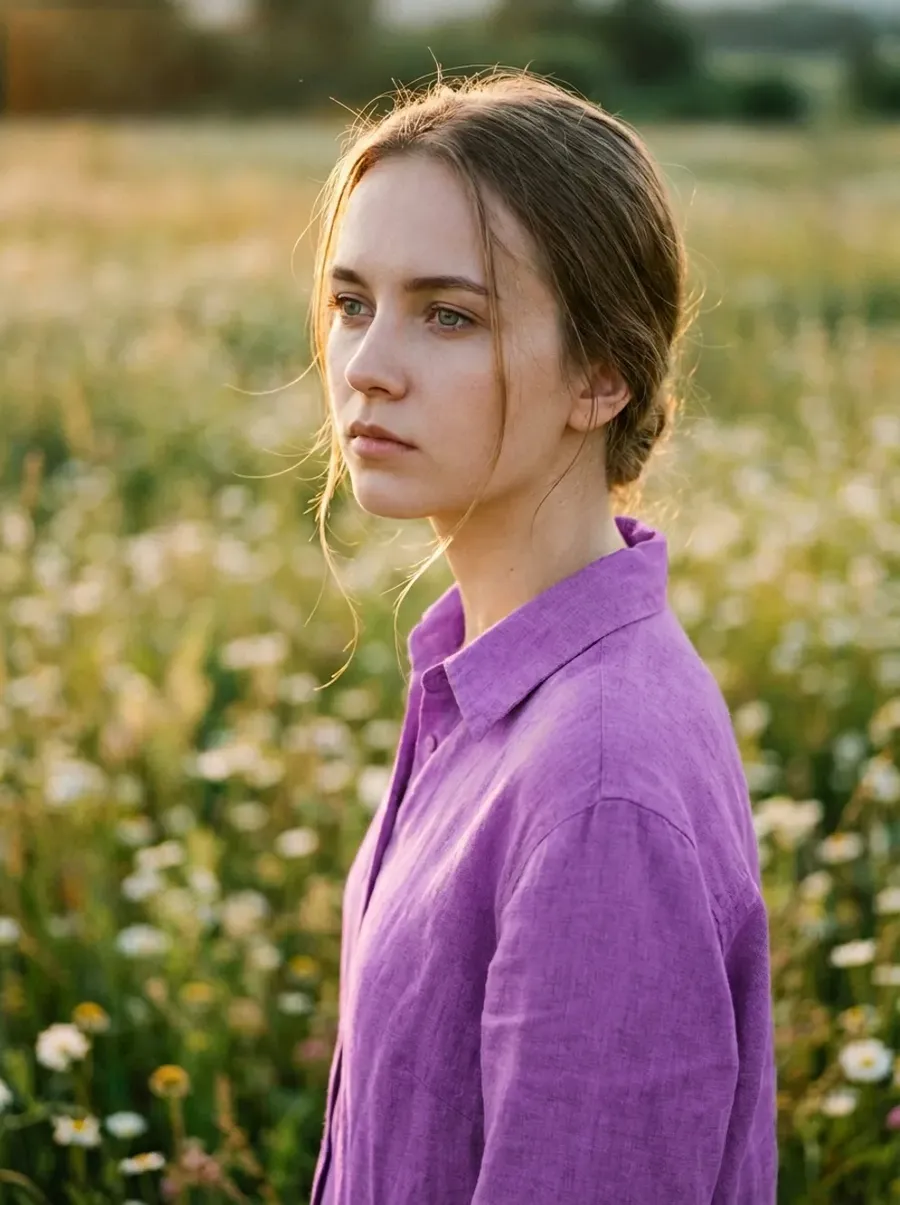
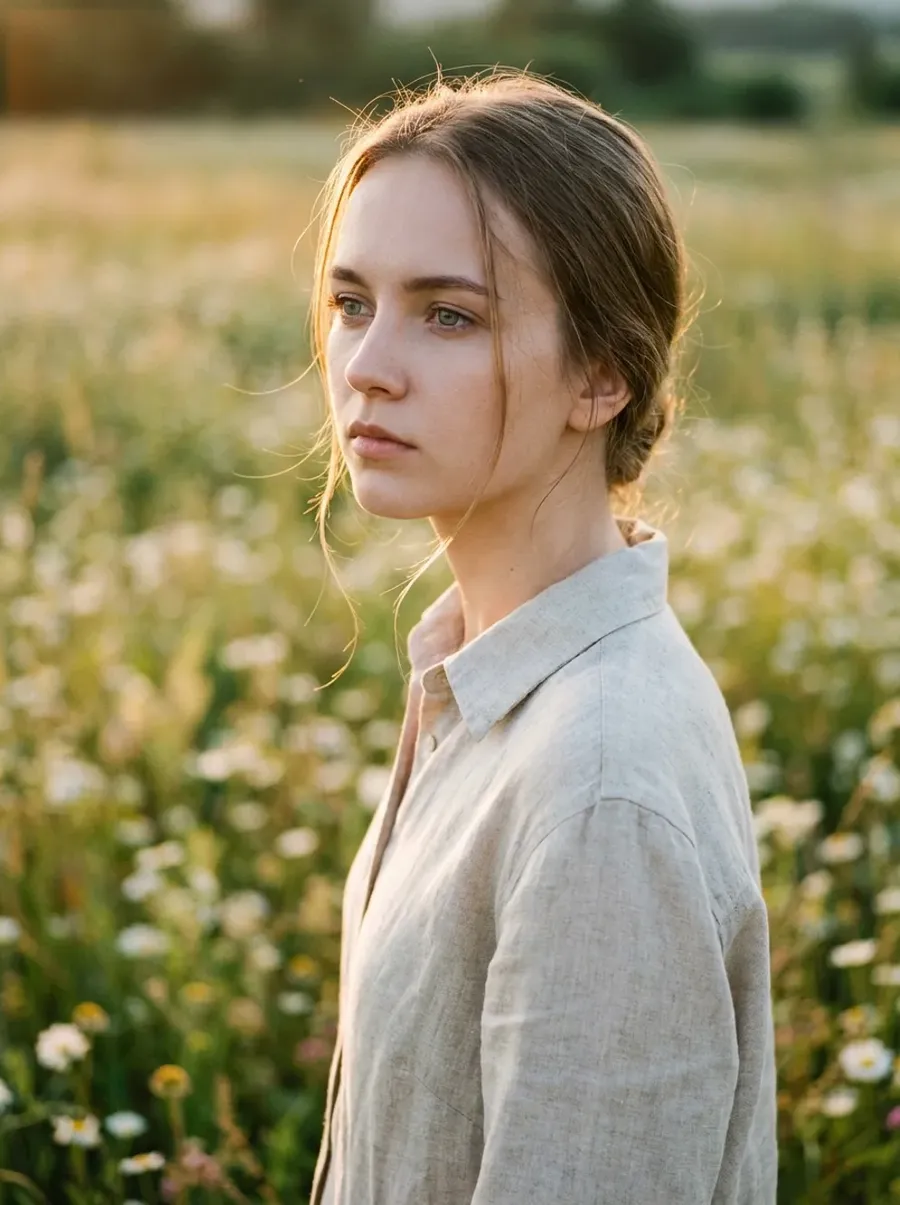
Original photo
Change only the clothing color to beige.
Add or change accessories
What it’s for
- Jewelry, hats, glasses, bags.
Copy-paste prompt template
Add [ACCESSORY] to the subject.
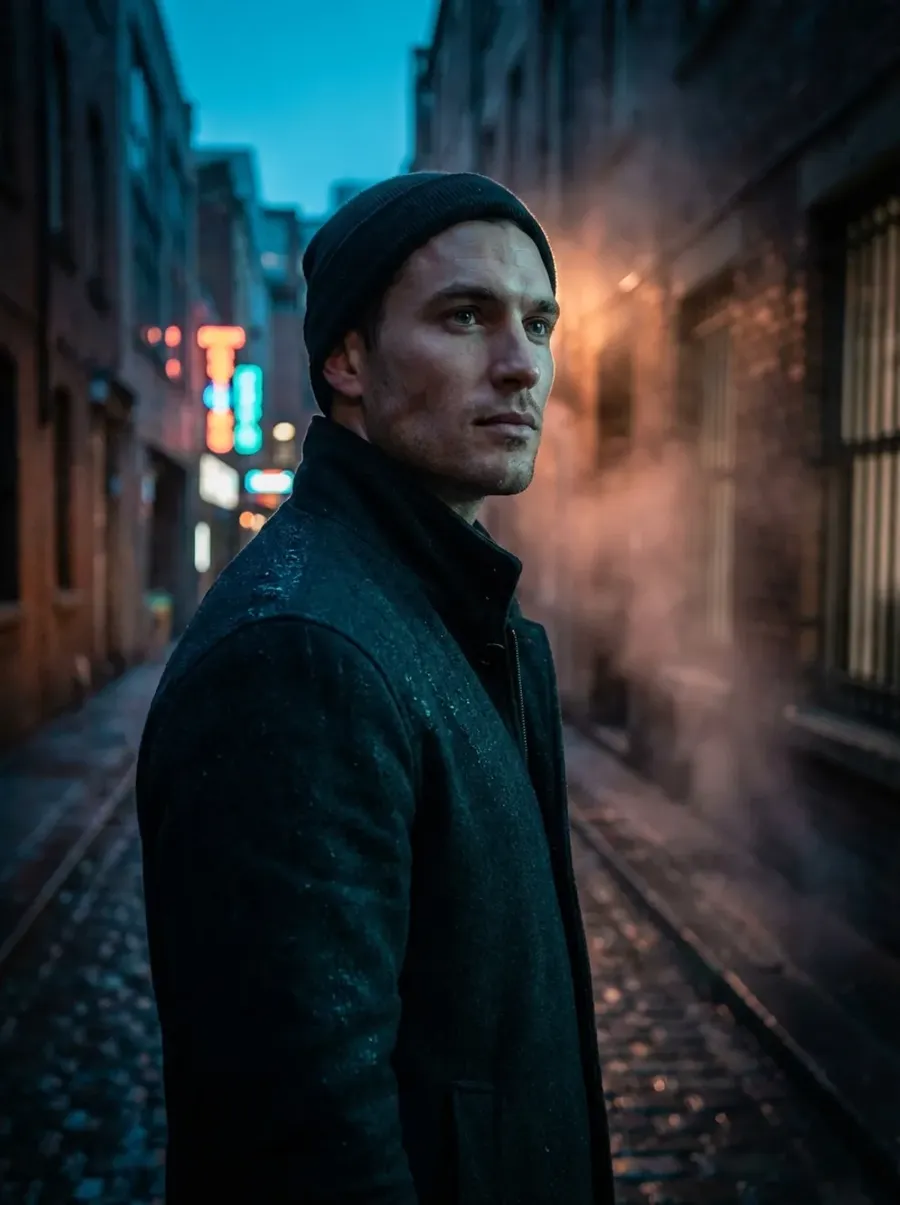
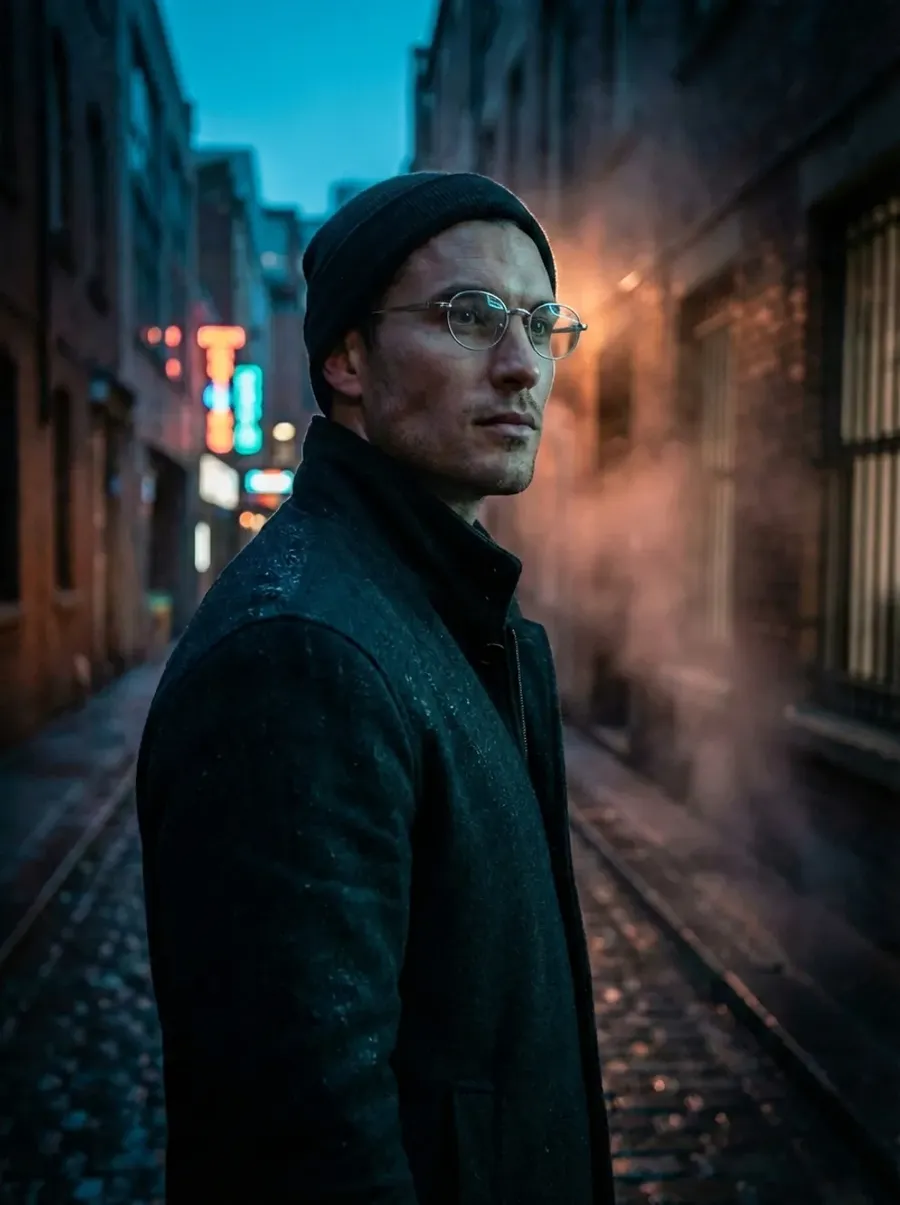
Original photo
Add silver oval glasses to the subject.
Try different hairstyles
Copy-paste prompt template
Change the hairstyle to [DESCRIPTION].
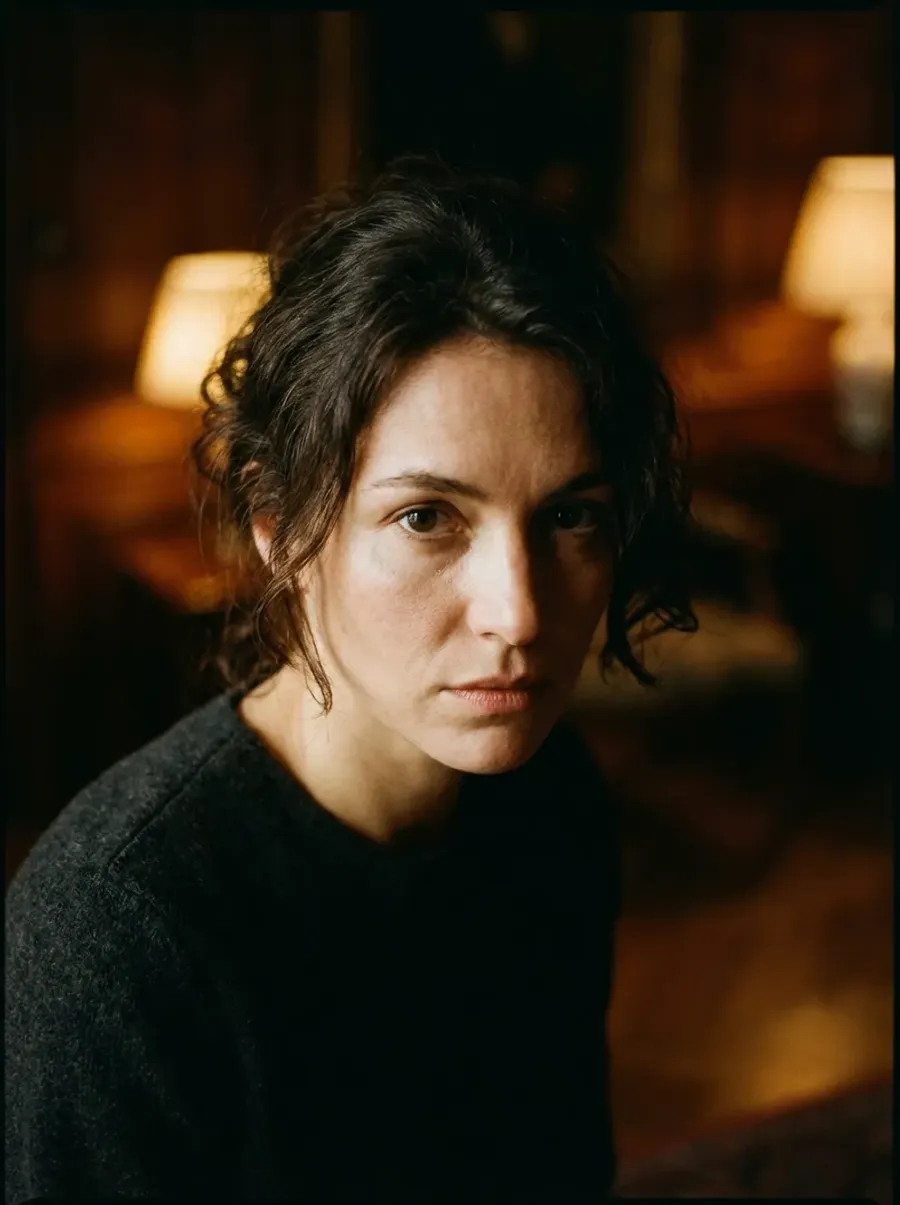
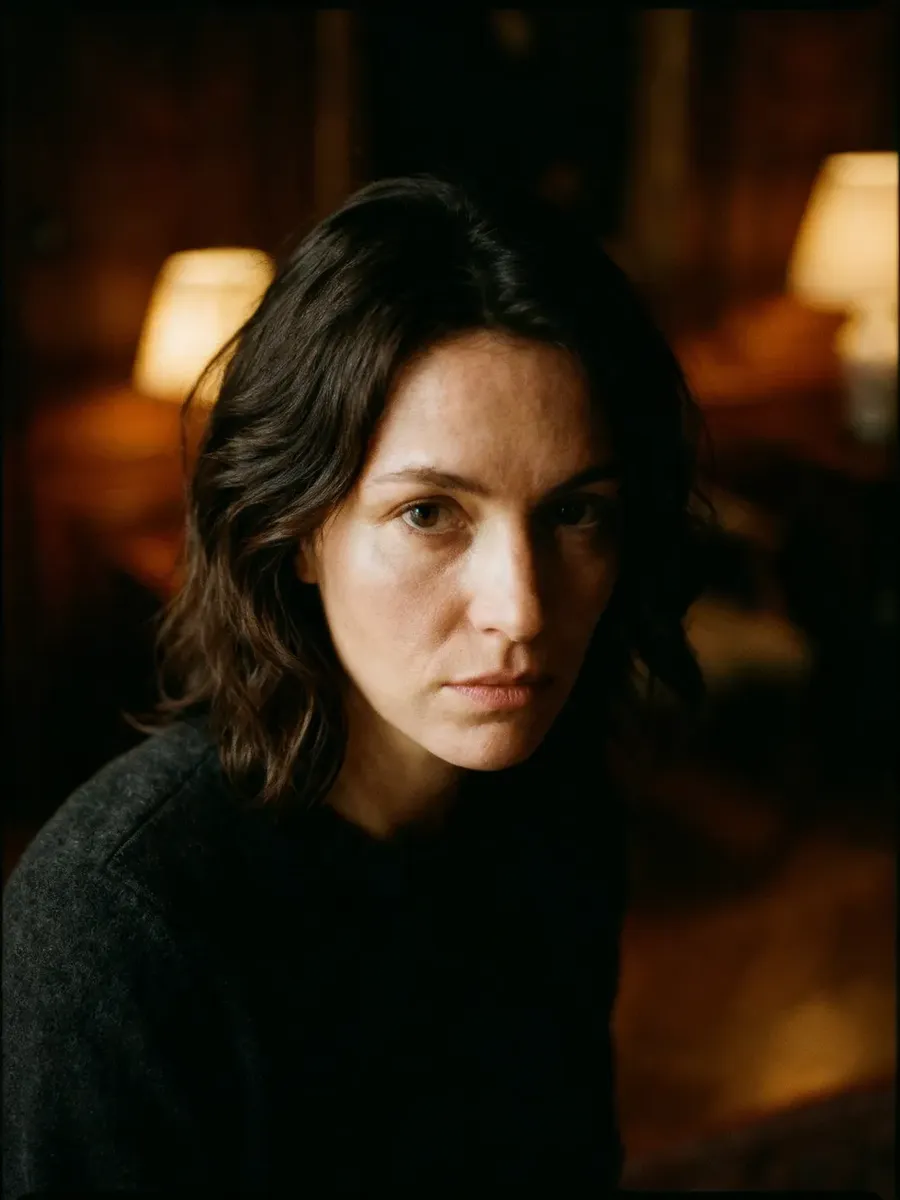
Original photo
Change the hairstyle to untied, medium length wavy hair.
Photo Restoration
Old family photos. Damaged prints. Scans that need help.
If needed, you can restore multiple aspects of a photo all at once, e.g., remove scratches and colorize using one prompt.
Restore scratches and damage
What you upload
- Old or damaged photo.
Copy-paste prompt template
Restore this photo. Remove scratches, tears, stains, and damage. Preserve original details.
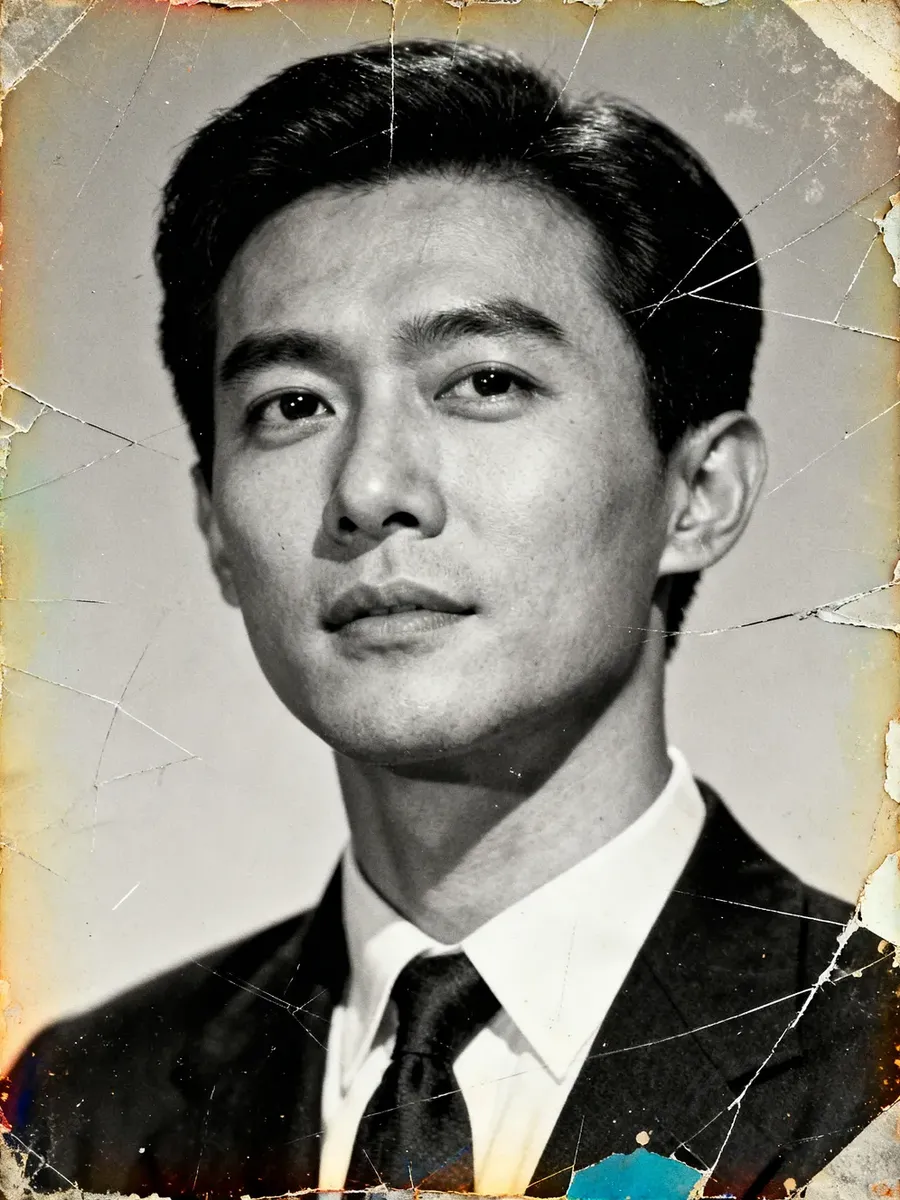
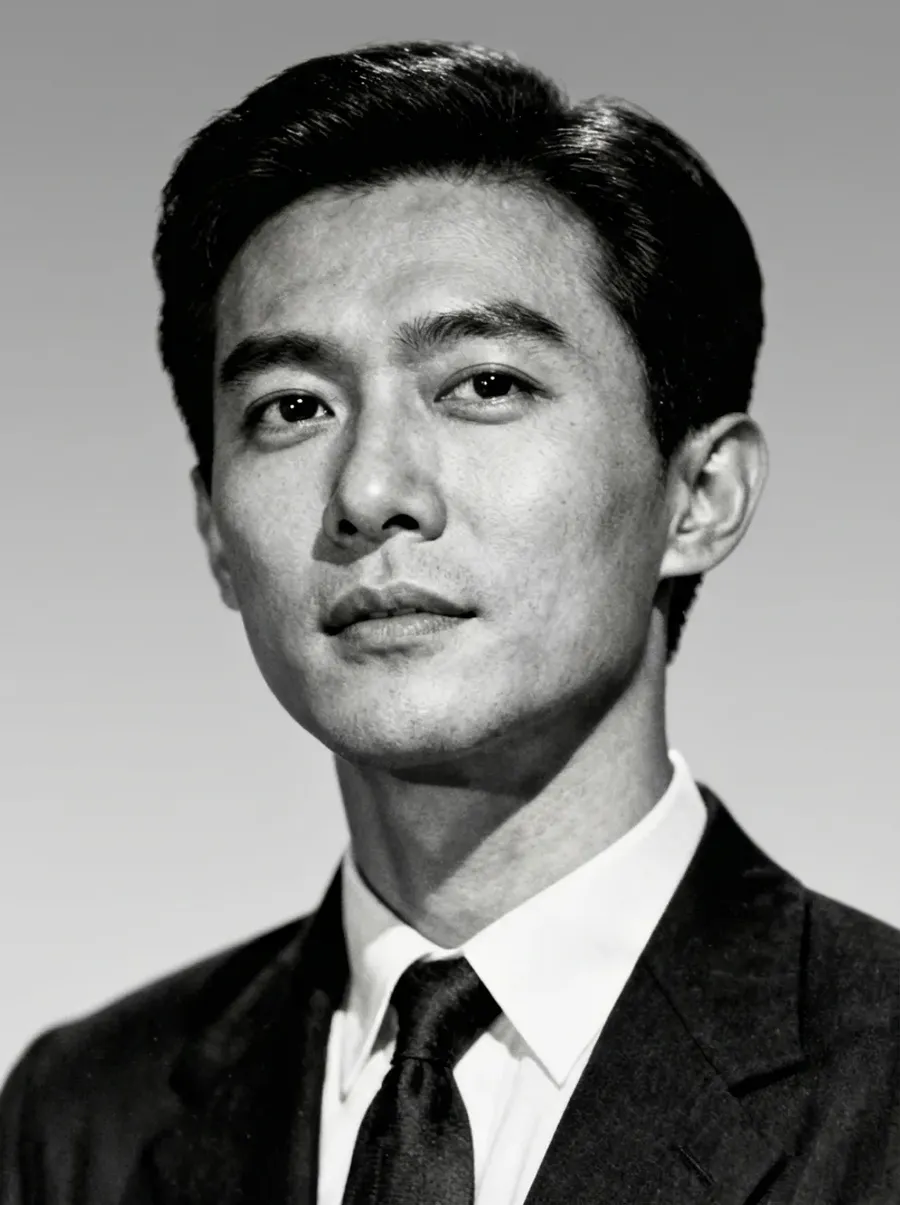
Original photo
Restore this photo. Remove scratches, tears, stains, and damage. Preserve original details.
Colorize black and white photos
Copy-paste prompt template
Colorize this black and white photo with realistic skin tones and natural colors.
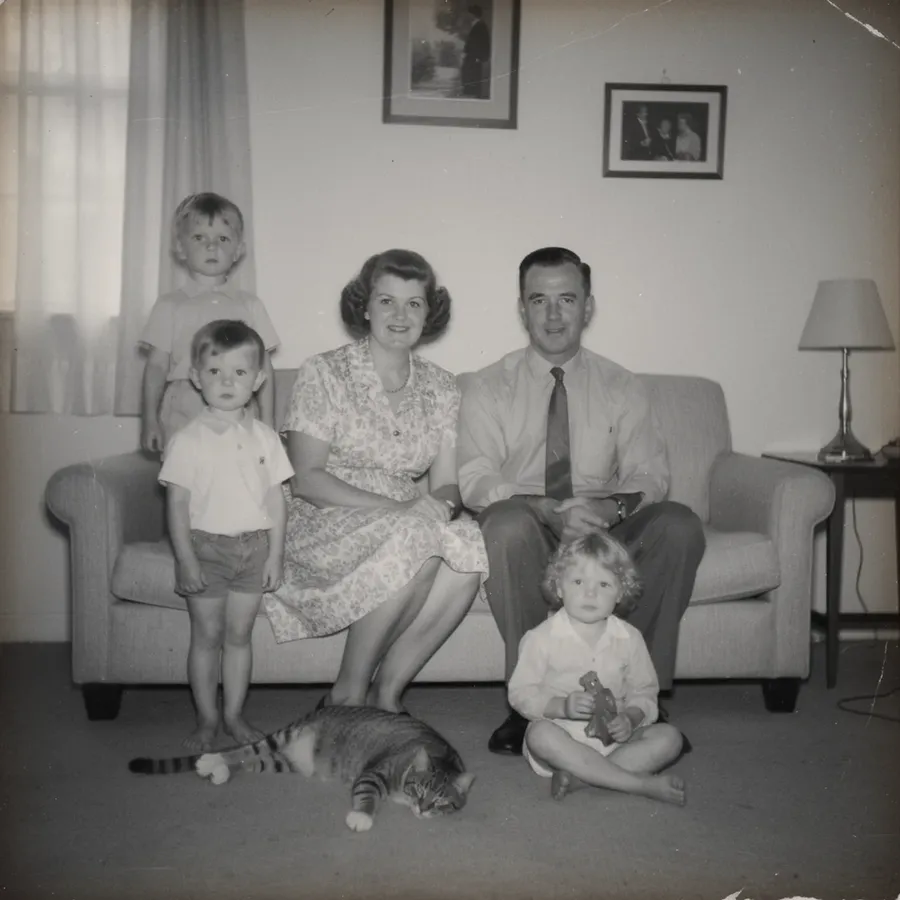
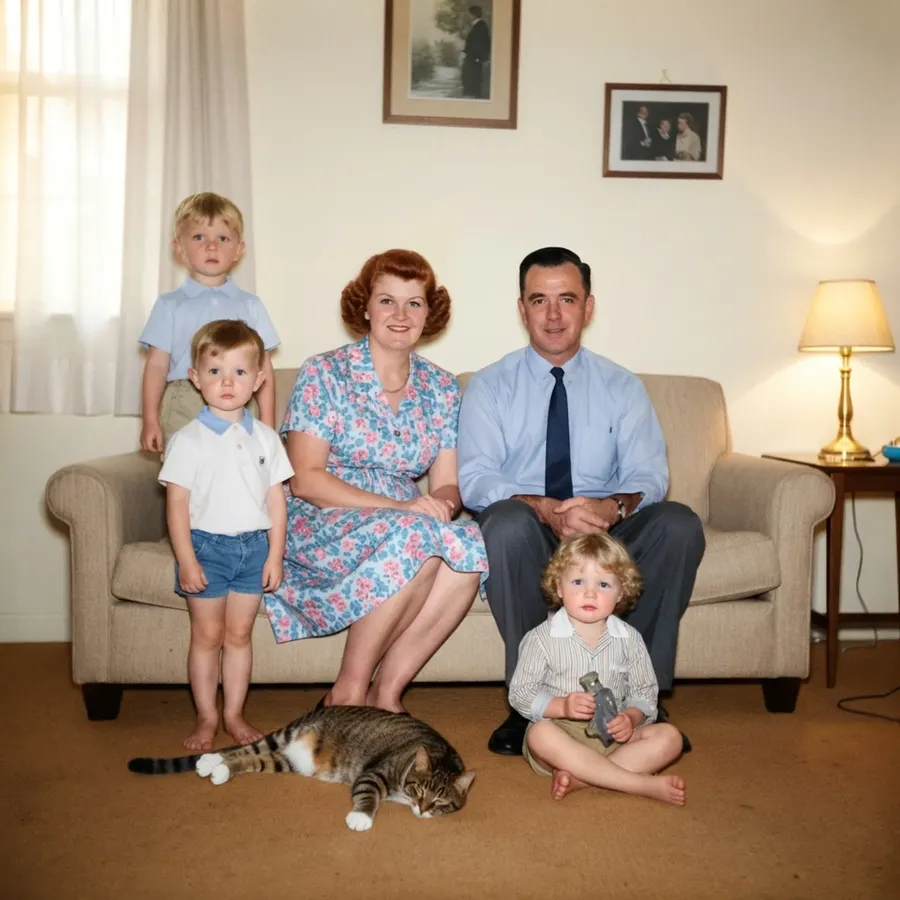
Original photo
Colorize this black and white photo with realistic skin tones and natural colors.
Conceptual and “Impossible” Photography
This is where you go beyond what a physical set could handle.
Floating or gravity-defying effects
Copy-paste prompt template
Make the subject appear to float naturally above the ground. Realistic shadows beneath them. Cinematic lighting.
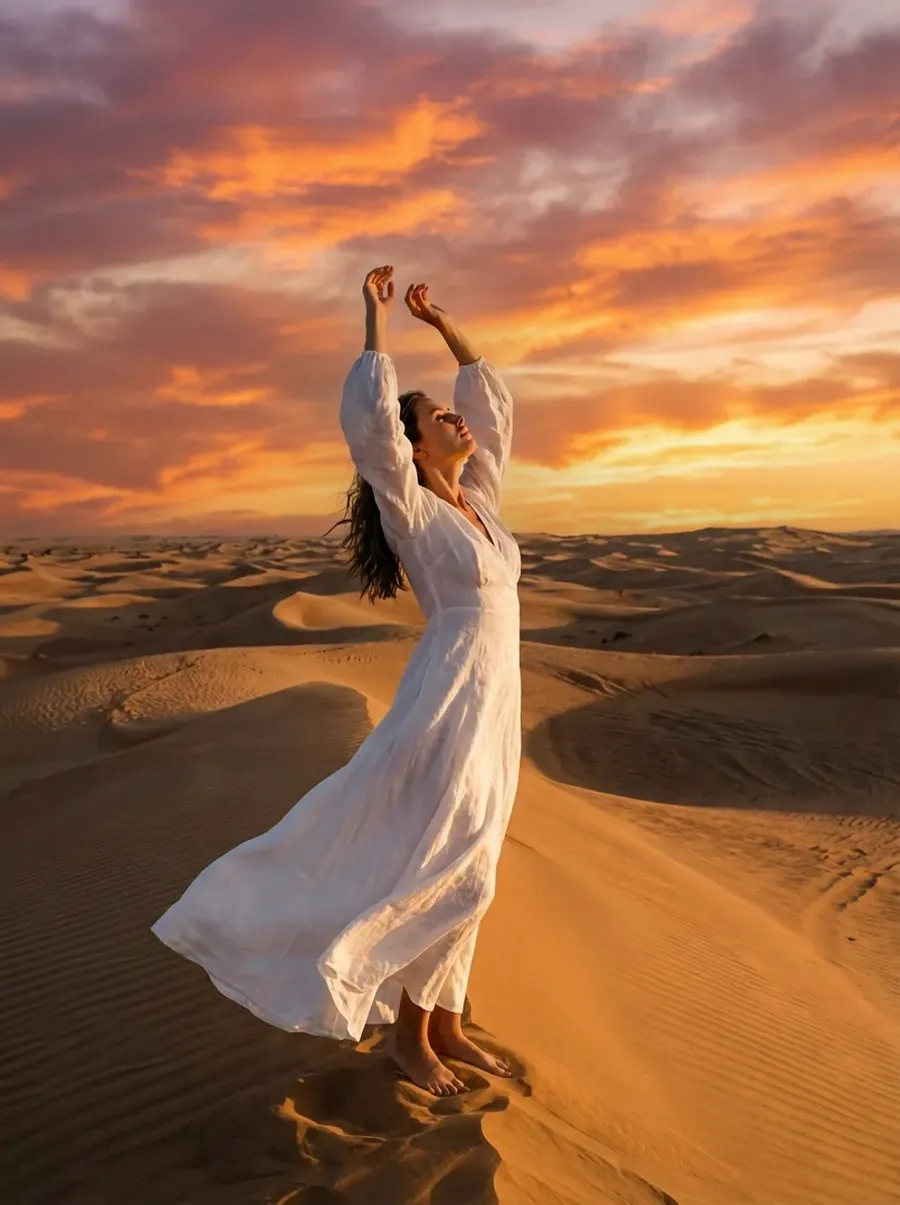
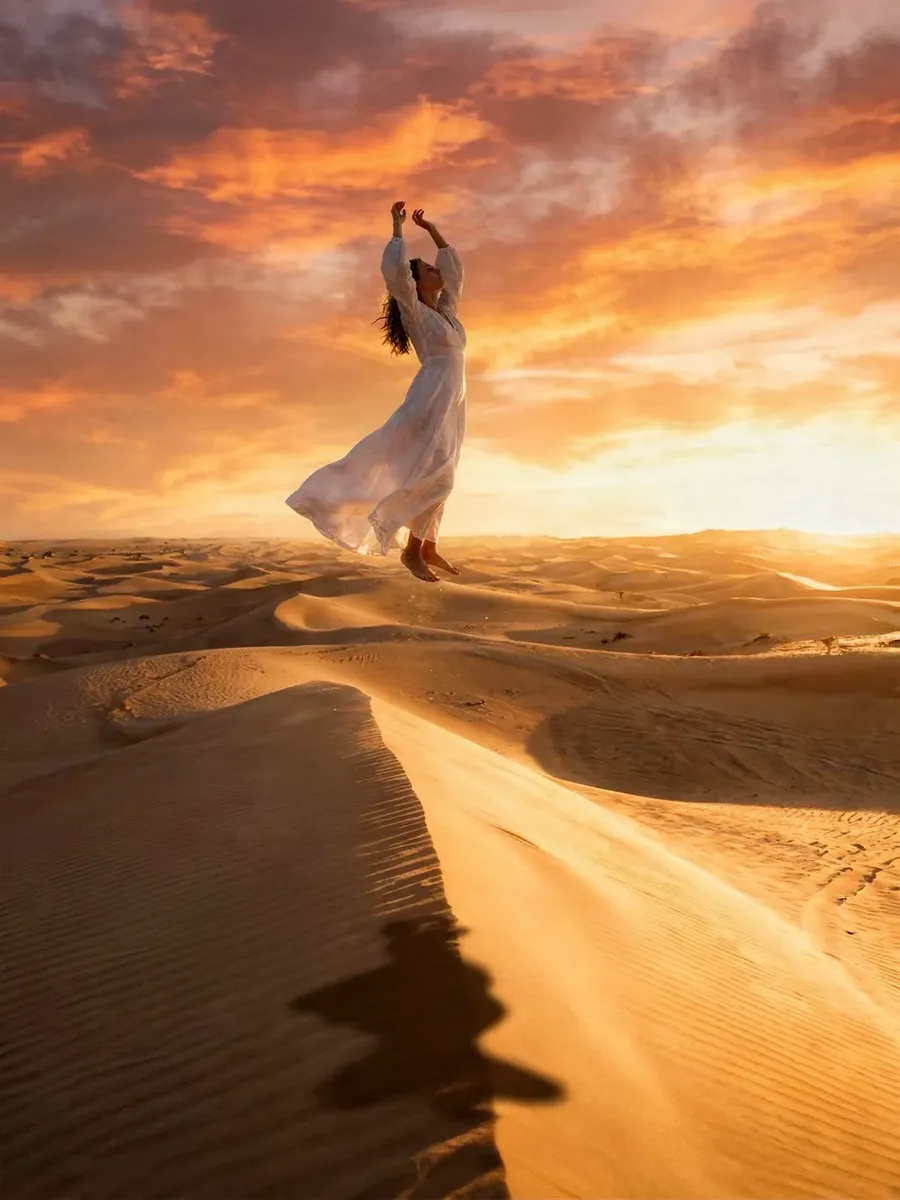
Original photo
Make the subject appear to float naturally above the ground. Realistic shadows beneath them. Cinematic lighting.
Surreal editorial concepts
Copy-paste prompt template
Create a surreal but photorealistic scene: [DESCRIPTION].
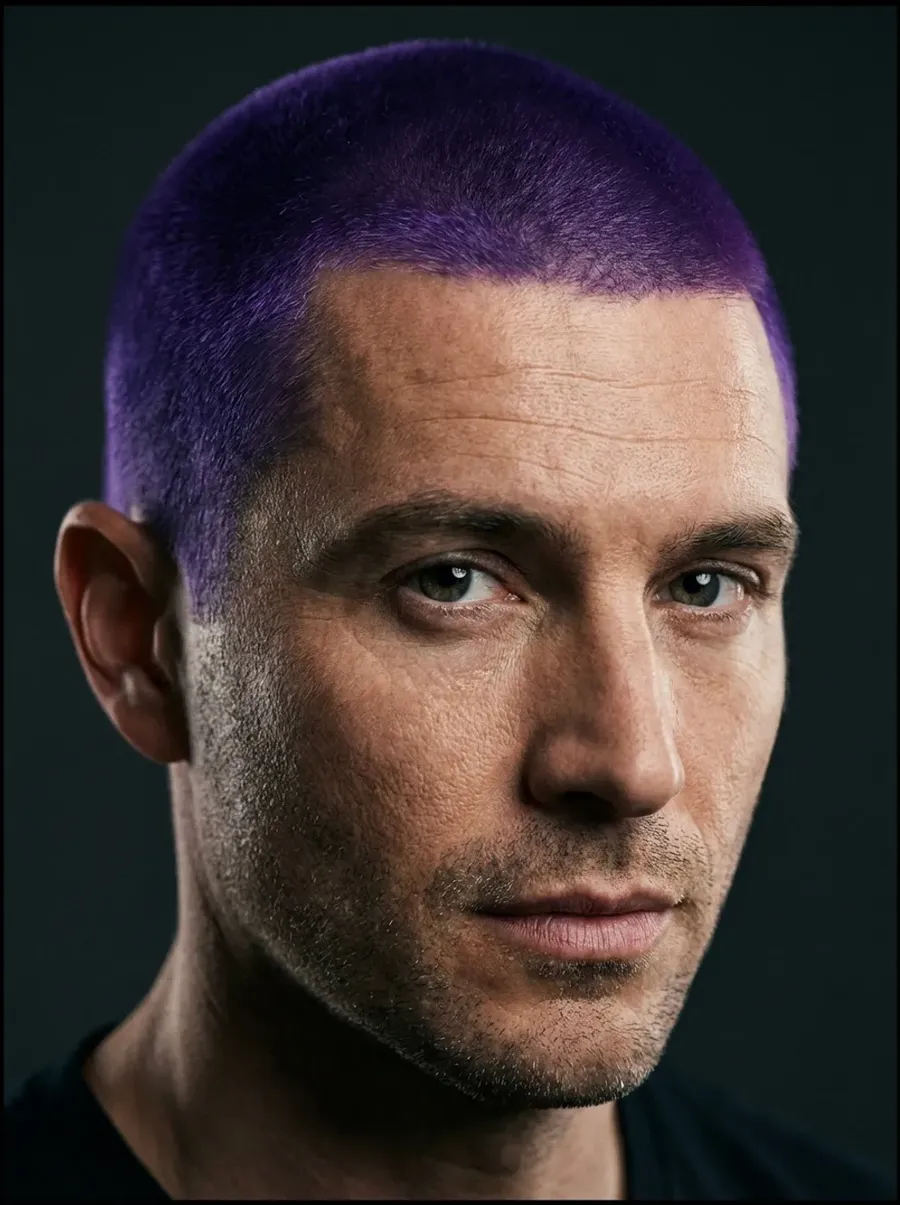
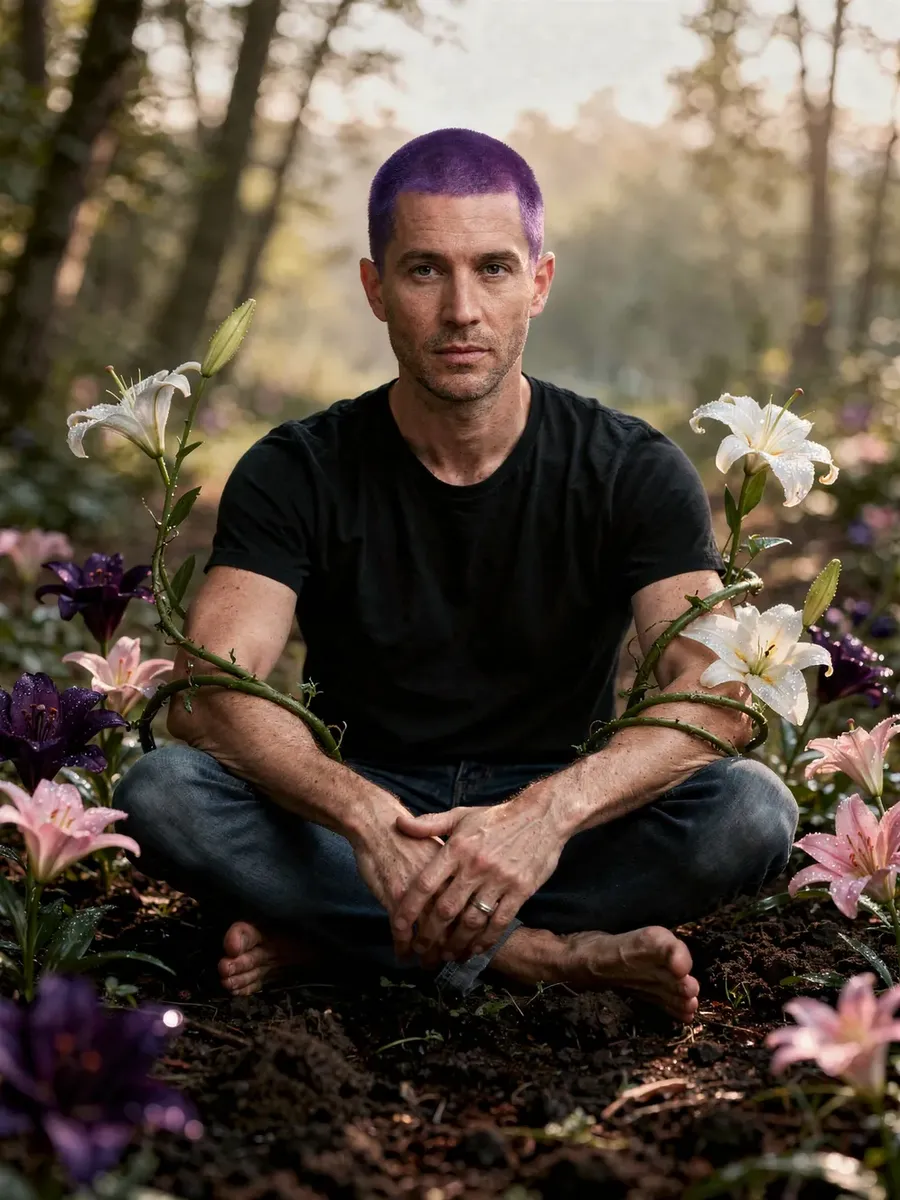
Original photo
Create a surreal but photorealistic scene where flowers grow from the ground and wrap gently around the subject’s arms.
Put your subject anywhere (including places that don't exist)
What it’s for
- Post-apo. Fantasy. “We wish we shot this in…” moments.
Copy-paste prompt template
Place [THE SUBJECT] in [LOCATION].
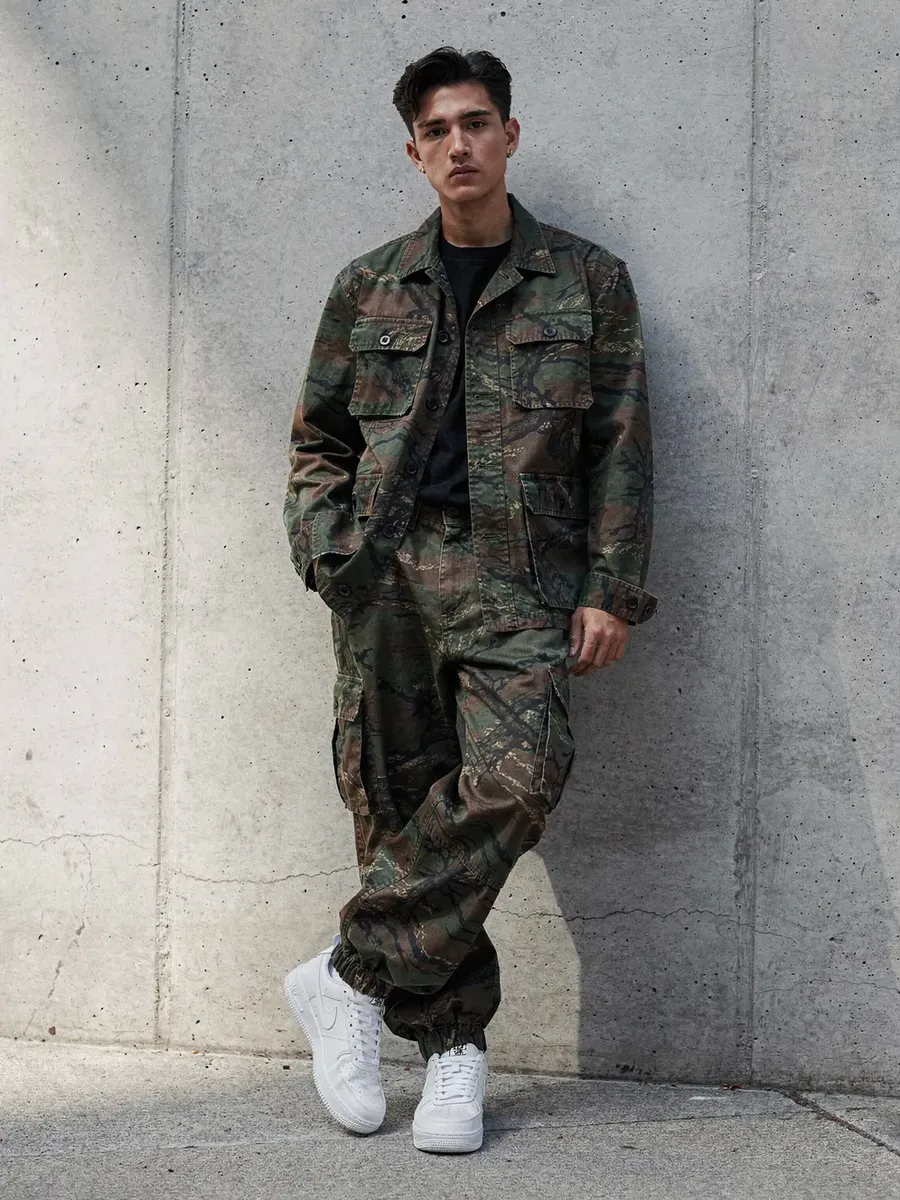
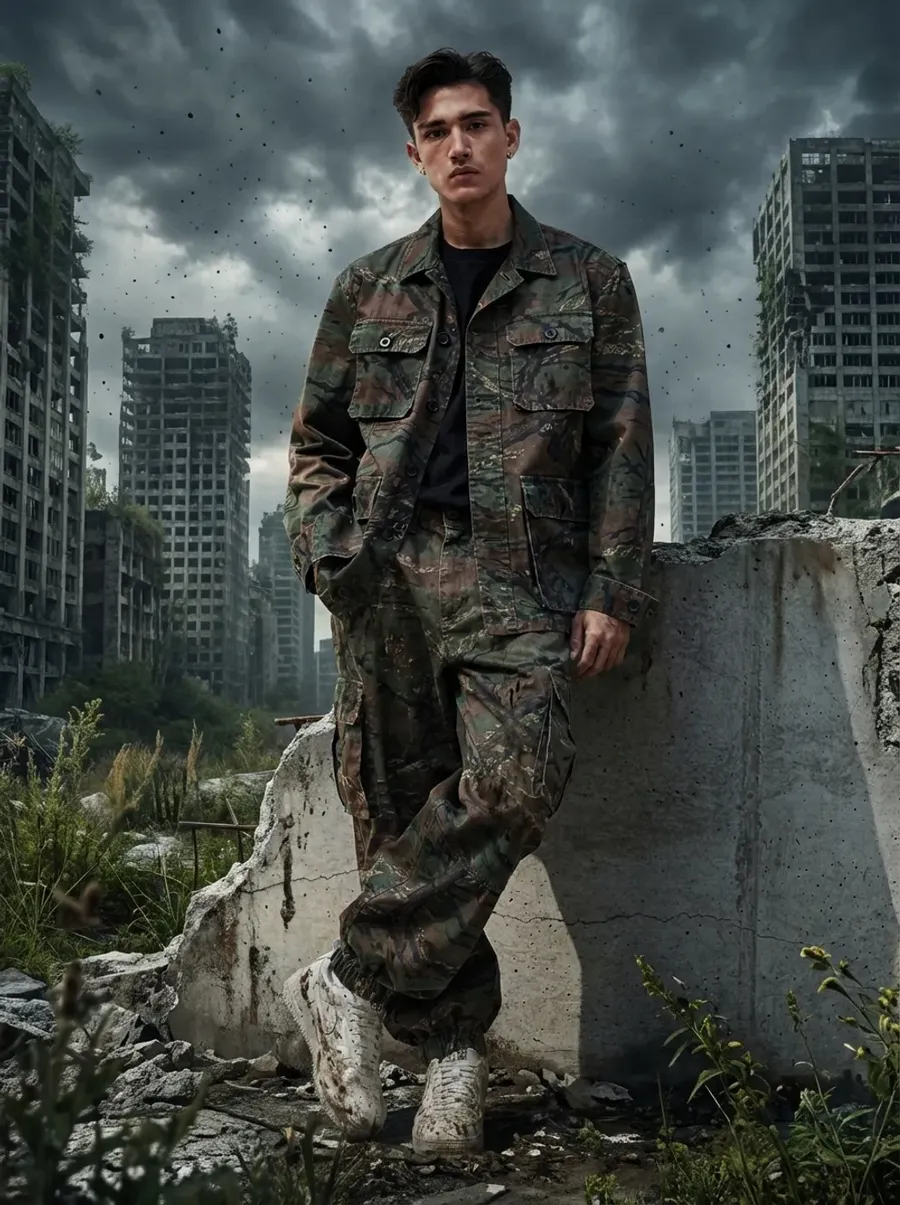
Original photo
Place this man in a post-apocalyptic city with crumbling skyscrapers, overgrown vegetation, dust in the air, and dramatic cloudy skies, in an extreely realistic way. Add subtle dirt on clothing and realistic environmental lighting. Cinematic and photorealistic.
Check out our Image Generation Prompt Book to learn more!
Video Templates for Photographers
You already have the photo. Now make it move.
Subtle portrait animation
What you upload
- Portrait as First Frame.
Copy-paste prompt template
Subtle natural motion. [DESCRIPTION OF MOVEMENT AND SOUND]
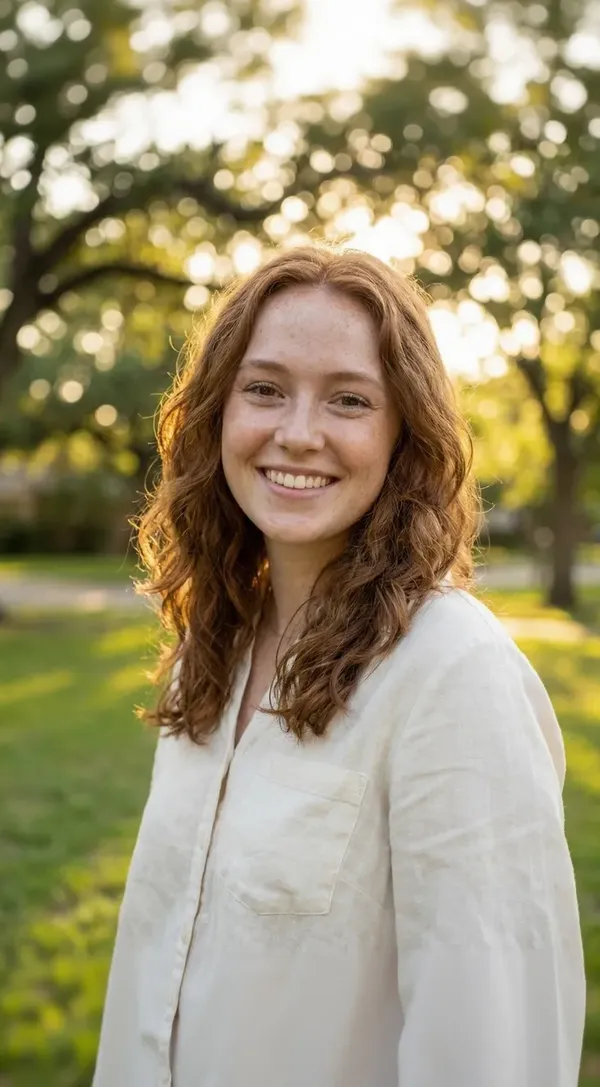
First Frame
Subtle natural motion. Gentle wind moving the hair slightly. Soft natural breathing. Woman waving her hand at the camera. Soft ambient wind sound and distant birds. Warm cinematic tone.
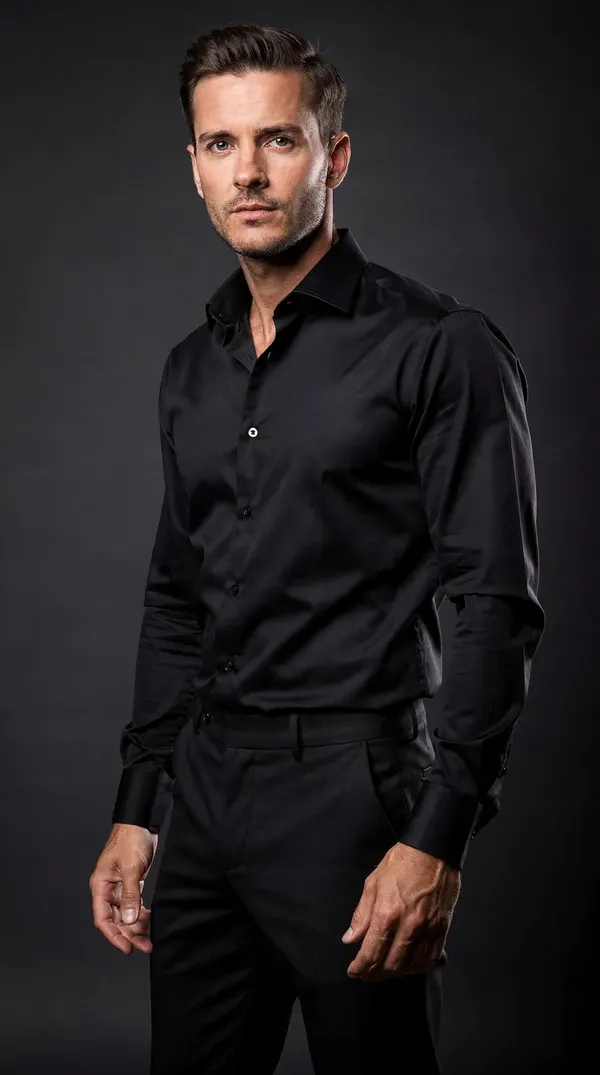
Before and after transition
What you upload
- Before image as First Frame
- After image as Last Frame.
Copy-paste prompt template
Smooth cinematic transition from [DESCRIPTION].
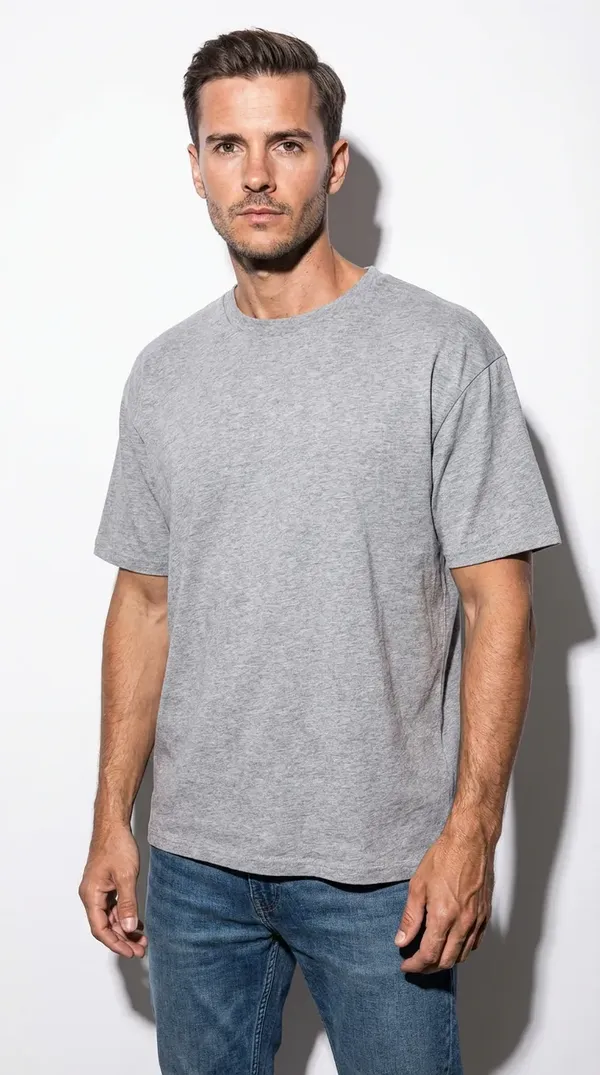
First Frame
Last Frame
Smooth cinematic transition from basic photo to luxury business shot, with the subject moving naturally. Add subtle wind sound and distant city ambience. Professional commercial feel.
Timelapse
What you upload
- Photo as First Frame.
- (optionally) another photo as a Last Frame.
Copy-paste prompt template
Create a timelapse of a [DESCRIPTION].
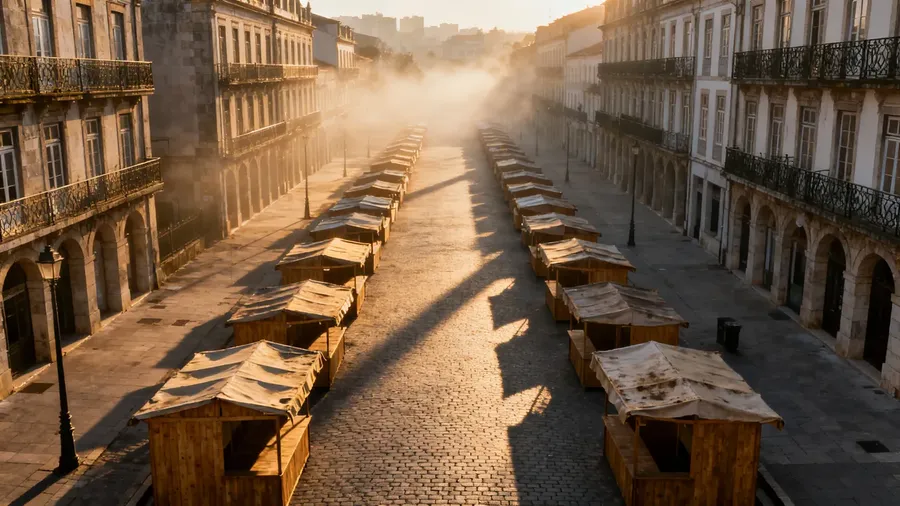
First Frame
Create a timelapse of a street market filling up. More people appear gradually, vendors moving, subtle hand gestures, fabric and banners moving in the breeze. Keep perspective stable and realistic. Add market ambience: chatter, light music, footsteps, distant street noise.
Take a look at our Video Generation Prompt Book for more useful tricks!
Explore More Prompt Books
Working in other niches too?
We're not just an AI for photographers. We also created:
- AI E-commerce Prompt Book
For product photos, lifestyle scenes, ads with text, variants, and catalog visuals. - AI Architecture & Interior Design Prompt Book
For staging, lighting changes, material swaps, renovations, and concept visualization.
If you move between photography, product work, and interiors, these will save you even more time.
Frequently Asked Questions
This is a practical collection of ready-to-use prompts for photographers who want to edit photos with AI, generate new images, or create short videos from still images.
It shows how to use getimg.ai for:
🟣 AI photo retouching
🟣 background removal and replacement
🟣 lighting fixes and color grading
🟣 outfit and hairstyle changes
🟣 conceptual and fantasy edits
🟣 photo restoration
🟣 image to video generation.
Everything is built around real photography workflows.
Yes. You can upload a real photo and edit it using simple text prompts.
For example, you can:
🟣 remove people from photos
🟣 fix red eyes
🟣 retouch skin naturally
🟣 change the background
🟣 change time of day
🟣 improve lighting
🟣 upscale low-resolution images.
You stay in control of the original image. The AI follows your instructions.
Yes. These prompts are designed for working photographers, including:
🟣 portrait photographers
🟣 wedding photographers
🟣 fashion photographers
🟣 travel photographers
🟣 commercial photographers.
You can use AI to speed up retouching, create variations for clients, test creative concepts, and produce social media content faster.
Yes. You can generate fully photo-realistic images from text prompts without uploading a photo.
This is useful for:
🟣 pre-visualizing shoots
🟣 pitching ideas to clients
🟣 creating conceptual or fantasy scenes
🟣 testing lighting setups.
Yes. You can use the one-click Upscale image feature to increase resolution and improve clarity.
This is useful when:
🟣 a client requests a larger file
🟣 you need higher resolution for print
🟣 you are restoring older low-resolution images.
Yes. You can turn a single photo into a short cinematic video.
You can:
🟣 animate portraits with subtle movement
🟣 create before-and-after transitions
🟣 generate timelapse effects
🟣 simulate day-to-night changes
🟣 add ambient sound and atmosphere.
This is perfect for Instagram Reels, TikTok, and client previews.
Elements let you save a consistent look or subject and reuse it across prompts.
For example:
🟣 a signature color grade
🟣 a specific model
🟣 a studio lighting setup
🟣 a brand style.
Instead of re-uploading references every time, you can reuse them with @ElementName in your prompts.