How to Create Consistent Characters with AI (2026 Guide)

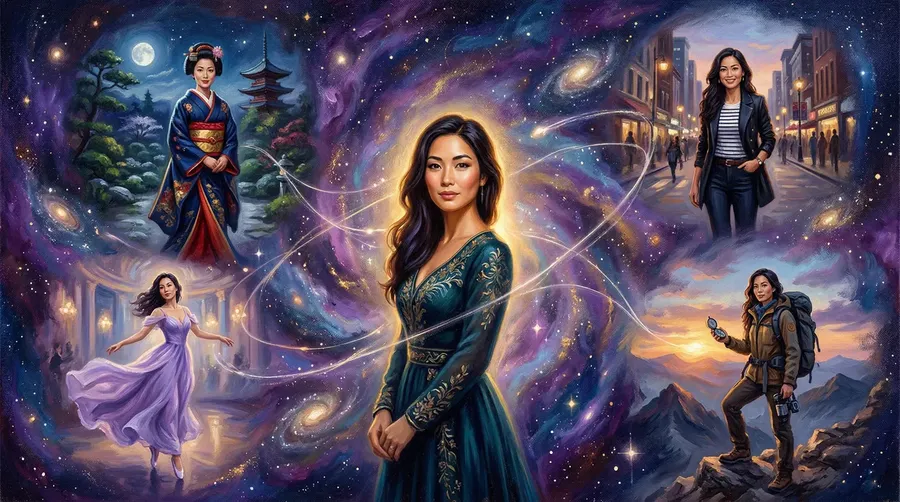
'Consistent AI characters' means generating the same character (same face, proportions, clothing, and distinguishing features) reliably across multiple images and sessions. Standard AI image models have no identity memory: every generation starts from random noise guided only by text, producing different interpretations of the same description each time. The practical fix is a dedicated character system: save reference photos once, name the character, and call it into any prompt. On getimg.ai, that's the Elements feature. Just type `@CharacterName` and the visual reference applies to the generation automatically, no training required.
Other methods exist. Reference image conditioning attaches a photo per generation for session-level consistency but doesn't persist. LoRA and DreamBooth model training gives the highest ceiling for highly distinctive characters, at the cost of training time and file management overhead. With current models like FLUX.2 and GPT Image 1.5, the consistency gap between trained and reference-based approaches has narrowed considerably, making dedicated character systems the practical choice for most production work.
TL;DR Guide to Consistent AI Character Generation
- AI image models generate characters fresh every time — text prompts alone can't hold a face, outfit, or style consistent across a series.
- The most practical approach: a dedicated character system where you upload reference photos once and call the character by name in every prompt, no training required.
- getimg.ai's Elements does this in minutes — create a Person Element, tag it as `@CharacterName`, and it applies across any scene, session, and team member.
- Model training (LoRA, DreamBooth) used to have an advantage for highly specific characters, but with current models the gap has narrowed significantly.
Why AI Generates Different Characters Every Time
Understanding the problem makes the solutions easier to apply.
Diffusion models generate images by iteratively denoising a field of random noise, guided by your text prompt. Every generation starts from a different random seed. Without additional conditioning, even a detailed prompt like "a woman, 30s, red hair, green eyes, freckles, wearing a blue jacket" produces meaningfully different results each time — different proportions, different shade of red, different jaw shape. The model interprets the description anew each generation rather than reproducing a specific identity.
Three patterns compound the problem as you generate more images in a series:
- Identity drift: small feature variations accumulate until later images look like a different character entirely.
- Attribute bleed: descriptors in your prompt can attach to the wrong subject when multiple characters are involved
- Pose degradation: dynamic poses (running, crouching, gesturing) cause the model to reinterpret body proportions, breaking visual continuity.
None of these are bugs. They're the natural behavior of a model with no reference frame. Fixing them requires giving the model one.
The 4 Methods for Creating Consistent AI Characters
Method 1: Dedicated Character Systems (No Training Required)
Some platforms have built native character consistency infrastructure that handles visual conditioning automatically, with no training, no extra compute cost, and no file management.
getimg.ai's Elements system works this way: create a Person Element by uploading more than one reference photo (up to 20), give it a name, and it's callable in any prompt with `@CharacterName`. Setup takes a few minutes. The character persists indefinitely across sessions, and every team member accesses it from the same shared library.
The practical advantages over LoRA training are significant for most production workflows:
Feature | Dedicated System (Elements) | LoRA Training |
Setup time | Minutes (photo upload) | Hours (training run) |
Extra cost | Included in plan | Credits or compute per training run |
Consistency | Possibly very high, but varies by reference quality; gap vs training has narrowed with current models | Varies by reference quality and the model |
Persistence | Saved to account, shared with team automatically | File you manage and share |
Multiple subjects | Multiple Elements per prompt | Separate LoRA per character |
Subject types | 13 types: person, product, style, object, place, clothing, pose, color palette, texture, lighting, composition, sketch, animal | Typically character or style |
For most marketing and content production workflows (brand mascots, product models, campaign characters, social media series) a dedicated character system delivers production-ready consistency without the training overhead. LoRA's higher raw ceiling matters for specific high-volume scenarios like visual novel sprite libraries with hundreds of images of a highly distinctive character; for the majority of professional use cases, it's overhead that doesn't meaningfully change the output.
Elements support all 13 subject types in a single prompt, so a generation can simultaneously anchor a brand character, a specific product, and a defined lighting condition, each controlled by its own @Element. Elements are shared across your team automatically. Full walkthrough in the Elements guide.
Best for: Marketing teams, brand mascots, product photography, campaign-scale production — any workflow where consistency needs to be maintained across team members and sessions without training overhead.
Method 2: Dedicated Character Training (LoRA / DreamBooth)
LoRA (Low-Rank Adaptation) and DreamBooth are model training approaches that achieve high raw consistency scores but carry meaningful setup overhead. You provide at least 15–30 curated reference images from different angles and expressions, and the training process fine-tunes a small adapter that modifies how the model generates that specific identity. Once trained, the character can be placed in any scene, pose, or style while retaining its core features.
With older model generations, LoRA training held a clear advantage over reference-based methods — training locked in precise identity information that reference conditioning couldn't match. That gap has narrowed significantly with current models.
FLUX.2, GPT Image 1.5, and Seedream 5.0 Lite all have substantially better inherent understanding of visual references than their predecessors, which means reference-based approaches now perform much closer to trained models on most character types.
LoRA training might still sometimes produce more precise results for characters with highly specific or unusual features, and for projects requiring hundreds or thousands of consistent images, the investment in training can still pay off. For most production work, it's no longer the obvious first choice it once was.
Best for: Visual novels, webcomics, game asset libraries, any project requiring hundreds of images of a highly distinctive character where maximum feature precision justifies the training investment.
Training takes time and compute. Most platforms charge credits or time per training run, and the resulting files need to be versioned and shared manually across a team.
Method 3: Reference Image Conditioning (IP-Adapter / Instant Anchor)
Reference image conditioning lets you attach an existing image of your character to each new generation, guiding the model to maintain that identity without training. Tools like IP-Adapter analyze the reference image and encode its visual features — facial structure, color palette, proportions — as conditioning signals alongside your text prompt.
This method works without any training time, making it practical for one-off projects, client reviews, or situations where you don't yet have enough images for a dedicated character system. With current models, reference conditioning performs considerably better than it did on older architectures — the consistency gap versus trained approaches has narrowed. The tradeoff: the reference doesn't persist, you re-attach it each session.
Best for: Quick iterations, single campaigns, exploring a character concept before committing to a dedicated system or training run.
Method 4: Structured Prompt Templates
Without any conditioning or training, a carefully designed prompt template can improve consistency by explicitly locking down every character attribute in every generation: exact hex color codes for hair and eyes, precise physical descriptors, clothing details, lighting conditions, and camera framing. Templates are version-controlled and reused across the series.
This is the least reliable method — the model still generates fresh each time, and small variations in scene context can override character description. A prompt template is better than nothing, but it's a workaround, not a solution. Use it as a fallback on platforms with no native consistency features, or to supplement any of the above methods.
Best for: One-off use, platforms with no dedicated consistency tools.
Step-by-Step: Consistent AI Characters with getimg.ai Elements
For teams doing ongoing content production, getimg.ai's Elements remove most of the manual overhead from consistent character generation. Here's how to set one up:
- Go to Elements in your workspace and select "Create Element".
- Choose "Person" as the subject type
- Upload at least one reference image, up to 20. More variety in angles, lighting, and expressions produces better results — a mix of close-up, three-quarter, and full-body shots gives the model more identity information to work with.
- Name the Element (e.g., `@BrandAmbassador`, `@ProductModel`, `@MainCharacter`).
- Add optional instructionsto guide how the Element is applied. It can be useful for specifying age, style direction, or attributes that are hard to capture in images alone
- Save and start using it — type `@ElementName` anywhere in a prompt, and the character applies to that generation.
From that point, the character travels with you into any scene: "A professional office setting, natural light, `@MainCharacter` presenting to a small team" produces a consistent version of that character regardless of who on the team generates it or what model runs the task. All generations can stay organized in project folders for easy retrieval. See how to edit or update Elements as your character evolves.


Every paid plan includes commercial rights, so campaign assets, client work, and published content are all covered from day one.
Best AI Image Generators for Consistent Characters (2026)
Tool | Consistency Method | Setup | Best For |
getimg.ai | Elements (@Name system, up to 20 photos, 13 subject types, combinable in one prompt) | Upload at least one image (up to 20), name the Element | Teams, campaigns, multi-subject consistency |
Midjourney V7 | Omni Reference (one reference image plus text prompt, strength via | Attach one reference image | Characters, objects, vehicles, creatures, any stylized subject |
Leonardo.ai | Character Reference (legacy: one image plus Low, Mid, or High strength) plus Omni models with Inline Editor (up to 6 reference images depending on model) | Upload reference images, choose model | Single or mixed-reference character workflows |
Adobe Firefly | Custom Models (public beta since March 2026, available to CC Individual and Teams subscribers) | Train on uploaded assets | CC subscribers doing character, illustration, or photographic style work |
Stable Diffusion | LoRA plus ControlNet | Train or download existing LoRA | Technical users, local or offline workflows, maximum control |
For image consistency in video: getimg.ai supports reference images as anchors in video generation across multiple models. Detailed walkthrough in the video reference images guide.
How to Create Multiple Consistent Characters in the Same Project
Maintaining multiple distinct consistent characters (as in a webcomic, game, or multi-character campaign) is a harder problem than maintaining one. Each character needs its own conditioning, and when they appear together in a scene, the model needs to map each reference to the correct figure without mixing features.
On getimg.ai, the approach is straightforward: create a separate Element for each character, then tag them explicitly in the prompt. A scene with two recurring characters looks like this: `@CharacterA and @CharacterB meeting in a conference room, professional lighting`. The platform applies each reference to the appropriate subject.
A quick tip that help sin multi-character scenes: test in isolation first. Generate each character alone before combining them in a scene. If either drifts solo (e.g., because of incorrectly chosen source images), they'll compound problems together.
For any team producing serialized content with recurring characters, setting up character references before starting production pays back quickly in consistency and revision time saved.
Common Use Cases for Consistent AI Characters
Brand mascots and ambassadors
A recurring brand character needs to look identical whether it's appearing in a paid ad, a product page hero, an email header, or an Instagram story.
With a persistent character reference, the same mascot can be placed into any context (seasonal backgrounds, different product lines, localized markets) without re-commissioning a designer for each variation. Teams can A/B test different scenes and compositions while keeping the character constant, separating creative performance data from character recognition.
E-commerce and product marketing
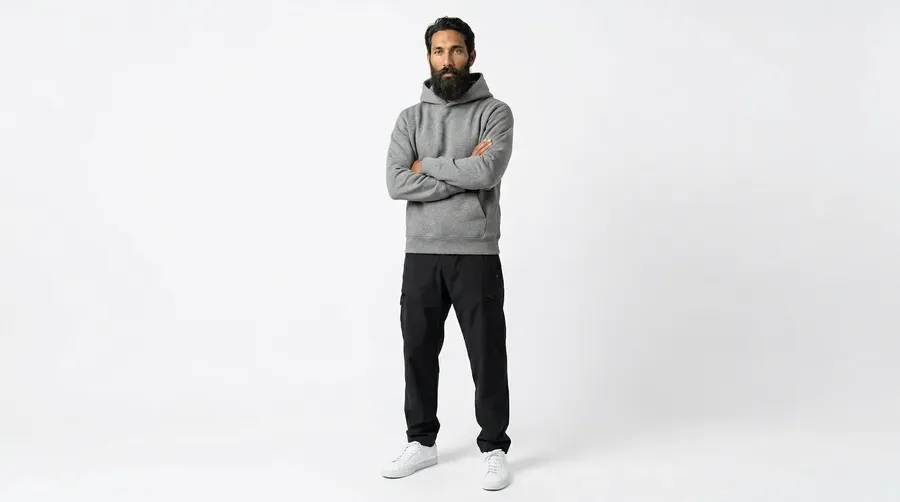
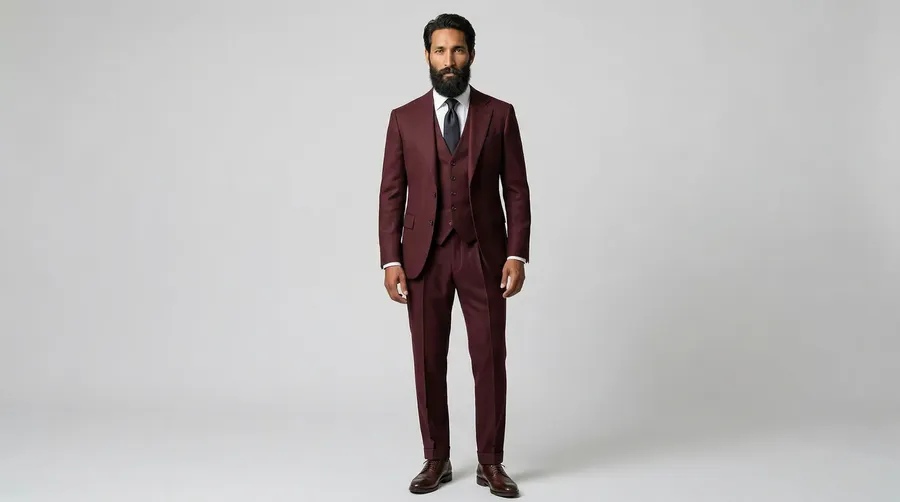
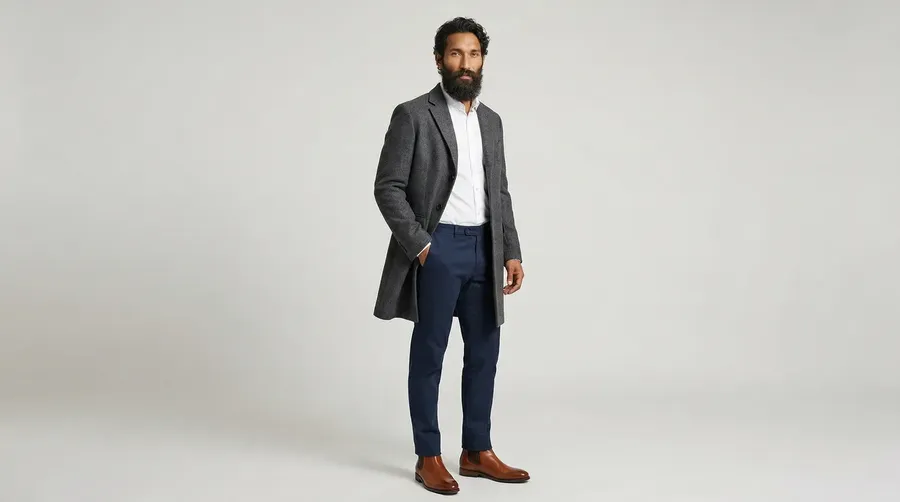
Brands use consistent AI character models to show the same person wearing different products, across different backgrounds, at different times of year — without scheduling studio shoots for each SKU or seasonal update.
A single well-built character reference covers a full e-commerce product catalog. For fashion, beauty, and lifestyle brands producing at scale, this significantly compresses the gap between product launch and campaign-ready visuals.
Advertising and ad creative
Consistent characters are especially useful in paid social and other marketing materials, where a single campaign might require dozens of ad variants (different headlines, aspect ratios, hooks, CTAs) all featuring the same person.
Generating those variants from a character reference takes minutes rather than requiring a separate shoot for each format. The character stays visually stable; the creative variables — background, copy, framing — are what you're testing.
Social media content series
Creators and brands running recurring social media formats (weekly tutorials, character-based skits, branded storytelling) need the same face to appear consistently across months of output.
A character reference replaces the overhead of sourcing stock models or booking real talent for every installment, and lets the creative direction evolve without the character changing underneath it.
Webcomics and graphic narratives
Solo and indie creators now produce serialized visual stories using AI-generated characters as their cast. Each installment requires the same faces in new situations, different panel compositions, and varied emotional expressions — exactly the use case character references were built for.
Creators maintaining multiple characters across a story benefit from naming each one separately and tagging them explicitly in scene prompts to prevent feature mixing.
Visual novels and game assets
Character sprite libraries for games and interactive fiction typically require the same character in dozens of expressions, outfits, lighting conditions, and poses.
A consistent character reference generates the full sprite library from a stable base rather than treating each expression as an independent generation. For indie developers without illustration budgets, this is one of the higher-leverage applications of AI character consistency.
Client presentations and storyboarding
Agencies and in-house teams use consistent AI characters to show clients how a campaign character or brand person will look across different scenarios before committing to production.
Presenting five different scene concepts all featuring the same character gives clients a clearer picture than a mood board of unrelated images, and rounds of feedback can be incorporated without losing character coherence between revisions.
Start Creating Consistent Characters
Character consistency is a solved problem for teams with the right setup. Define your characters once, call them by name, and generate across any scene, session, or campaign without rebuilding your reference each time.
getimg.ai's Elements system handles this in minutes — no training, no file management, shared across your whole team. Every paid plan includes commercial rights.
Create your first Element on getimg.ai!
Frequently Asked Questions
Creating consistent AI characters requires visual conditioning beyond text prompts. The most reliable methods are: (1) using a dedicated character system like getimg.ai's Elements, where you upload reference photos once and call the character by name in any prompt — no training required; (2) reference image conditioning tools (IP-Adapter or platform equivalents) for per-session reference attachment; or (3) LoRA or DreamBooth model training on 15–30 reference images for maximum precision on highly distinctive characters.
With current models like FLUX.2 and GPT Image 1.5, the consistency gap between trained and reference-based approaches has narrowed considerably compared to older model generations, where you upload reference photos once and call the character in any prompt with `@CharacterName`. Text prompts alone are unreliable for character consistency because diffusion models generate from scratch each time, with no memory of previous outputs.
For production teams, the most practical setup is a platform with a dedicated character system built in — one where you define the character once and call it by name in any prompt, without training, without re-uploading references each session, and with shared access across team members. getimg.ai's Elements handles this: create a Person Element, tag it as `@CharacterName`, and it applies across any scene, model, and team member. Multiple characters are combinable in a single prompt, and Elements extend beyond people to products, styles, lighting, and more — so you can anchor several visual variables at once. All paid plans include commercial rights, so everything generated is ready for client work or publication.
For LoRA or DreamBooth training, most approaches work well with 15–30 curated images. Quality and diversity matter more than quantity — images from varied angles (front, three-quarter, side), different lighting conditions, and different expressions give the model more identity information than a larger set of similar shots. For getimg.ai's Elements, we recommend uploading more than one image, up to 20; the more varied the reference set, the better the character holds across different scenes and contexts.
For multiple consistent characters, create separate conditioning references for each one and tag them individually in prompts. On getimg.ai, each character gets its own Element (`@CharacterA`, `@CharacterB`), and both can appear in a single prompt simultaneously.
No — reference image conditioning and dedicated character systems like getimg.ai's Elements don't require model training. You upload reference images directly, and the platform handles conditioning at generation time.
With current models, the consistency gap between training and reference-based approaches has narrowed significantly. For most marketing, campaign, or social content use cases, a well-configured reference system delivers production-ready consistency without training overhead.
Commercial use rights depend on the platform. For example, getimg.ai includes full commercial rights on all paid plans — generated characters can be used in advertising, client work, merchandise, and published content from the Entry tier ($8/month) upward.
Related Articles