What Is UGC? User-Generated Content Explained


UGC, or user-generated content, is any content about a brand or product made by people rather than by the brand itself: customer reviews, unboxing videos, social posts, photos and testimonials. Brands use it because it looks and sounds like a recommendation from a real person, which tends to feel more trustworthy than polished advertising. You can also make UGC-style videos with AI: getimg.ai's UGC video Action turns a few product photos and one photo of a presenter into a creator-style talking clip, which makes it quick to test ad angles before booking creators.
What does UGC stand for?
UGC stands for user-generated content. The term comes from the early social web, when "users" of a platform started producing most of what was on it: forum posts, blog comments, YouTube videos, product reviews and photos. The platform supplied the space, and the users supplied the content.
In marketing today, the word has two meanings that often get mixed up:
- Organic UGC is content customers create on their own, unpaid: a review on your product page, a TikTok of someone using your product, a tagged Instagram story.
- Paid or commissioned UGC is content a brand pays a creator to make in the UGC style: phone-shot, first-person, unscripted-looking. The brand owns or licenses it and usually runs it as ads.
Both look similar on screen. The difference is who started it and who controls how it's used.
Types of user-generated content
UGC comes in more formats than video. The most common ones:
Type | What it looks like | Where it's used |
Reviews and ratings | Star ratings and written reviews | Product pages, marketplaces, Google |
Photos | Customers using or wearing the product | Product galleries, social posts, email |
Unboxing videos | Opening the package and first reactions | TikTok, Reels, YouTube Shorts, ads |
Talking-head reviews | A person explaining what they like, straight to camera | Paid social ads, landing pages |
Tutorials and how-tos | Showing the product in use step by step | Social, product pages, support |
Before and after | A visible result next to the starting point | Beauty, fitness, cleaning, home |
Testimonials | Short quotes or video stories from customers | Landing pages, sales decks |
Social posts and comments | Mentions, tags, replies, duets and stitches | Social channels, community |




What is a UGC video?
A UGC video is a short, phone-shot clip in which a person talks about or uses a product as if they were a regular customer. It's usually vertical, 15 to 60 seconds long, filmed at home or on the go, with natural light, real rooms and a direct-to-camera delivery. The typical structure is a hook in the first seconds, a problem, the product as the fix, a quick demonstration and a reason to try it.
UGC videos work because they match the feed. On TikTok, Instagram Reels and YouTube Shorts, a clip that looks like a friend's post gets watched as content, while a polished studio ad often gets scrolled past as an ad. That's why "UGC-style" has become a production style of its own, even for clips made by agencies and brands.
What are UGC ads?
UGC ads are paid ads built from user-generated or UGC-style content. Instead of a studio commercial, the brand runs a creator's review, unboxing or tutorial as an ad on Meta, TikTok, YouTube or Snapchat. Many brands run them through the creator's own account (often called Spark Ads on TikTok and partnership ads on Meta), so the ad appears to come from the person, not the brand.
Marketers like UGC ads for three practical reasons:
- They're cheaper to produce than studio shoots, so brands can test many versions.
- They fit native placements, where ads look like regular posts.
- They're easy to iterate: a new hook, a new creator or a new angle is a new ad.
The trade-off is volume. Ad platforms reward fresh creative, and a single UGC ad tends to fatigue within weeks. Teams that run UGC ads at scale need a steady stream of new videos. Our guide to UGC-style ads made with AI covers how teams produce that volume.
What is a UGC creator?
A UGC creator is a person paid to make UGC-style content for brands. Unlike an influencer, a UGC creator isn't hired for their audience. The brand pays for the video itself and posts it on its own channels or runs it as an ad. Many UGC creators have small or no followings; what they sell is the skill of filming convincing, natural-looking product content.

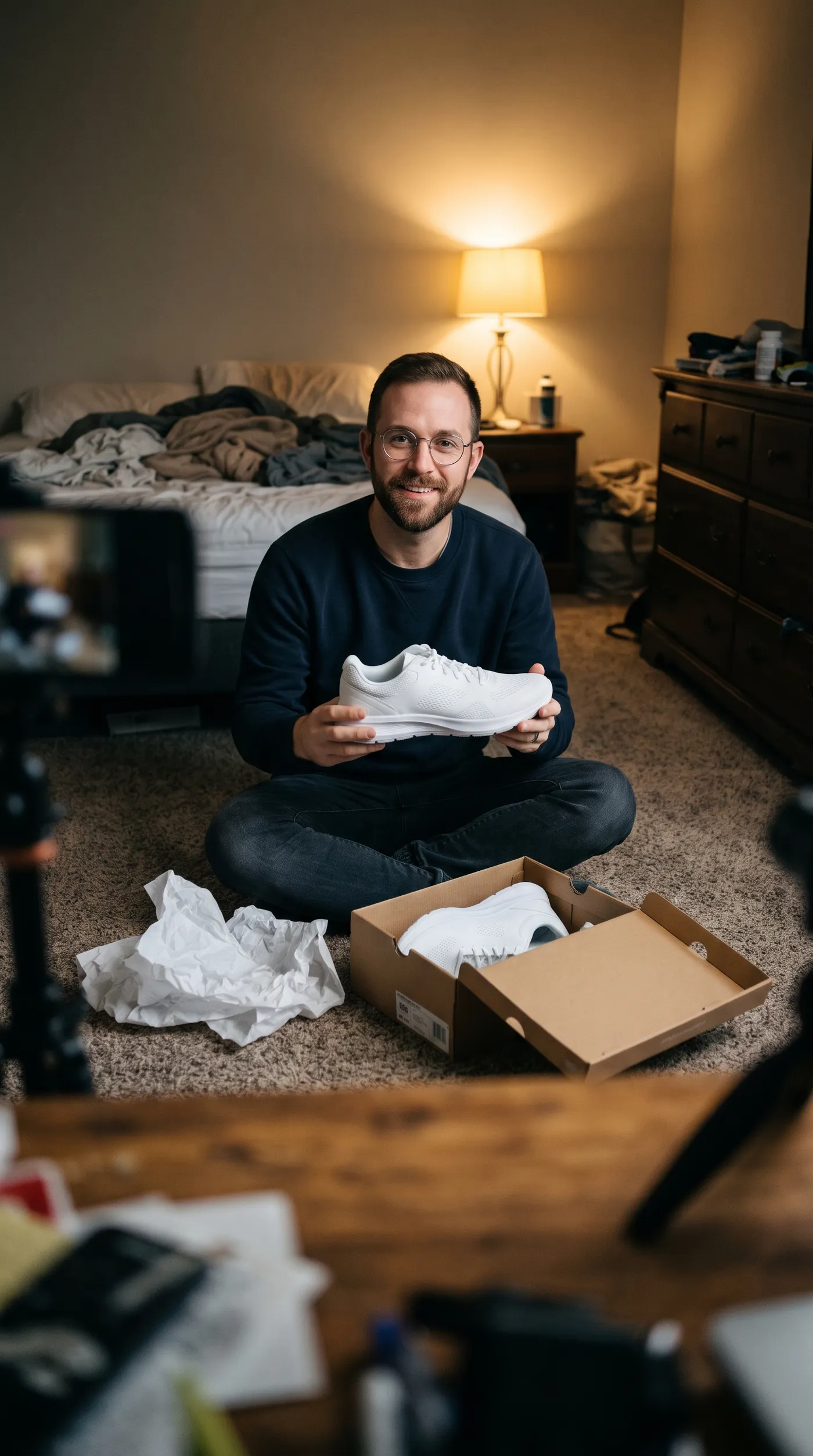
A typical UGC assignment covers the product, the key selling points, the hook, the length, the format and the usage rights: where the brand can run the video and for how long.
UGC vs. influencer marketing
The two overlap, but the deal is different:
UGC creator | Influencer | |
What the brand pays for | The content itself | Access to the influencer's audience |
Where it's posted | Brand's channels and ads | Influencer's own channels |
Audience size needed | None | Usually the main selling point |
Typical output | Several short videos or photos | Sponsored posts, stories, mentions |
Main goal | Ad creative and social proof | Reach and awareness |
Many campaigns combine both: an influencer posts to their audience, and the brand licenses the same video to run as an ad. For AI-generated brand personas, the AI influencer generator explains how teams create a consistent virtual creator.
Why brands use UGC
The core reason is trust. People are more likely to believe another customer than a brand talking about itself, so content from real users works as social proof. A few practical benefits follow from that:
- Product pages with real photos and reviews answer questions that brand copy doesn't.
- UGC-style ads often blend into social feeds better than studio creative.
- Content made by customers costs nothing to produce, and commissioned UGC costs less than a production shoot.
- A steady supply of UGC gives social channels something to post every week.
There are limits too. Organic UGC is unpredictable in quality and quantity, you can't control what customers say, and you need permission before you use someone's post in your marketing.
Where AI-generated UGC fits
AI-generated UGC is UGC-style content made with AI instead of filmed by a person: a talking presenter, a product in hand and a casual setting, generated from photos and a short description. It doesn't replace real customer content. Reviews and real customer photos are evidence, and AI can't produce evidence.
What AI changes is the production side of commissioned UGC: making more versions, faster, for ads and testing. Every image and clip in this post is AI-generated, including the two clips below, which follow the classic UGC problem-and-fix format: a pile of receipts solved by a budgeting app, and tasks scattered everywhere moved onto one board.
On getimg.ai, the UGC video Action builds a creator-style talking clip about a product. You add up to three product photos, one head-and-shoulders photo of the presenter, the product name and what makes it good, then pick a tone (casual, excited, review, explainer or recommending), the quality and a length from 5 to 25 seconds. Before you try it, you can take a look at example AI UGC ads, and the guide on how to make UGC videos with AI walks through each setting step by step.
A few rules keep AI UGC honest:
- Only use a presenter photo you have the rights to: yourself, a team member who agreed, or a consenting model.
- Don't present AI-generated people as real customers or invent testimonials and results.
- Follow each ad platform's labeling rules for realistic AI-generated content, and local advertising law.
Is UGC legal to use?
Using UGC is legal when you have the right to use it. For organic content, that means asking the creator for permission, ideally in writing, before you repost it in ads, on product pages or in email. A tag or a mention isn't permission. For commissioned UGC, the contract should spell out usage rights: which channels, which countries and for how long.
Disclosure matters as well. In the US, the FTC's Endorsement Guides require that paid relationships between brands and the people endorsing them are disclosed. Other countries have similar rules. If you run AI-generated UGC, check the current labeling policies of the platforms you advertise on.
How to get started with UGC
- Collect what you already have: reviews, tagged posts and customer photos. Ask permission to reuse the best ones.
- Ask for more: send a short follow-up email after purchase asking for a photo or a quick video.
- Commission creators for ads: send a short outline with one product, one hook and three selling points.
- Test hooks, not just creators: the first three seconds decide most results.
- Add AI-generated variations for testing when you need more versions than you can film.
Bottom Line
UGC is content about a brand made by people rather than the brand: reviews, photos, unboxings, talking-head videos and social posts. It works because it reads as a real recommendation. Brands collect organic UGC as social proof, commission UGC creators for ad creative, and increasingly use AI to produce UGC-style videos for testing at volume.
Open UGC video and make a creator-style clip from your product photos.
Frequently Asked Questions
UGC means user-generated content: content about a brand or product created by people rather than by the brand, such as reviews, photos, unboxing videos and social posts. In marketing it also includes paid content made by UGC creators in the same casual, first-person style.
A customer filming themselves opening a new pair of running shoes and posting it on TikTok is UGC. So are a five-star review with a photo on a product page, a tagged Instagram story, and a creator's paid talking-head review that a brand runs as an ad.
Influencer content is valuable because of the influencer's audience; it's posted on their channels. UGC is valuable as content in itself; brands post it on their own channels or run it as ads, and the creator doesn't need any following.
No. UGC creators are paid for the videos and photos they make, not for reach. Brands post the content themselves, so a creator with a small or private account can still do well if their videos look natural and convincing.
Only with permission. Ask the customer directly and get their agreement in writing, including where and how long you'll use the content. A tag or a mention of your brand doesn't grant you the right to use their post in ads.
AI UGC is UGC-style content generated with AI, such as a creator-style talking video about a product made from product photos and a presenter photo. It's useful for producing ad variations quickly, but it shouldn't be presented as a real customer review.
Most UGC videos for social ads run 15 to 30 seconds, with the hook in the first two or three seconds. Longer reviews and tutorials of up to 60 seconds work on product pages and YouTube.
Related Articles