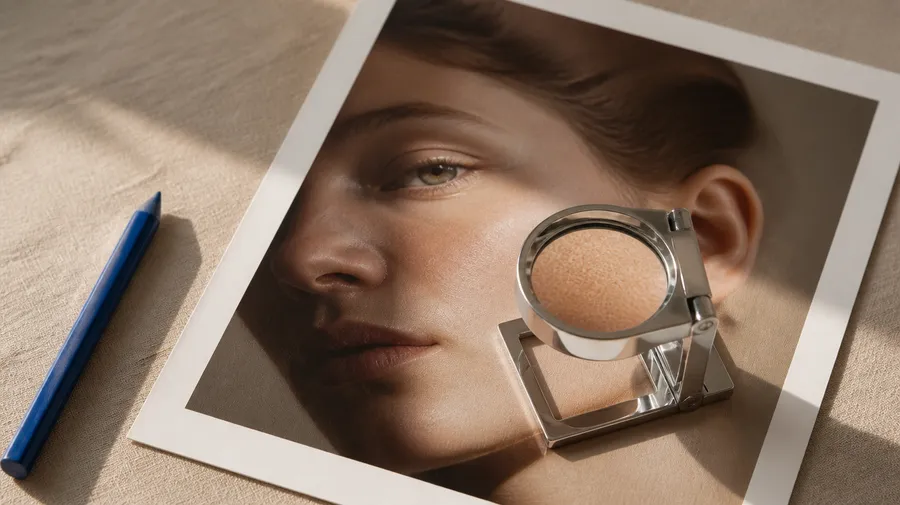
Seedream 5.5 vs 5.0 vs 4.5 vs 4: We Tested Six Seedream Models Side by Side
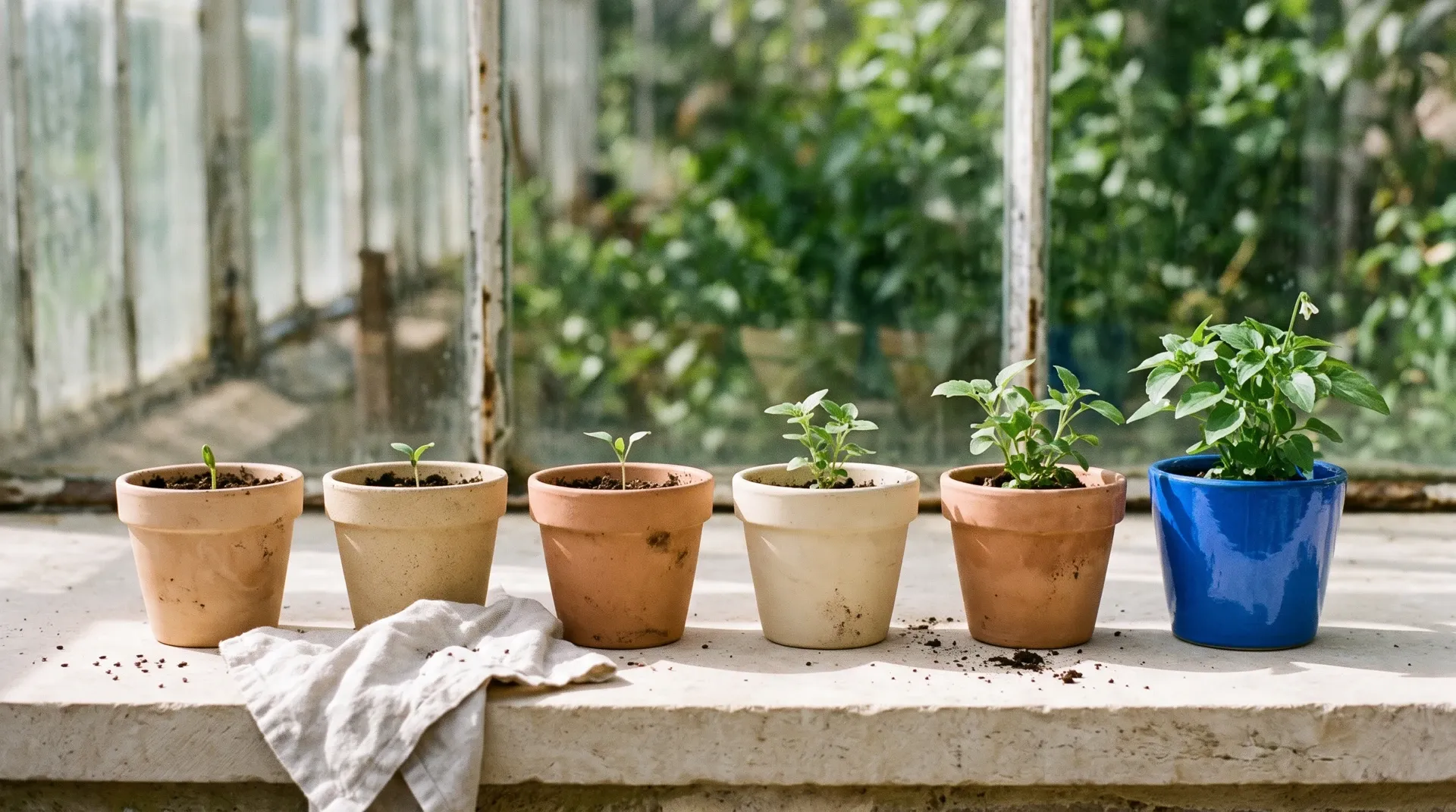
Seedream 5.5 is the best Seedream model for most work right now. In our tests it produced a magazine-quality beauty portrait, spelled a dense six-row departures board perfectly, and kept untouched parts of an image almost unchanged across four edits in a row. Seedream 5.0 Flash is the strongest choice for fast drafts and reference work, while Seedream 4.5 and 4 still spell tiny text reliably and output up to 4K. getimg.ai runs all six of these Seedream models in one Create image generator.
The Six Seedream Models on getimg.ai
ByteDance has released Seedream in several generations, and getimg.ai keeps six of them available: Seedream 5.5, the three tiers of Seedream 5.0 (Pro, Flash and Lite), Seedream 4.5 and Seedream 4. Every one of them accepts up to 10 reference images, so the differences come down to output quality, output size, aspect ratios and how they handle edits.
Model | Output quality | Aspect ratios | Reference images | In the API |
Seedream 5.5 | 1K, 2K | 8 (1:1 to 21:9) | Up to 10 | No |
Seedream 5.0 Pro | 1K, 2K | 8 (1:1 to 21:9) | Up to 10 | Yes |
Seedream 5.0 Flash | 1K, 2K | 8 (1:1 to 21:9) | Up to 10 | No |
Seedream 5.0 Lite | 2K, 3K | 9, including 4:5 | Up to 10 | Yes |
Seedream 4.5 | 2K, 4K | 9, including 4:5 | Up to 10 | Yes |
Seedream 4 | 1K, 2K, 4K | 9, including 4:5 | Up to 10 | Yes |
The eight shared aspect ratios are 1:1, 4:3, 3:4, 16:9, 9:16, 3:2, 2:3 and 21:9. Seedream 5.5 and the Pro and Flash tiers of 5.0 skip 4:5, so for a portrait Instagram post at exactly 4:5 you need Lite, 4.5 or 4. The image generation models guide lists the formats for every model in the app.
What ByteDance Changed in Seedream 5.5
Seedream 5.5 launched in November 2026, and ByteDance's announcement focuses on two things. The first is editing: ByteDance says 5.5 keeps unedited regions stable at the pixel level, with less color shift and detail loss, across as many as 100 rounds of edits. The second is realism: it promises more natural lighting, materials and skin, with less of the excessive gloss, overexposure and blotchy texture that earlier versions sometimes produced. ByteDance also reports better rendering of small, dense text.
Those three claims shaped our test plan. A photorealistic portrait tests skin and light, a departures board tests dense text, a product still life tests materials and gloss, and a chain of four edits tests stability directly. A fifth test, combining two reference images, covers the job many people use Seedream for day to day: putting a specific person and a specific product into a new scene.
How We Tested
Every model got the same prompt in the Create image generator at 16:9 and 2K, the highest quality all six share. We turned prompt enhancement off, because enhancement rewrites a prompt slightly differently on each run; with it off, every model received exactly the same words. Each prompt ran once per model, with no cherry-picking.
For the edit and reference tests we created the starting images with Nano Banana 2.1, a model from outside the Seedream family, so no model was editing an image that its own family had made. We did not run our own speed tests, since a single timed run depends on server load more than on the model.
The five tests, in order of how often they decide which model people pick:
- Photorealism: an editorial beauty close-up of a model in warm window light.
- Dense text: a split-flap departures board with six rows of flights.
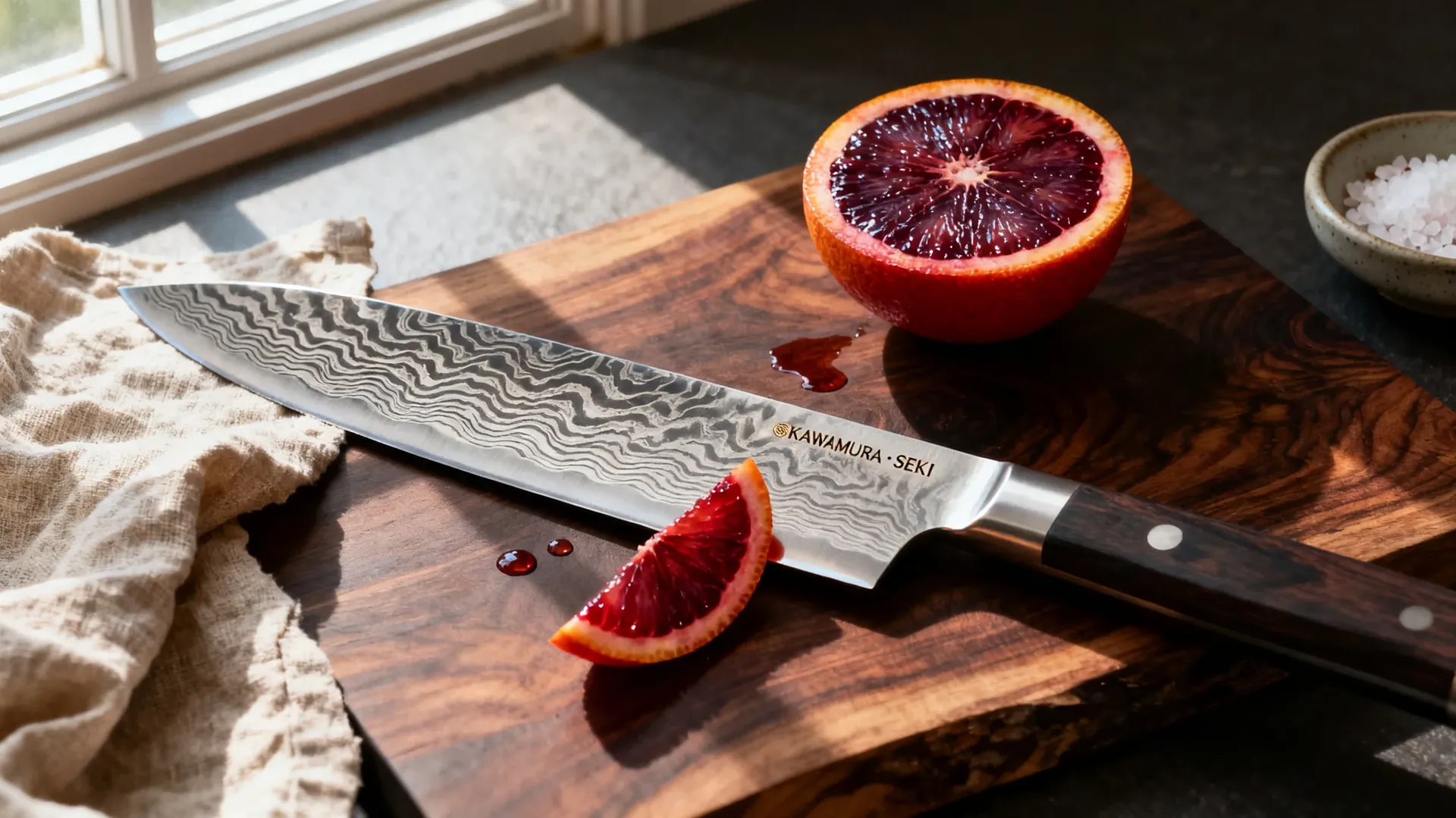
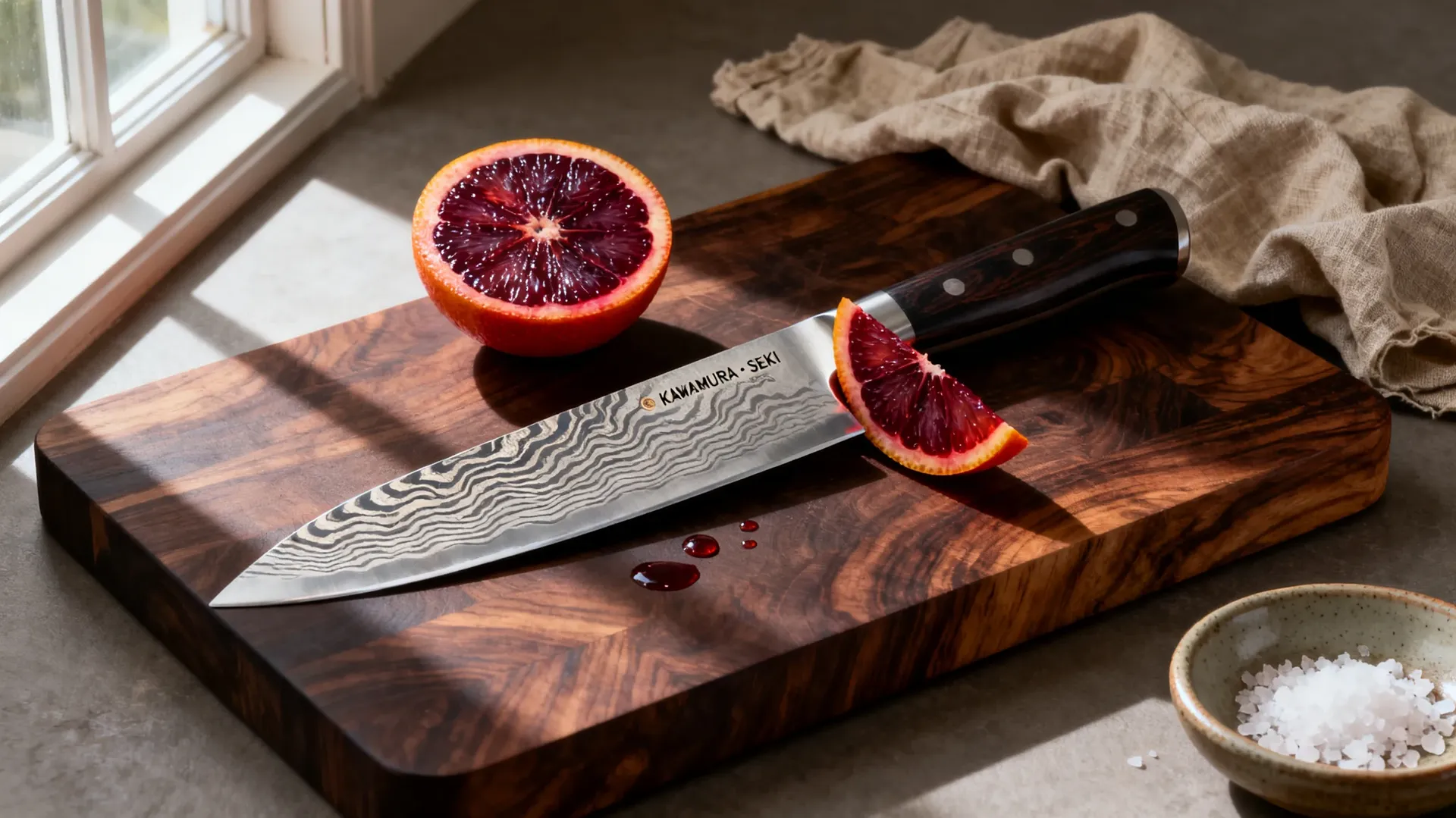
- Product photography: a Damascus steel knife with a tiny etched maker's mark.
- Edit stability: four edits in a row on the same interior photo.
- Reference images: a model's portrait and a silk scarf combined in a fashion editorial.
Test 1: Photorealism in an Editorial Beauty Close-Up
A tight beauty shot leaves nowhere to hide: skin texture, freckles, fine jewelry and the way light falls across a face all have to hold up at full size. It is also a direct check of ByteDance's claim about more natural skin with less gloss.
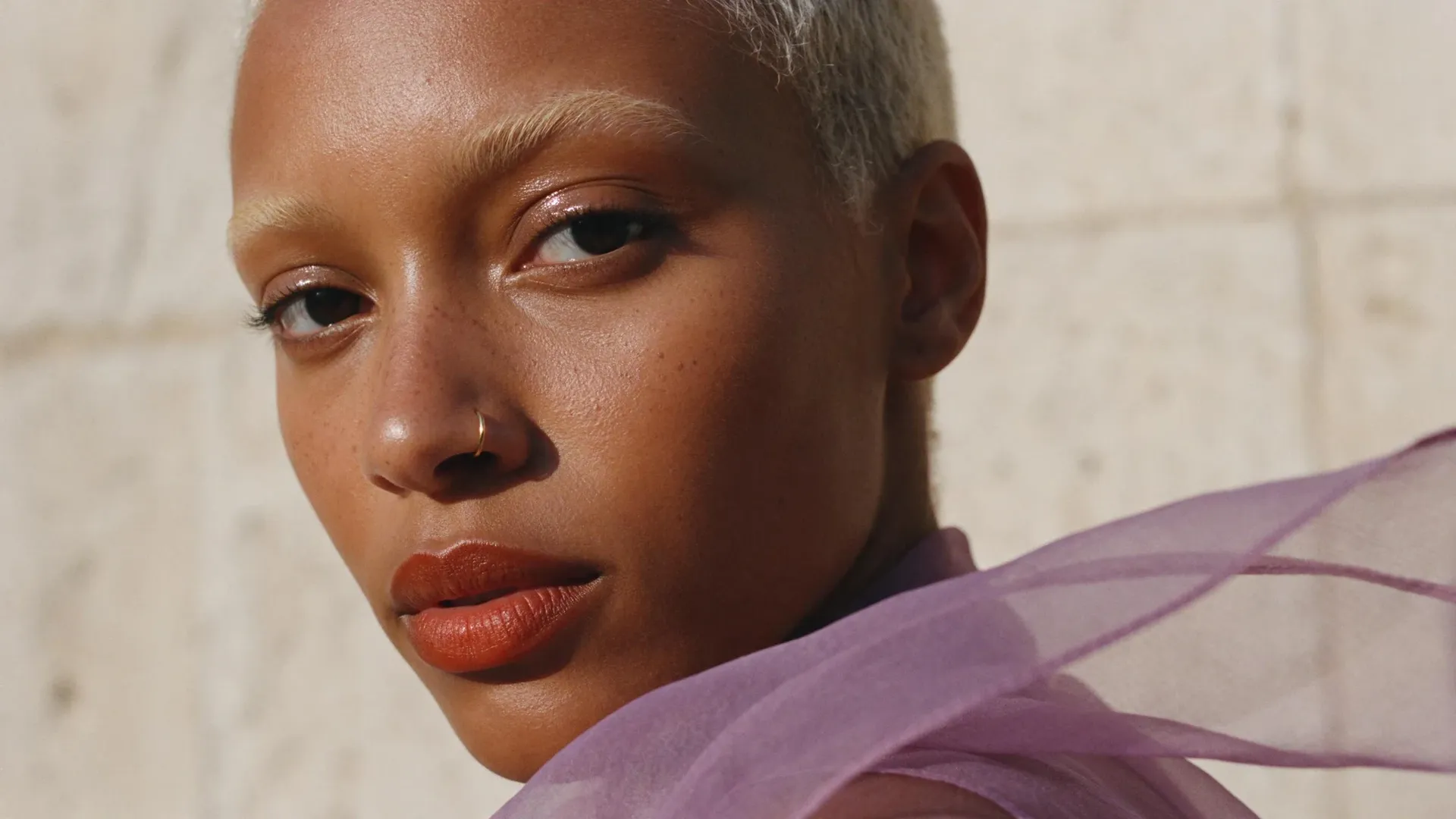
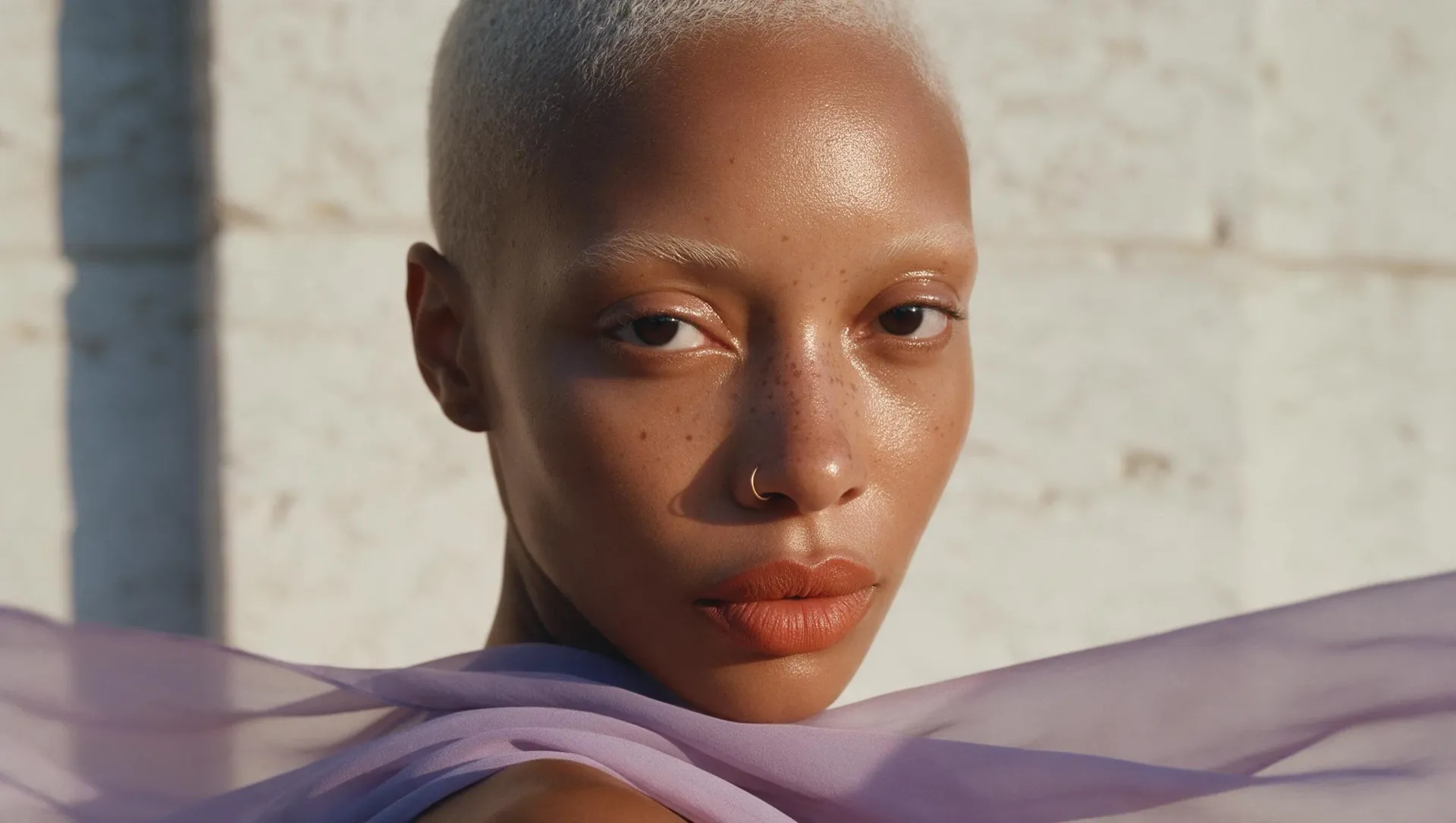
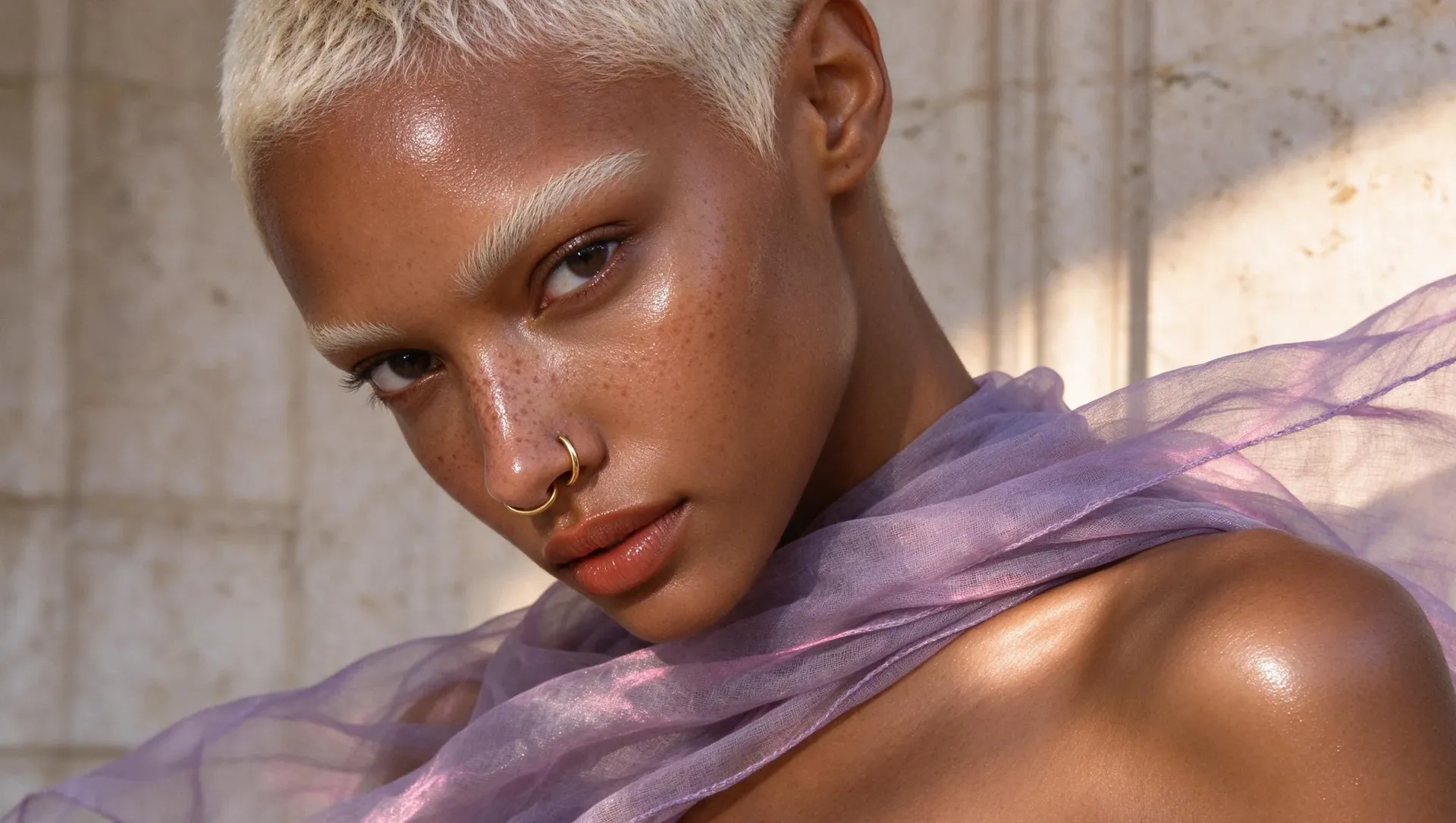
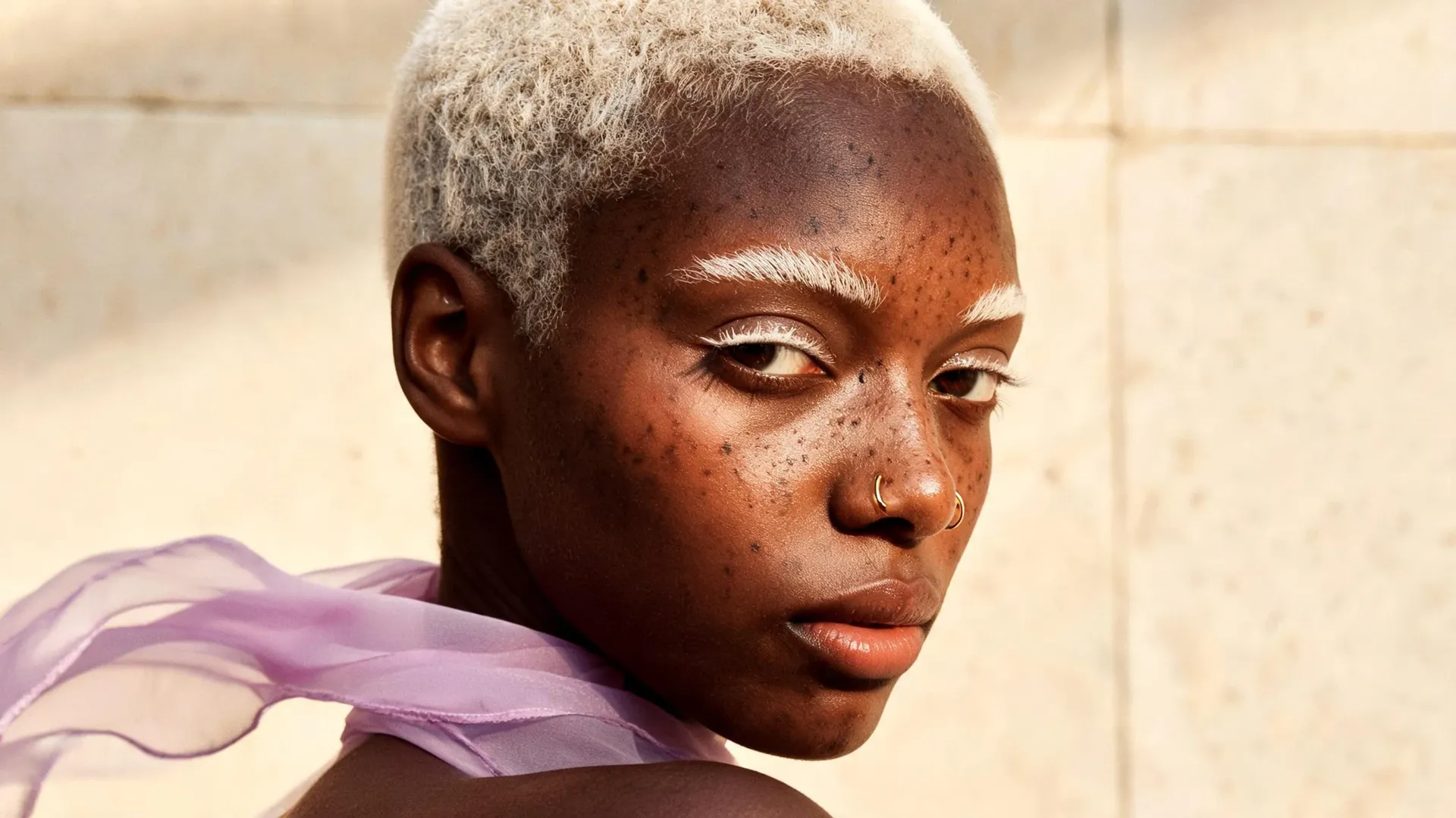
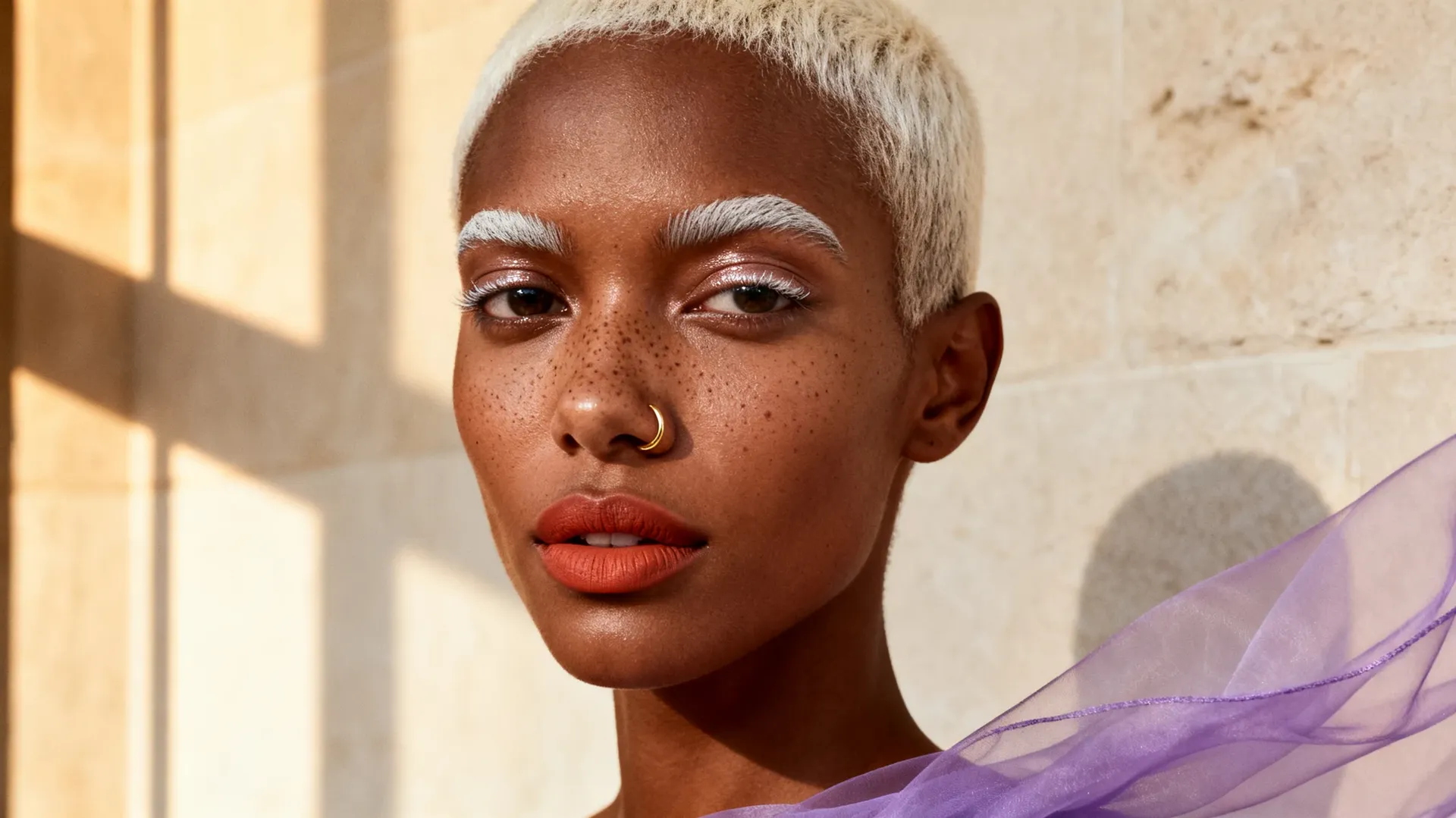
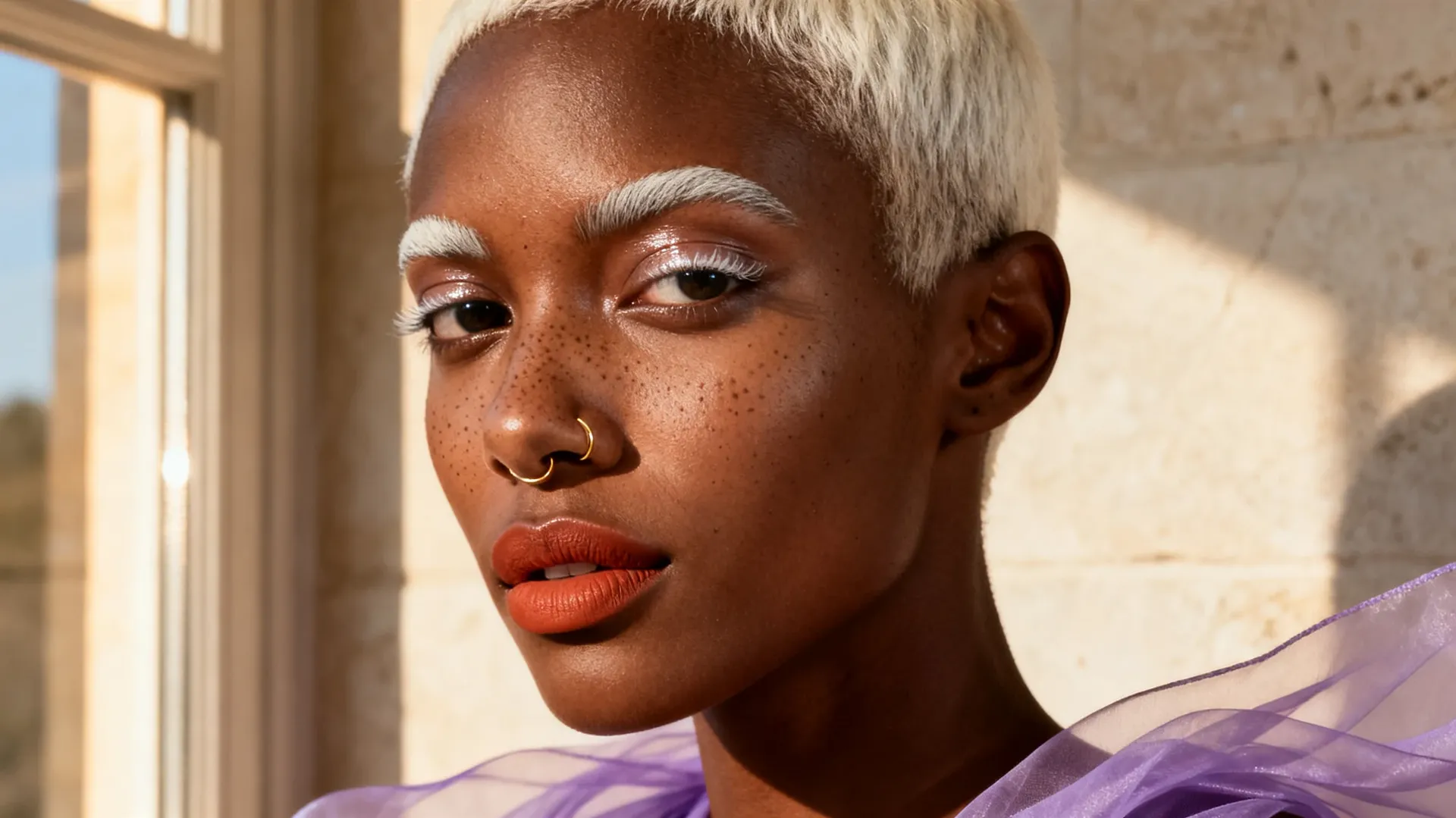
"High-fashion beauty close-up, magazine cover crop. A model with deep brown skin and a bleached platinum buzz cut looks straight into the lens, face turned slightly to one side. Bare, dewy skin with visible pores and a scatter of darker freckles across the nose, a thin gold ring in one nostril, bleached eyebrows, glossy clear lids and a soft terracotta lip. A sheer lilac chiffon scarf drifts across her shoulder at the lower edge of the frame. Warm late-afternoon window light from one side, soft falloff into shadow, pale limestone wall behind. Shot on a medium-format camera with a 100mm lens, crisp focus on the eyes, natural skin texture, no retouching."
Seedream 5.5
Seedream 5.0 Pro
Seedream 5.0 Flash
Seedream 5.0 Lite
Seedream 4.5
Seedream 4
Seedream 5.5 and 5.0 Pro produced the two images that look most like a real magazine shoot. 5.5 has a soft film quality, with fine freckles, visible pores and a single thin ring exactly as described. Pro is just as convincing, with an uneven scatter of freckles and the most natural falloff from light into shadow. Both, however, rendered the model's skin noticeably lighter than the deep brown the prompt asked for, and Flash did the same.
Seedream 4.5 stayed closest to the brief on skin tone, freckles and the single nose ring, but its finish looks retouched: the freckles are evenly sprinkled and the bleached eyebrows look painted on. Flash added the heavy, oily shine that ByteDance says 5.5 reduces, plus a nose ring that loops oddly through the nostril. Lite matched the skin tone but turned the freckles into hard black dots and added a second ring in the other nostril, and Seedream 4 produced a near-twin of 4.5 with a malformed ring.
Test 2: Dense Text on a Departures Board
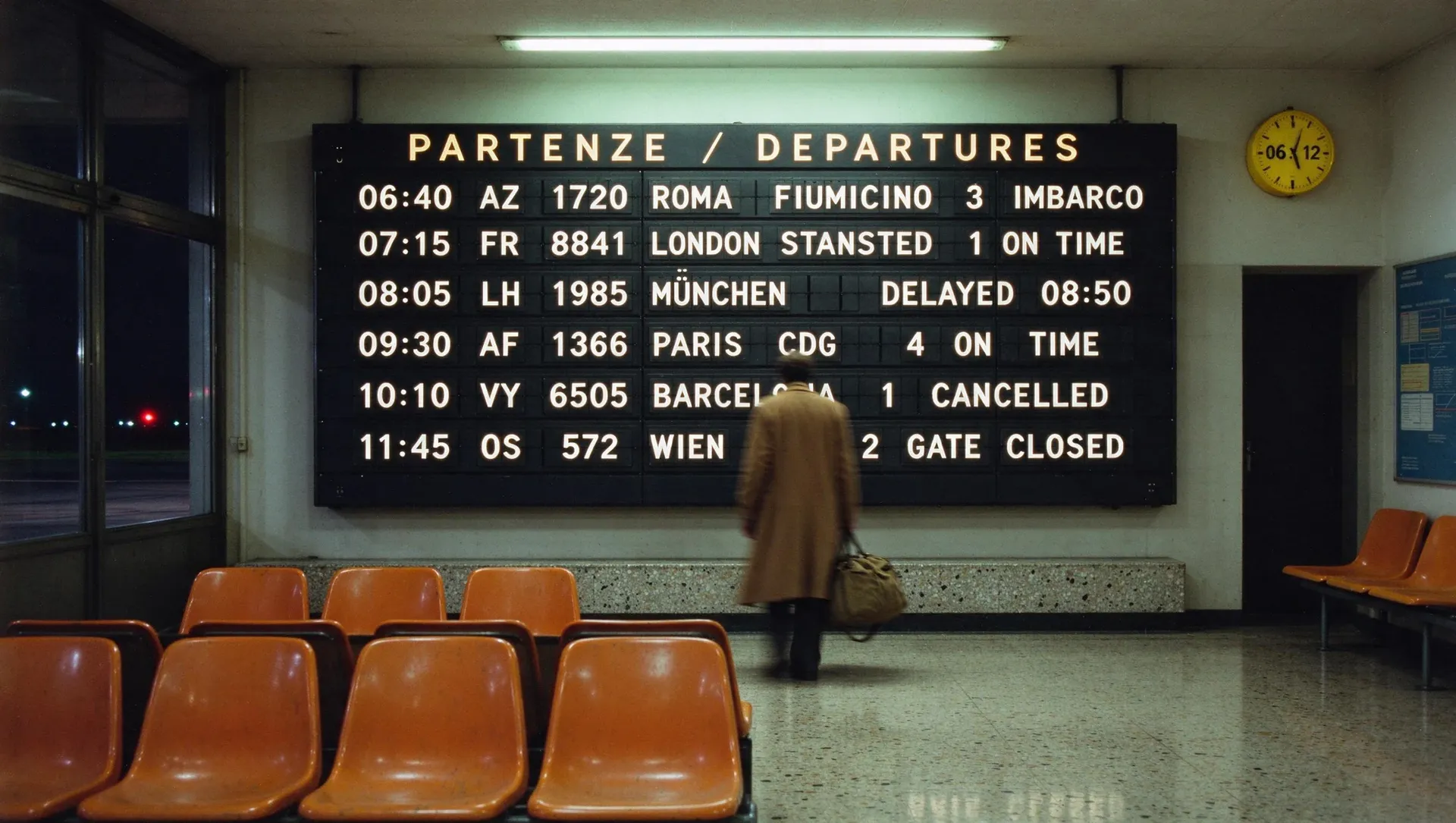
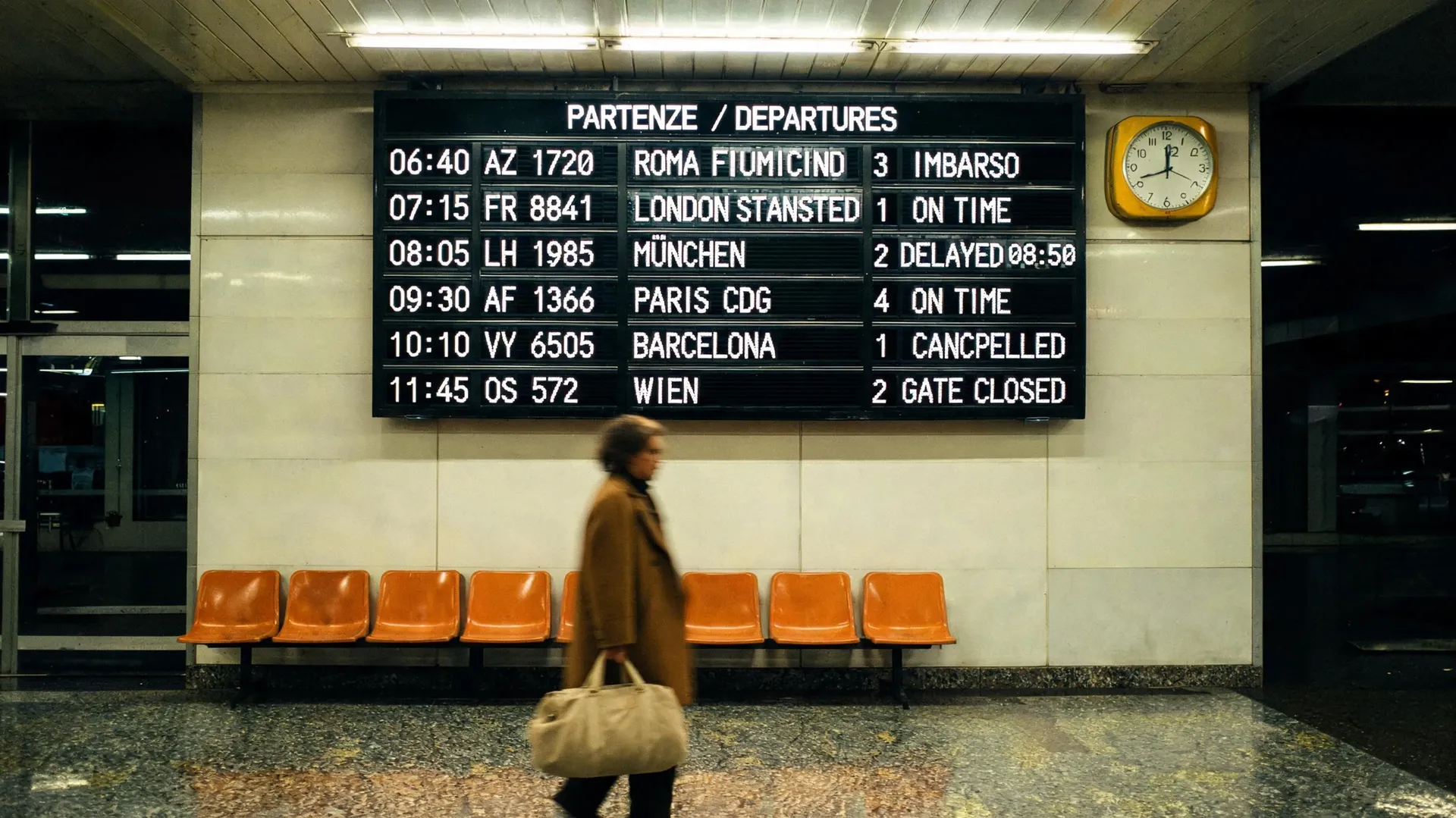
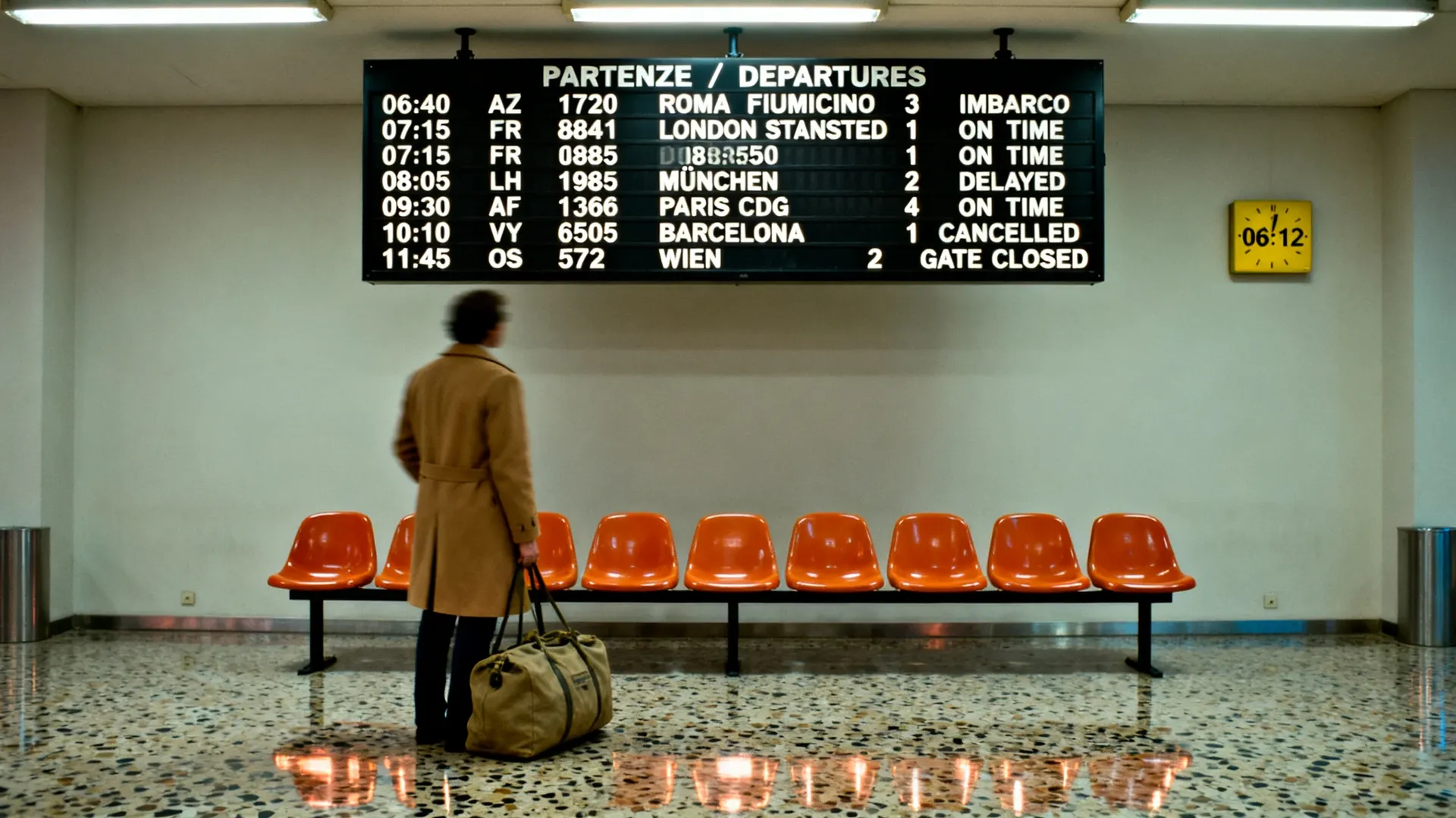
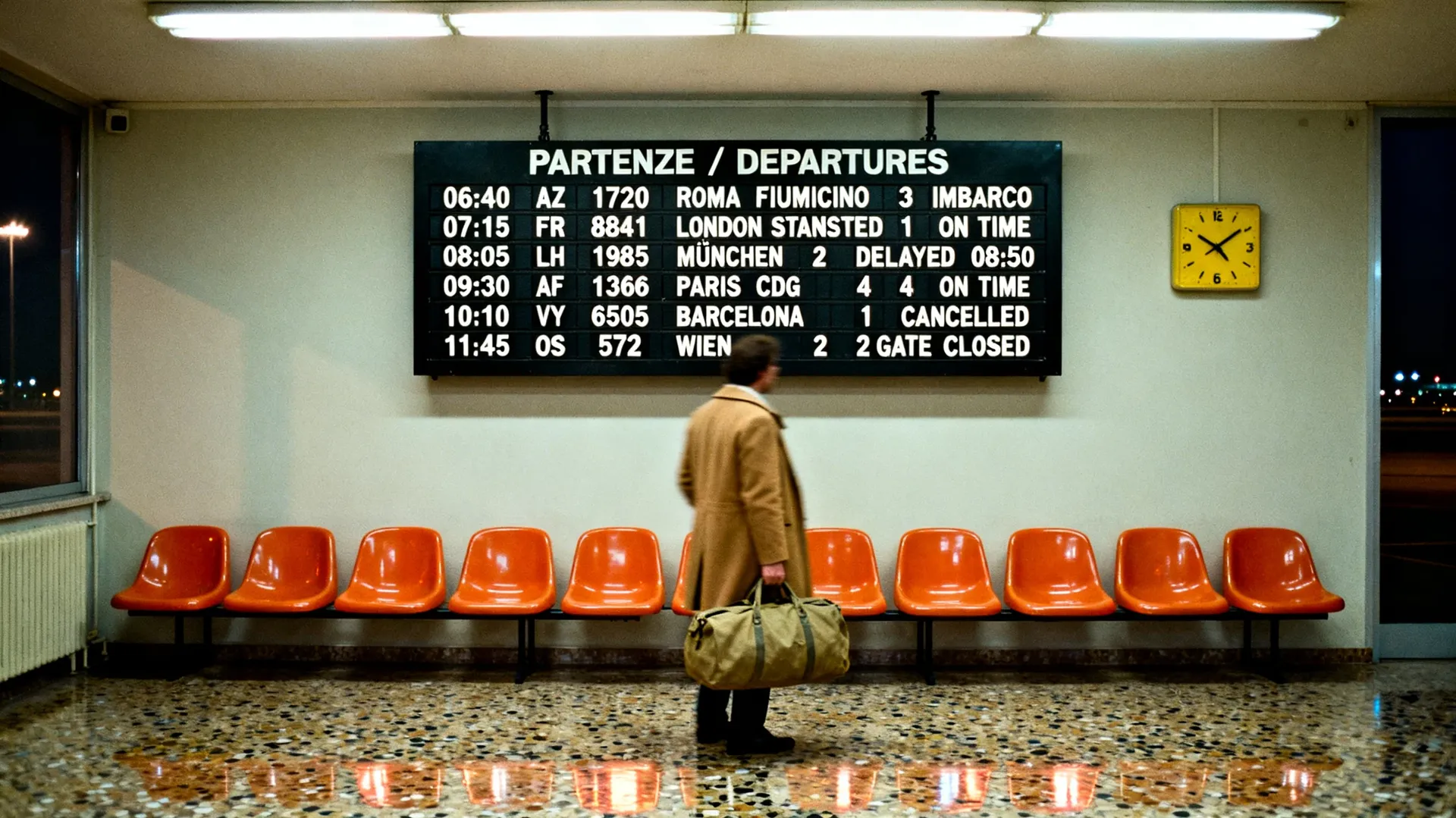
Small type in many columns is where image models still slip. The prompt asked for a 1970s split-flap board with a two-language header and six full rows of times, flight numbers, destinations, gates and remarks.
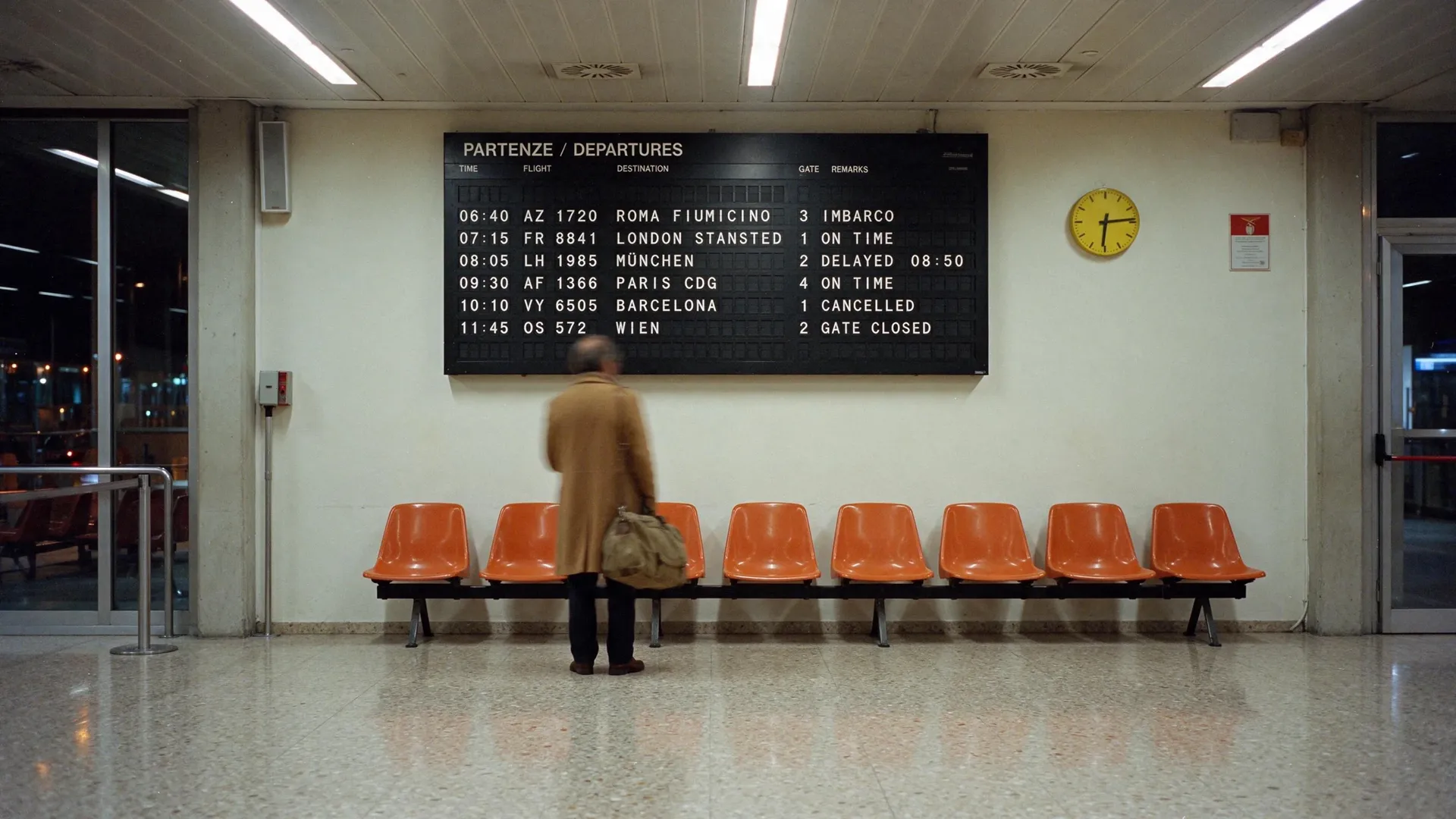
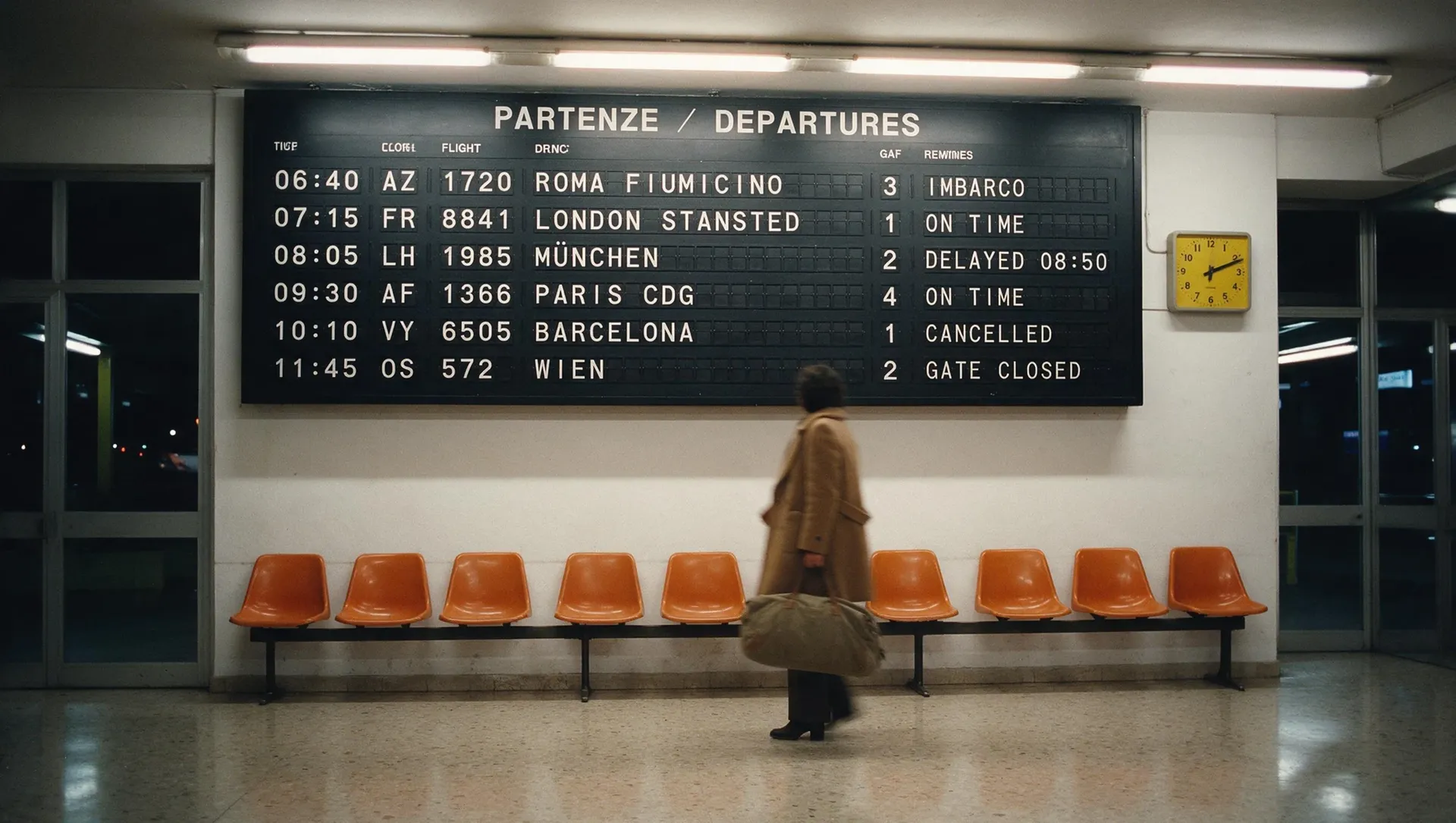
"Night photograph inside a small 1970s island airport terminal. A large black split-flap departures board hangs above a row of orange fiberglass seats, a lone traveler in a camel coat with a canvas duffel standing beneath it, slightly motion blurred. The board header reads "PARTENZE / DEPARTURES". Six rows in white flap letters, columns for time, flight, destination, gate and remarks: "06:40 AZ 1720 ROMA FIUMICINO 3 IMBARCO", "07:15 FR 8841 LONDON STANSTED 1 ON TIME", "08:05 LH 1985 MÜNCHEN 2 DELAYED 08:50", "09:30 AF 1366 PARIS CDG 4 ON TIME", "10:10 VY 6505 BARCELONA 1 CANCELLED", "11:45 OS 572 WIEN 2 GATE CLOSED". A small yellow clock on the wall shows 06:12. Fluorescent tube light, terrazzo floor with reflections, shot on Kodak Portra 800, fine grain."
Seedream 5.5
Seedream 5.0 Pro
Seedream 5.0 Flash
Seedream 5.0 Lite
Seedream 4.5
Seedream 4
Seedream 5.5 got every character right, including the umlaut in MÜNCHEN and the delayed time, and it added correctly spelled column headers (TIME, FLIGHT, DESTINATION, GATE, REMARKS) that we never asked for. It also built a convincing split-flap board with empty flap rows above and below the flights.
Seedream 5.0 Pro spelled all six rows correctly too, but its small column headers came out as gibberish, such as "TIGE" and "REMINES". Flash produced the boldest board and spelled every word right, but dropped the gate number from the Munich row. Lite turned the board into a dot-matrix display and misspelled three words: "FIUMICIND", "IMBARSO" and "CANCPELLED". Seedream 4.5 invented a seventh row of garbled characters and cut the delayed time, and Seedream 4 printed the gate number twice in two rows. For more on prompting type, see our guide to generating images with readable text.
Test 3: Product Photography and Fine Engraving
Catalog shots need believable metal, wood and food, and they often carry a brand mark that has to be spelled right. The prompt also asked directly for "no excessive gloss", the issue ByteDance says it reduced in 5.5.
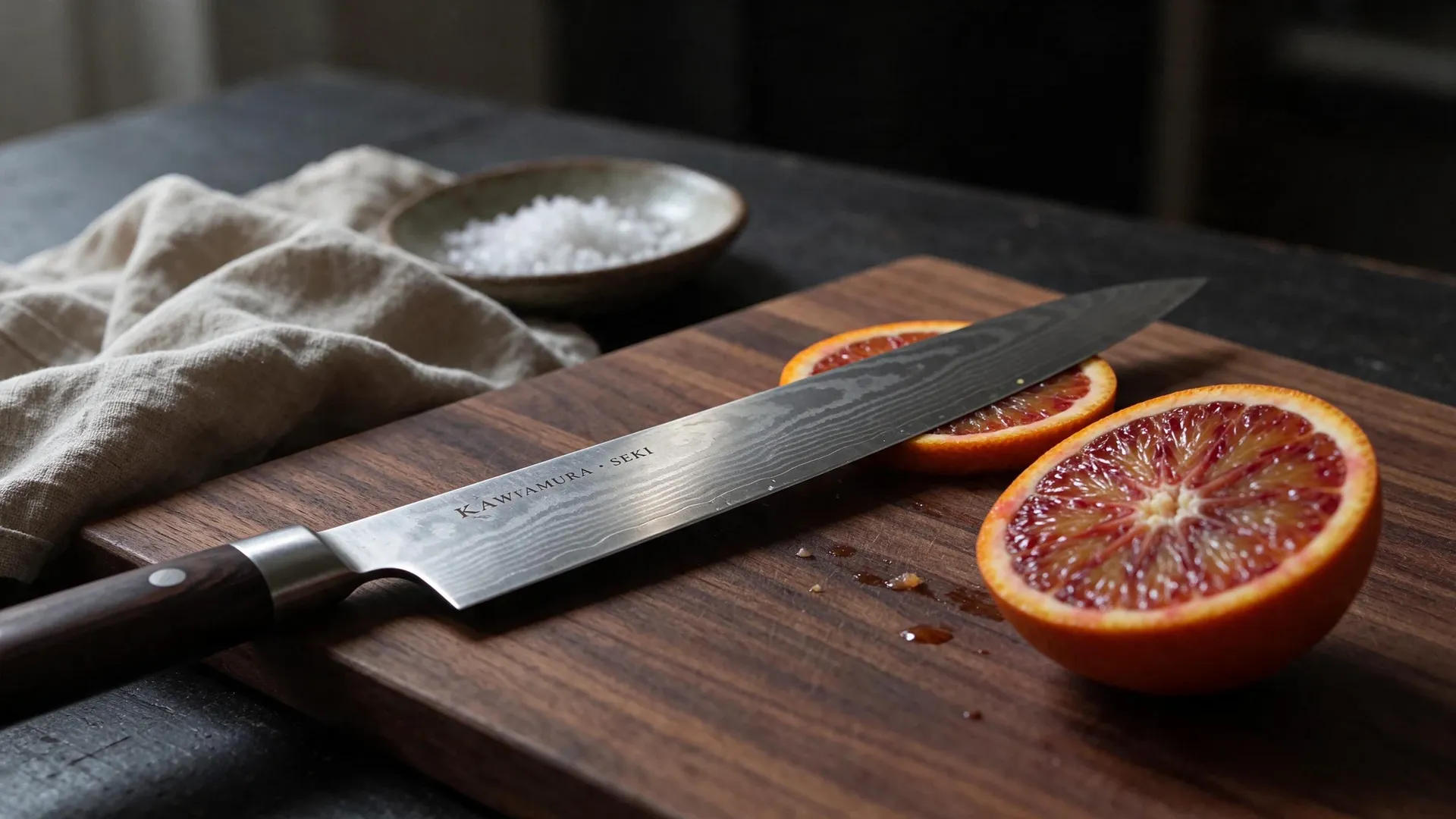
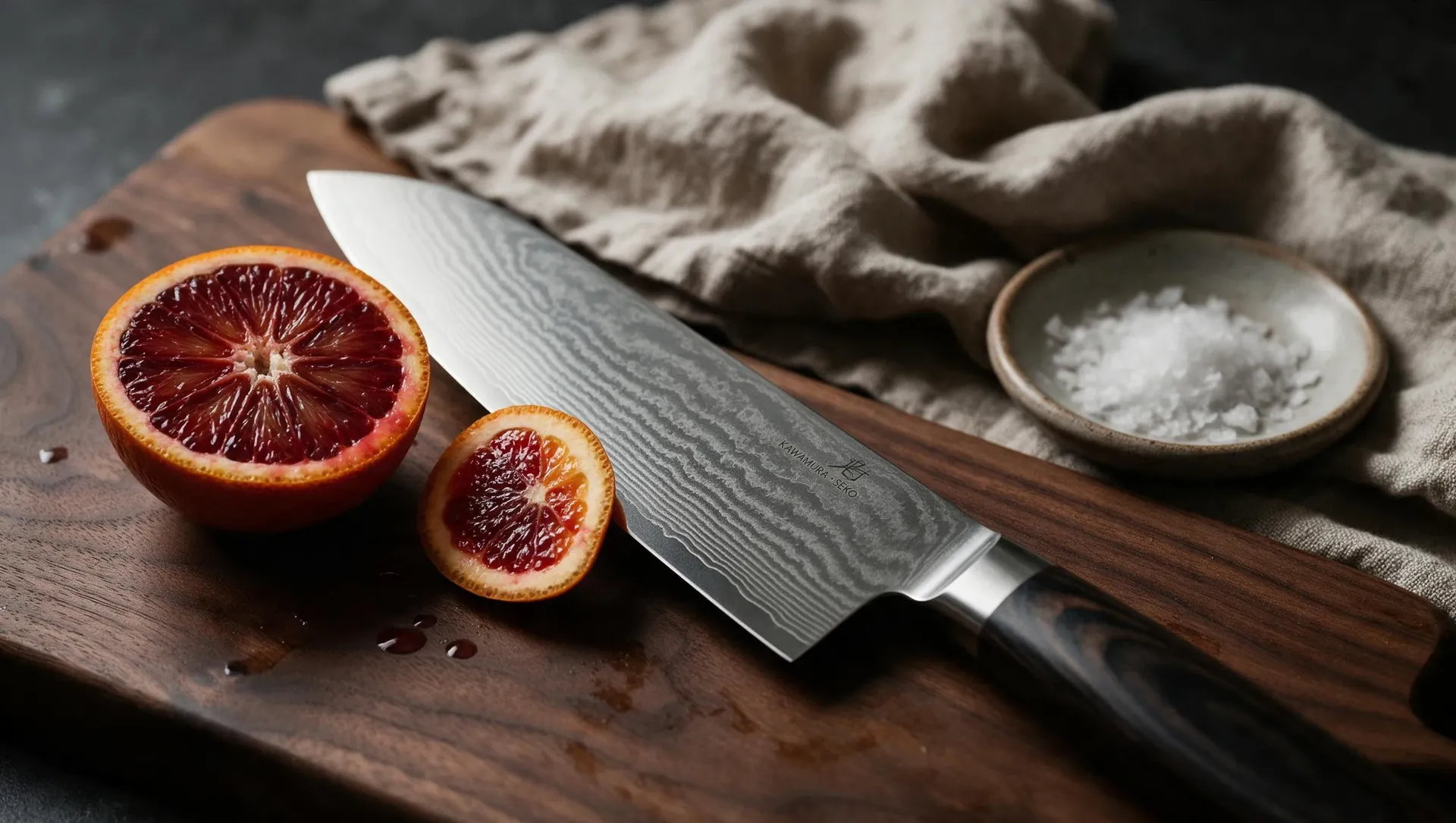
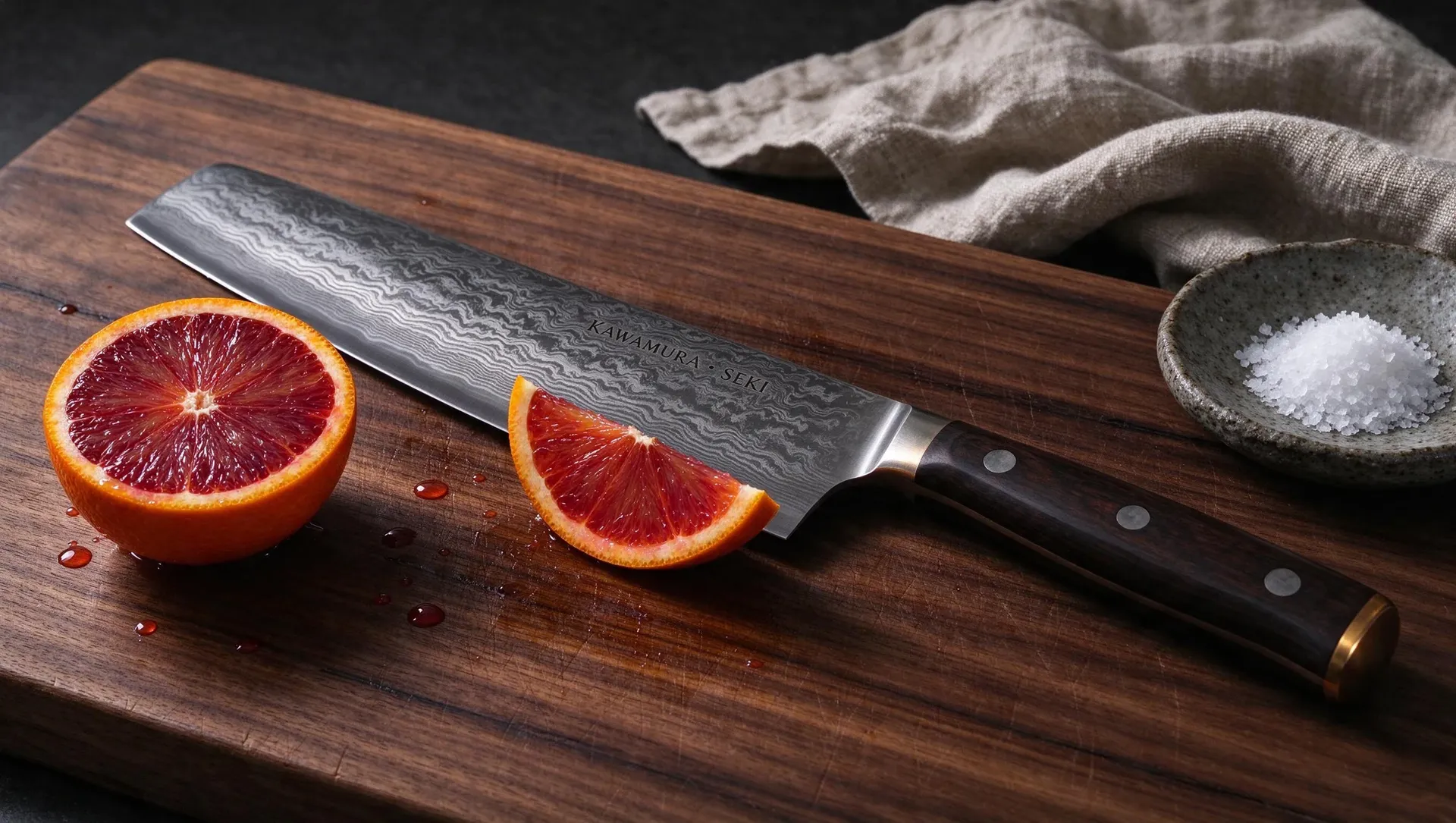
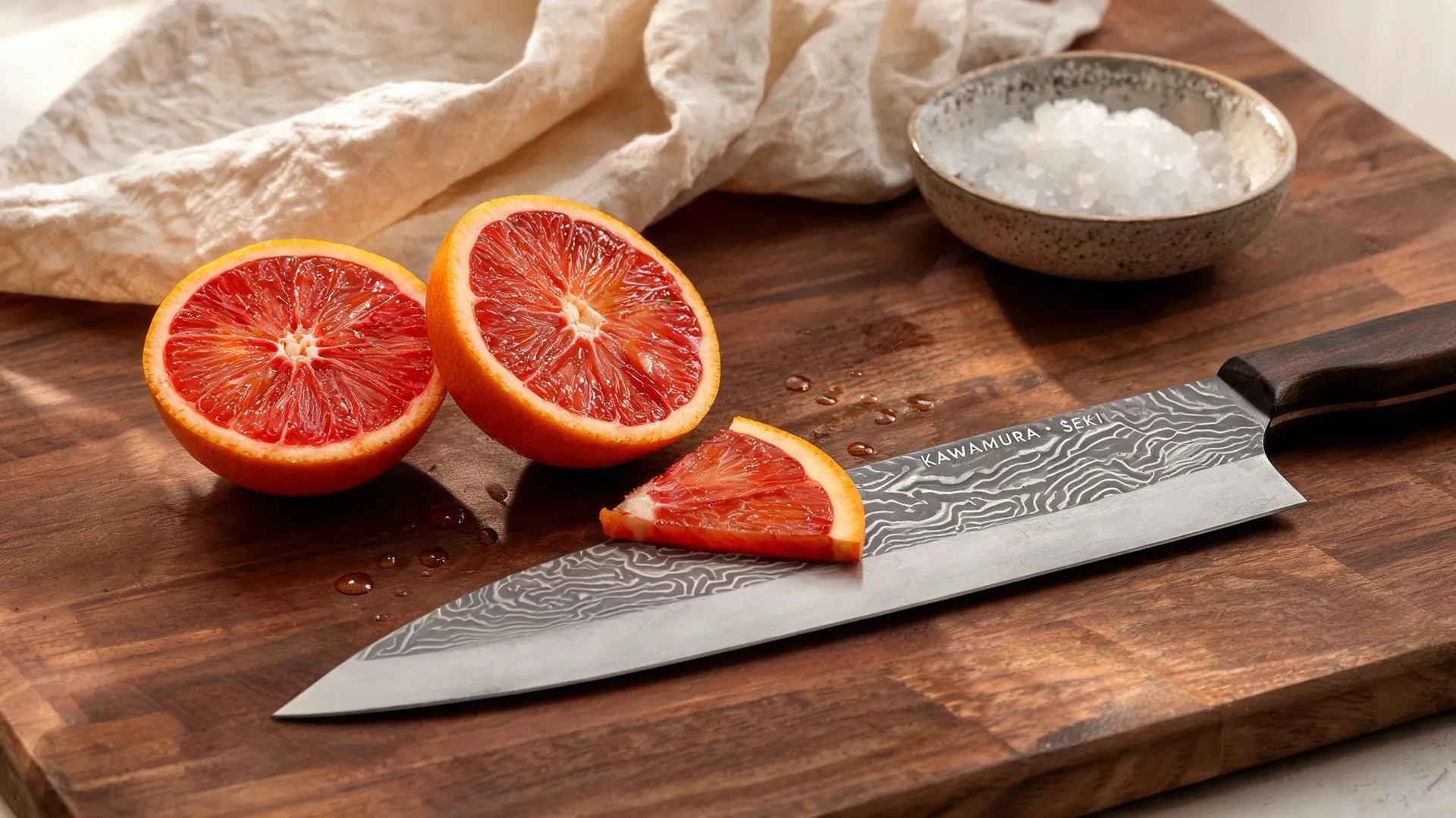
"Commercial still-life photograph for a kitchenware catalog. A Japanese chef's knife with a Damascus steel blade, its rippled layered pattern clearly visible, lies diagonally on a dark oiled walnut cutting board. The blade has a small etched maker's mark near the spine that reads "KAWAMURA · SEKI". Beside it, a blood orange cut in half, the deep crimson flesh glistening, a few beads of juice on the board, one thin slice leaning against the knife. A crumpled oat linen napkin and a small stoneware dish of flaky sea salt in the background. Low raking window light from the left, soft shadows, natural reflections on the steel, no excessive gloss. Shot on a medium-format camera with a 90mm macro lens, f/5.6."
Seedream 5.5
Seedream 5.0 Pro
Seedream 5.0 Flash
Seedream 5.0 Lite
Seedream 4.5
Seedream 4
This test split the field. Seedream 5.5 and 5.0 Pro gave the most restrained, believable materials: a subtle Damascus pattern, matte oiled walnut and soft window light, with Pro adding the moodiest catalog look of the set. Both, however, misspelled the tiny etched mark. 5.5 wrote "KAWYAMURA · SEKI" with an extra letter, and Pro wrote "KAWAMURA · SEKO" next to an invented stamp.
Flash, Seedream 4.5 and Seedream 4 all spelled the mark correctly. Their images are glossier, with bold zebra-striped Damascus that looks printed on, highly figured orange-toned wood and shiny juice drops, closer to a polished render than a photograph. Lite also spelled the mark right but turned the blood orange into something closer to a pink grapefruit. If a client logo has to appear tiny on a product, generate a few options and check the lettering, or add it in an editor afterwards. Our guide to building a product campaign from one photo covers that workflow.
Test 4: Four Edits in a Row
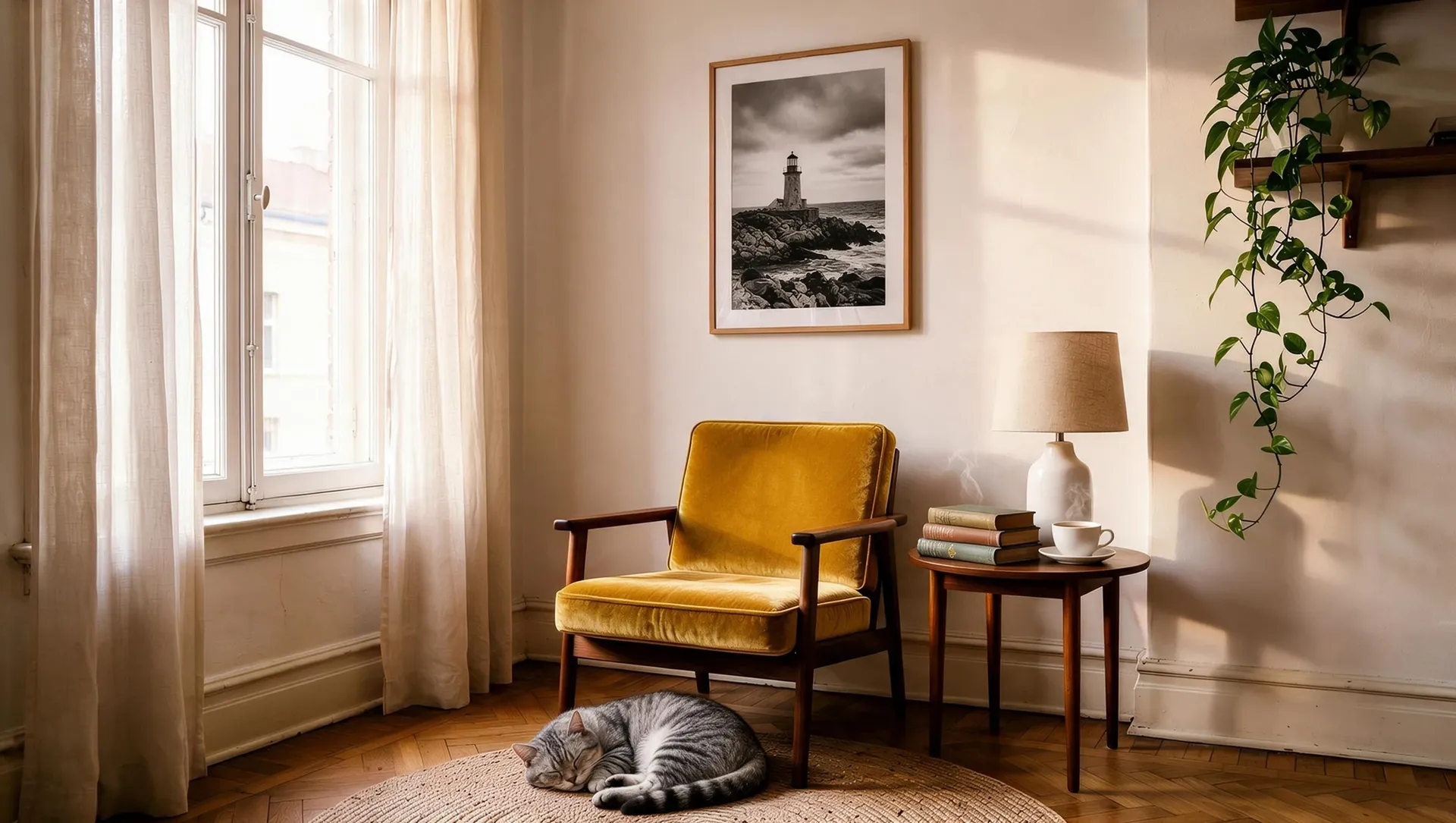
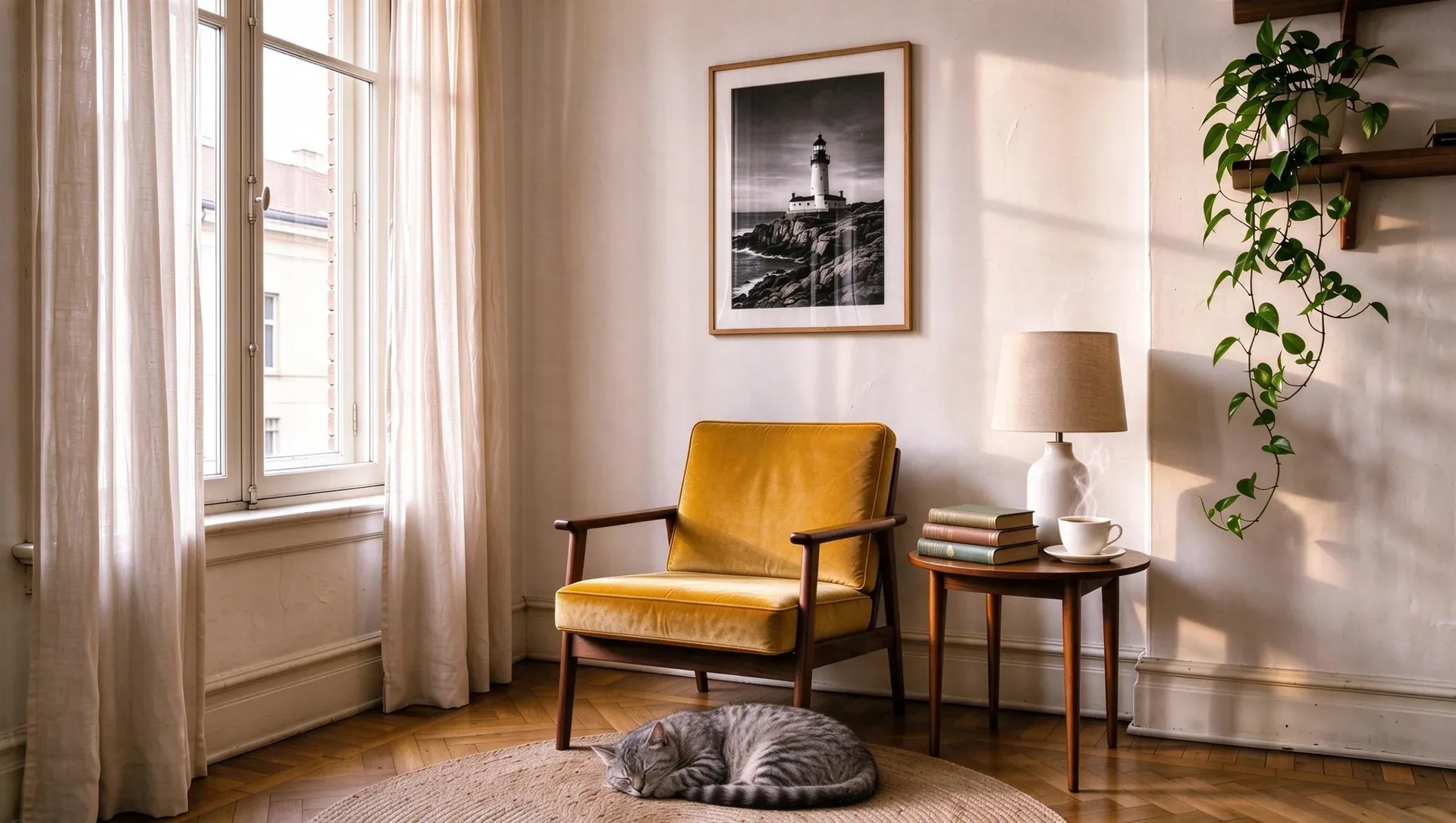
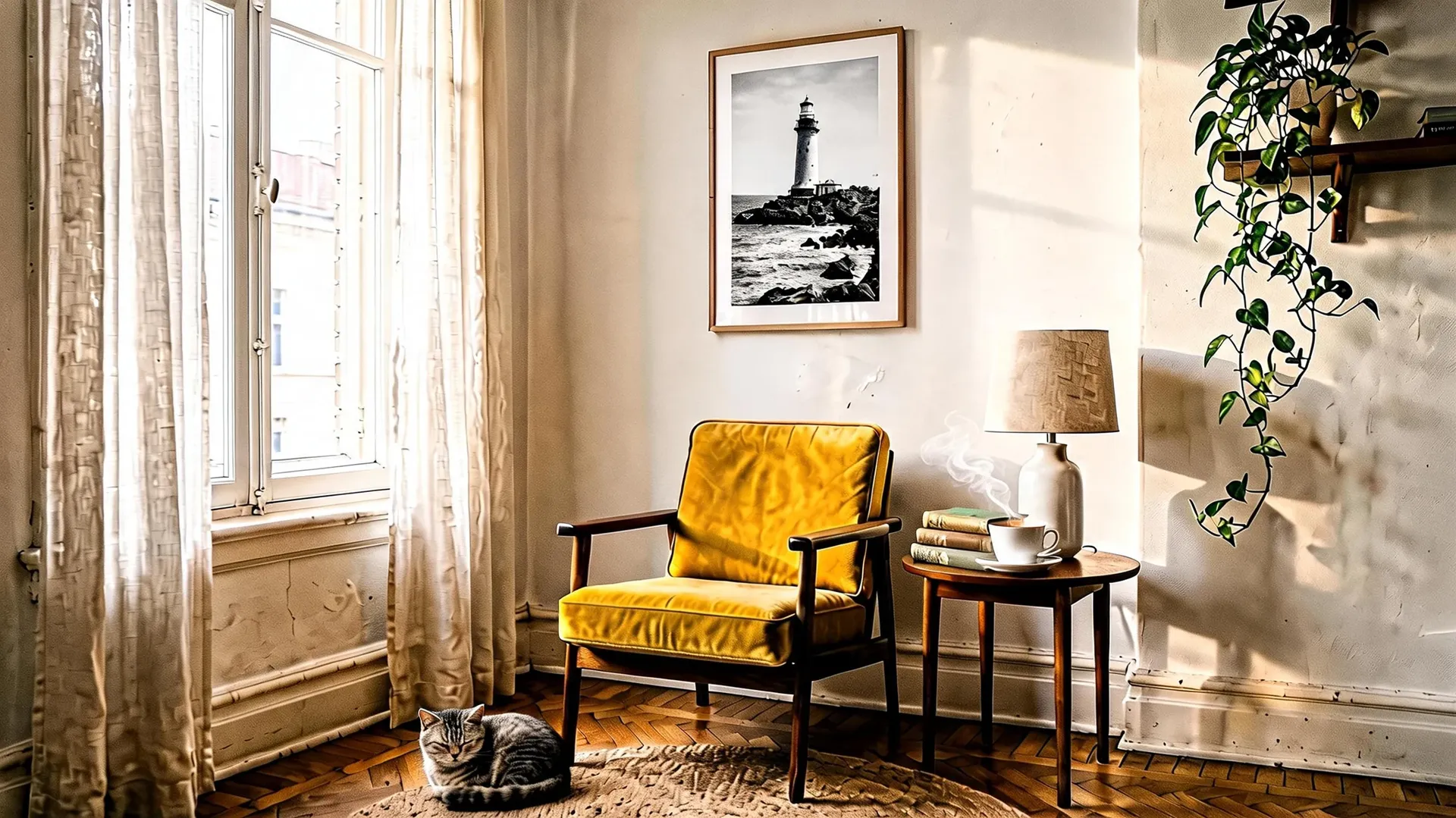
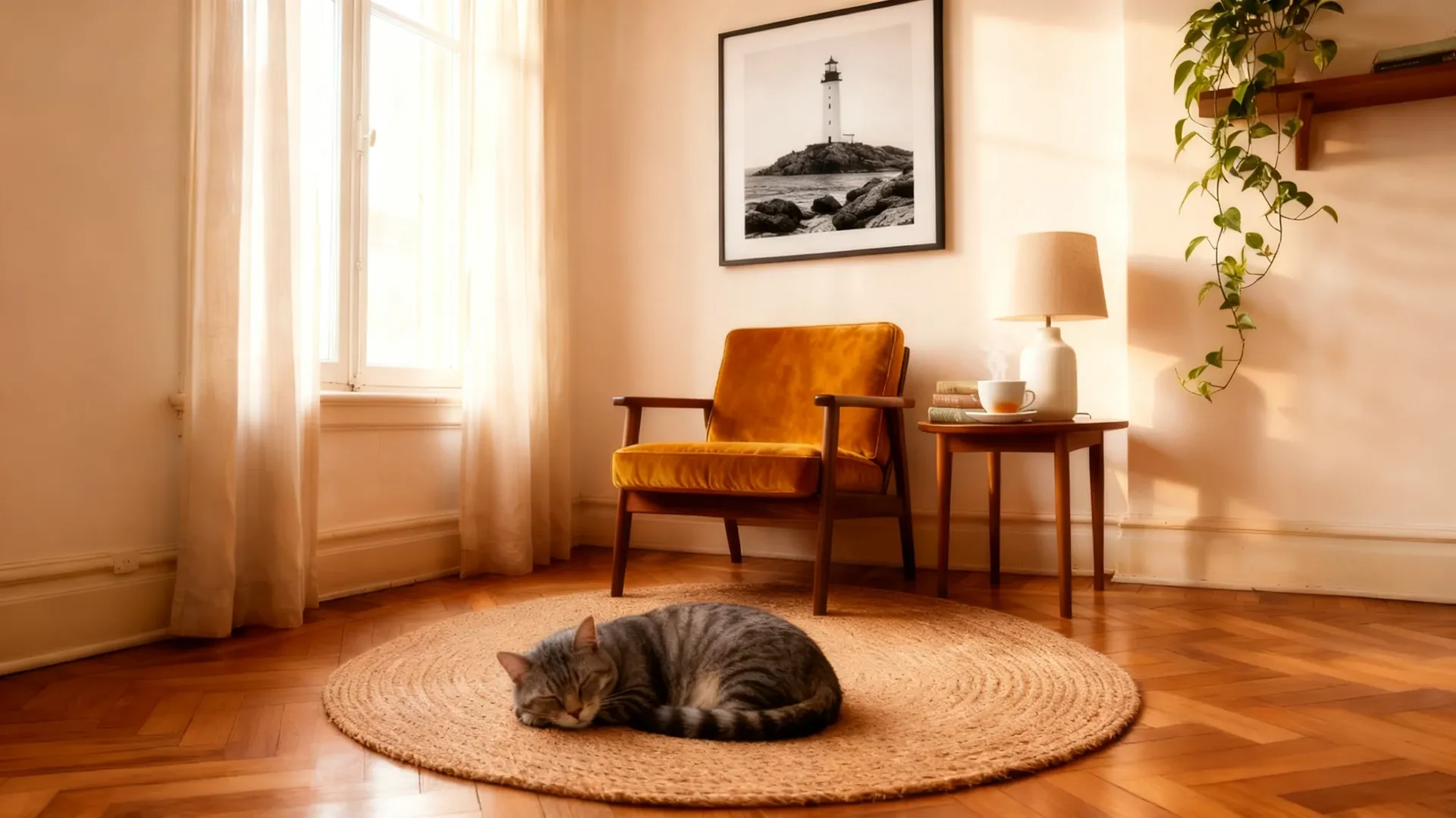
Edit stability is the headline feature of Seedream 5.5, so we tested it directly. Starting from one photo of a 1960s reading corner, we asked every model for the same four edits in sequence, each made on that model's previous result:
- Change the leather chair to mustard yellow velvet.
- Replace the abstract print with a black-and-white lighthouse photograph in the same frame.
- Add a grey tabby cat sleeping on the rug.
- Add a cup of tea on a saucer on the side table.
Every edit prompt also listed what had to stay the same, from the window and curtains to the light and camera angle.
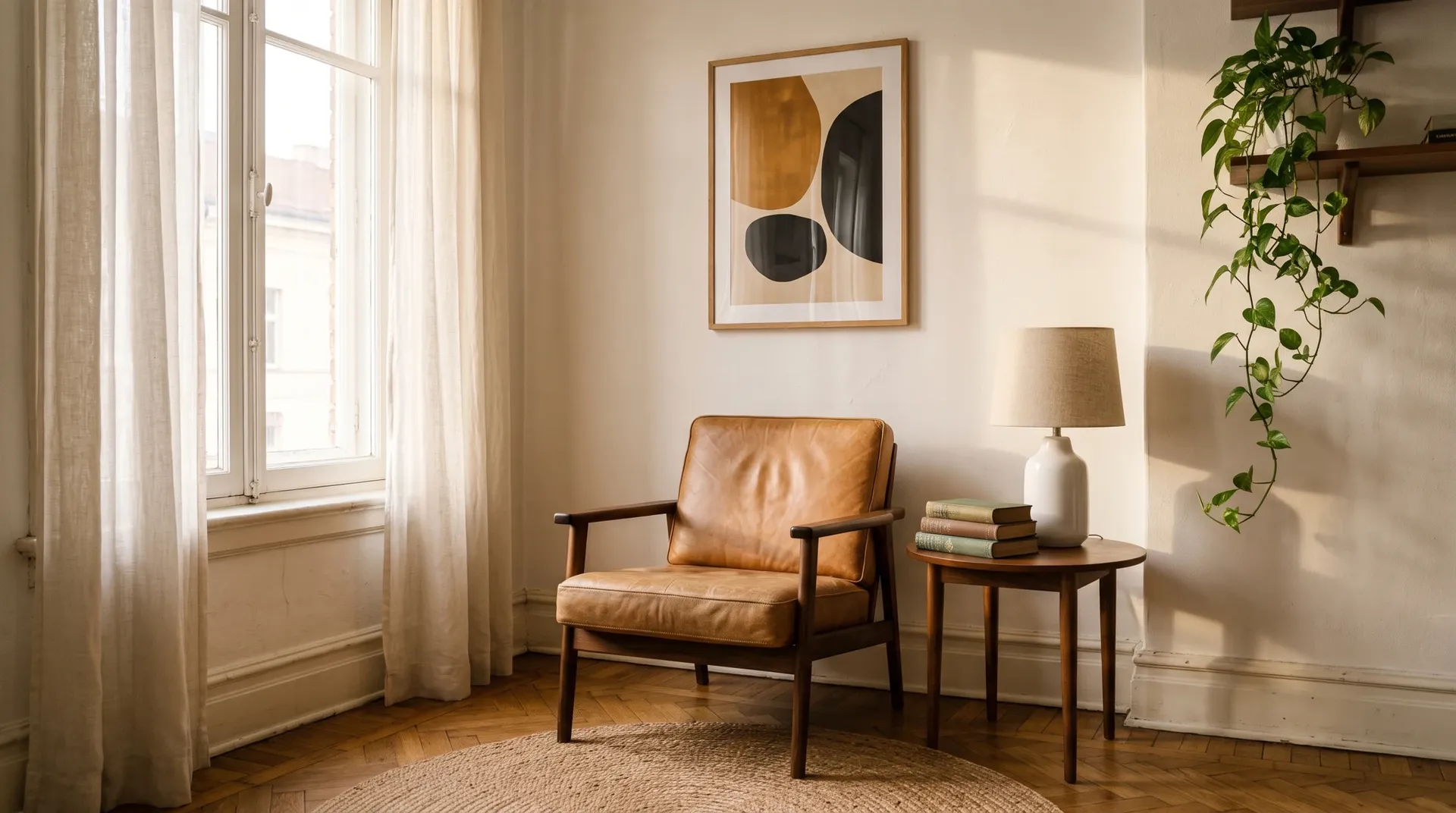
Original image (Nano Banana 2.1)
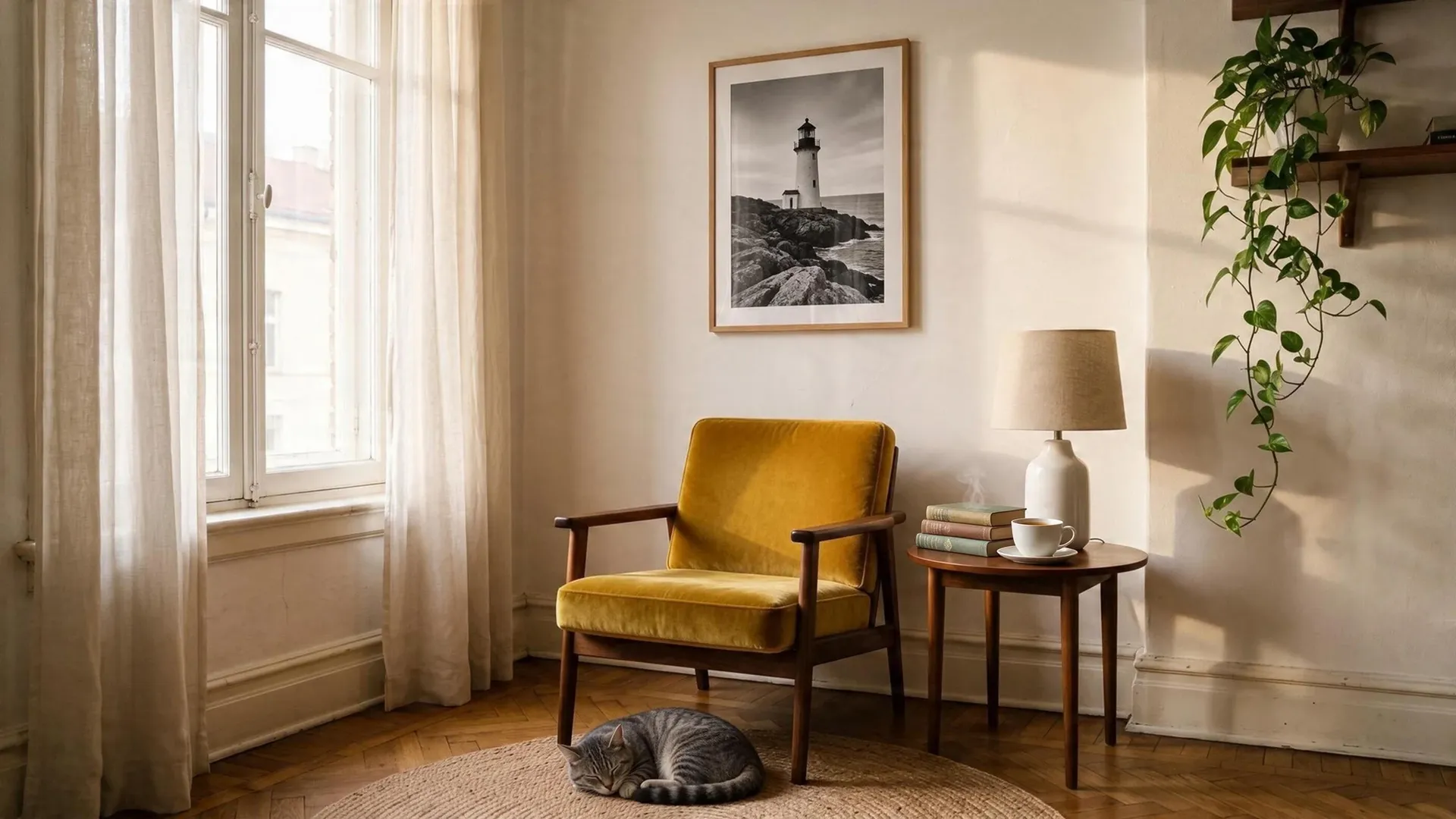
Seedream 5.5, after edit 4
Seedream 5.0 Pro, after edit 4
Seedream 5.0 Flash, after edit 4
Seedream 5.0 Lite, after edit 4
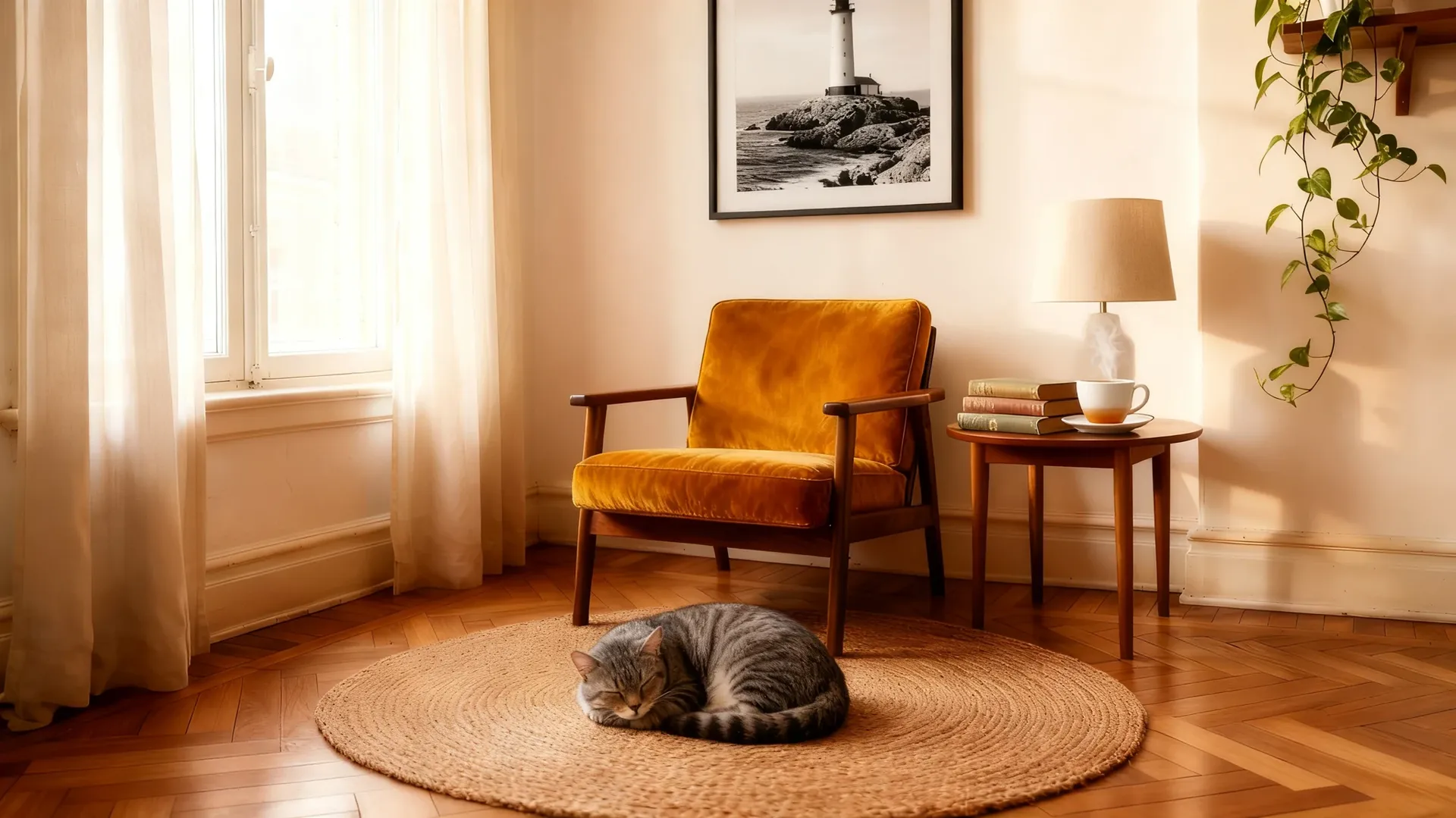
Seedream 4.5, after edit 4
Seedream 4, after edit 4
To measure drift, we compared the left third of each image, the window, curtains and wall that no edit touched, from one round to the next. The numbers are the average pixel difference on a 0 to 255 scale, so lower means the untouched area stayed closer to the previous version.
Model | Edit 1 to 2 | Edit 2 to 3 | Edit 3 to 4 | Edit 1 to 4 overall |
Seedream 5.5 | 1.6 | 1.2 | 1.0 | 2.7 |
Seedream 5.0 Pro | 3.2 | 2.8 | 3.5 | 6.4 |
Seedream 5.0 Flash | 4.9 | 4.9 | 4.5 | 10.1 |
Seedream 5.0 Lite | 13.7 | 13.3 | 12.9 | 25.0 |
Seedream 4.5 | 6.7 | 50.0 | 5.5 | 48.0 |
Seedream 4 | 6.3 | 35.2 | 5.0 | 37.2 |
Seedream 5.5 was in a different class. Each change stayed local, and after four rounds the window and curtains differed from round one by less than 3 levels, a shift you cannot see. That matches ByteDance's claim, with the caveat that we ran four rounds, not a hundred.
Seedream 5.0 Pro re-framed the whole room on the very first edit, moving the camera closer, and then held steady. Flash stayed visually stable but warmed the image a little on each pass. Lite completed every edit while the photo degraded: by the fourth round the curtains had turned crinkly, cracks had appeared in the plaster and the lamp shade had a garbled texture.
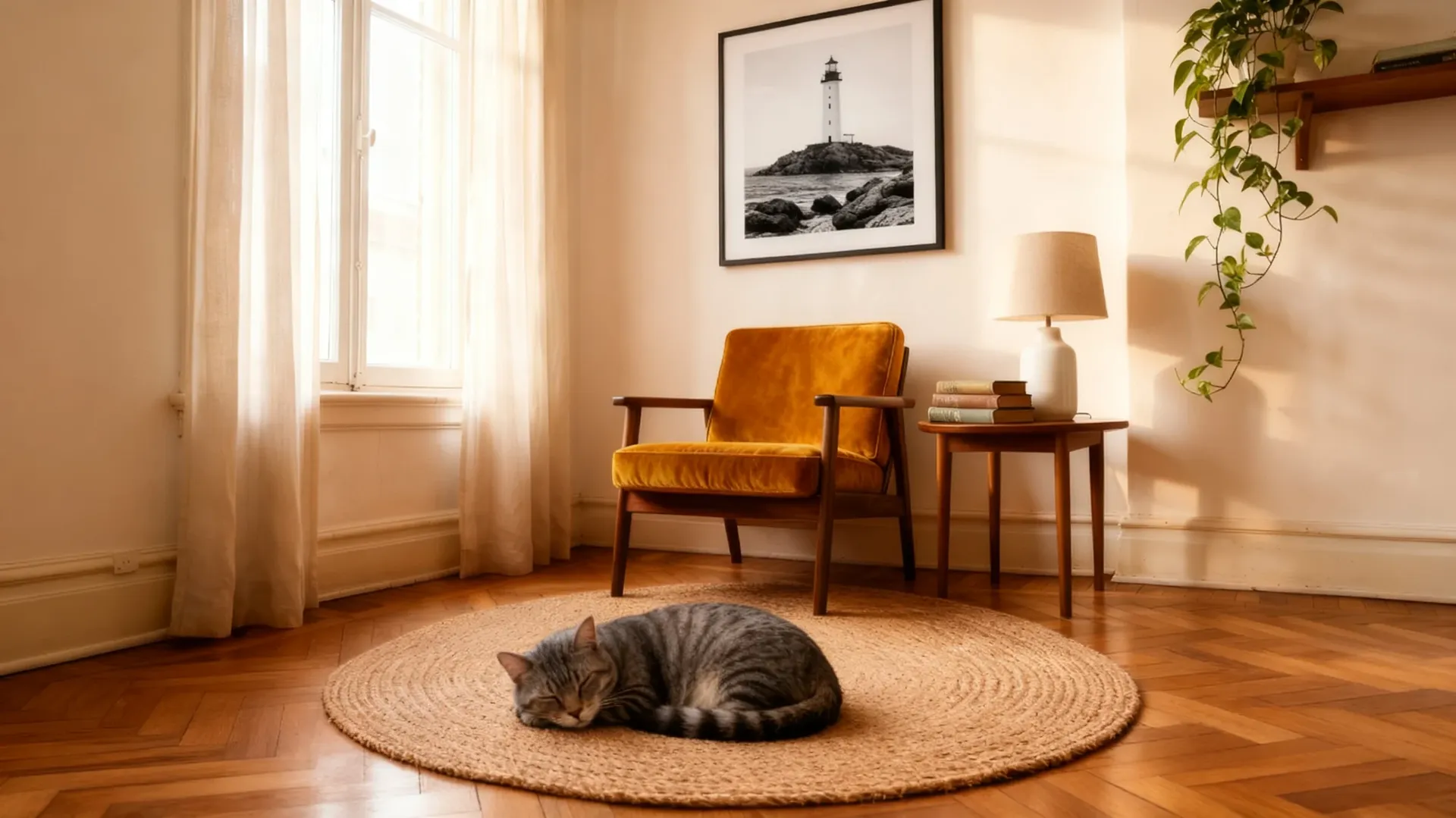
Seedream 4.5 and 4 broke the "same frame" instruction on the second edit, swapping the oak frame for a larger black one. On the third edit both re-composed the entire shot from a lower, wider angle, which explains the jump in the table.
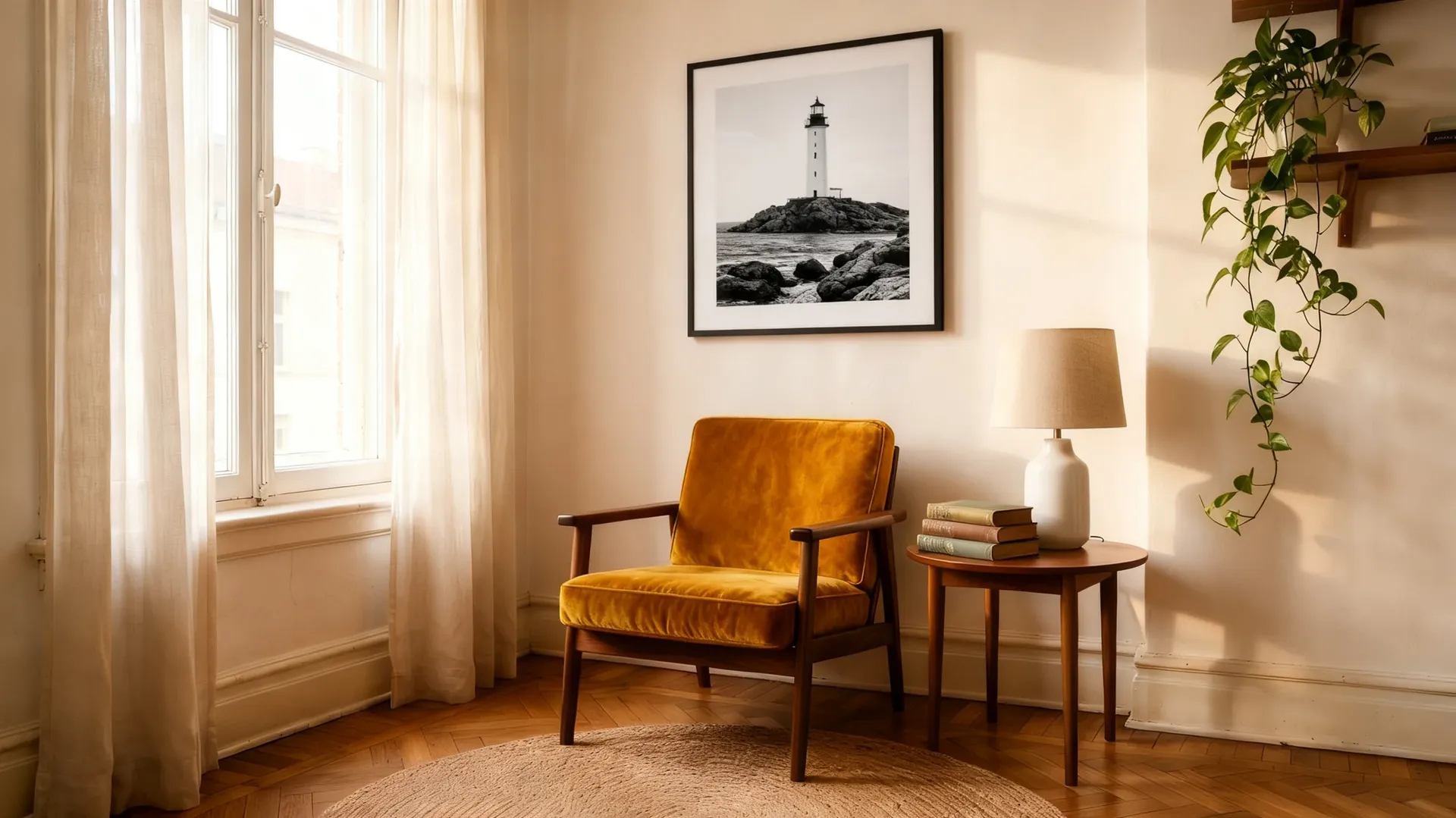
Seedream 4.5, after edit 2
Seedream 4.5, after edit 3
Test 5: Combining Two Reference Images
Reference images let you put a real person or product into a new scene. We gave every model two references: a portrait of a model with long dark waves, hazel-green eyes, freckles across her nose and a small beauty mark on her cheek, and a flat-lay photo of a silk scarf hand-painted with lemons and edged in terracotta. The prompt asked for a 1960s Riviera fashion story on Capri.
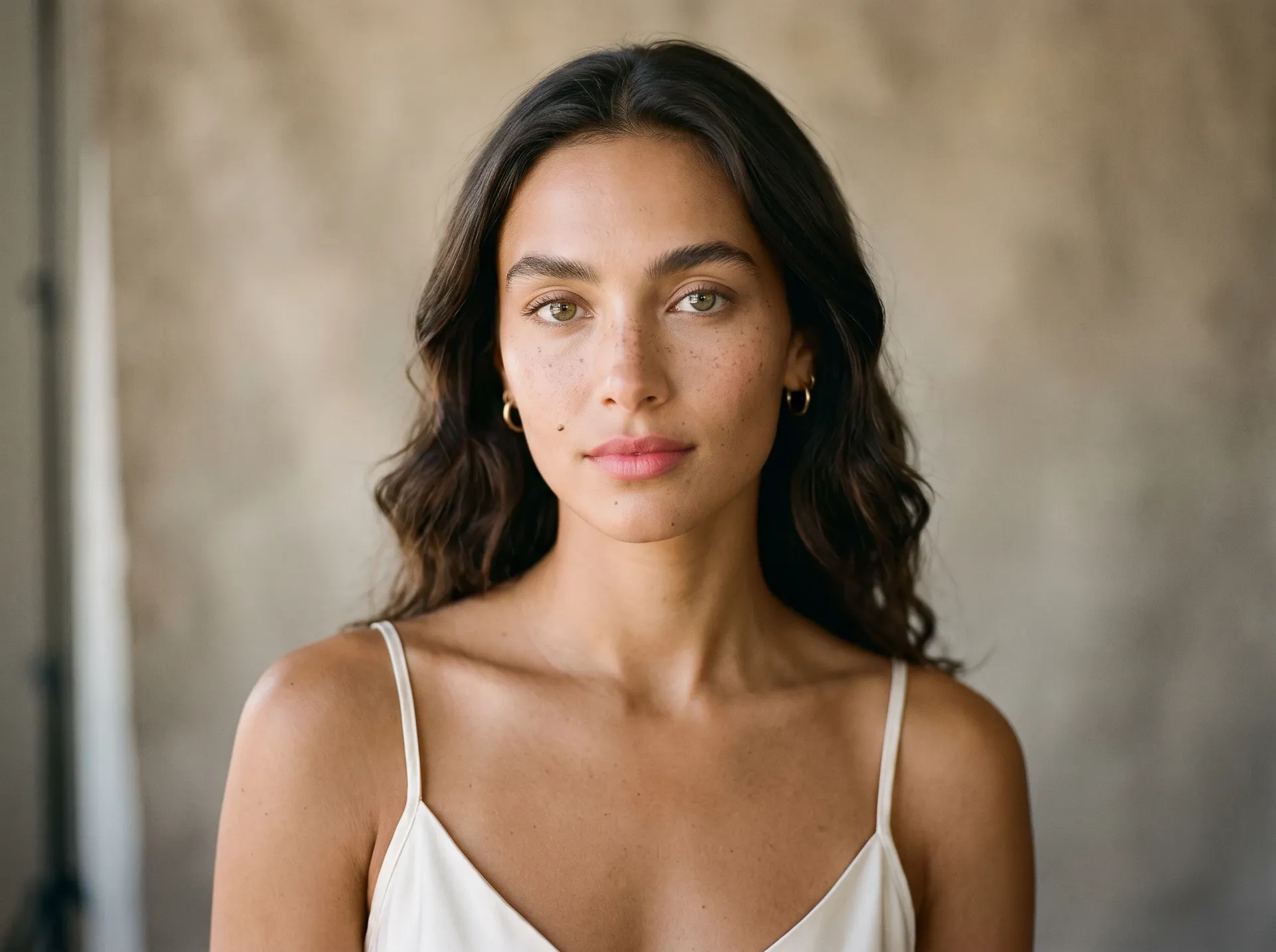
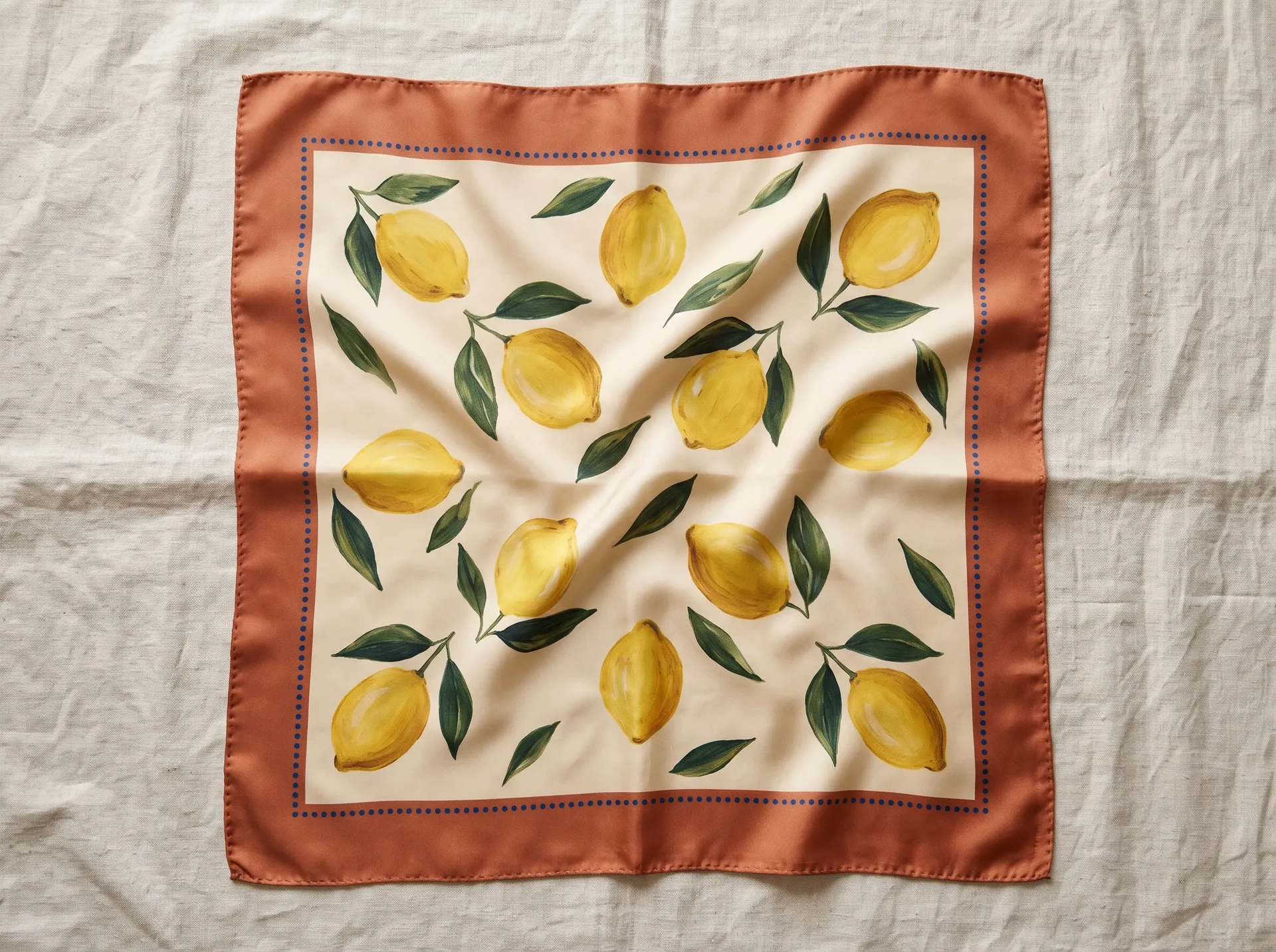
Reference 1 (Nano Banana 2.1)
Reference 2 (Nano Banana 2.1)
"Fashion editorial photograph in the style of a 1960s Riviera magazine story. The woman from the first reference image, keeping her face, hazel-green eyes, freckles, the small beauty mark on her cheek and her gold hoop earrings, wears the silk scarf from the second reference image tied over her long dark waves and knotted under her chin, its lemon pattern and terracotta border clearly visible. She leans on a whitewashed balustrade on a terrace above the sea on Capri, in an oversized white linen shirt and tortoiseshell sunglasses pushed up on the scarf, smiling toward the camera. Hard midday Mediterranean sun with crisp shadows, magenta bougainvillea at the edge of the frame, deep blue sea and a white yacht far below. Shot on 35mm film, waist-up framing."

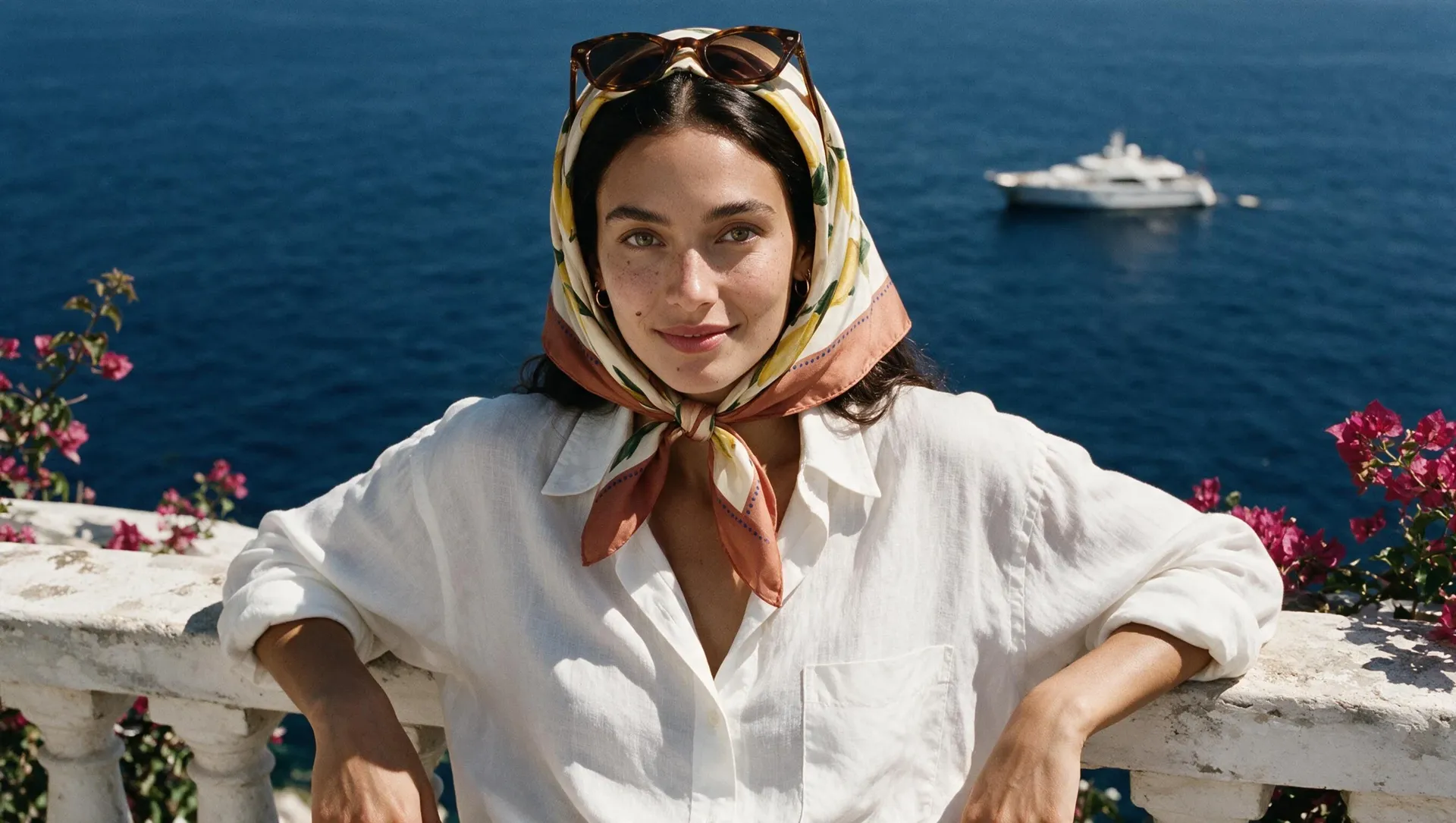
Seedream 5.5
Seedream 5.0 Pro


Seedream 5.0 Flash
Seedream 5.0 Lite


Seedream 4.5
Seedream 4
Every model produced a recognizable version of the same woman in the same scarf, which makes this the closest race in the comparison. The differences are in the small details. Seedream 5.0 Flash matched the reference most completely: the hazel-green eyes, the freckles, the beauty mark in the right place and a relaxed smile, with the scarf's lemons, terracotta border and thin row of navy dots all intact. Lite kept the face and the beauty mark just as well, but ignored the smile and gave the image a crisper, slightly over-processed finish.
Seedream 5.5 and 5.0 Pro made the most convincing photographs. 5.5 has the cleanest light and the most natural skin, though her freckles came out lighter and the beauty mark is hard to spot. Pro delivered the most authentic 1960s film look, with a softer, slightly washed-out scarf print. Seedream 4.5 and 4 kept the face but pushed her hazel eyes to a vivid emerald green, darkened the freckles and turned the scarf's navy dots royal blue, and 4.5 had her look away from the camera instead of smiling. For a wider look at reference consistency across model families, see our AI image consistency test.
When a face has to match a reference, name its distinctive details in the prompt and check them at full size before you use the image. Eye color and small marks are the first things to drift.
Seedream 5.5 vs Seedream 5.0 Pro
Seedream 5.0 Pro was ByteDance's high-precision tier before 5.5 arrived, and it is the model 5.5 is measured against in ByteDance's own figures. In our tests the two were close on portraits and reference work, where both produced magazine-quality images, with Pro leaning into a stronger film look. The gaps opened on text and editing: 5.5 spelled the small headers on the board that Pro garbled, and it drifted less than half as much across four edits without re-framing the scene.
Pro still has a character of its own. It leans toward darker, more dramatic lighting, as in its moody knife shot, and a strong film look in fashion scenes. It is also available through the getimg.ai API, which 5.5 is not yet. If that mood suits a project, if you need new images to match a series already made with 5.0 Pro, or if you generate through the API, it remains a good choice. For new work in the browser, and especially for anything you plan to edit, 5.5 is the safer default.
When the Older Seedream Models Still Make Sense
Seedream 5.0 Flash earned its place in nearly every test. It spelled the knife's maker's mark correctly where 5.5 did not, gave the most faithful reference result, and stayed visually stable across edits. It is ByteDance's fast tier, which makes it a strong pick for drafts and quick explorations before a final pass with 5.5.
Seedream 4.5 and 4 are worth keeping for specific jobs. They output at 4K, support 4:5, are available through the getimg.ai API, and spelled tiny text reliably in our product test. Their weak points are a retouched, slightly painted finish on faces and multi-step editing, where they re-compose the shot. That makes them a good fit for single-pass product and graphic work at high resolution. Our Seedream 4.5 review goes deeper into that model.
Seedream 5.0 Lite offers 3K output, 4:5 and API access. Its crisp, high-contrast look suits bold graphic images, but in our tests it misspelled words on the board and lost quality across repeated edits, so check fine details before you use its results.
Which Seedream Model Should You Pick?
If you need | Pick |
Magazine-quality portraits | Seedream 5.5 or 5.0 Pro |
Several edits on the same image | Seedream 5.5 |
Dense text such as boards, menus or schedules | Seedream 5.5 |
Fast drafts and iterations | Seedream 5.0 Flash |
A specific person from reference images | Seedream 5.0 Flash |
A darker, dramatic look or 5.0-generation quality through the API | Seedream 5.0 Pro |
4K output or the 4:5 aspect ratio | Seedream 4.5 or 4 |
3K output through the API | Seedream 5.0 Lite |
Whichever model you use, zoom in on small lettering before you publish. Even the winner of the text test misspelled a tiny engraved mark in our product shot, and the cheapest fix is often a second generation. If Seedream is not the right fit, the same generator gives you GPT Image and other model families too; our GPT Image comparison runs a similar head-to-head for OpenAI's models.
Bottom Line
Seedream 5.5 is the best Seedream model available today. It matched the best portrait in our test, led on dense text, and its edit stability is the clearest step forward in the family: four edits in a row left the rest of the image essentially untouched. Seedream 5.0 Flash is the best companion for drafts and reference work, and 4.5 and 4 remain useful for 4K single-pass images. To see the difference on your own subject, run one prompt and then a few edits on Seedream 5.5 in the Create image generator.
Frequently Asked Questions
Seedream 5.5 is the strongest Seedream model as of November 2026. In side-by-side tests on getimg.ai it produced one of the two best beauty portraits, rendered a six-row departures board without a single error and kept untouched areas almost identical across four edits in a row. Seedream 5.0 Flash is the best second choice for fast drafts.
For most work, yes. The two were close on portraits and reference images, but Seedream 5.5 spelled dense text more reliably and stayed far more stable across repeated edits, while Seedream 5.0 Pro re-framed the scene on its first edit and drifted more than twice as much afterwards. Pro still suits darker, more dramatic looks and is available through the API.
Seedream 5.5. Across four edits in a row, the untouched parts of the photo changed by less than 3 levels on a 0 to 255 scale, compared with 10 for Seedream 5.0 Flash and 37 to 48 for Seedream 4 and 4.5, which re-composed the whole shot. ByteDance says 5.5 holds edits stable for up to 100 rounds.
Seedream 5.5 rendered every line of a dense departures board correctly, including column headers it added on its own. For very small text, such as a mark engraved on a product, Seedream 5.0 Flash, 4.5 and 4 were more reliable in our test, so it helps to generate a few versions and check the lettering.
Yes, but not every version. Seedream 4.5 outputs at 2K or 4K and Seedream 4 at 1K, 2K or 4K. Seedream 5.0 Lite goes up to 3K, while Seedream 5.5, 5.0 Pro and 5.0 Flash output at 1K or 2K. For a larger result from a 2K model, you can upscale the image after generating it.
Not yet. Seedream 5.5 and 5.0 Flash are available in the getimg.ai Create image generator in your browser. Seedream 5.0 Pro, 5.0 Lite, 4.5 and 4 are available through the getimg.ai API as well as in the app.
Every Seedream model on getimg.ai accepts up to 10 reference images. In our test, all six combined a model's portrait and a patterned silk scarf into a recognizable fashion image. Seedream 5.0 Flash matched the face most completely, down to eye color and a small beauty mark, while Seedream 5.5 and 5.0 Pro produced the most polished photographs.
Related Articles