GPT Image 2.6 vs 2.5 vs 2 vs 1.5: We Tested Every GPT Image Model
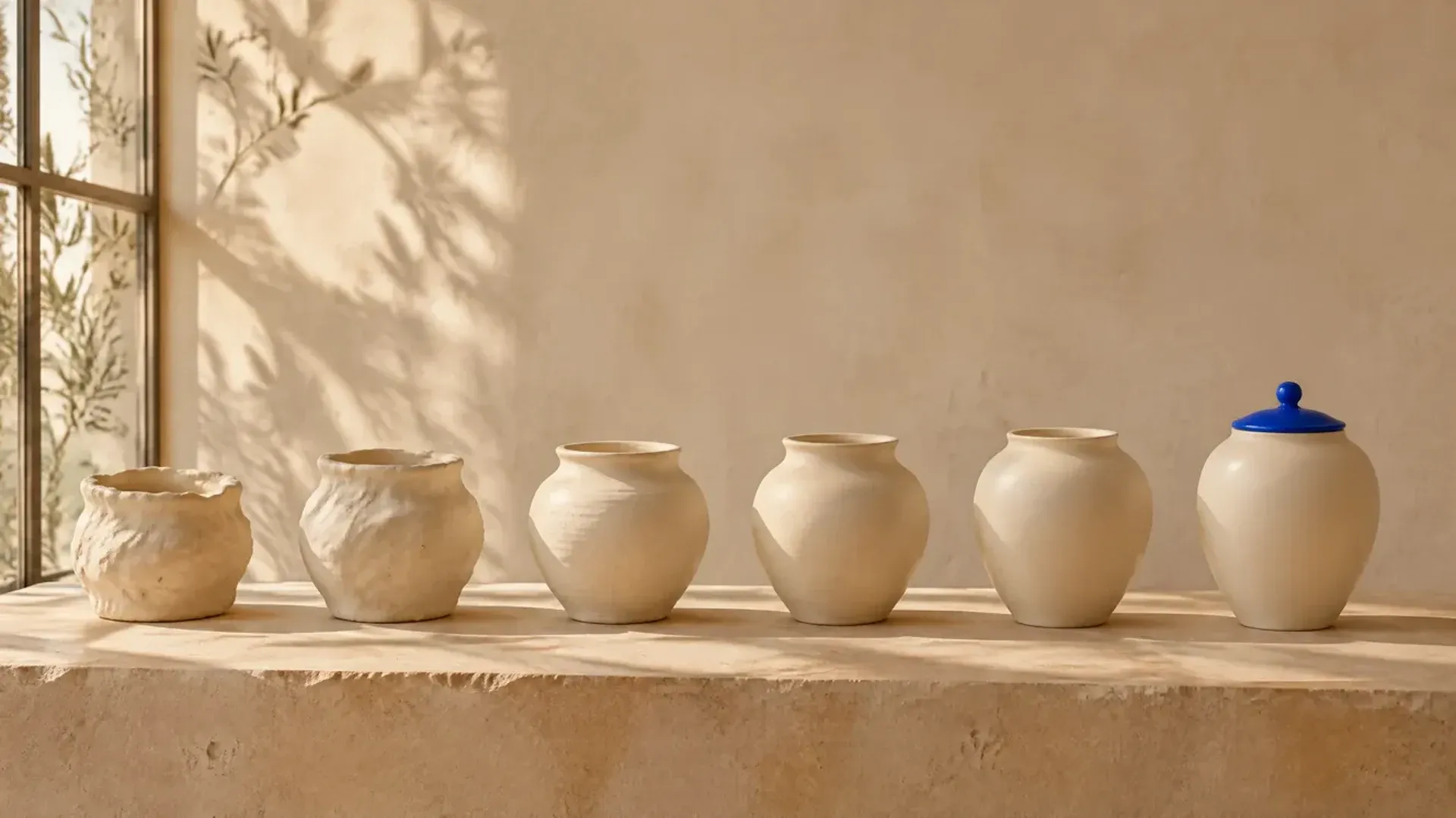
GPT Image 2.6 Sunburst is the strongest GPT Image model right now: in our tests it produced the most natural portraits and richest scenes, and held details best across repeated edits. GPT Image 2.6 Flare comes close and is built for speed, so it suits drafts. The older 2.5, 2 and 1.5 models each have a distinct look, with 1.5 trailing on non-Latin text and photorealism. getimg.ai puts all six in one Create image generator beside other top image models, so you can switch versions in a click.
The Six GPT Image Models at a Glance
OpenAI now ships its image models in pairs. Since GPT Image 2.5, each generation comes as Sunburst, the detail variant, and Flare, the speed variant. GPT Image 2.6 launched on November 4, 2026 with the same split, so six GPT Image models are available on getimg.ai today: 2.6 Sunburst, 2.6 Flare, 2.5 Sunburst, 2.5 Flare, GPT Image 2 and GPT Image 1.5. GPT Image 1 has been retired and is no longer in the app.
The four newest models share the same formats, so the differences between them come down to output quality and consistency rather than settings. GPT Image 2 matches them on formats too. GPT Image 1.5 is the outlier: it only outputs at 1K and only in square or 2:3 and 3:2 shapes.
Model | Output quality | Aspect ratios | Reference images | Best for |
GPT Image 2.6 Sunburst | 1K, 2K | 9 (1:1 to 21:9) | Up to 10 | Final images, repeated edits |
GPT Image 2.6 Flare | 1K, 2K | 9 (1:1 to 21:9) | Up to 10 | Fast drafts, quick iteration |
GPT Image 2.5 Sunburst | 1K, 2K | 9 (1:1 to 21:9) | Up to 10 | A polished, retouched finish |
GPT Image 2.5 Flare | 1K, 2K | 9 (1:1 to 21:9) | Up to 10 | Fast drafts with a polished finish |
GPT Image 2 | 1K, 2K | 9 (1:1 to 21:9) | Up to 10 | A darker film look, plain layouts |
GPT Image 1.5 | 1K | 1:1, 2:3, 3:2 | Up to 10 | Quick square drafts with English text |
The nine aspect ratios are 1:1, 2:3, 3:2, 4:3, 3:4, 4:5, 16:9, 9:16 and 21:9. You can compare every format across the lineup in the image generation models guide.
How We Tested
Every model got the same prompt, at 16:9 and 1K, in the Create image generator. GPT Image 1.5 has no 16:9 option, so it ran at 3:2, its widest format, and we cropped the result to 16:9 so the images line up. Each prompt ran once per model, with no cherry-picking.
We ran five tests, each aimed at a different reason people pick a GPT Image model:
- Photorealism: a tight, moody editorial beauty portrait.
- Dense layout: a festival poster with a three-tier lineup and small print.
- Text in two languages: a newspaper headline in English with a Korean line beneath it.
- Edit consistency: three edits in a row on the same product photo.
- Reference images: one person and one garment combined into a fashion editorial.
Test 1: Photorealism in an Editorial Portrait
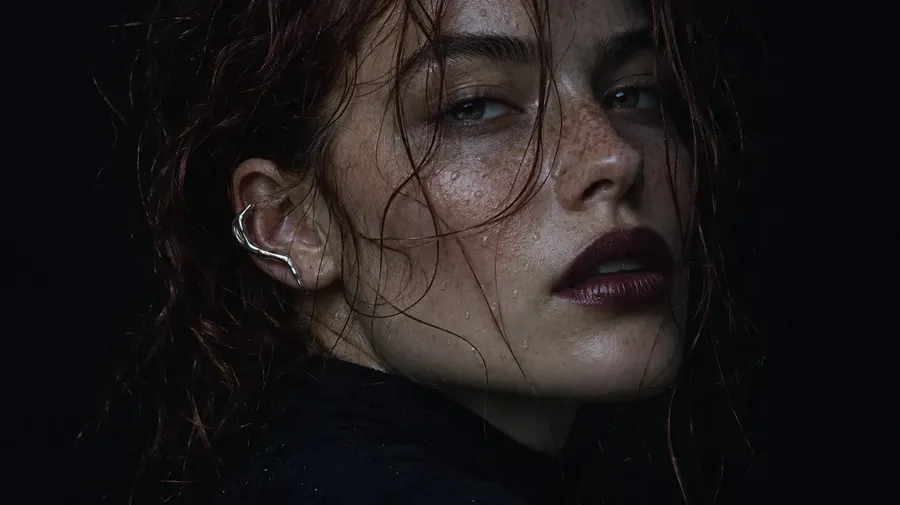
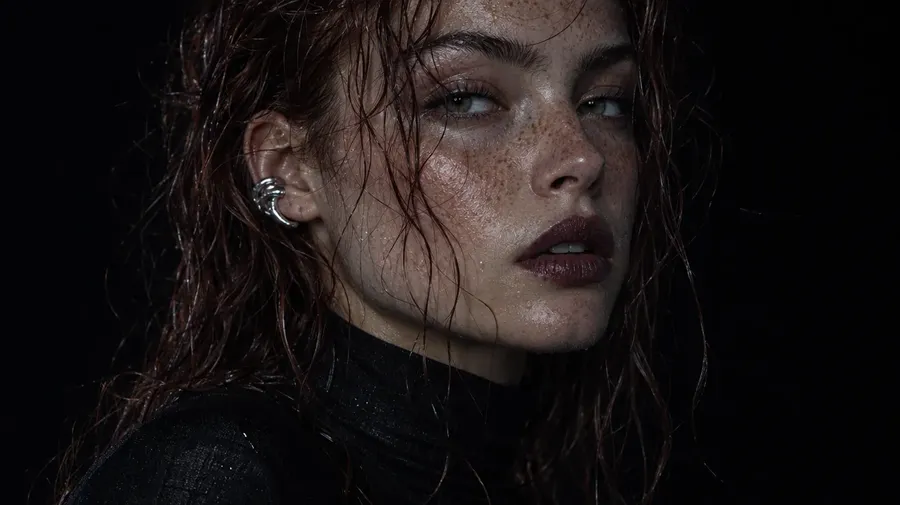
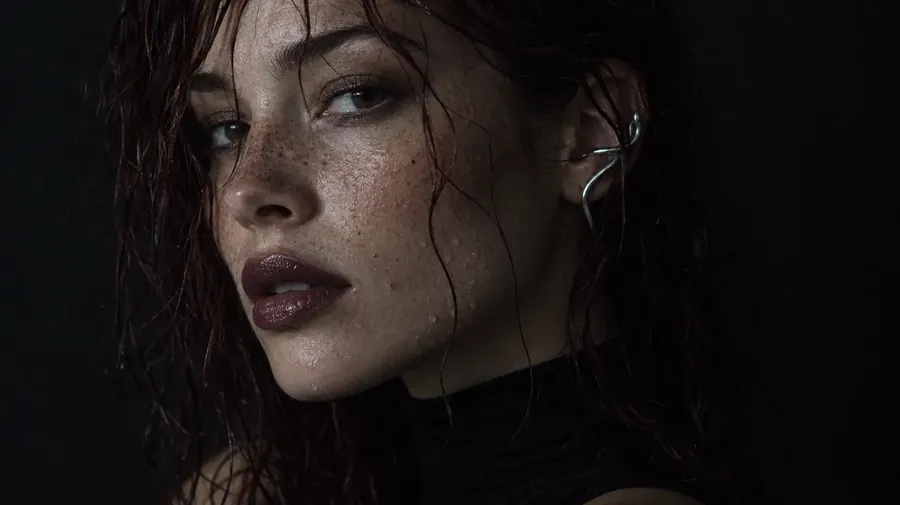
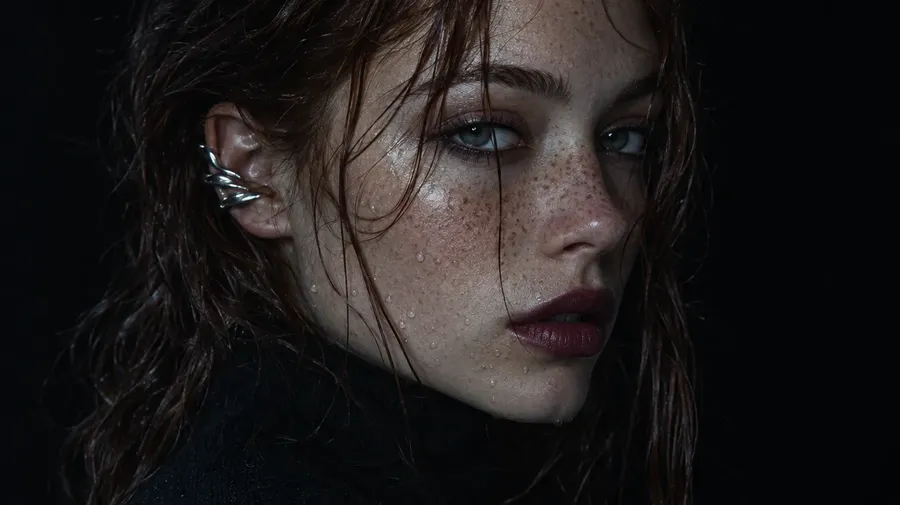
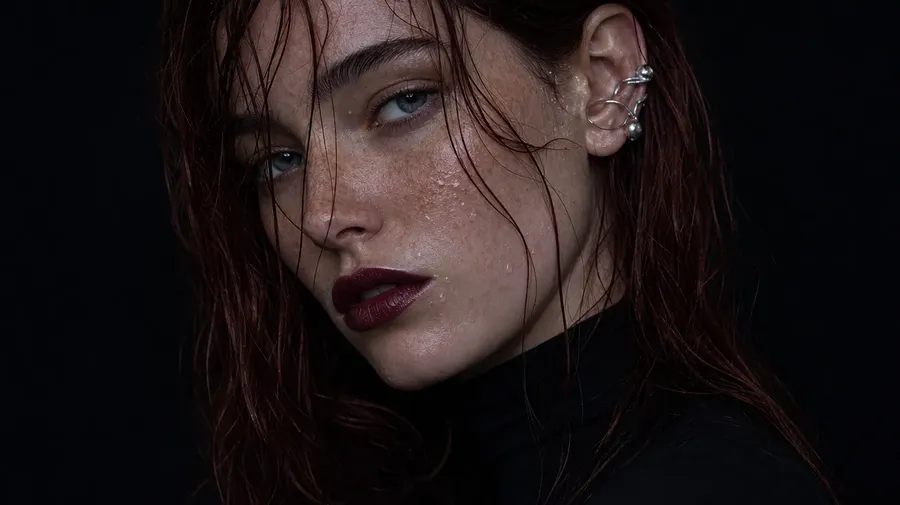
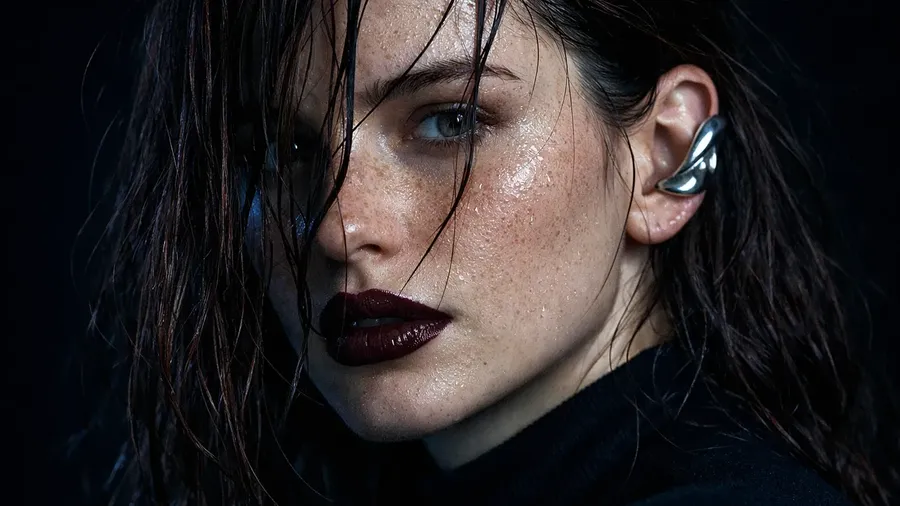
Portraits show skin texture, hair and light falloff, where newer models usually pull ahead. The prompt asked for a tight close-up with wet auburn hair, freckles, water droplets, a silver ear cuff and cool shadows on a pitch-black background.
"Moody editorial beauty portrait, tight close-up. A young woman wearing a black high-neck top, with freckles across her nose and cheeks and wet, dark auburn hair falling in loose strands across her face, looks just past the camera. Dewy skin with tiny water droplets, a sculptural silver ear cuff, dark plum lips. Cool blue-grey shadows, a single soft key light from the side, pitch-black background. Shot on a medium-format camera, visible skin texture and pores, fine flyaway hairs."
GPT Image 2.6 Sunburst
GPT Image 2.6 Flare
GPT Image 2.5 Sunburst
GPT Image 2.5 Flare
GPT Image 2
GPT Image 1.5 (3:2, cropped to 16:9)
GPT Image 2.6 Sunburst gave the most natural result: dense, uneven freckles, visible pores, fine flyaway strands and the darkest, most filmic shadows. 2.6 Flare was nearly as good, with slightly smoother skin. The 2.5 models looked a touch more retouched, and GPT Image 2 leaned toward a conventional beauty look with crisper lip edges. GPT Image 1.5 was the weakest: it rendered the hair almost black instead of auburn and added a cool blue cast with a glossier, more styled finish.
Test 2: Dense Layouts and Small Type
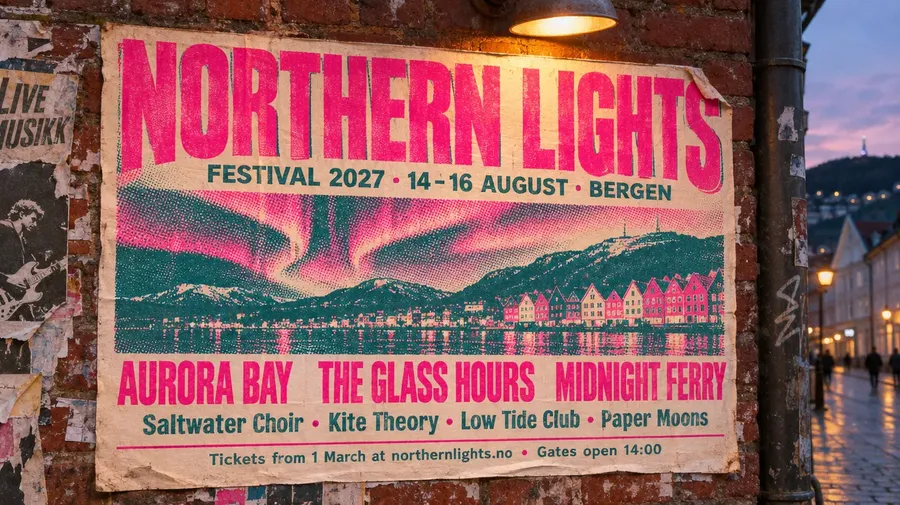
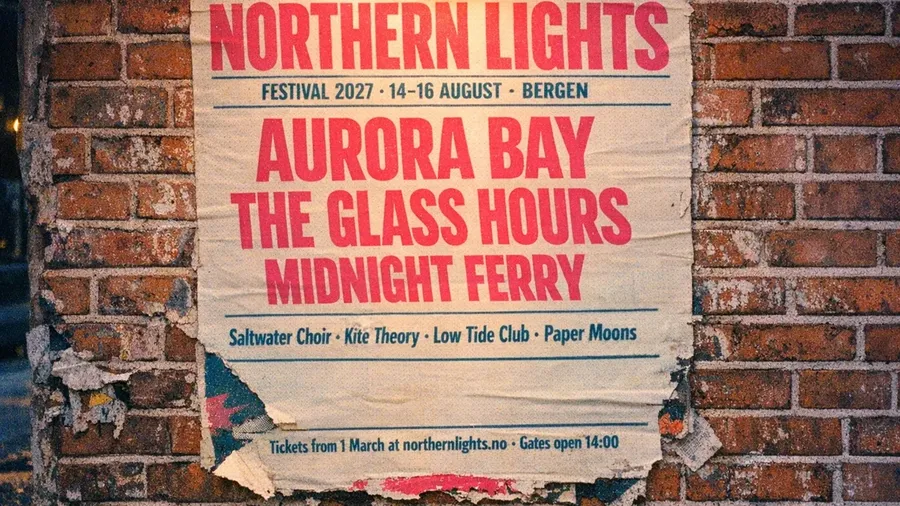
Posters, menus and packaging need many text strings at different sizes, each in its place, inside a design that still looks good. The prompt asked for a risograph festival poster photographed on a brick wall at dusk, with a giant title, a date line, three tiers of artist names and a line of small print with a web address and a time.
"Street photo of a large risograph-printed music festival poster pasted on a weathered red brick wall at dusk, lit by a warm streetlight from above. The poster is printed in fluorescent pink and deep teal on cream paper. At the top, huge condensed letters read "NORTHERN LIGHTS", below them "FESTIVAL 2027 · 14-16 AUGUST · BERGEN". The lineup is in three tiers: headliners "AURORA BAY", "THE GLASS HOURS", "MIDNIGHT FERRY"; a second tier "Saltwater Choir · Kite Theory · Low Tide Club · Paper Moons"; and small text at the bottom "Tickets from 1 March at northernlights.no · Gates open 14:00". Halftone grain, slight ink misregistration, one torn corner, scraps of older posters around it. Shot on 35mm film."
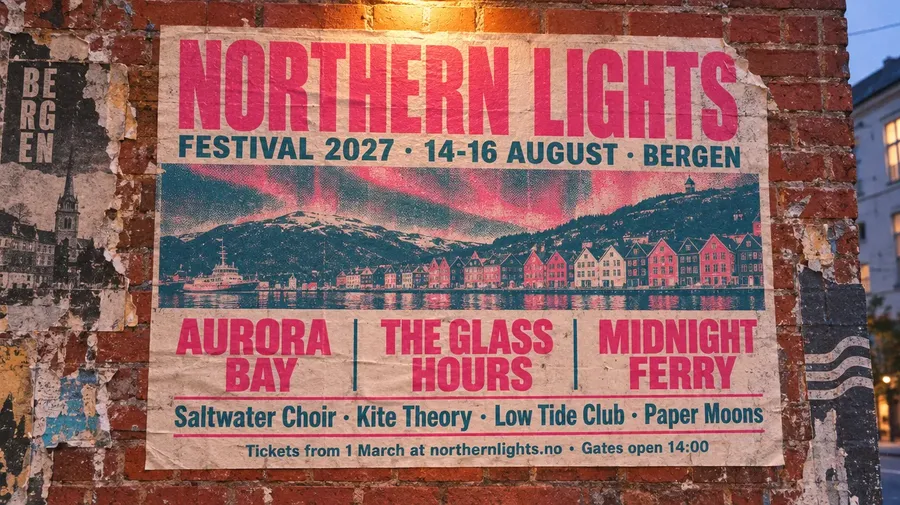
GPT Image 2.6 Sunburst
GPT Image 2.6 Flare
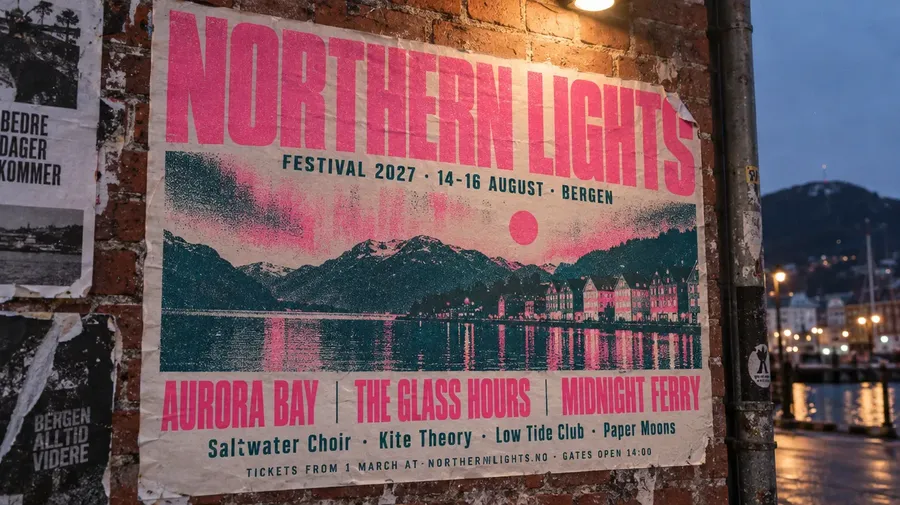
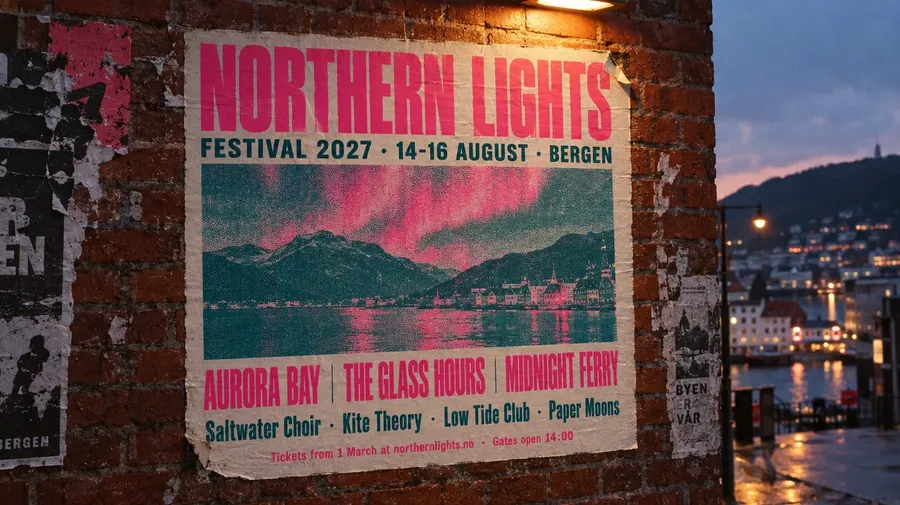
GPT Image 2.5 Sunburst
GPT Image 2.5 Flare
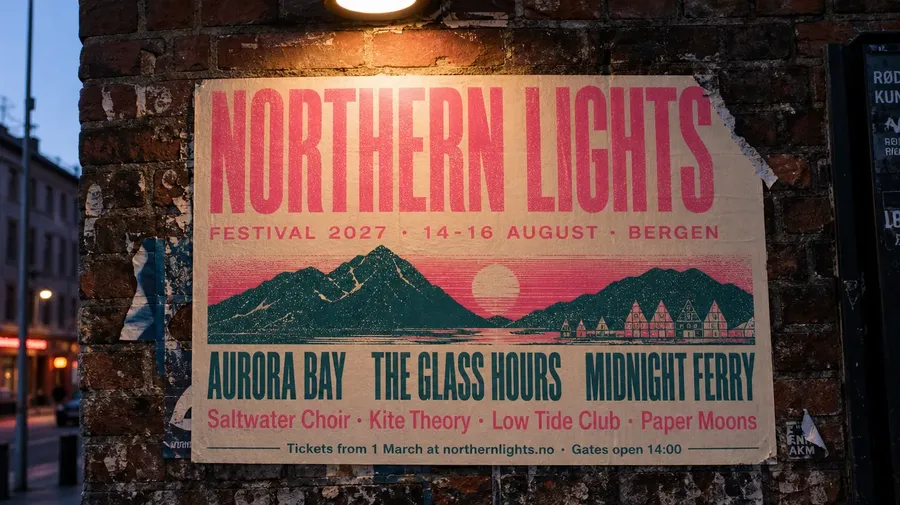
GPT Image 2
GPT Image 1.5 (3:2, cropped to 16:9)
GPT Image 2.6 Sunburst produced the most finished poster. Every line is spelled correctly, the halftone aurora sits over a recognizable Bergen waterfront with its colored wooden houses, and the street behind the wall glows in the dusk light. 2.6 Flare was almost as strong, with every line correct and a harbor scene complete with a ferry, though it stacked the headliners onto two lines each.
The older models show where the line is still moving. GPT Image 2.5 Sunburst made glyph errors in the small print, with a stray mark in "Saltwater" and "NORTHERNILIGHTS" in the web address, and it switched the bottom line to capitals. 2.5 Flare spelled everything right but let the bottom line run off the edge of the poster. GPT Image 2 kept all the text correct with a simpler mountain illustration, and GPT Image 1.5 got the words right but dropped the illustration entirely, leaving a plain text poster.
Test 3: Text in Two Languages
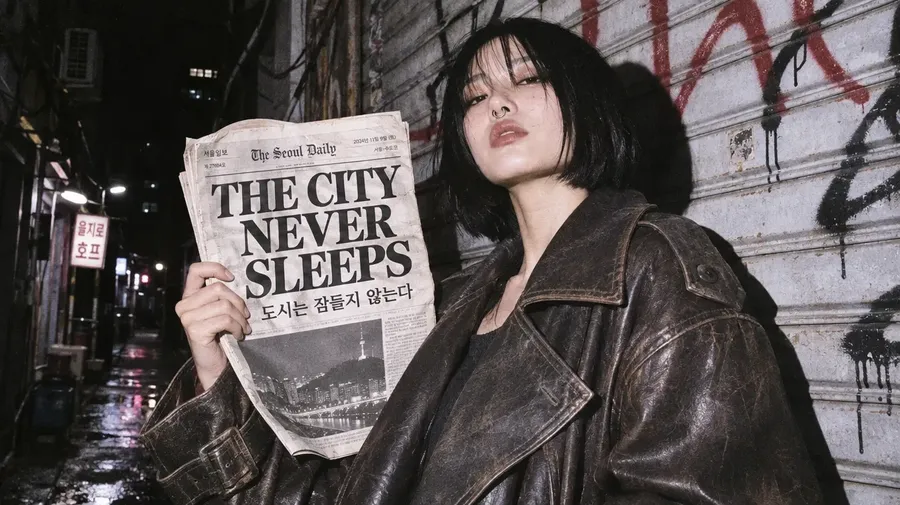
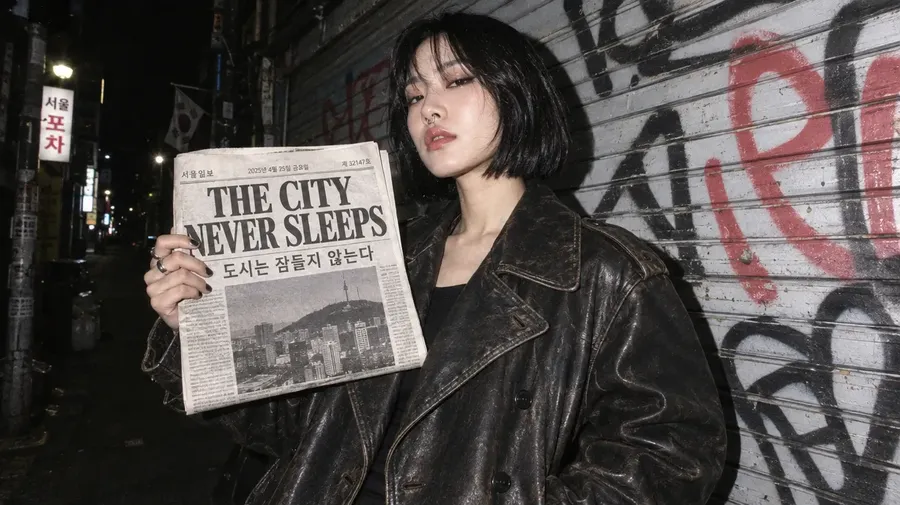
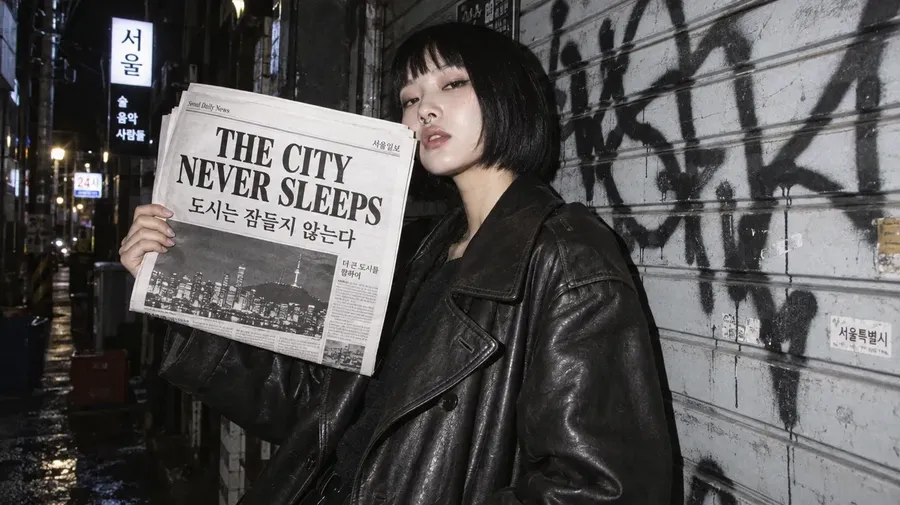
Text is the reason many people choose GPT Image over other models. The prompt asked for a direct-flash night photo of a woman in a Seoul alley holding a newspaper headlined "THE CITY NEVER SLEEPS", with the Korean line "도시는 잠들지 않는다" beneath it.
"Direct-flash night photograph, fashion editorial. A young woman with a sharp black bob, a silver septum ring and an oversized vintage leather trench coat leans against a graffiti-covered metal shutter in a Seoul back alley. She holds up a folded newspaper; its front-page headline reads "THE CITY NEVER SLEEPS" in heavy black serif capitals, with a smaller Korean line beneath: "도시는 잠들지 않는다". Hard flash shadows on the shutter, deep black surroundings, grainy 35mm film, slightly blown skin highlights."
GPT Image 2.6 Sunburst
GPT Image 2.6 Flare
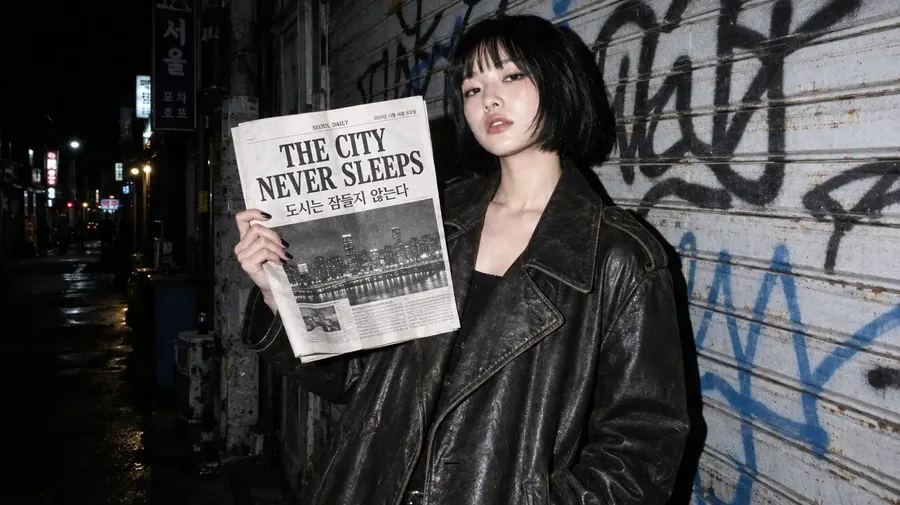
GPT Image 2.5 Sunburst
GPT Image 2.5 Flare
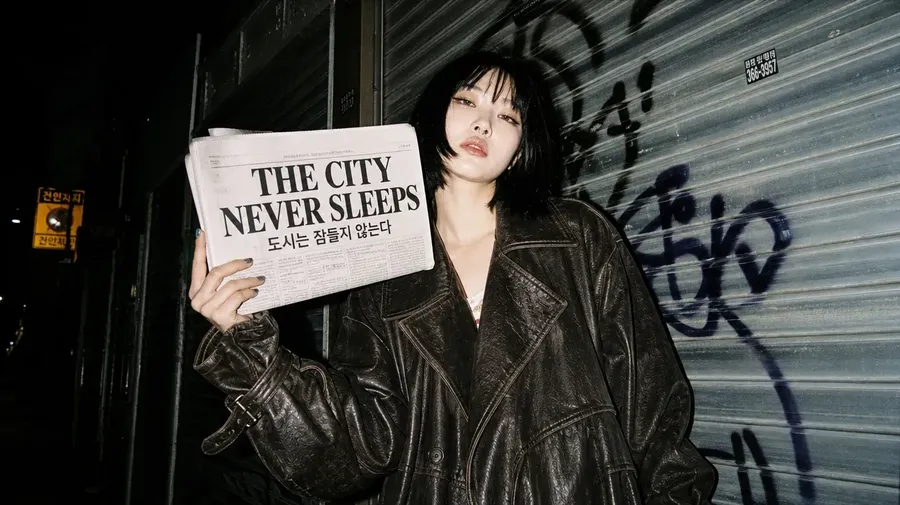
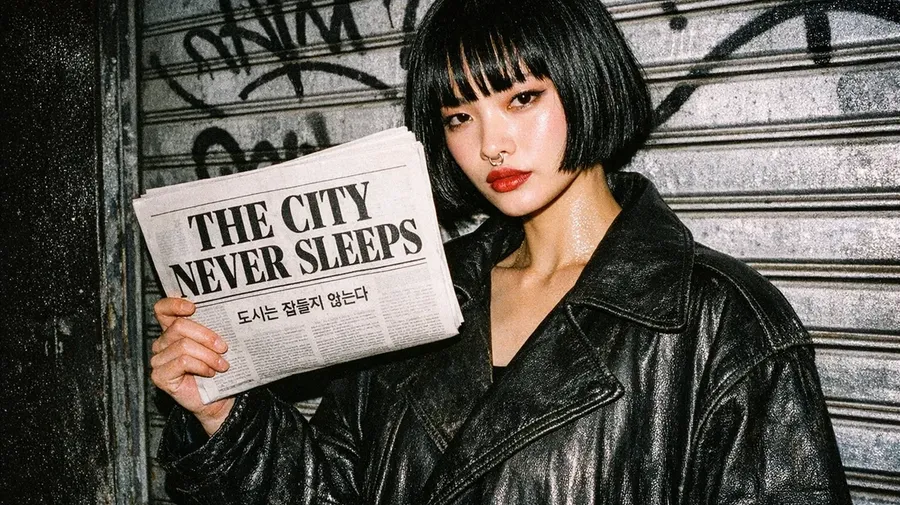
GPT Image 2
GPT Image 1.5 (3:2, cropped to 16:9)
All six models spelled the English headline correctly. Five of the six also got the Korean line right; GPT Image 1.5 swapped one syllable (잡 instead of 잠), which a Korean reader would spot at once.
The bigger difference was how much of a real front page each model built. GPT Image 2.6 Sunburst produced the fullest page, with English and Korean mastheads, a dateline and a skyline photo of Seoul Tower, plus a neon sign and a wet street behind the model. 2.6 Flare added a Korean masthead, a dateline and a skyline photo on a slightly simpler page. The 2.5 models were close behind, while GPT Image 2 printed a plain, text-only front page. For a deeper look at prompting for type, see our guide to generating images with readable text.
Test 4: Edit Consistency Across Three Edits
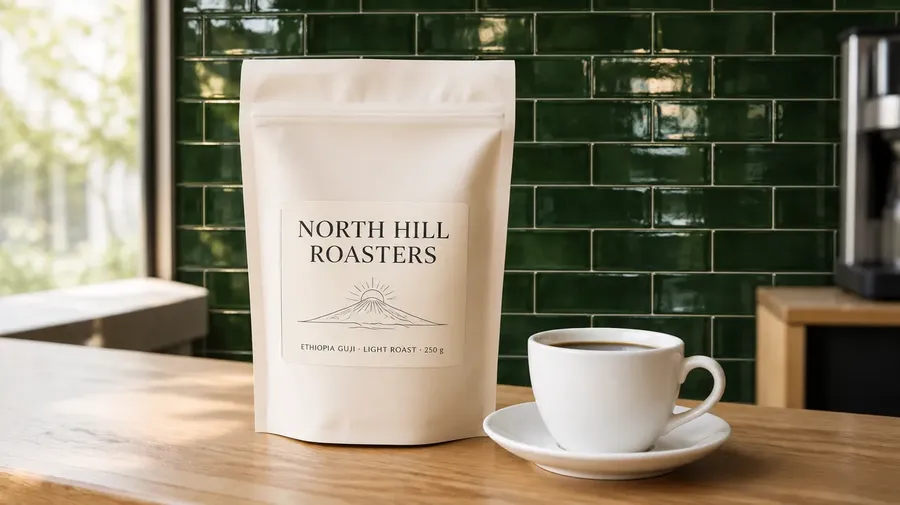
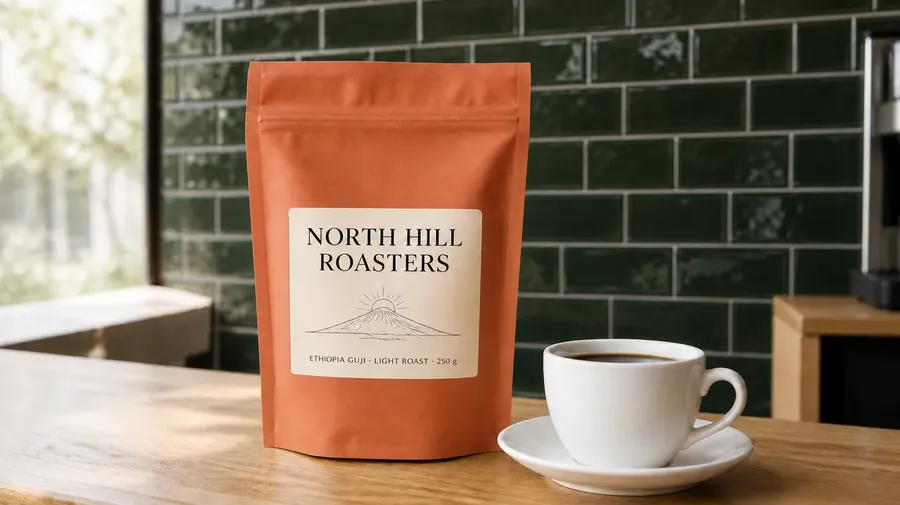
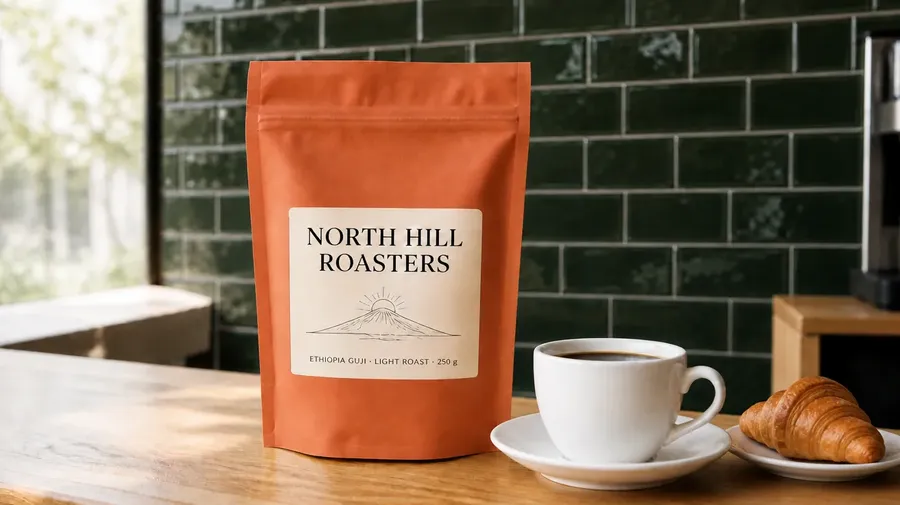
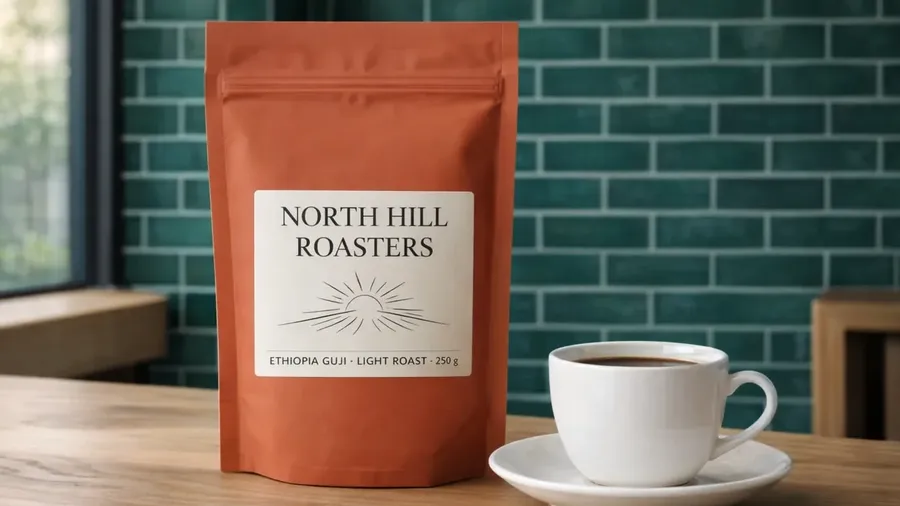
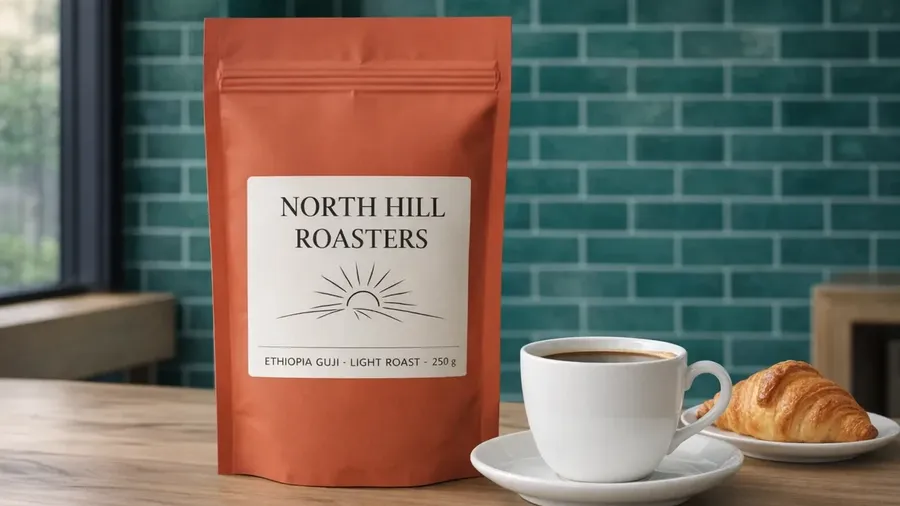
OpenAI says GPT Image 2.6 Sunburst keeps details more consistent from one edit to the next, so we tested it directly. We generated one product photo of a "NORTH HILL ROASTERS" coffee pouch with a cup on a café counter, then ran the same three edits in a row on every model:
- Change the wall to dark green glazed tiles.
- Change the pouch from cream to terracotta.
- Add a small plate with a croissant next to the cup.
Each edit prompt also named what had to stay the same: the label text, the hill drawing, the cup, the counter and the light.
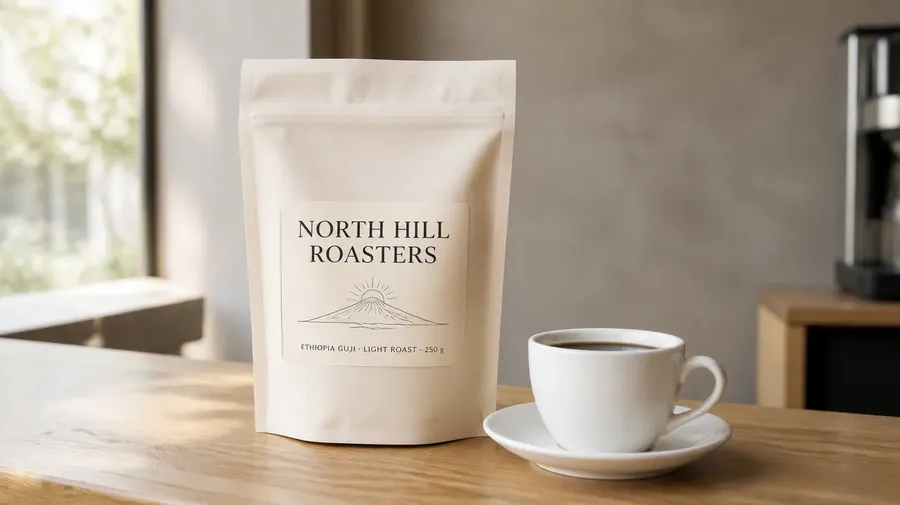
Original image (GPT Image 2)
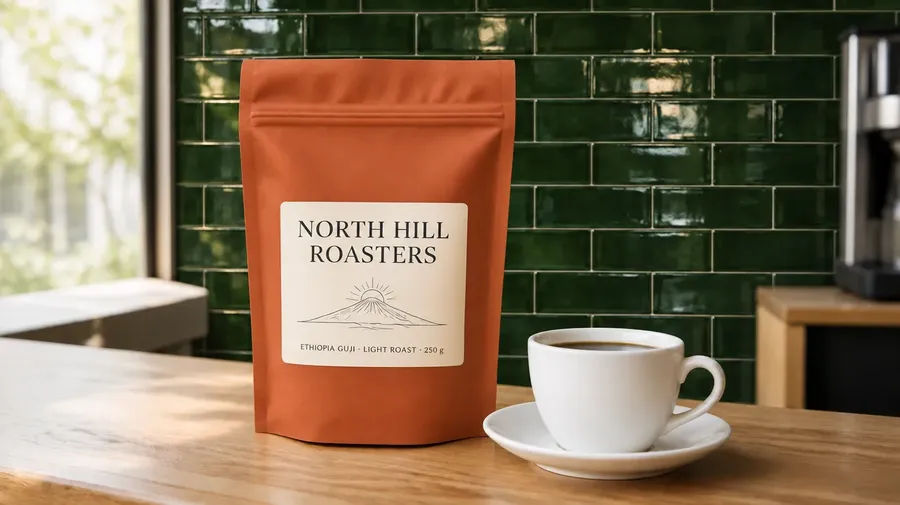
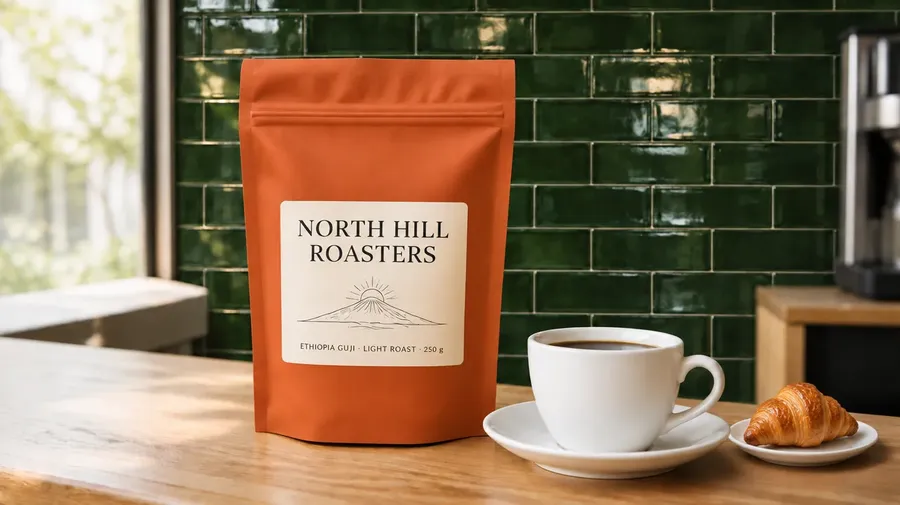
GPT Image 2.6 Sunburst, edit 1: green tile wall
GPT Image 2.6 Sunburst, edit 2: terracotta pouch
GPT Image 2.6 Sunburst, edit 3: croissant added
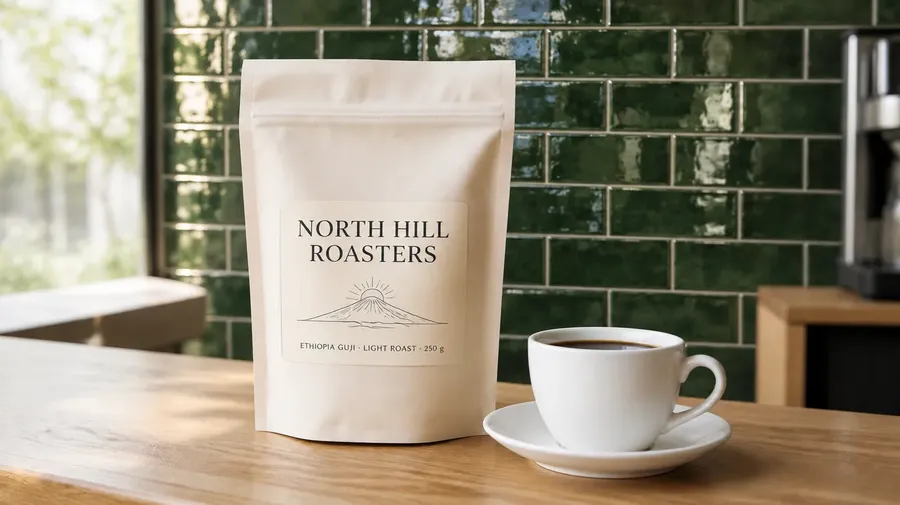
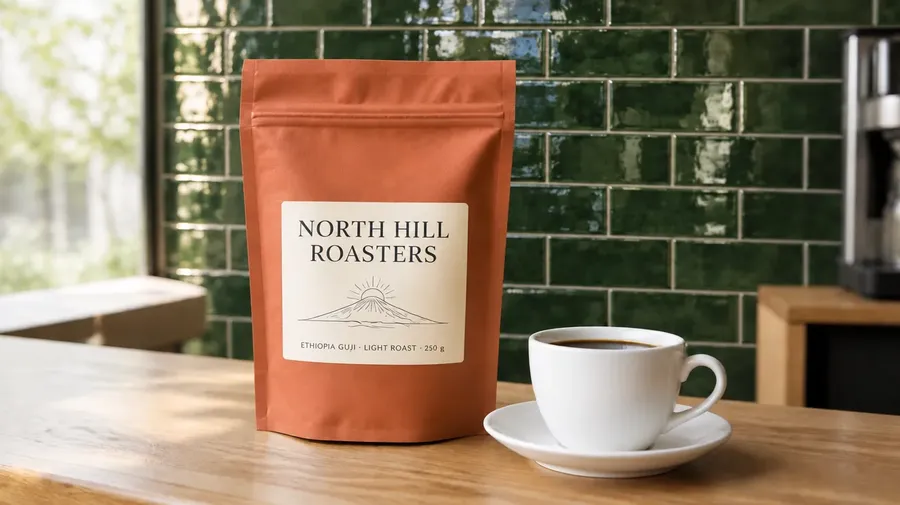
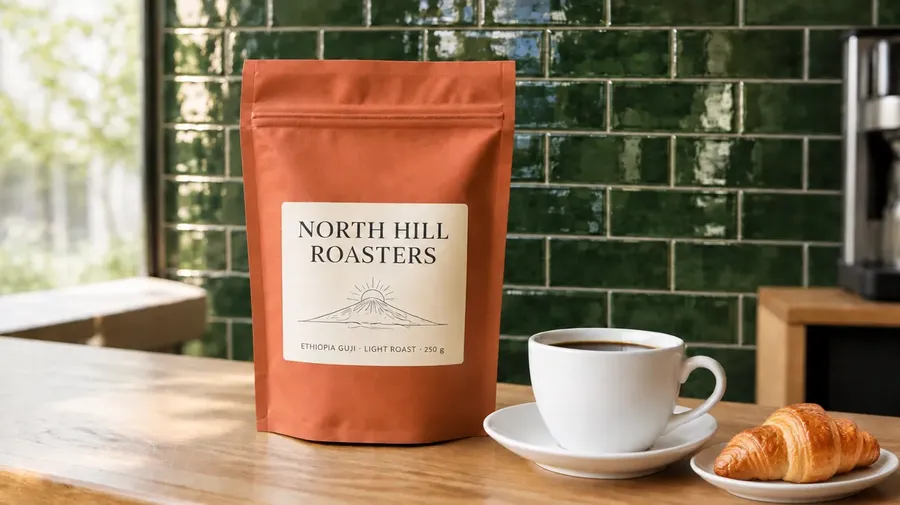
GPT Image 2.6 Flare, edit 1: green tile wall
GPT Image 2.6 Flare, edit 2: terracotta pouch
GPT Image 2.6 Flare, edit 3: croissant added
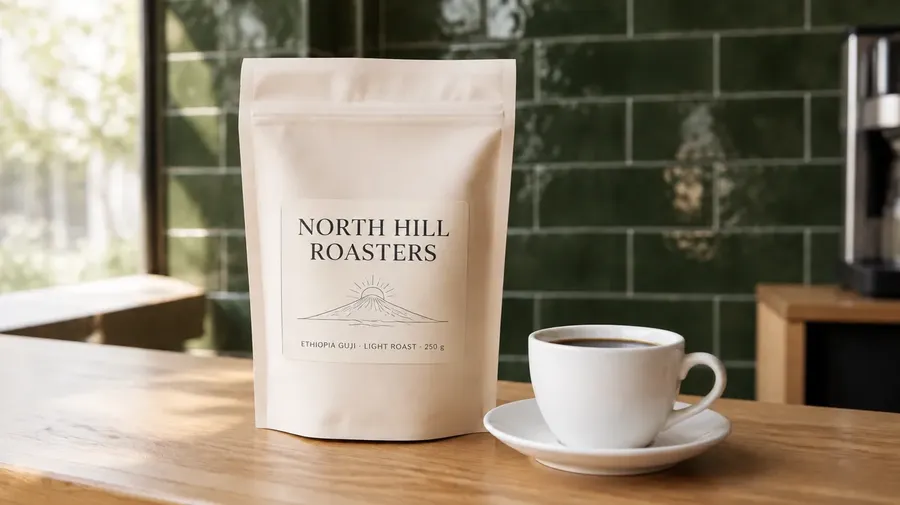
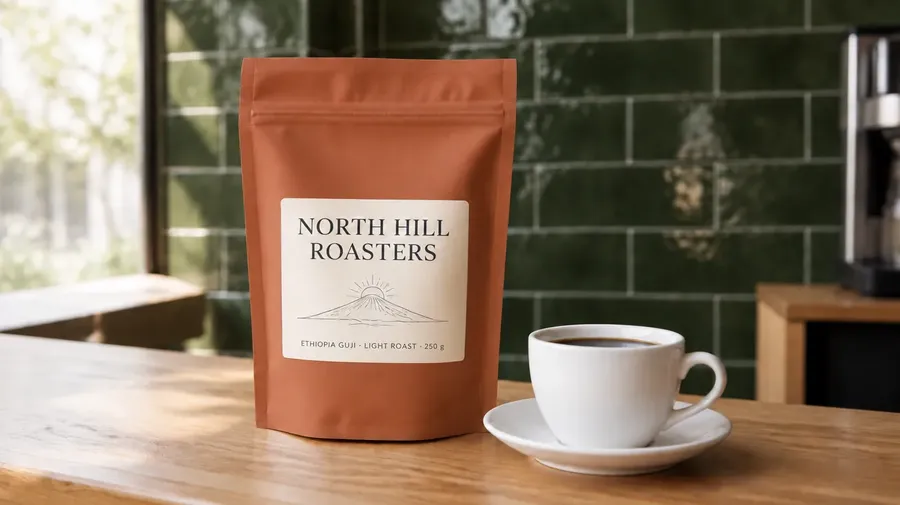
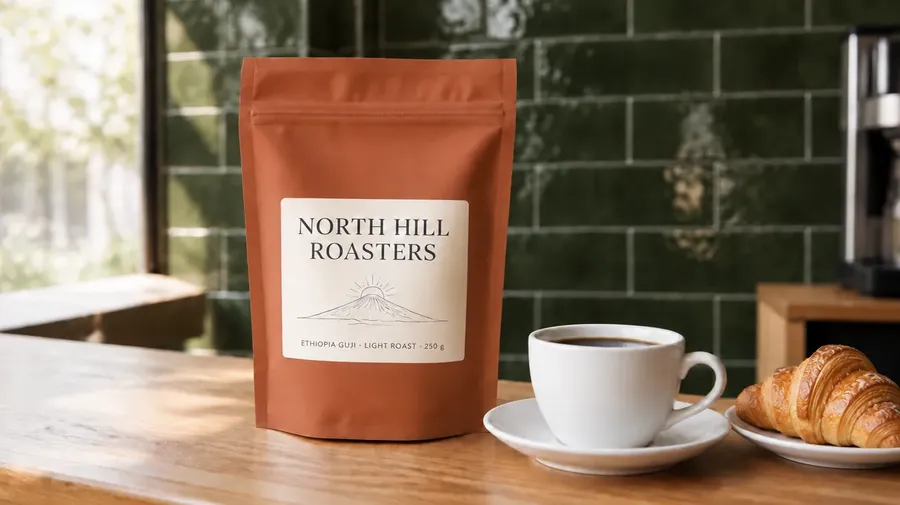
GPT Image 2.5 Sunburst, edit 1: green tile wall
GPT Image 2.5 Sunburst, edit 2: terracotta pouch
GPT Image 2.5 Sunburst, edit 3: croissant added
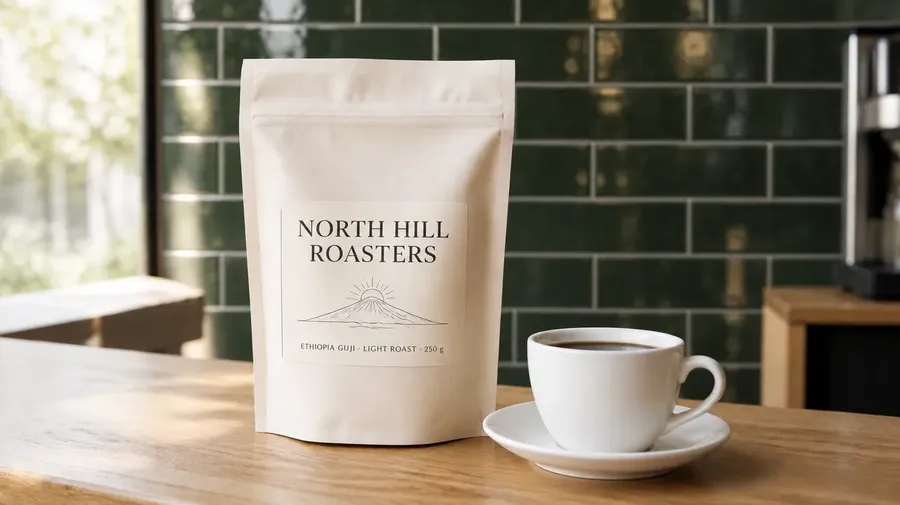
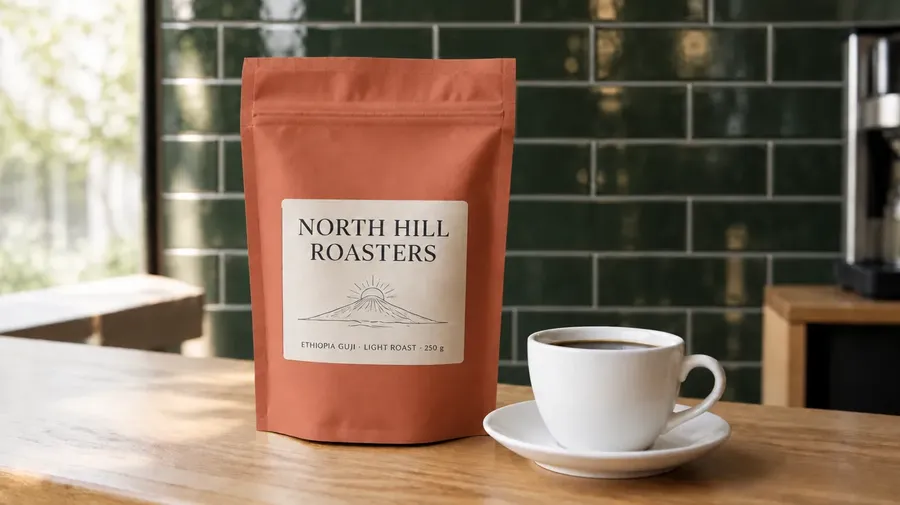
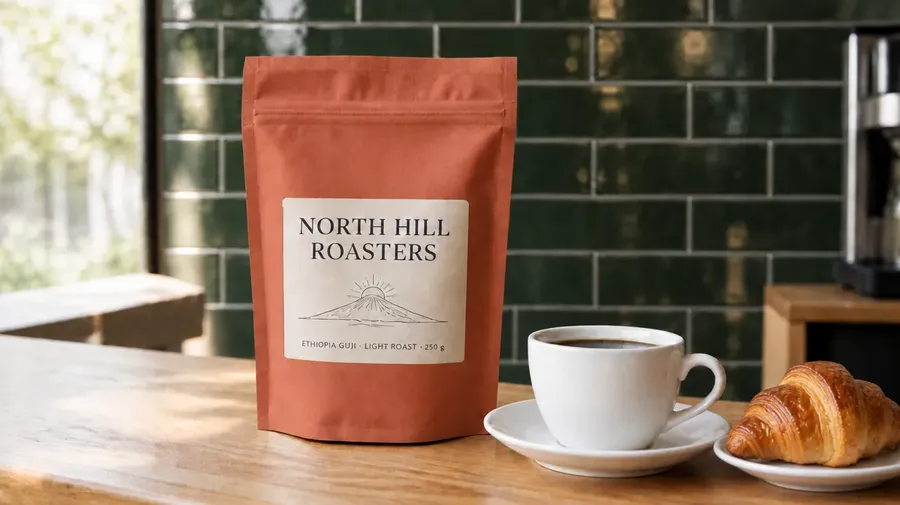
GPT Image 2.5 Flare, edit 1: green tile wall
GPT Image 2.5 Flare, edit 2: terracotta pouch
GPT Image 2.5 Flare, edit 3: croissant added
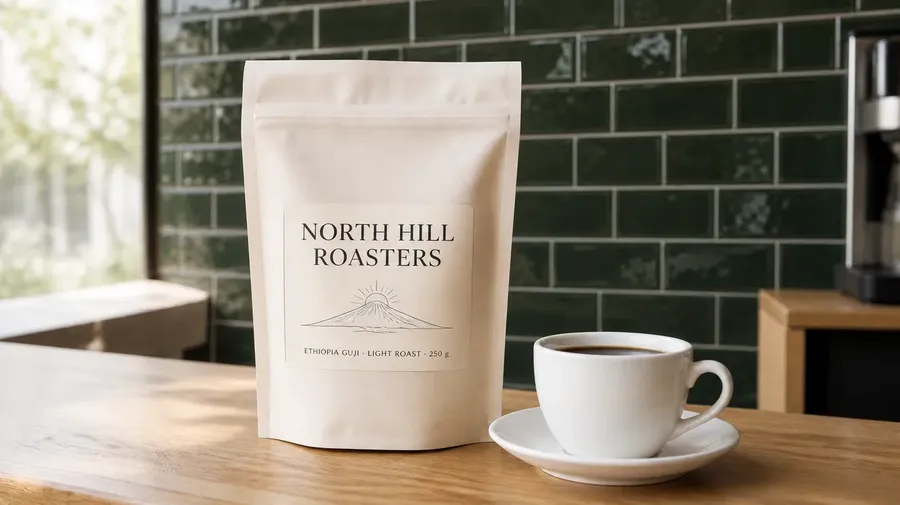
GPT Image 2, edit 1: green tile wall
GPT Image 2, edit 2: terracotta pouch
GPT Image 2, edit 3: croissant added
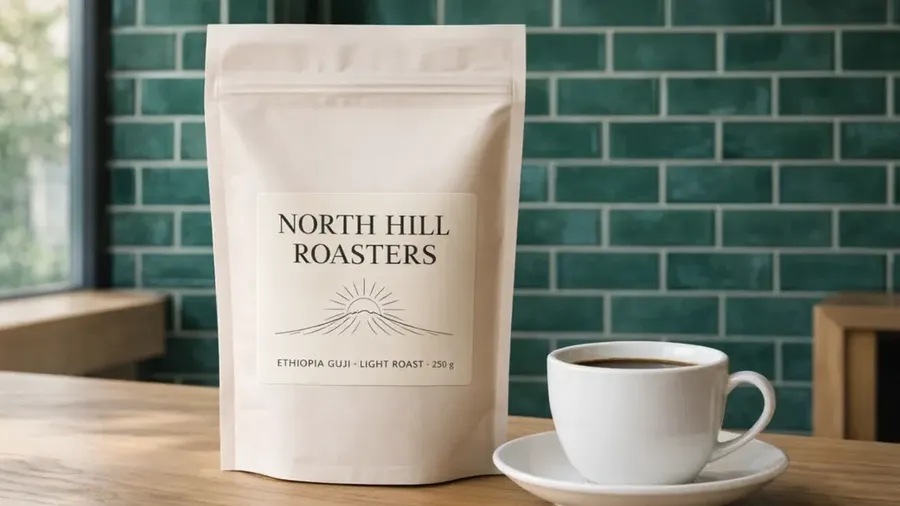
GPT Image 1.5, edit 1: green tile wall (3:2 source, cropped)
GPT Image 1.5, edit 2: terracotta pouch (3:2 source, cropped)
GPT Image 1.5, edit 3: croissant added (3:2 source, cropped)
To go beyond eyeballing, we measured how far the label pixels drifted from the original after each step (average difference on a 0 to 255 scale, lower is better). GPT Image 1.5 cannot output 16:9, so it started from the same photo cropped to 3:2, and we compared its label against that crop.
Model | After edit 1 | After edit 2 | After edit 3 |
GPT Image 2.6 Sunburst | 6.5 | 10.7 | 13.9 |
GPT Image 2.6 Flare | 10.3 | 15.3 | 11.7 |
GPT Image 2.5 Sunburst | 14.1 | 16.0 | 18.9 |
GPT Image 2.5 Flare | 9.3 | 23.1 | 26.2 |
GPT Image 2 | 21.2 | 29.5 | 30.7 |
GPT Image 1.5 | 16.2 | 29.3 | 33.8 |
The score reflects any change in that area, including the label shifting position or getting brighter, not only changes to the text, and each model ran once.
2.6 Sunburst stayed closest to the original overall and handled the final request best: one croissant, fully in shot, in a sensible spot. 2.6 Flare also held the label well but cropped the croissant at the edge of the image. The 2.5 models kept the label readable while drifting more with each step; 2.5 Sunburst added two overlapping croissants instead of one, and 2.5 Flare cropped its croissant too.
The older models show why edit consistency matters. GPT Image 2 made the pouch slightly larger and moved it to the right on every edit, so after three rounds the composition had visibly shifted. GPT Image 1.5 drifted the most: it redrew the label on the first edit with larger letters and hyphens in place of the dots, lost the hill from the drawing on the second edit, leaving only a sunburst, and rendered the tiles teal rather than dark green. The ranking matches OpenAI's claim for 2.6 Sunburst, with the caveat that this is a single run per model.
Test 5: Combining Reference Images
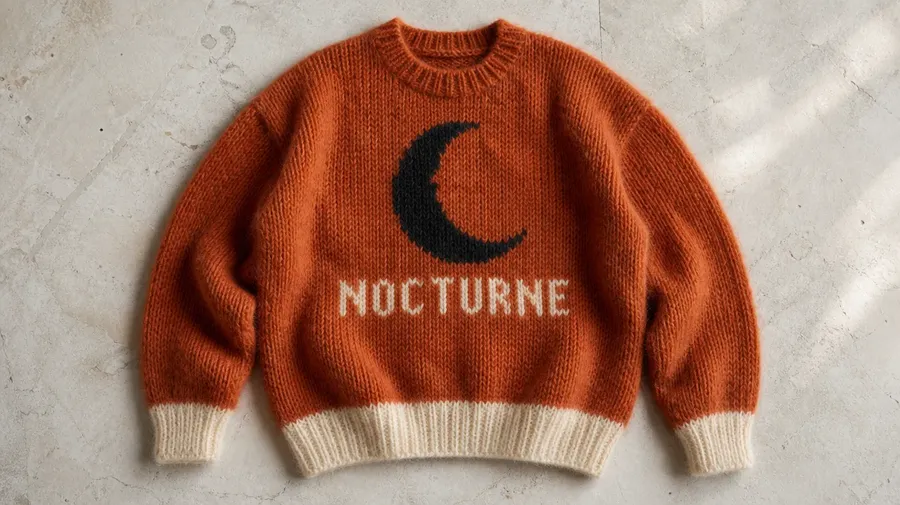
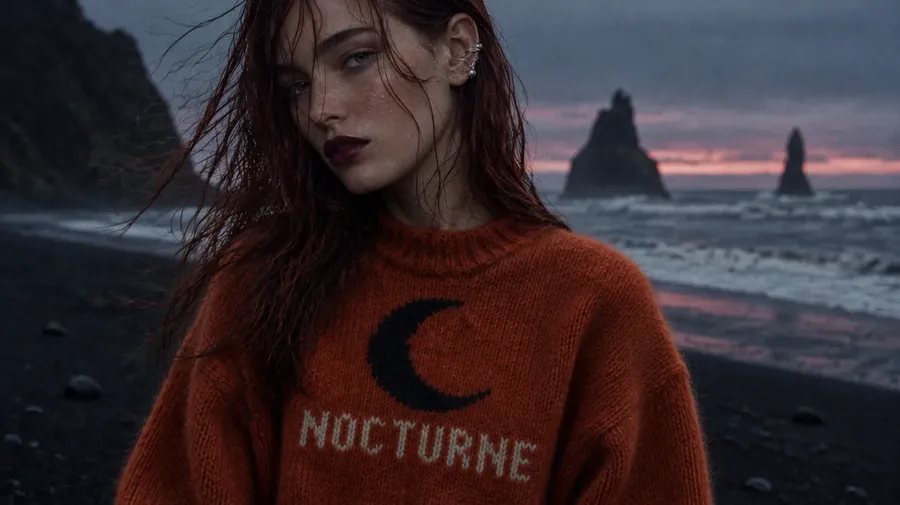
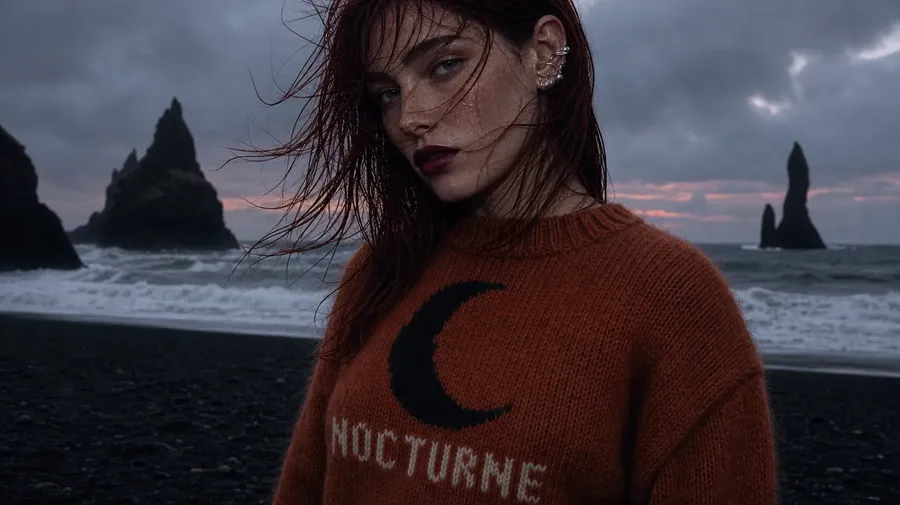
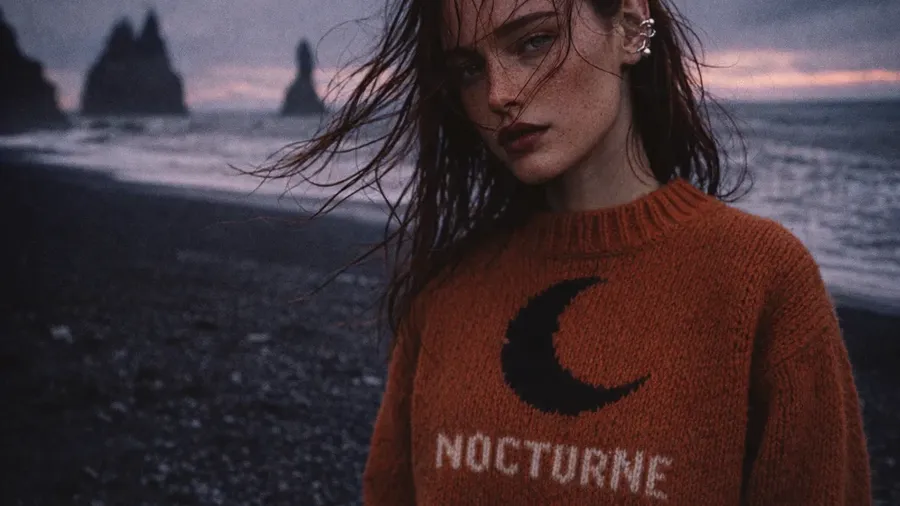
All six models accept up to 10 reference images, which is how you put a real person, outfit or product into a new scene. We gave every model the same two references, the GPT Image 2 portrait from the first test and a flat-lay photo of a rust mohair sweater with a black crescent moon and "NOCTURNE" knitted across the chest, and asked for a fashion editorial on an Icelandic beach.
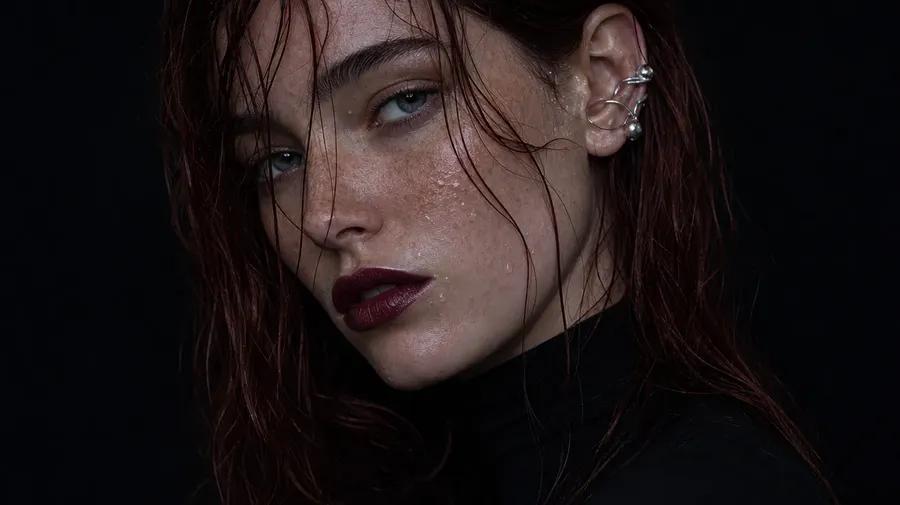
Reference image 1: the person
Reference image 2: the sweater
"Fashion editorial photograph. The woman from the first reference image, keeping her face, freckles, auburn hair and silver ear cuff, wears the sweater from the second reference image, with its black crescent moon and "NOCTURNE" lettering clearly visible. She stands on a black-sand beach in Iceland at dusk, wind whipping her hair across her face, basalt sea stacks and grey surf behind her, low cool light with a last band of pink on the horizon. Shot on medium-format film, slightly underexposed, magazine editorial look."
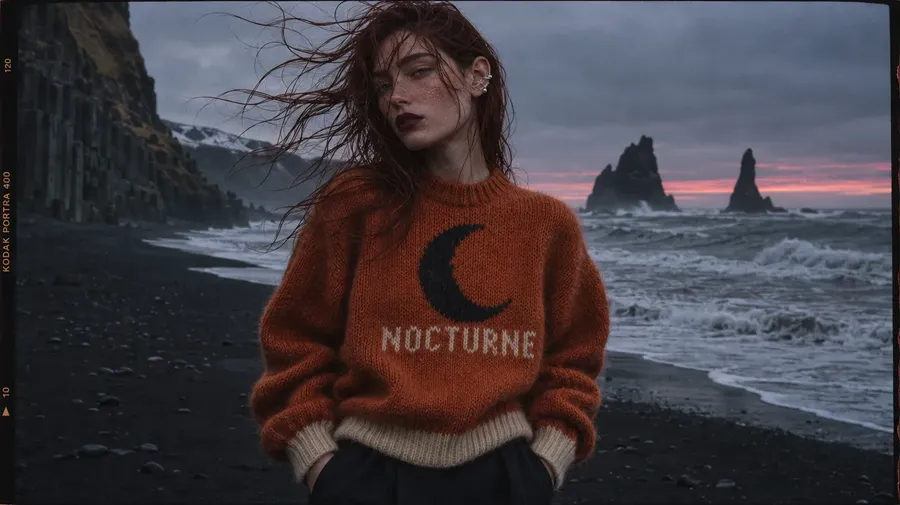
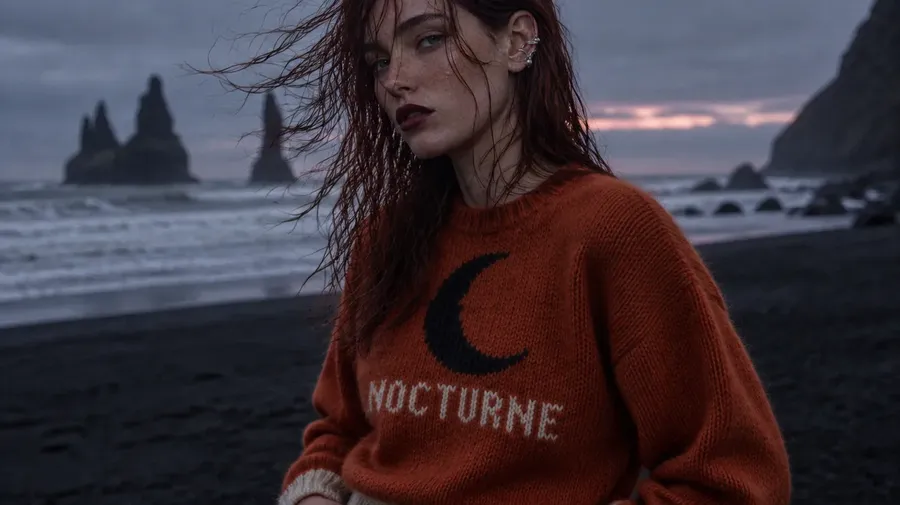
GPT Image 2.6 Sunburst
GPT Image 2.6 Flare
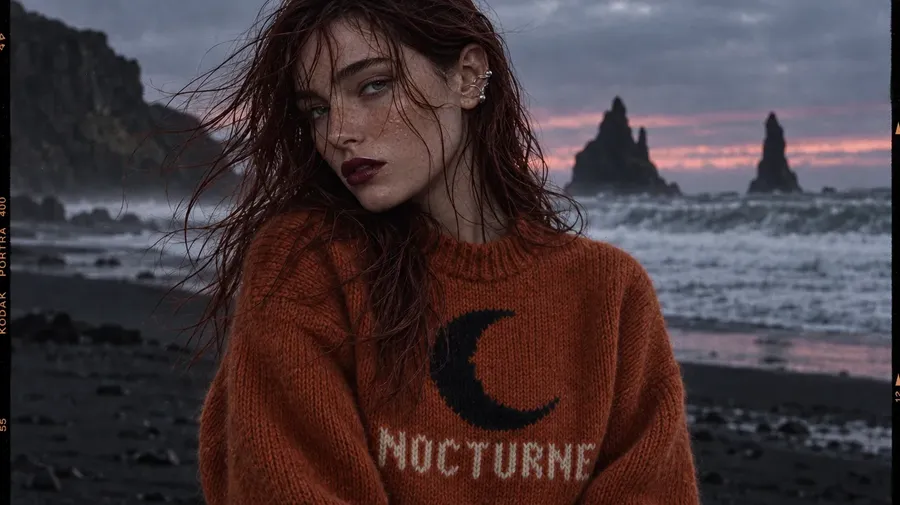
GPT Image 2.5 Sunburst
GPT Image 2.5 Flare
GPT Image 2
GPT Image 1.5 (3:2, cropped to 16:9)
This was the strongest showing across the lineup. All six models kept the person recognizable, down to the freckles, the plum lips and the ear cuff, and every one knitted "NOCTURNE" correctly under the moon. Combining a face and a garment from two separate photos is something every GPT Image model on getimg.ai handles well.
The differences came down to staging. GPT Image 2.6 Sunburst produced the most complete editorial: a three-quarter shot that shows the whole sweater, cuffs and ribbed hem included, against basalt columns and the sea stacks, with the band of pink on the horizon. It also added a film border with "KODAK PORTRA 400" printed along the edge, a reading of "shot on medium-format film" that the prompt did not ask for, and 2.5 Sunburst did the same. 2.6 Flare and 2.5 Flare went for tighter, moodier crops without a border. GPT Image 2 framed the shot so low that the bottom of the lettering touches the edge, and GPT Image 1.5 delivered a soft, grainy film look with the sweater and face intact.
GPT Image 2.6 Sunburst vs Flare: Which One to Use
Sunburst and Flare share the same formats and the same reference image limit, so the choice is about detail versus speed. OpenAI positions Sunburst for workflows where editing precision matters most and Flare for fast, high-quality everyday generation, and our tests back that up.
Use 2.6 Flare when you are exploring: testing compositions, trying wording, or generating several directions before committing. Its quality was close to Sunburst in every test, spelling every line of the poster correctly and keeping the person and the sweater intact in the reference test, so most drafts will tell you what you need.
Switch to 2.6 Sunburst for the final image and for any job that involves several rounds of edits on the same picture, such as product shots that have to keep a label intact. It built richer scenes in the portrait, poster and text tests, drifted least across edits and produced the most complete scene from reference images.
GPT Image 2.6 vs 2.5: Is It Worth Switching?
For most new work, yes. GPT Image 2.6 matched or beat 2.5 in every test we ran: more natural skin in the portrait test, cleaner small print on the poster, richer scenes in the text test, less drift across edits and a fuller scene from reference images. OpenAI also says 2.6 generates images about 50% faster than 2.5. It supports exactly the same formats as 2.5, so switching changes nothing about your settings.
GPT Image 2.5 still earns its place in two cases. Its finish is a touch more polished and retouched, which some beauty and product work calls for. And if you made a series of images with 2.5, sticking with it keeps new images visually consistent with the old ones, since every model update shifts the style slightly. GPT Image 2 also stays available, with a darker, grainier look and plainer layouts that suit work where restraint matters more than detail. You can read about how that generation launched in our GPT Image 2 release overview.
Which GPT Image Model Should You Pick?
If you need | Pick |
The best final image | GPT Image 2.6 Sunburst |
Several edits on one image | GPT Image 2.6 Sunburst |
Putting a real person or outfit into a new scene | GPT Image 2.6 Sunburst |
Fast drafts and iterations | GPT Image 2.6 Flare |
A more polished, retouched finish | GPT Image 2.5 Sunburst or Flare |
New images that match a series made with 2.5 | GPT Image 2.5 Sunburst or Flare |
A darker, grainier film look with plain layouts | GPT Image 2 |
A quick square draft with English text | GPT Image 1.5 |
Models keep improving, so check text and small details before you publish any generated image, whichever version you use. If GPT Image is not the right fit for a job, the same generator gives you other image models too; our AI realism test compares them on photorealistic prompts.
Bottom Line
GPT Image 2.6 Sunburst is the best GPT Image model available today, and 2.6 Flare is the fastest way to get close to it. Together they cover drafting and final output, while the older models still offer distinct looks: a more polished finish on 2.5, a darker film look on GPT Image 2 and a glossy, styled one on 1.5. The quickest way to see the difference is to run your own prompt on both 2.6 variants side by side in the Create image generator.
Frequently Asked Questions
GPT Image 2.6 Sunburst is the strongest GPT Image model as of November 2026. In side-by-side tests on getimg.ai it produced the richest scenes, the most natural skin texture and the most stable details across repeated edits. GPT Image 2.6 Flare is close in quality and faster, so it is the better choice for drafts and quick iterations.
Sunburst is OpenAI's detail variant and Flare is its speed variant. Both exist for GPT Image 2.5 and 2.6, and both support the same formats: 1K or 2K output, nine aspect ratios and up to 10 reference images. Sunburst produces richer detail and keeps edits more consistent, while Flare finishes faster, which suits early drafts.
In our tests, yes. GPT Image 2.6 matched or beat 2.5 on photorealism, dense layouts, text rendering, edit consistency and reference images. 2.5 is still worth using when you want its slightly more polished finish, or when new images have to match a series you already made with it.
GPT Image 2.6 Sunburst and 2.6 Flare were the most reliable in our tests: both spelled every line of a dense festival poster correctly, as well as an English headline with a Korean line beneath it. GPT Image 2.5 Sunburst made small glyph errors in fine print, and GPT Image 1.5 misspelled the Korean line.
OpenAI says GPT Image 2.6 generates images about 50% faster than 2.5, and that Flare is the faster of the two 2.6 variants. Real generation times on any platform also depend on load and output quality, so expect some variation from one image to the next.
Yes. GPT Image 2.6 Sunburst and Flare are available through the getimg.ai API, alongside GPT Image 2.5 and GPT Image 2, on a pay-as-you-go basis. You can also use all six GPT Image models in the browser in the Create image generator, without writing code.
No. GPT Image 1 has been removed from getimg.ai. GPT Image 1.5, 2, 2.5 Sunburst, 2.5 Flare, 2.6 Sunburst and 2.6 Flare all remain available in the Create image generator.
Related Articles