How to Generate Images With Readable Text (2026 Guide)

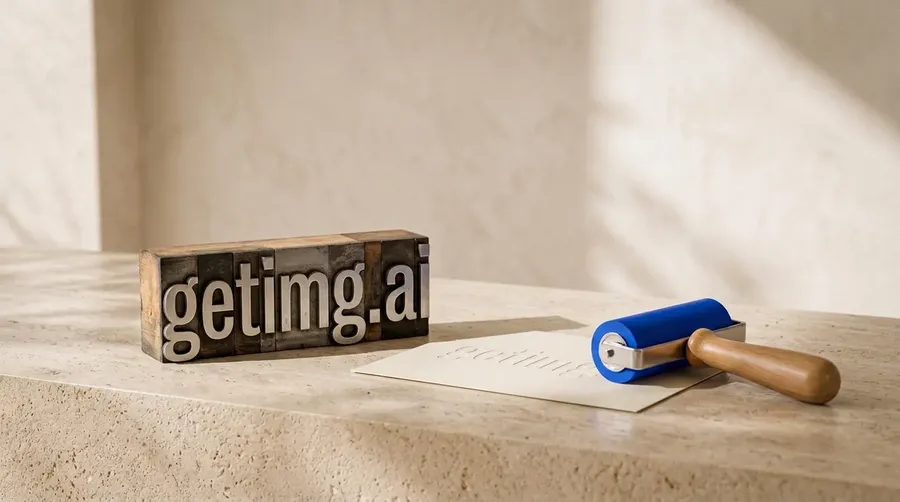
To generate images with readable text, use a model strong at typography, put the exact words in quotation marks in your prompt, and say where the text should sit. Top image models now render whole headlines, labels, and even multiple paragraphs accurately, so most legibility failures come from a weak model choice, a vague prompt, or low contrast rather than from length alone. In getimg.ai you can pick a text-capable model such as Nano Banana 2 or GPT Image 2, generate a batch, then edit the winner to correct any stray characters rather than starting over.
Why AI Struggled With Text, and Why It Improved
Text used to be the clearest giveaway of an AI image, and understanding why explains how to get it right now. Early image models treated letters as shapes rather than language, so they produced text-like scribbles that fell apart on close reading. Newer models handle long passages, multiple lines, and full paragraphs with real accuracy because they were trained to reproduce specific characters in order.
The practical readability bar is not just crisp glyphs, it is contrast: the W3C accessibility guidance sets a minimum contrast ratio of 4.5:1 for normal text and 3:1 for large text. An image can render perfect letters that are still hard to read against a busy background, so you steer both the characters and the contrast.
Start With a Model Built for Typography
Model choice is the single biggest lever on text quality, so start there. Text rendering is a known strength of some current models and a known weakness of others, and picking a strong one removes most of the problem before you write a word of prompt.
On a multi-model platform you can send text-heavy work to a model chosen for typography instead of accepting whatever a single tool offers. In getimg.ai, GPT Image 2, Nano Banana 2, and Seedream 5.0 Pro are currently particularly strong text renderers. But the platform can auto-select the model based on your prompt, so you don't actually have to track model leaderboards to figure out which is the best option at any given time.
Write the Prompt So the Words Come Through
How you phrase the prompt decides whether the model treats your copy as literal text. Four habits do most of the work, and they compound: a strong model following a precise prompt clears the bar that either alone would miss.
- Quote the exact words. Put the copy in quotation marks, for example the text "Grand Opening", so the model reproduces it verbatim rather than paraphrasing.
- Structure longer copy. Top models handle full sentences and paragraphs, so for longer text name the parts, such as a headline, a subhead, and a line of body copy, and the model lays them out in order.
- Place it deliberately. Say where the text sits, such as centered at the top or on the label, so it lands in a legible spot.
- Set the context. Name the surface, such as a poster, a sign, or product packaging, so the letters sit naturally in the scene.
These four turn a vague request into a specific instruction the model can execute. The difference between "a cafe poster about a sale" and a poster with the words "Weekend Sale" centered at the top, dark text on a cream background, is the difference between decorative squiggles and a headline a reader can act on.
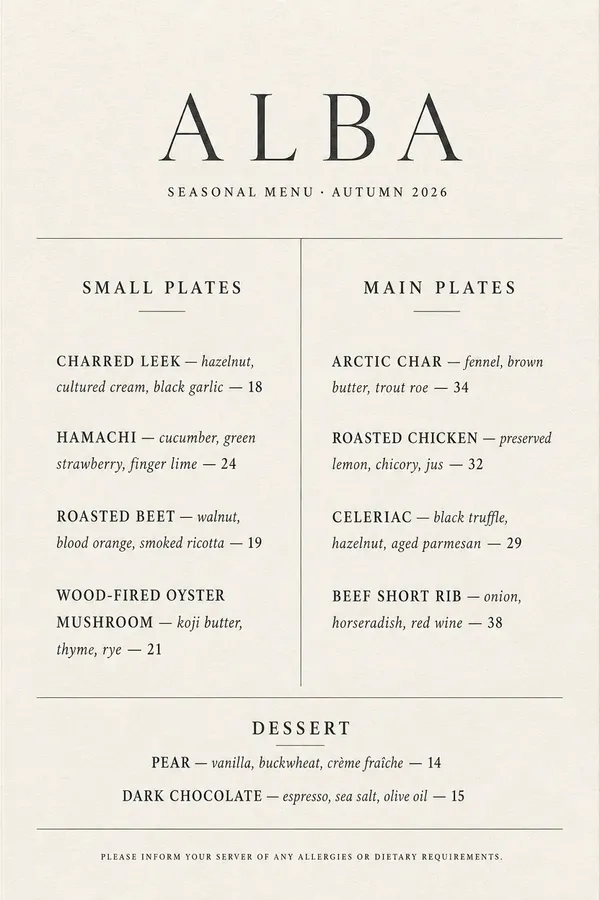
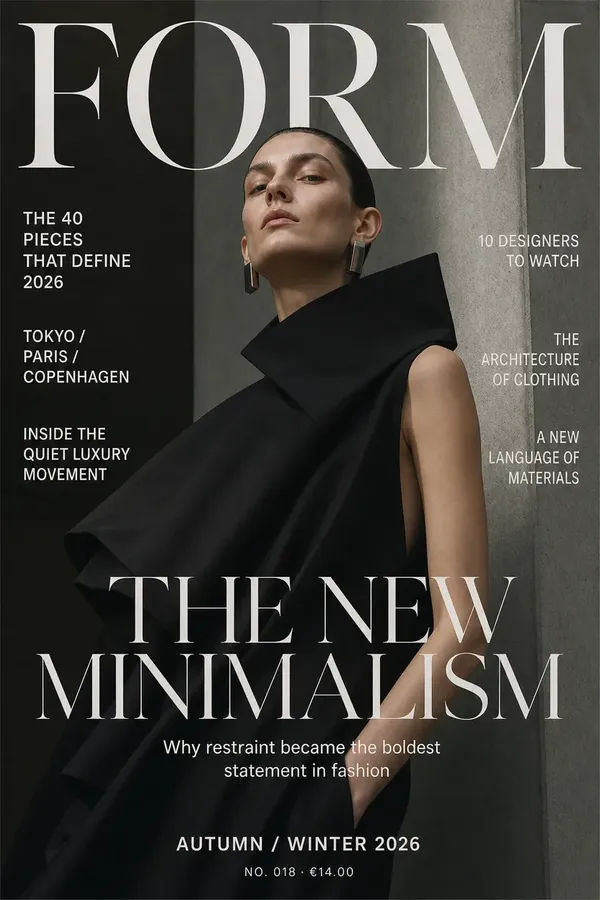
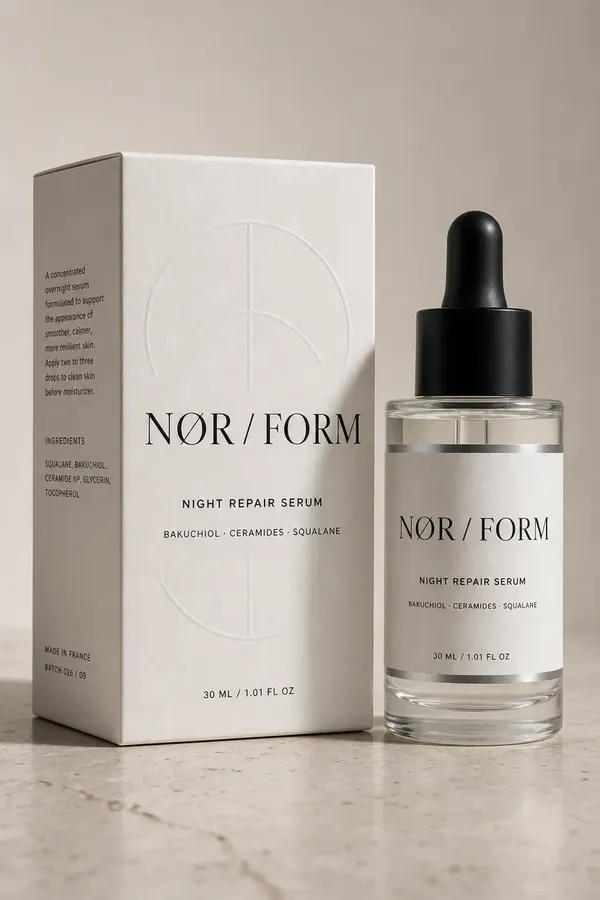
All images were generated with AI using getimg.ai.
Decide When to Generate Text and When to Set It Yourself
A reliable rule keeps expectations right: generate the text you want baked into the scene, and set type yourself when you need exact control.
Top models render headlines, product names, labels, and multiple paragraphs accurately, so length is no longer the dividing line. What still favors your design tool is precision and editability: exact brand fonts and kerning, copy you will revise later, and legal or fine print where every character must be verified and correct.
Text Type | Best Approach |
Headline or Product Name | Generate directly with a text-strong model |
Single Label or Sign | Generate directly, quote the words |
Multiple Paragraphs of Body Copy | Generate directly on a top model; verify every line at final size |
Editable or Frequently Revised Copy | Set type yourself so you can change it without regenerating |
Exact Brand Font and Kerning | Set type yourself over a generated background |
Logo or Exact Wordmark | Supply your logo as a reference image, or place your real vector mark in your design tool |
This split gives you generation's speed when the words belong in the scene and full typographic control when precision is non-negotiable. Top models handle far more text than they used to, including multi-line and paragraph copy, so the choice is now about control rather than capacity.
Fix Text Errors by Editing, Not Rerolling
When a generation is almost right but a letter is off, editing beats regenerating. Rerolling the whole prompt discards a composition you liked and gambles on a new one, whereas a targeted edit fixes the text and keeps everything else. Because getimg.ai preserves your original and produces a new version on each edit, you can correct a character or a word without losing the image you already approved.
- Generate a batch so you have several attempts at the text, then pick the strongest layout.
- If the copy is close but flawed, edit the image and describe the correction rather than starting a new prompt.
- Re-check legibility at final size, confirming the letters are crisp and the contrast is high enough to read at a glance.
Batching plus targeted editing is what makes text reliable in practice. It also feeds naturally into text-forward outputs like social media posts, advertisements, and word-driven designs such as word art, where the words are the point and legibility is the whole job.
The Bottom Line
Readable text in AI images comes from four things working together: a model strong at typography, the exact words quoted in the prompt, deliberate placement, and edits rather than rerolls to fix stray characters. Top models now render whole paragraphs, so length is rarely the problem; reserve your design tool for exact fonts, editable copy, and legal fine print, and verify both the glyphs and the contrast at final size.
getimg.ai supports this end to end, with text-strong models, auto-selection, batch generation, and non-destructive editing, so the text you generate lands cleanly and your finished layout keeps full typographic control.
Generate images with readable text on getimg.ai.
Frequently Asked Questions
Use a model strong at typography, put the exact words in quotation marks so they render verbatim, and state where the text should sit. In getimg.ai, generate with a text-capable model such as one from the Nano Banana, FLUX or GPT Image families, produce a batch so you have several attempts, then pick the cleanest layout.
If a letter is off, edit the image to fix it rather than regenerating the whole prompt. Verify at final size that the glyphs are crisp and the contrast is high enough to read at a glance, not just technically present.
Usually because of a weak model choice, a vague prompt, or low contrast. Early models treated letters as shapes rather than language, but strong current models render full sentences and paragraphs accurately when the prompt quotes the exact words.
The fixes are to choose a model known for text rendering, quote the copy exactly, and state where it sits. A garbled result is rarely random: route it to a text-strong model, quote the words precisely, and most errors disappear on the next batch.
Text rendering is a known strength of some current models and a weakness of others, and the leaders shift as new models release. On getimg.ai, models such as Nano Banana 2 and GPT Image 2 are strong text renderers, and a multi-model platform lets you send typographic work to a capable model rather than accepting one tool's fixed ability.
Because leadership changes, the durable answer is access to several strong text models plus the option to pick per job. A top model is reliable for headlines, labels, and paragraph copy alike; set type yourself when you need an exact font or editable text over a generated background.
More than it used to. On a top model, headlines, product names, labels, and multiple paragraphs of body copy all render accurately, so length alone is no longer the limit. What still favors a design tool is control rather than capacity: exact brand fonts, copy you plan to edit, and legal fine print where every character must be verified.
The practical split is to generate the text that belongs in the scene and reserve layout software for type you need to control precisely, then check every line at final size for crisp letters and enough contrast to read at a glance.
Edit the image rather than regenerating from scratch. Rerolling the whole prompt throws away a composition you liked and gambles on a new one, while a targeted edit corrects the characters and preserves everything else. In getimg.ai, editing produces a new version and keeps your original intact, so you can fix a word without losing the approved image.
Describe the correction directly, for example changing the sign to read the intended word, then re-check the result at final size for both crisp letters and sufficient contrast. Batching several attempts first also gives you a cleaner base to edit.
Related Articles