7 Camera Movements That Make AI Video Look Cinematic

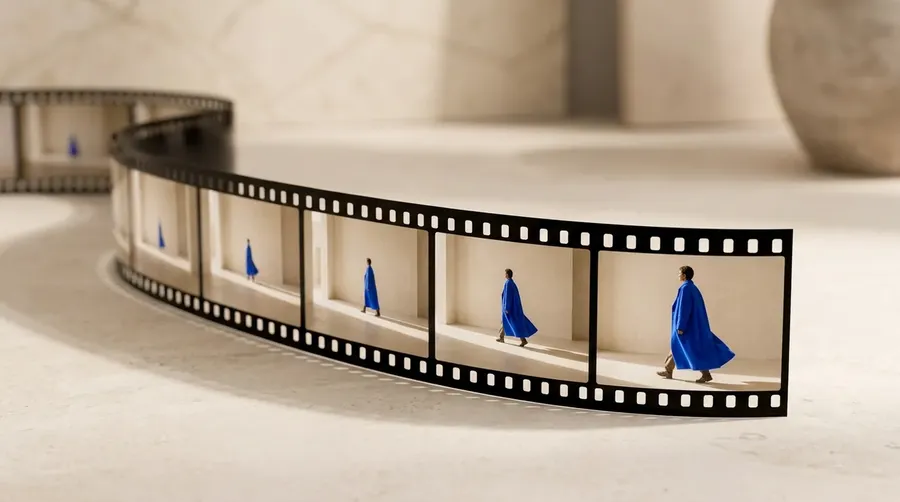
Cinematic AI video comes from one deliberate camera movement that supports the scene, not from making everything move at once. The seven camera movements that reliably read as cinematic are the slow push-in, the pull-back reveal, the side tracking shot, the orbit, the tilt reveal, the crane rise, and the handheld follow. In getimg.ai you start from a strong still, animate it in the Create video Action, describe a single controlled move in the prompt, and keep the version that holds together frame to frame.
Why the Camera Move Is the Cinematic Decision
A strong still image does not automatically become a strong video. You can start with good lighting, a clear subject, and a campaign-ready composition, then animate it and get a random zoom, unstable drift, or a camera floating with no direction. The problem is rarely the image. It is the missing camera decision. Cinematic movement is not about making everything move; it is about choosing one camera move that supports the scene.
When the camera travels through a scene with depth, nearby objects shift faster than distant ones. That difference is parallax, and it is what makes a flat frame feel three-dimensional. A move chosen on purpose gives the shot a reason to exist, while a move added for effect only adds motion. Each of the seven moves below does one specific job, which is why picking the right one matters more than stacking several. You can animate a still image directly, so the frame you choose is where the shot is won or lost.
Start With a Frame That Can Carry Motion
Before you add motion, choose an image that already works on its own. The subject should be clear, the composition should leave enough space, and the environment should contain foreground, middle-ground, and background elements. That layering is what creates depth, and depth is what motion reveals.
When the camera moves, those layers separate at different speeds and parallax does the cinematic work for you. A flat frame with everything on one plane has nothing to separate, so the same move reads as a slide. Space matters for reveals too. A pull-back or a crane rise needs room around the subject to move into; if the frame is too tight, the model has to invent what was never there, and invented detail is where AI video starts to look wrong.
Generate a strong base image first, pick the direction, then develop it with one move. In getimg.ai you can generate that base frame and animate it in the same place.
The Seven AI Camera Movements
Each movement does one job. Describe it in plain language, name the speed, and say what should stay stable. Below is each move with a prompt you can adapt and the single control that keeps it clean. Not sure where to start? You can build on the examples from our detailed video prompt book with your own subject and setting.
1. Slow push-in
The slow push-in moves the camera gradually closer to the subject to build focus, tension, or intimacy. It suits portraits, beauty campaigns, product reveals, and emotional scenes.
Prompt to try:
- "Slow cinematic camera push toward the subject, subtle parallax, smooth controlled movement, subject remains stable and in focus."
The key word is slow. A fast zoom reads as an effect laid over the image; a controlled push-in reads as a real camera physically moving through the scene.
"slow cinematic camera push toward the subject, subtle parallax, smooth controlled movement, subject remains stable and in focus"
2. Pull-back reveal
The pull-back starts close and gradually reveals the environment. Open on a product label and pull back to the full set, or start on a sneaker and reveal the whole outfit. First the subject feels like the entire story, then the world around it becomes part of the idea.
Prompt to try:
- "Camera slowly pulls back from a close-up into a wider shot, revealing the environment with natural depth."
This works only when the frame already has space around the subject. Too tight, and the model has to invent the surroundings it uncovers.
"camera slowly pulls back from a close-up into a wider shot, revealing the environment with natural depth"
3. Side tracking shot
A tracking shot moves alongside the subject, which fits a person walking, a car driving, or a model crossing a studio. Picture a streetwear model moving through a wet city at night while lights and buildings slide through the background.
Prompt to try:
- "Smooth side tracking shot following the subject, natural background parallax, stable framing and cinematic motion."
Let the speed match the energy, and know the trade-off. A slower track feels observational and, because the scene changes less between frames, is more likely to hold fine detail like faces and product textures consistently. A faster track feels kinetic and suits action or fashion; capable models handle that pace well, though the faster you move, the more work the model has to do to keep everything consistent.
"smooth side tracking shot following the streetwear model as she walks, natural background parallax as neon lights and buildings pass by, stable framing on the subject, cinematic motion, wet pavement reflecting the lights as the camera moves"
4. Orbit
An orbit moves the camera around the subject, which is ideal when shape and design carry the shot: sneakers, cars, furniture, tech products, fashion silhouettes. Even a small partial orbit makes a still product feel three-dimensional.
Prompt to try:
- "Camera slowly orbits around the product from left to right, keeping it centered and stable, with realistic reflections."
Be explicit about what moves. A camera circling a still product looks more cinematic than a product spinning in front of a fixed camera, and if you leave it ambiguous you often get neither cleanly.
"camera slowly orbits around the car from left to right, keeping the car centered and stable throughout, realistic reflections shifting naturally across the car's surface as the angle changes, smooth continuous motion, car remains stationary"
5. Tilt reveal
A tilt changes the camera angle vertically. Begin on the shoes and move up to the full outfit, travel from the base of a bottle to its label, or rise from the foot of a building to the top.
Prompt to try:
- "Slow camera tilt upward, revealing the subject from bottom to top, controlled movement and stable composition."
This lands when the frame has a strong vertical line. The move should follow the composition, not fight it.
"slow camera tilt upward starting from the base of the perfume bottle, gradually revealing the cap and top of the bottle, controlled smooth movement, stable composition throughout, bottle remains sharp and centered"
6. Crane rise
A crane move changes the physical height of the camera, starting low and rising above the scene to reveal scale or location. Think of a car in a large industrial space: the shot opens near the front wheel, then lifts to show the whole vehicle and the architecture around it.
Prompt to try:
- "Camera slowly rises above the subject, revealing more of the environment with a natural perspective shift."
The rise has to reveal something. If it uncovers nothing new, it just looks like the camera drifting upward for no reason.
"camera begins low and close to the car's front wheel, then slowly rises upward, revealing the full vehicle and the large industrial architecture and ceiling structure around it, smooth continuous rising movement, natural perspective shift as the camera climbs, car remains stationary and centered"
7. Handheld follow
Not every cinematic shot needs to be perfectly smooth. Subtle handheld movement makes a scene feel immediate and human, which suits street scenes, backstage fashion, travel, music videos, sports, and documentary-style visuals.
Prompt to try:
- "Handheld camera following the subject, subtle natural camera movement, stable subject and realistic walking motion."
Keep it subtle. You want a real camera operator, not a shaking one, and adding camera shake to a subject that is already unstable only compounds the problem.
"handheld camera following the model as she walks through the backstage area, subtle natural camera movement and slight organic sway, subject remains readable and stable despite the handheld feel, realistic walking motion, immediate and human quality"
How to Choose the Right Camera Move
The move is part of the creative direction, not decoration. Choose it because it supports the subject, not because it looks impressive. A beauty portrait usually wants a slow push-in, a streetwear video often works better with handheld tracking, and a product launch may call for a controlled orbit. Start from what the shot needs to say, then pick the one move that says it.
What the Shot Needs | Move to Use | Typical Subjects |
Focus & Intimacy | Slow push-in | Portraits, beauty, product reveals |
Context Around the Subject | Pull-back reveal | Product in setting, lifestyle |
To Follow a Moving Subject | Side tracking shot | Walking model, driving car |
To Show Shape & Form | Orbit | Sneakers, cars, furniture, tech |
A Vertical Reveal | Tilt reveal | Full outfit, bottle to label, buildings |
To Reveal Scale or Location | Crane rise | Vehicles in sets, large spaces |
Energy & Realism | Handheld follow | Street, backstage, travel, sports, music |
Build a Cinematic Sequence, Not One Overloaded Clip
The most common mistake is asking for too much movement in one clip. The camera pushes in, rotates, and rises, the subject turns, the fabric flies, and the lights flash. Everything moves and the shot loses its structure. Do the opposite: start with one move, check the subject, background, and composition, keep the strongest result, and build the next shot around it.
A cinematic sequence can be simple. Open with a push-in, cut to a side tracking shot, use a tilt to reveal the outfit, and finish on a wide pull-back. Four controlled shots edited together read as more cinematic than one clip trying to do everything, because each shot has a single clear purpose and the cut does the rest.
Holding continuity across a sequence is easier when you control the first and last frame, so one shot can hand off cleanly to the next. Generate a few controlled versions of each shot, keep the winner, and go from there instead of starting from zero.
The Bottom Line
Basic AI video moves without direction: the camera floats, the subject shifts, the background bends, and nothing feels intentional. Cinematic AI video is controlled. The camera has a reason to move, the subject stays readable, the environment creates depth, and every shot serves one purpose.
The workflow is simple: start from your strongest frame, choose one camera move that supports the scene, generate a few controlled versions, then go with the winner. Cinematic video is not about moving everything. It is about moving the camera with purpose.
Create cinematic video on getimg.ai.
Frequently Asked Questions
For products, the move depends on what you want to show. An orbit is the strongest choice when shape and design carry the product, like sneakers, furniture, or tech, because circling the object makes it read as three-dimensional.
A slow push-in works for a reveal or a hero moment, and a pull-back adds context by opening from the product to its setting. The recipe for good e-commerce AI video is simple: keep the product still and move the camera for a more cinematic result, and keep the motion slow so reflections and product details stay consistent from frame to frame.
Usually one of three causes: too much movement stacked into one clip, a starting frame that was already soft or unstable, or fast motion pushed onto a model that cannot hold it.
Fix it by doing one move per clip, animating a clean and sharp base image rather than a blurry one, and, when you want speed, reaching for a more capable model instead of just dialing the motion down. Fast is fine when it is intentional; shaky comes from unmotivated motion or a weak frame, not from pace alone.
No. Cinematic camera movement is not limited to a single model; several current top models handle it well, including Gemini Omni, Seedance 2.5, and HappyHorse 1.1, and new models arrive regularly. You do not need to become an expert in which model does what.
On getimg.ai's Create video generator, leaving the model set to Auto sends each clip to the model best suited to the prompt you wrote. Describe the shot, the single movement, and the pace, start from a strong still, and let Auto choose the model.
Parallax comes from depth in the starting frame. Choose an image with distinct foreground, middle-ground, and background elements so the layers can separate when the camera moves; nearby objects shift faster than distant ones, and that difference is what makes a flat image feel three-dimensional.
Then use a move that travels through the scene, like a push-in, a tracking shot, or a crane rise, and keep it slow so the layers separate cleanly. A frame with everything on one plane has nothing to separate, so no move will produce real parallax.
Intent. Basic AI video contains movement without direction: the camera floats, the subject changes, and the background bends, so nothing feels deliberate. Cinematic AI video is controlled: the camera has a reason to move, the subject stays readable throughout, the environment has depth, and each shot serves one clear purpose.
The difference is not a filter or a model setting; it is the decision to choose one supporting camera move and execute it cleanly, at a pace that fits the scene, rather than making everything move at once.
Name four things: the move, the speed, what stays stable, and the depth cue. For example, "slow cinematic camera push toward the subject, subtle parallax, smooth controlled movement, subject remains stable and in focus."
The move tells the model what the camera does, the speed word (slow, subtle, controlled) keeps motion trackable, the stability clause protects the subject from drifting, and the depth or parallax cue asks for the layered movement that reads as cinematic.
Related Articles