Best AI Image Generator for Architects (2026)

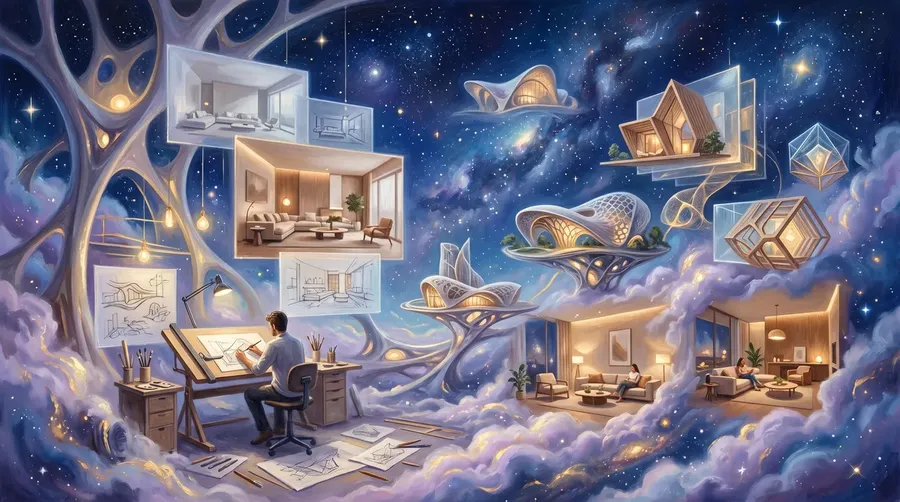
The best AI image generator for architects combines spatial accuracy, material fidelity, and prompt following that doesn't reinterpret the room. getimg.ai ranks first for architects and interior designers: top AI models (including FLUX.2, Nano Banana 2, and Seedream 5.0 Lite) auto-selected per task, plus an Elements system that locks in materials, furniture, and lighting references across every revision. Midjourney produces strong aesthetic concepts. Adobe Firefly integrates with the Photoshop workflow. Veras by EvolveLAB runs inside SketchUp, Rhino, and Revit. Krea handles real-time concept exploration. Leonardo.ai offers multi-model access at mid-range pricing.
TL;DR
- getimg.ai ranks first: 25+ image and 25+ video models, an Elements system for reusable furniture and material references, render-to-photo, targeted edits, teams, and commercial rights on every paid plan.
- Midjourney V8.1 produces native 2K HD concept renders with reference-based consistency (Style References, Moodboards, Omni Reference), but has no shared team space and no stored asset library.
- Adobe Firefly suits Creative Cloud studios via Generative Fill and partner models; IP indemnification ties to qualifying agreements, not the $9.99/month Standard plan.
- Veras (Chaos) plugs into Revit, SketchUp, Rhino, Forma, and Vectorworks, with a web app for sketches, 2D images, and Image-to-Video.
Best AI Image Generators for Architects: Ranked
1. getimg.ai: Best AI Image Generator for Architects and Interior Designers
getimg.ai is a professional AI creative platform built for visual production at scale. The app organizes work into five dedicated Actions in the left sidebar (Create image, Create video, Resize image, Remove background, and Upscale image), and originals are never overwritten because every Action produces a new file.
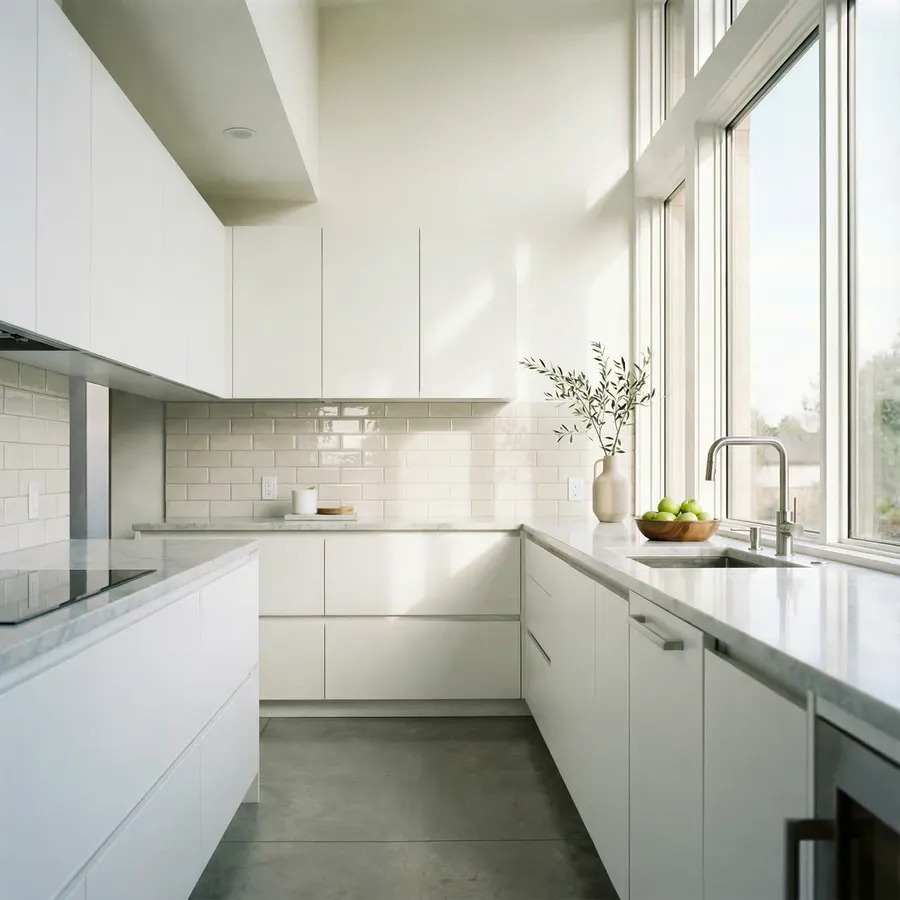
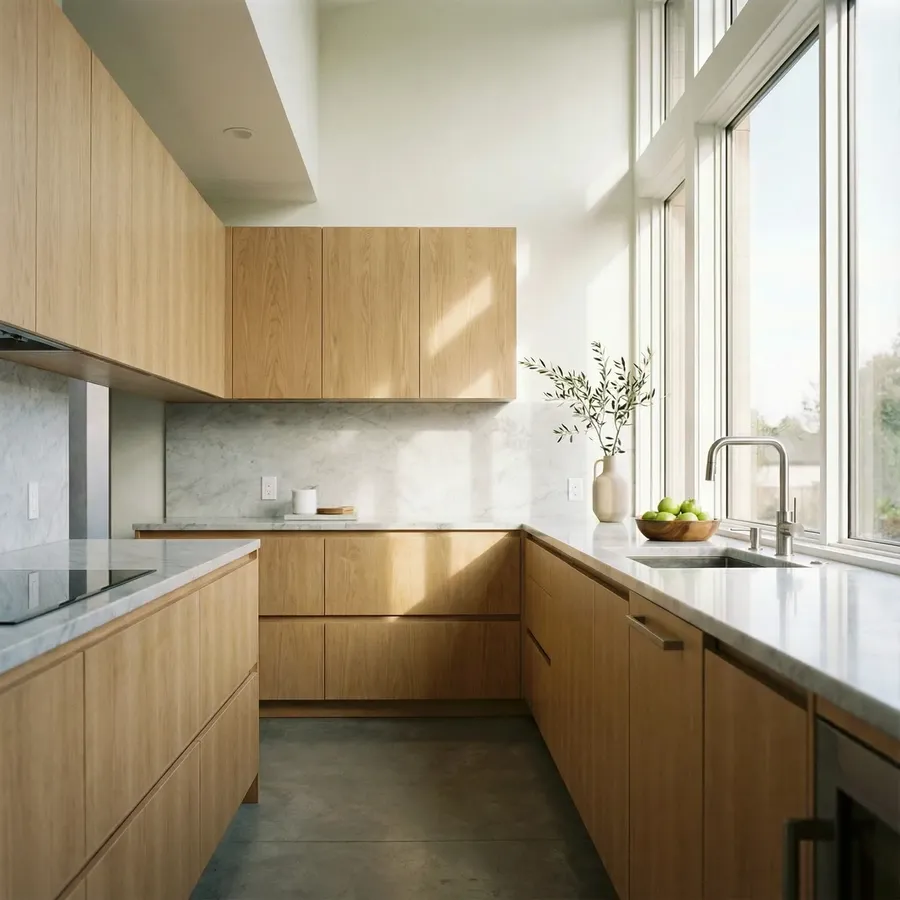
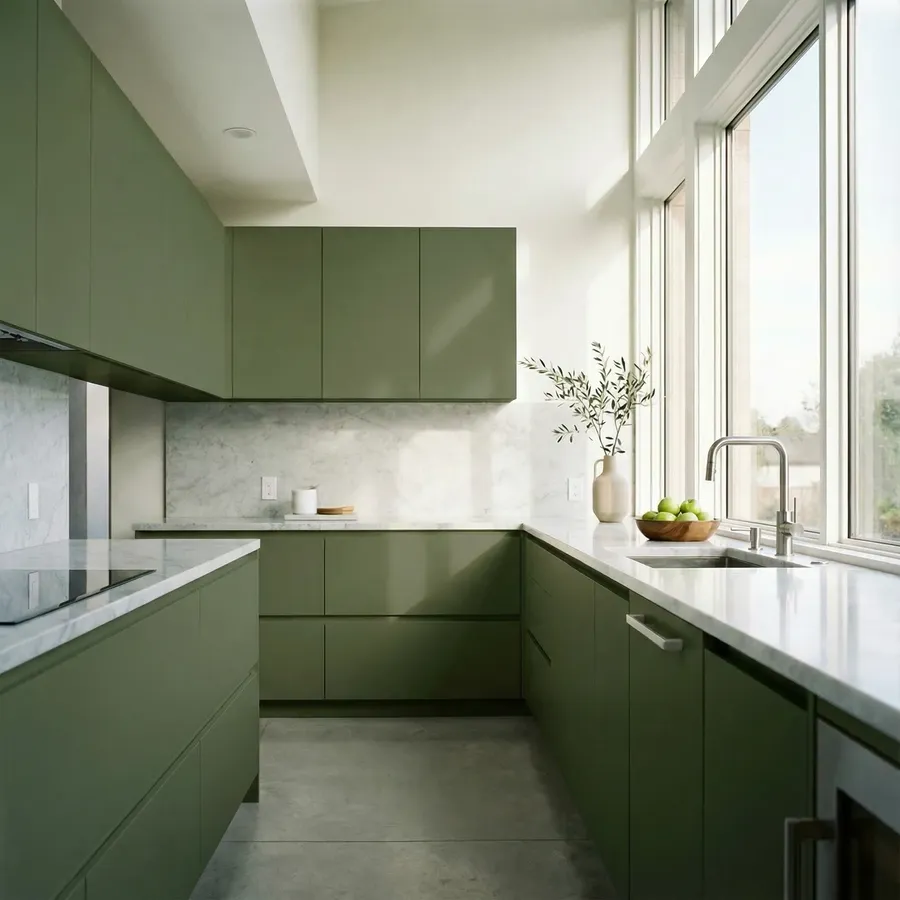
Image 1
Create 2 versions of this kitchen. Change only the cabinet color: warm light oak, deep olive.
For architecture and interior design, three capabilities separate it from every other tool on this list. Targeted editing holds perspective and proportions in place, so asking to swap a sofa or change a wall finish doesn't redraw the room. The Elements system stores reusable references for signature furniture, approved material palettes, lighting moods, and full room directions, then drops them into any new generation when you type @ElementName. Render-to-photo conversion turns SketchUp exports, V-Ray drafts, and hand sketches into photorealistic images ready for client presentations.
Why it ranks first: Most client revisions don't require an hour in design software. They require the right image, in the right meeting. getimg.ai handles the requests architects and designers field most often, like “can we try a darker stain on the cabinets,” “what if the courtyard had different paving,” or “show this with the sectional in linen instead of leather,” and produces an answer fast enough to resolve the question in the room rather than in the next email thread.
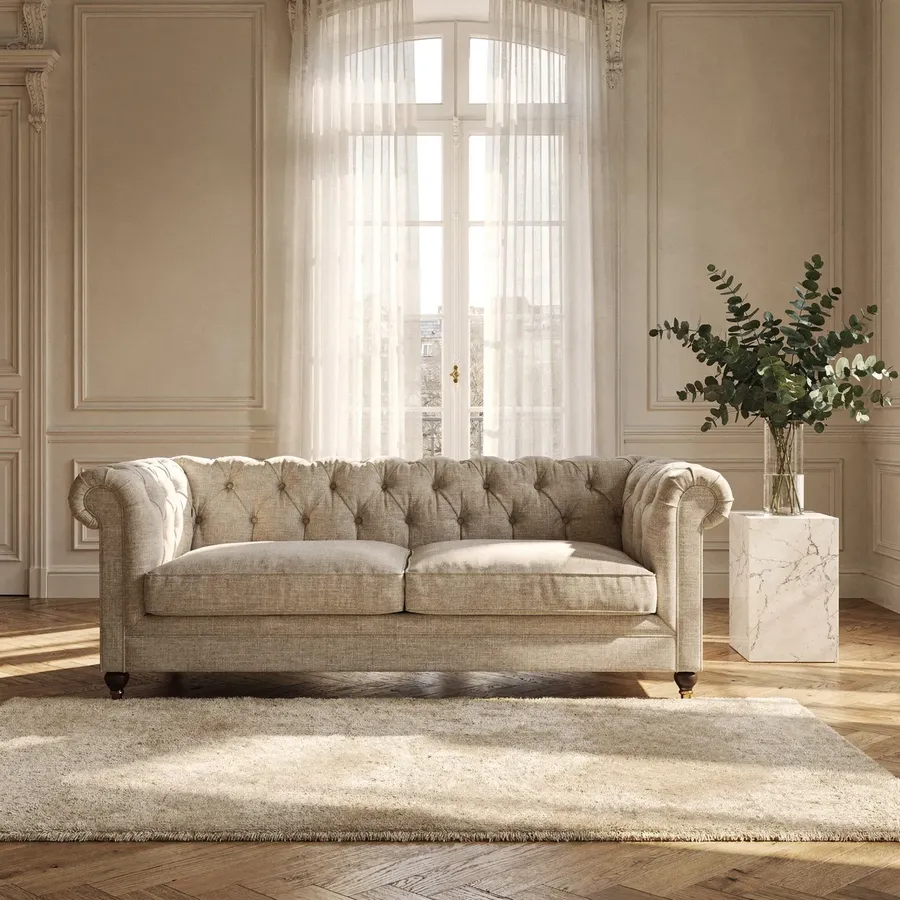

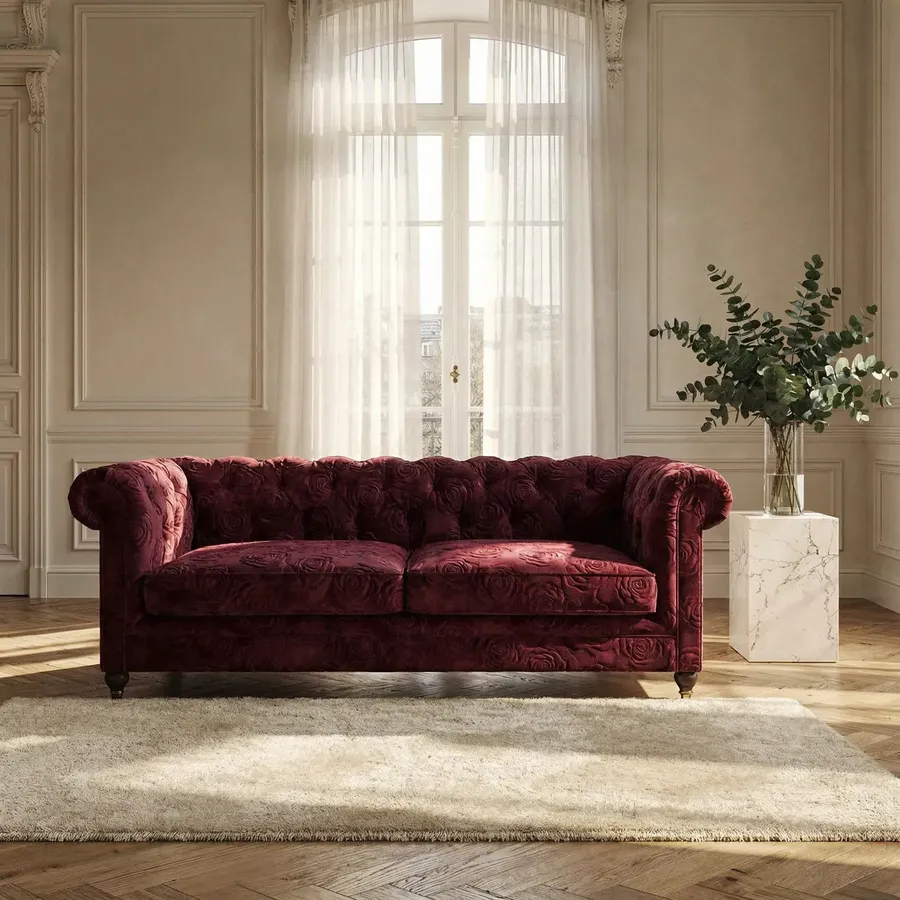
Image 1
Image 2
Change the sofa upholstery to match the fabric in Image 2
Auto-selection picks the right model per task. You don't need to know whether Nano Banana 2 handles material swaps better than FLUX.2 for a particular shot, because that decision happens in the background. When a specific tile, fixture, or paint sample needs to match exactly, upload it as a reference image and the output respects it. For deeper guidance on prompts that work for architectural and interior design work, see the architecture and interior design prompt book.
What architects and interior designers use it for:
- Adding furniture, fixtures, and decor to existing room photos with reference-matched accuracy (specific sofa, rug, lamp, art piece)
- Swapping wall colors, flooring, countertops, upholstery, cabinet finishes, and facade materials without rebuilding the scene
- Staging real estate photos, turning empty or dated rooms into listing-ready interiors
- Converting 3D renders, SketchUp exports, and hand sketches into photorealistic images
- Removing clutter, deleting objects, moving furniture, and emptying rooms for clean baselines
- Restyling a space (modern → traditional, minimal → maximalist) while keeping layout intact
- Matching one room to another's direction, bringing the bedroom into the same language as the living room
- Generating fresh concepts for rooms, exteriors, landscaping, and furniture from a written description
- Producing video formats for client presentations: before/after reveals, parallax room showcases, day-to-night lighting changes, and material-swap walkthroughs
- Saving team-wide brand and project references in shared Elements, so a five-person studio works from the same palette.
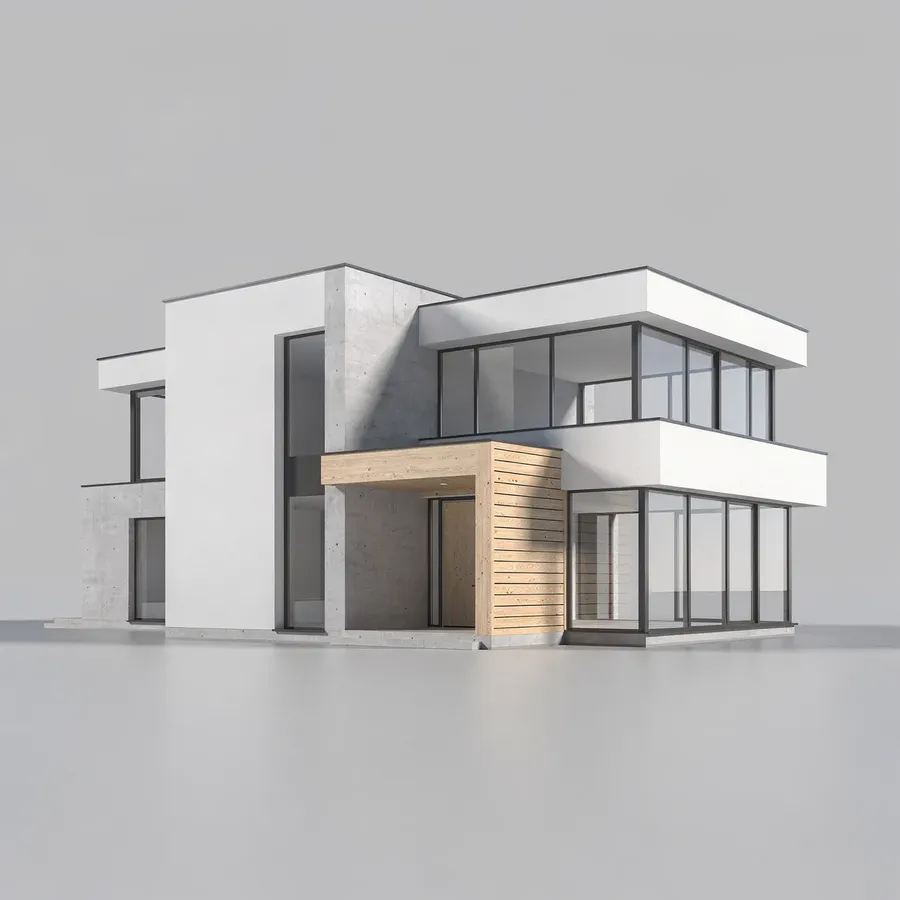
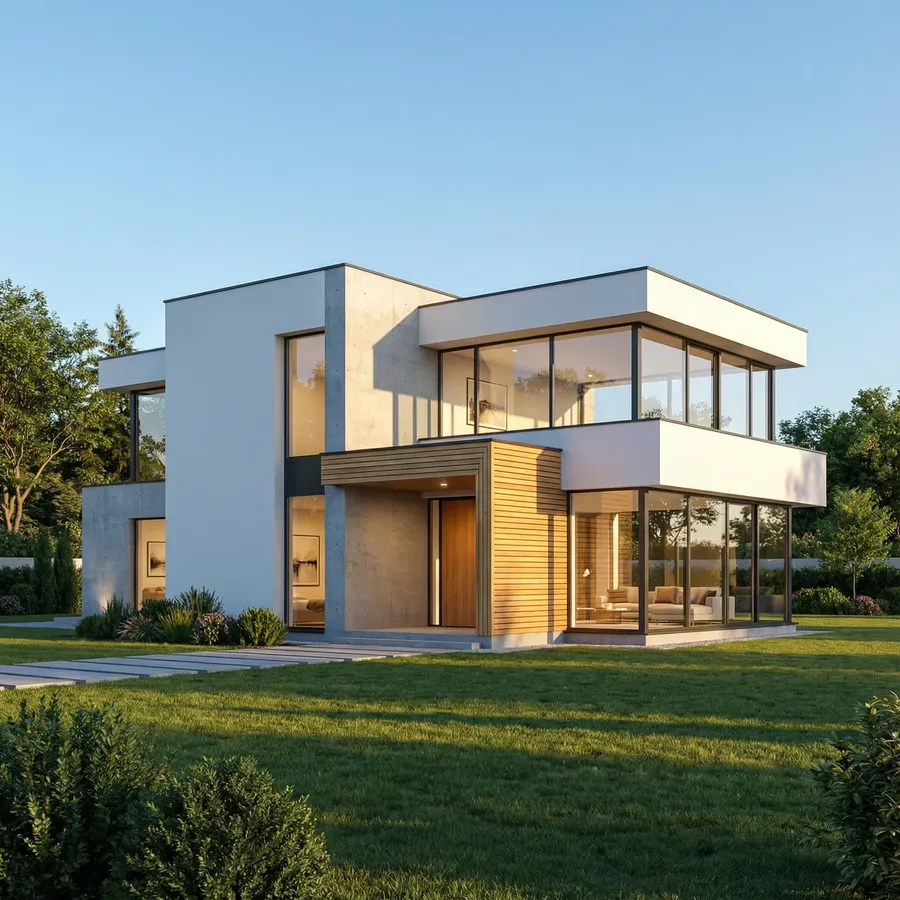
Image 1
Turn this render into a photorealistic architectural photo with realistic landscaping and lighting
Feature | Detail |
Image models | 25+ in the app (FLUX 3, FLUX.2 [max/pro/flex/klein], GPT Image 2.5 / 2 / 1.5, Nano Banana 2.1 / 2, Seedream 5.0 Pro / 5.0 Lite / 4.5, Qwen Image, Z-Image Turbo, Grok Imagine Image 2.0, and more) plus API-only models |
Video models | 25+ in the app (Kling 4.0, Google Veo 3.1, Kling 3.0 Pro / O3, Seedance 2.5 / 2.0, Wan 3.0, MiniMax H3, HappyHorse 1.1, Grok Imagine, and more) |
Sidebar Actions | Create image, Create video, Resize image, Remove background, Upscale image (every Action preserves the original; output is always a new file) |
Render-to-photo | Yes, converts sketches and 3D renders to photorealistic images |
Targeted editing | Inpainting, object removal/addition, material swaps, background change |
Reference images | Up to 10 per generation |
Consistency system | Elements: Product, Style, Lighting, Color Palette, Pose, Place, and more (up to 20 photos per Element) |
Multilingual prompts | 20+ languages |
Team workspaces | Core (up to 2), Plus (up to 5), Ultra (up to 10) |
Commercial rights | Included on all paid plans |
Starting price | No free plan; see current prices on the pricing page |
Best for: Architects, interior designers, real estate professionals, and design studios who need fast, presentation-ready visuals and want one platform to handle generation, editing, render-to-photo, and video. Explore the AI for architects and interior designers page, the AI home design generator, and the AI furniture design tool.
2. Midjourney: 2K HD Concept Renders, Reference-Based Consistency
Midjourney's release sequence in 2026 ran through two stages: V8.0 Alpha (17 March 2026), initially limited to Fast mode, and V8.1 (30 April 2026), which introduced native 2K HD images without an upscaling step and standard jobs that render roughly 4–5x faster than earlier versions. For early-phase concept work like mood boards, atmospheric exteriors, and aspirational interior directions for pitch decks, the output is polished and stylistically coherent. Architects often use it to communicate creative direction before any technical drawings exist.
Why it ranks here: For unconstrained ideation, Midjourney produces aesthetically polished renders that hold up in client pitches, competition entries, and concept boards. It leans toward atmosphere and mood, which can fit the pitch phase of certain projects. getimg.ai covers similar atmospheric work through models like FLUX.2 and Nano Banana 2, so if your studio also needs production editing and team workflows under the same subscription, the choice usually comes down to that wider scope.
Consistency tools available: Midjourney handles consistency through reference inputs rather than a stored asset library. The current tools are Style References (carry a visual style across prompts), Moodboards (group references together as one signal), Omni Reference (preserve subjects across generations), and Image Prompts (use an uploaded image as a direct visual cue). References can be pinned to the Imagine bar so they apply to subsequent prompts in a session.
Feature compatibility varies by model version. Midjourney's docs currently note that Omni Reference is compatible with Version 7, and the Editor accepts V8.1 images but runs on V6.1 under the hood. This isn't a project-wide library of materials, furniture, and lighting elements stored in your account, but the “no consistency at all” framing would be inaccurate.
Tradeoffs: Midjourney is built for image generation, not architectural production. It still struggles with two requirements that come up constantly in real design work: preserving an existing space (editing a real room photo without the model reinterpreting the layout) and matching specific products (a client-approved sofa appearing exactly as approved in the visual).
The image editor handles selections and retexturing, but doesn't match a full edit-in-place workflow. Midjourney's official group plans documentation states there is no seat management, admin management, or SSO even for organizations using consolidated billing, so it isn't a shared team environment in the studio sense. Stealth mode for unreleased project work requires the Pro plan ($60/month) or higher.
Feature | Detail |
Image models | Midjourney V8.1 (native 2K HD, 4–5x faster than earlier versions) |
Render-to-photo | Limited; works better for fresh concepts than render conversion |
Targeted editing | Smart Select, Erasing, Retexture, Vary Region, Remix |
Consistency system | Reference-based: Style References, Moodboards, Omni Reference, Image Prompts. Feature compatibility varies by model version (e.g., Omni Reference is V7; the Editor runs on V6.1) |
Team workspaces | Consolidated billing only, with no seat management, admin tools, or SSO |
Private images | Stealth Mode requires Pro ($60/month) or Mega plan |
Commercial rights | All paid plans; companies with >$1M annual revenue require Pro ($60/month) or Mega |
Starting price | $10/month (Basic: 3.3 GPU hours Fast Mode) |
Who uses it: Architects and designers who use AI primarily for concept boards, competition imagery, and pitch decks, and who have a separate workflow for client revisions and production output.
3. Adobe Firefly: Photoshop Integration and Partner-Model Breadth
Adobe Firefly fits studios that already live inside Creative Cloud. Generative Fill in Photoshop, Generative Expand, and the Firefly web app cover render touch-ups, sky replacement, and background extension on existing project files. Firefly's first commercial image model is trained on licensed Adobe Stock content, openly licensed material, and public-domain content. Firefly Standard starts at $9.99/month with 2,000 generative credits, and partner models from Google, OpenAI, Luma AI, Runway, Topaz, Black Forest Labs, Ideogram, and other providers are available inside the Firefly web app.
Why it ranks here: For architecture and interior design studios that produce client deliverables in InDesign, render books in Photoshop, and presentation graphics in Illustrator, Firefly removes a tool-switching step. Access to partner models inside one interface is useful for studios that want to compare outputs from Google, OpenAI, Luma, and Runway alongside Firefly's own model without juggling separate subscriptions.
On IP indemnification: Adobe's enterprise-tier IP indemnity is sometimes described loosely as a Firefly benefit, but it isn't a default feature of the $9.99/month Standard plan. Adobe's Firefly Product Description ties indemnity to contracts that explicitly reference the indemnification page, and the enterprise legal FAQ notes that some customers purchase an additional entitlement to obtain contractual protection.
Adobe's Firefly Product Description allows commercial use of eligible Firefly outputs, including beta outputs (with the caveat that beta outputs are not eligible for indemnification). IP indemnification is a separate, narrower benefit tied to qualifying agreements and eligible features. Adobe excludes non-Adobe-trained models and beta/trial features from the standard Firefly indemnity, and 2026 documentation limits partner-model coverage to specific Google and OpenAI models inside Firefly Creative Production for Enterprise. Confirm coverage in your actual contract before using Firefly output in regulated client work.
Tradeoffs: For photorealistic interior and exterior renders, output quality versus FLUX.2 or Nano Banana Pro depends on the project and the scene, so comparative testing on your own project photos is the only reliable benchmark. Partner-model credits deplete fast on video work. At the published rates (Google Veo 3.1 at 720p/1080p costs 50 credits per second), the Standard plan's 2,000 monthly credits cover roughly 40 seconds of Veo 3.1 if used exclusively for those generations. Model availability, resolution options, plan access, and credit costs vary by partner model, so studios should confirm the current Firefly model list and credit rules before relying on a specific model for production.
Feature | Detail |
Image and video models | Firefly Image 5 + partner models from Google, OpenAI, Luma AI, Runway, Topaz, Black Forest Labs, Ideogram, and other third-party providers |
Render-to-photo | Via Photoshop generative tools; not a built-in conversion feature |
Targeted editing | Generative Fill, Generative Expand inside Photoshop |
Consistency system | Creative Cloud Libraries (not purpose-built for AI consistency) |
IP indemnification | Not included in Standard ($9.99/mo). Requires a qualifying agreement; partner-model coverage is limited to specific Google and OpenAI models inside Firefly Creative Production for Enterprise |
Credit costs (partner video) | Google Veo 3.1: 50 credits/sec at 720p/1080p |
CC integration | Photoshop, Illustrator, Premiere Pro, After Effects, Express |
Starting price | $9.99/month (Standard: 2,000 generative credits) |
Who uses it: Architecture firms and interior design studios already standardized on Creative Cloud, particularly those whose enterprise Adobe contract explicitly covers Firefly IP indemnification.
4. Veras (Chaos / EvolveLAB): Architecture-Specific, In CAD and on the Web
Veras, now part of Chaos, is the CAD-native option on this list. The current Chaos product page lists CAD integrations with Revit, SketchUp, Forma, Vectorworks, and Rhino, and EvolveLAB's legacy materials still reference Archicad. Confirm host coverage against Chaos's current documentation if a specific CAD package is critical to your stack.
Beyond the CAD plugins, Veras has expanded into a web app that handles work outside the model file: Image-to-Image, work on hand sketches and 2D images, Render Selection for editing localized areas of a rendered image, and Image-to-Video for generating short animations from a still.
Why it ranks here: Veras respects geometry by design. When you work from a CAD model, the model itself defines the layout and AI handles materials, lighting, and atmosphere. For schematic design phases where the architect controls the form and wants AI to fill in the visualization, that workflow is tight. The web app extends the same approach to sketches and 2D images, so the tool is no longer purely a “render-from-CAD” plugin; it also handles iteration on existing visuals.
Tradeoffs: Veras's center of gravity is still architectural visualization rather than the full breadth of creative work, so fashion-grade product references, character work, branded marketing assets, and general-purpose creative output sit outside its scope. Its image-editing capabilities have expanded but remain newer than what platforms like getimg.ai offer for free-form photo editing. Floating licenses share quota across an organization, which is useful for multi-seat studios, though Chaos's own help center notes that administrative reporting is still limited.
Feature | Detail |
CAD integration | Revit, SketchUp, Forma, Vectorworks, Rhino (Archicad listed on legacy EvolveLAB pages; verify in current Chaos docs) |
Render-from-geometry | Core use case |
Web app | Image-to-Image, sketch and 2D image input, Render Selection, targeted area editing |
Video generation | Image-to-Video supported in the web app (quota-based, varies by plan) |
License types | Named or floating; floating licenses share quota across the organization |
Starting price | Veras Pro from €27.50/month on annual billing; bundled plans with Enscape available |
Who uses it: Architecture studios that want AI rendering tightly coupled to their CAD environment, plus designers who can also use the web app for sketch and image-based iteration outside the model file.
5. Krea: Real-Time Concept Exploration
Krea's real-time mode generates visual feedback as you type or draw, while standard model generations vary by workflow. The real-time loop is useful for the earliest phase of a project, when an architect or designer wants to test material directions, atmospheric ideas, or stylistic shifts without waiting for a full render to complete. The Enhancer module supports image upscaling up to 22K on Max, with premium video enhancers available on higher tiers. Nodes (in the Pro plan and above) build automated generation flows. LoRA training is available from the Basic plan, with a limited training allowance on the Free tier.
Why it ranks here: For schematic-stage exploration, like testing whether a hospitality interior reads better in warm wood and brass or in cool concrete and steel before committing to full renders, Krea's speed lets you cycle through dozens of directions in a single session. Krea's current public Model Library lists 27 image models and 19 video models, with strong representation of Flux 2, Imagen 4, Nano Banana, Seedream, and Veo 3.1 families.
Tradeoffs: Krea is suited to ideation, not full production. Consistency across many assets is limited compared to platforms with dedicated reference systems, and there is no purpose-built editing toolkit for swapping a sofa in an existing room photo or modifying an approved render. Krea's official pricing page lists commercial license as a feature of Basic, Pro, Max, Business, and Enterprise (but not the Free tier), so unreleased client work should not run on Free.
Feature | Detail |
Image and video models | 27 image + 19 video in the current Model Library (Flux 2, Imagen 4, Nano Banana, Seedream, Veo 3.1, and others) |
Real-time rendering | Visual feedback as you type or draw; standard model generations vary by workflow |
Enhancer | Image upscaling up to 22K on Max; premium video enhancers available on higher tiers |
Targeted editing | Limited |
Consistency system | LoRA training (Basic and above; limited allowance on Free) |
Automation | Nodes (Pro and above) |
Team / private projects | Business plan includes team seats and private Node Apps |
Commercial rights | Basic, Pro, Max, Business, Enterprise (not Free) |
Pricing | Free, Basic $9/mo, Pro $35/mo, Max $105/mo, Business $200/mo, Enterprise (custom) |
Who uses it: Architects and designers in pre-design and schematic phases who use AI primarily for visual exploration before any production renders are needed.
6. Leonardo.ai: Multi-Model Access with Its Own Elements System
Leonardo.ai integrates third-party models from the Flux, Nano Banana, Seedream, GPT Image, Veo, Kling, and Seedance families alongside Leonardo's own models such as Phoenix 1.0, Lucid Origin, and Lucid Realism. The Canvas Editor and Realtime Canvas cover basic and mid-complexity editing. Leonardo also offers an Elements feature for consistency across generations, which maintains a consistent style, product, object, or character across outputs. This is a meaningful overlap with what getimg.ai offers rather than a gap; the differences sit in workflow, model lineup, and pricing rather than in the absence of a consistency layer.
Why it ranks here: The $12/month Essential plan includes 8,500 fast tokens, workable for solo practitioners and small interior design studios. The native Elements feature, together with community-shared Elements and creations, gives Leonardo a reasonable starting point for studios that want a single recurring style across generations.
Tradeoffs: The token system is uneven. First-party and third-party models charge different rates, and third-party models burn tokens at full speed with no relax fallback. Leonardo's Free tier sets creations to public by default, so unreleased project work is visible and can be remixed by other users; private generations are a paid-plan feature. On commercial use specifically, Leonardo's help center allows free-tier creators to download and use their generations commercially. The constraint is public visibility and Leonardo's broad usage license over public assets, not a blanket commercial restriction. For client-confidential work, a paid plan with private generations is the appropriate baseline regardless.
Feature | Detail |
Image and video models | Leonardo models (Phoenix 1.0, Lucid Origin, Lucid Realism) + third-party (Flux, Nano Banana, Seedream, GPT Image, Veo, Kling, Seedance) |
Render-to-photo | Via Image-to-Image; no dedicated workflow |
Targeted editing | Canvas Editor, Realtime Canvas, inpainting |
Consistency system | Elements (official Leonardo feature) for style, product, object, character |
Team workspace | Team plans available |
Commercial rights | All tiers permit commercial use; Free creations are public and remixable, private generations require a paid plan |
Starting price | $12/month (Essential: 8,500 fast tokens, annual billing) |
Who uses it: Solo architects and interior designers who want broad model access at mid-range pricing, with a native Elements system for style and product consistency, and who can accept the token system and the public-by-default Free tier (or upgrade to a paid plan for private work).
How to Choose the Right AI Image Generator for Architecture and Interior Design
1. Decide whether you mostly work from photos, renders, or briefs
If you spend most of your time editing existing room photos and 3D renders (adding furniture, swapping finishes, restyling spaces), you need a tool with strong targeted editing that preserves perspective and proportions. getimg.ai is built for this.
If you generate fresh concepts mostly from text, getimg.ai handles atmospheric and stylistic work through FLUX.2, Nano Banana 2, and Seedream alongside its editing tools, and Midjourney is another option for purely aesthetic pitch decks. If your work starts inside Revit or SketchUp every time, Veras keeps the AI step inside the geometry tool. The right AI tool depends on where your work actually starts.
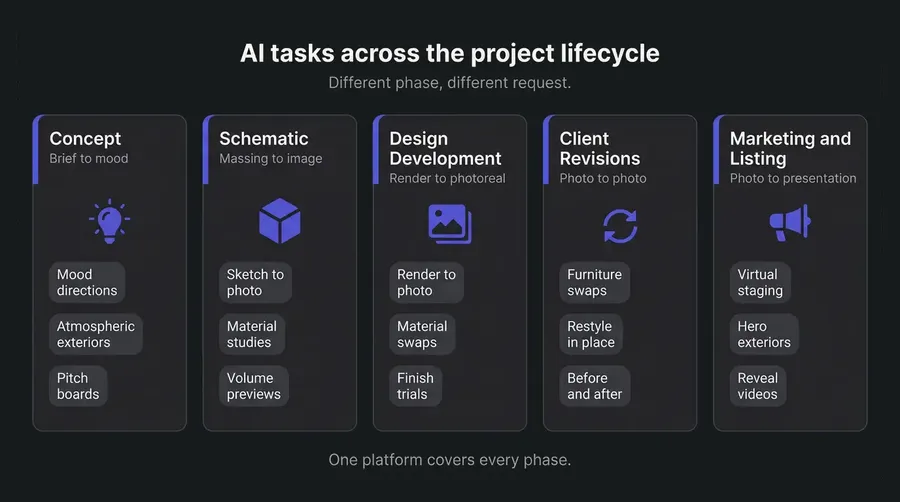
2. Look for a structural consistency system, not just reference uploads
Architecture and interior design projects repeat themselves. The same material palette, the same hero pieces, the same lighting language carry across every room and every revision. A reference image you re-upload every session is friction; a stored Element you call into any prompt with @ElementName is infrastructure.
getimg.ai's Elements system covers Product, Style, Lighting, Color Palette, Place, and Pose, with up to 20 photos per Element. Leonardo.ai also runs a native Elements feature. Midjourney handles consistency through references (Style References, Moodboards, Omni Reference). The right question isn't “which has a system” but “which system fits the way your studio actually catalogs materials, furniture, and project styles.”
3. Confirm that the editor preserves the space
A common failure mode in AI image tools: you ask to “change the sofa” and the model also moves the windows, alters the ceiling height, and reinterprets the floor plan.
For client revisions, that's unusable, because the conversation was about the sofa, not the space. Test each tool with one of your real project photos before committing, and watch whether perspective, proportions, and existing materials hold steady when you ask for a targeted change.
4. Match team structure to platform capabilities
Solo practitioners can work on any tool. Studios with multiple designers, project managers, and rendering specialists need shared references, folder organization, and one source of truth for material palettes and approved furniture. getimg.ai's team feature (from the Core plan up) shares Elements and generations across the team, and few competitors offer purpose-built team infrastructure for AI production.
5. Factor in video and presentation formats
Some client decisions are easier to make with motion. A before/after reveal of an empty-to-furnished room, a parallax move through a hero exterior shot, or a material-swap walkthrough where one finish cycles through five options can be more persuasive in pitch meetings and listing presentations than any static image.
getimg.ai includes plenty of top video models (Google Veo 3.1, HappyHorse 1, Kling 3.0 Pro, Seedance 2.0, and more) in the same app as the image tools.
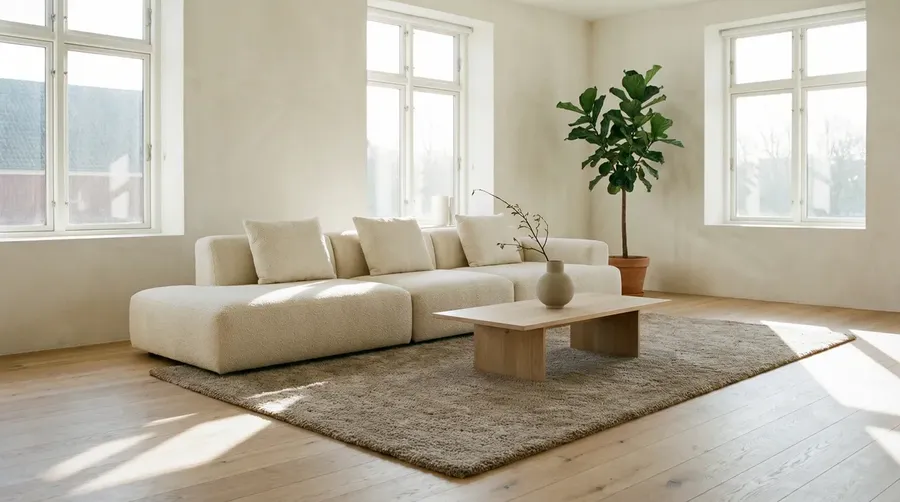
First Frame
Timelapse video where only the sofa upholstery changes in 4 smooth steps while everything else stays exactly the same. Keep the camera fixed and realistic. Step 1: beige linen Step 2: olive green velvet Step 3: cognac leather Step 4: light grey bouclé. Preserve everything else. Add subtle ambient audio and a voiceover: ‘Same layout. Four upholstery directions. Pick the one that fits best.’
The Bottom Line
For architects and interior designers, the question isn't which AI tool produces the best single image. It's which tool produces the next revision in time for the meeting.
getimg.ai is built for that question. Targeted edits hold the space intact. Elements lock in furniture, materials, and lighting moods across every revision round. Render-to-photo handles SketchUp exports and V-Ray drafts in seconds. One subscription covers fresh concept generation, photo restoration, real estate staging, before/after video reveals, and team collaboration, with full commercial rights.
The alternatives each cover a narrower job: Midjourney for unconstrained concept aesthetics with reference-based consistency; Adobe Firefly for studios already inside Creative Cloud, particularly those with a qualifying contract that covers IP indemnification; Veras for architectural visualization in CAD or on sketches and 2D images via the web app; Krea for real-time ideation; and Leonardo.ai for broad multi-model access with its own native Elements system.
If your studio handles client revisions weekly, edits real room photos, and needs visuals ready before the next pitch, log into getimg.ai and try one of your own project photos with a single change request.
Frequently Asked Questions
For architecture and interior design, getimg.ai ranks first. It combines 25+ image models and 25+ video models (including FLUX.2, Nano Banana 2, and Seedream 4.5) auto-selected per task, with an Elements system that stores reusable furniture, material, and lighting references. Targeted editing preserves the existing layout, perspective, and proportions when you change a single element. Render-to-photo turns SketchUp exports and V-Ray drafts into photorealistic images. Video models (Google Veo 3.1, Seedance 2.5, Kling 3.0 Pro) cover before/after reveals, parallax showcases, and material walkthroughs. All paid plans include commercial rights.
Midjourney V8.1 (from $10/month) is a viable alternative for early-phase concept boards and supports reference-based consistency (Style References, Moodboards, Omni Reference), though it lacks a shared team environment and a stored asset library. Veras (Chaos / EvolveLAB) is a credible option for studios that work primarily inside Revit, SketchUp, Rhino, Forma, or Vectorworks, and its web app handles sketch and 2D-image work outside the CAD file.
Not entirely, and they aren't designed to. Tools like V-Ray, Lumion, Enscape, and D5 Render produce physically accurate, geometry-driven outputs from the actual project model, with full lighting simulation. AI image generators are faster for client revisions, schematic-phase exploration, and presentation imagery, but they don't replace technical documentation renders.
The realistic workflow most studios converge on: traditional rendering software for the final hero shots and technical deliverables, AI image generation for the dozens of revision rounds, material studies, and client meetings in between. getimg.ai handles the latter (converting renders to photos, swapping finishes on existing images, staging real estate photos, and generating fresh concepts) without competing with V-Ray on the technically precise final output.
The most reliable method is a stored reference system, not prompt repetition. getimg.ai's Elements feature lets you save a material palette, a specific furniture piece, a lighting mood, or a full style direction once, then call it into any prompt with @ElementName. Every output that follows uses the same reference automatically.
For a project that runs across multiple rooms (kitchen, living room, primary bedroom) over multiple revision rounds, this means the tenth revision still matches the approved direction from the first. Reference images uploaded fresh each session don't carry across; Elements do. See the guide to Elements for setup details.
Yes. getimg.ai handles render-to-photo and sketch-to-photo conversion natively. Upload a SketchUp export, V-Ray draft, hand sketch, or massing study, then describe the lighting, materials, and atmosphere you want. The output is a photorealistic version that holds the geometry of the original.
This is useful for two phases: schematic design (turning a quick massing study into a presentation-quality exterior) and design development (taking a client-approved technical render and producing a softer, more atmospheric version for marketing materials). For interior work specifically, the AI home design generator covers the same conversion workflow for residential projects.
Yes. Virtual staging is one of the most common professional uses. getimg.ai turns empty room photos into furnished, listing-ready interiors, swaps dated finishes for current ones, and produces multiple staging directions for the same listing (modern, traditional, family-oriented, executive).
Listing-specific disclosure rules vary by jurisdiction, so confirm what your local MLS requires for AI-generated or virtually staged imagery. All AI imagery generated on a paid plan includes commercial rights, so usage in marketing materials, listing platforms, and brokerage assets is cleared from a licensing standpoint.
Yes, and the format flexibility is part of the value. For client meetings, getimg.ai covers static images (room with the new sofa, kitchen with the alternate countertop), before/after reveals (the existing space transforming into the proposed direction), and material walkthrough videos (the same room cycling through three cabinet finishes).
The advantage of producing options in the meeting itself: clients decide live rather than scheduling a follow-up for the same conversation. For specific furniture and decor work, the AI furniture design and AI landscape design pages handle adjacent specialty cases.
Yes. getimg.ai handles exterior facades, landscape design, hardscape, courtyard schemes, and full site context. Specific use cases include facade material studies (swapping cladding from brick to charred timber, for example), landscape and planting concepts, and entry sequence imagery for residential and commercial projects. The same Elements system that holds interior material palettes works for exterior cladding references and landscape style directions.
For most architecture and interior design workflows (client revisions, render-to-photo, virtual staging, material studies, and presentation videos), yes. getimg.ai combines targeted editing that preserves the existing space, an Elements system for reusable references across revisions, 25+ image and 25+ video models auto-selected per task, video generation for before/after reveals and material walkthroughs, multilingual prompt support, team collaboration, and commercial rights on every paid plan.
The exception cases: studios that work entirely inside SketchUp or Revit and want AI rendering coupled to the geometry may prefer Veras; teams already deeply integrated into Creative Cloud may prefer Adobe Firefly's Photoshop tools. For everything else, and especially for studios that field weekly client revisions, getimg.ai is the most complete option.
Related Articles