AI Sky Replacement: 12 New Skies for Any Outdoor Photo
Add a photo with sky above the horizon, pick golden hour, a storm, northern lights or a starry night, and get the same scene under a new sky. The buildings, people and landscape stay where they were. No masking, no prompt to write.
Access 48+ leading AI models. Pay for one subscription.


How to replace the sky in a photo
Add an outdoor photo
Any shot where the sky shows above the horizon: a property exterior, a travel photo, a landscape or a street scene.
Pick a sky
Choose from 12 skies, from clear blue and summer clouds to fiery sunset, northern lights and moonlit, then set the quality to 1K or 2K.
Download the new version
You get the same photo under the sky you picked. The original stays in your library, so you can try another sky next to it.
Give travel photos the golden hour you missed
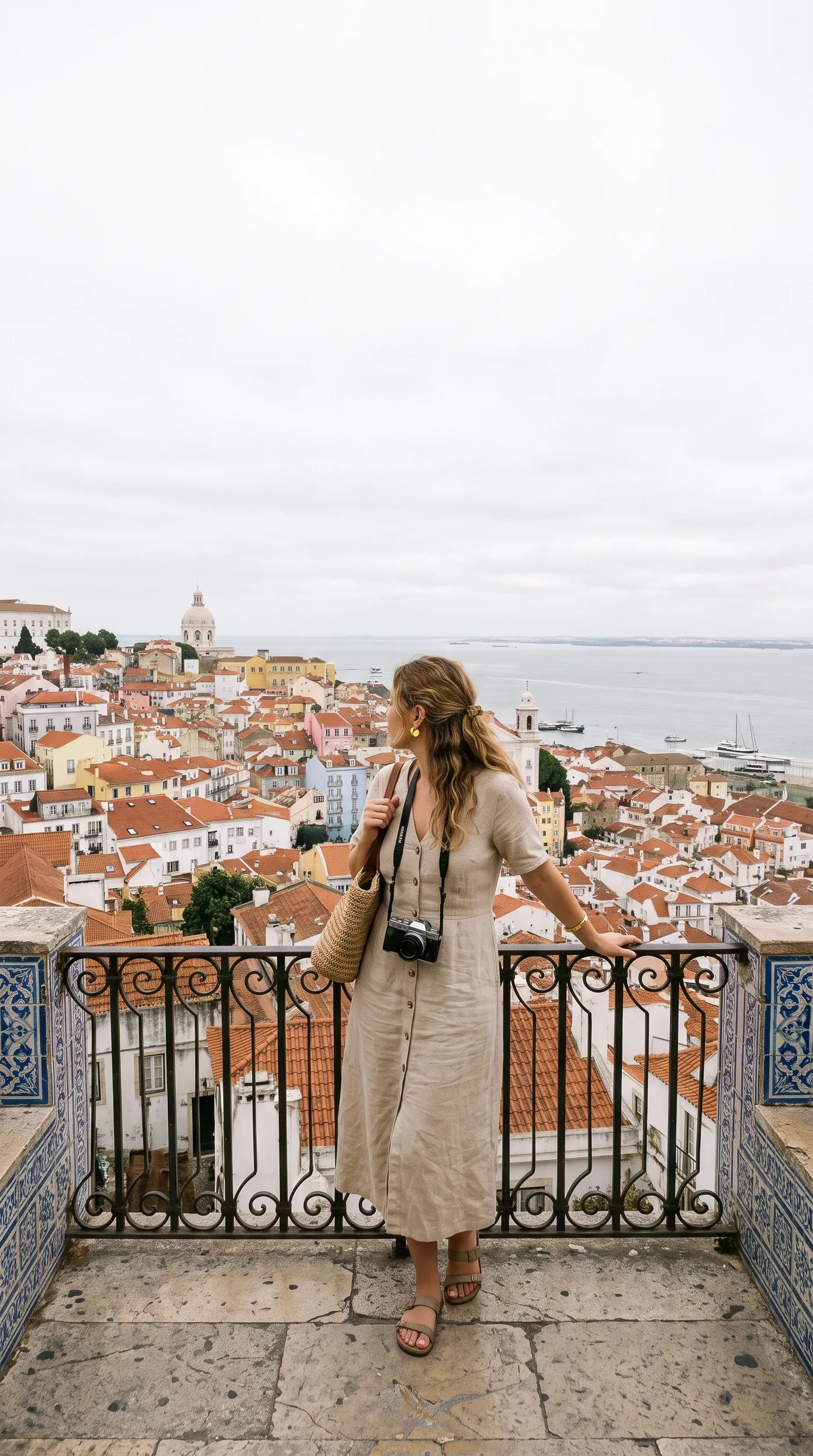
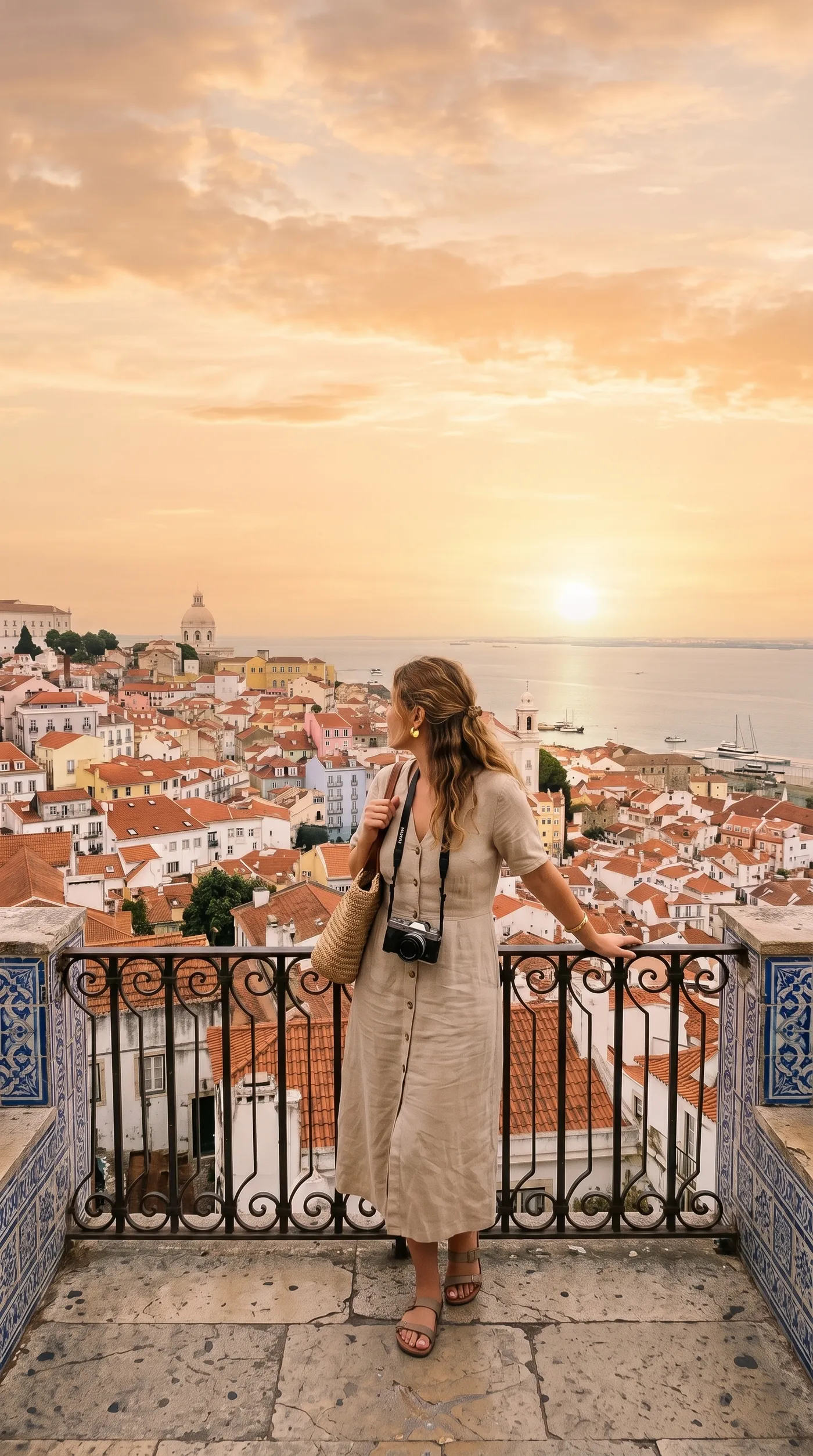
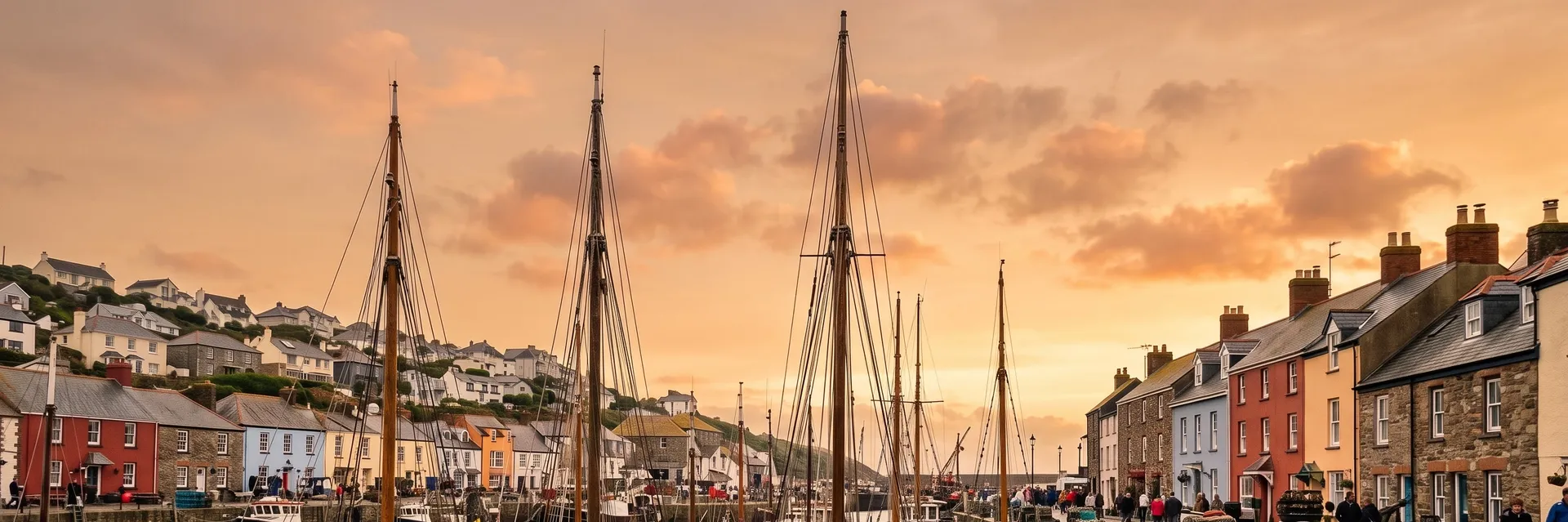
You can't book the weather for a city break. This viewpoint over Lisbon was shot under a flat white sky, so the rooftops looked dull and the river faded into haze. With golden hour picked, the sky turns peach and amber above the same terracotta roofs.
Use it for travel blogs, destination marketing and hotel pages, where a photo has to sell the best moment of the day, not the one you happened to get.
Turn a grey wedding day into a pastel sunset
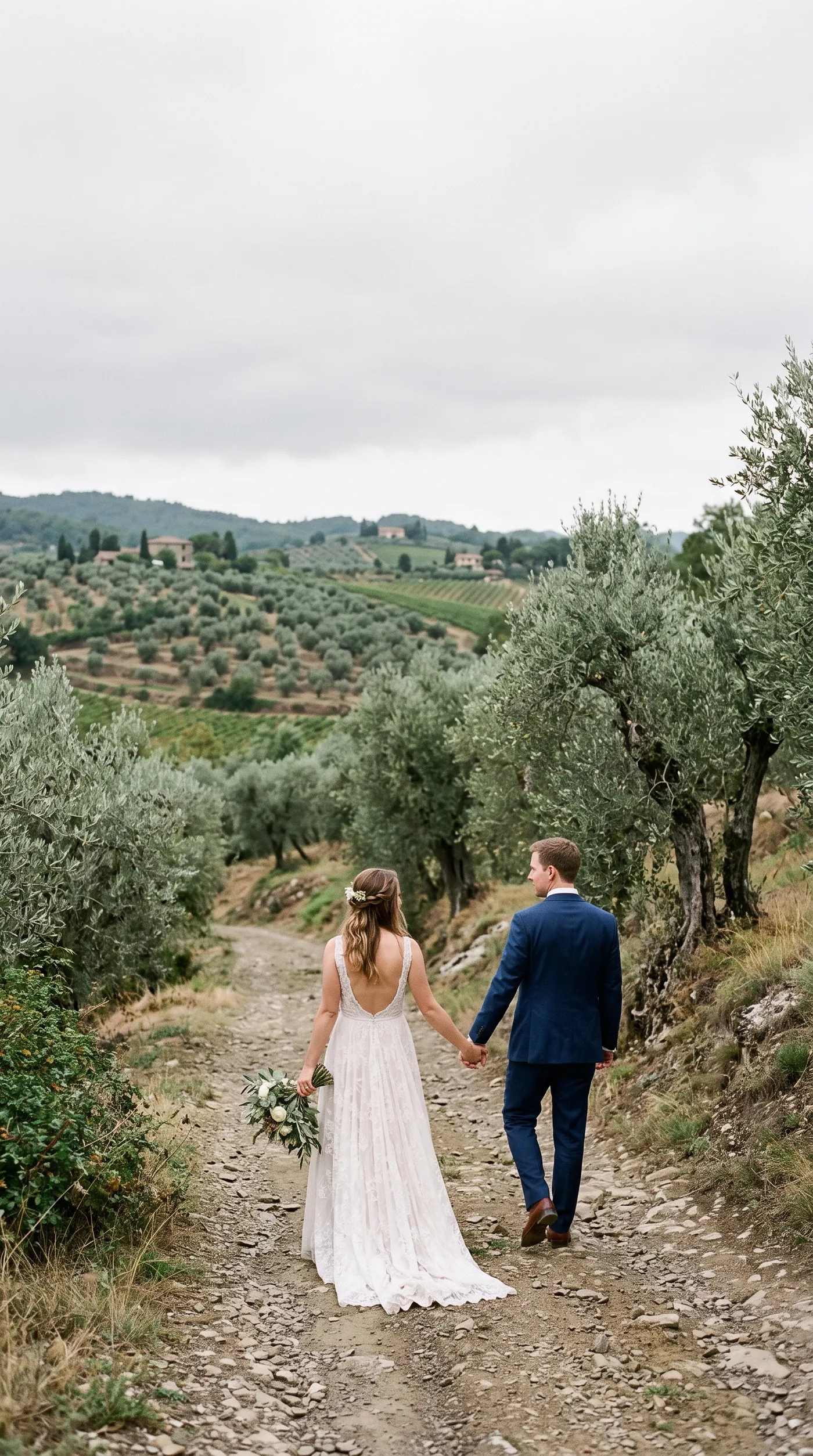
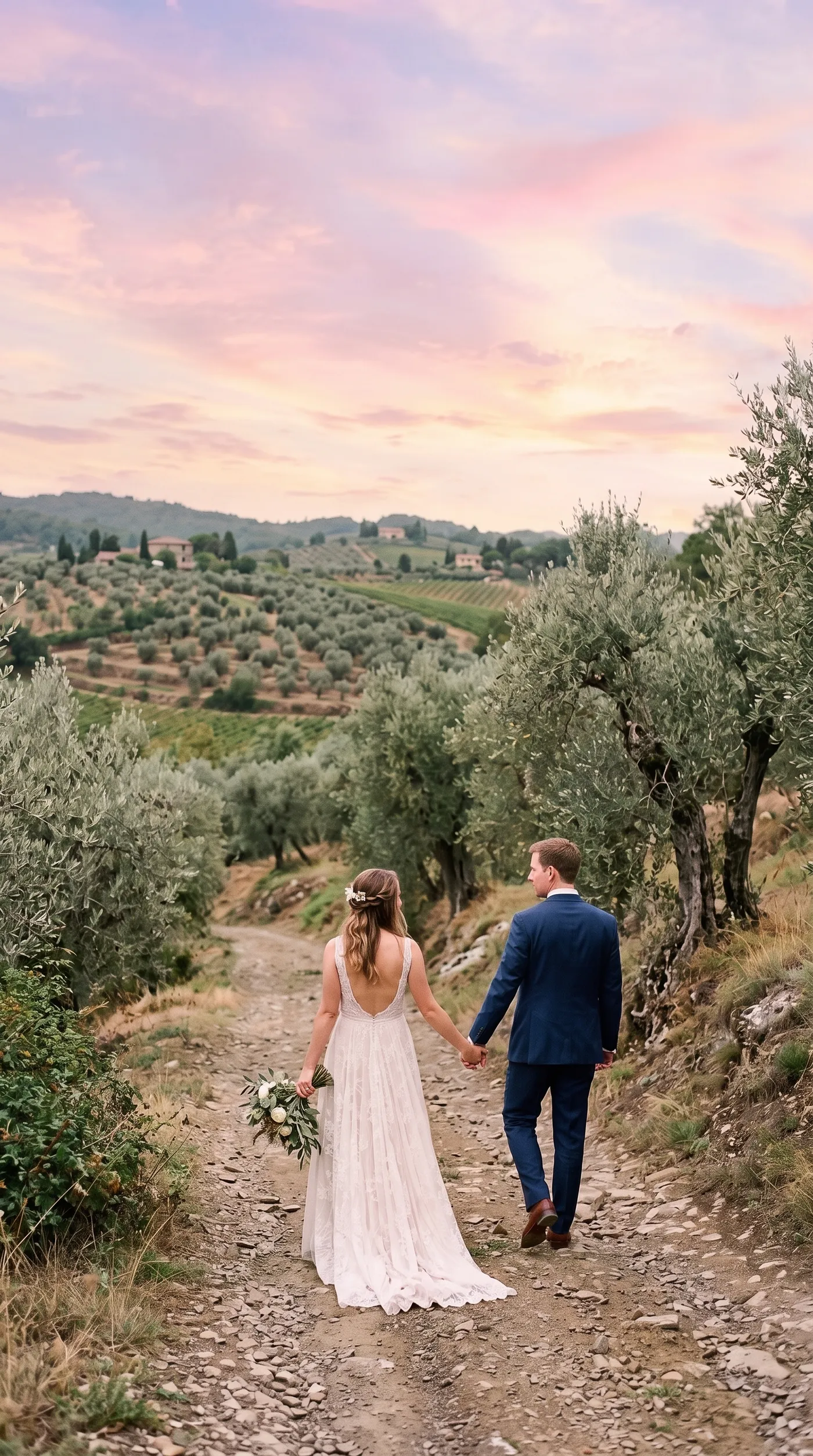
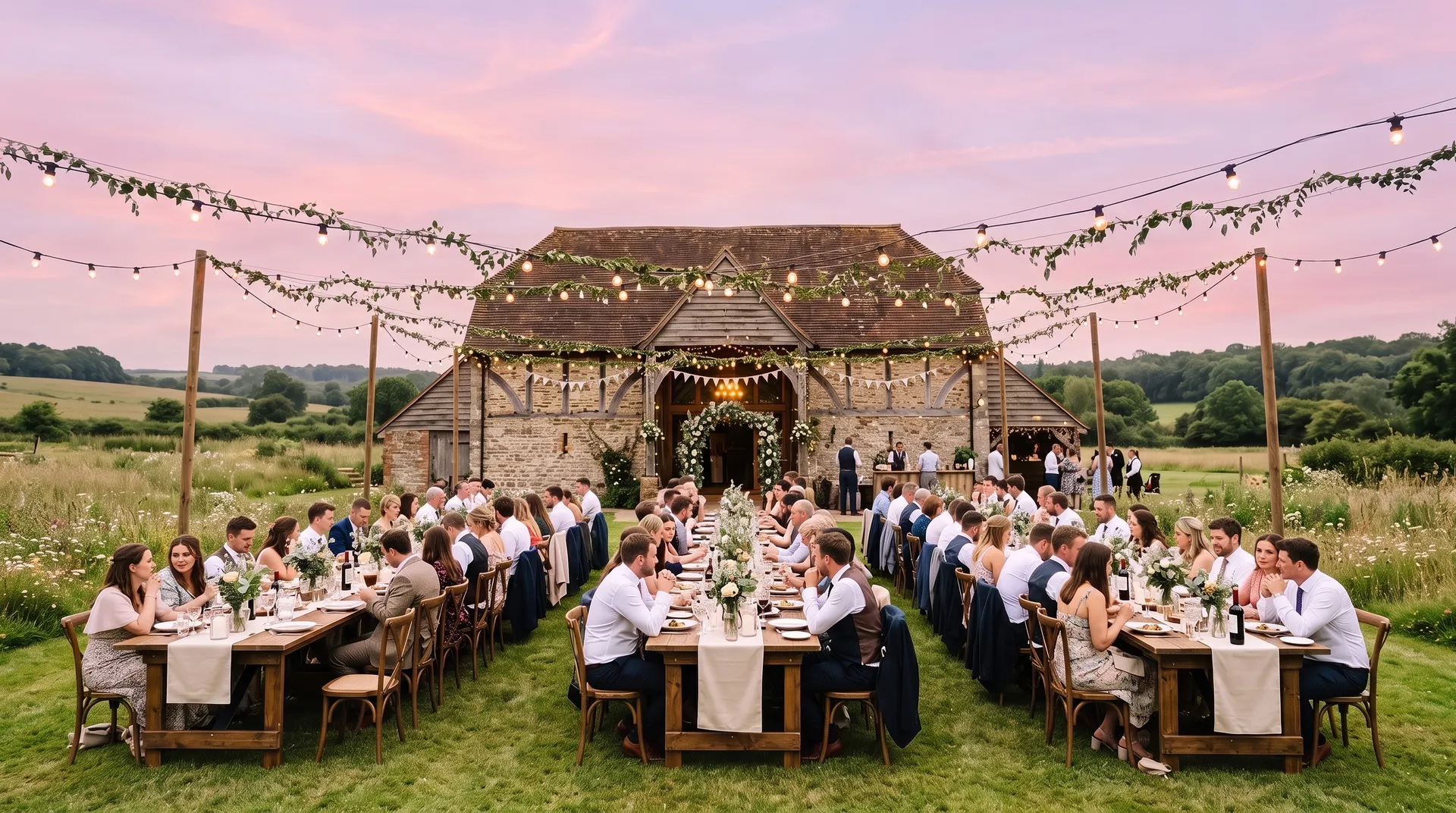
Couples can't reshoot their wedding. This walk through an olive grove happened under a dull overcast sky. Pastel sunset replaces it with soft pink and lilac clouds, while the couple, the trees and the stone path stay exactly as they were.
Wedding and event photographers use it to rescue key shots from a cloudy day and to keep a whole gallery in one mood, without masking every branch by hand.
Swap a hard blue sky for a soft overcast one
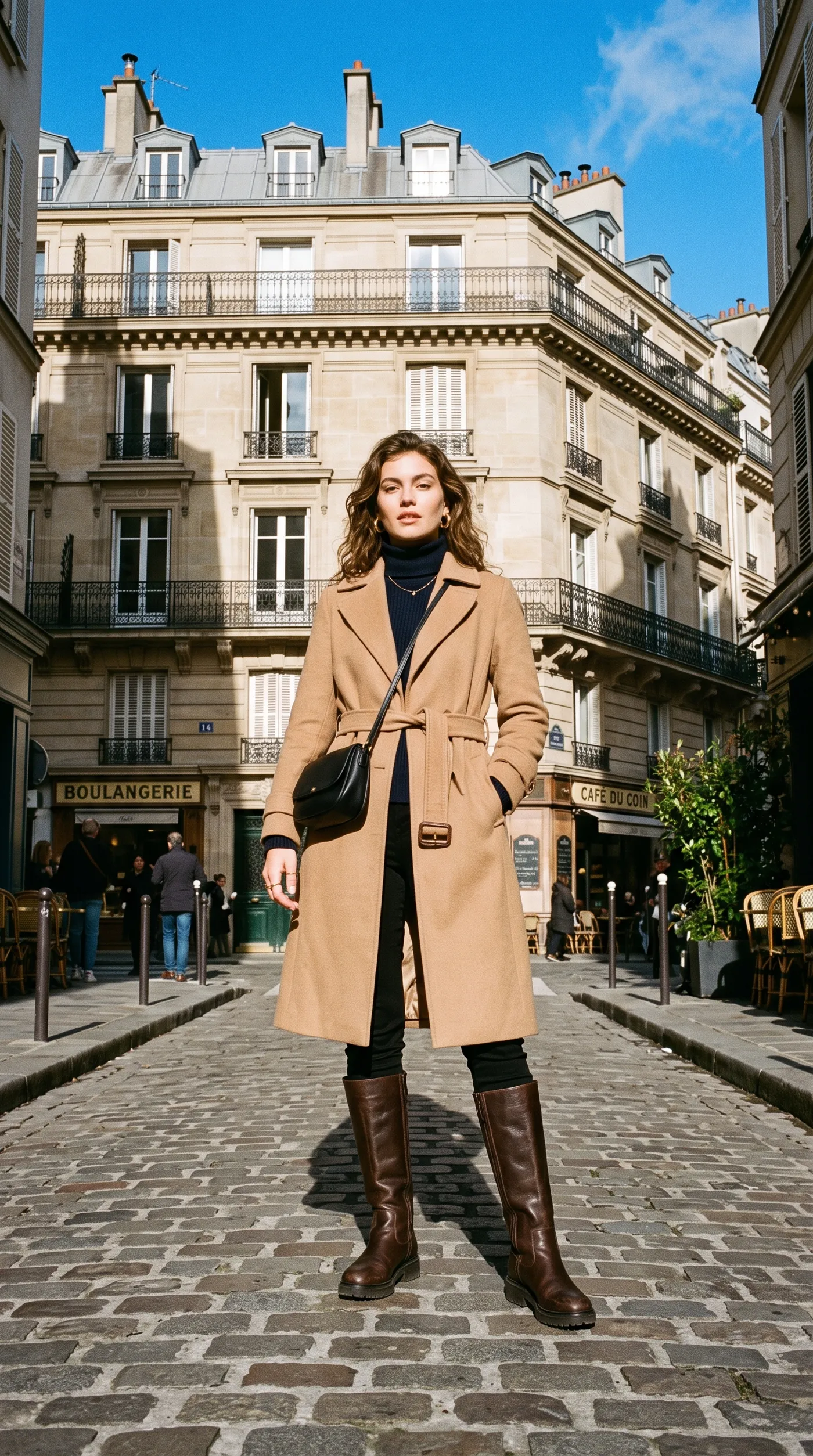
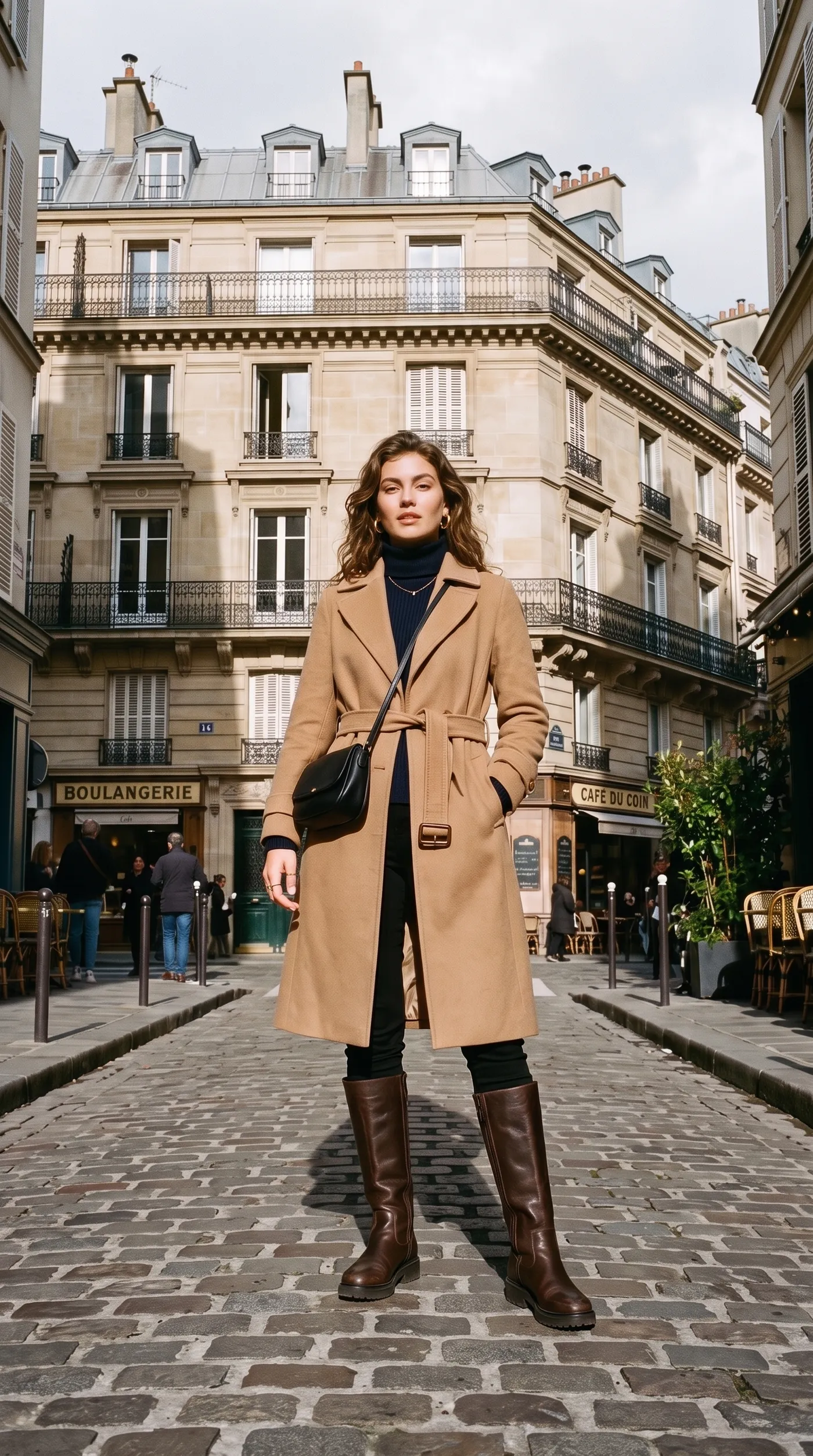
A new sky isn't only for bad weather. This street style shot had a bright, saturated sky that felt like midsummer. Overcast swaps it for soft grey cloud, which suits an autumn coat campaign far better.
Use it to keep a campaign consistent when the photos were taken on different days, or to move a summer shoot closer to the season you're selling.
Where a new sky changes the whole photo
A grey sky can flatten a shot that got everything else right. These are the photos where swapping it pays off most.
Skip the masking and blending
Swapping a sky by hand means cutting around every branch and rooftop, then matching the color. Here you pick the sky and the edges are handled for you.
getimg.ai
Add the photo
One outdoor shot with visible sky.
Choose the sky
Twelve sky types, from clear blue to northern lights.
Get the new version
Trees, rooftops and the horizon blend into the new sky.
Manual sky replacement
- Mask the sky edge by edge, around every tree and wire
- Hunt for a sky photo with a matching perspective
- Blend the horizon line so the join doesn't show
- Color-match the foreground to the new sky
- Repeat the whole process for every photo
Get a sky that looks like it was always there
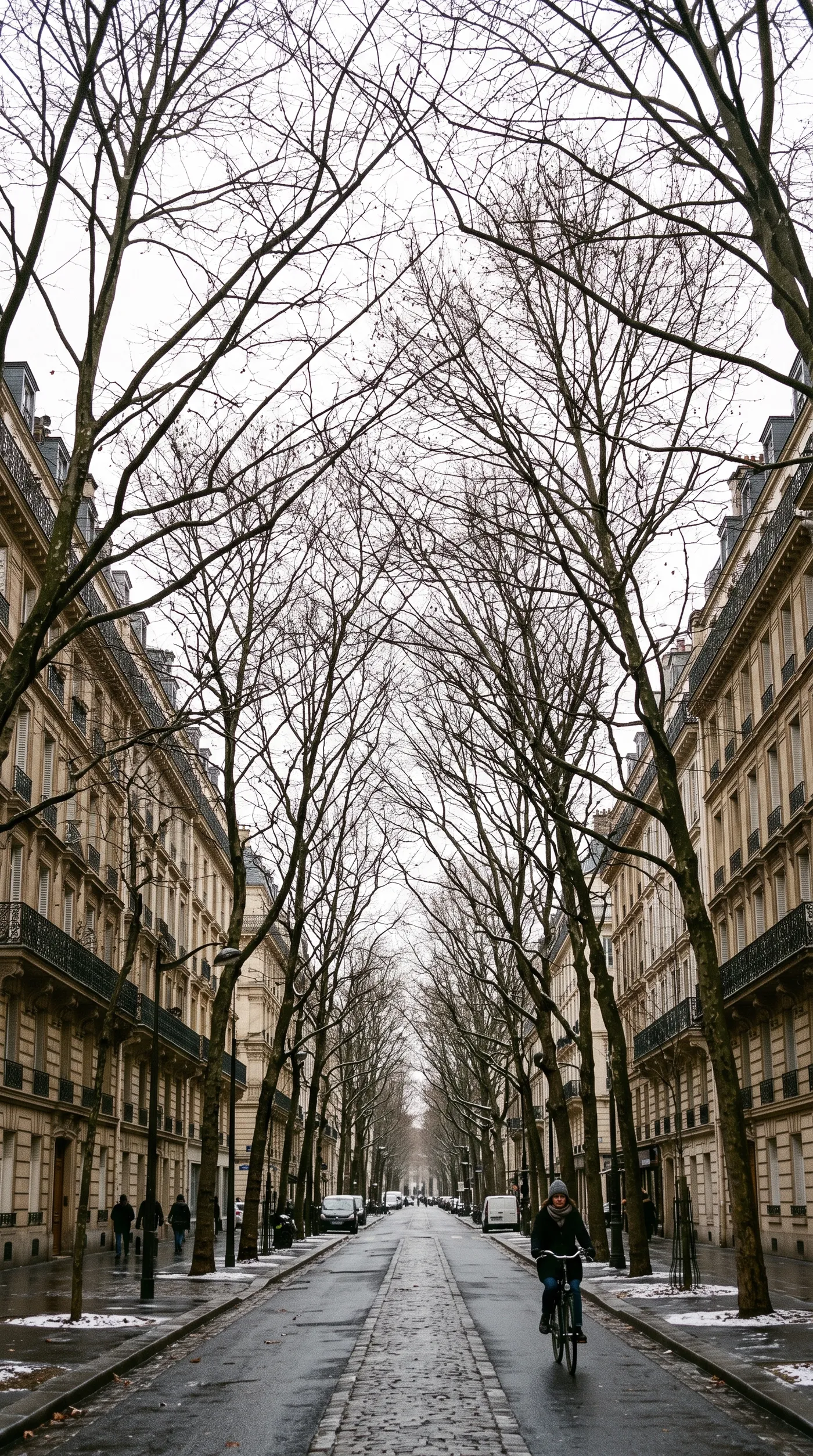
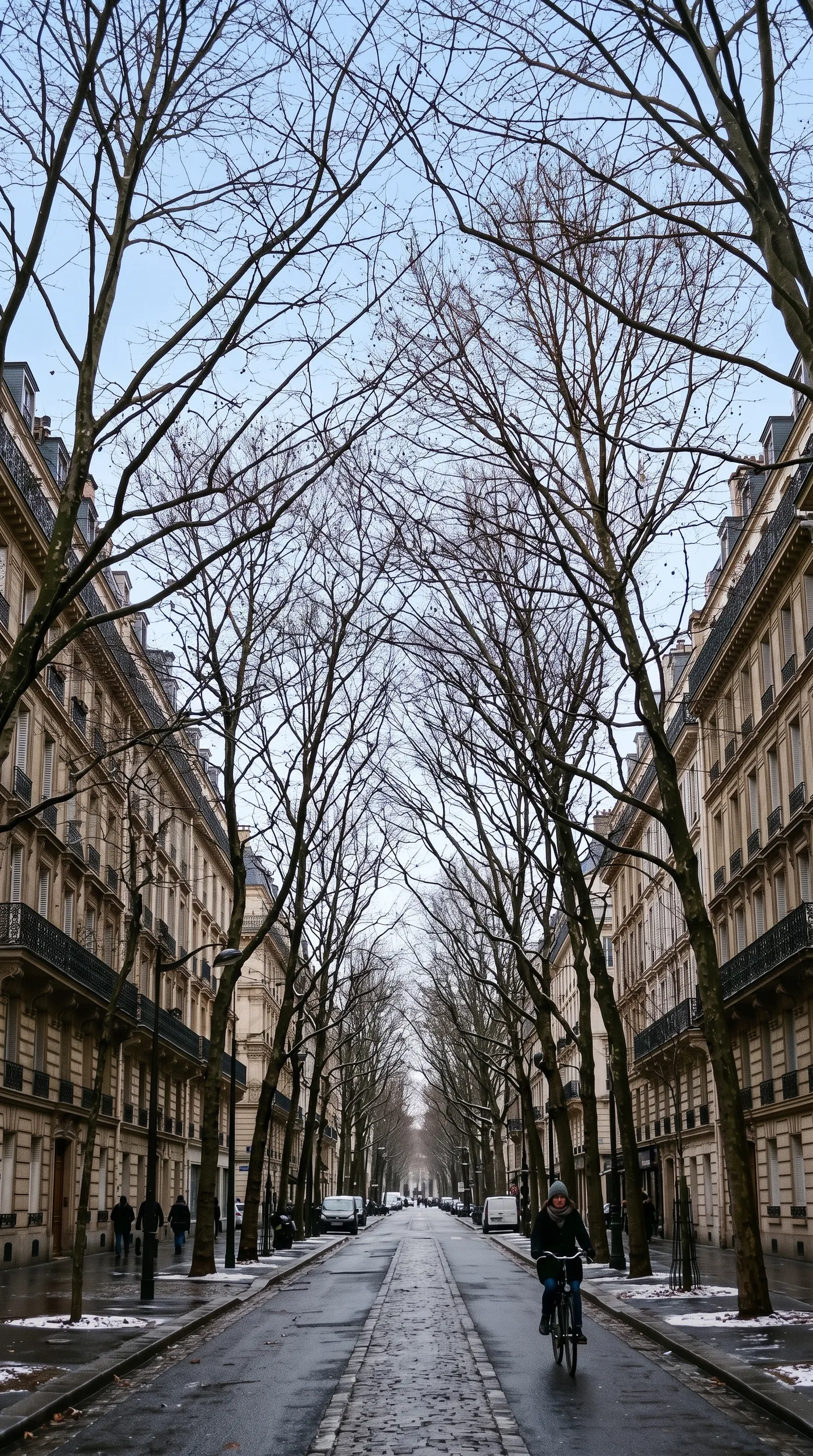
Fine detail against the sky is the hardest case. In this winter avenue, the new blue sky shows through the gaps between the bare branches because the original had a clean, bright sky to replace.
Frequently asked questions
Open Sky replacement on getimg.ai, add an outdoor photo with sky above the horizon and choose one of 12 sky types. You get a new version of the same photo with the sky swapped and the rest of the scene kept as it was.
Clear blue, summer clouds, overcast, misty, golden hour, pastel sunset, fiery sunset, blue hour, dramatic storm, starry night, moonlit and northern lights. Pick the one that fits the mood you need, then run the photo again with another sky to compare.
Outdoor shots with a clear horizon and a good amount of visible sky. Results look most natural when the new sky fits the light already on the ground, so a sunny street pairs better with clear blue or golden hour than with a storm.
Yes. Swapping an overcast sky for clear blue is one of the most common uses for property exteriors. Check your local listing rules, since some markets require edited photos to be disclosed.
Sky replacement is built to change the sky and keep the rest of the scene. To change the direction or color of the light falling on a person or product, use AI photo relighting instead.
No. It replaces a sky that's already in the photo, so it needs visible sky above the horizon. Indoor shots and close-ups with no sky in the picture won't work.
Yes. Run the same photo again with a different sky type. Each run creates a new version, so you can compare golden hour and clear blue side by side.
Yes, as long as the photo shows sky above the horizon. Top-down shots that only show the ground have no sky to replace.
Yes. Every paid plan includes commercial use, subject to our terms and applicable third-party rights. Plans start at $8 a month.
Give your next outdoor photo a better sky
Add a photo, pick from 12 skies and download the version that fits.