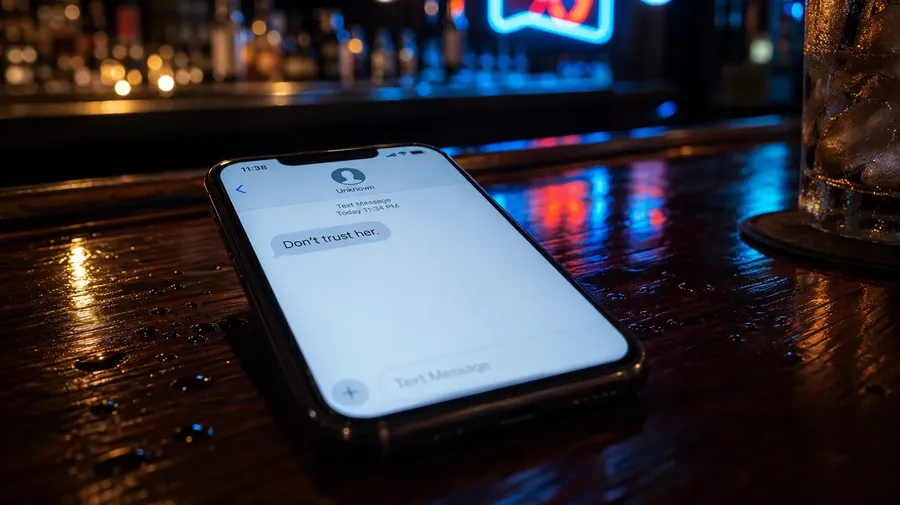
Generate videos with Alibaba HappyHorse 1.1
HappyHorse 1.1 is Alibaba's cinematic video generation model, now on getimg.ai. Native audio, 1080p output, up to 15 seconds. Built for the visual quality that holds up in advertising, short-form content, and social media production.
More than just HappyHorse 1.1
Access all the leading AI video models.


All the capability of HappyHorse 1. No setup required.
HappyHorse 1.1 is available the moment you open getimg.ai. No API keys, no separate accounts, no minimum spend to unlock the model. Open it and generate.
Cinematic framing from natural language
Describe a scene the way you'd brief a director: lighting mood, character action, implied camera work. HappyHorse 1.1 translates that into multi-shot video with film-grade texture and strong atmospheric detail.
First frame and reference image control
Anchor your video with a specific starting image, or supply up to four reference images to guide character appearance, style, and composition. The model holds subjects consistent across shots.
Commercial rights on every paid plan
Every video you generate with HappyHorse 1.1 includes commercial rights from the first paid plan. Publish it, use it in client campaigns, run it in paid media. No complex licensing setup, no per-asset fee.
How to use HappyHorse 1.1 on getimg.ai
Generating your first HappyHorse 1.1 video takes just a moment.
1. Log into getimg.ai
Click here and select HappyHorse 1.1 from the model picker. Both 720p and 1080p output are available. Choose your quality level before generating.
2. Write a prompt
Describe the scene you want to generate. See our video prompting guide and the example to the right. Optionally, upload a first frame image or up to four reference images to guide the output.
3. Generate
Choose from five aspect ratios (16:9, 9:16, 1:1, 4:3, or 3:4) and set duration from 4 to 15 seconds. Hit generate. Video and audio come out together, synchronized, in a single pass.
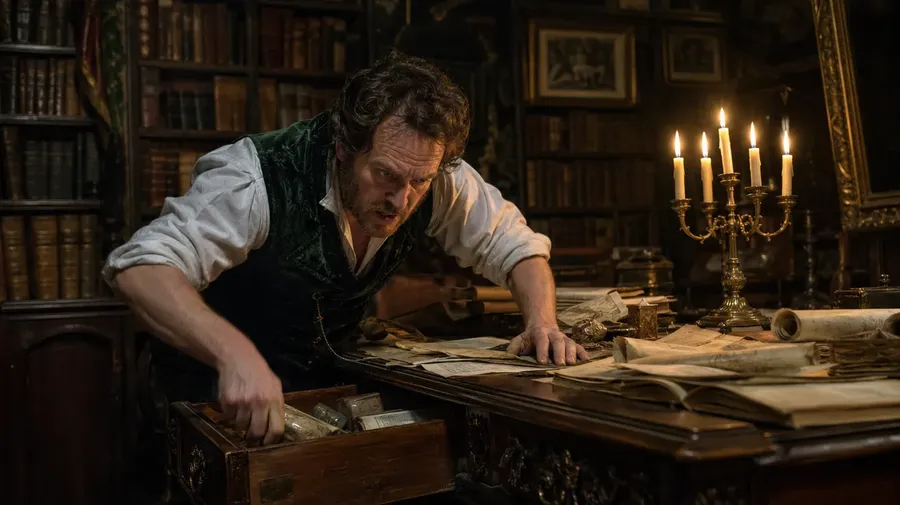
A dimly lit Victorian study filled with leather-bound books and flickering candlelight. A middle-aged man in a velvet waistcoat is frantically searching through a drawer. A woman enters the frame from the shadows, her face half-hidden by a lace veil. The camera cuts from a medium shot to a tight close-up of her lips as she whispers: “It’s not in the drawer, Arthur. I moved it weeks ago.” He freezes, looking up with wide, panicked eyes: “Where is it?” Dramatic chiaroscuro lighting, shallow depth of field, rich fabric textures, dust motes dancing in the light, 19th-century oil painting aesthetic, suspenseful atmosphere.
1080p output. Film-grade visual quality.
Shallow depth of field, wide-aperture framing, refined texture: HappyHorse 1.1 is engineered for cinematic visual language. The output looks intentional, not generated.
Available at 720p and 1080p, with rich spatial depth, strong semantic understanding of complex scenes, and fine-grained detail that holds up in advertising and social media production.
A Snorricam shot of a man sprinting across a gravel-covered rooftop. The background of the city skyline shakes violently while his face remains stable. Shot 2: A cut to a wide profile shot as he leaps across a massive gap between two buildings. The wind whips his jacket realistically. Shot 3: He lands hard on the other side, rolling into a crouch. He looks back and says: “That’s the only way out.” High-speed cinematography, handheld look, 16mm film grain, realistic physics, intense facial performance, cold urban color palette.
Multi-shot sequencing, consistent across cuts
HappyHorse 1.1 plans and executes multi-shot sequences from a single natural-language prompt. Camera movement, pacing, and cut structure are handled by the model. Describe the scene, and it figures out how to shoot it.
Character positioning stays consistent across frequent cut transitions, a specific strength for short dramas, dialogue scenes, and any narrative content that needs to feel directed across multiple shots, not just generated as a single take.
A 16:9 top-down shot of a cardboard shoe box being opened. Tissue paper crinkles realistically as it's moved away to show the shoe. Shot 2: A person lifts a clean white leather sneaker out of the box, turning it to catch the light on the metallic logo. Shot 3: The person holds the shoe up near their face and says: "The stitching on these is actually perfect." Handheld, slightly shaky camera, realistic fabric and leather textures, natural indoor lighting, 35mm film grain, modern streetwear aesthetic.
Audio generated with the video. Not after it.
The audio comes out with the clip, not layered on afterward. Lip-synced dialogue, ambient soundscapes, and emotionally expressive vocal performances are generated from the same prompt as the visuals, in a single pass.
Three synchronized tracks: music tuned to the scene's mood, environmental ambient sound, and dialogue matched frame-by-frame to on-screen action. Audio-visual synchronization that makes production-quality output the default, not the exception.
Shot 1: A close-up of a pianist’s hands playing a complex, melancholic jazz chord on a vintage upright piano. Audio: The deep, wooden resonance of the piano notes and the soft mechanical "thud" of the keys being pressed. Shot 2: A cut to a medium shot of a woman in a velvet dress leaning against the piano, a microphone in front of her. She begins to sing a soulful, low-register jazz melody: "I wish you would stay...". Audio: Her voice is smoky and rich, perfectly lip-synced to her mouth movements. Shot 3: A wide shot showing the club. Audio: The piano and vocals continue, layered over the ambient "clink" of glasses and hushed crowd chatter. Style: 35mm film, moody shadows, warm amber lighting, sophisticated noir aesthetic.
Frequently Asked Questions
Kling 3.0 Pro, Seedance 2, and Google Veo 3.1 are among the leading video models on getimg.ai, and HappyHorse 1.1 is Alibaba's entry into the same tier. Developed by Alibaba Token Hub, it's designed for cinematic-quality output: wide-aperture framing, strong atmospheric mood, multi-shot sequencing with consistent character positioning, and native audio generated in a single pass. It supports text-to-video, image-to-video, and subject-to-video generation, with durations from 4 to 15 seconds in 720p and 1080p. Up to four reference images can guide character appearance and composition.
HappyHorse 1.1 is available on getimg.ai with commercial rights included, and you can also reach it via the getimg.ai API for programmatic access. The previous version, HappyHorse 1, is still available too, both in the app and through the API, if you've already built around it. HappyHorse 1.1 is well-suited for advertising, short-form video, e-commerce content, and social media production. Any context where cinematic framing and audio-visual coherence matter.
Open the Create video generator on getimg.ai and press the 'Auto' button in the prompt box. Select HappyHorse 1.1 from the model list in the video tab. Choose your aspect ratio (16:9, 9:16, 1:1, 4:3, or 3:4) and duration (4 to 15 seconds). If you're starting from text, write your prompt and hit generate. To guide the output, upload a first frame image or up to four reference images before generating. Everything runs in the browser. No install, no special hardware.
For better results, write prompts that specify subject, action, environment, and mood. HappyHorse 1.1 follows natural-language direction well. Describe the scene like you'd brief a director, and the model handles composition, camera planning, and multi-shot structure. The more specific your input, the more precise the output. Our video prompting guide has examples if you want a starting point.
HappyHorse 1.1 is designed specifically for cinematic output. It excels in wide-aperture, shallow depth-of-field framing, atmospheric visual language, and fine-grained texture detail. Multi-shot consistency is a particular strength: the model holds character positioning across frequent cut transitions, making it well-suited for short dramas, dialogue scenes, and narrative content.
The native audio, including lip-synced dialogue, ambient soundscapes, and emotionally expressive vocal performances, is generated in a single pass alongside the video, not added afterward. Subject-to-Video (S2V) support lets you insert a specific person or object from a reference image into a generated scene while preserving their appearance. For other leading video models available on getimg.ai, see the full model lineup on the platform, including Kling 3.0, Seedance 2.0, and Google Veo 3.1.
HappyHorse 1.1 supports two generation modes: Text-to-Video (T2V) creates video from a written prompt, and Image-to-Video (I2V) animates a still image into a clip.
Supported aspect ratios are 16:9, 9:16, 1:1, 4:3, and 3:4. Duration ranges from 4 to 15 seconds. Output quality is available at 720p and 1080p. Up to four reference images can be attached per generation to guide character appearance, style, or composition across the clip.
Yes. getimg.ai provides access to HappyHorse 1.1 via the API for teams that want programmatic video generation. The earlier HappyHorse 1 is available through the API as well, so workflows already built on it keep running. The API (which is separate from the main app) is useful for building HappyHorse 1.1 into your own products or automating content production at scale. It sits alongside other leading video models in the API, including Kling and Seedance variants.
The API is designed for production use. Generate videos programmatically instead of working through the browser. Whether you're automating content, building a product, or running large batches, you can plug HappyHorse 1.1 into your own setup without managing AI infrastructure.
Access is usage-based. Add credits, monitor consumption, and scale at your own pace, staying predictable and flexible regardless of how your workload changes over time.
Generate cinematic video with HappyHorse 1.
HappyHorse 1.1 is live on getimg.ai, with no waitlist and no install. Native audio, 1080p output, up to 15 seconds. Commercial rights included on every paid plan.