How to Create a 360° Product Video with AI

A 360 product video is a smooth camera turn all the way around an object, the kind of rotating hero shot that makes a product feel real and premium. Creating one with AI means generating that orbit from still photos rather than filming it on a turntable. You add a few product images, choose a backdrop colour and a camera move, and the model produces the spin. On getimg.ai the Product orbit Action does this from up to three photos, with no rig, turntable, or motion-control setup.
TL;DR
- Product orbit turns product photos into a smooth 360 camera turn around the item.
- In getimg.ai, open the Product orbit Action, add up to three product photos, and choose a backdrop colour and a camera move.
- Camera moves include level orbit, rising orbit, orbit and push in, low hero sweep, pull back, and high orbit.
- Set the quality (720p or 1080p), aspect ratio, and duration (5s, 8s, or 10s).
- It keeps your original photos untouched.
What a 360 Product Video Is
A rotating product shot does something a still cannot: it shows an object in the round, builds a sense of its form and quality, and holds attention on a feed. Producing one traditionally means a turntable, controlled lighting, and either a motion-control rig or careful editing to stitch frames into a seamless loop. It is a specialist setup, which is why smooth orbit videos have mostly belonged to brands with a studio.
Product orbit generates the move from photos. The model builds the object from your references and animates a camera turning around it against the backdrop you choose, producing the kind of continuous orbit a rig would capture. Because it works from your actual product images, the spinning object is your product, not a generic stand-in, which is what makes the clip usable for listings and ads rather than just a demo.
When to Use It (and When to Shoot on a Turntable)
Product orbit fits most product marketing that benefits from motion:
- Listings and product pages, where a spin conveys form and quality better than a carousel of stills.
- Social and ad content, where a rotating hero shot stops the scroll.
- Launches, giving a new product a premium reveal without a studio booking.
- Catalogues at scale, producing orbit clips for many products without a shoot each.
Shooting on a turntable still wins when a buyer needs a faithful, verifiable record of every side, especially for products with complex reflections, intricate mechanisms, or fine detail that must be exact. A generated orbit reconstructs the unseen sides from your photos, so it is convincing rather than documentary. For hero visuals, social, and volume, the generated orbit is fast and cheap; for exact fidelity on a scrutinised product, the turntable is the honest record.
How to Create a 360 Product Video, Step by Step
Here is the workflow in getimg.ai. Open the Product orbit Action to follow along.
1. Add your product photos
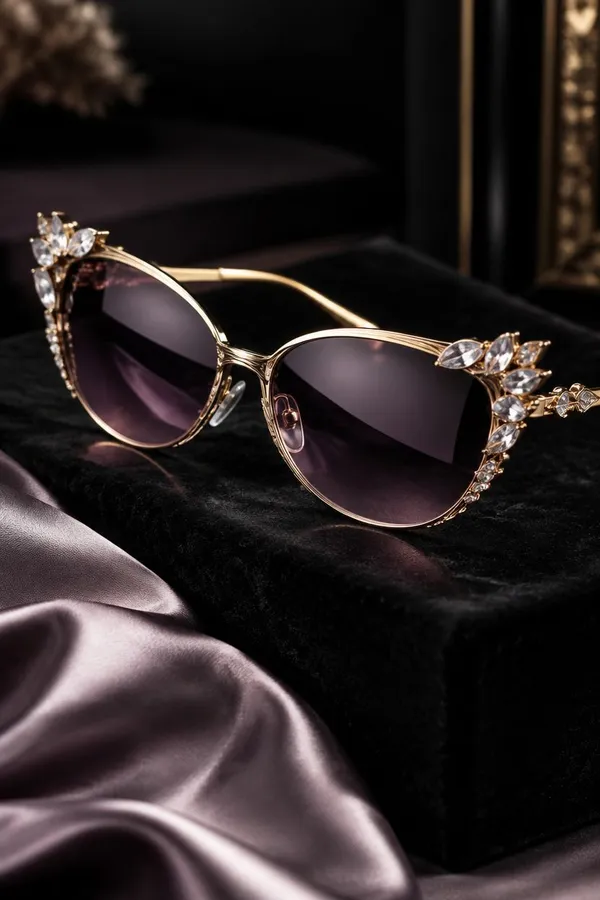
Add up to three photos of the product: different angles, the packaging, and an in-use shot if you have one. The more sides the references show, the more accurately the model can render the product as the camera comes around it.
2. Choose a backdrop colour
Pick a backdrop colour from the presets, or open the custom picker with the plus button to enter an exact hex value or sample a colour from your screen. A clean, brand-appropriate backdrop keeps the focus on the product.
3. Choose the camera move
Pick how the camera travels: level orbit for a straight turn, rising orbit or high orbit for an elevated sweep, orbit and push in to move closer as it turns, low hero sweep for a dramatic upward angle, or pull back to reveal. The move sets the whole feel of the clip.
4. Set quality, aspect ratio, and duration, then generate
Choose the resolution (720p or 1080p), an aspect ratio (16:9, 1:1, 9:16, or 4:3), and the duration (5s, 8s, or 10s). Use the text field for any extra detail, such as the surface or light. Run the Action and the clip appears in the gallery to the right of the controls.
How to Get a Smooth, Convincing Orbit
- Give it several angles. Using the full three references, showing more than one side, helps the model keep the product accurate through the whole turn. A single photo limits how faithful the far side can be.
- Match the camera move to the product. A low hero sweep flatters a bottle or a shoe; a level orbit suits a boxy or symmetrical item; orbit and push in draws attention to a detail.
- Keep the backdrop clean. A simple, brand-appropriate colour keeps the product the focus. Custom hex lets you match a brand palette exactly.
- Size it for the platform. Use 9:16 for stories and reels, 1:1 for feeds, and 16:9 for a product page or wide placement, at the duration that fits the slot.
- Check labels through the turn. Text and branding are where a spin can slip. Watch the clip through and regenerate if the label distorts as the camera moves.
Orbit in a Product Content Set
A 360 clip is one part of a product's visual story. It pairs naturally with the Product shots Action for styled stills and the UGC video Action for a presenter-led clip, giving a listing both the hero motion and the human recommendation. For a bespoke move or scene the presets do not cover, the open-ended Create video generator gives full control over motion and setting.
The Bottom Line
Product orbit turns still photos into a smooth 360 spin: add up to three product images, choose a backdrop colour and a camera move, and generate. Because it works from your actual product, the rotating object is your product, and it delivers the premium hero motion that used to require a turntable and a rig, in a few clicks and without booking that studio setup for every product.
Open the Product orbit Action in getimg.ai, add a few product photos, and generate a level orbit and a low hero sweep to compare. Commercial rights are included, subject to our terms and applicable third-party rights.
Frequently Asked Questions
The Product orbit Action offers level orbit, rising orbit, orbit and push in, low hero sweep, pull back, and high orbit. A level orbit is a straight turn, the rising and high orbits sweep from above, orbit and push in moves closer as it turns, a low hero sweep angles up dramatically, and pull back reveals. The move sets the feel of the clip.
You can add up to three, and using several helps. Different angles, the packaging, and an in-use shot give the model a fuller understanding of the product, so it stays accurate as the camera comes around to sides the single photo did not show.
Yes. Choose from preset backdrop colours or open the custom picker to enter an exact hex value or sample a colour from your screen. A custom colour lets you match a brand palette precisely.
You can generate at 720p or 1080p, in 16:9, 1:1, 9:16, or 4:3, with a duration of 5, 8, or 10 seconds. Use 9:16 for stories and reels, 1:1 for feeds, and 16:9 for product pages.
It is convincing rather than documentary. The model reconstructs the sides your photos did not show, so for hero visuals, social, and volume it works very well. When a buyer needs an exact, verifiable record of every side, especially for complex reflections or fine detail, a real turntable shoot remains the honest choice.
Commercial rights are included, subject to our terms and applicable third-party rights. Make sure you hold the rights to the product photos you upload.