#1 AI Japanese Text to Speech Generator
Type your script in Japanese and getimg.ai speaks it in a natural voice you choose: real pitch accent, clear readings, and emotion you direct line by line. Download the .wav, cleared for commercial use.
Product Commercial
Corporate Training
Customer Support IVR
Museum Audio Guide
Japanese that sounds like a native speaker
Japanese is a pitch-accent language, so a flat or mispronounced read is the fastest way to give an AI away. getimg.ai gets the accent, the readings, and the register right.
Natural pitch accent and intonation
Japanese rises and falls in ways a flat read gets wrong. The voice places the pitch accent on the right syllables and shapes each sentence so it lands like speech, not a string of words.
Business Presentation
Kanji, kana, and names read correctly
Mixed scripts trip up most engines. getimg.ai reads kanji, hiragana, katakana, numbers, and loanwords the way a native would, including the names of people, places, and products.
Travel Narration
Polite or casual, to fit the moment
Japanese shifts with the situation, from formal keigo in a corporate video to plain, casual speech for a character. The voice holds the level of politeness you ask for across the whole script.
Casual Conversation
Faster and cheaper than booking a voice actor
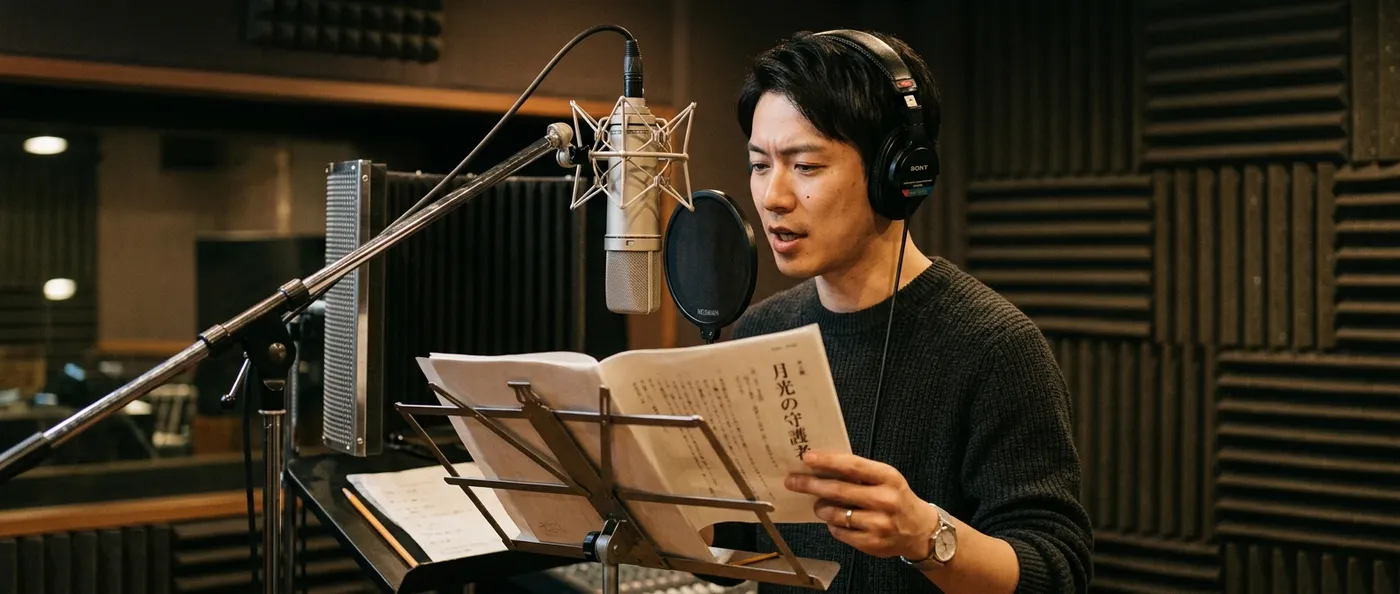
A professional Japanese voiceover usually means casting a native actor, booking studio time, directing the session, and clearing usage rights. getimg.ai handles all of it from a written script, for the cost of a single generation.
-1920x983.webp)
With getimg.ai
Paste in your script
Drop in your Japanese text, or a translated draft, then set the voice and the delivery you want.
Generate and choose the take
Finished audio comes back in seconds. Make a few versions and keep the read that fits the scene best.
Export and use it
Download the .wav for a video, app, course, or ad, cleared for commercial use.
Booking it the traditional way
- Cast a native Japanese voice actor for the role
- Audition reads for the right tone and age
- Book studio time around the actor's schedule
- Write pronunciation notes for names and terms
- Direct the session, then wait for edited files
- Pay re-record fees for every script change
- Clear usage rights by region and length of term
- Re-book the same actor for any later updates
- Start the whole process over for each new language
Built for narration, characters, and ads
Japanese voice work runs from a neutral corporate read to full character acting. These three lanes cover most briefs; the script and the delivery cues take care of the specifics.
Write the script, pick the voice, direct the delivery
Three controls turn plain text into a finished read: what gets said, who says it, and how it's delivered.
Audiobook
Frequently Asked Questions
getimg.ai runs Japanese voice generation through its text-to-speech Action, Create speech. Write or paste a script in Japanese, choose a voice, and generate; the audio comes back in seconds, ready to download.
Because the output language follows your script, Japanese text produces Japanese speech with no language picker to set. The voice reads kanji, kana, numbers, and names with natural pitch accent instead of a flat, machine cadence.
Audio is priced per 1,000 characters and downloads as a .wav file. Direct the read inline with bracketed cues like [gentle] or [excited], the same way a voice-over session would be directed, and change it as often as the script needs.
Yes. Pick an expressive voice and steer it with bracketed cues such as [shy], [angry], or [shouting] to act out a line, which is what makes it a practical Japanese anime voice generator for dubs, visual novels, VTuber clips, and game dialogue. You can switch emotion mid-line, so a calm delivery can break into a shout without re-recording. Generate a few takes and keep the one with the most range.
The output speaks whatever language your script is written in, so for Japanese audio you write or paste Japanese text. Native speakers can type naturally; teams working from another language translate the script first, then generate. The same Action covers 20+ languages, so one project can ship a Japanese version alongside English, Korean, or Chinese from the same place.
Yes. Every paid plan includes full commercial rights to the speech you generate, so it can run under an ad, narrate a course, voice an app, or ship inside a game. The audio isn't recorded from a hired actor, so there are no per-use fees, no regional usage terms, and no re-licensing when you update a line later.
For professional work, getimg.ai is the Japanese voice generator worth reaching for. It reads kanji and kana with natural pitch accent, gives you 30 voices to cast from, and lets you direct tone and pace inline, all cleared for commercial use and priced per 1,000 characters instead of per studio session. The same app also voices English, Korean, and 20+ more languages, so a single project can ship Japanese narration next to every other version it needs.
Turn a Japanese script into a finished voiceover
Write or paste your text, choose a voice, and shape the delivery with simple tags. getimg.ai returns natural Japanese speech in seconds as a commercial-ready .wav. Generate as many takes as you need to land the right one.