AI Color Grading: 23 Film and Cinema Looks for Your Photos
Add a photo and pick a look, from Portra 400 and Kodachrome 64 to teal and orange. You get a finished grade at up to 4K, with no sliders, curves or presets to install.
Access 48+ leading AI models. Pay for one subscription.


How to color grade a photo with AI
Add your photo
A portrait, a street shot, a product photo or a travel picture. Any photo you want to give a clear mood.
Pick a look
Choose a film stock like Velvia 50 or Tri-X 400, or a cinema style like technicolor or moody aqua. Set the quality to 1K, 2K or 4K.
Download the graded copy
The grade lands on a new copy. Try a second look on the same photo and keep the one that fits.
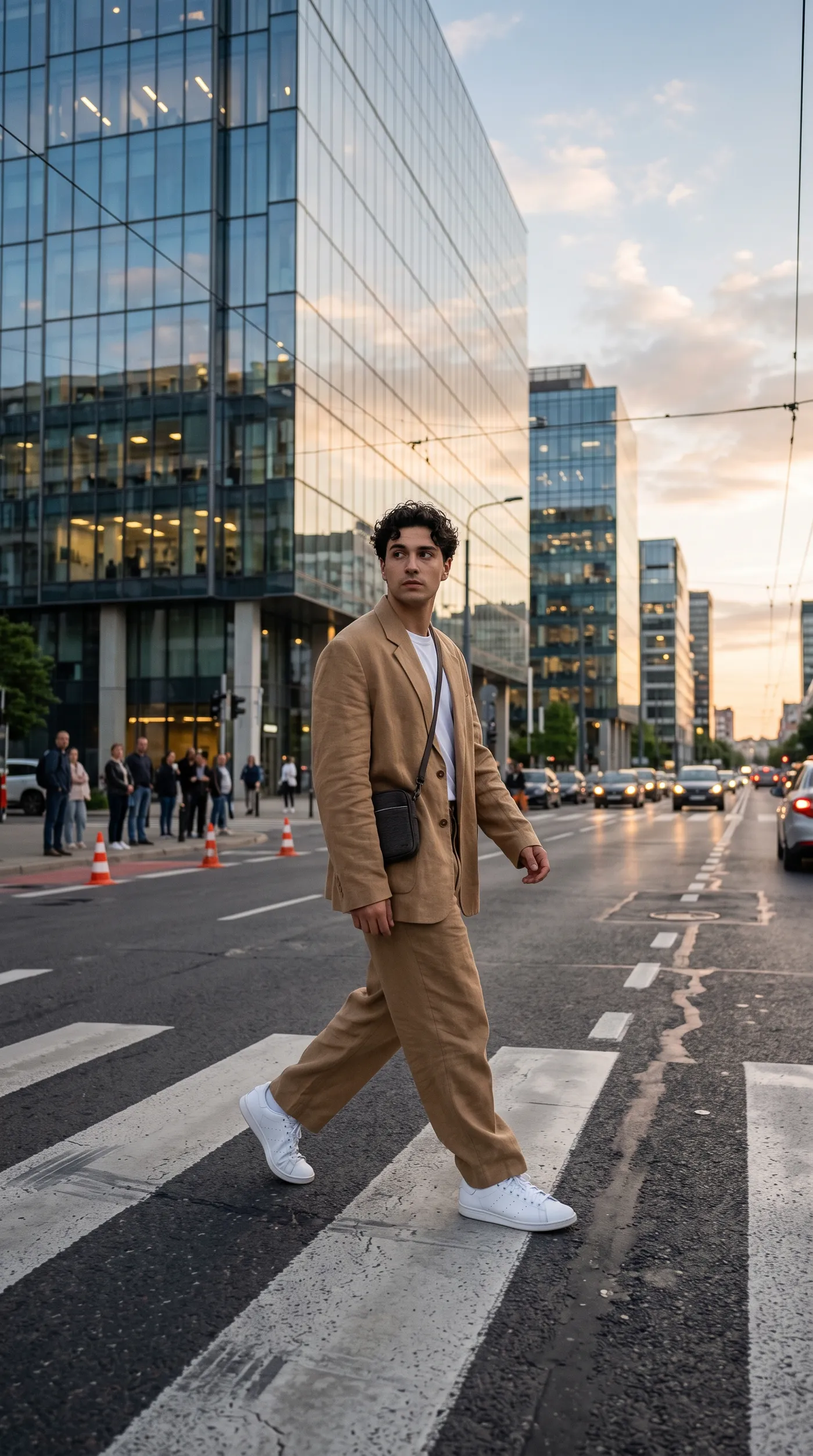
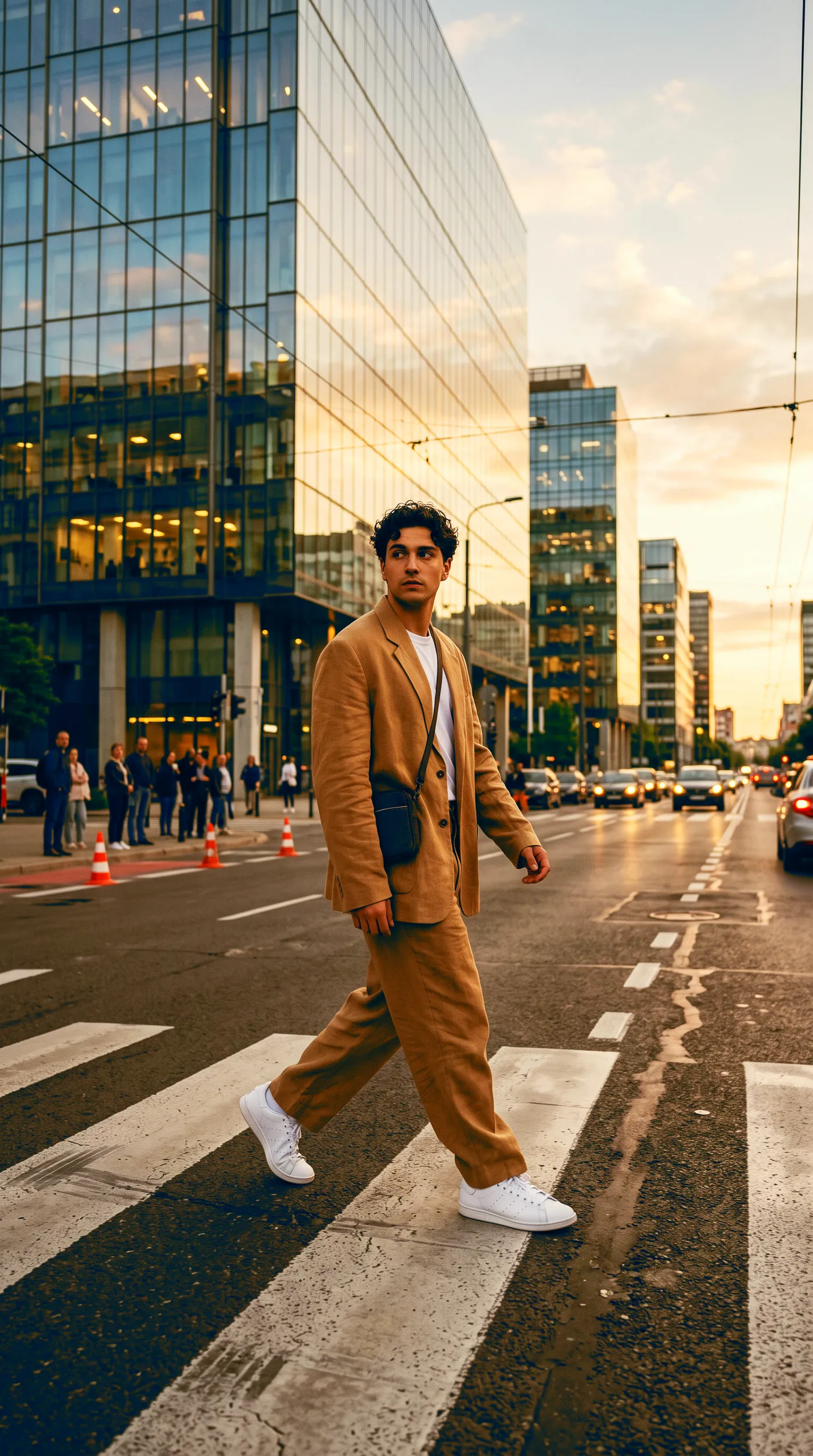
Give street style a cinematic teal and orange grade
Teal and orange is the look of modern action films: cool shadows and backgrounds, warm skin. On this street fashion shot it pushes the glass towers toward teal and keeps the tan suit and skin warm, so the subject stands out from the city.
Use it for lookbooks, music artwork and social posts that should feel like a still from a film.
Make landscapes pop with Velvia 50
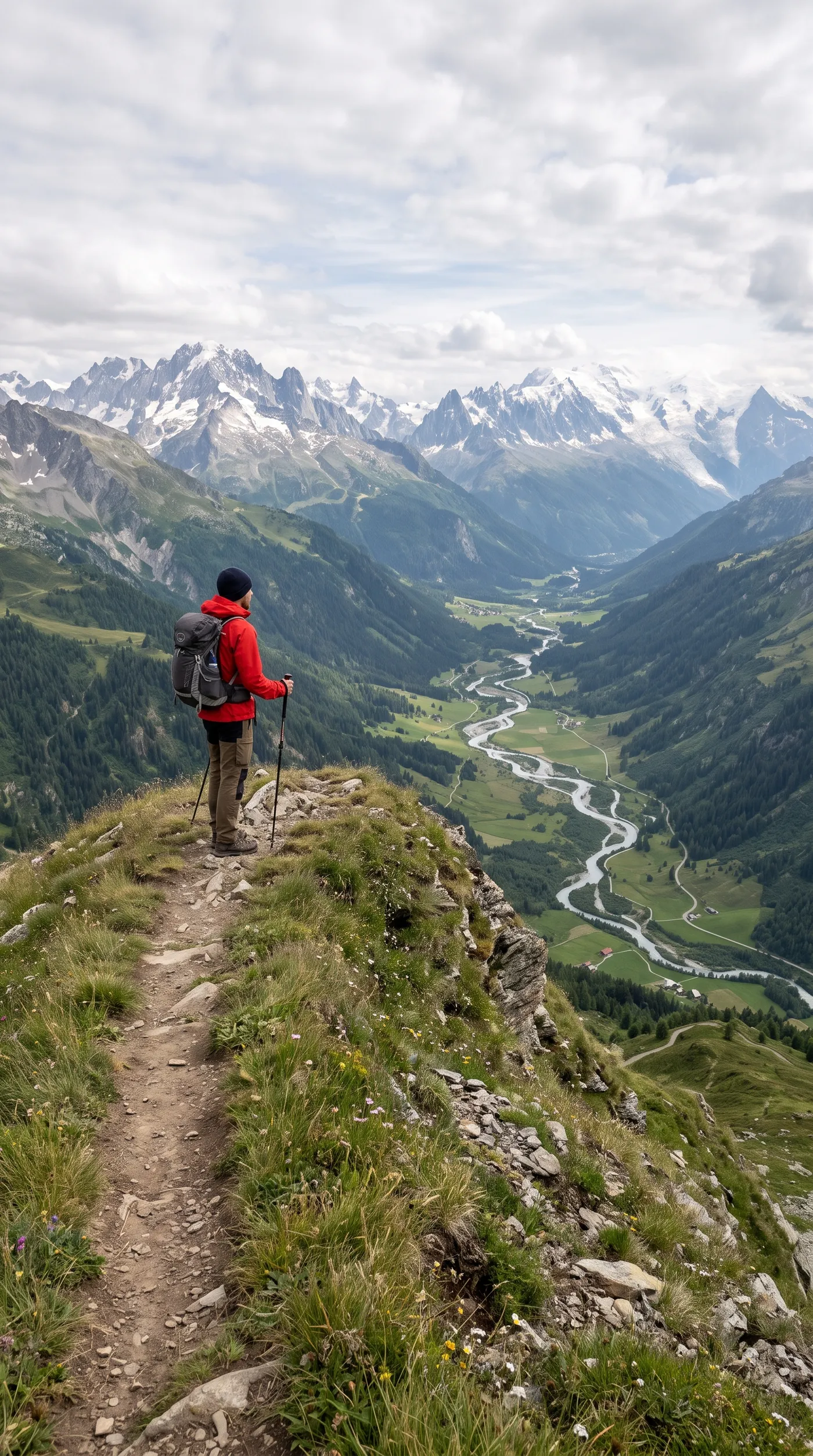
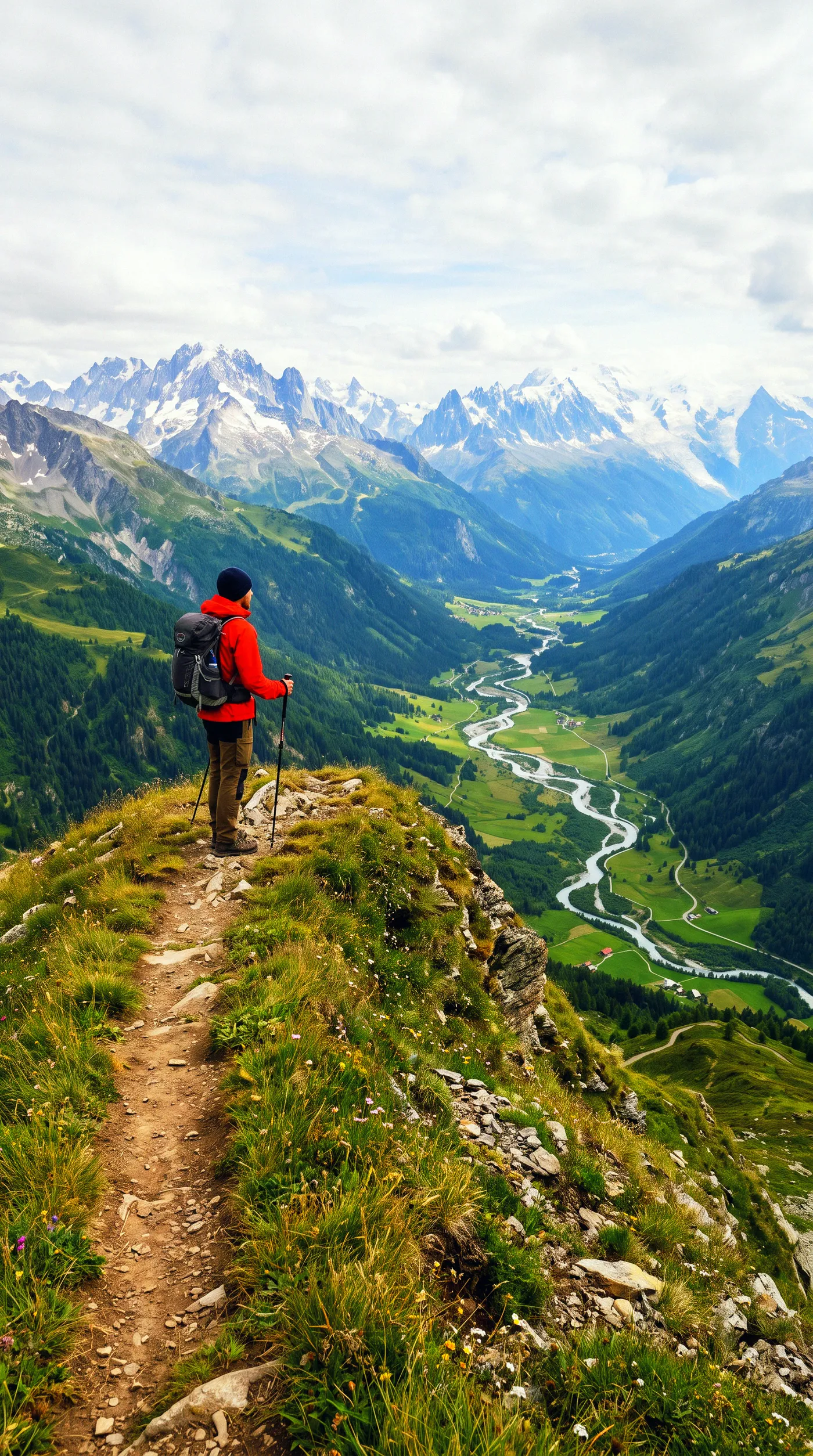
Velvia 50 was the slide film landscape photographers loaded for saturated greens and deep blue skies. Here it deepens the valley, the snow on the peaks and the hiker's red jacket, while the composition stays untouched.
Pick it for outdoor brands, tourism boards and travel content where the scenery is the hero.
Tell a documentary story with Classic Chrome
Not every photo should shout. Classic Chrome mutes the colors and softens the contrast, the reportage look that keeps attention on people. The fruit seller and his crates of oranges read like a page from a travel magazine instead of a stock photo.
Use it for editorial features, brand storytelling and portraits of people at work.


Film stocks and cinema looks in one list
Each look is a color treatment people already recognize. Pick it by the feeling you want the photo to carry.
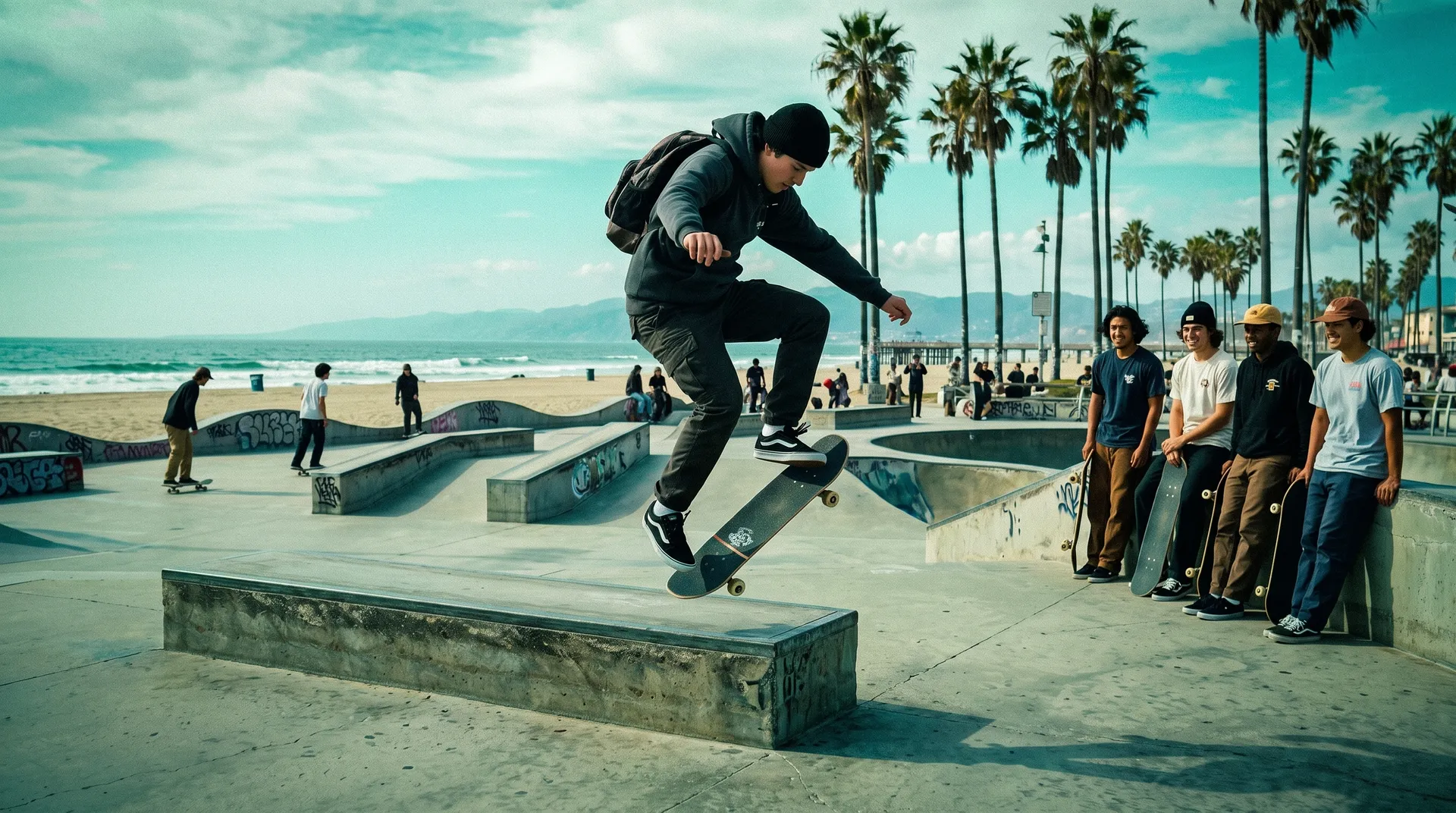
Get the grade without the editing session
Building a film look by hand takes curves, color wheels and a lot of comparing. Picking a named look gets you there in one pass, and it stays consistent across a set.

getimg.ai
Add the photo
Any photo, shot in any light.
Pick one of 23 looks
Film stocks and cinema grades, named the way photographers know them.
Get the graded copy
Up to 4K, with the original kept as it was.

Manual color grading
- Buy or build a preset that may not suit the photo
- Adjust curves, HSL and split toning by hand
- Fix the skin tones the preset pushed too far
- Recreate the same look on every photo in the set
- Start again when the client asks for a different mood
Pick the look that fits the photo
Skin is the first thing people notice in a graded portrait. Eterna lowers the saturation and lifts the shadows on this cabin portrait without turning the skin grey.


Frequently asked questions
Open Color grading on getimg.ai, add your photo and pick one of 23 looks. You get a graded copy at 1K, 2K or 4K, and the original stays in your library.
Color film stocks Kodachrome 64, Portra 400, Portra 800, Velvia 50, Elite Chrome, Classic Chrome, Eterna and CineStill 800T, black-and-white stocks Tri-X 400 and HP5, plus cinema and mood looks: teal and orange, hollywood, technicolor, bleach bypass, fashion film, nomad, moody aqua, golden, dusk, neon night, bright and airy, vintage fox and lomography.
Yes. Run each photo with the same look and the set shares one color treatment, which keeps a feed, a lookbook or a campaign consistent.
A preset applies fixed slider values, which often need tuning for each photo's light. Here you pick the look and the AI applies it to the photo you added, so you skip the tuning and don't install anything.
Yes. The Portra, Kodachrome, Tri-X 400 and lomography looks give an existing digital photo an analog feel. To create new pictures in that style from a description, try the analog photo generator.
It's built to change color and tone, not content. The whole image is generated again with the new look, so check fine details like text and faces before you publish.
Yes. Run it again with another look. Each run is a new copy, so you can put Portra 400 next to teal and orange and choose.
Each look is applied as a finished grade, without a strength slider. For a gentler result, start with a softer look such as Eterna or Classic Chrome.
Yes. Every paid plan includes commercial use, subject to our terms and applicable third-party rights. Plans start at $8 a month.
Give your photos a look people recognize
Add a photo, pick a film stock or cinema grade and download it at up to 4K.