FLUX.2 [max]: A Closer Look at Black Forest Lab's New Flagship Model

![flux.2 [max] [raw] ai image generation models black forest labs](https://static.getimg.ai/media/genj-Ni2WMKPjGk94gT2MesK4y-large-900x506.webp)
The FLUX.2 lineup keeps growing, and FLUX.2 [max] is the latest addition. It is not here to replace existing models, but to raise the ceiling on what they can do. Curious how it behaves in practice, and how it fits alongside the rest of the FLUX.2 family? Read on.
You can try FLUX.2 [max] in getimg.ai right now.
⚡ TL;DR: What is FLUX.2 [max]?
- The Role: the new flagship model from Black Forest Labs, designed for maximum consistency and high-fidelity detail.
- Key Strength: superior stability when using reference images or making specific edits—it changes what you ask without altering the rest of the scene.
- Comparison: it sits above FLUX.2 [pro], offering a more "composed" and predictable result for professional workflows.
What FLUX.2 [max] Is Actually For
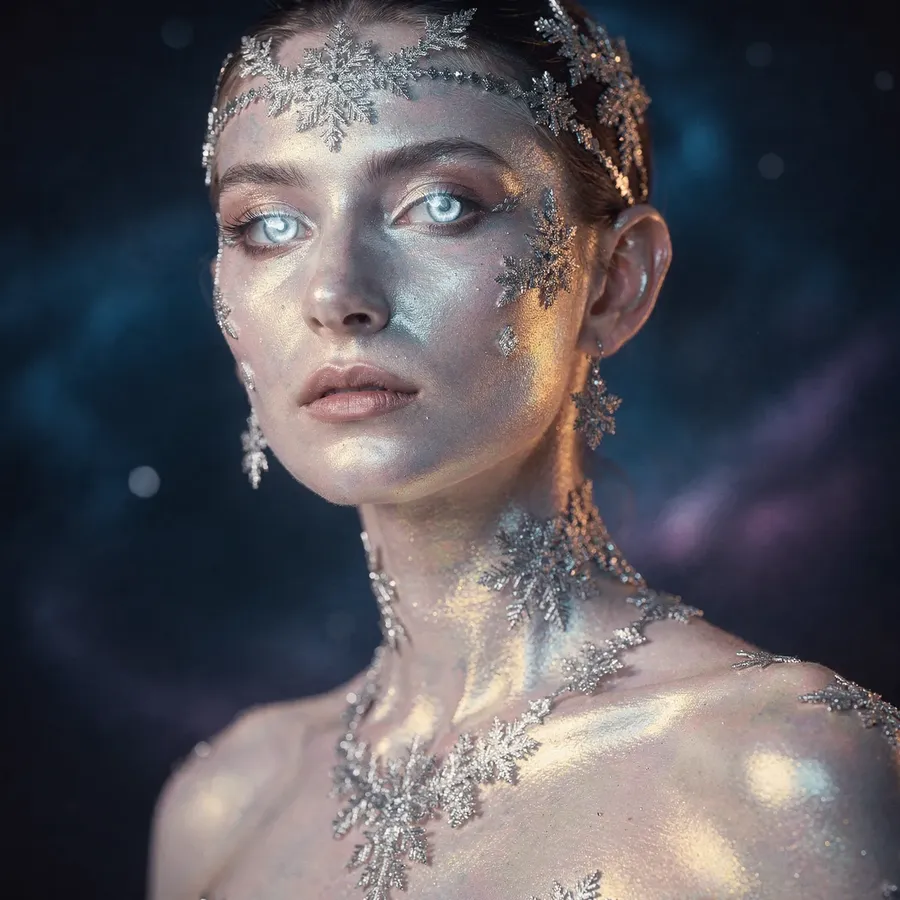
FLUX.2 [max] is designed for work that needs to hold together over time. It does not just produce strong single images. It stays consistent as you iterate, restyle, and push a concept forward.
That shows up in obvious places like long prompts and reference-heavy setups, but it also shows up creatively. Styles apply cleanly without collapsing the structure underneath. Materials behave the way you expect. Lighting and composition stay intentional instead of drifting as you explore variations.
![flux.2 [max]](https://static.getimg.ai/media/genj-6ReFOq74ZvFKMaYwDF7Mk-large-900x900.webp)
Compared to FLUX.2 [pro], [max] feels more composed and detailed. You get the same creative range, but with fewer surprises as you refine an idea.
FLUX.2 [max] makes sense when you want room to experiment stylistically, but also need confidence that once something works, it will keep working.
![flux.2 [max] cinematic still](https://static.getimg.ai/media/genj-Y3lE5Gx350tgP3oR7aypx-large-900x900.webp)
![flux.2 [max] artwork](https://static.getimg.ai/media/genj-qEBRkFkuWNKJhksaevy57-large-900x900.webp)
Style Range Without Losing Structure
FLUX.2 [max] handles a wide range of visual styles without treating them as surface-level filters. Cinematic shots, illustrative looks, painterly references, or highly polished commercial imagery all retain a clear underlying structure.
![flux.2 [max] oil painting](https://static.getimg.ai/media/genj-JWRx7gPFmkwYmVarMUJHb-large-900x900.webp)
![flux.2 [max] portrait](https://static.getimg.ai/media/genj-f1PT79yM24nypFsGQnACb-large-900x900.webp)
This makes it easier to explore different creative directions without the image falling apart. Composition stays readable. Subjects remain grounded. Even when you push toward dramatic lighting or highly stylized aesthetics, the result still feels intentional rather than over-processed.
![flux.2 [max] anime](https://static.getimg.ai/media/genj-pyOxPEt40oJ5VFhQcIe1c-large-900x900.webp)
![flux.2 [max] typography](https://static.getimg.ai/media/genj-hObGPlOyigdcPZg2oKazY-large-900x900.webp)
For creative work that needs both visual range and control, this balance is where [max] stands out.
Editing Without Rewriting the Image
One of the strongest improvements in FLUX.2 [max] is how it handles edits. That consistency holds whether you are working from text alone or combining text with image references.
When you change one thing, fewer unrelated elements shift along with it. Background changes do not rewrite the subject. Color adjustments do not alter structure. Expressions and poses stay stable across variations.
![flux.2 [max] image editing](https://static.getimg.ai/media/genj-dzmf07ts0SOMMGoKkDGnd-large-900x900.webp)
![flux.2 [max] image references](https://static.getimg.ai/media/genj-uWhUbaA1rtVTttGoWT8SP-large-900x900.webp)
![ai editing flux.2 [max]](https://static.getimg.ai/media/genj-CT7dudQj5nmjyqNk5ZO95-large-900x900.webp)
Reference Image 1
Reference Image 2
change her sweater to this pattern, preserve everything else
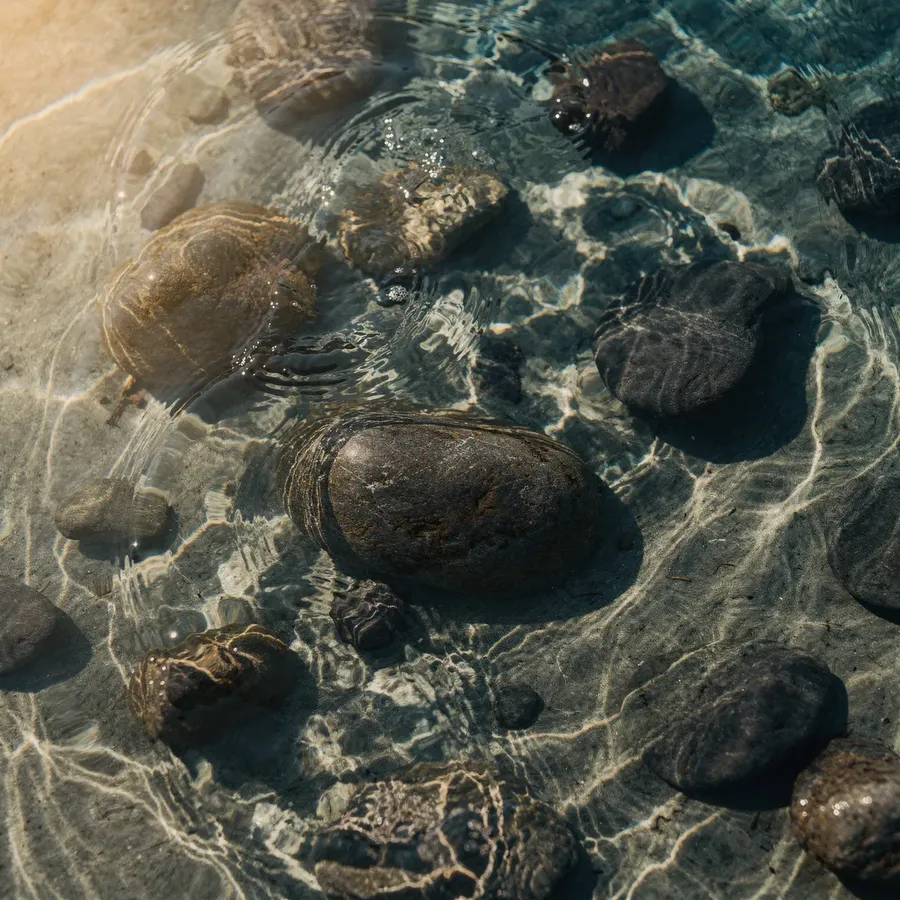
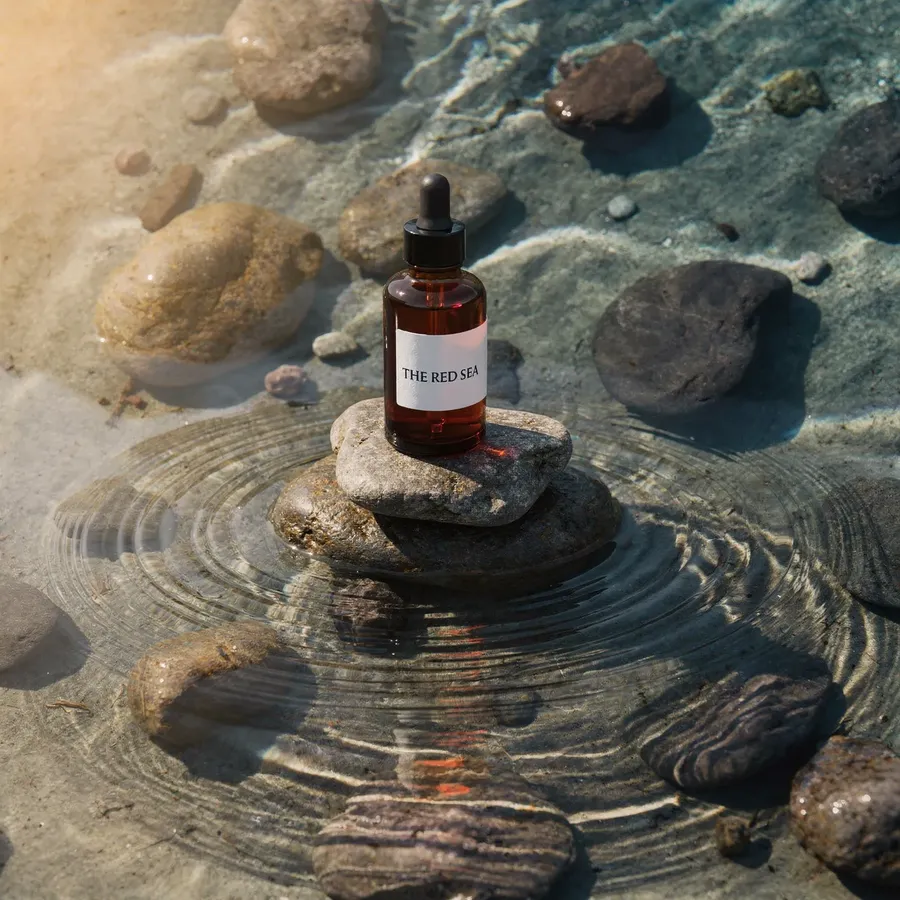
Image references are not limited to small corrections either. You can use them as building blocks, combining multiple elements to create something new while keeping each part recognizable and under control.
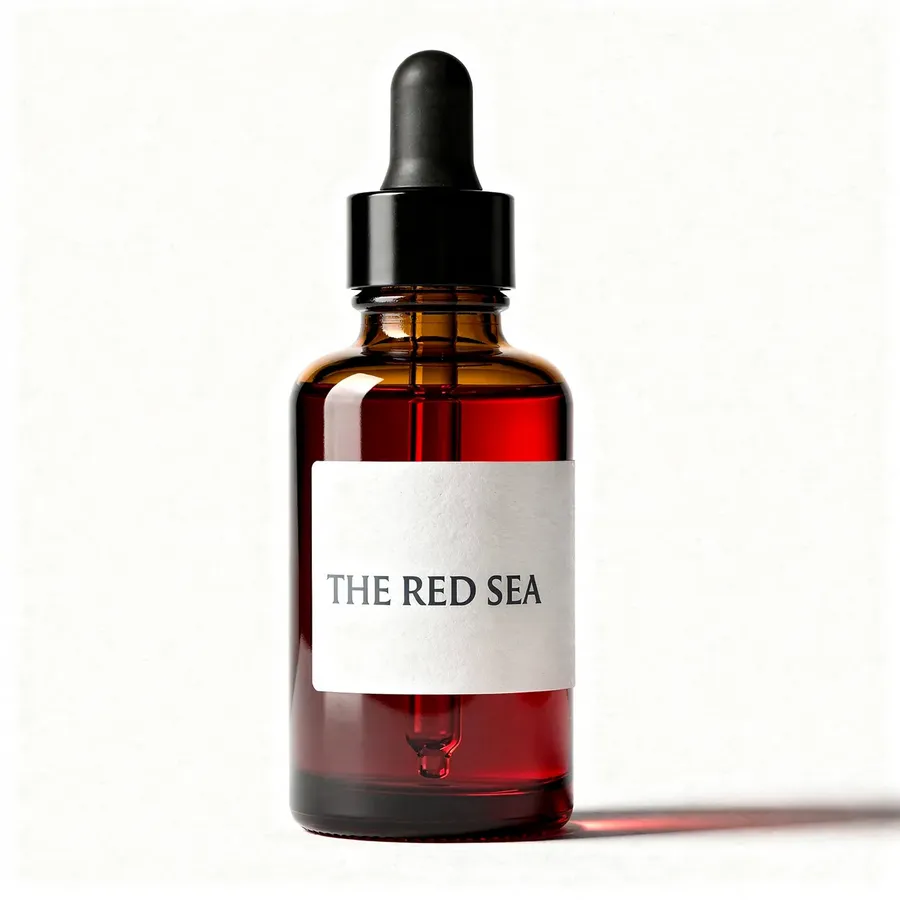
Reference Image 1
Reference Image 2
Product photography. The amber glass dropper bottle is standing perfectly balanced on a stack of smooth river stones rising out of a shallow pool of water. Gentle ripples radiate away from the stones. The lighting is warm and golden, hitting the side of the bottle to make the amber glass glow. Caustic light reflections from the water cast dancing patterns on the product.
This makes [max] well suited for product imagery, marketing assets, cinematic stills, and any work where consistency matters more than surprise.
How It Fits Next to FLUX.2 [pro] and [flex]
FLUX.2 [max] is not meant to replace the rest of the lineup.
FLUX.2 [pro] remains a solid general-purpose choice for most tasks. FLUX.2 [flex] is still a good option when text, typography, or small details need to stay sharp.
FLUX.2 [max] sits above them as the model you choose when you want maximum control and minimal drift. Fewer retries. Higher detail. More confidence that the next result will still look like the last one.
And If You’d Rather Not Think About Any of This
You do not have to. If choosing the “right” model feels like mental overhead, just leave Auto mode on in the Content Generator.
Based on what you are trying to create, we automatically pick the most suitable model for the task. Sometimes that will be a FLUX.2 model. Sometimes it will be something else entirely. The goal is simply to get you a good result without turning model selection into homework.
Use manual selection when you want control. Use Auto when you do not. Either way, the heavy lifting happens behind the scenes, where it belongs. Head to getimg.ai and see the magic for yourself!
Related Articles