Best AI Image Editor for Photographers (2026)

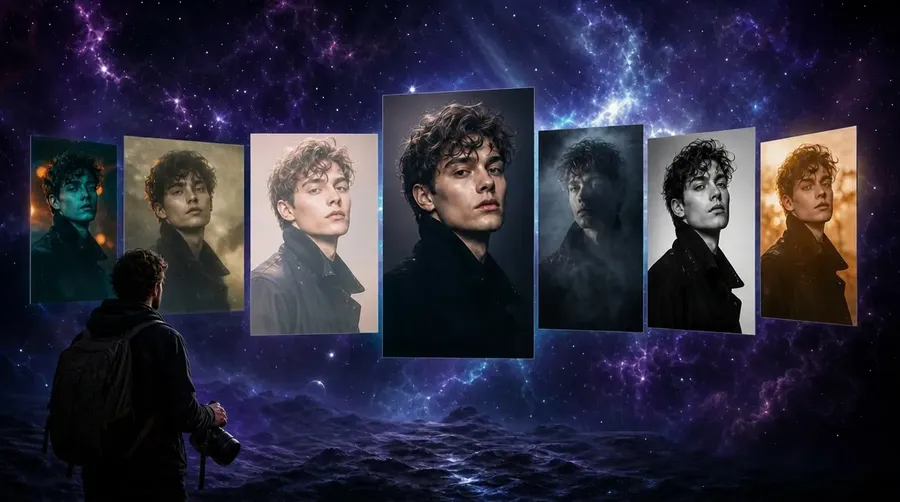
The best AI image editor for photographers in 2026 is getimg.ai: 20+ image models with prompt-based editing that starts from your own photo, one-click background removal, AI background replacement, relighting, old-photo restoration, and upscaling up to 16K. Pricing starts at $8/month with commercial rights on every paid plan. Adobe's Photography Plan pairs Lightroom and Photoshop with Generative Remove for RAW retouching. Luminar Neo offers a perpetual license built for photographers. Topaz Photo AI specializes in denoise, sharpen, and upscale.
TL;DR
- getimg.ai: 20+ image models, prompt-based editing on your own photos, background swap, relight, photo restoration, upscaling to 16K, commercial rights from $8/month.
- Adobe Photography Plan: Lightroom plus Photoshop with Generative Remove and Generative Fill, the standard for RAW-based retouching, at $19.99/month with monthly generative credits
- Topaz Photo enhances and finishes (denoise, sharpen, upscale); Luminar Neo offers a perpetual license; Photoroom handles fast background and product editing.
- For photographers, the deciding factor is whether the tool edits your photograph with a consistent subject, or just generates a new image from scratch.
Best AI Image Editors for Photographers: Ranked
1. getimg.ai: Best AI Image Editor for Photographers
getimg.ai is a professional AI creative platform built for people who ship visual content daily. For photographers, the editing flow starts where it should: with your own photograph. Upload a shot, attach it as a reference or open it in full view, then describe the change in plain language. Backgrounds, lighting, color, unwanted objects, damaged or faded areas, and overall style are all editable by prompt, and every edit produces a new file while the original stays untouched.
Why it ranks first: a photographer's edit list is not "make me a new image." It is "keep this exact shot, swap the gray sky for golden hour, remove the stranger on the left, clean up the scratch, and push it to print resolution." That sequence usually means four tools. getimg.ai keeps all of it under one image editor backed by 16+ top models with auto-selection, so the right engine runs for each task without you choosing it.
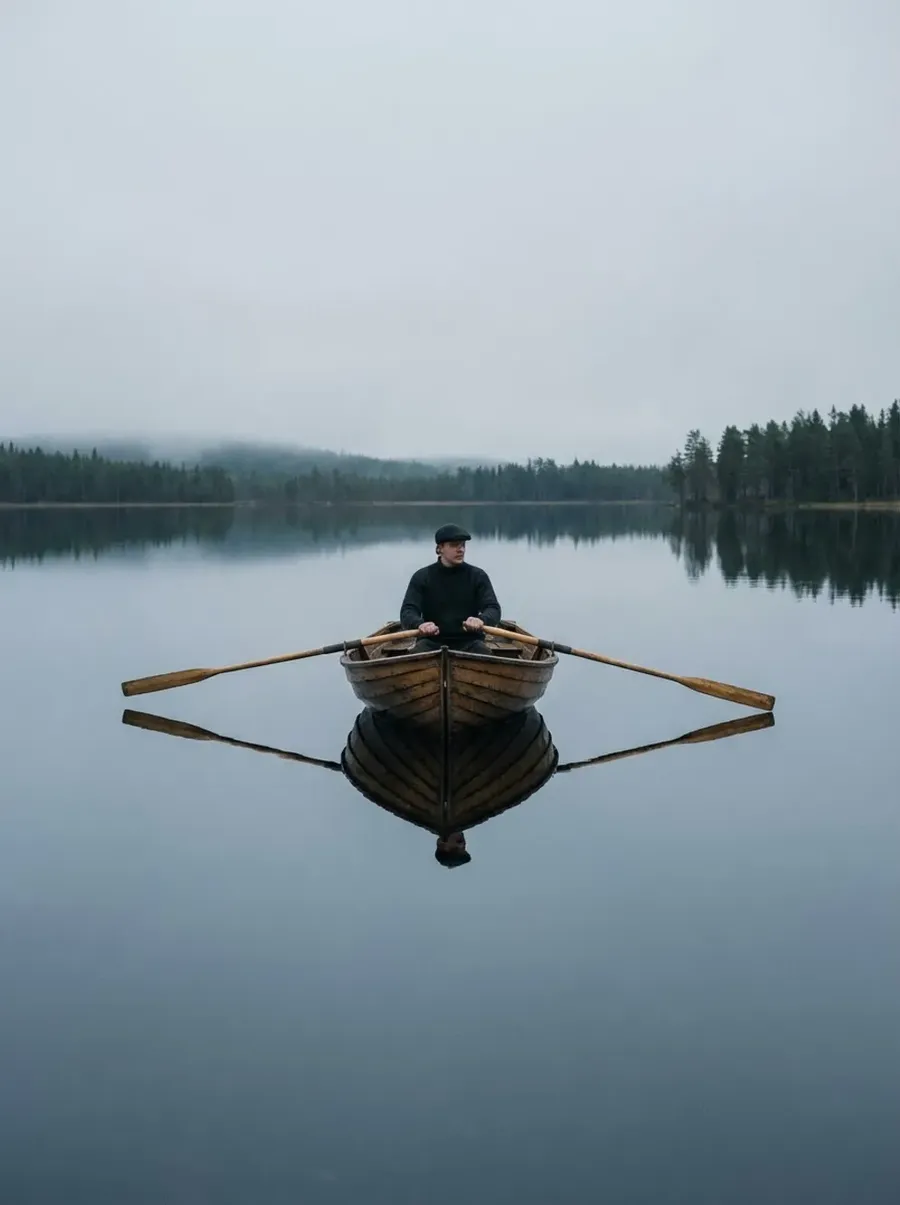
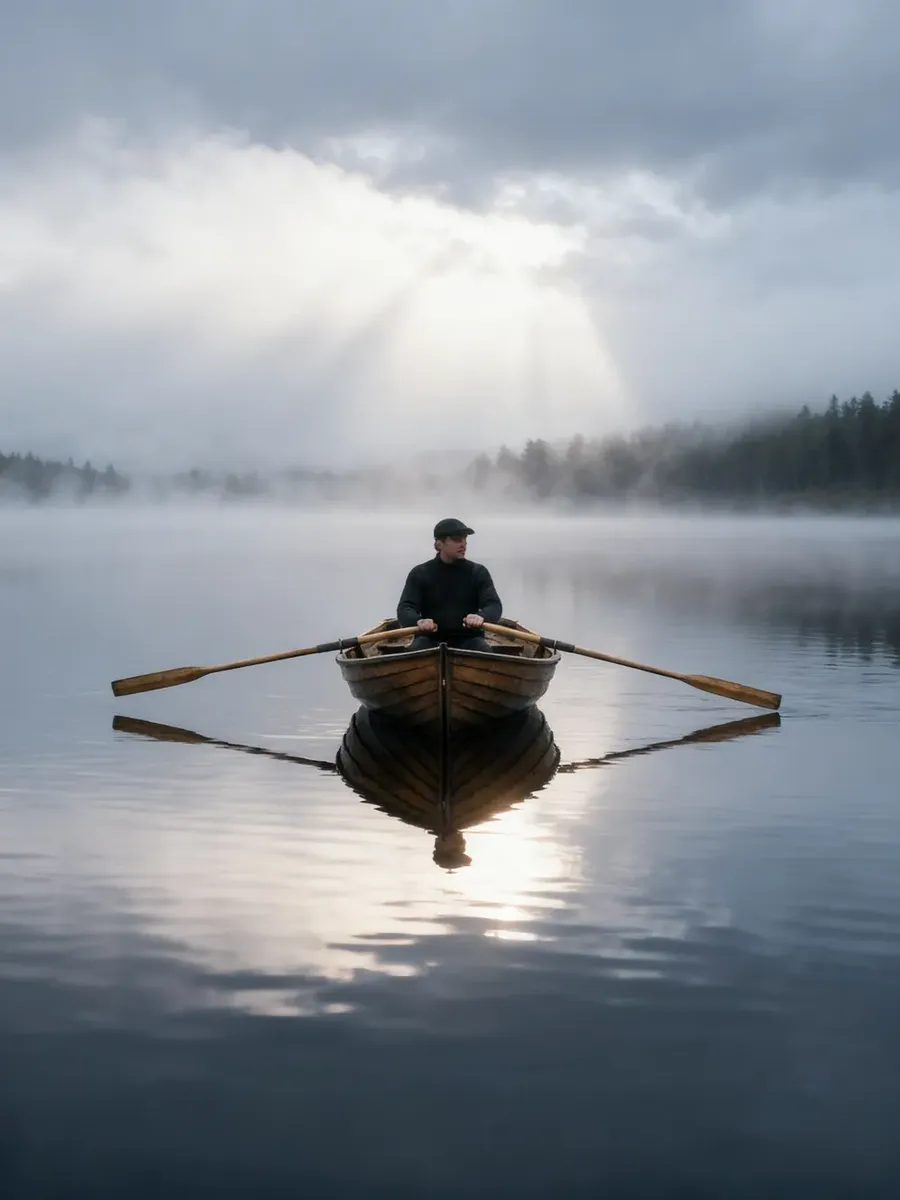
Original photo
Add fog and light rays to the scene. Keep it realistic and natural.
Subject consistency is where it separates from generators. The Elements system stores a Person, Style, or Lighting reference once, then recalls it in any prompt with `@ElementName`. A portrait photographer can hold a client's likeness as a Person Element and produce ten retouched variations that stay recognizably the same person, rather than a near-match that fails the moment a client looks closely. The same logic powers a consistent character across an entire shoot.
What photographers use it for:
- Prompt-based background replacement and one-click background removal with transparent PNG output.
- Relighting and color edits: change the light direction, warm a cold shot, or recover a flat sky.
- Restoring old and damaged photos: repair scratches, fix fading, and colorize black-and-white originals.
- Style transfer between photographic and illustrated looks, or turning a render back into a photo.
- Upscaling to 2K, 4K, or up to 16K, with classic engines that stay faithful and creative engines that add detail.
- Smart Resize and Outpainting across 9 aspect ratios for prints, web, and social.
A useful detail for photographers who already trust Topaz: getimg.ai's upscaling stack includes Topaz Standard 2, Topaz Bloom 2, and Topaz Wonder 3.5 alongside SeedVR 2 and Crystal Upscaler, so that grain-aware sharpening lives inside the same editor as the generative tools.
Feature | Detail |
Image Models | 20+ image models available in-app, including FLUX.2, GPT Image 2, Nano Banana 2, Seedream 5.0 Lite, Grok Imagine, Z-Image Turbo, and more |
Editing Approach | Prompt-based editing that starts from your uploaded image; original files are never overwritten |
Background Tools | One-click background removal (including batch processing) and AI background replacement using prompts |
Photo Restoration | Restore damaged photos, remove scratches, repair fading, and colorize black-and-white images |
Relight & Recolor | Change lighting direction, lighting style, color temperature, and image colors using natural-language prompts |
Subject Consistency | Elements system supports Person, Style, Lighting, Color Palette, Pose, Texture, and additional reference types |
Upscaling | 2K and 4K on most upscalers, up to 16K on select models including SeedVR 2, Topaz Standard 2, Topaz Bloom 2, Topaz Wonder 3.5, and Crystal Upscaler |
Resize Tools | Smart Resize and Outpainting with support for 9 aspect ratios |
Commercial Rights | Included with all paid plans |
Starting Price | $8/month (Entry plan, 3,000 credits, includes 11 image models) |
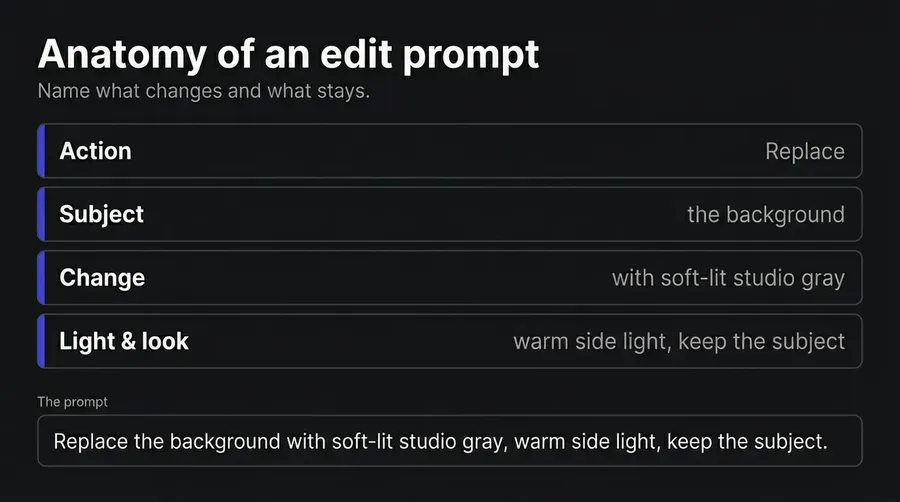
Best for: portrait, product, event, and editorial photographers who want generative editing, retouching, restoration, and upscaling in one place rather than across four apps. Photographers shooting daily run their AI photography edits here, leaning on a dedicated photography prompt book for the prompts behind each common shot.
2. Adobe Photography Plan: The RAW Retouching Standard
Adobe's Photography Plan bundles Lightroom, Lightroom Classic, and Photoshop, and remains the reference point for photographers who edit from RAW. Generative Remove erases distractions like tourists, power lines, signs, vehicles, and poles on both raw and non-raw photos, and notably does not deduct generative credits when used in Lightroom or Lightroom Classic.
Generative Fill and Generative Expand handle composites and aspect-ratio extension inside Photoshop. The Lightroom-and-Photoshop plan runs $19.99/month with 1TB of storage; a Lightroom-only 1TB plan is $11.99/month. Adobe retired the older 20GB Photography plan for new purchases in January 2025.
Why it ranks here: no AI generator replaces a non-destructive RAW develop module, AI masking, tethered capture, and catalog management. For photographers whose core work is exposure, white balance, and selective masking on RAW files, Adobe is the base layer that AI tools sit beside, not above. Photoshop's pixel-level control over composites is still unmatched for high-end retouching.
Tradeoffs: most credit-consuming generative features draw on a monthly Generative Credit allowance (1,000/month on the Lightroom-and-Photoshop plan, 250 on Lightroom-only), and heavy use means buying add-on credits, now sold in large blocks such as 2,000, 4,000, 7,000, 10,000, or 50,000 credits rather than small top-ups.
Firefly's IP indemnification is tied to qualifying enterprise agreements and additional entitlements, not the consumer Photography Plan, so do not assume plan-level legal coverage.
Feature | Detail |
Apps Included | Lightroom, Lightroom Classic, and Photoshop |
RAW Workflow | Full non-destructive RAW editing, AI masking, catalog management, and professional photo organization tools |
Generative Editing | Generative Remove in Lightroom, plus Generative Fill and Generative Expand in Photoshop |
Generative Credits | 1,000 credits/month with Lightroom + Photoshop plans; 250 credits/month with Lightroom-only plans. Additional credits available as paid add-ons |
Commercial Coverage | Firefly indemnification is available through qualifying enterprise agreements and is not included with standard consumer subscriptions |
Starting Price | $19.99/month (Lightroom + Photoshop, 1TB storage) or $11.99/month (Lightroom only, 1TB storage) |
Who uses it: photographers whose workflow centers on RAW development and pixel-level retouching, and who treat generative AI as one tool inside a larger pipeline.
3. Luminar Neo: Photographer-Built Editing With a Perpetual License
Luminar Neo from Skylum is designed for photographers first, and it is one of the few credible AI editors you can own outright instead of renting. Its generative trio handles the most common edits: GenErase removes unwanted elements and fills the gap, GenSwap replaces an element by prompt, and GenExpand extends the scene past the edges. Sky Replacement, Relight, and AI-driven masking round out a feature set aimed squarely at landscape and portrait work.
Why it ranks here: the perpetual license is the differentiator. Skylum sells Luminar Neo as a one-time purchase across Desktop, Cross-Device, and MAX tiers, with an annual Pro subscription as the alternative. Prices are localized and frequently run as promotions, so check Skylum's pricing page for your region and billing rather than relying on a fixed figure. For photographers who resent recurring fees, owning the editor is a real advantage, and the interface is friendlier to traditional photo editing than a prompt box.
Tradeoffs: generative tools on a perpetual license are included for one year from purchase, after which major upgrades may cost extra. The model breadth behind the generative features is narrower than a multi-model platform, and there is no integrated video or API path if your work expands beyond stills.
Feature | Detail |
Generative Editing | GenErase, GenSwap, and GenExpand for AI-powered object removal, replacement, and image expansion |
Photographer Tools | Sky Replacement, Relight, AI masking, object removal, and additional photo enhancement tools |
License Model | Available as a perpetual purchase (Desktop, Cross-Device, or MAX editions) or through an annual Pro subscription. Pricing varies by region |
Generative Tools Access | GenErase, GenExpand, and GenSwap are included for one year with perpetual license purchases |
Mobile Access | Cross-Device licenses include access on iOS, Android, and ChromeOS |
Best For | Photographers and creatives who prefer owning their software rather than paying a recurring subscription |
Who uses it: hobbyist and professional photographers who want approachable AI editing without a mandatory subscription.
4. Topaz Photo AI: The Denoise, Sharpen, and Upscale Specialist
Topaz Photo AI (now branded Topaz Photo) is a photo enhancement and finishing tool rather than a prompt-based generative editor. It is the cleanup engine photographers reach for when an image is noisy, soft, or too small.
It consolidated Topaz's older Gigapixel, Sharpen, and Denoise apps into one interface, and its current toolset spans Denoise, Sharpen, Recover Faces, Adjust Lighting, and Balance Color, plus Upscale, Remove, Dust & Scratch, Super Focus, Preserve Text, and a Healing Brush, with an autopilot that suggests a starting point. Upscaling reaches up to 16x the original pixels.
Why it ranks here: for high-ISO event work, cropped wildlife shots, or archival scans, dedicated denoise and sharpen models still outperform general-purpose generative editing on faithful detail recovery. Topaz does one job category extremely well, which is why its upscaling models also appear inside other platforms, including getimg.ai's image upscaler.
Tradeoffs: it is built for correction and enhancement, not prompt-based generation, so there is no text-to-edit background replacement or restyle (the Remove tool handles object cleanup, not scene building). It is a finishing step, not a full creative editor, so most photographers run it alongside a primary tool rather than instead of one. Topaz Photo Personal is $199 billed annually (about $17/month) or $39 month-to-month, with higher Pro tiers and the all-tools Topaz Studio at $69/month.
Feature | Detail |
Core Tools | Denoise, Sharpen, and Upscale with enlargement up to 16× |
Repair Tools | Recover Faces, Adjust Lighting, Balance Color, Dust & Scratch Removal, Remove, and Healing Brush |
Generative Editing | Not a prompt-based generative editor; focused on image enhancement, restoration, and cleanup workflows |
Workflow Role | Best used as a finishing, recovery, and image-quality enhancement step after editing or generation |
Pricing | Personal plan: $199/year (about $17/month) or $39/month. Topaz Studio (all tools included): $69/month |
Who uses it: photographers who need trusted, dedicated noise reduction and sharpening on real captured detail, run as a finishing pass.
5. Midjourney: Aesthetic Editing, Not Photo Correction
Midjourney's V8.1 (released April 30, 2026) supports HD 2K generation without upscaling and ships with an image editor that includes Smart Select, Retexture, Remix, Vary Region inpainting, Pan, and Zoom Out. Smart Select can isolate and erase a subject or background. For photographers who want to extend, restyle, or composite an image with a strong aesthetic, it is capable inside its own lane.
Why it ranks here: Midjourney is excellent at making an image look art-directed, and the editor can erase backgrounds and run region-based inpainting on uploaded images. For conceptual portraits, fine-art composites, and stylized promo imagery, the output quality holds up.
Tradeoffs: it is a generator with an editor attached, not a photographer's correction tool. There is no RAW workflow, no denoise or sharpen model, and no exposure or white-balance control. Reference tools such as Style References, Moodboards, and Omni Reference are session-level rather than a stored asset library, and feature compatibility varies by model version. Commercial rights apply on paid plans, but companies over $1M in revenue must be on the $60/month Pro plan.
Feature | Detail |
Image Model | Midjourney V8.1 with native 2K HD image generation |
Editing Tools | Smart Select, Retexture, Remix, Vary Region, Pan, and Zoom Out |
Reference Tools | Style References, Moodboards, and Omni Reference (session-based and dependent on model/version support) |
RAW Editing & Photo Correction | Not supported; focused on image generation rather than traditional photo editing workflows |
Commercial Rights | Included on paid plans; businesses with more than $1M in annual revenue require the Pro plan ($60/month) or higher |
Starting Price | $10/month |
Who uses it: photographers and creative directors producing stylized, art-directed imagery rather than faithful corrections to captured shots.
6. Photoroom: Fast Background Cutouts and Product Retouch
Photoroom is built around high-precision background removal, and its toolset reaches well beyond cutouts: AI backgrounds, product staging, virtual models, object removal, a product beautifier, resize and expand, and batch editing, all backed by an API. Photoroom's API page claims background removal roughly 30% more accurate than competing services. Magic Retouch removes defects by inpainting, and Instant Backgrounds generate context-aware scenes from a prompt or reference.
Why it ranks here: for photographers whose volume work is cutouts, packshots, and on-white product shots, Photoroom is fast and accurate where it counts. Batch editing handles up to 250 images at a time, with monthly export limits that scale by plan, which makes it practical for high-throughput catalog work. A free plan covers 250 exports per month with limited AI access.
Tradeoffs: the product is built for product and e-commerce imagery, so it is a narrow fit for portrait, event, or landscape photographers. There is no RAW develop and no denoise or sharpen model. Pro runs $12.99/month ($90/year), Max $34.99/month, and Ultra from $99/month.
Feature | Detail |
Core Strength | Background removal, AI-generated backgrounds, product staging, and object removal for e-commerce workflows |
Generative Tools | Instant Backgrounds and Magic Retouch using prompts or reference images |
Batch Processing & API | Supports batches of up to 250 images, tiered monthly export limits, and a usage-based API |
Best Fit | Product photography, catalog management, and large-scale e-commerce image workflows |
Pricing | Free plan (250 exports), Pro $12.99/month, Max $34.99/month, Ultra from $99/month |
Who uses it: product and e-commerce photographers who need fast, accurate cutouts and styled backgrounds at volume.
7. Leonardo.ai: Multi-Model Generation With Canvas Editing
Leonardo.ai pairs its own models (Phoenix 1.0, Lucid Origin, Lucid Realism) with third-party image engines including FLUX, Nano Banana and Nano Banana Pro, GPT Image 1.5, and Seedream 4.5, plus video models such as Seedance and Kling. The Canvas Editor and Realtime Canvas cover inpainting and outpainting, and Element Training builds custom LoRAs for consistent styles, characters, products, and looks.
Why it ranks here: for photographers who want broad model access alongside basic editing at a mid-range price, the $12/month Essential plan (annual billing) is a workable entry. The Canvas tools handle composites and extensions, and community-trained models add variety.
Tradeoffs: Leonardo is generation-led, so it lacks RAW editing, denoise and sharpen models, and a faithful photo-correction pipeline. Its token system charges first-party and third-party models at different rates: third-party models, especially video, carry higher operating costs and stricter limits, so they consume more tokens per use and are excluded from unlimited relaxed generation. Free-tier outputs are public by default, which rules out the free plan for client work.
Feature | Detail |
Models | Phoenix 1.0, Lucid Origin, Lucid Realism, plus third-party image models including FLUX, Nano Banana, Nano Banana Pro, GPT Image 1.5, and Seedream 4.5. Video generation available through Seedance and Kling |
Editing Tools | Canvas Editor, Realtime Canvas, inpainting, and outpainting |
Consistency Tools | Element Training (custom LoRAs) and Character References for maintaining consistent subjects and styles |
RAW Editing & Photo Correction | Not supported; focused on AI image generation and creative editing workflows |
Commercial Rights | Included on paid plans; outputs generated on the free plan are public by default |
Starting Price | $12/month (Essential plan, annual billing) |
Who uses it: photographers who want broad model access for creative generation with light editing, at a mid-range price.
AI Image Editor Comparison Table
Tool | Starting Price | Generative Editing | Background Swap | Upscaling | Commercial Rights |
getimg.ai | $8/month | Prompt-based editing from your uploaded photo | One-click removal and AI background replacement | Up to 16K | Included on all paid plans |
Adobe Photography Plan | $19.99/month | Generative Remove, Generative Fill, and Generative Expand | Available in Photoshop | Super Resolution | Commercial use included; Firefly indemnification available only under qualifying enterprise agreements |
Luminar Neo | Perpetual license or subscription | GenErase, GenSwap, and GenExpand | Sky Replacement and GenSwap | Built-in upscaling tools | User-owned outputs |
Topaz Photo AI | $199/year (about $17/month) | Enhancement and restoration only; not prompt-based generation | Object Remove only | Up to 16× enlargement | Commercial use permitted under license terms |
Midjourney | $10/month | Inpainting, Retexture, Smart Select, Remix | Smart Select object removal and editing | HD 2K upscaling | Included on paid plans; businesses over $1M revenue require the $60/month Pro plan |
Photoroom | $12.99/month | Magic Retouch and Instant Backgrounds | High-precision background removal and replacement | Included | Included on paid plans |
Leonardo.ai | $12/month | Canvas Editor with inpainting and outpainting | Available within Canvas Editor | Available within Canvas Editor | Included on paid plans; free-plan outputs are public by default |
How to Choose the Right AI Image Editor for Photographers
Start from your edit list, not the file format
RAW development (exposure, white balance, masking) is an early step that a dedicated develop module handles once. The AI editing that follows is where the real tool choice happens: removing objects, swapping backgrounds, relighting, restoring, and upscaling, the work that used to mean four separate apps. getimg.ai runs all of it from your exported files by prompt, so you keep whatever RAW workflow you already have and add one editor for everything after it.
Count the edits you actually make
Most photographer edit lists are generative: remove a distraction, replace a background, relight, restore a damaged scan, resize, upscale. getimg.ai covers every one of those in a single editor, with Topaz upscaling models built into its upscaler for grain-aware finishing.
A dedicated denoise-and-sharpen pass is worth adding for high-ISO or archival shots, but it is a finishing step, not the center of the workflow, so most photographers do not need a separate correction app for the bulk of their edits.
Check subject consistency, not just single edits
A one-off retouch is easy. Keeping a client's face or a brand's product identical across ten edits is the hard part, and it is where most tools drift. getimg.ai's Elements store a Person, Style, or Lighting reference and recall it with `@ElementName` across unlimited sessions, so a portrait series or repeat client work stays recognizably consistent rather than near-matching.
Confirm commercial rights at your exact plan
Every image you deliver to a client or run as a paid ad must be cleared for that use. getimg.ai includes full commercial rights on every paid plan from $8/month, with no separate enterprise tier required. Adobe permits commercial use, but IP indemnification is tied to qualifying enterprise agreements, not the consumer plan. Midjourney requires the $60/month Pro plan for companies over $1M in revenue. Always verify the terms on the tier you buy.
The Bottom Line
For photographers, the decision comes down to one question: does the tool edit your photograph, or generate a new one?
getimg.ai is built to edit yours. Start from an uploaded shot, then replace the background, change the light, remove a distraction, restore old damage, restyle, and upscale to 16K, all by prompt and all in one editor. Elements keep the subject consistent across a full series, commercial rights are included on every paid plan from $8/month, and 20+ image models run with auto-selection so the right engine handles each task. For photographers who already trust Topaz, its upscaling models live inside the same tool.
The alternatives each own a slice. Adobe is the RAW retouching standard and the base layer for pixel-level work. Luminar Neo gives photographers a perpetual license. Topaz Photo is the denoise-and-sharpen finishing engine. Midjourney is for art-directed, stylized imagery. Photoroom handles fast background and product editing. Leonardo offers broad model access with light editing.
If your editing list means swapping backgrounds, relighting, restoring, and upscaling without bouncing between four apps, start editing with getimg.ai, commercial rights included.
Frequently Asked Questions
The best AI image editor for photographers in 2026 is getimg.ai. It edits your own uploaded photo by prompt, covering background removal and replacement, relighting, color, object removal, photo restoration, style transfer, and upscaling to 16K, with 20+ image models and commercial rights on every paid plan from $8/month.
Adobe's Photography Plan remains the standard for RAW-based retouching with Generative Remove and Generative Fill. Topaz Photo AI is the specialist for denoise and sharpen. Luminar Neo offers a perpetual license. The right choice depends on whether your workflow starts from RAW files, how much you rely on faithful correction versus generative editing, and your ownership preference.
Yes, for most of what photographers actually edit. getimg.ai handles the generative work people open Photoshop for: removing objects, replacing or removing backgrounds, extending the canvas, restyling, restoring old photos, and upscaling, all by prompt instead of layers and masks, which is faster for the everyday edit and keeps your original untouched.
It does this across 20+ image models from $8/month, so the bulk of a photographer's retouching list lives in one tool. Photoshop still has its place for pixel-level manual compositing, and the two pair well: composite by hand in Photoshop when you need that control, and run the faster prompt-driven AI image editing in getimg.ai for everything else.
getimg.ai handles photo restoration by prompt: repair scratches and tears, fix fading, and colorize black-and-white originals, with the edit producing a new file while the original scan stays untouched. Upload the scan, describe the repair, and the AI rebuilds the damaged areas.
For maximum faithful detail recovery on the restored result, follow with an upscaling pass using a classic engine like Topaz Standard 2 or SeedVR 2, which sharpen without inventing detail. Luminar Neo and Photoshop also restore old images, though getimg.ai keeps restore and upscale in the same tool.
getimg.ai handles backgrounds in two modes. One-click background removal isolates the subject and outputs a transparent PNG, with batch support for multiple images. For full background replacement, attach the photo as a reference and describe the new scene, such as a studio backdrop, golden-hour field, or brand-color wall, and the AI renders the subject in the new setting while preserving the subject itself.
Related Articles