Is Nano Banana Pro Worth It? A Full Breakdown of Google’s New AI Image Model

Nano Banana went viral only a few short months ago, but now Google already has a new, supposedly even better AI model for us: Nano Banana Pro (Gemini 3 Pro).
So, what does it bring to the table, and how does it compare to its predecessor? Let's find out!
Can't wait to try it? Start creating with Nano Banana Pro right now in getimg.ai.
⚡ TL;DR: Nano Banana Pro (Gemini 3 Pro) Review
- The Upgrade: Nano Banana Pro is Google's newest model, powered by the Gemini 3 Pro architecture.
- Killer Feature: unmatched text rendering and layout capabilities.
- The Verdict: while the original is good for quick tasks, Nano Banana Pro is the definitive choice for complex, structured design work.
A Quick Look at What Google’s Nano Banana Pro Is
Nano Banana Pro is Google’s latest image generation and editing model, powered by the Gemini 3 Pro architecture (also referenced as “Gemini 3 Pro Image”), which the company calls its most capable multimodal tech so far.
Check out our article about what is Nano Banana to learn more about the previous model.
If the original Nano Banana felt like a clever breakthrough, this one feels like the grown up version that has read every photography, design, and world atlas book you ever ignored. Seriously.
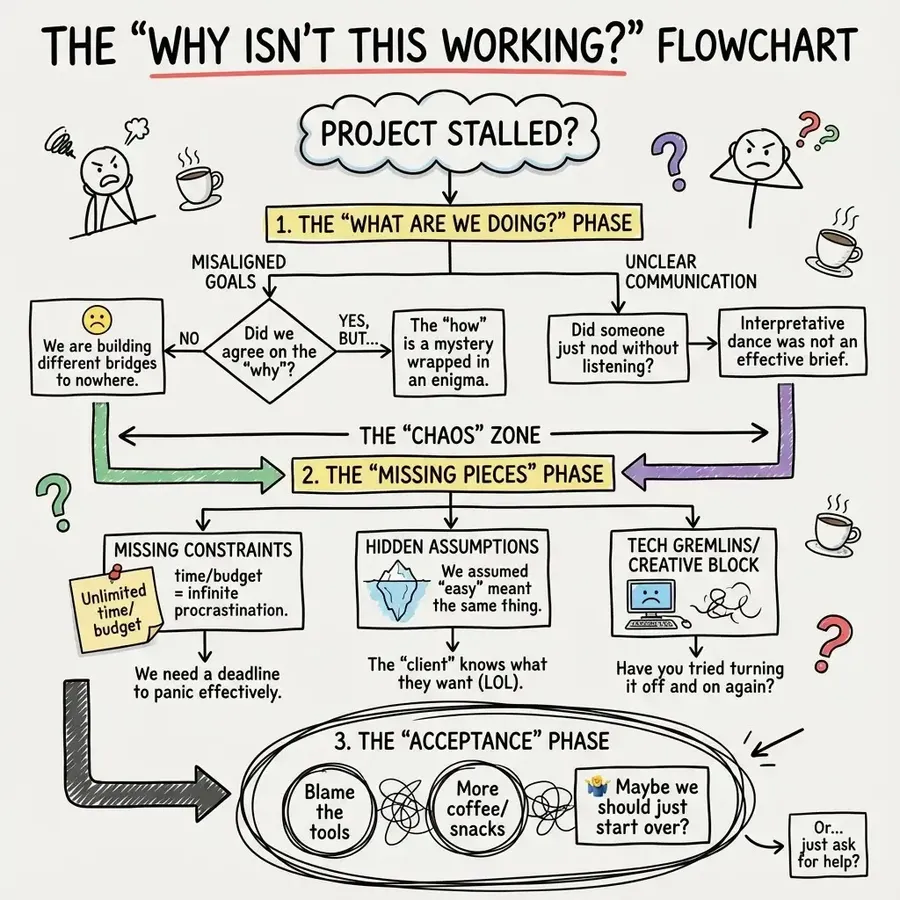
The “Why Isn’t This Working?” Flowchart. A humorous but insightful chart that breaks down all the reasons a creative or technical project stalls. Boxes explore ideas like misaligned goals, missing constraints, unclear communication, or hidden assumptions.
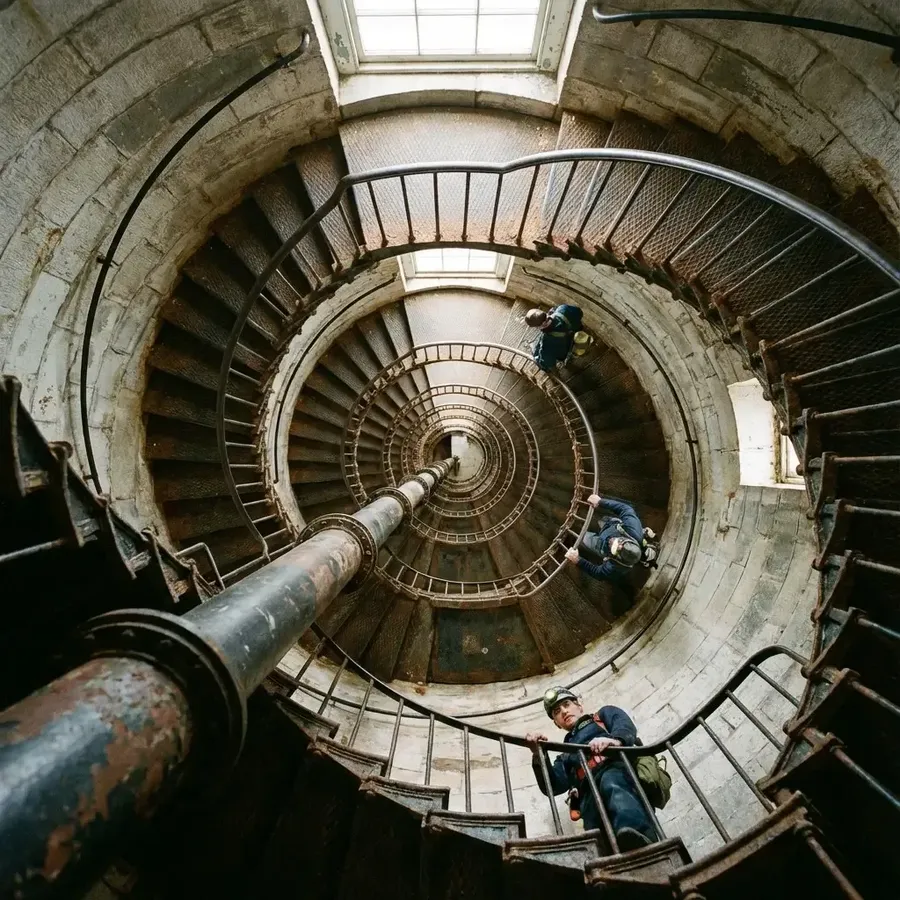
Photorealistic image from above a tall lighthouse staircase. The camera points straight down the spiral, creating strong geometric lines. Two lighthouse keepers ascend at different levels, forming a balanced composition.
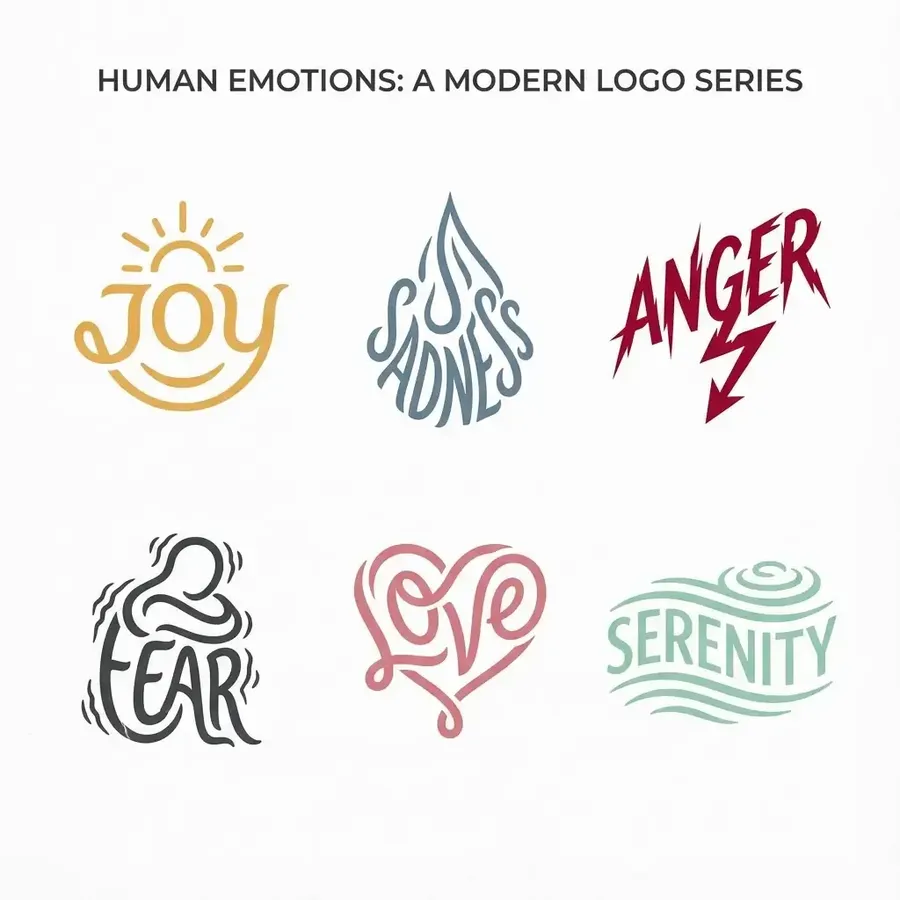
A series of 6 modern, elegant logos related to human emotions, the font shape should incorporate themes related to these emotions, each logo showing a different emotion
It’s available now in the Image Generator on getimg.ai. You can start with a text prompt or upload a reference image, which can guide the style or identity and also serve as the base for editing.
What Has Actually Improved
Nano Banana Pro takes the original Nano Banana’s “you tell it once, and it just works” energy and stretches it into places the old model simply could not reach.
Cleaner, more intentional layouts
The Pro version has a clearer sense of how information should look when it is presented on a page. Infographics land with proper spacing and hierarchy.
Simple explainers feel like someone who understands layout built them, not a model guessing where boxes should go. You can ask for a quick chart about a plant or a recipe breakdown, and it arranges everything in a way that feels natural without you guiding every pixel.
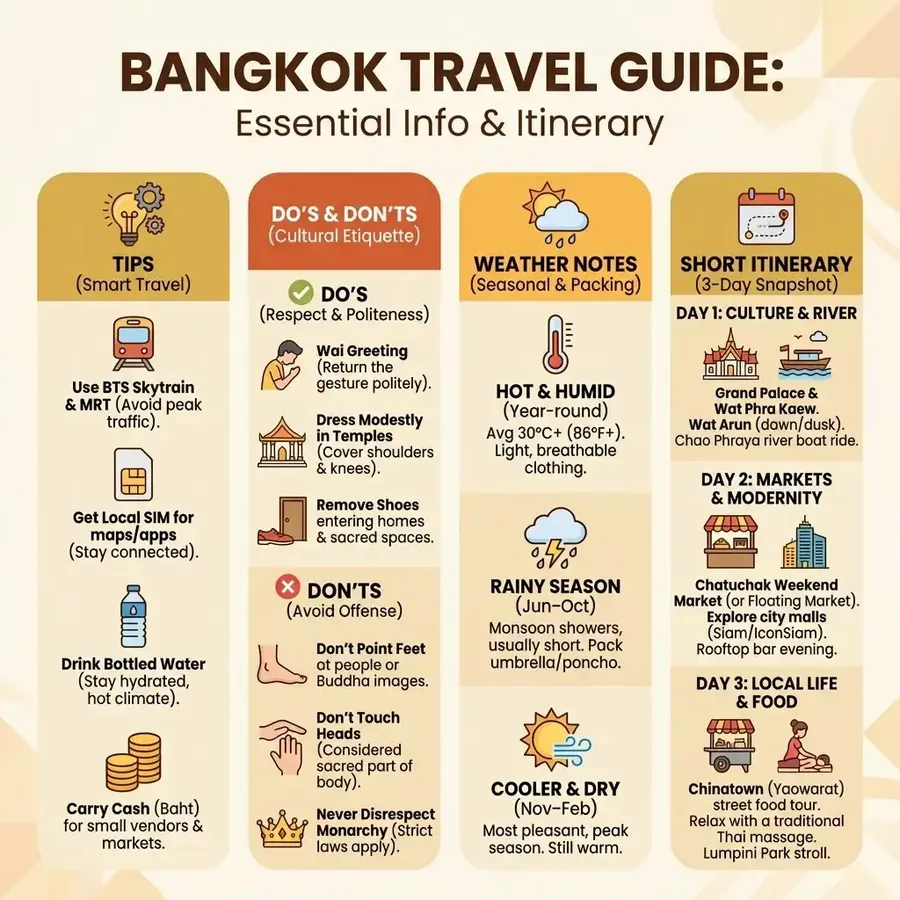
Detailed travel guide infographic for Bangkok Include a column of tips, ‘do and don’t’ lists, weather notes, and a short travel itinerary. Mix icons with neatly arranged text. Use warm colors and a clean, modern layout.
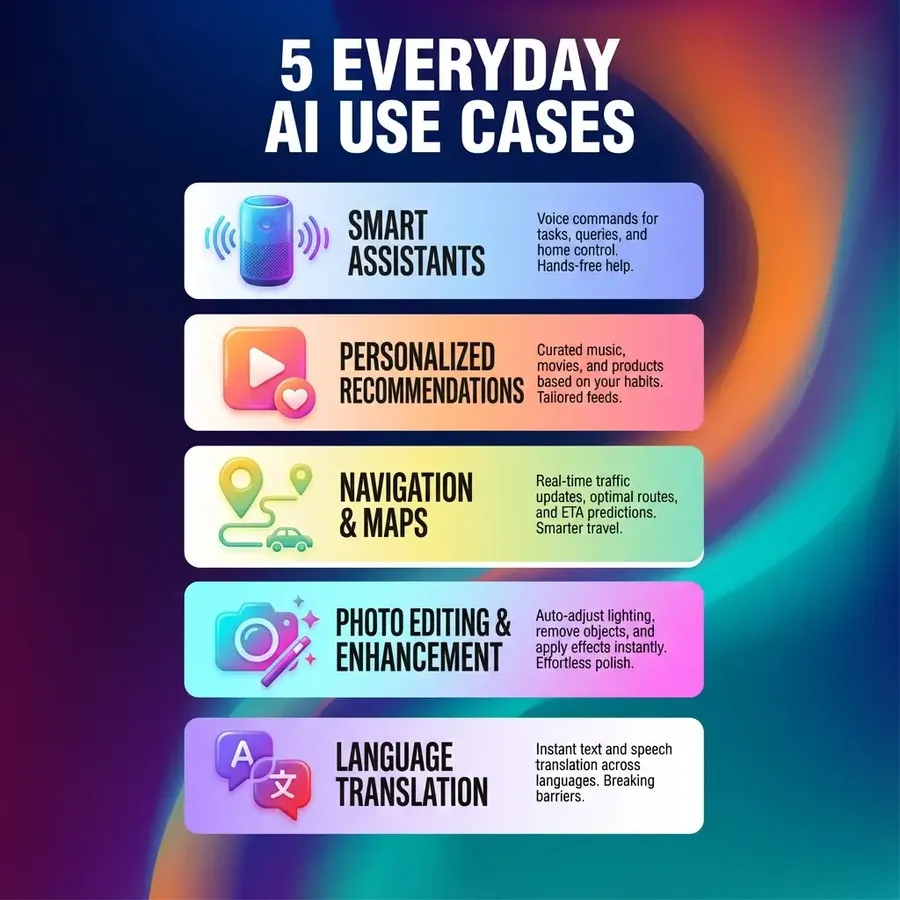
A bold infographic summarizing five everyday AI use cases. Use large typography, short text blocks, oversized icons, and a trendy gradient background. Keep spacing tidy and the layout scroll-friendly.
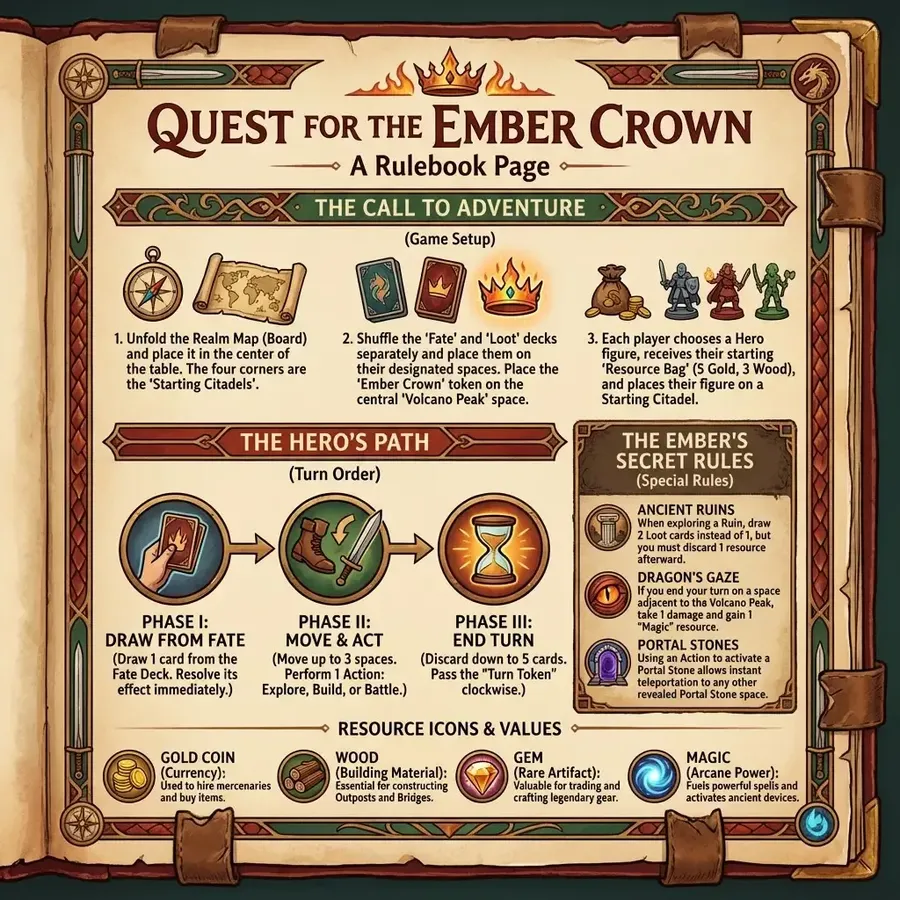
A stylized rulebook page for a fictional board game. Include a title, step by step game setup instructions, turn order descriptions, icons for resources, and a sidebar of special rules. Use an adventurous, thematic color palette.
It also helps that the model already understands everyday objects and concepts. If you say “a breakdown of how to brew masala chai” or “a layout explaining camera angles”, it knows what belongs in that context. Prompts can be short, casual, and human.
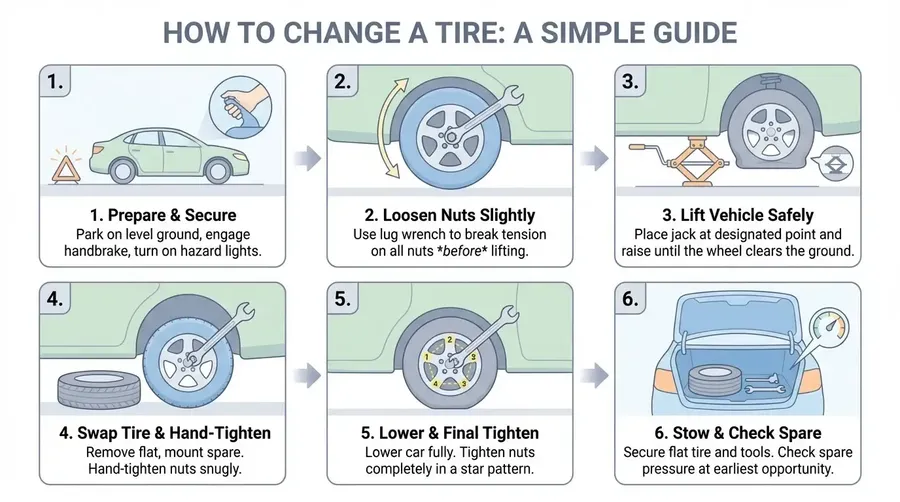
An infographic on how to change a tire, on a white background. Keep the style simple, like a clean vector graphic, with soft colors.
Text that actually looks designed
Some older models treated text like a vague suggestion. Nano Banana Pro treats it like an actual design element. Headlines stay crisp. Longer paragraphs stay readable. Stylized lettering keeps its weight and form.
To be honest, it's actually insane how much on-image text it can generate without a single stumble. Even with a simple prompt, like "a clean chart comparing different filmmaking lighting setups".
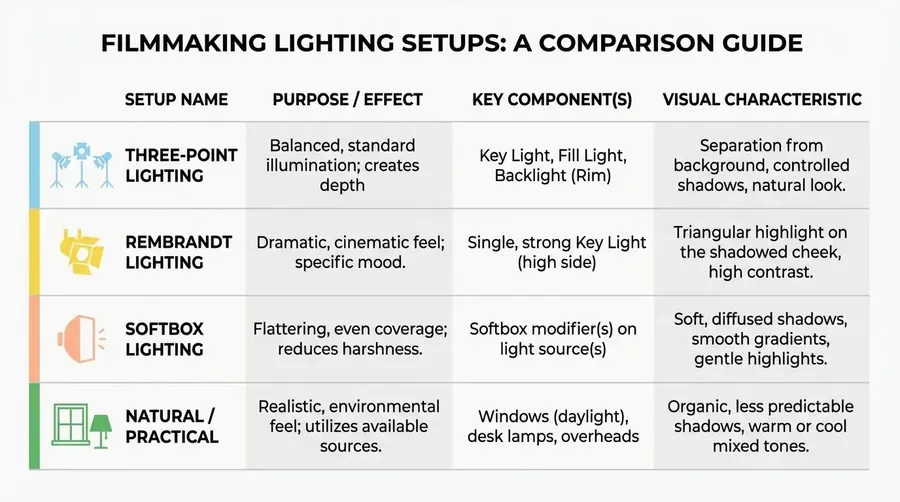
This makes posters, mockups, book covers, graphic layouts, and even simple labels feel much more professional with almost no extra effort.
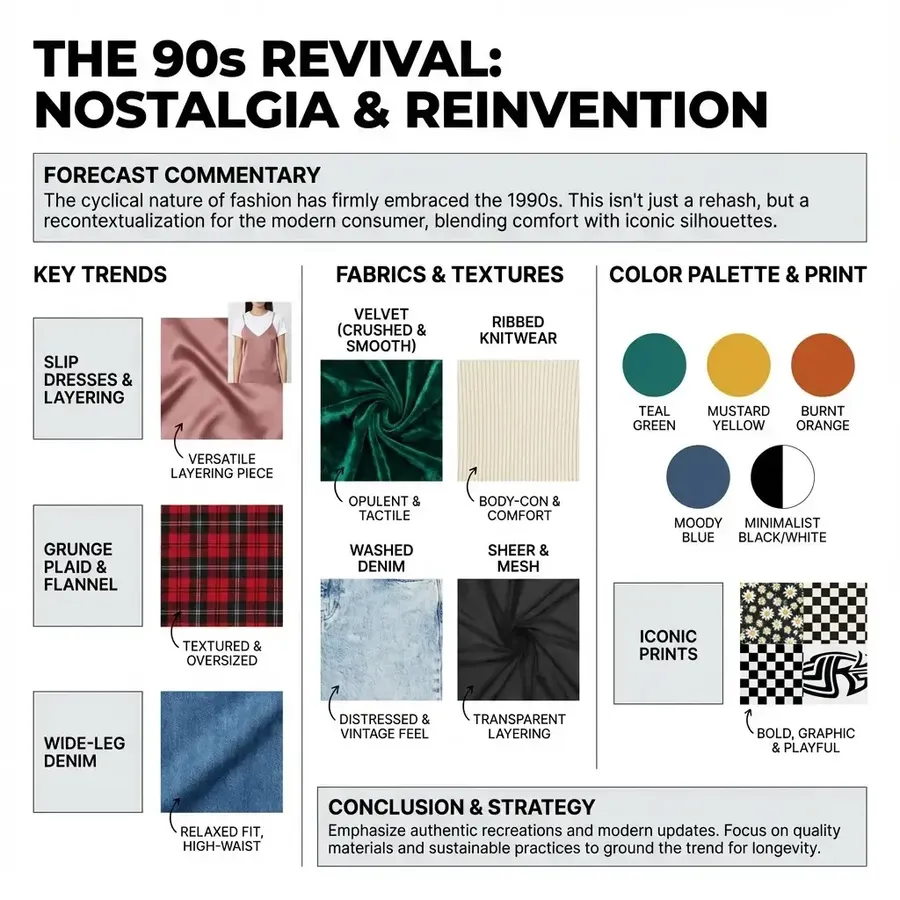
A fashion industry trend report about 90s fashion coming back, with commentary, bold section headers, annotated swatches, and tidy labeled text blocks, clean, modern.
Better control over the scene
This is the part creators will notice instantly. The model takes creative direction far more seriously. You can ask for a different style, camera angle, a dramatic lighting setup, a shallow depth of field, or a shifted focal point and it follows through.
Editing (and generating images based on complex ideas) becomes easier because the model understands how a scene should react when you change the light or move the camera.
-900x502.webp)
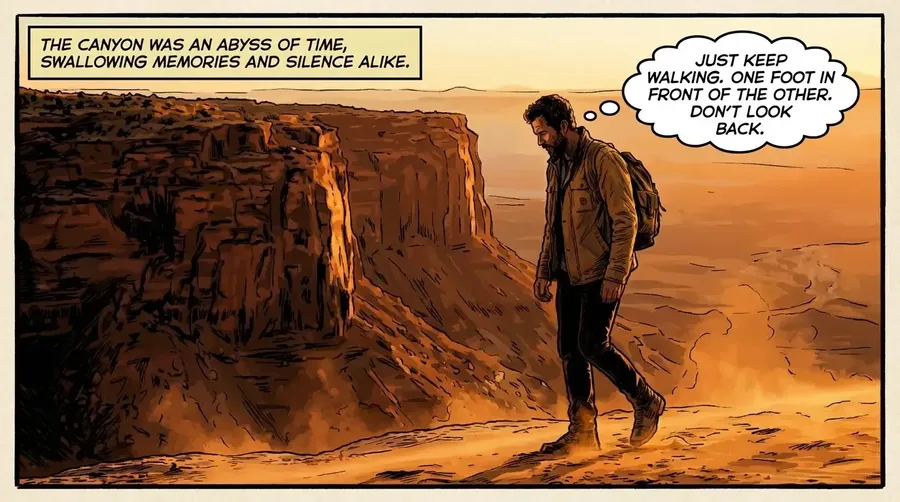
Reference Image
Frame this image as a single, impactful panel in a graphic novel. Add narration boxes or thought bubbles to delve into the character's mind.
Turn a daytime meadow into a moody dusk shot, focus on the foreground instead of the subject, or tilt the camera upward for a more cinematic look. It just does it.
-900x502.webp)
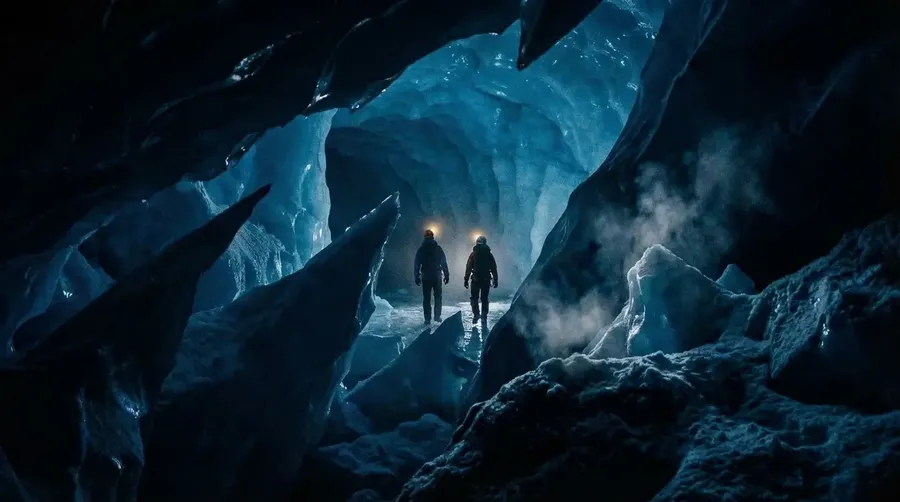
Reference Image
Switch to a cinematic, wide-angle shot from the perspective of a creature hidden in a dark ice crevice. In the distance, two explorers are turned away from the creature. The foreground is dominated by the dark, sharp, silhouetted edges of the ice hiding place.
Nano Banana Pro vs Nano Banana Comparison
The easiest way to see what changed is to give both models the same prompt and watch how they handle it.
When you do that, a few patterns show up right away: Nano Banana Pro makes fewer mistakes and shows more power in every task.
Rendering Text
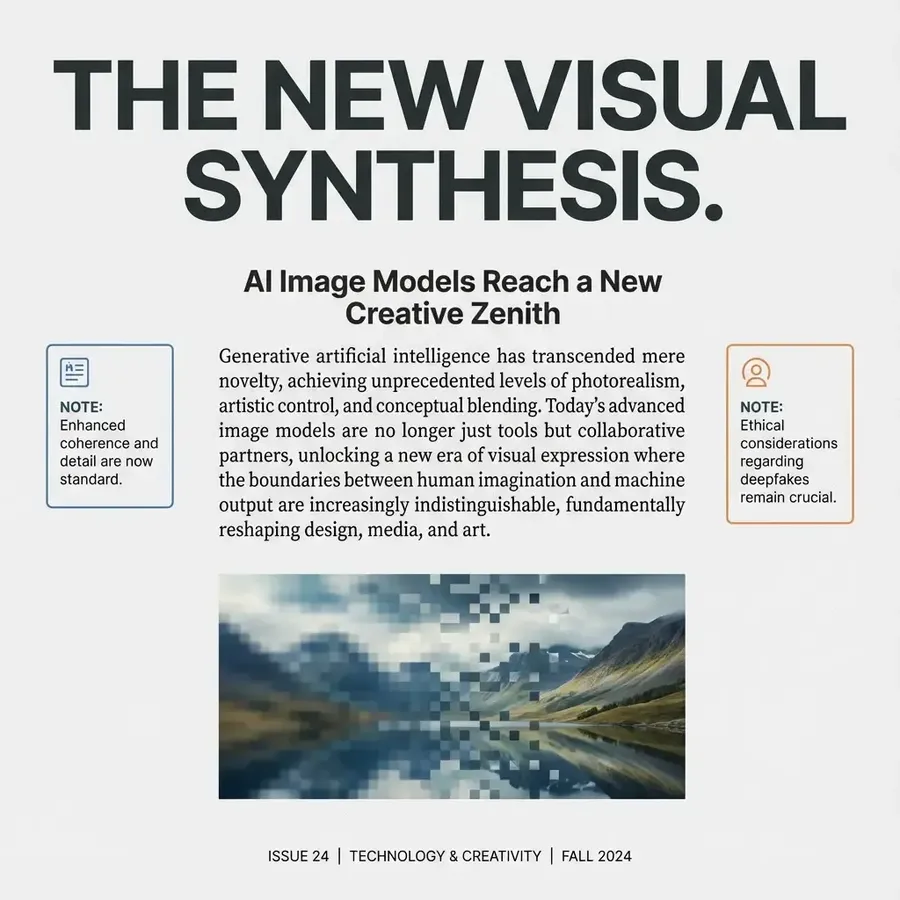
A full page editorial style layout about AI image models reaching a new height that mixes bold headlines, one paragraph body text, and small side notes. Use a modern magazine aesthetic with clean typography, clear spacing, and a subtle textured background. Keep all text sharp, readable, and well aligned.
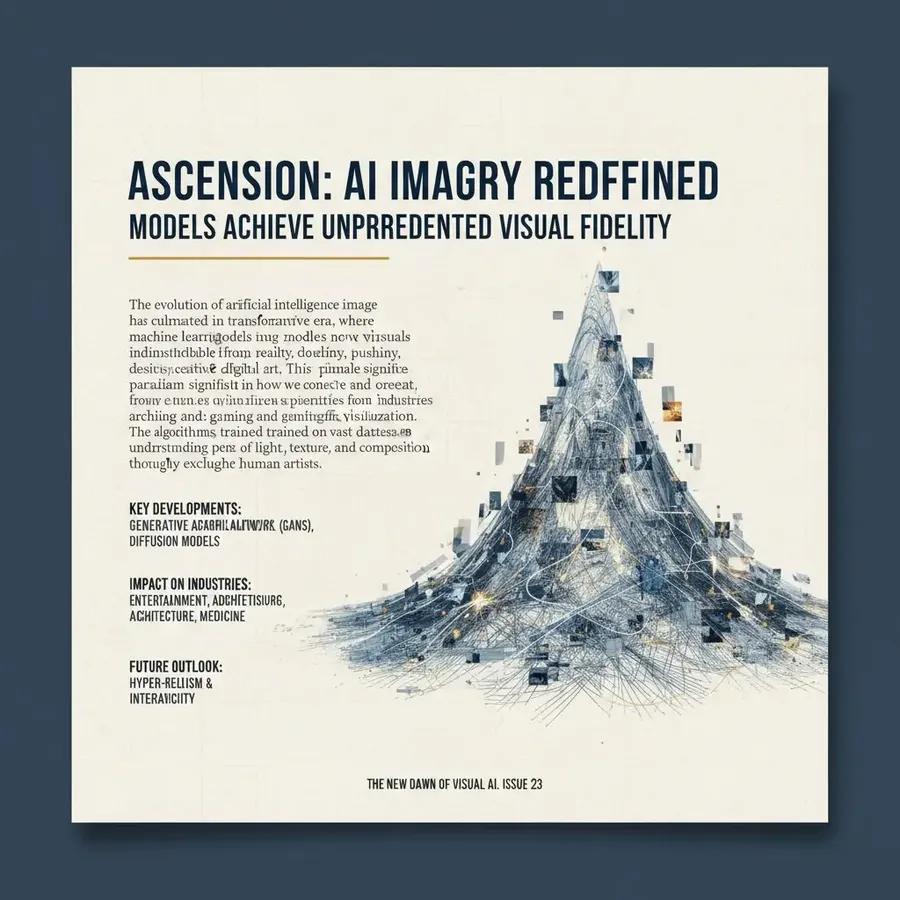
Nano Banana (Gemini 2.5)
Nano Banana Pro (Gemini 3 Pro)
Using References/Editing
Redesign this as a video game's title screen with "Start Game" appearing in the blurry distance, and small "Settings" and "Credits" options at the bottom, shown as cracks in the asphalt.
-900x900.webp)
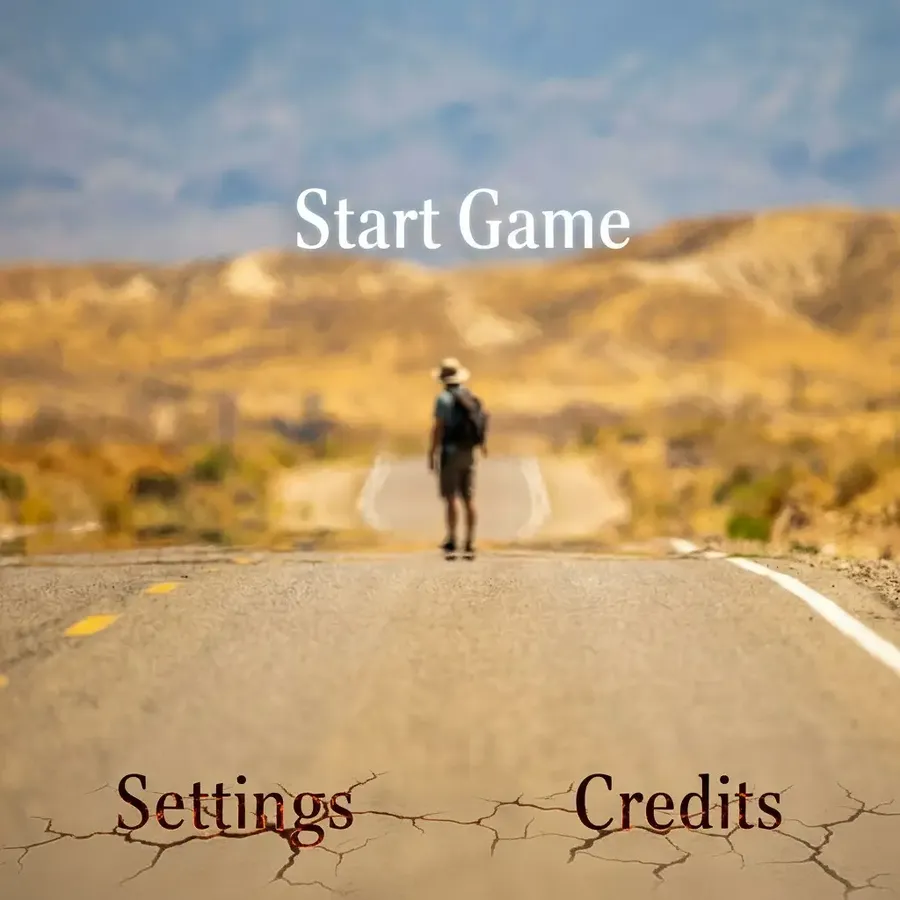
-900x900.webp)
Reference Image
Nano Banana (Gemini 2.5)
Nano Banana Pro (Gemini 3 Pro)
Prompt Following
A cozy interior scene with this exact layout. A round wooden table in the center. A lit candle placed on the right side of the table. A steaming bowl of soup on the left side of the table. A folded striped napkin behind the soup. A handwritten "See you at 8!" note card leaning against the candle holder. A patterned rug underneath the table with a soft warm palette. Respect the placement and relative distances.
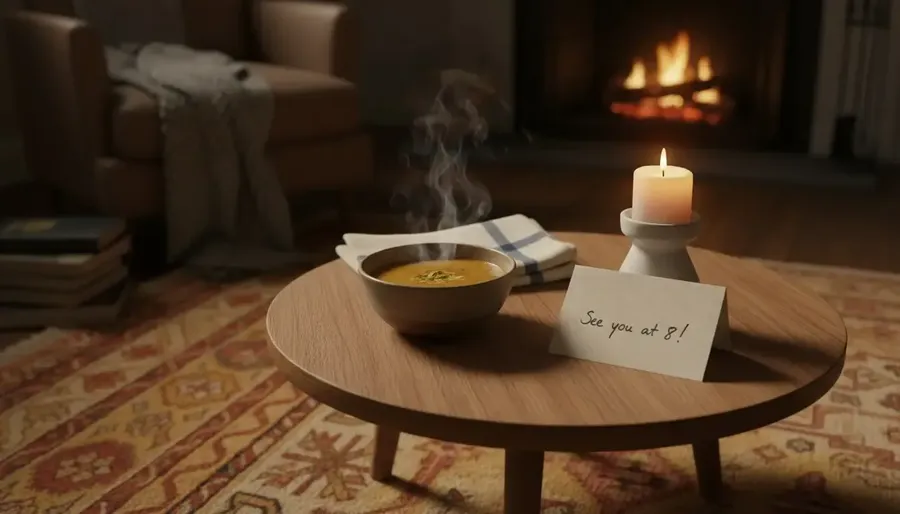
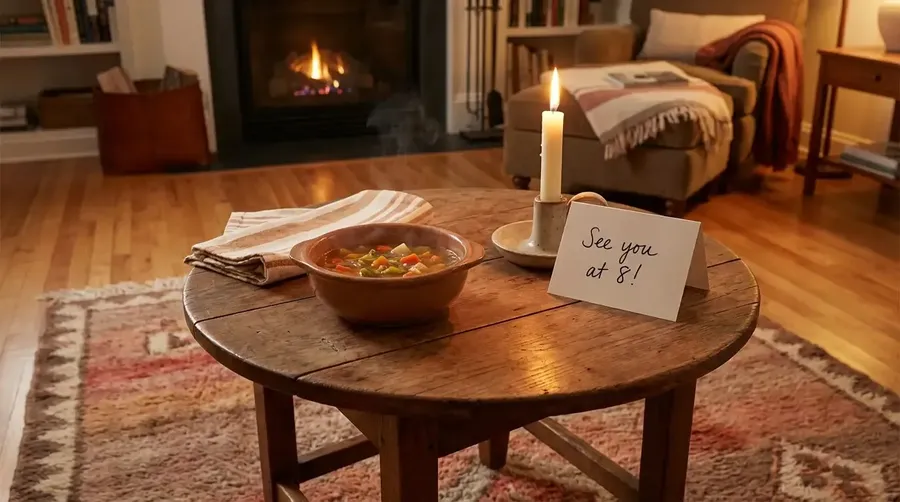
Nano Banana (Gemini 2.5)
Nano Banana Pro (Gemini 3 Pro)
Photorealism
Realistic cinematic photo of a woman stepping into a clearing in a snow covered forest at dawn. Cool ambient light, warm glow from a lantern in her hand illuminating her face, visible breath in the cold air, and long soft shadows stretching across the snow. Delicate color grading and film like atmosphere.
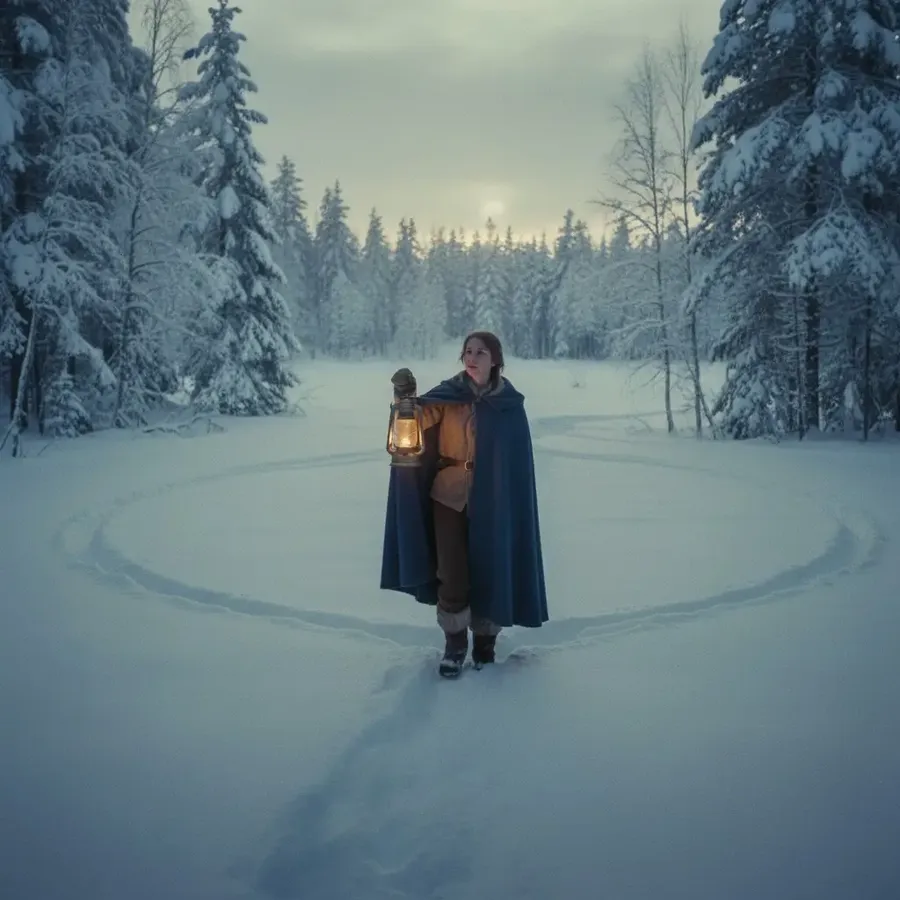

Nano Banana (Gemini 2.5)
Nano Banana Pro (Gemini 3 Pro)
Artistic/Stylized Images
Detailed modern 3D anime style image of a small group of students working together in a cluttered school workshop. One is tightening a bolt on a half built robot, two are reviewing a glowing digital blueprint, and another is organizing colorful components on a table. Use warm evening light from windows, soft shadows, glossy materials, and clean stylized rendering.
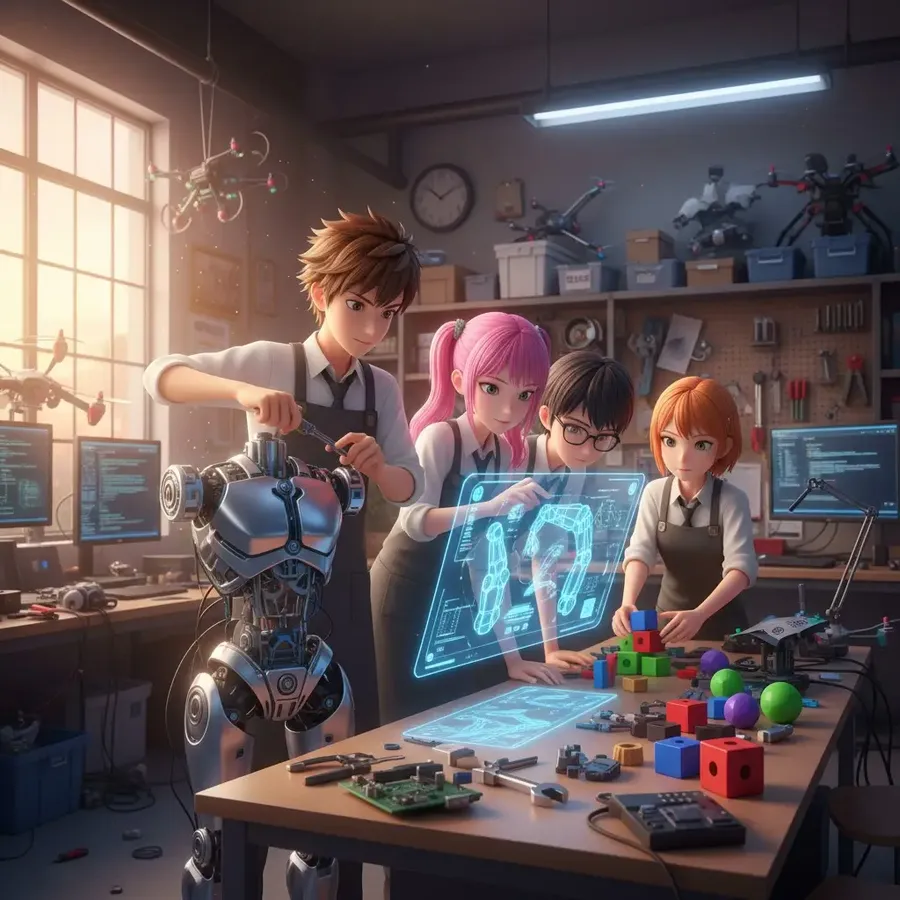
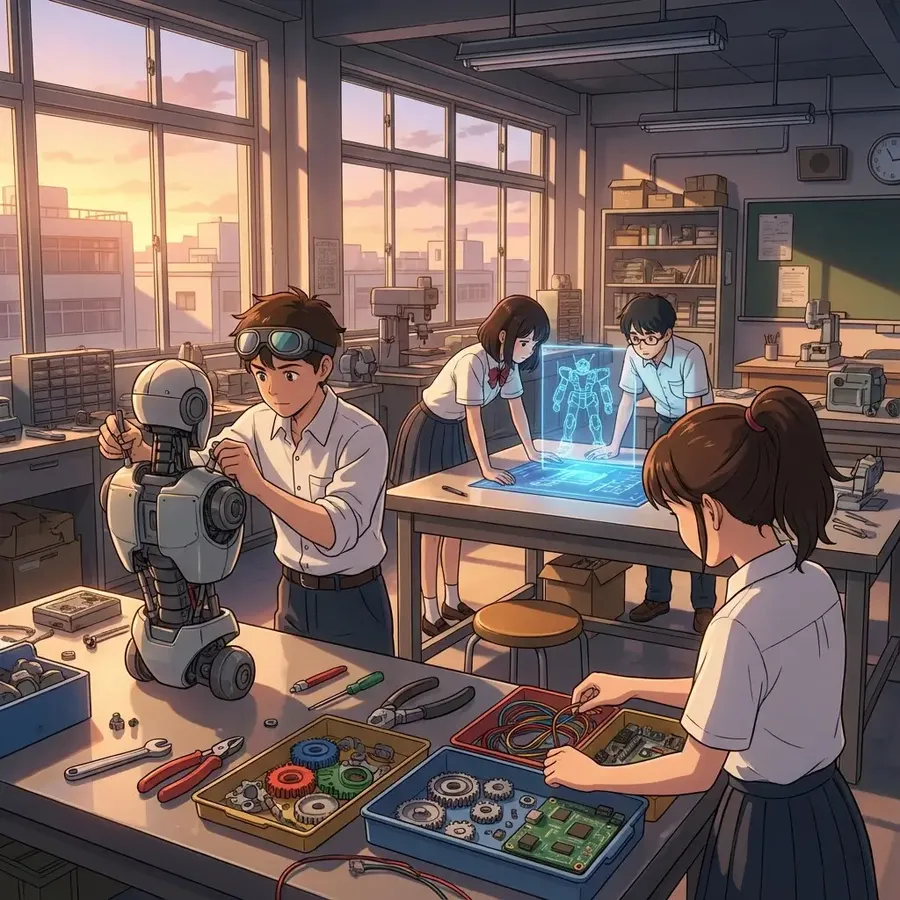
Nano Banana (Gemini 2.5)
Nano Banana Pro (Gemini 3 Pro)
So, to sum it up:
Nano Banana (Gemini 2.5) | Nano Banana Pro (Gemini 3 Pro) |
|
|
So which one wins?
Nano Banana is still a great model when you want quick, reliable edits or simple image generation.
But Nano Banana Pro steps up when the idea gets bigger, the layout gets heavier, or the text becomes a big part of the design. It keeps the original’s stability while adding the flexibility you need for more ambitious projects.
Want to see how good it is yourself? Try it right now in getimg.ai.
Related Articles