Grok Imagine Image 2.0 API
imageImage generation by xai
xAI image generation and editing model. Quality is automatically set to xAI's medium default.
Call Grok Imagine Image 2.0 from Node.js, Python, or any HTTP client. No GPU provisioning, no cold starts, no Docker images — just an API key and a prompt.
Pay per request. Powering 1M+ generations daily.
Start in 60 seconds
Install the official SDK for Node.js or Python, drop in your API key, and generate your first image.
npm install getimg-ai
import GetimgAI from "getimg-ai";

const client = new GetimgAI();

const result = await client.images.generate({
    model: "grok-imagine-image-2.0",
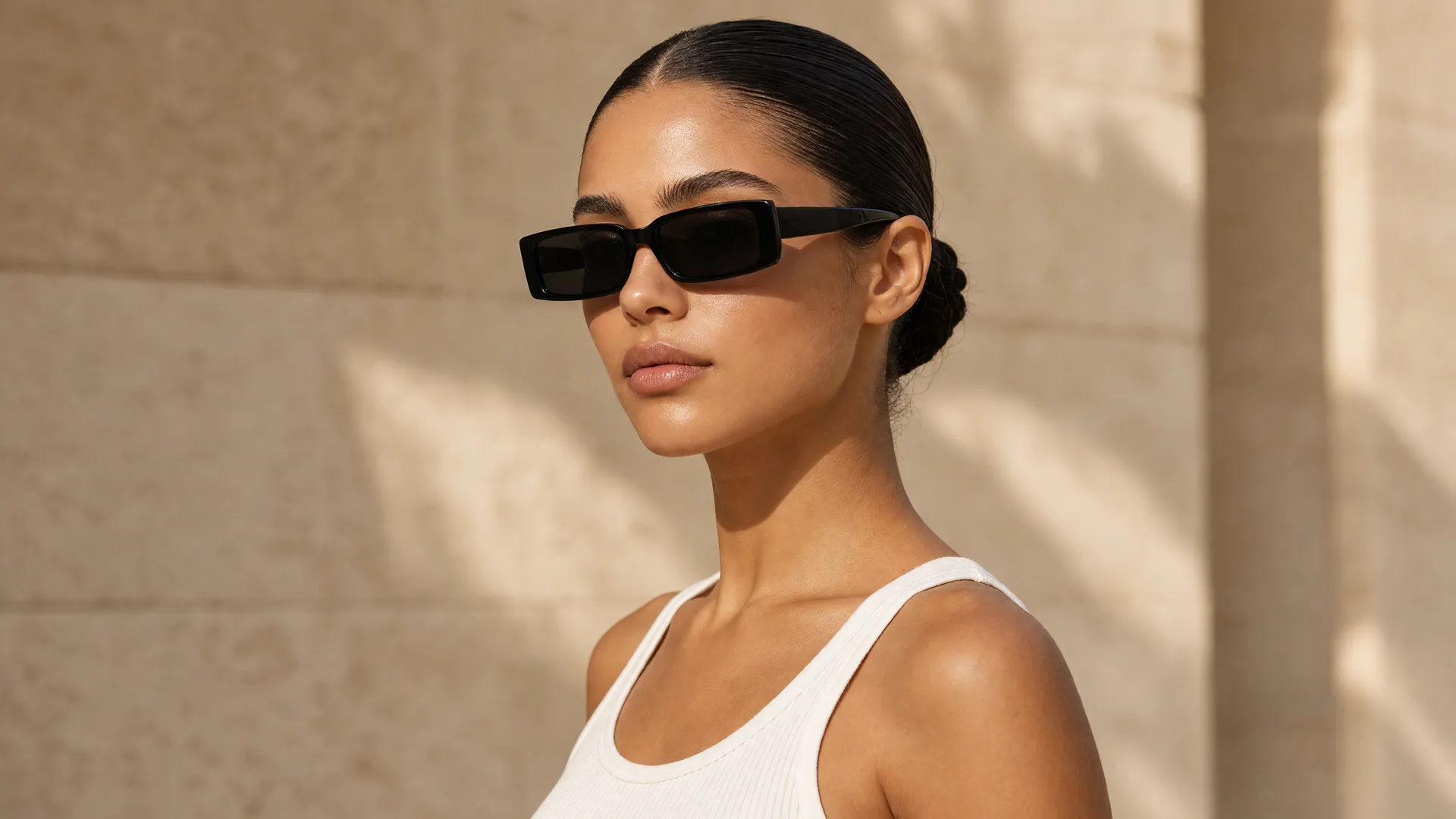
    prompt: "photograph of a young woman with dark hair slicked back into a low bun, bare shoulders above a white cotton tank, wearing slim unbranded black rectangular sunglasses",
    aspect_ratio: "1:1",
    resolution: "1K",
    output_format: "jpeg"
  });
console.log(result.data[0].url);
How Grok Imagine Image 2.0 API works
Send a prompt, get an image URL back — one synchronous call.
Get your API key
Create a key in the Developer Dashboard. Add credit and start calling — you are billed per request.
Send a request
POST to /v2/images/generations with your prompt and output format.
Get your image
The response includes the image URL plus a usage object with the exact cost.
What you can build with Grok Imagine Image 2.0
Every example uses the same authentication and works with the official getimg-ai and getimg SDKs, or plain HTTP.
Text to image
Generate an image using just a text prompt.
import GetimgAI from "getimg-ai";

const client = new GetimgAI();

const result = await client.images.generate({
    model: "grok-imagine-image-2.0",
    prompt: "photograph of a young woman with dark hair slicked back into a low bun, bare shoulders above a white cotton tank, wearing slim unbranded black rectangular sunglasses",
    aspect_ratio: "1:1",
    resolution: "1K",
    output_format: "jpeg"
  });
console.log(result.data[0].url);
Image editing
Edit or restyle an existing image with an instruction-based prompt.
import GetimgAI from "getimg-ai";

const client = new GetimgAI();

const result = await client.images.generate({
    model: "grok-imagine-image-2.0",
    prompt: "Restyle the subject in warm cinematic studio lighting.",
    aspect_ratio: "1:1",
    resolution: "1K",
    output_format: "jpeg",
    images: [
      {
        url: "https://your-bucket.s3.amazonaws.com/source.png"
      }
    ]
  });
console.log(result.data[0].url);
Multi-reference generation
Combine up to 3 reference images for character consistency, style, or composition guidance.
import GetimgAI from "getimg-ai";

const client = new GetimgAI();

const result = await client.images.generate({
    model: "grok-imagine-image-2.0",
    prompt: "A product hero shot blending the style of the reference images.",
    aspect_ratio: "1:1",
    resolution: "1K",
    output_format: "jpeg",
    images: [
      {
        url: "https://your-bucket.s3.amazonaws.com/reference-1.png"
      },
      {
        url: "https://your-bucket.s3.amazonaws.com/reference-2.png"
      }
    ]
  });
console.log(result.data[0].url);
Grok Imagine Image 2.0 pricing
Pay per image. No subscriptions, no minimums, no idle GPU costs.
Grok Imagine Image 2.0
$0.09 – $0.12 /image
/v2/images/generationsxAI image generation and editing model. Quality is automatically set to xAI's medium default.
| Resolution | Price | Images for $10 |
|---|---|---|
| 1K | $0.09 /image | 111 |
| 2K | $0.12 /image | 83 |
More from xai
Other xai models available through the same API.
Grok Imagine Video 1.5
xAI text-to-video and image-to-video model with native audio and native 1080p.
Grok Imagine Image
xAI image generation and editing model with reference-image support.
Grok Imagine Video
xAI text-to-video and image-to-video model with audio generation.
Grok Imagine Image 2.0 API — frequently asked questions
How do I use the Grok Imagine Image 2.0 API?
Install the official Node.js (npm install getimg-ai) or Python (pip install getimg) SDK, or call the endpoint directly over HTTP from any client.
Make a POST request to /v2/images/generations with your API key and a JSON body containing the model ID (grok-imagine-image-2.0) and a prompt. The response includes the generated image URL.
See the API documentation for the full parameter reference.
Which SDK should I use?
Use getimg-ai for Node.js and TypeScript projects, and getimg for Python. Both wrap the same REST API with typed inputs, retries, and built-in polling for video generations.
For other languages — Go, Rust, Java, Ruby, PHP — call the HTTP endpoints directly. Every example on this page includes a cURL snippet you can port to any HTTP client.
What resolutions does Grok Imagine Image 2.0 support?
Grok Imagine Image 2.0 supports the following resolutions: 1K, 2K across 11 aspect ratios (1:1, 16:9, 9:16, 4:3, 3:4, 3:2, 2:3, 2:1, 1:2, 21:9, 5:2).
How much does Grok Imagine Image 2.0 cost?
Grok Imagine Image 2.0 uses pay-per-image pricing with no subscriptions or minimum commitments. Rates vary by resolution. See the pricing table above for exact rates per image.
Does Grok Imagine Image 2.0 support reference images?
Yes. Grok Imagine Image 2.0 accepts up to 3 reference images. Reference images guide the generation toward a specific style, composition, or subject. See the example above.
Start building with Grok Imagine Image 2.0
Grab an API key, install the SDK, ship image generation today.
Looking for other models? View all available models